A one-page character world in six playful scenes, built to introduce a character through play instead of text.
Live since April 2026. Version two added hand-drawn doodles, version three a photographic character.
Project facts
- Role
- Solo: concept, design, build, ship
- Timeline
- v1 in 13 days (Apr 2026), v2 in Oct 2026, v3 in Nov 2026
- Built with
- Claude Code
- ChatGPT image generation
- Apple Vision subject lift
- Puppeteer
- ffmpeg
- Stack
- HTML
- CSS
- Vanilla JS
- Inline SVG
- Vercel
Why
Character sites usually end up as a gallery: a grid of images and a paragraph of lore. That shows you what a character looks like. It never shows you what she's like.
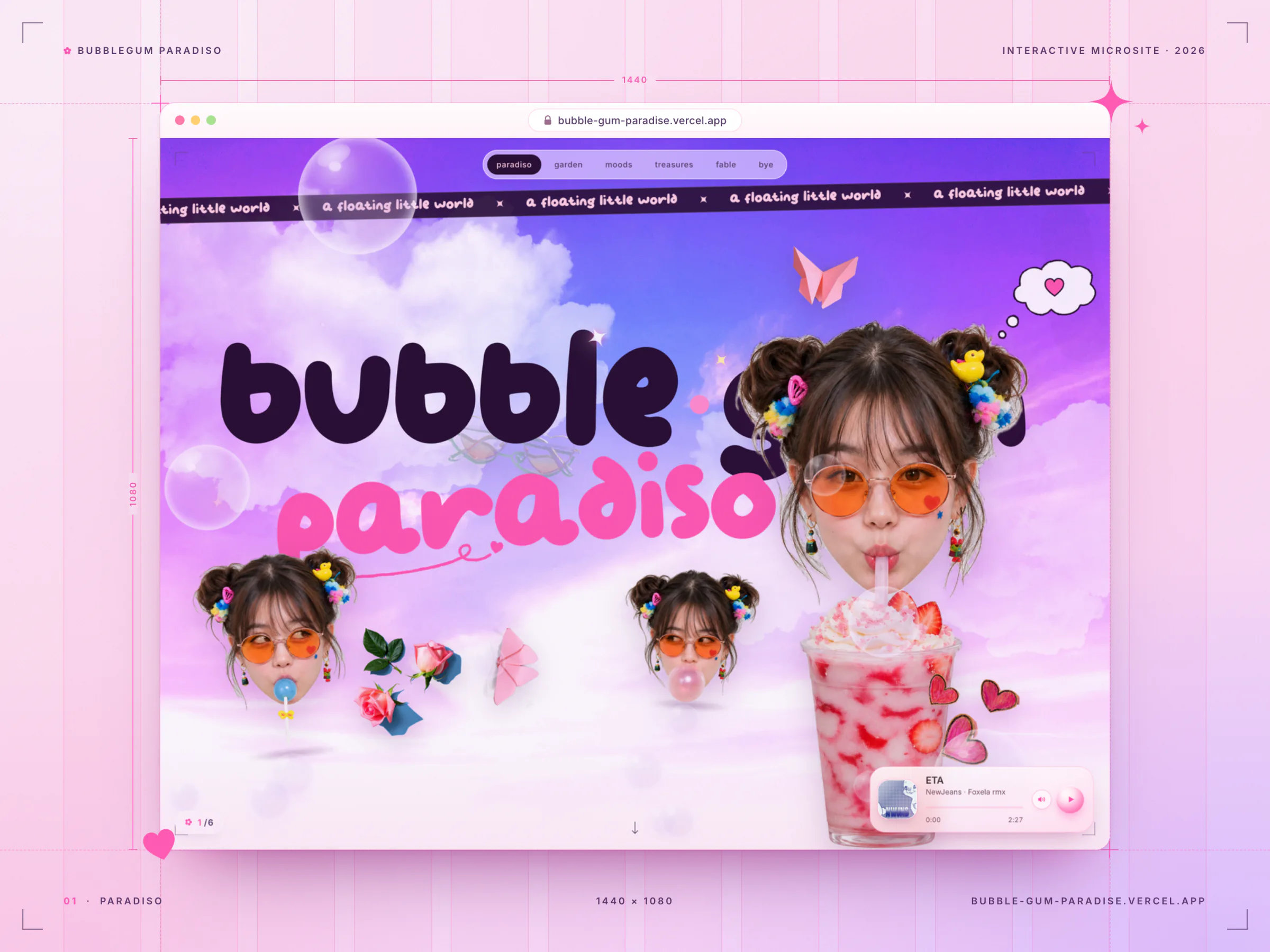
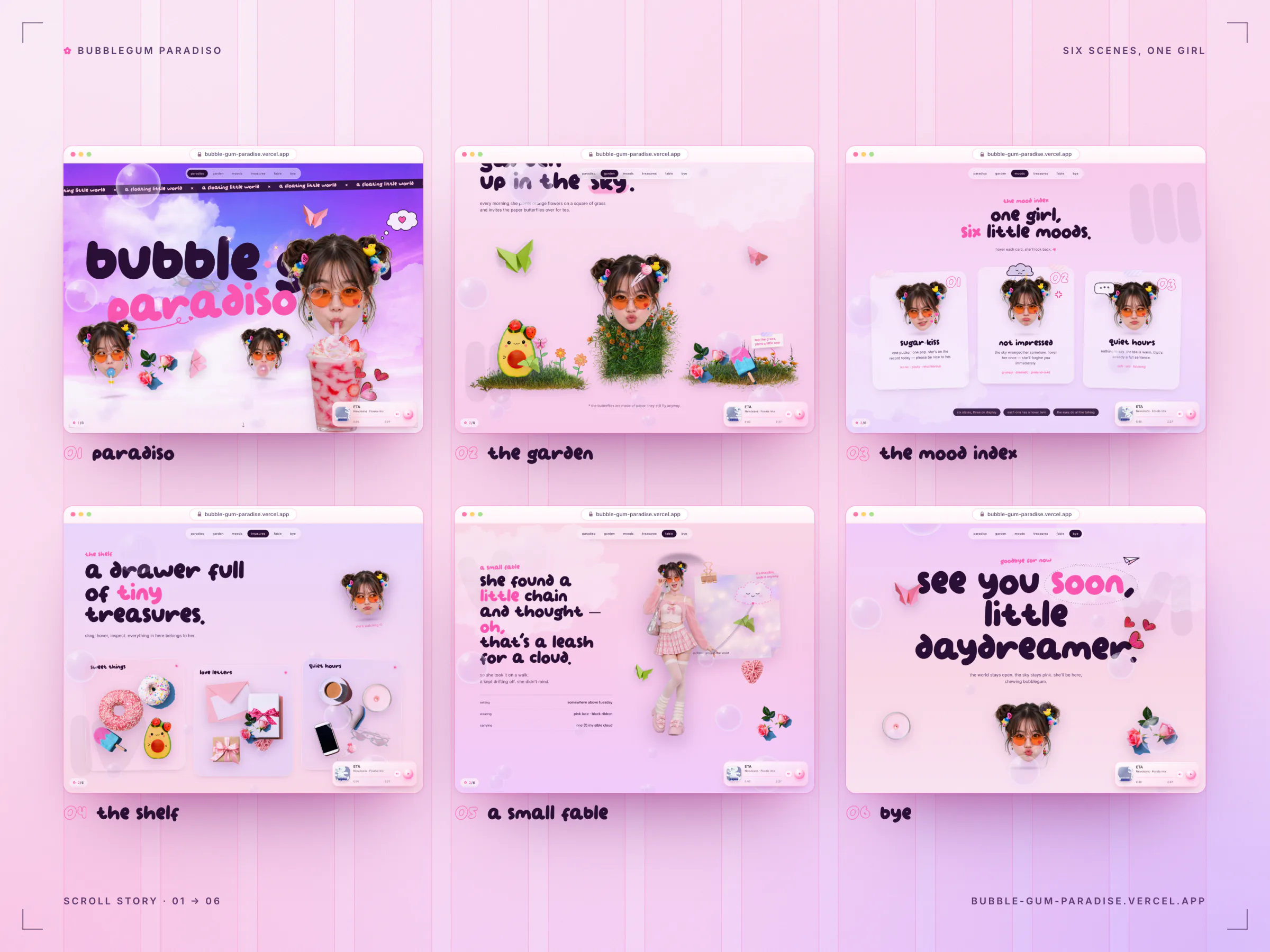
Bubblegum Paradiso does the opposite. It introduces an original character through play, not text. Her world is a pastel sky full of floating props, soap bubbles and paper butterflies, and it unfolds as six chapters you scroll through like a zine. Each chapter shows one side of her and hands you one small thing to play with.
The project was built around four goals:
- Make people remember her. Personality should come through in how the page behaves, not only in what it says.
- Keep the copy tiny. Short, personal lines in lowercase, like notes she wrote herself.
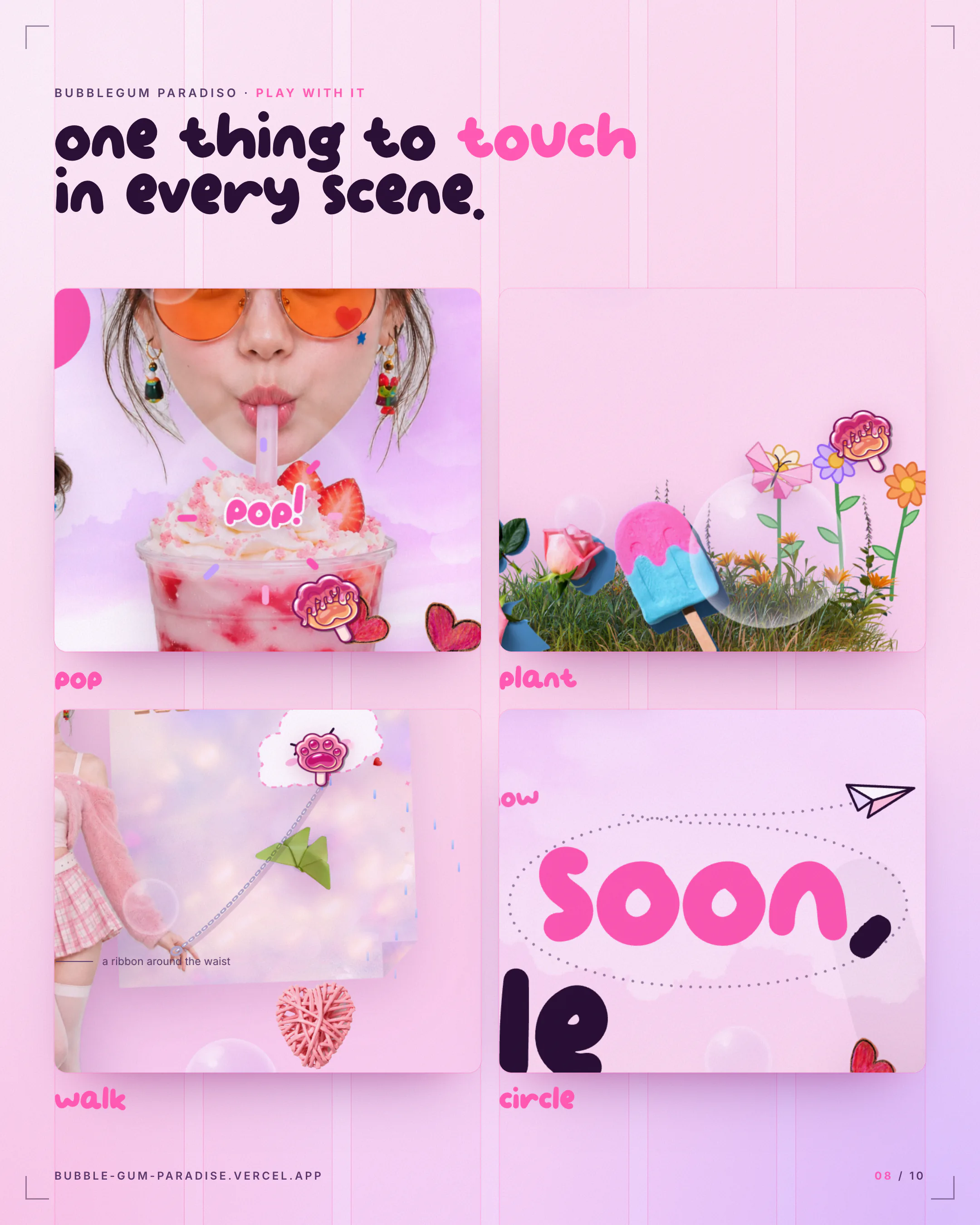
- Reward curiosity. Every scene gets at least one thing to touch, and every touch gives something back.
- Stay light. No framework, no build step, fast to load, and calm for anyone who prefers reduced motion.
The tone is editorial cute: magazine layout and a collage of real photographed objects, softened by a layer of doodles that move like frame-by-frame animation.
How It Works
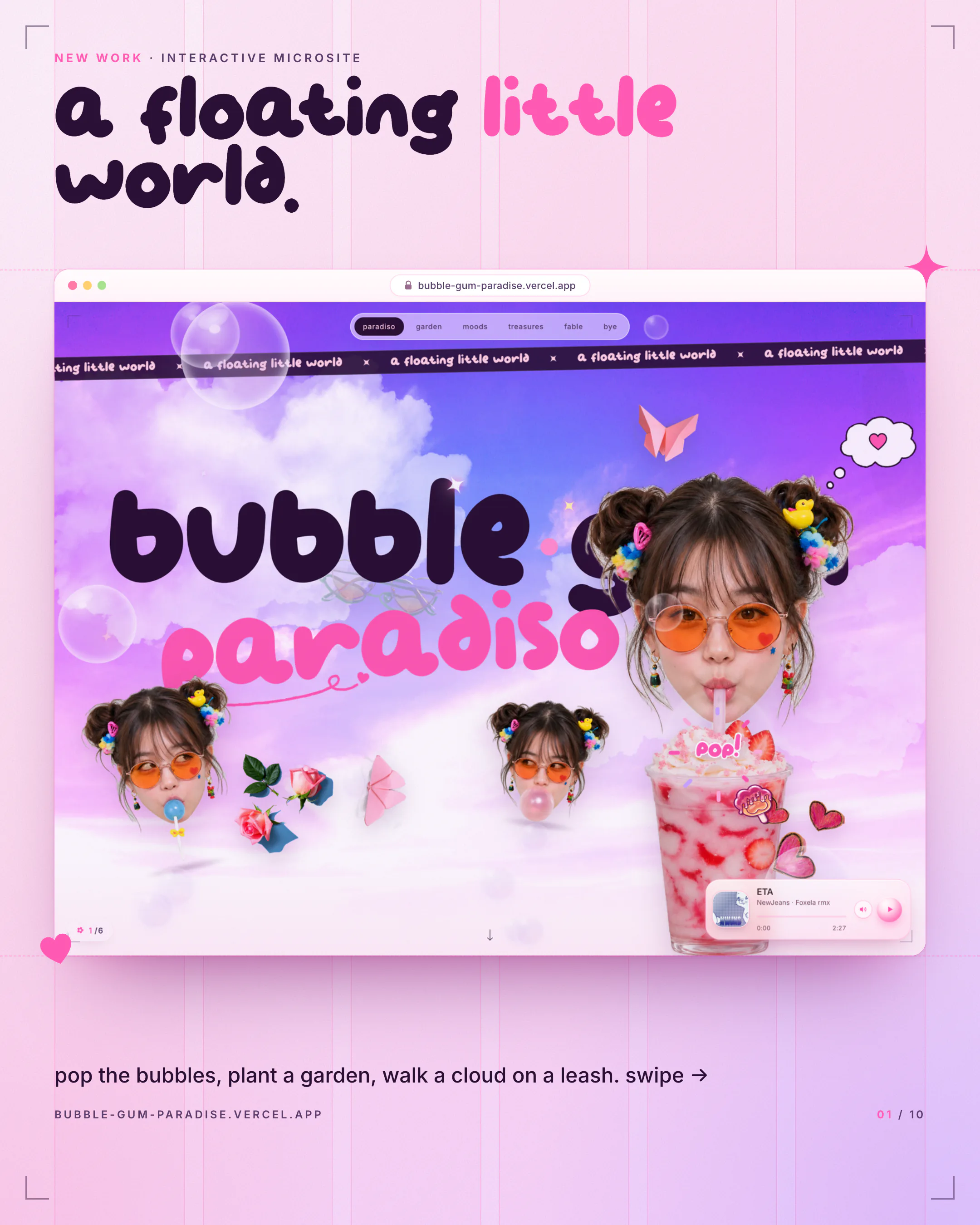
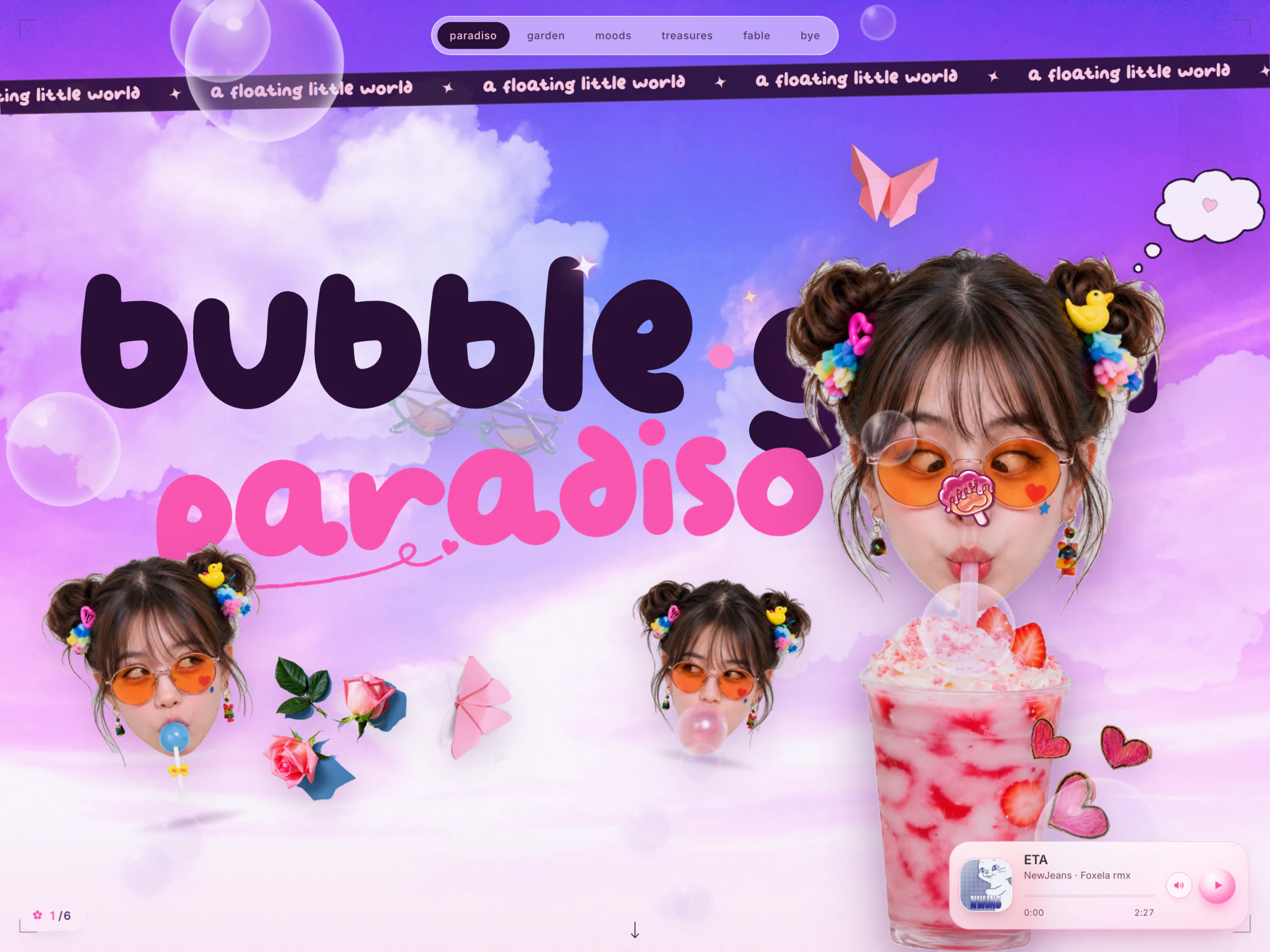
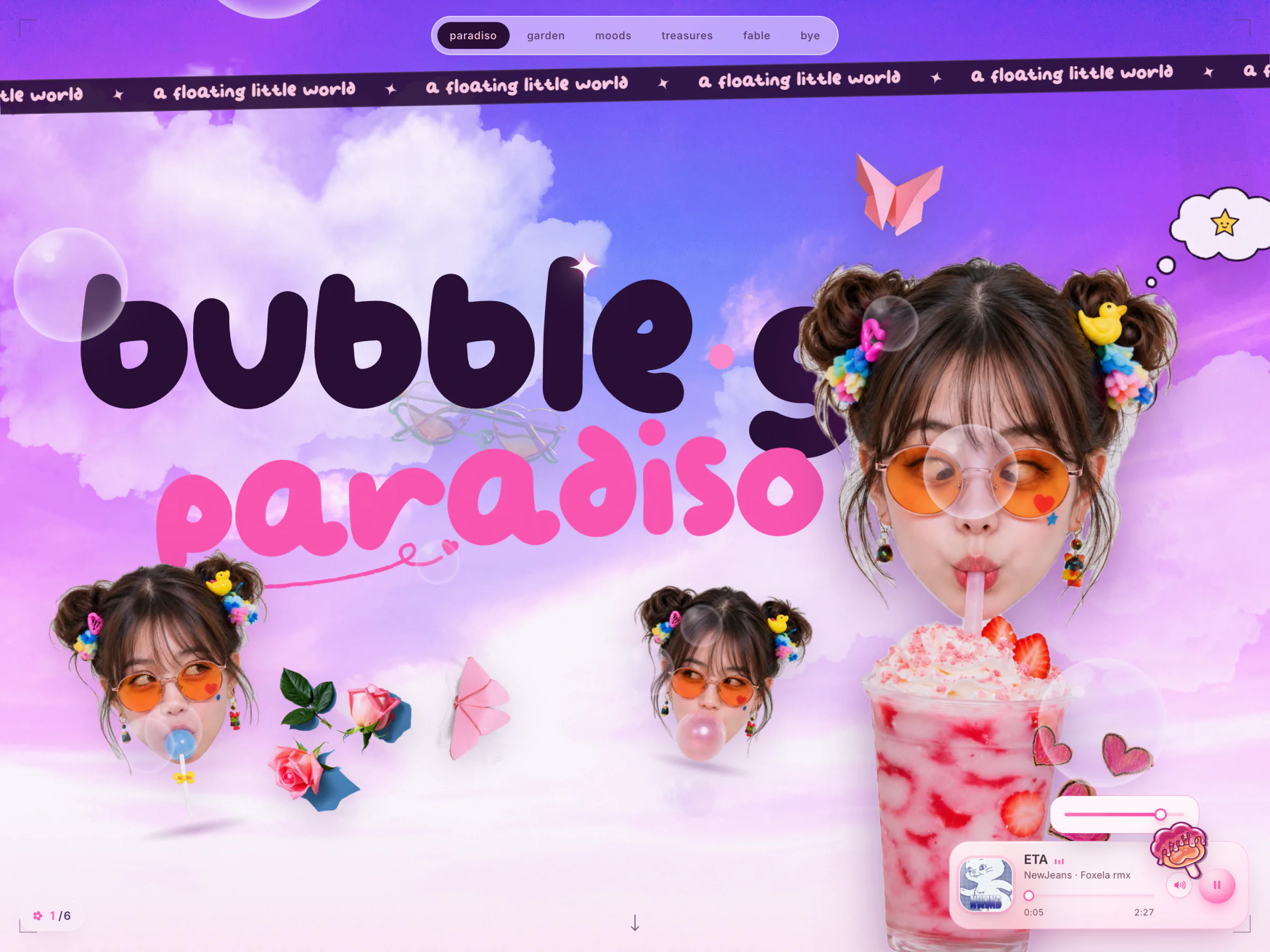
The page borrows its structure from print and its behavior from toys. From print: crop marks, roman-numeral chapter watermarks, paper grain, oversized type and a running ribbon that reads "a floating little world". From toys and sticker books: cut-out props that bob and drift, things you can drag and pop, and doodles drawn in pink gel pen over the photos.
Three rules shaped every interaction:
- Everything idles. Before you touch anything the page is already alive: props bob, bubbles rise, the ribbon scrolls and every doodle line jitters. A still page feels like a poster. An idling page feels like a place.
- Everything answers. Faces have hover twins, cards tilt toward the pointer, props lean in like magnets, bubbles wobble when you pass close, and the butterfly startles if you get too near.
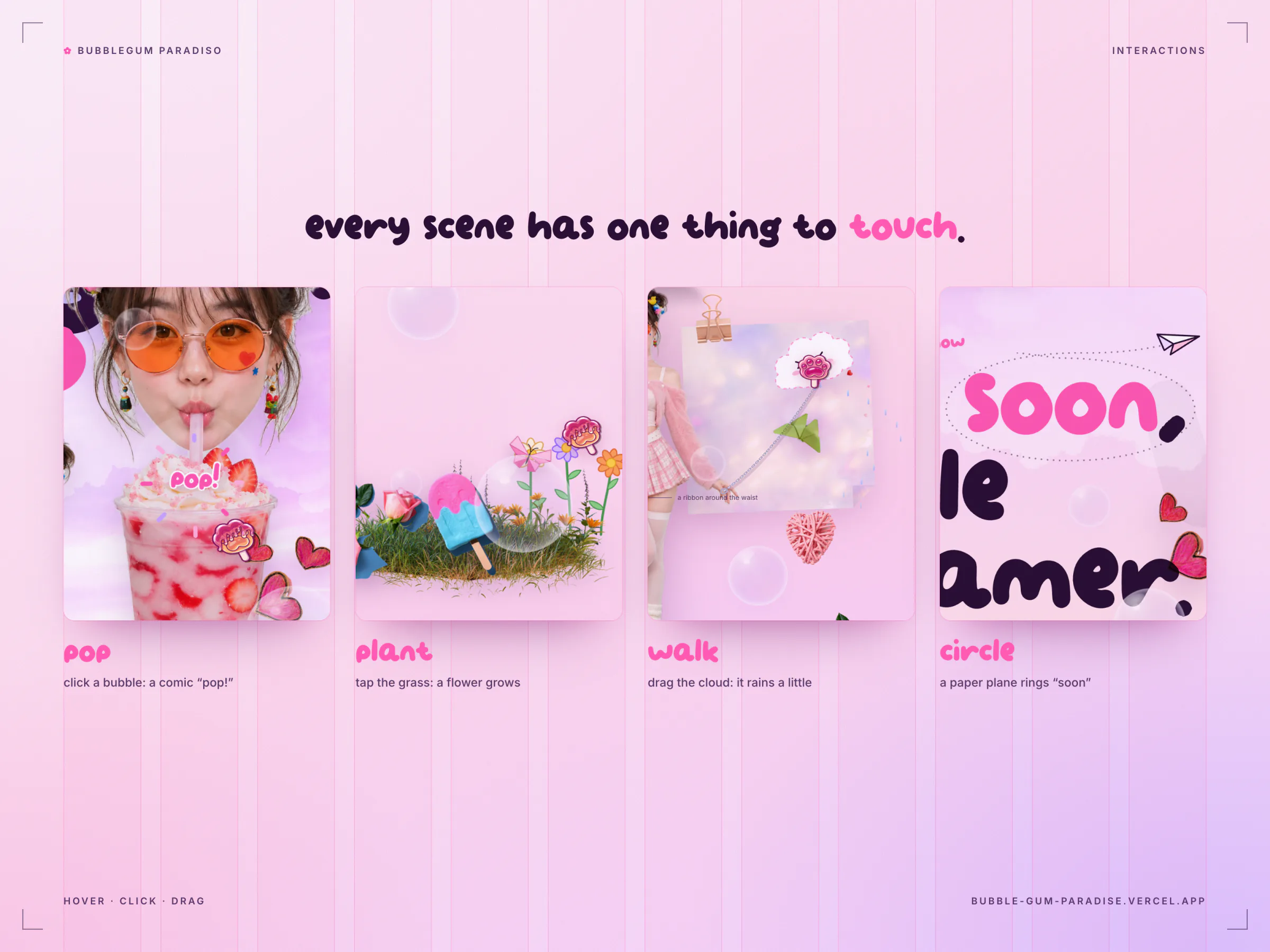
- Every touch ends in a reward. A giggle, a bloom, a rainbow, a "pop!", or a cloud that gets told it's a good cloud.
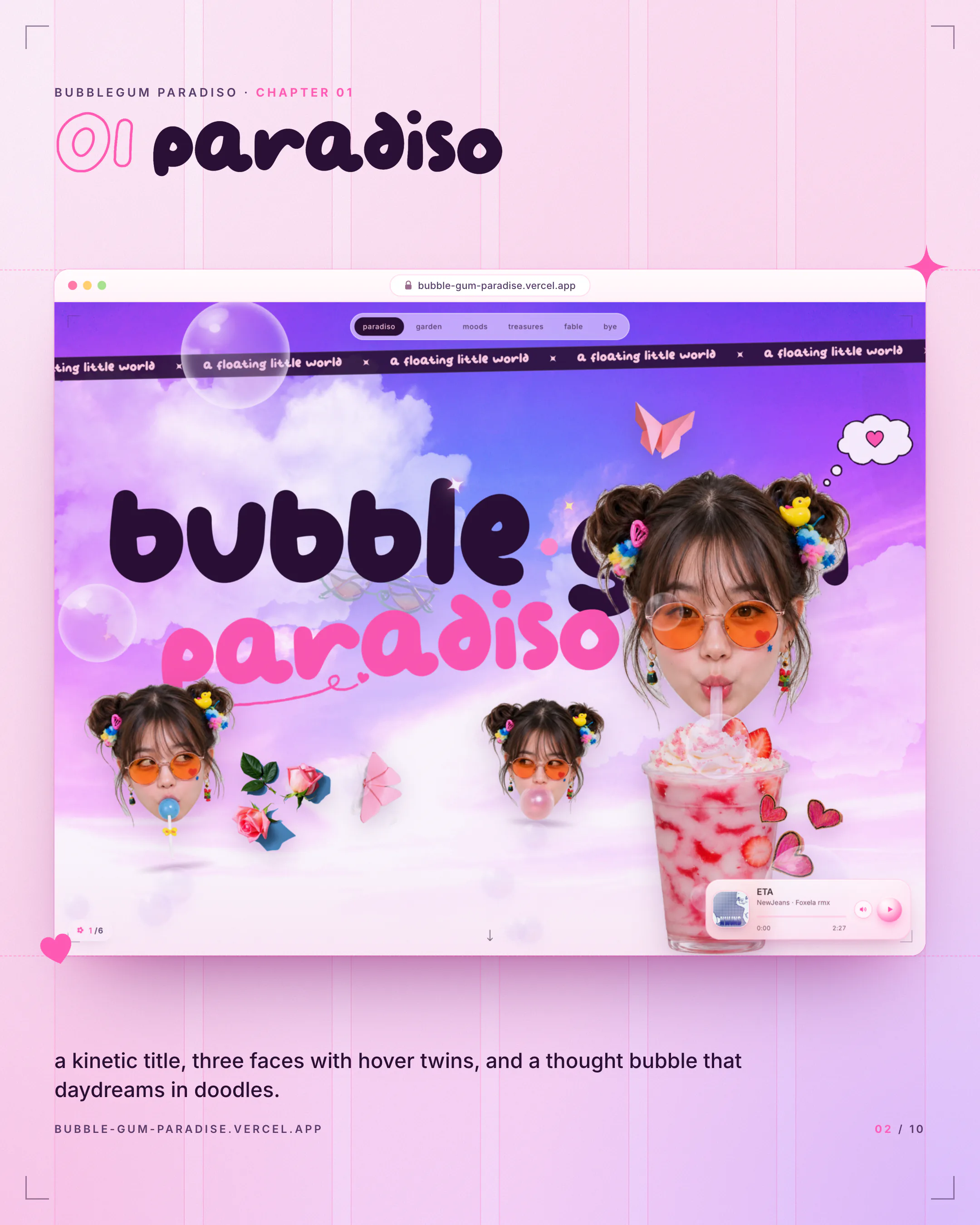
Paradiso
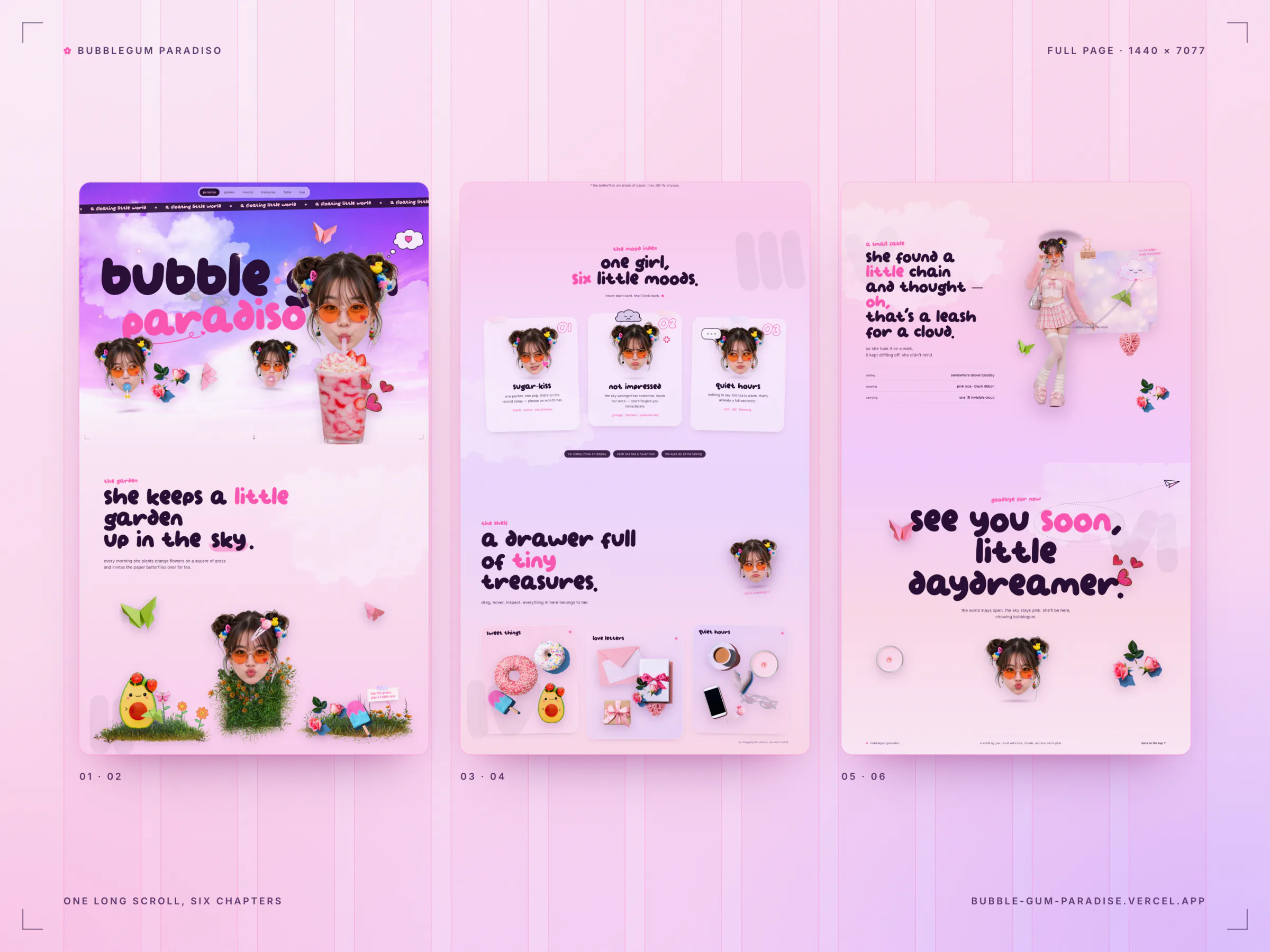
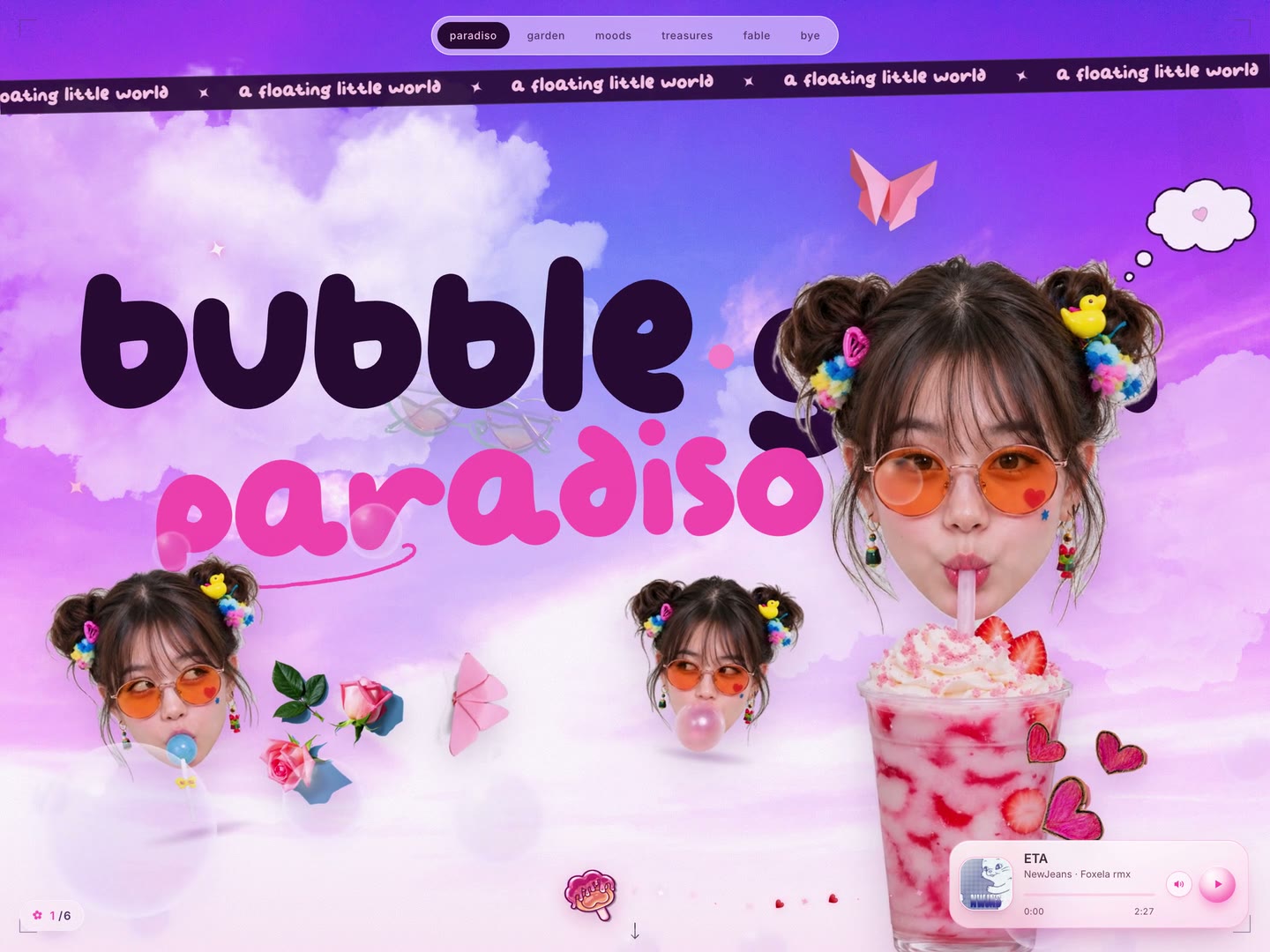
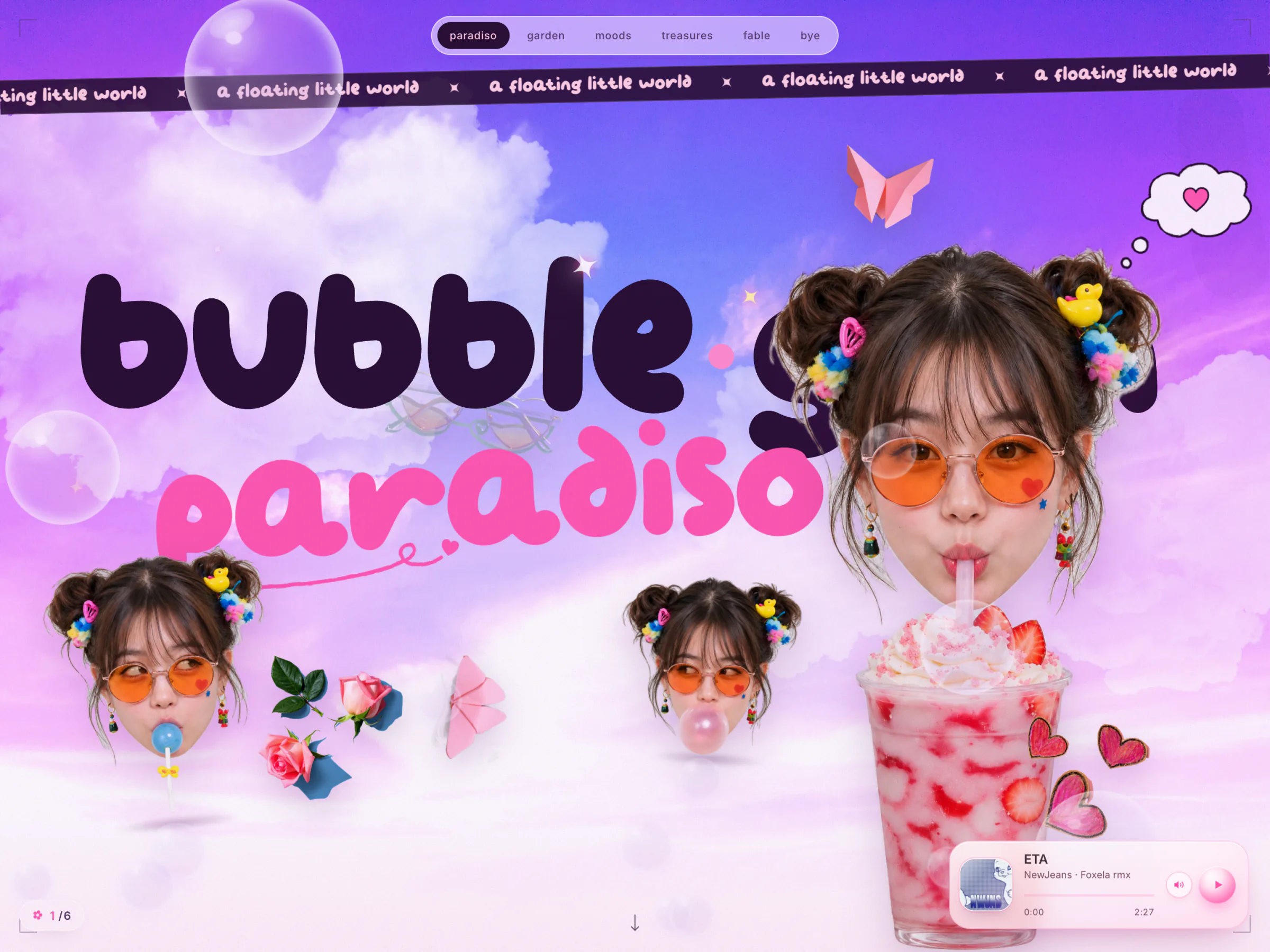
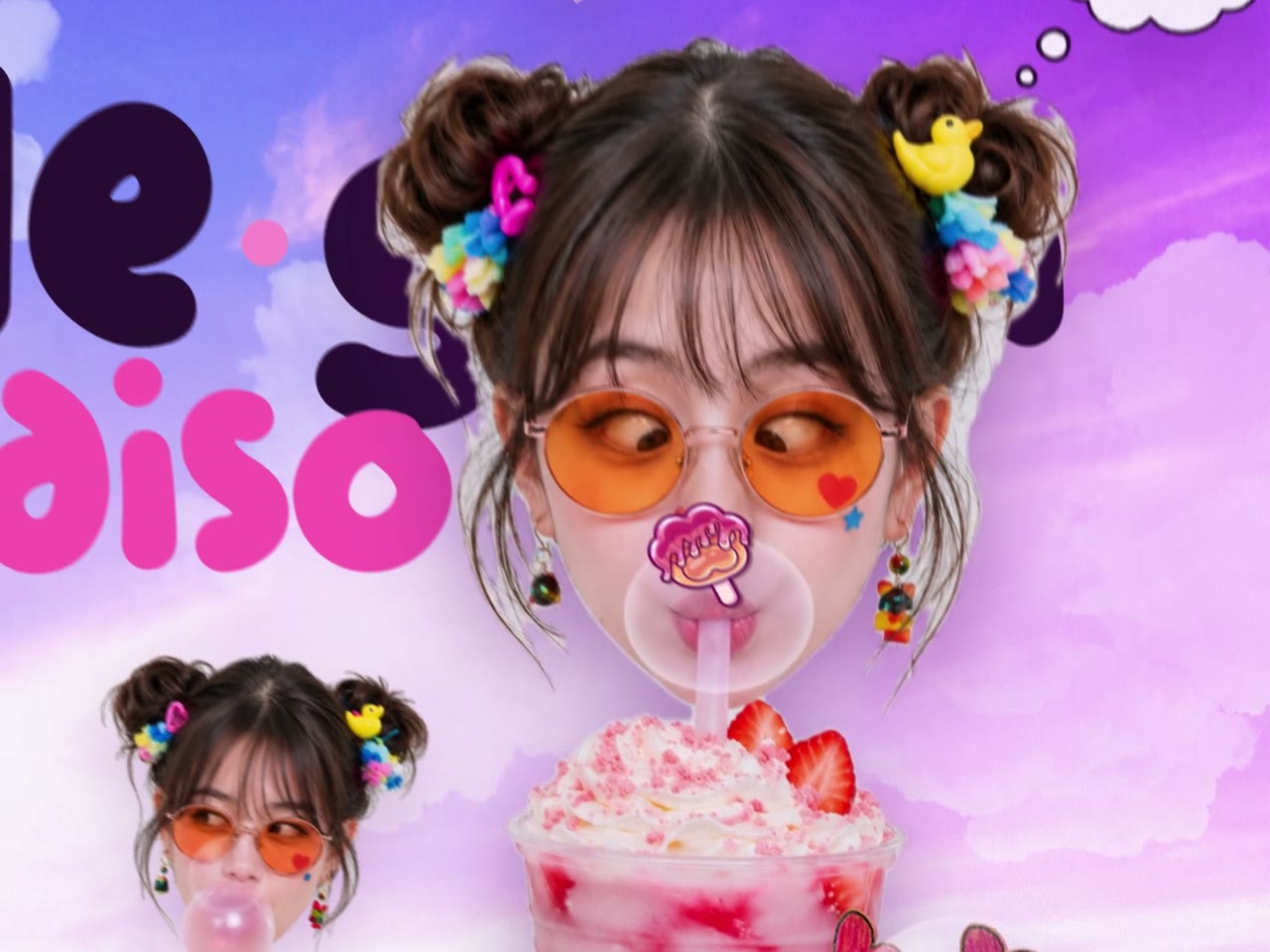
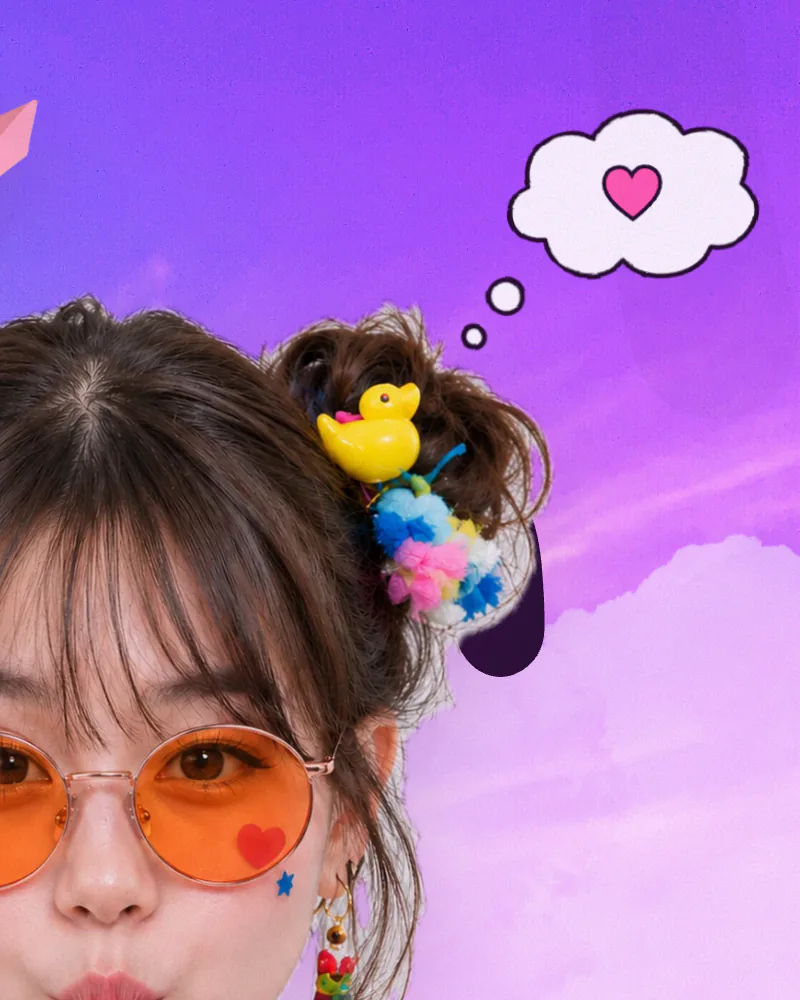
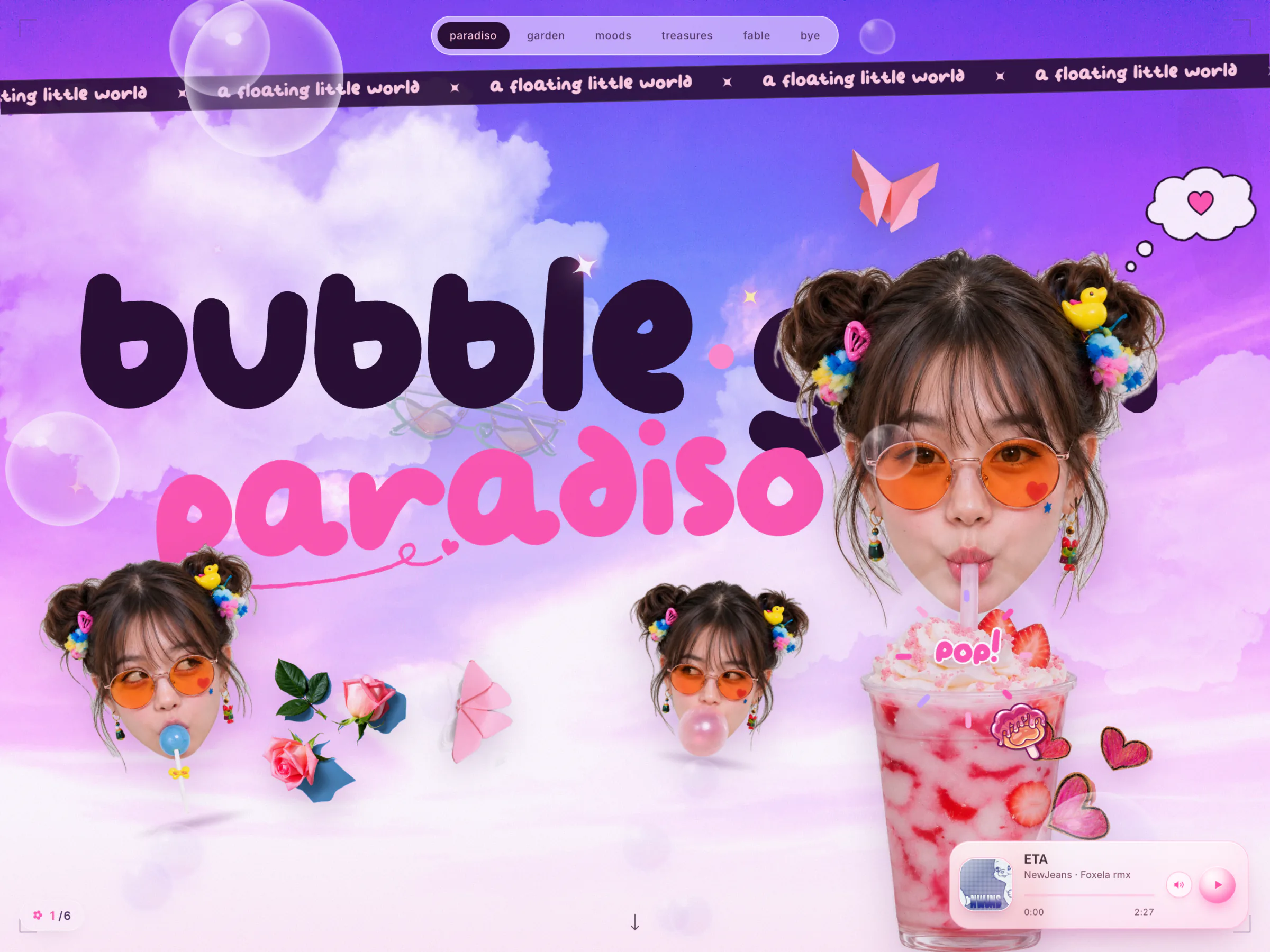
The title letters drop in one by one, then a signature flourish draws itself under "paradiso" and ends in a little heart that keeps beating. Three heads sit in a crescent. Hover one and her expression cuts to its twin while the heads lean toward your cursor, each with its own bias so they never move in lockstep. A thought bubble cycles through six doodled daydreams, two seconds each: a heart, a strawberry, a star, bubblegum, a donut and music notes.
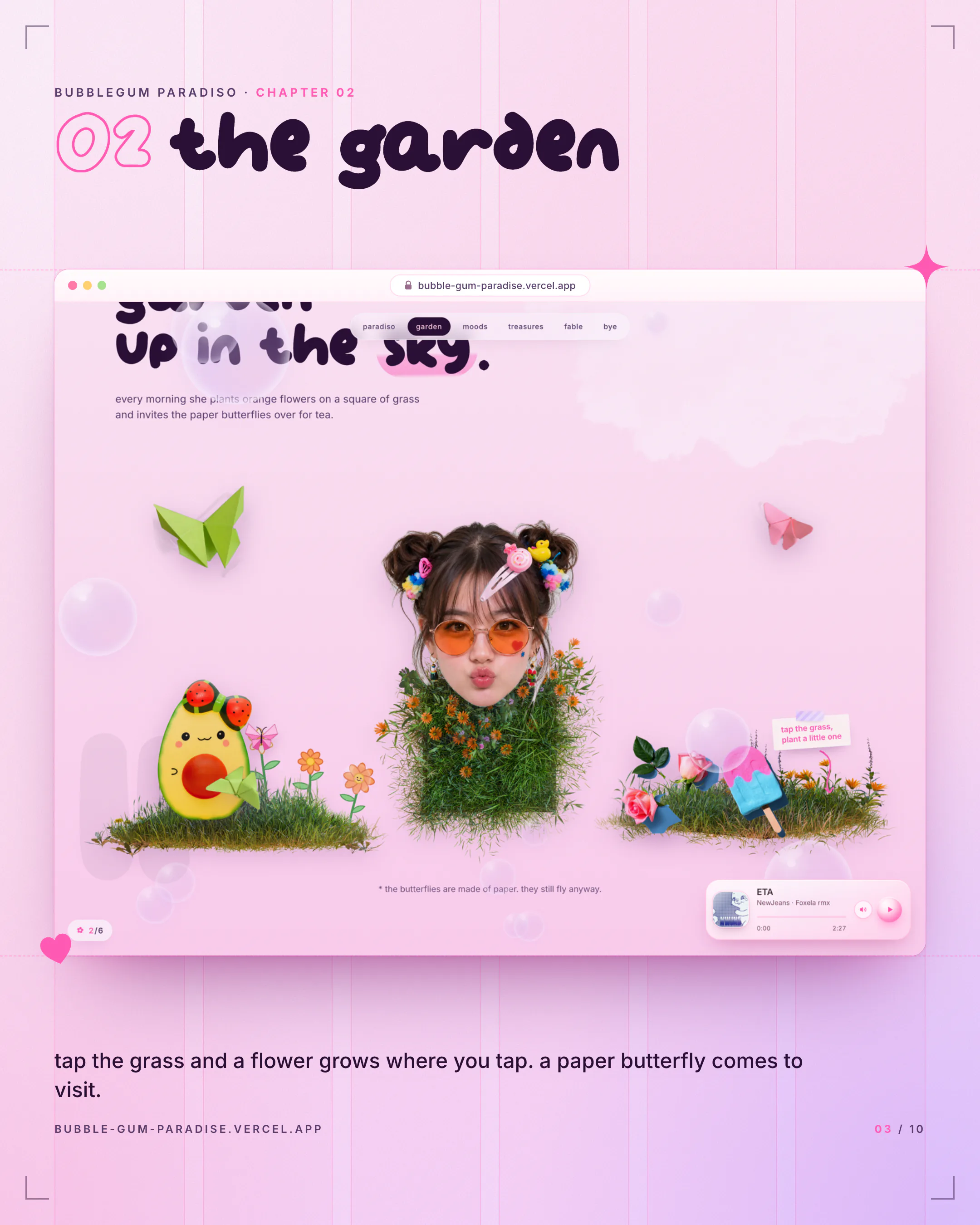
The Garden
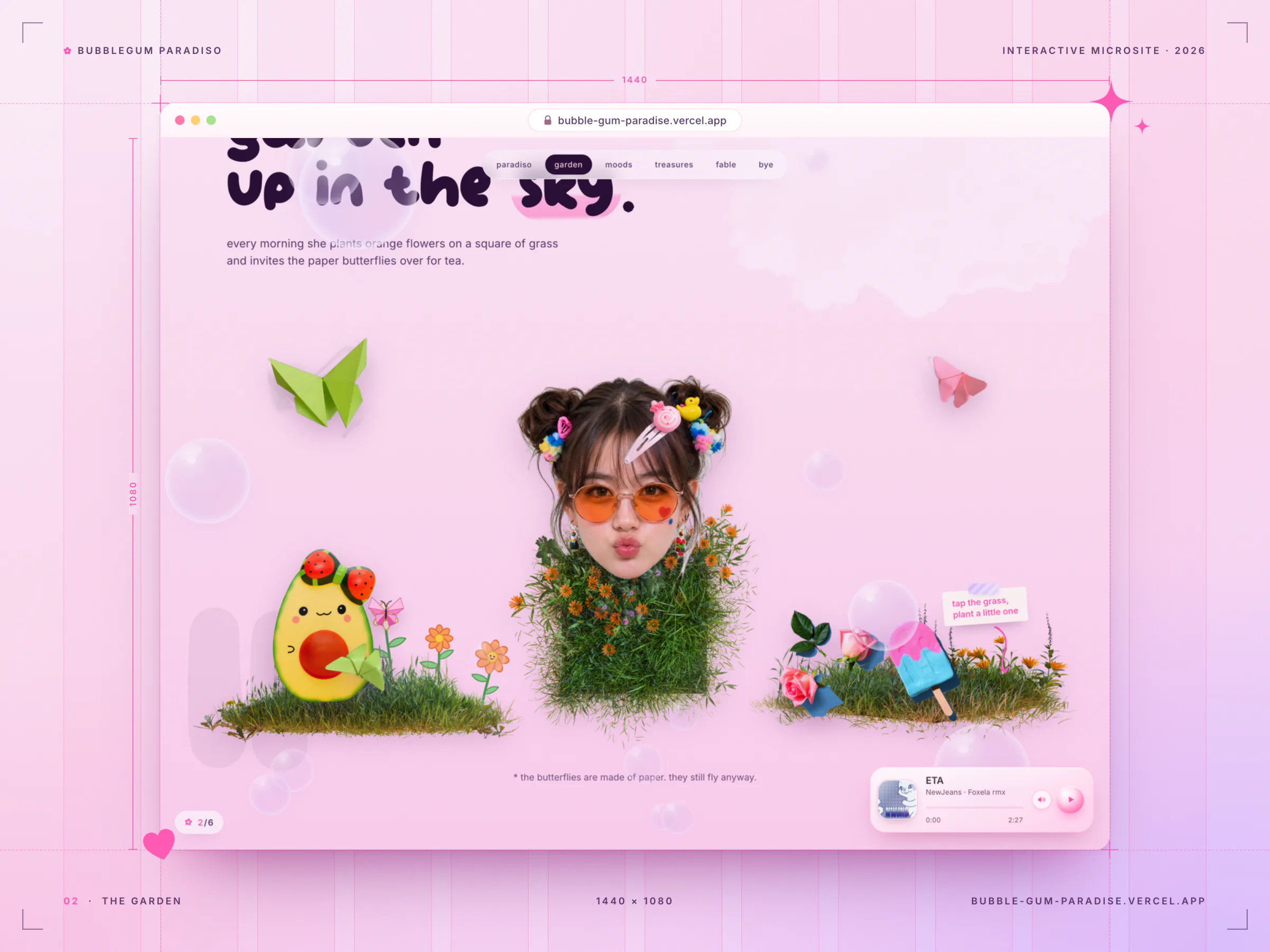
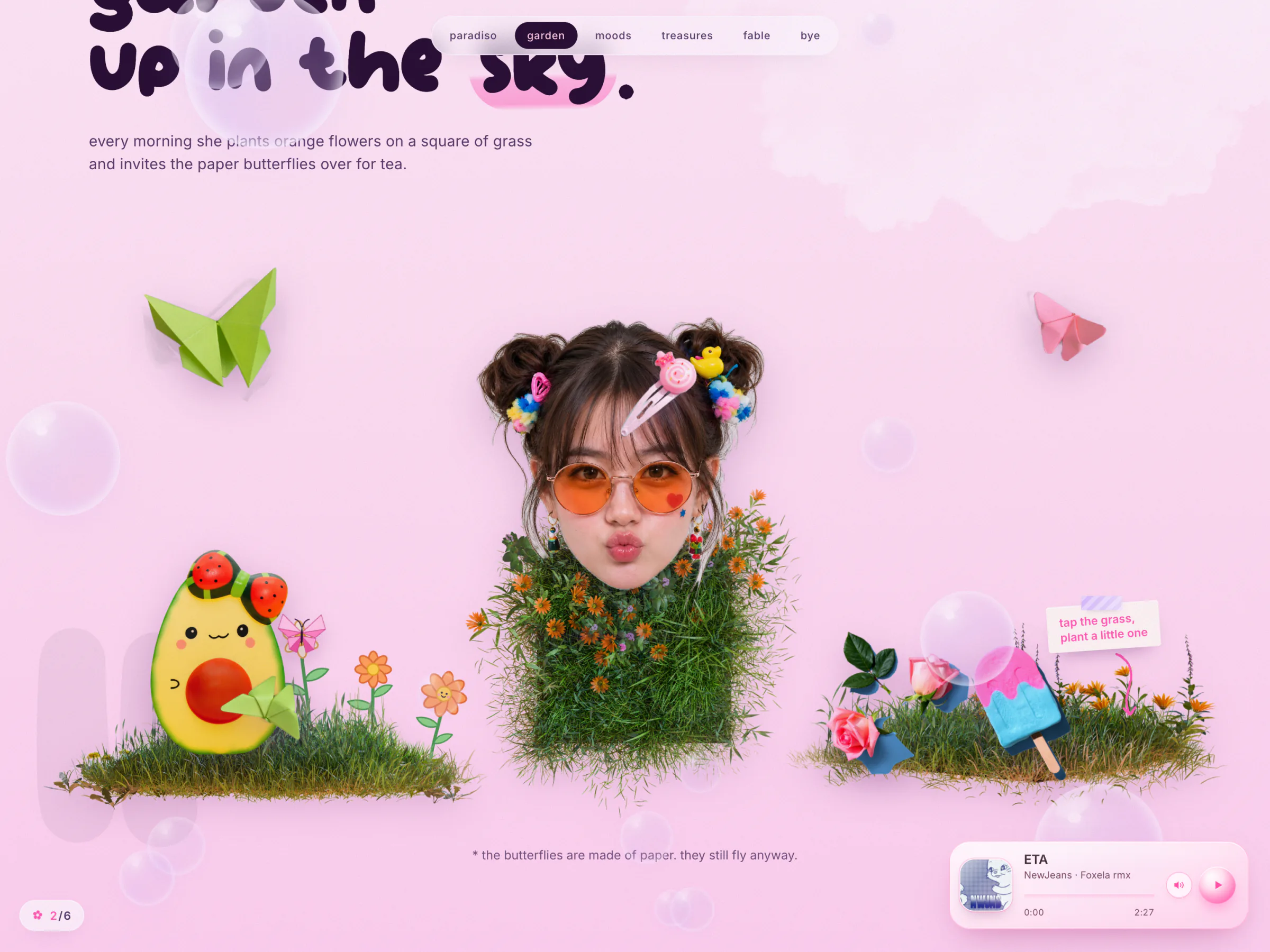
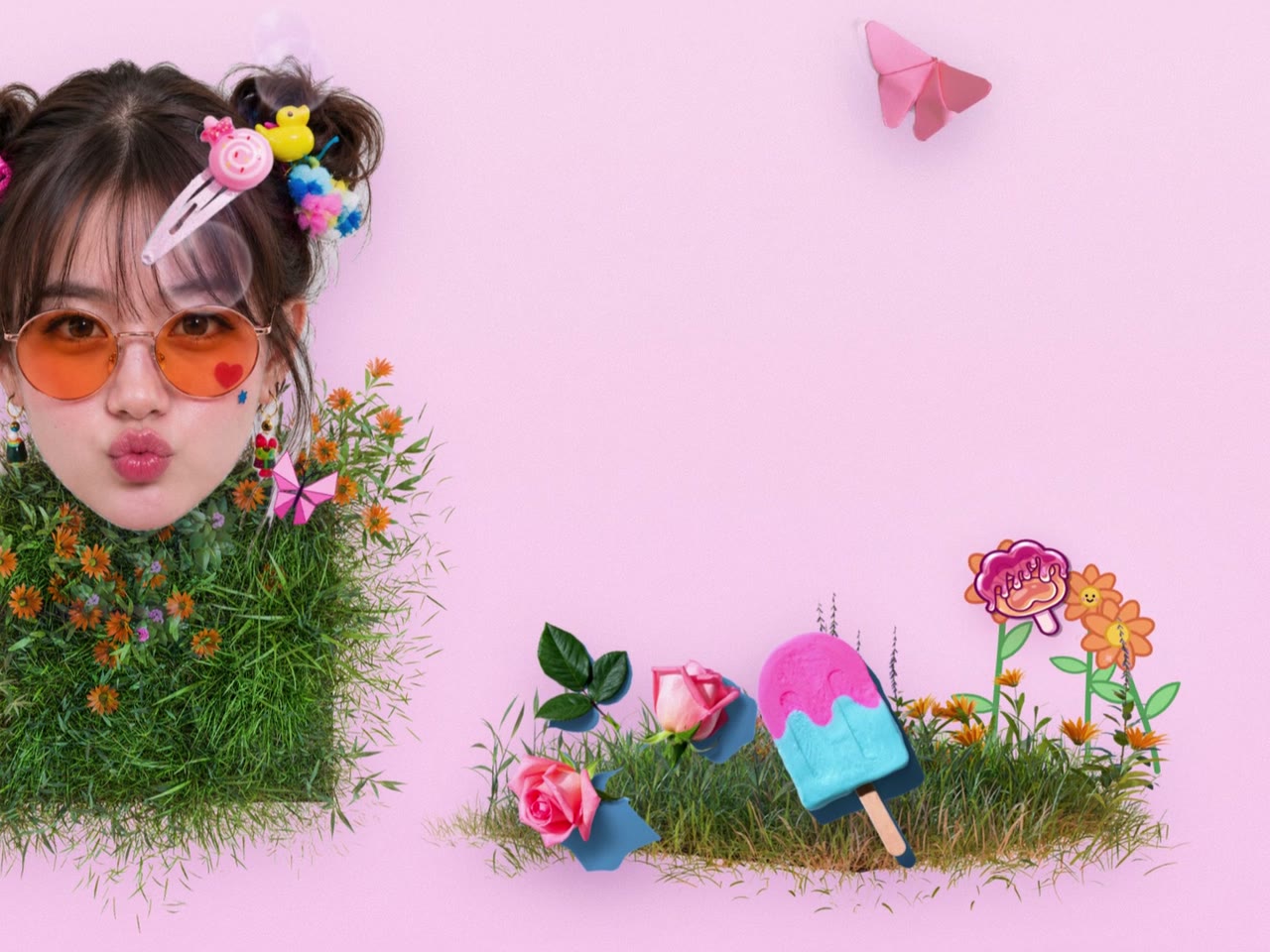
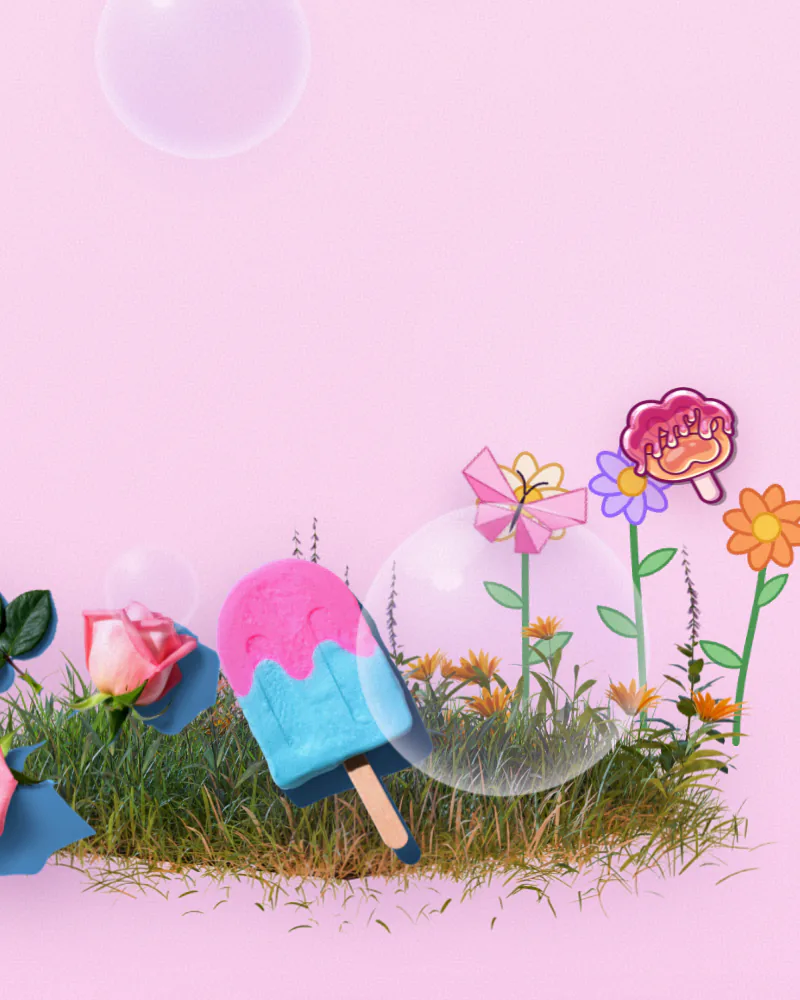
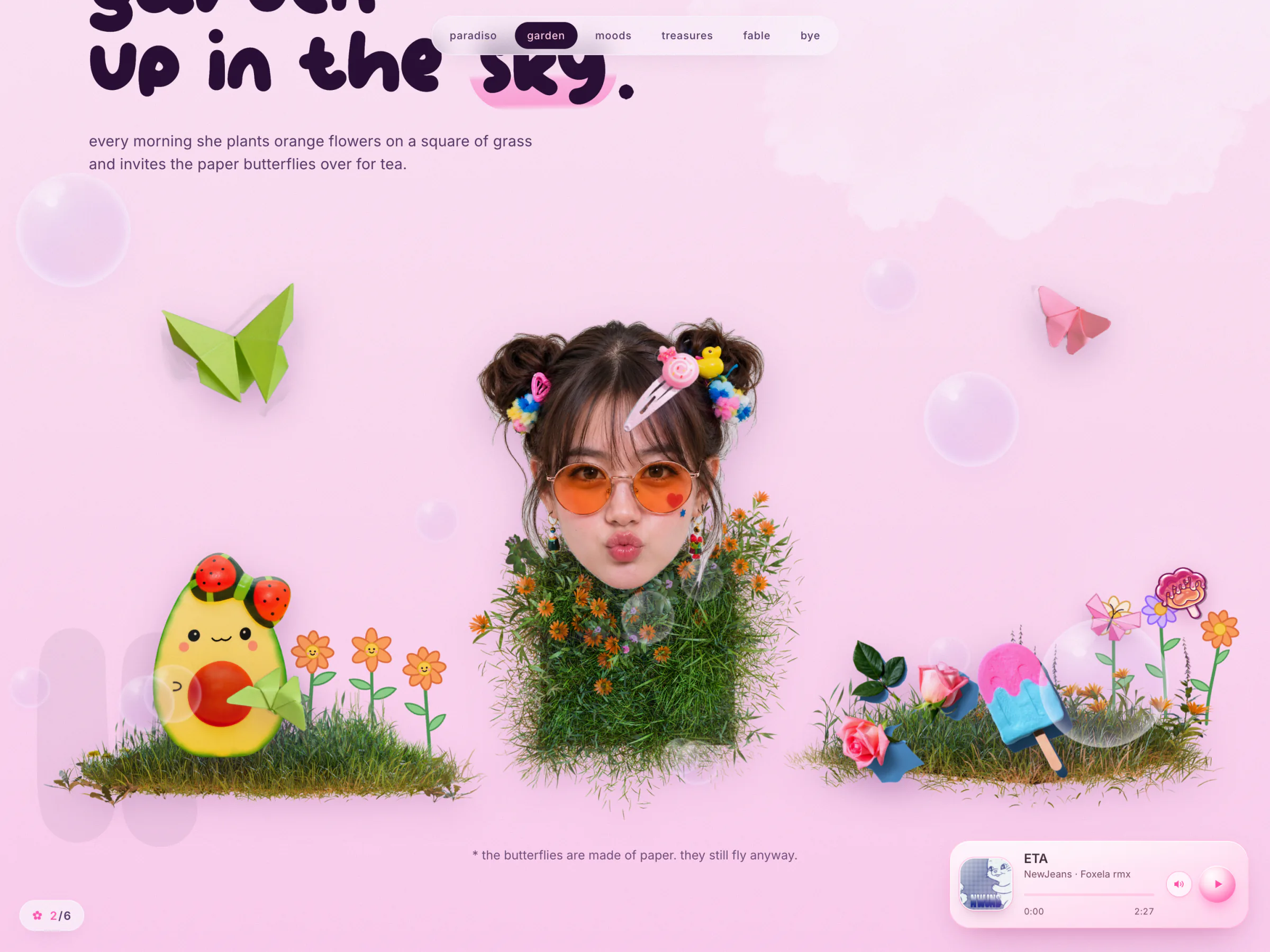
"she keeps a little garden up in the sky." Tap the grass on either island and a doodle flower grows right where you tapped: the stem draws in, two leaves pop out, the head blooms, then it sways. Flowers come in orange, pink, cream and lilac, some with tiny faces, and the garden holds 24 before the oldest one wilts. A paper butterfly wanders a lazy figure-eight, flies over to visit your newest flower, waits until it has bloomed, then perches with slow wingbeats.
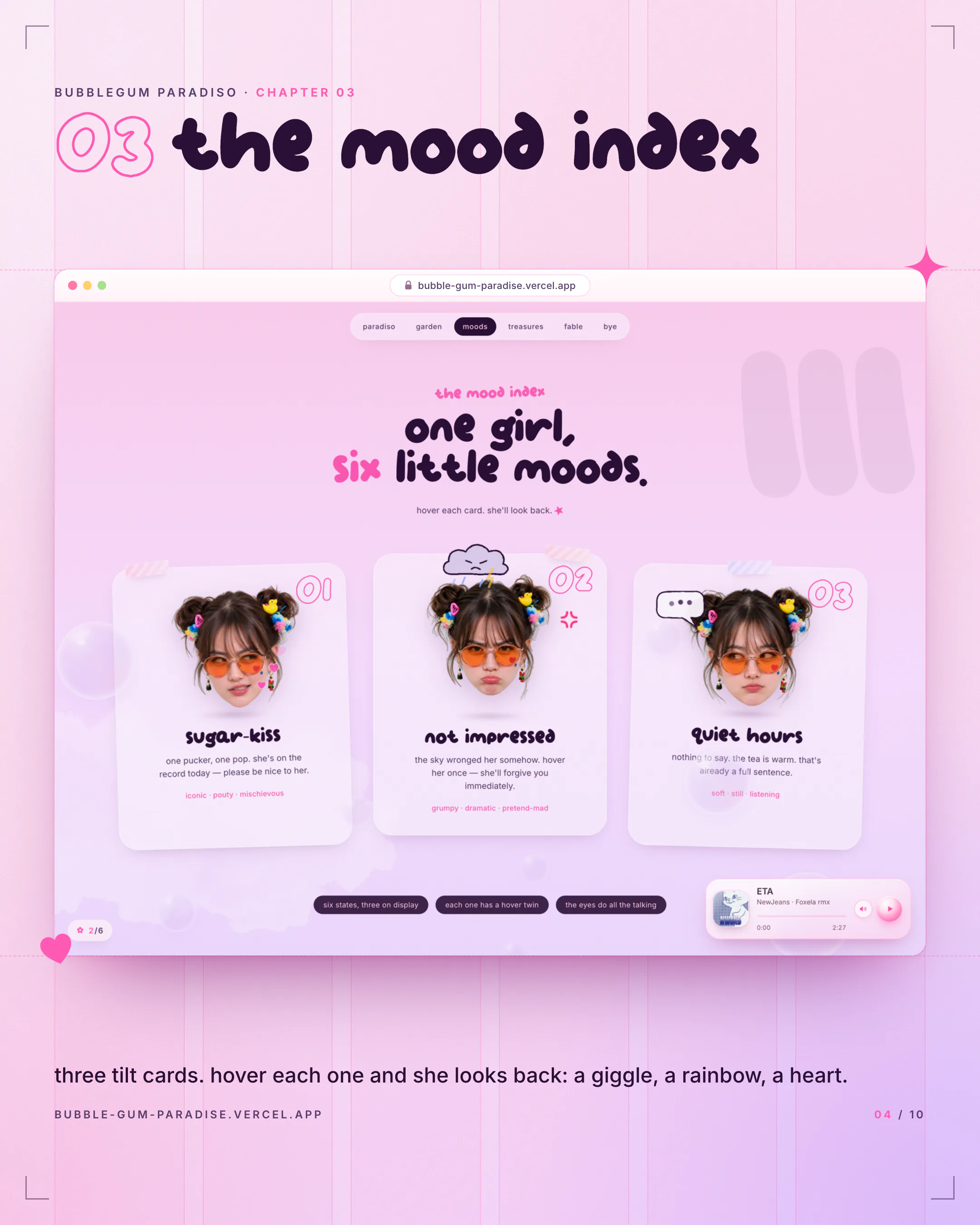
The Mood Index
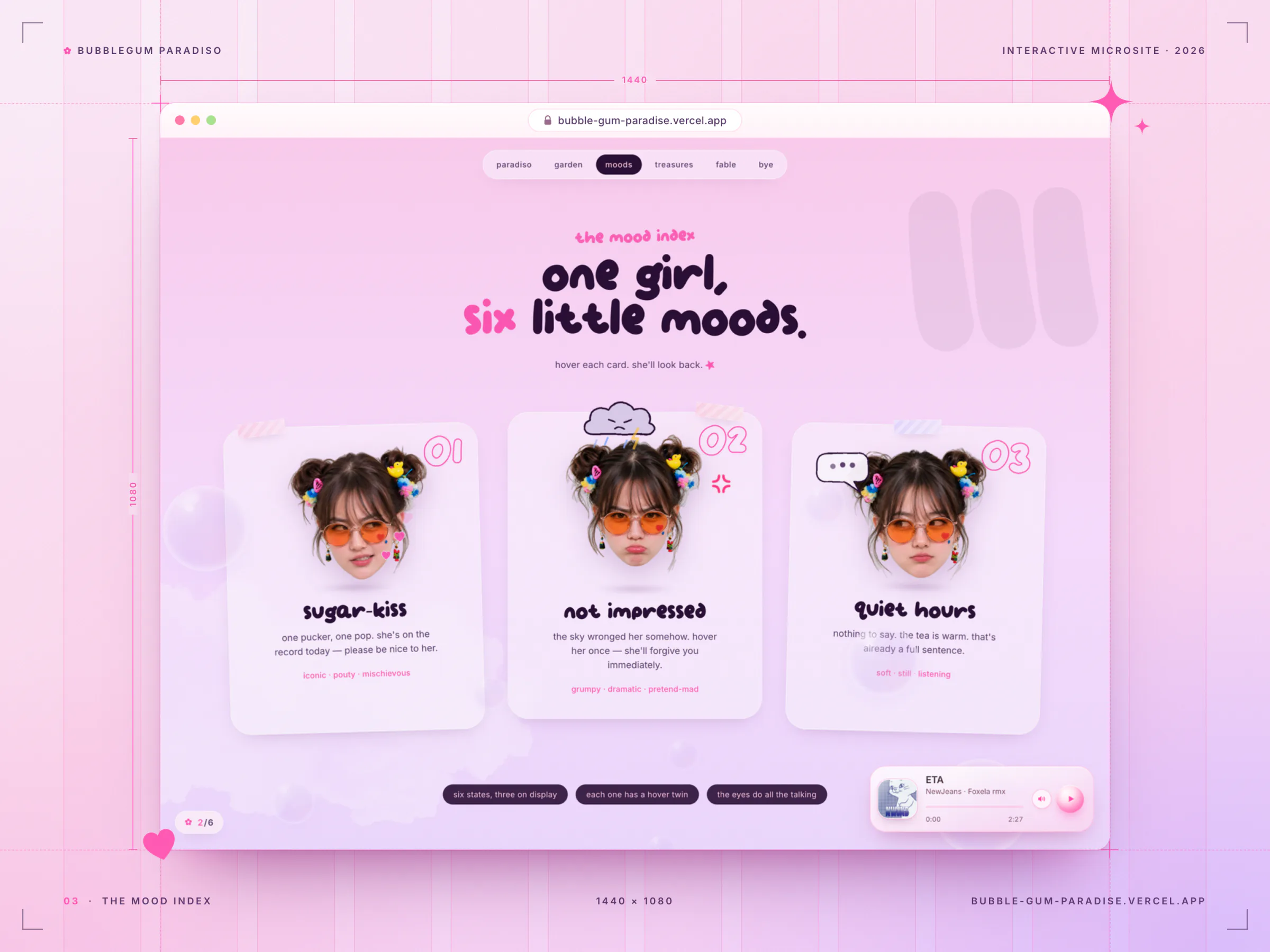
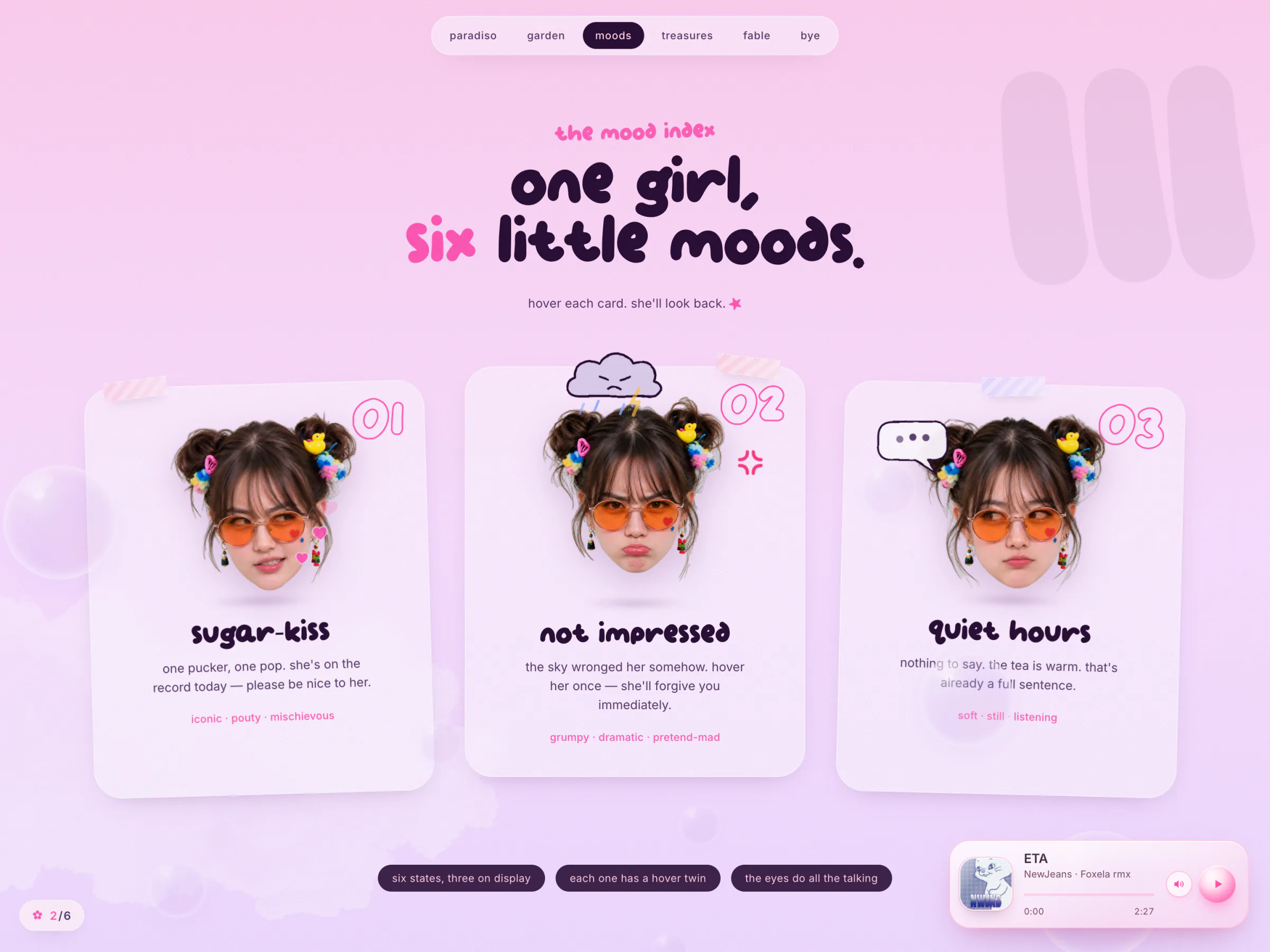
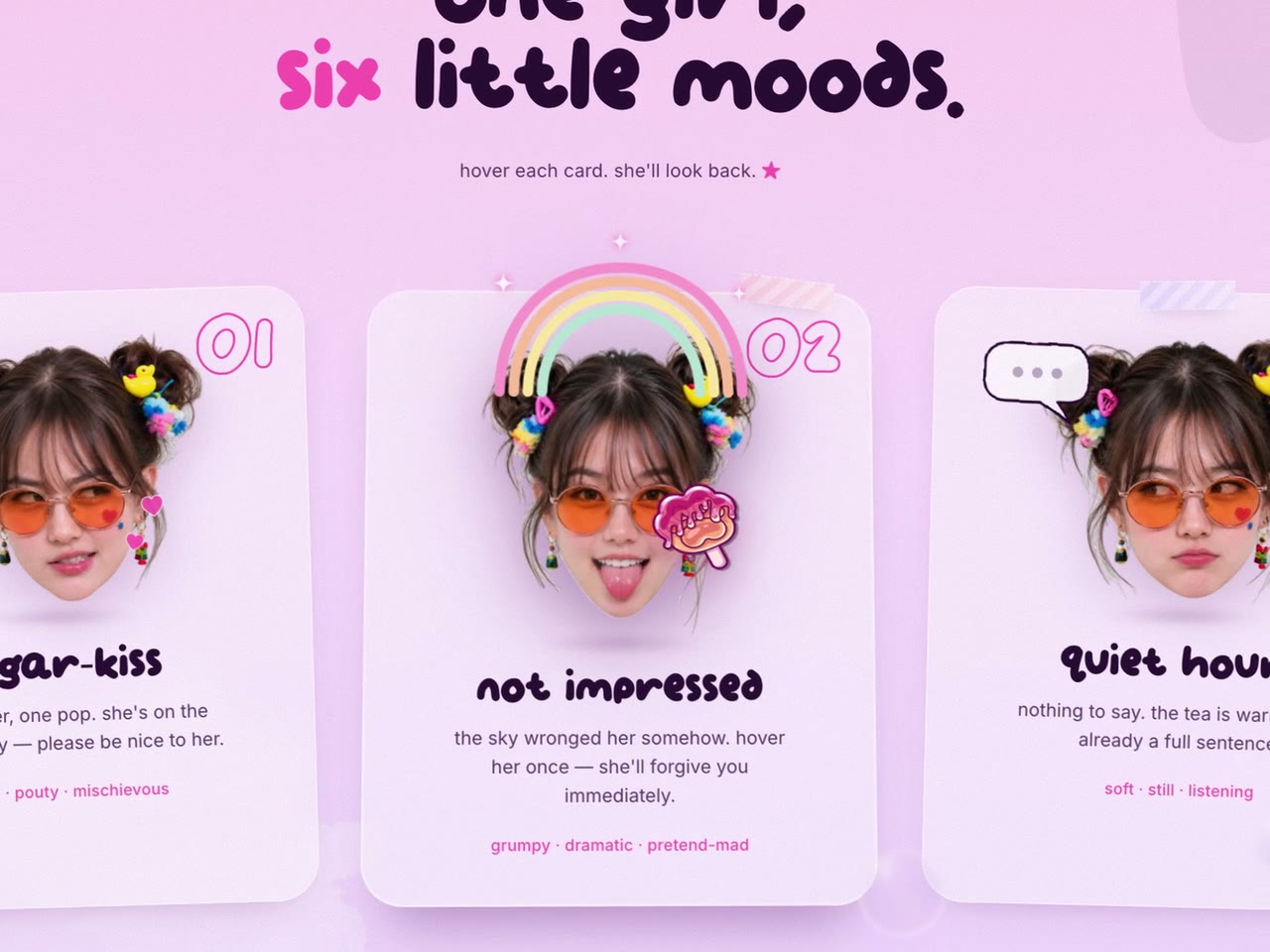
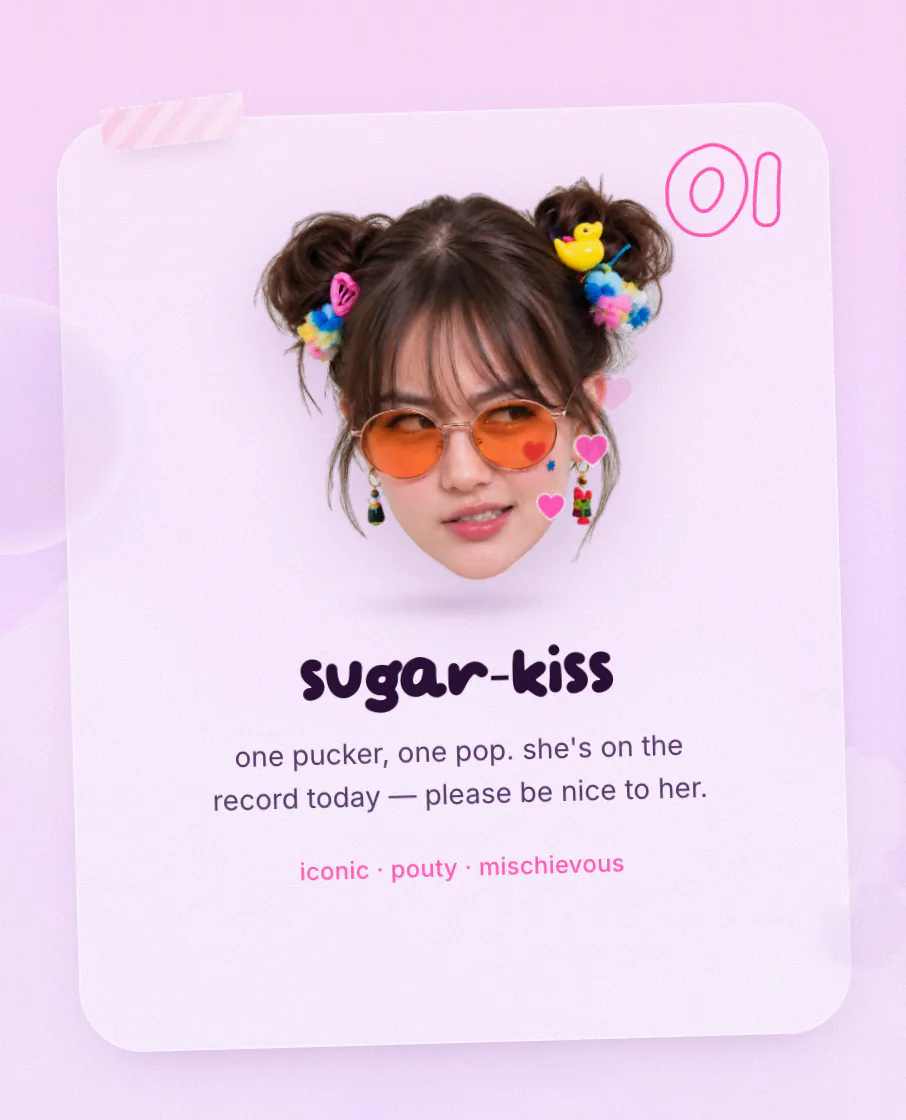
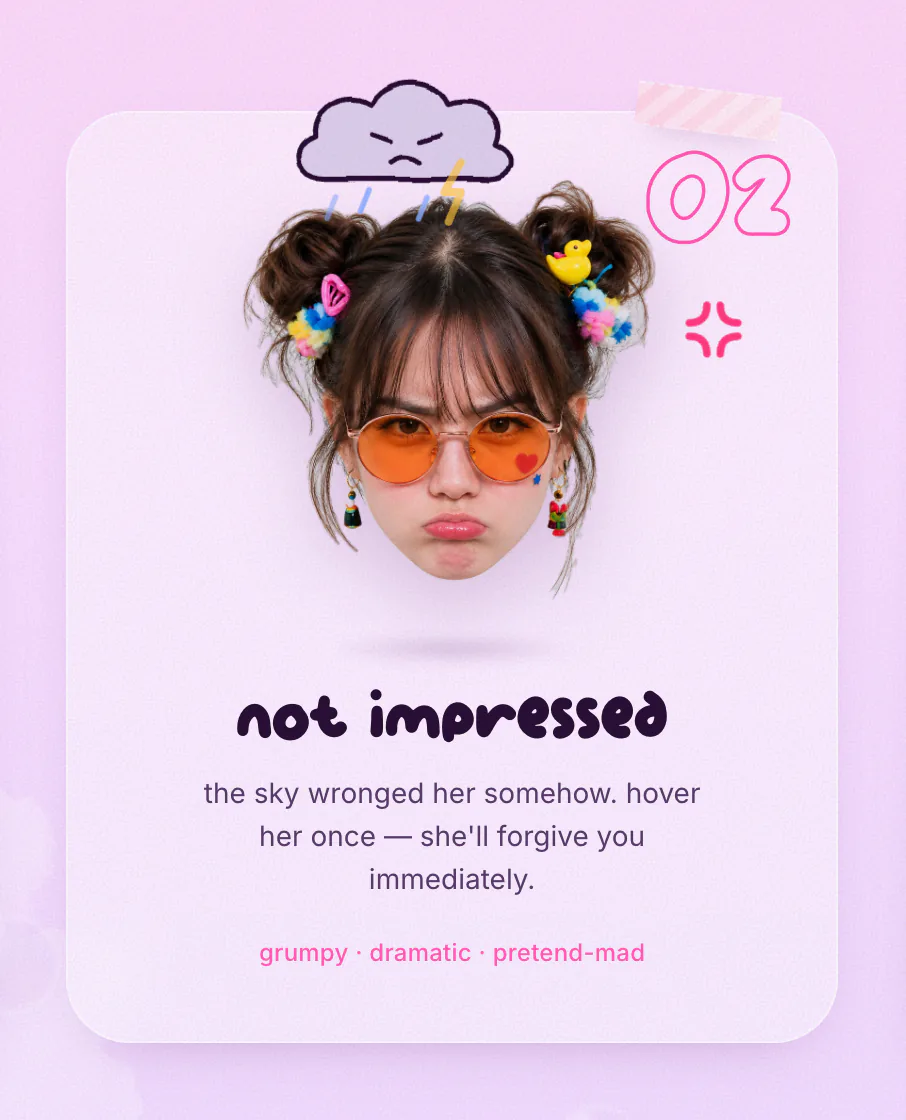
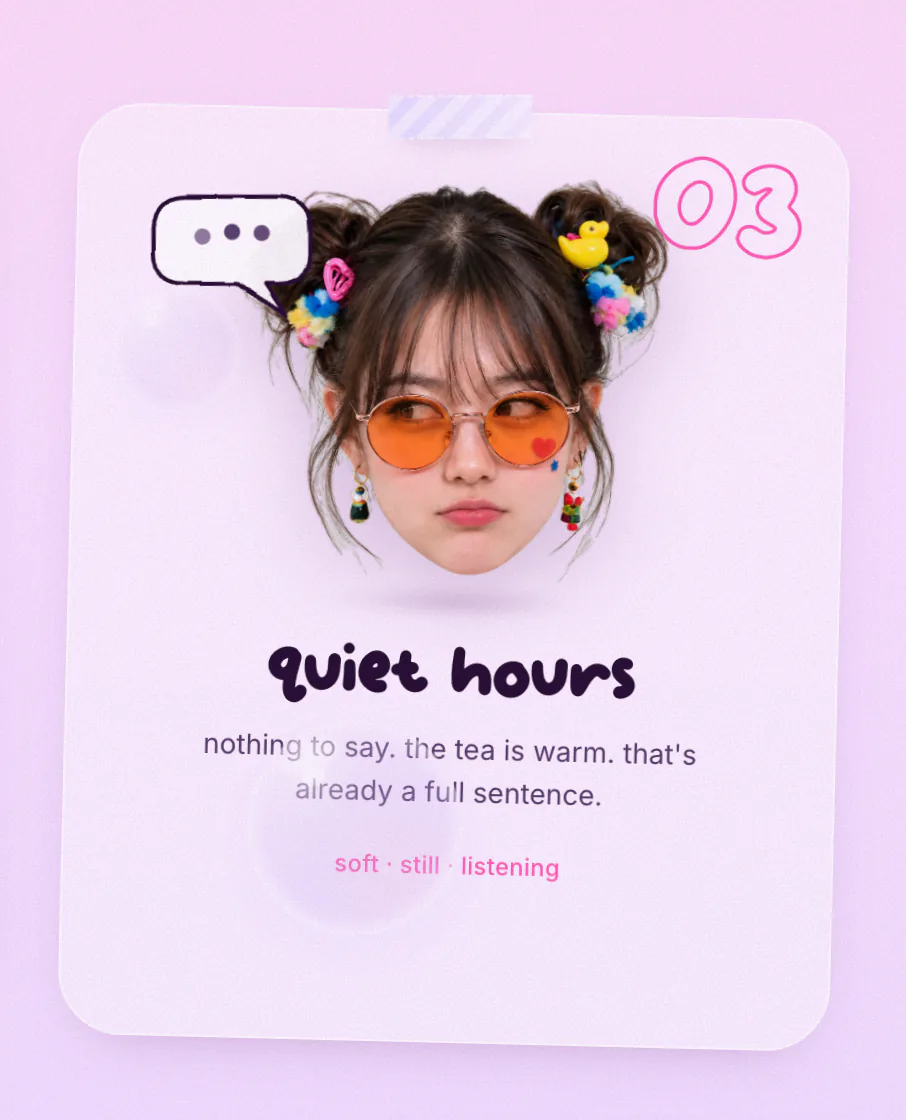
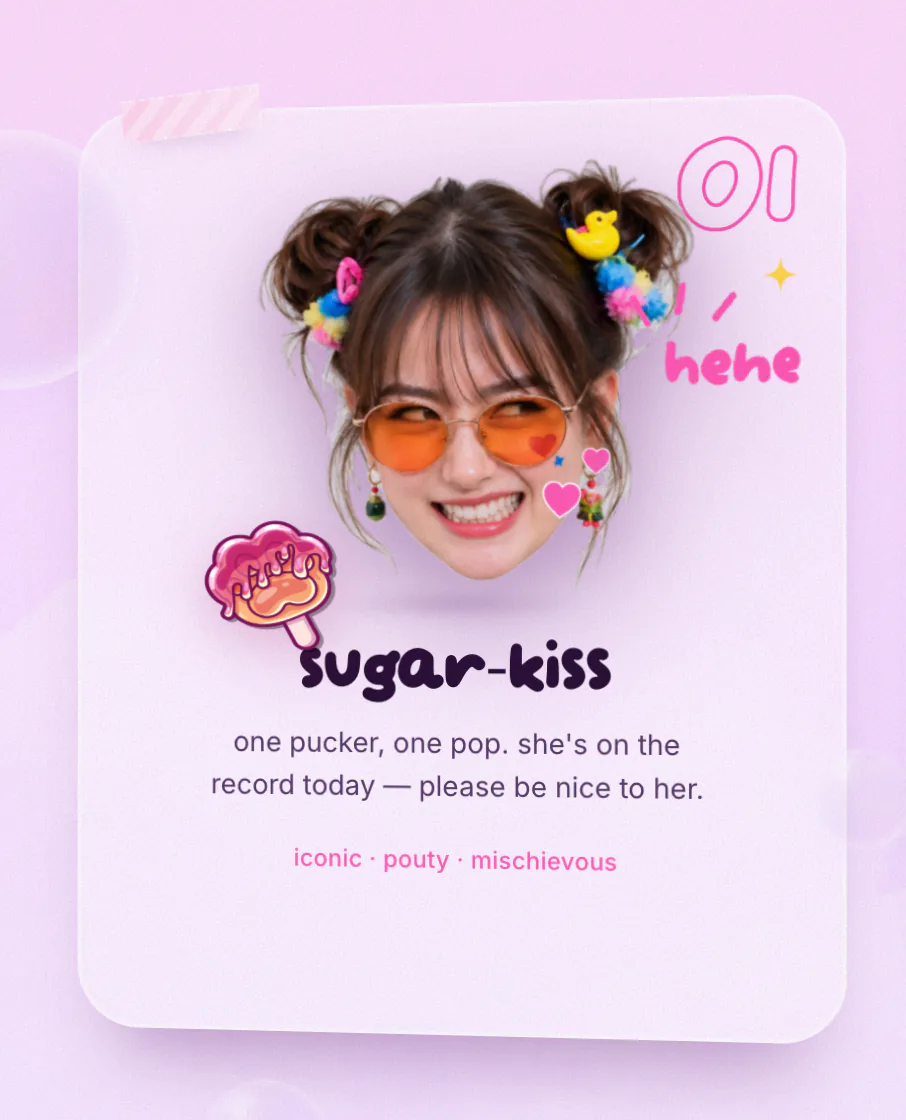
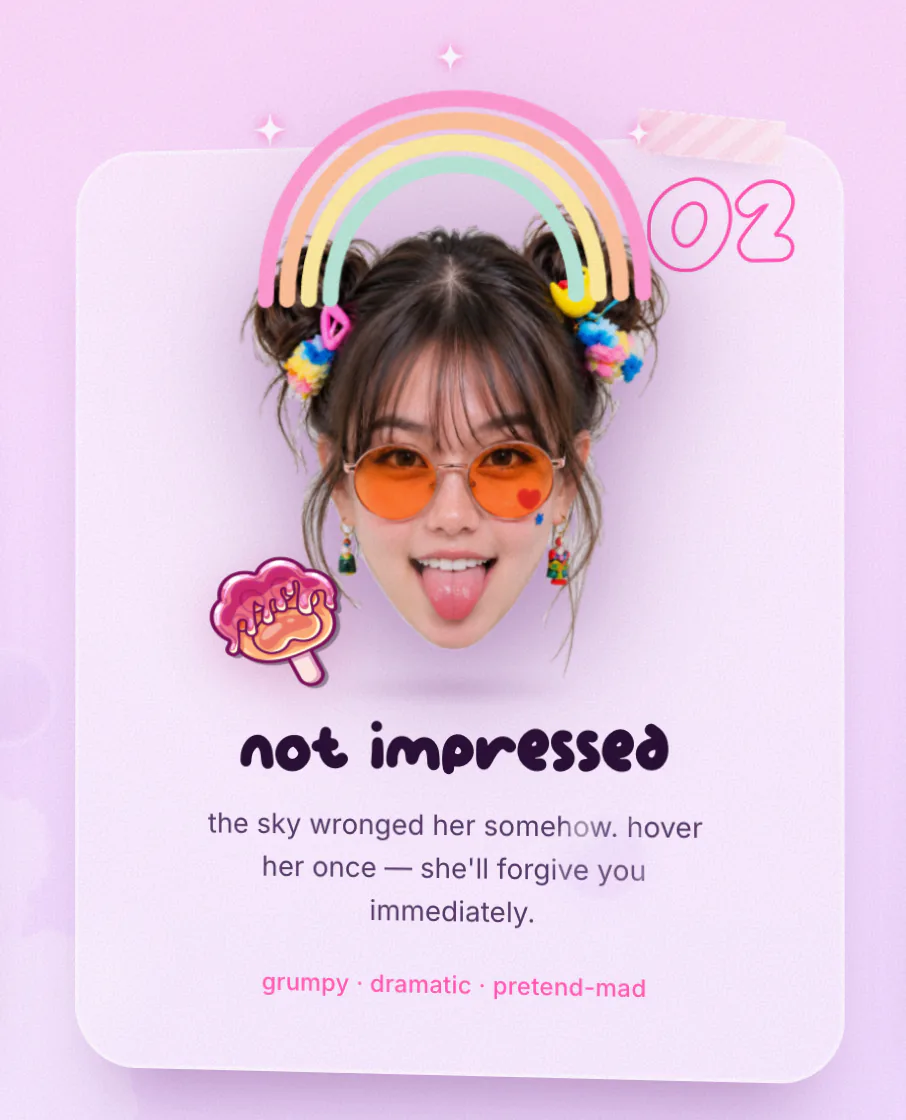
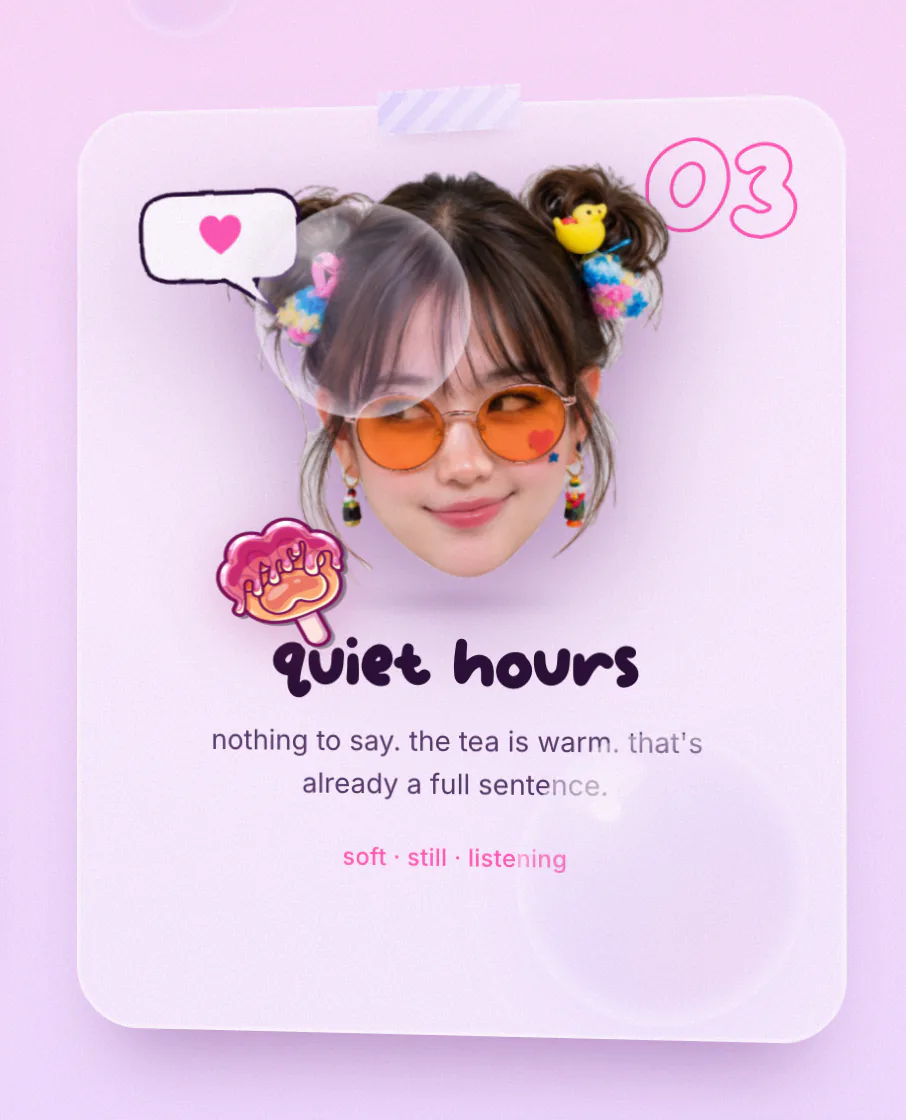
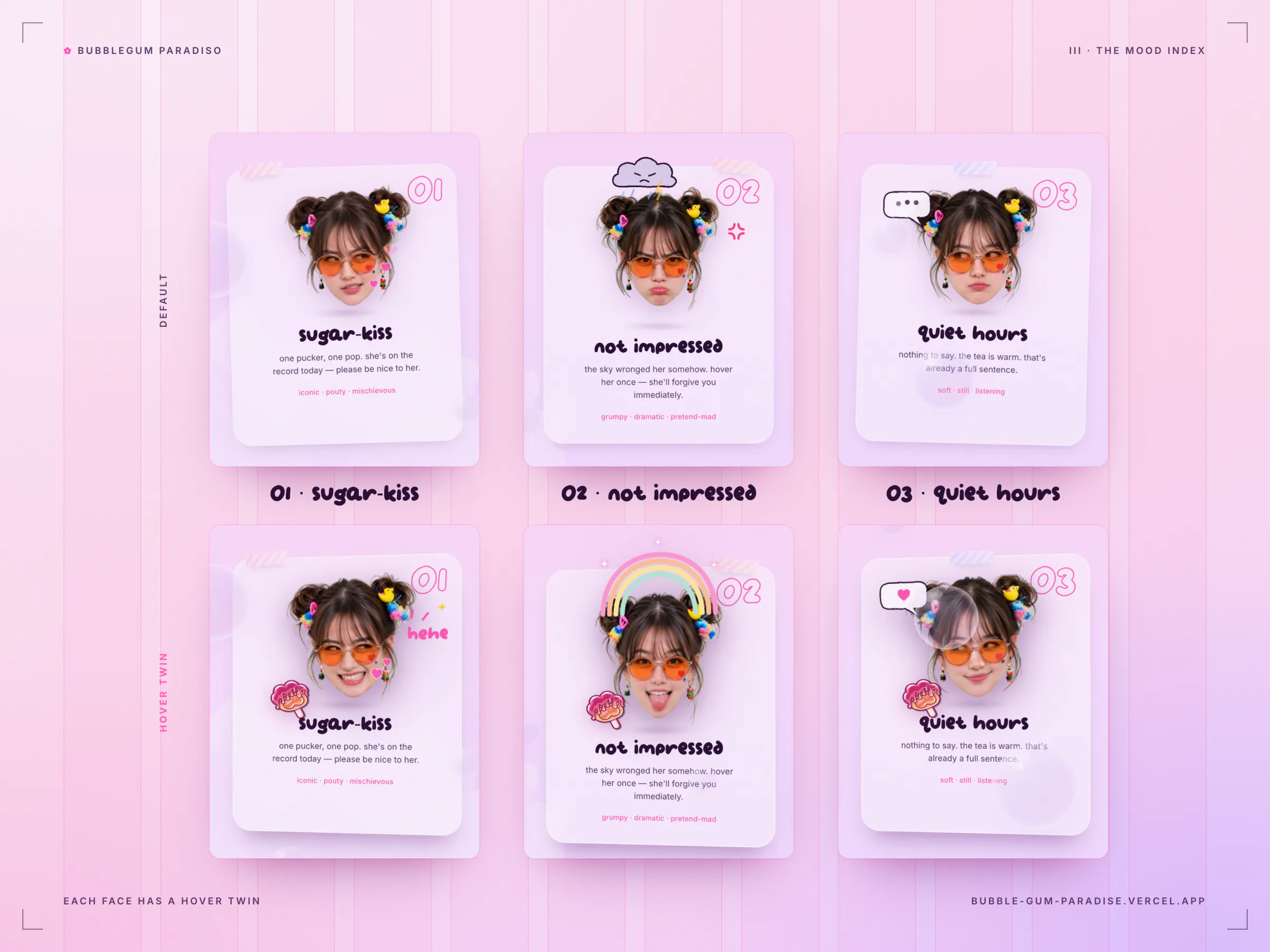
"one girl, six little moods." Three cards tilt in 3D toward your pointer, and each face has a hover twin with a doodle emote that changes with it. Sugar-kiss drifts little kisses and giggles "hehe". Not impressed has a sulky raincloud that clears into a rainbow. Quiet hours shows a typing indicator that never sends, until you hover and she finally answers with a heart.
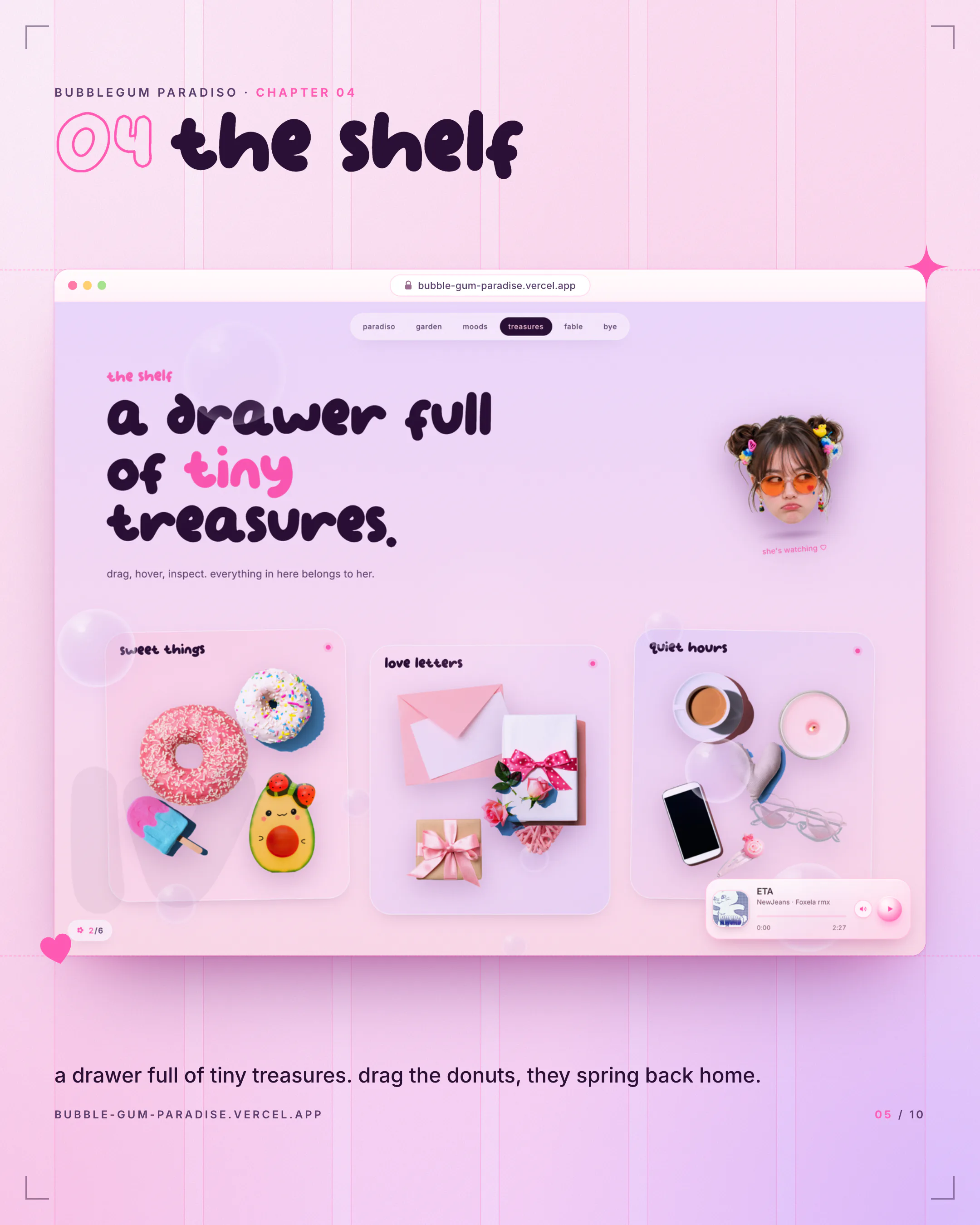
The Shelf
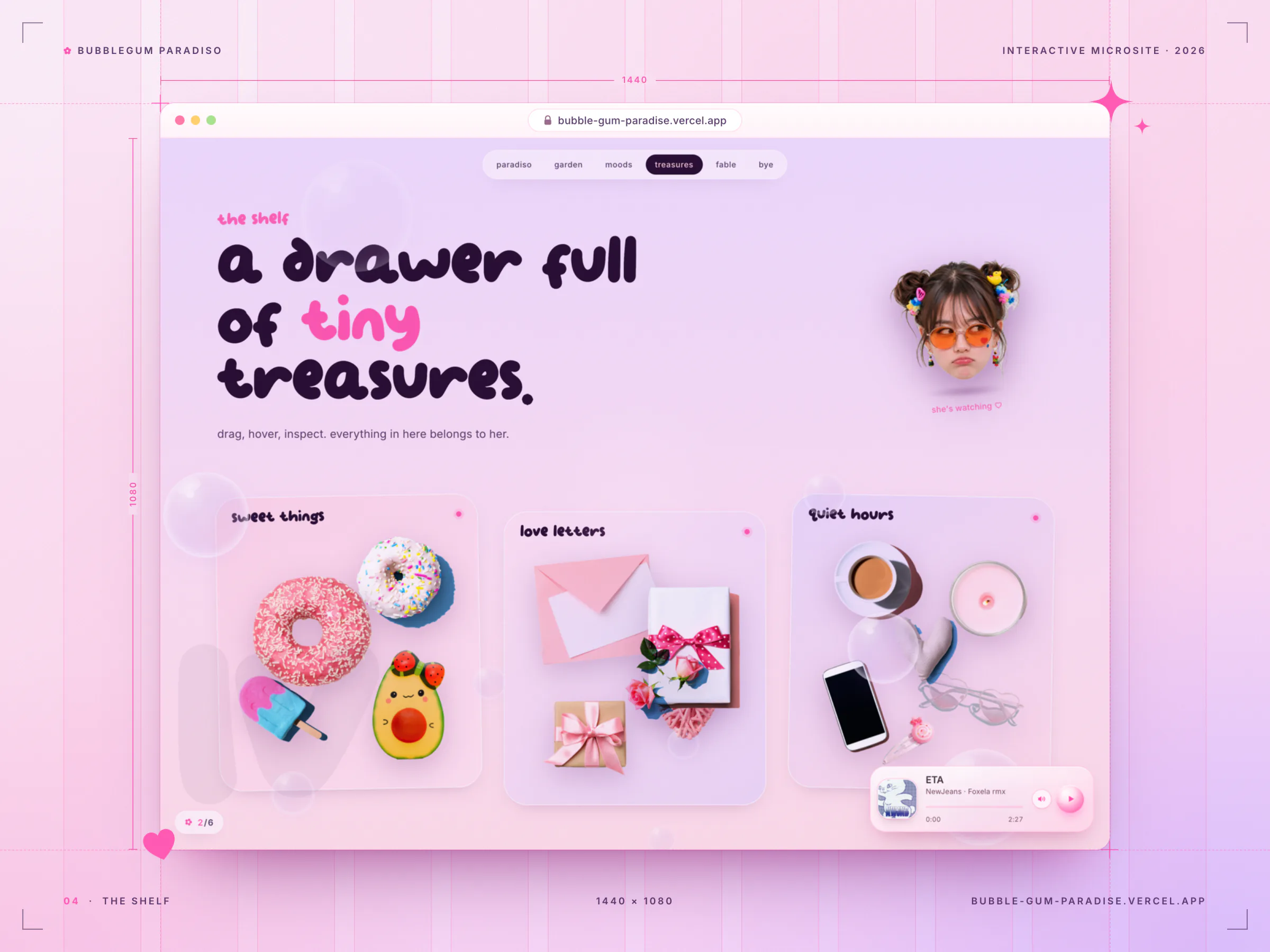
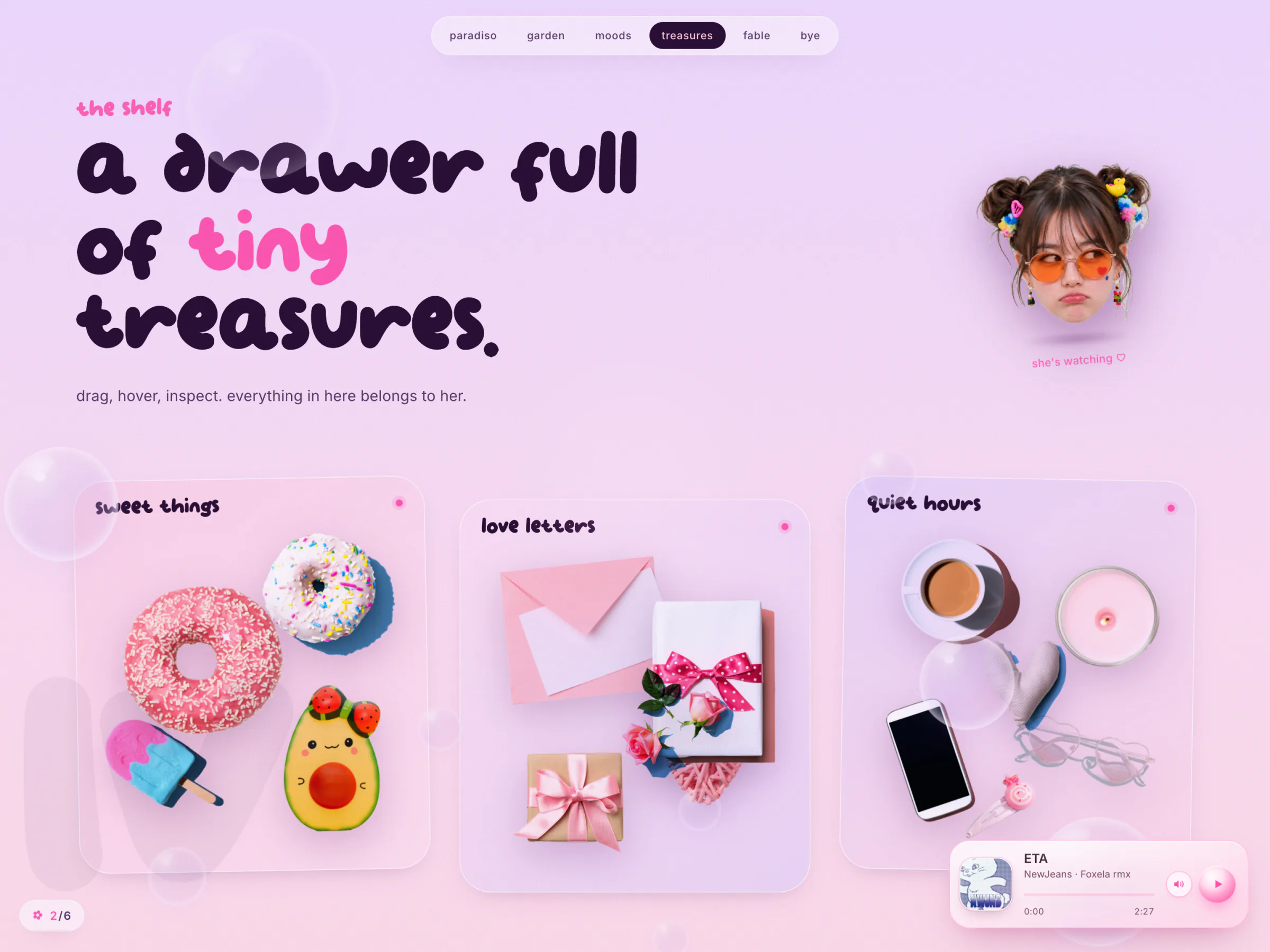
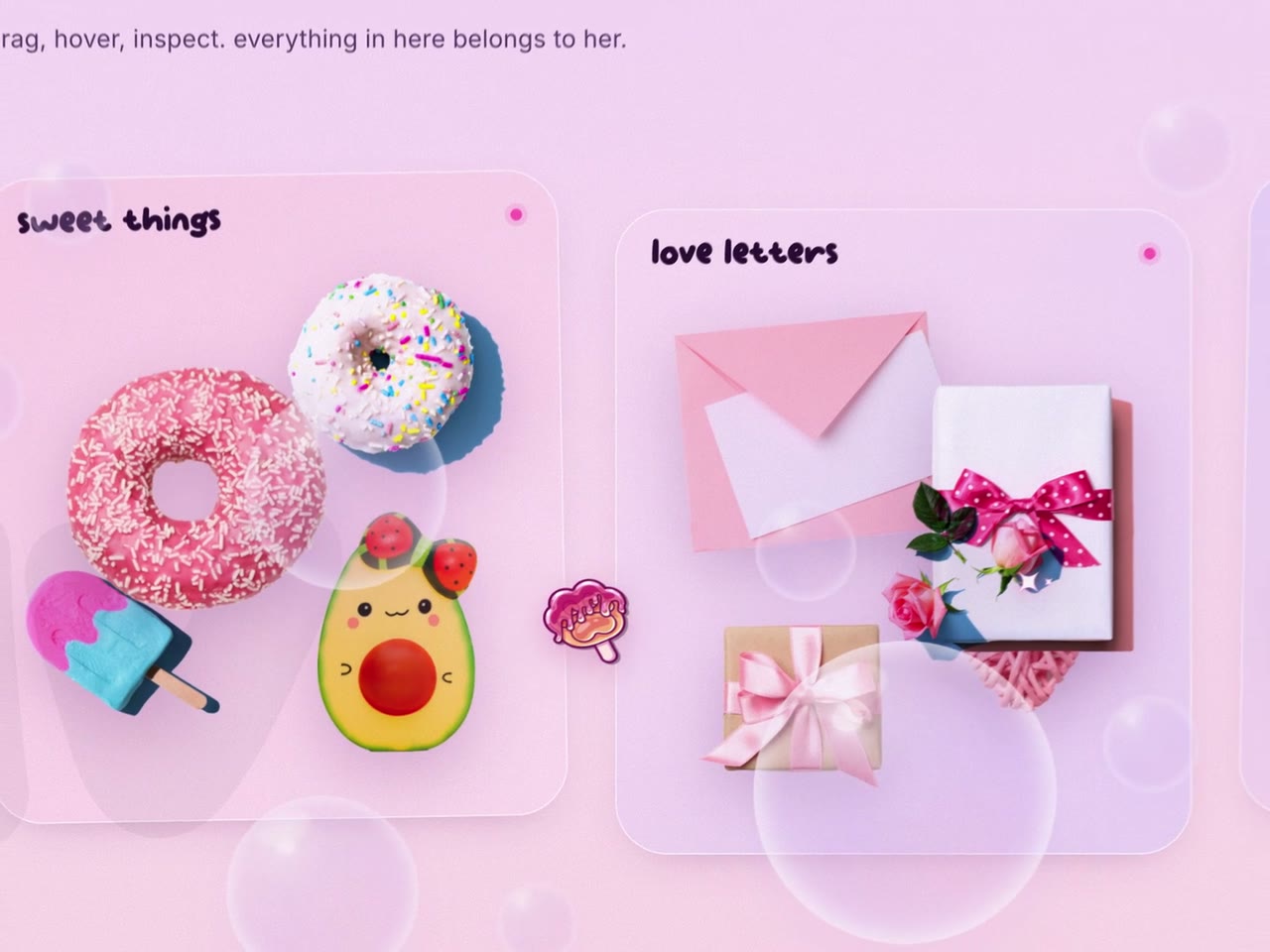
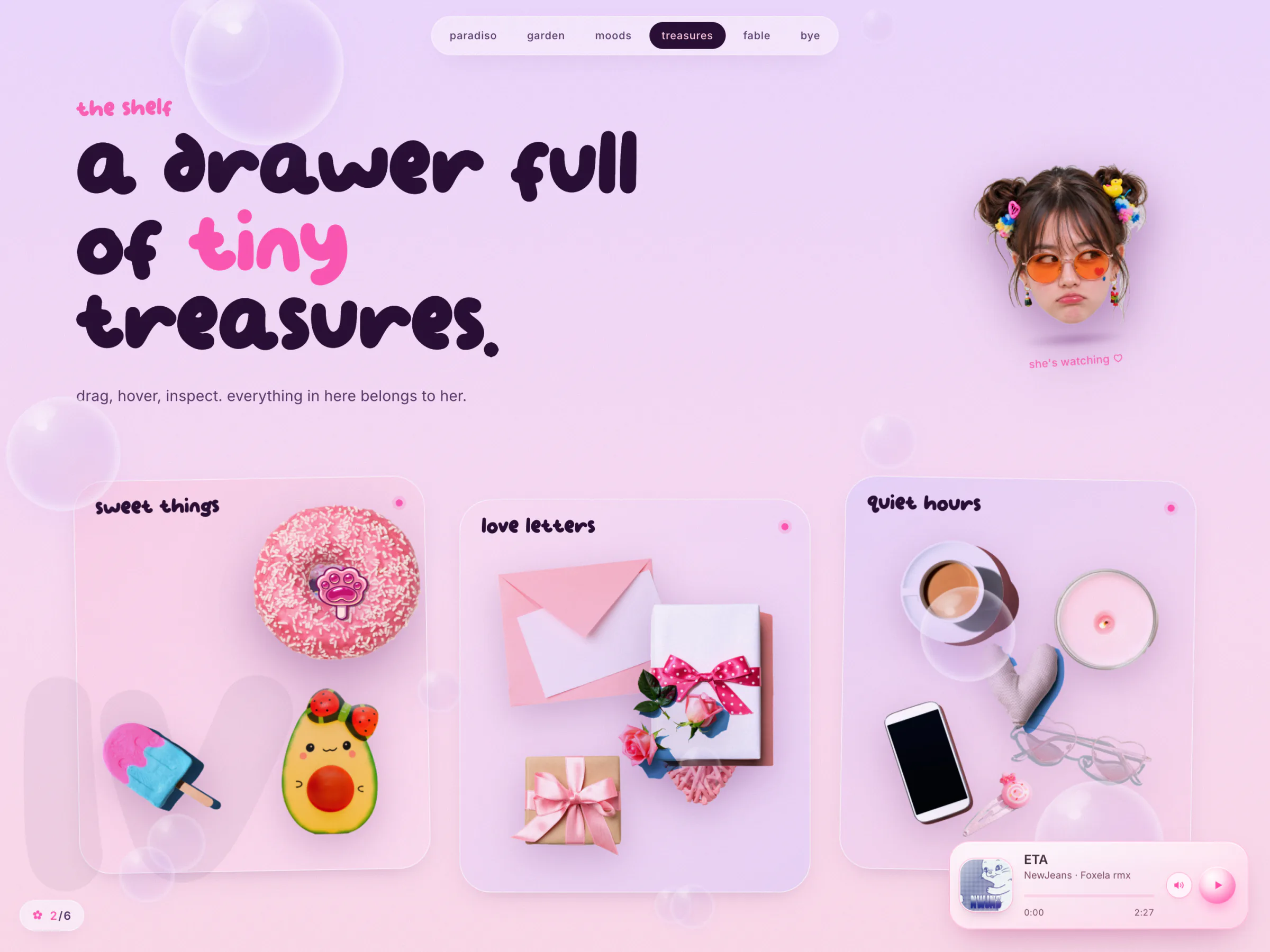
"a drawer full of tiny treasures." Three frosted cards hold her collection: sweet things, love letters, quiet hours. Drag the donuts, the gift or the heart sunglasses and they wobble while you hold them, then spring back home when you let go. Glints twinkle across the objects about once a second, like product-shot sparkle, and a cameo watches you from a bubble.
A Small Fable
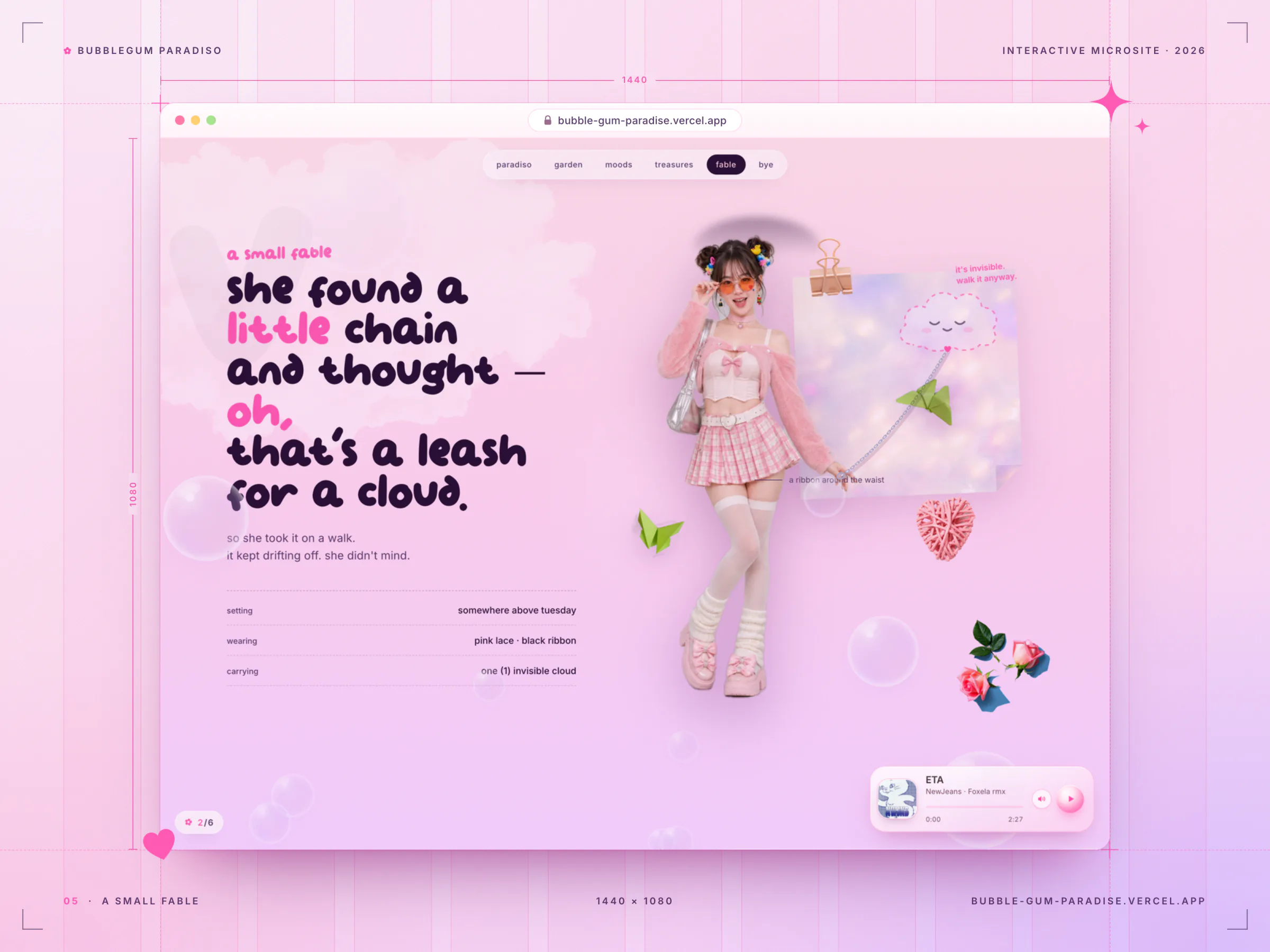
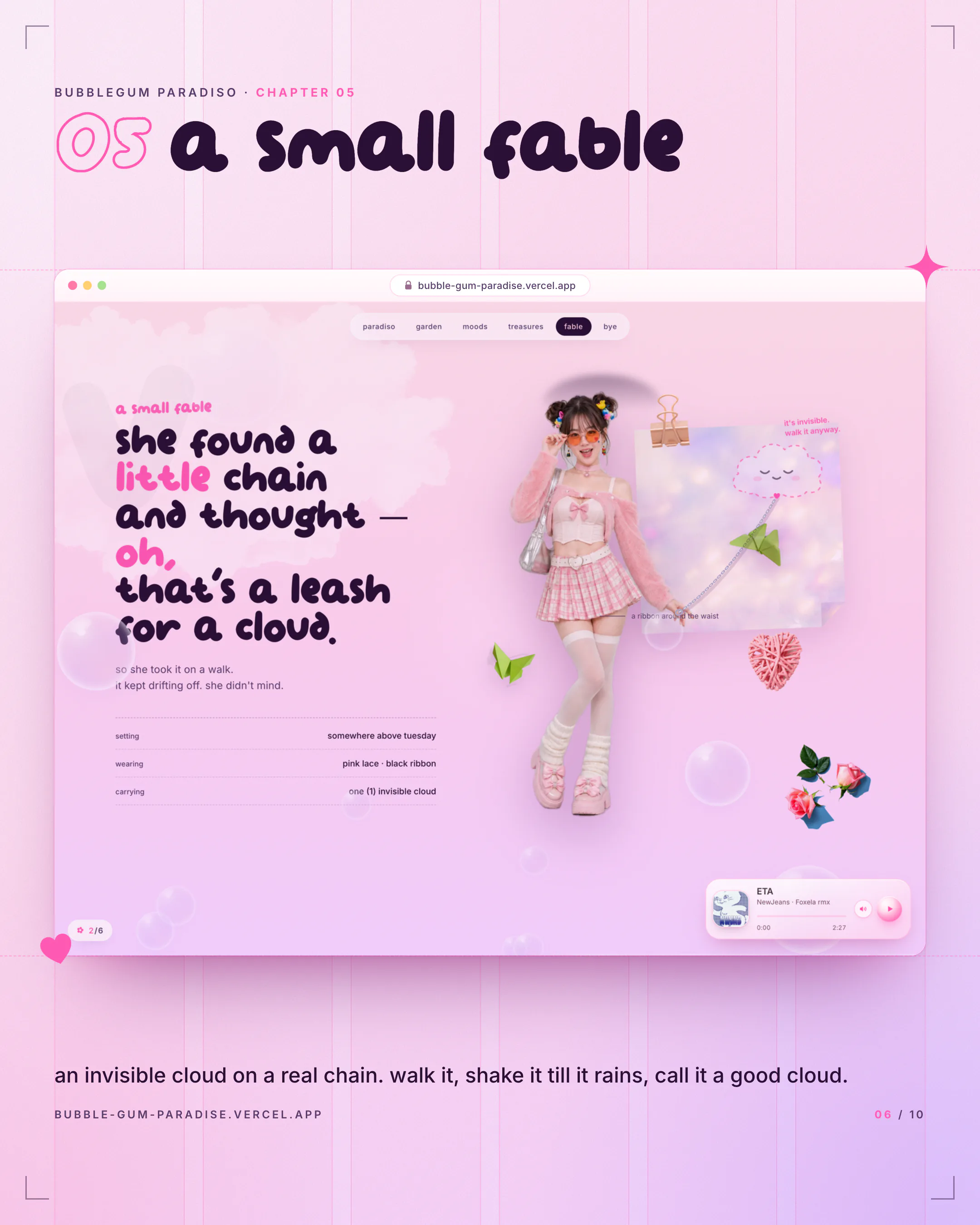
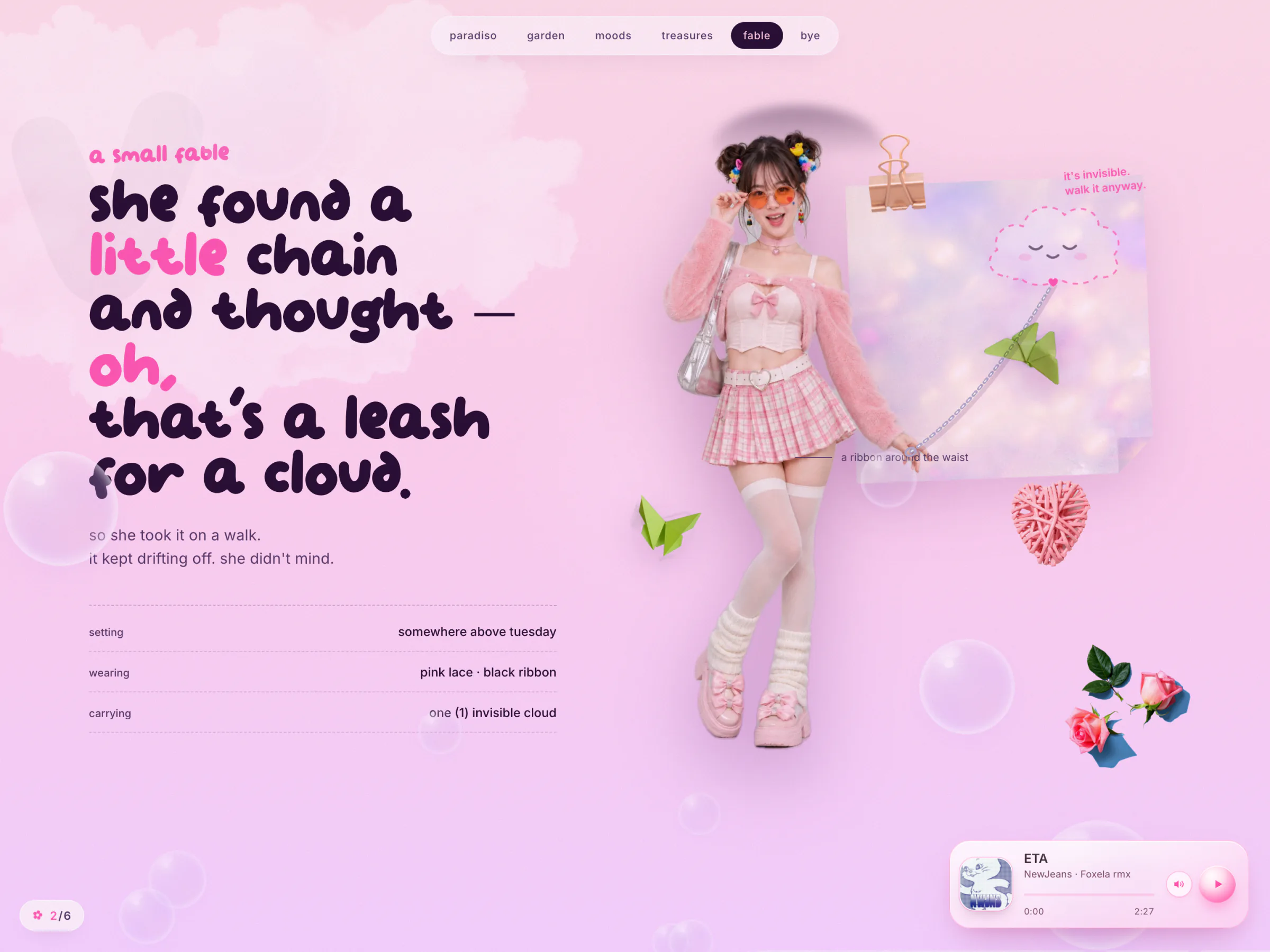
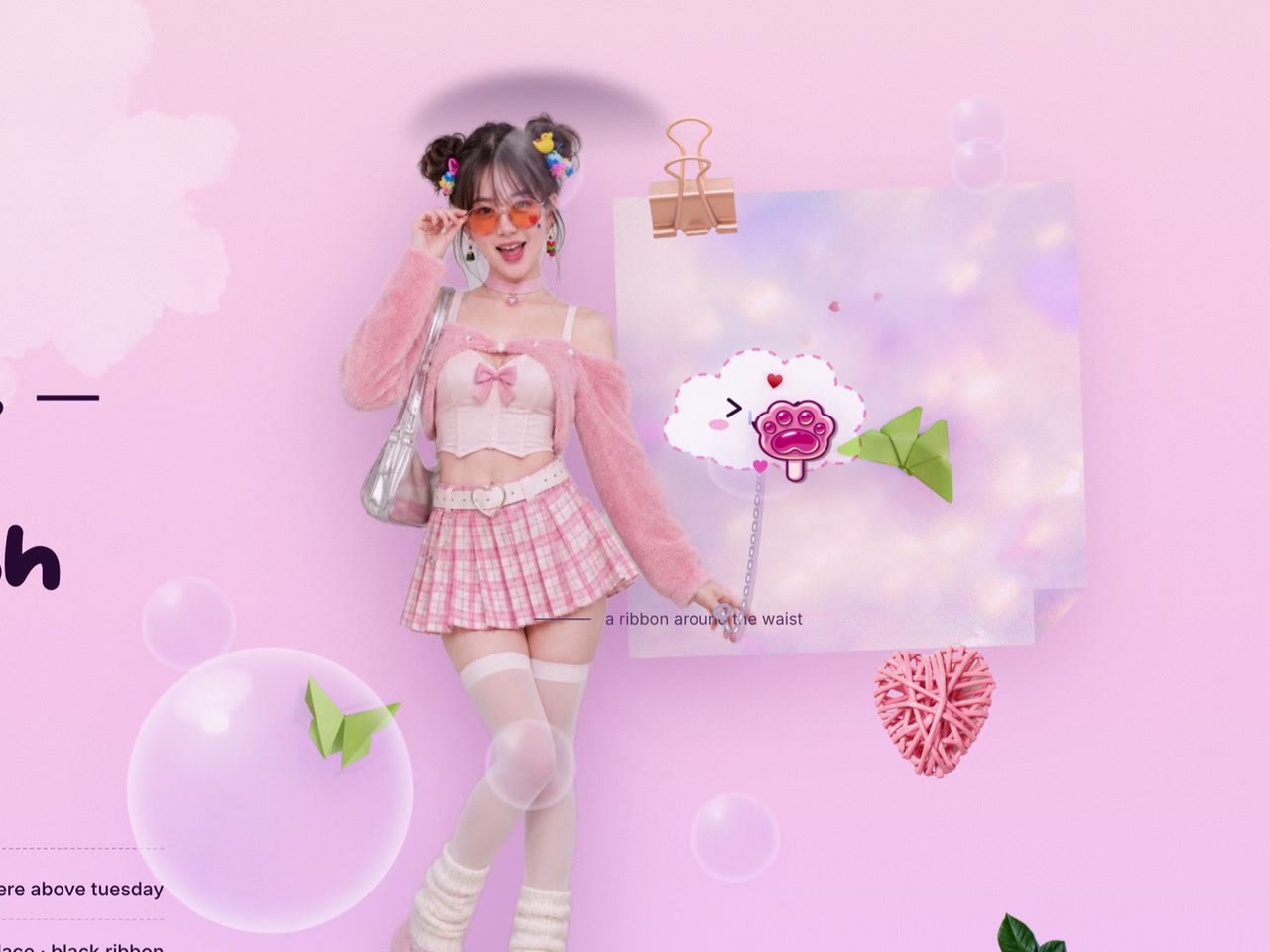
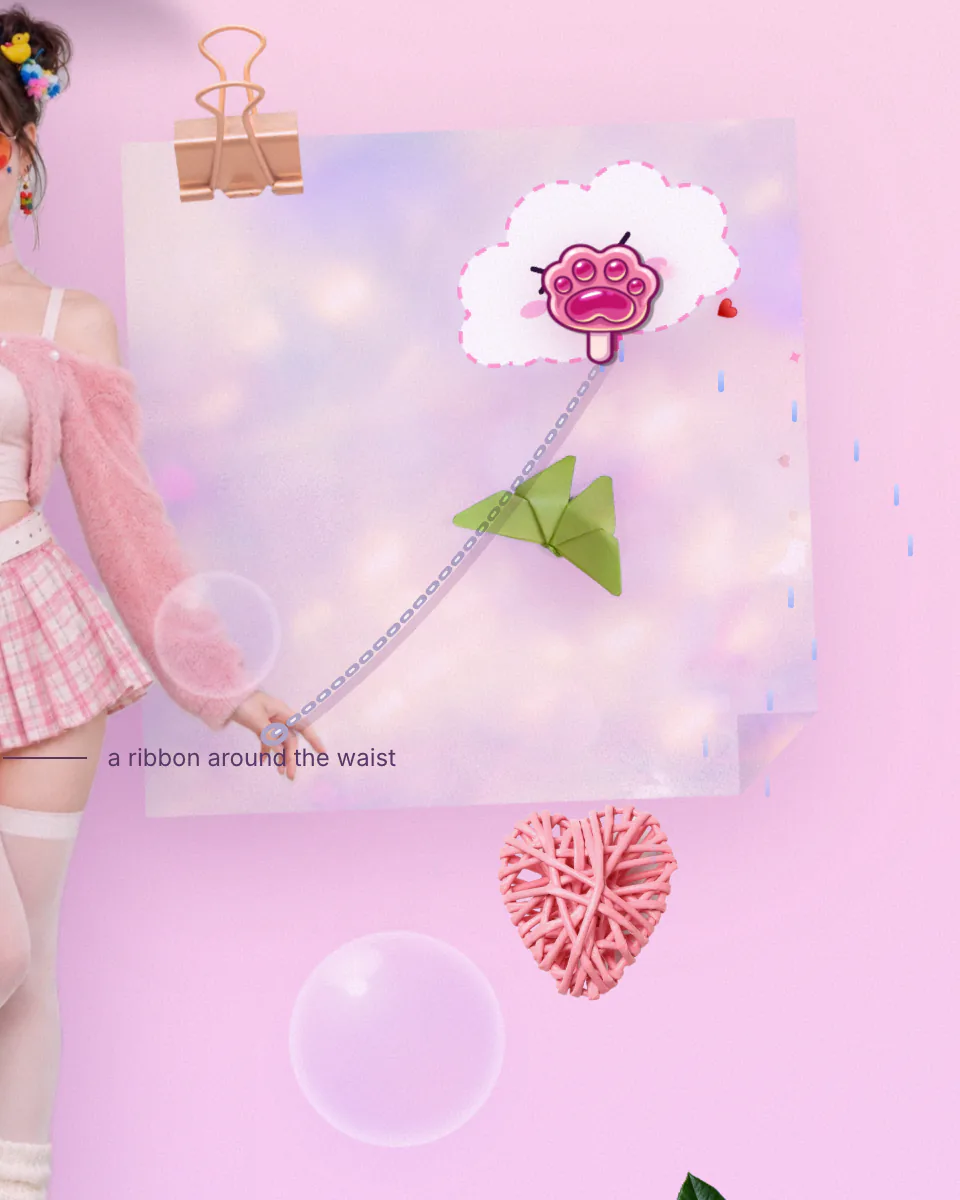
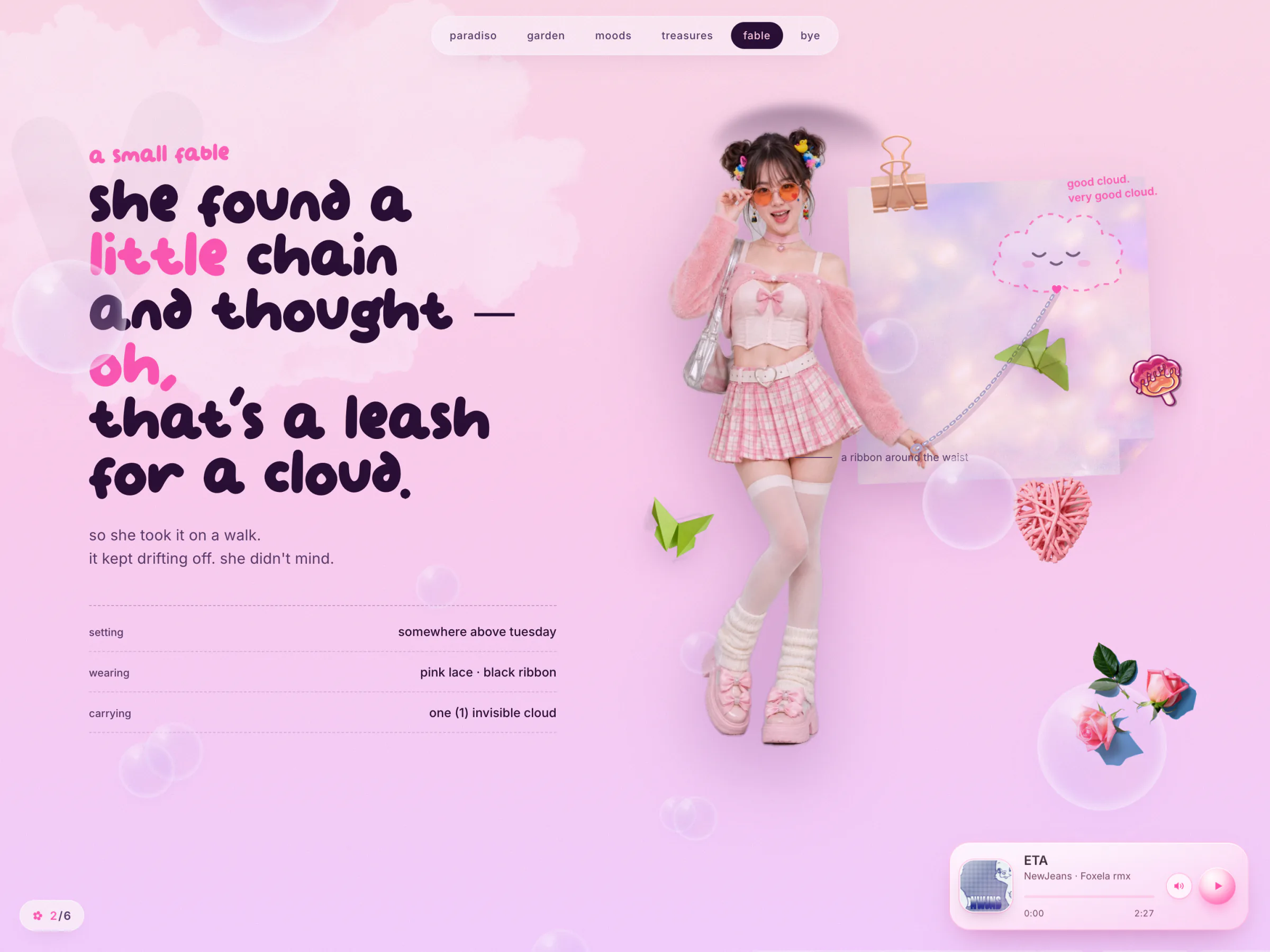
"she found a little chain and thought: oh, that's a leash for a cloud." A nearly invisible cloud floats on a real chain from her outstretched hand and keeps drifting off on its own. Hover it and it turns solid and opens its eyes. Grab it and walk it around: the chain sags when slack and pulls tight when stretched. Shake it and it rains. Let go after a real walk and the note says "good cloud. very good cloud." A quick tap only gets a "boop."
Bye
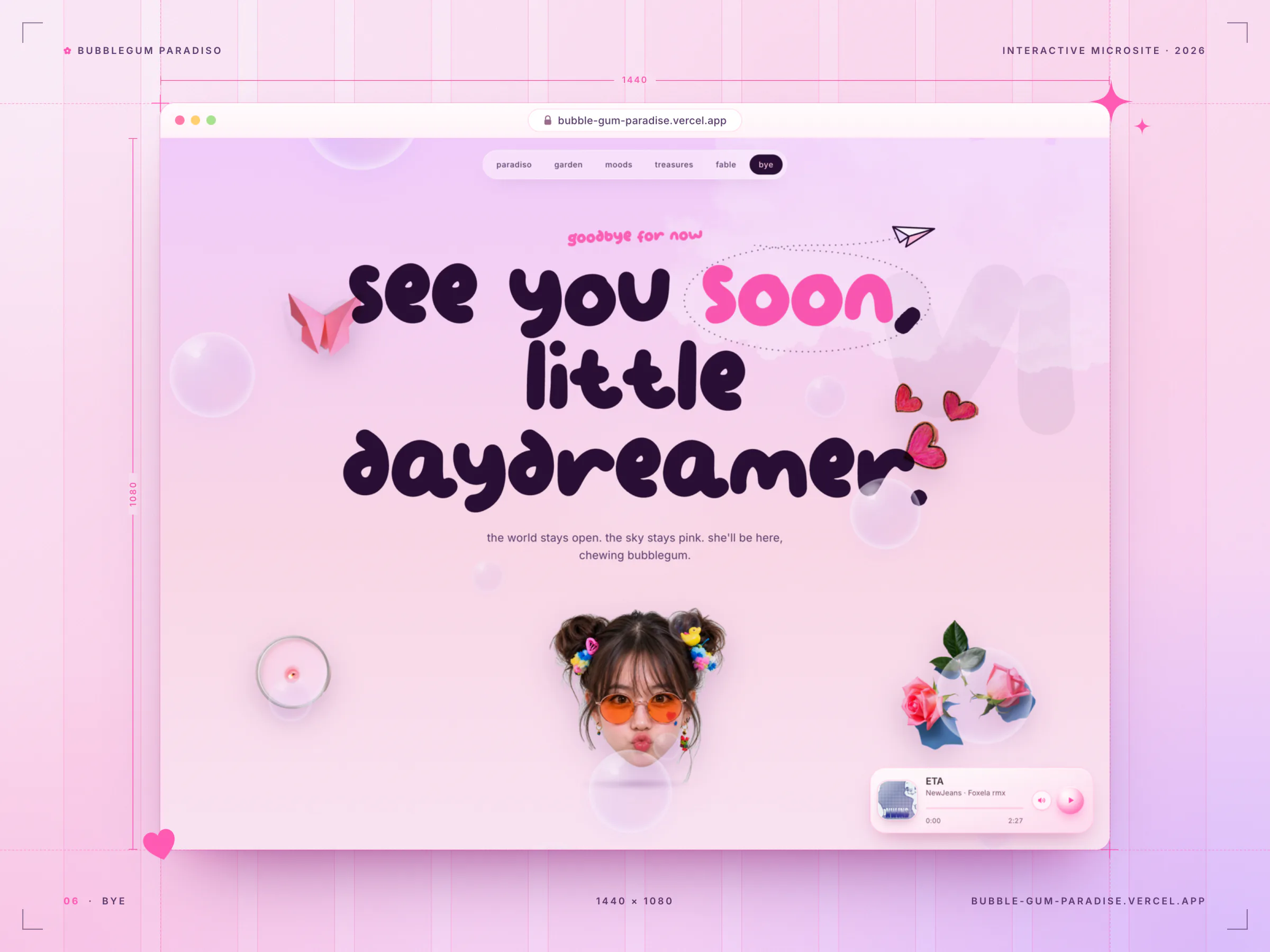
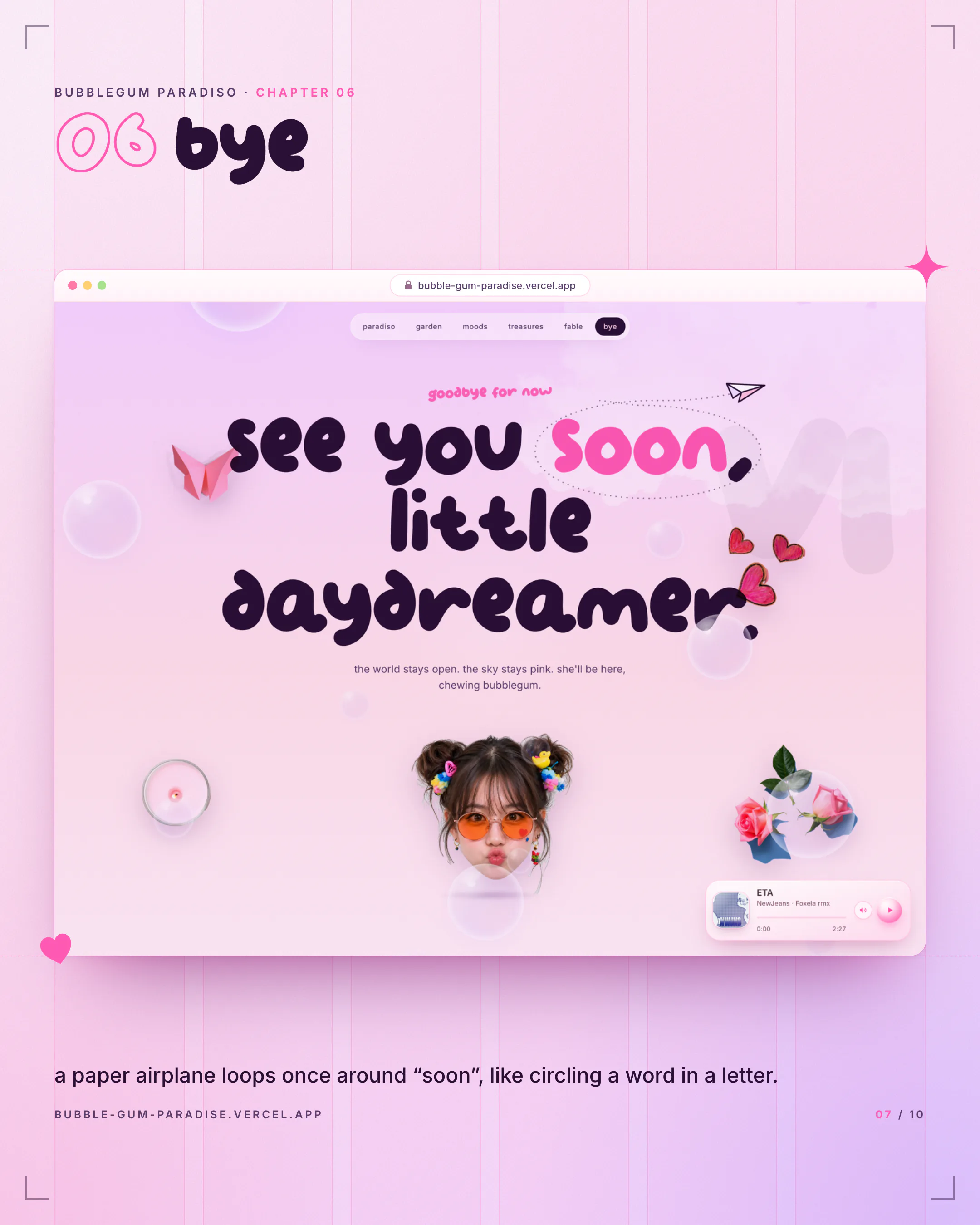
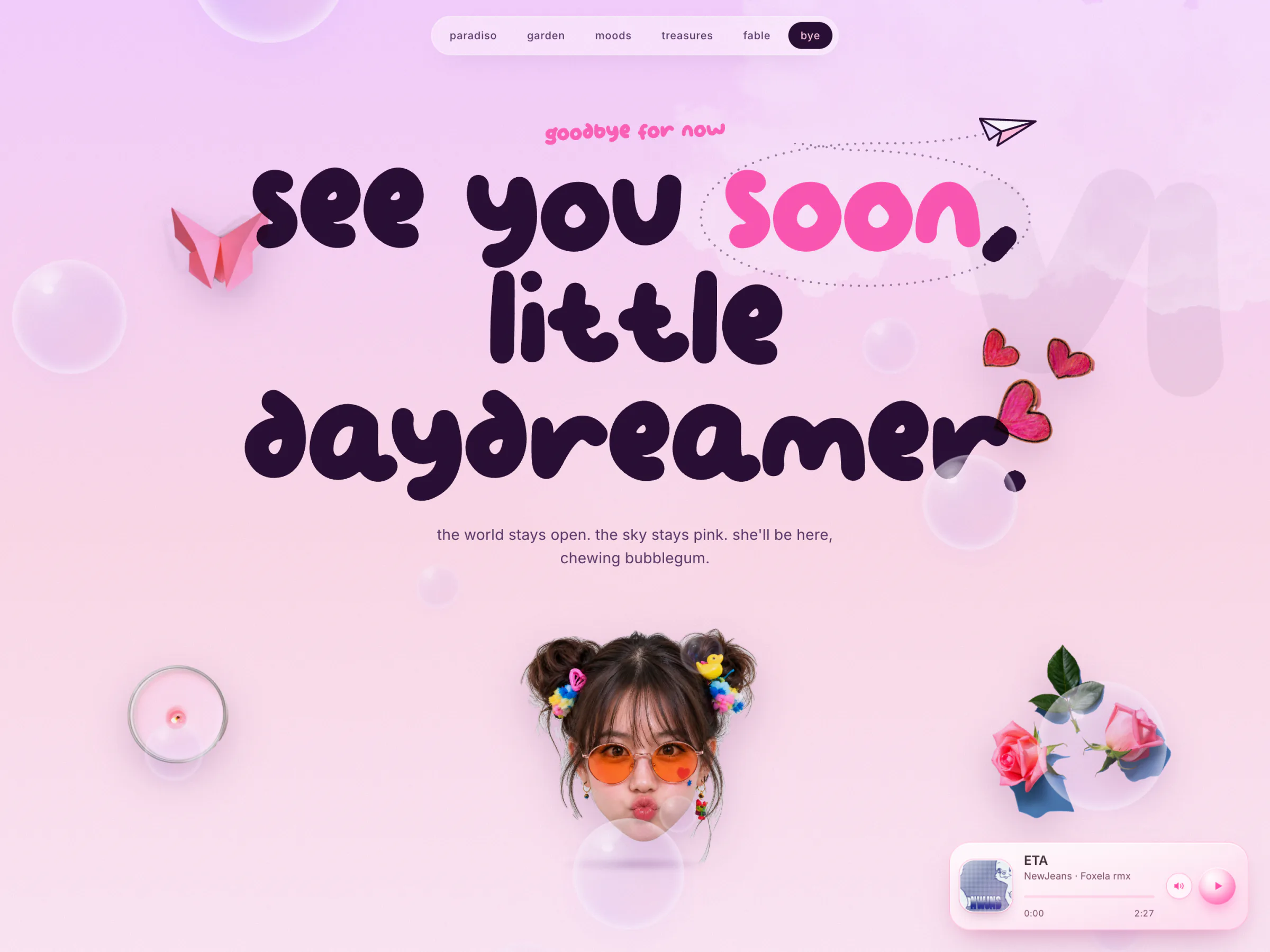
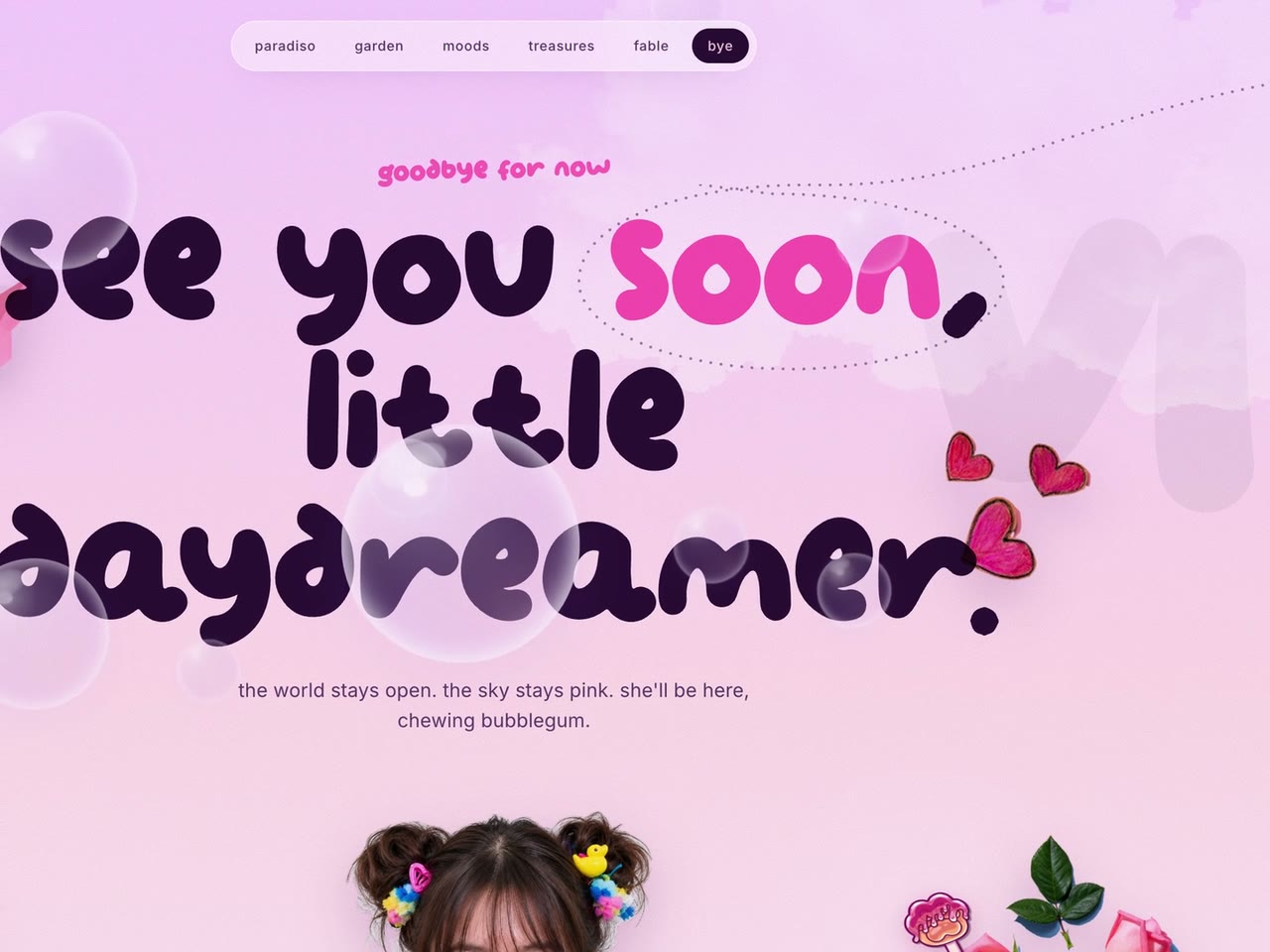
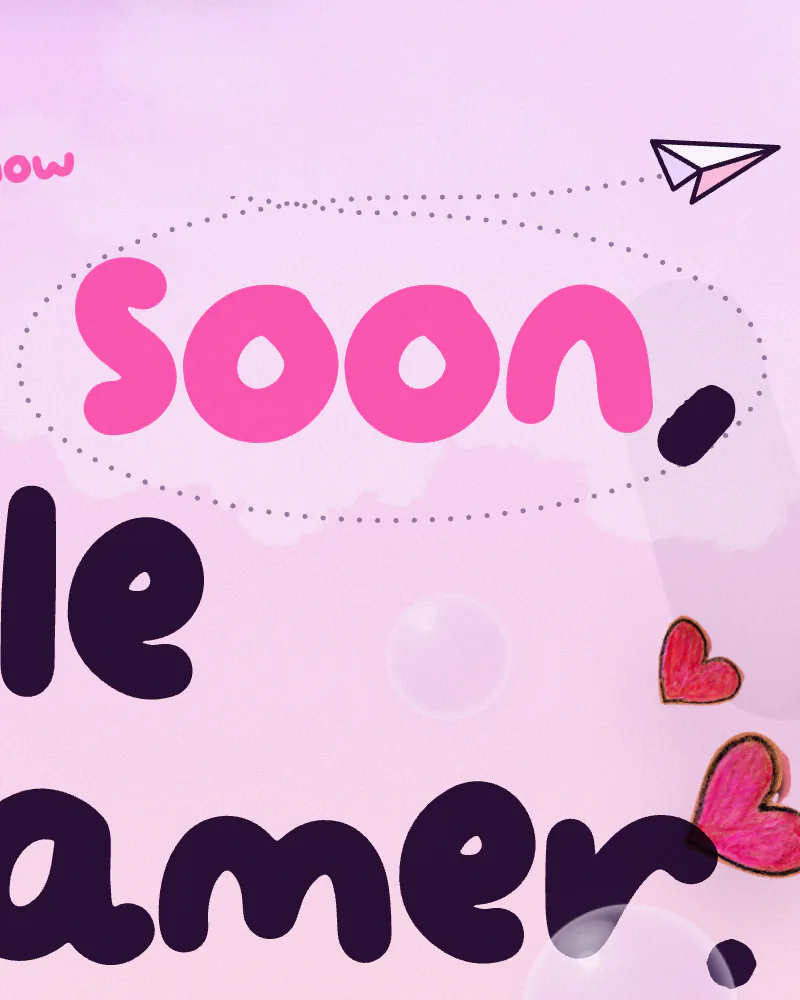
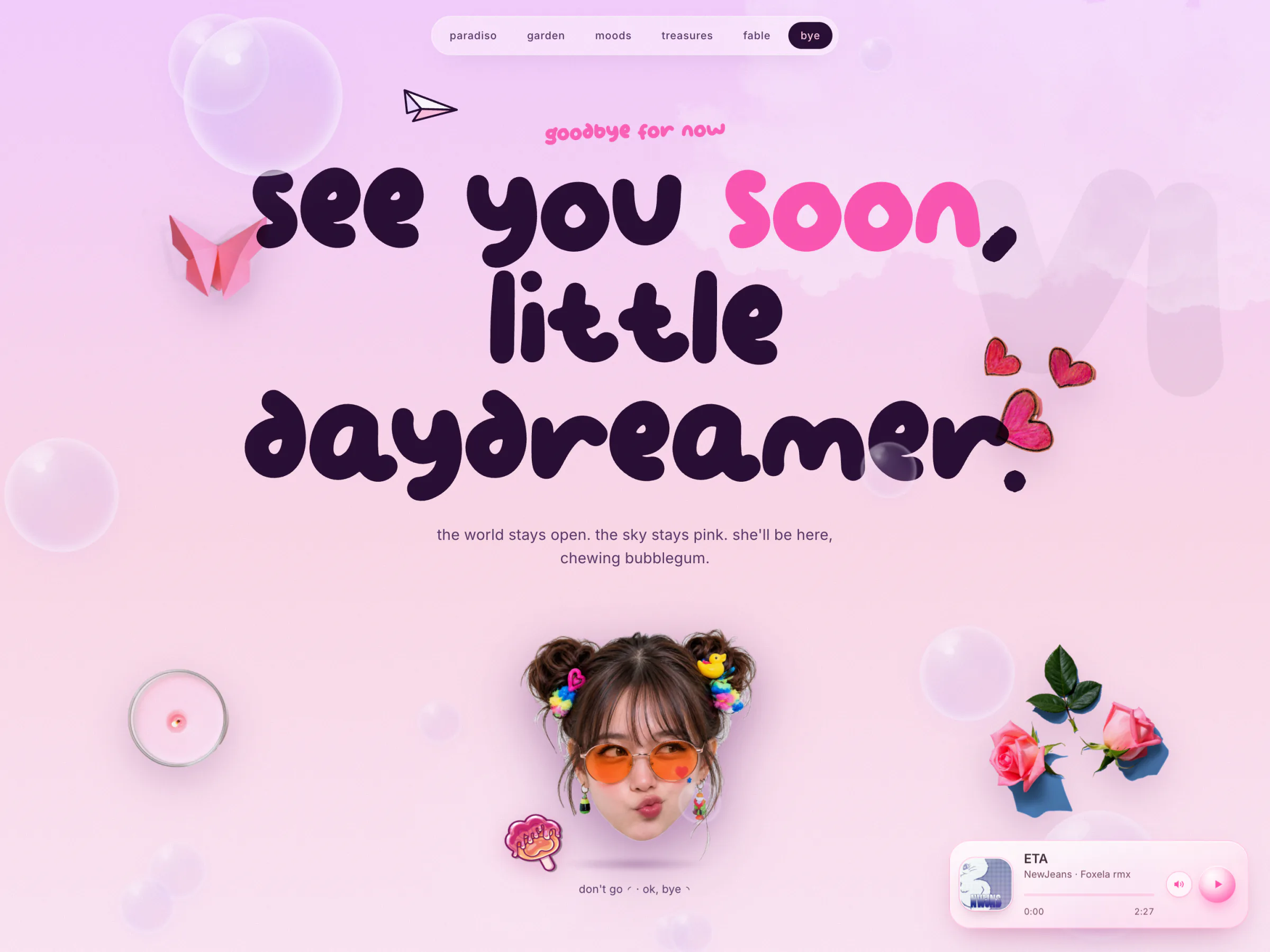
"see you soon, little daydreamer." A paper airplane swoops in, loops once around the word "soon," and leaves a dotted ring like a word circled in a letter, then peels off. It flies again about every 14 seconds. Hover her face and she blows a kiss.
All Over the Page
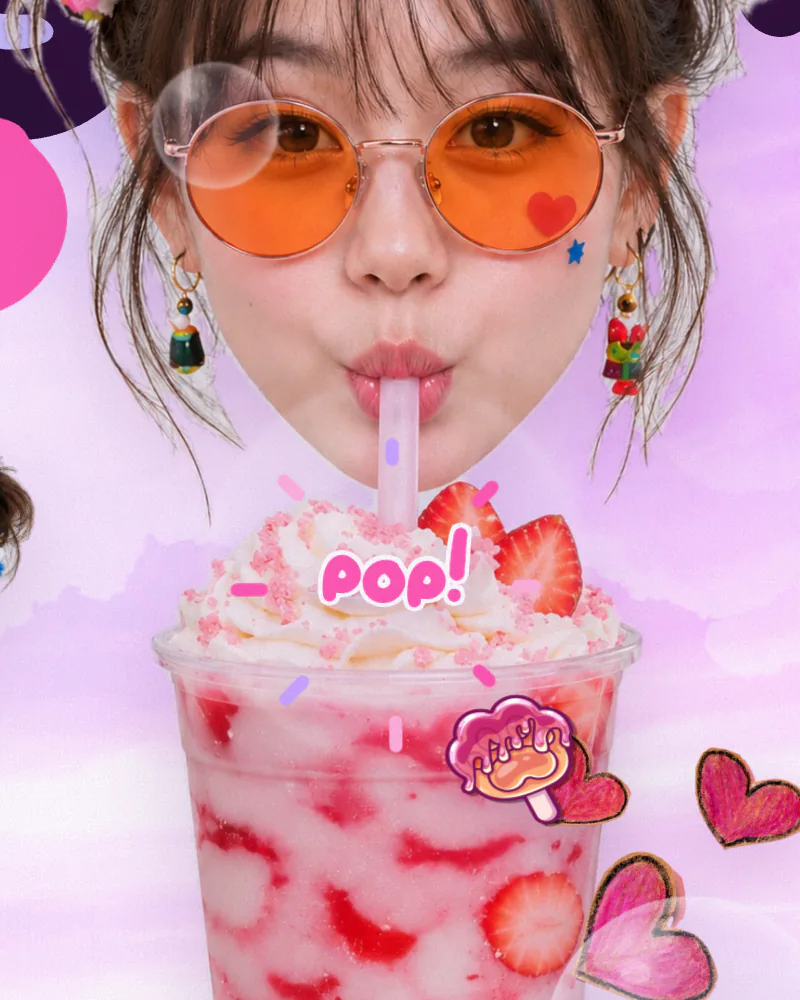
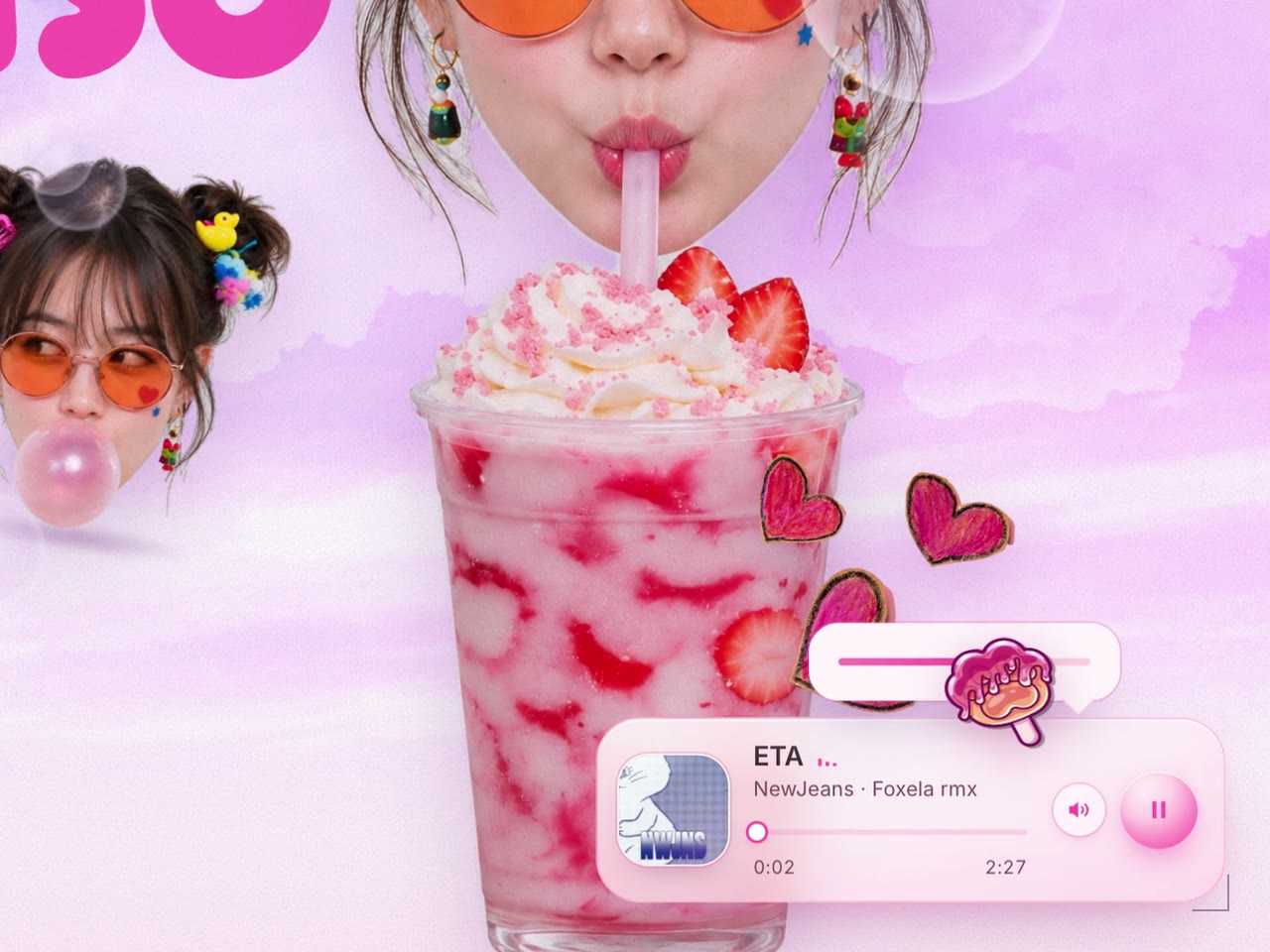
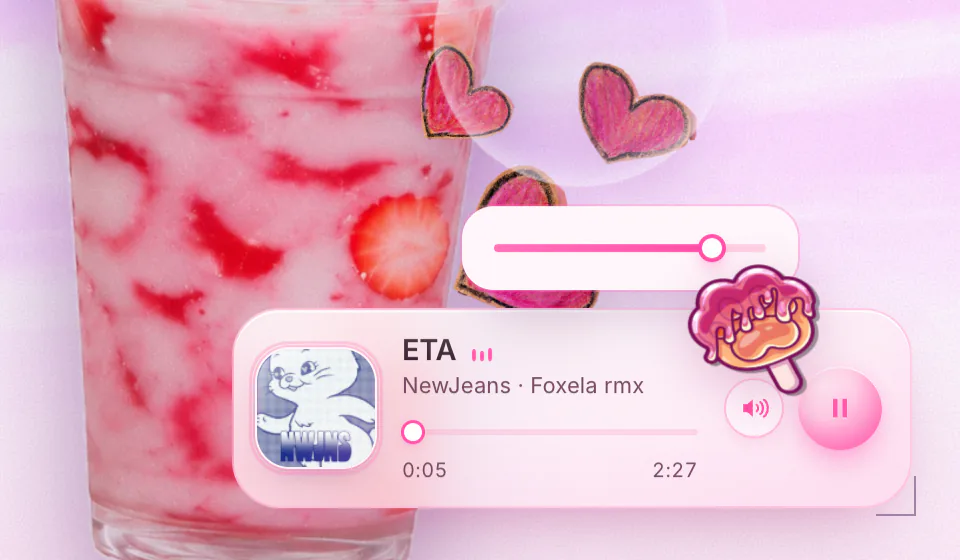
Soap bubbles drift up through every scene in three depth tiers: small soft ones far away, large sharp ones close up. Pass near one and it wobbles like jelly. Click it and it pops with a comic "pop!", "plip!" or "boop!" and a real pop sound, pitched slightly differently each time so repeated pops never sound robotic. A popsicle cursor leaves a soft trail of hearts and sparkles, a draggable glass music player floats in the corner, a counter tracks the scenes you've found, and the Konami code (↑ ↑ ↓ ↓ ← → ← → B A) sets off a sparkle storm.
Under the Hood
The whole site is three plain files and a folder of assets: index.html, styles.css and script.js. No framework, no package manager, no build step. Vercel serves them as static files.

script.js is seven self-contained modules, each wrapped in its own function with its own banner comment: the motion engine, the bubble overlay, the cursor and trail, the music player, card tilt and magnetic nav, a polish pass, and the doodle layer. They share no state. Each one finds its own elements and bails out early if they're missing, so a missing element only switches off one feature.
The page is wired with data attributes instead of code. data-float sets how much an element bobs, data-depth how far it drifts with the mouse, and data-draggable, data-magnet and data-tilt opt it into the matching behavior. The motion engine collects everything with those attributes at load and writes its transform every frame, keeping each element's original rotation.
That loop comes with one strict rule: never put a transform on those elements in CSS, because the loop overwrites it every frame. Hover effects use the separate translate, rotate and scale properties instead, or move a child element. The rule lives in the project's CLAUDE.md, so it carries over into every AI session.
Life of One Tap: Planting a Flower
- Click on a grass island. The garden listens for clicks and checks that you hit one of the two islands.
- Find the turf. The island photo is drawn once onto a hidden 200 px canvas, and its transparency is read back. Scanning down from the top at your x position, the first row where at least 5 of 7 neighboring samples are solid is the top of the turf. That skips lone blade tips.
- Handle the mirror. The right island is the same photo flipped, so the sample is taken at the mirrored position.
- Root the flower. The base sinks 10% below the turf line so the stem rises out of the blades, and the point is converted to the garden's own coordinates, so it stays right even if a parent element is scaled.
- Grow it. An inline SVG flower is added: the stem draws itself in with a dash offset, the leaves pop, the head blooms, a puff of 8 confetti dots fires. Colors are weighted: orange 46%, pink 30%, cream 14%, lilac 10%.
- Call the butterfly. The new flower is handed to the butterfly, which switches from "wander" to "visit", flies over, waits for the bloom, and perches when it's within 7 px, for 2.4 to 3.8 seconds.
- Keep it tidy. After 24 flowers the oldest wilts away, and the taped hint note fades after your first plant.
The Doodle Layer
Every doodle is inline SVG drawn over the photo collage. A zero-size sprite at the top of the page holds the shared parts: the reusable spark and heart glyphs, and the turbulence filter whose noise seed steps every 150 ms to make the lines boil. Strokes draw themselves in with pathLength and a dash offset, the paper plane follows its route with getPointAtLength, and the dotted ring around "soon" is revealed with a mask.
SVG has a few traps, and each one is now a rule in CLAUDE.md. A <use> of a symbol needs an explicit position and size or it lands off-center. CSS transforms go on a wrapping group, never on the <use> itself, whose transform origin resolves wrongly. And any shape without a fill renders black.
Physics, Kept Small
The cloud is a damped spring. Left alone, its favorite resting spot wanders on a slow loop, which is the fable's "it kept drifting off". Grab it and the spring gets stiffer so it follows your hand. A chain-length constraint keeps it within reach, with 10% extra give while you pull. Shake it faster than 6 px per frame and it rains, up to 14 drops. Walk it more than 24 px and it earns the praise; anything less is a "boop."
The butterfly is a small steering behavior with four moods: wander, visit, perch and flee. Its wingbeat changes with its mood, slow when perched and frantic when startled.
Motion That Respects People
- Loops only run while their scene is on screen. A shared helper starts a frame loop when its section comes within 120 px of the viewport and stops it when it leaves. Each loop scales its steps by the real frame time, so motion speed stays the same at 60 or 120 Hz.
- Reduce motion means still poses, not missing pieces. With the OS setting on, the title is in place, the flowers are planted, the ring around "soon" is drawn and the cloud is parked on its chain. The trick is in the CSS: every hidden starting state, like an undrawn stroke, only exists inside a
prefers-reduced-motion: no-preferencequery, so turning motion off leaves everything fully drawn by default. The JavaScript loops check the same setting and render a still pose instead. - Desktop-only extras stay desktop-only. The custom cursor and head tilt only switch on with a fine pointer that can hover. On touch you can still pop, plant and drag.
- The line boil pauses with the tab. The doodles jitter because a turbulence filter's noise seed steps every 150 ms, and that timer does nothing while the tab is hidden.
Deploy and Caching
Every push to main deploys to production through Vercel's GitHub integration, and each deploy keeps its own permanent URL, so any older build can be compared with the live one.
Images, fonts and the pop sound are cached for a year as immutable files, so a returning visitor downloads almost nothing. The catch: a changed image needs a new filename or people keep the old one. CSS and JS revalidate every hour, so code fixes land quickly.
How It Was Built
The project was made with AI end to end. The character was generated with ChatGPT's image generation: her portraits, her full-length shot and every hover-twin expression. The code was written with Claude Code: fourteen of the repo's fifteen commits are co-authored with Claude, Sonnet 4.6 for version one and Opus 5.5 for versions two and three.
The project's CLAUDE.md is its shared memory with the AI. It records the architecture and every hard-won rule: the transform rule above, why faces use hard cuts, why a mirrored element uses scale: -1 1, the SVG traps (a <use> needs explicit size, transforms go on a wrapping group), and the two-typeface limit. Most of those rules exist because something broke once.
Version one, 13 days. First commit on April 20, 2026. Composition and layering on April 23, then an art-direction pass that spread six new expressions across the scenes. Public deploy on April 28, with the hard-cut hover swap. Seven commits of polish on May 1 alone: the loader, the kinetic title, head tracking, bubble petting, the progress counter and the Konami egg. Final fixes on May 2.
Version two, October 2026. The hand-drawn doodle layer, the move to two typefaces, and a round of player and bubble fixes, in one change: 1,905 lines added and 304 removed across four files.
Version three, November 2026. The character became photographic. Nineteen images changed, nine expressions with their hover twins plus the fable's full-length shot, and very little code: new file names, and the chain's anchor in her hand measured again for the new body.
Hard Cuts, Not Crossfades
Each face is two stacked images. A crossfade looked smooth in theory, but halfway through it shows two half-transparent faces at once, and that reads as a ghost. The faces use an instant cut instead. The cost: every image pair needed an aspect-ratio lock computed from both files' native pixel sizes so the swap never shifts, and a later commit had to fix pairings that were wrong.
Two Typefaces, Never Three
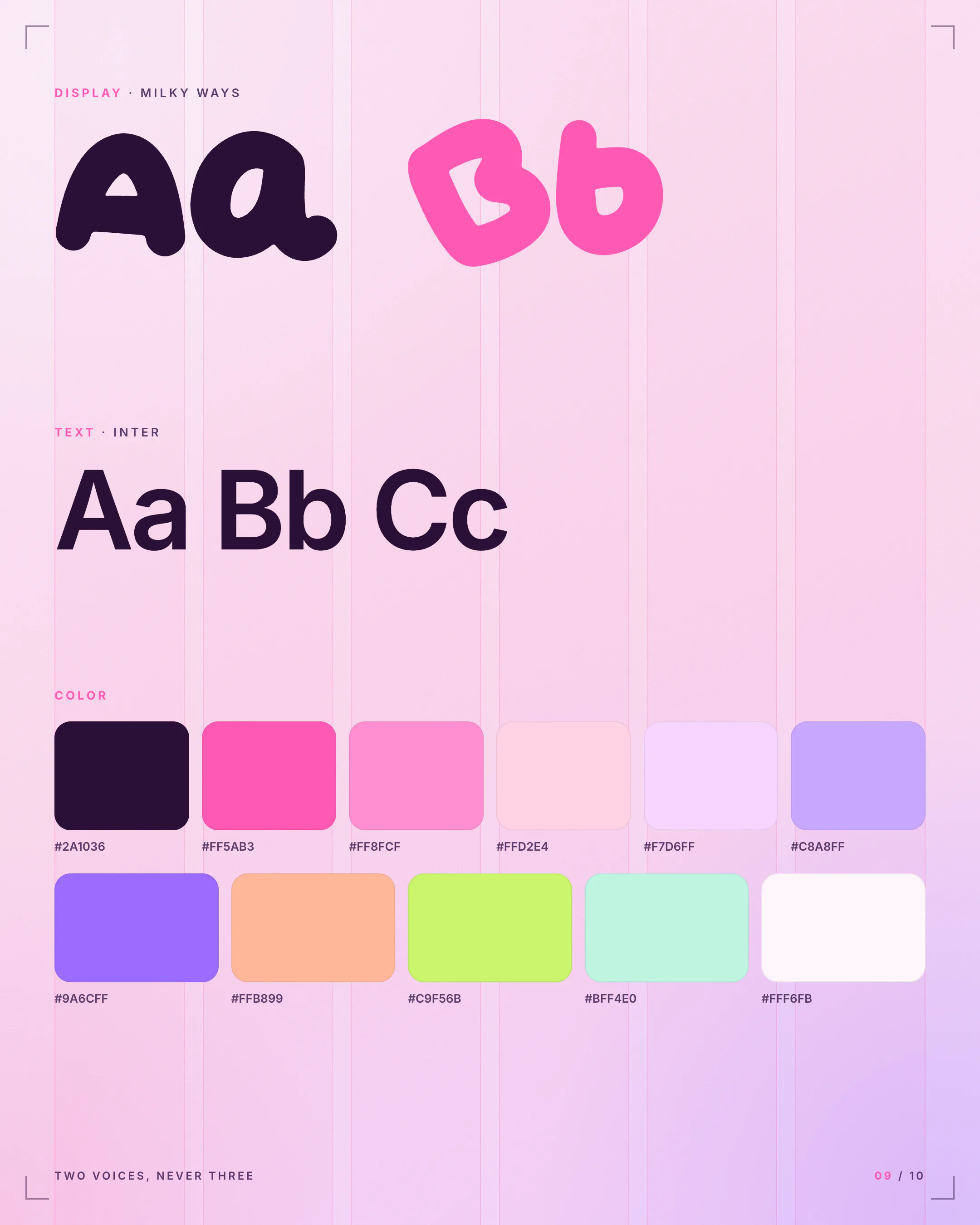
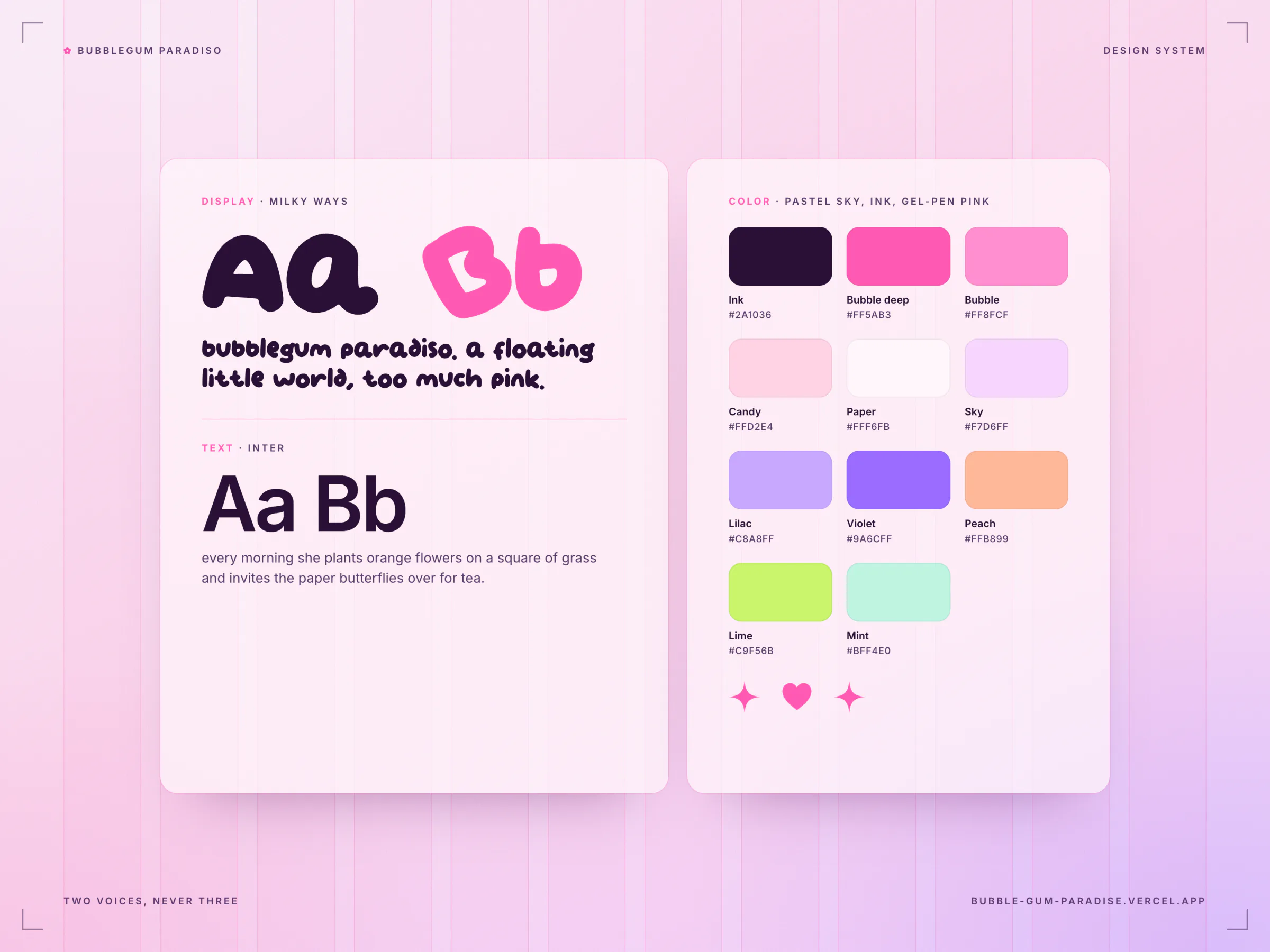
Milky Ways carries the display voice: titles, labels and every playful word. Inter carries body text and UI. An earlier version had a third, handwritten face, Siloam, between them, and it competed with the display face. It was removed, and emphasis moved into color: important words in a heading turn pink, in the same face.
Three Files and No Framework
A one-page toy doesn't need a build pipeline, and keeping it to three files kept it fast and easy to reason about. The cost is that conventions can't be enforced by tools, so they live in writing: the data-attribute contract, the transform rule, and override blocks kept at the end of the stylesheet in a known order.
Read the Photos, Don't Hand-Place
Flowers could have been pinned to fixed coordinates, but the grass islands are irregular photos that scale with the screen. Instead the site samples each image's transparency on a hidden canvas and finds the real turf at runtime, so flowers root inside the blades at every width. The same trick puts shelf glints only on solid parts of objects and aims the garden hint's arrow at open turf. The cost: some geometry is tied to specific images, like the anchor of the fable's chain in her hand, so swapping those photos means measuring again.
Frame-Stepped Video Capture
Recording a screen in real time drops frames whenever the machine is busy, and that shows up as stutter. So the portfolio videos weren't screen-recorded. The site ran in headless Chrome on a virtual clock: every timer, animation frame, CSS animation and transition was paused and stepped exactly 1/60 s per frame, then each frame was captured. Mouse paths follow natural minimum-jerk curves and the bubbles are seeded, so every take is reproducible. The zoom edit pushes in on each interaction like an auto-zoom camera, and never past 2x, so nothing is upscaled.
Version two fixed four more bugs. The right grass island rendered upside down, because the motion loop read its CSS mirror as a 180 degree rotation; it's now mirrored with scale: -1 1. Visitors with reduced motion never saw the hero title, which came from the same version one polish pass. The cursor trail threw an error on every move under reduced motion. And pressing the volume button started a drag, which swallowed the click so the slider never opened.
She's Real Now
Up to version two she was a stylised, doll-like 3D illustration. Version three makes her photographic and keeps her look: round rose-gold sunglasses with orange lenses and a red heart on one, a blue star sticker on her cheek, two messy space buns with their clips and pom-poms. Now she belongs to the same world as the photographed props around her.
- One identity first. In ChatGPT's image generation, a sheet of four of the original heads became one realistic studio portrait. That portrait is the identity master for everything after it.
- Pose by pose. Each expression got a fresh chat and two pictures: the identity portrait for who she is, and the original artwork of that pose for what she's doing. The prompt asks for an unretouched 85 mm studio photo on plain grey, down to visible pores and flyaway baby hairs. So all nineteen photos are the same girl.
- Hover twins as edits. Each twin is an edit of its default photo, made in the same chat with the original hover artwork attached, so the framing and the size of her head stay put.
- Cut out and aligned. Apple Vision's subject lift cuts each photo out, and the studio grey is cleaned off the edges of her hair. Regenerated hair never matches strand for strand, so each twin is aligned onto its default by the shape of her head (buns, hairline, glasses) with OpenCV, ignoring the mouth, which is the part meant to change.
- Into the old boxes. Each pair is rendered into the exact aspect box the old head used and scaled to fill it. The hard cut still never shifts a pixel, and the doodles that sit on her face, like the kisses and the storm cloud, still land in place.
Two earlier decisions paid off here. The fable's chain anchor is tied to one photo (Decision 4), so the new body meant measuring her hand again, and nothing more. And the capture kit runs on a virtual clock with seeded bubbles (Decision 5), so every still and film on this page was shot again from the new site and lands on the same moment as before.
Design Details
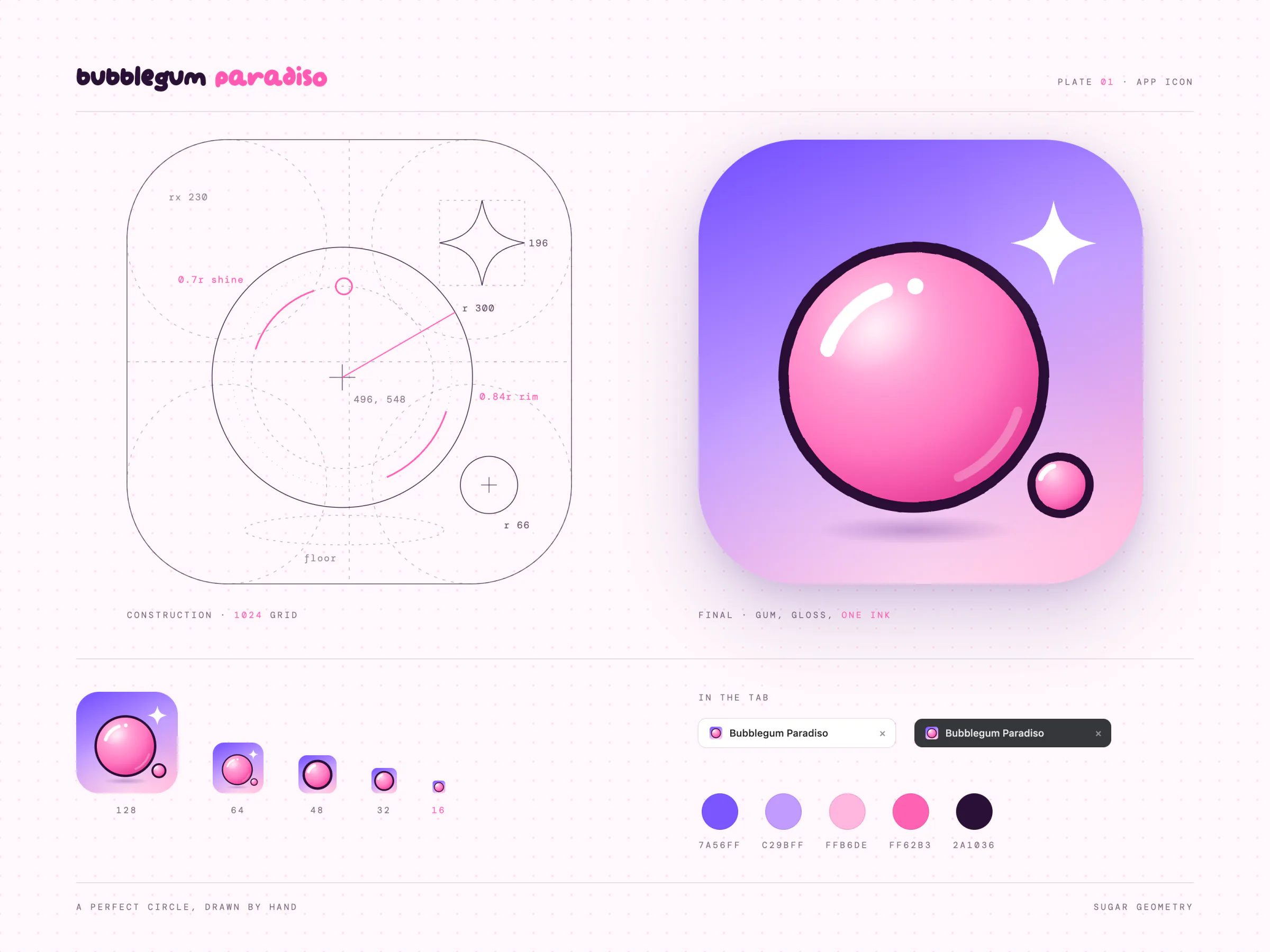
Color. Deep plum ink #2A1036 for type. Two bubblegum pinks, #FF5AB3 and #FF8FCF, for emphasis and doodles. Pastel sky and candy tones for backgrounds. Small pops of lilac, peach, lime and mint.
One face per scene. Every section uses a different expression of her, so she never repeats herself as you scroll, and each face has its own hover twin.
Collage plus doodles. The character is generated with ChatGPT, as studio photos since version three; the props around her are real photographed objects: donuts, roses, origami butterflies, a wicker heart, a candle. That keeps the world tactile. Over them sits a layer of gel-pen SVG doodles whose outlines jitter like hand-drawn animation, the classic "line boil".
The icon. A bubblegum bubble drawn in the site's gel-pen ink, with a white glint and a little satellite bubble, on the hero's violet-to-pink sky. At 48 px and below it switches to a bolder simplified drawing so it stays readable.
Outcome and Next
Bubblegum Paradiso has been live since April 28, 2026. Version two shipped on October 2, version three on November 18.
What worked best was the simplest rule: one thing to touch per scene, and every touch ends in a reward. It kept the page from turning into a pile of effects, and it gave every chapter a small moment people remember.
Known limits, honestly: it's desktop-first. On phones the hover moments (twins, emotes, card tilt) can't happen because there's no hover, though popping, planting and dragging all work by touch. And the music in the live player is a commercial demo track, so every shared video is silent on purpose.
Gallery