One codebase and design system for every Ravenry campaign page: each on its own address, every lead in one admin.
Serving the live SWDA page since 15 September 2026, unchanged to the pixel.
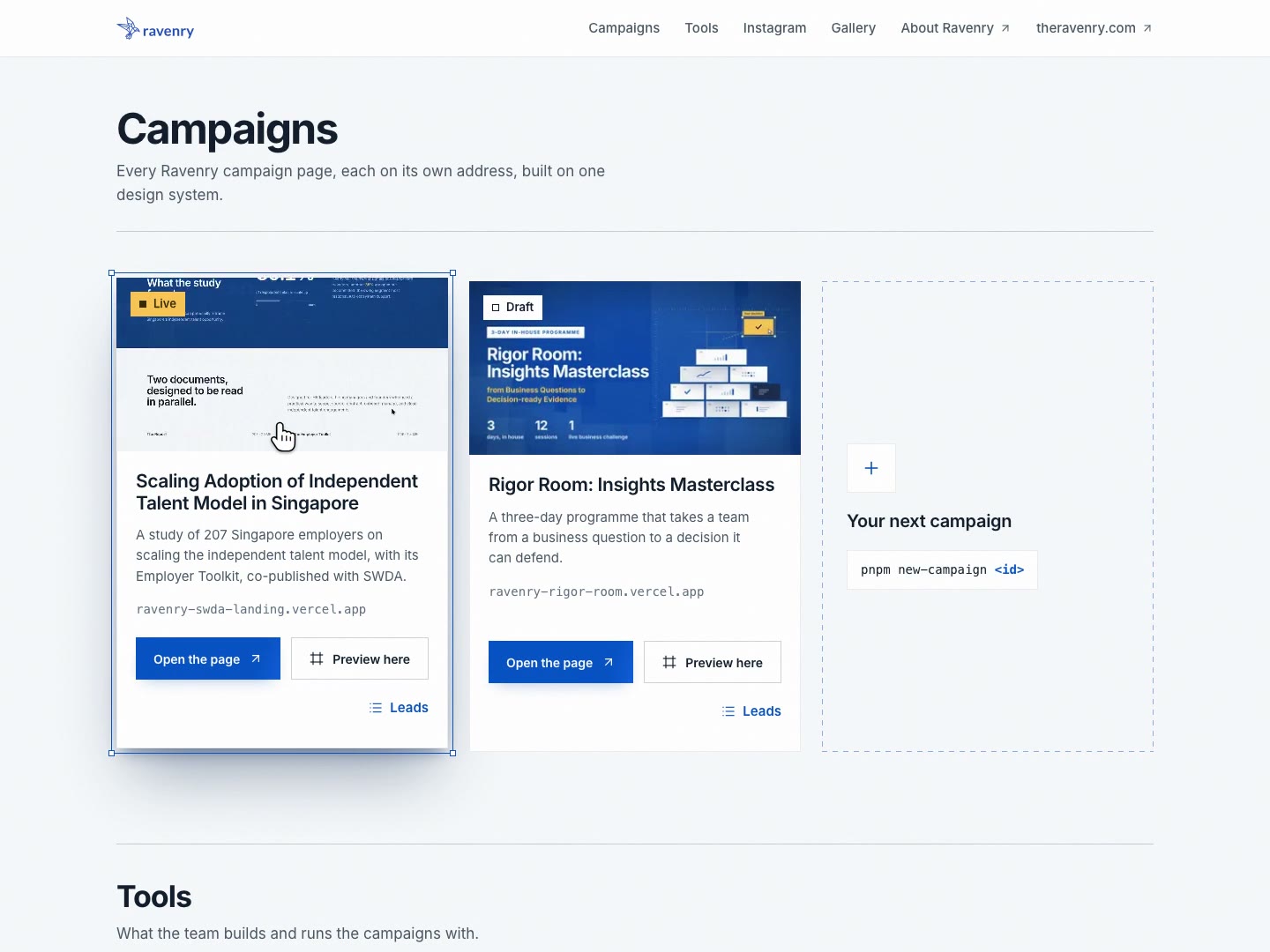
Project facts
- Role
- Product design and direction. Built with AI coding sessions under my direction.
- Timeline
- 3 weeks, 15 September to 6 October 2026
- Built with
- Claude Code
- Playwright
- Pillow
- ffmpeg
- Stack
- Next.js 16
- React 19
- TypeScript
- pnpm workspaces
- Tailwind CSS 4
- GSAP
- Lenis
- Supabase
- Resend
- GitHub Actions
- Vercel
Before the Second Page, a Platform
Ravenry's first campaign page, the launch of a study with SWDA, was built as a single site with its own admin and database, before any design system existed. A second campaign was coming, and more after it. Copying the site for each one would multiply the code, the admin and the database, and with them every fix.
A branch, an app or a repository per page would each have made the second campaign cheap and every later change expensive. The approved plan made one app instead, in which each campaign is a folder that answers on its own address. The live SWDA page became campaign number one without a pixel of difference, and its parts became the design system every campaign shares, @ravenry/ui.
Extracting the system showed what one campaign hides:
- Utilities that could not be re-themed. Tailwind wrote every colour utility as a literal, so no campaign could change one. The built CSS held one
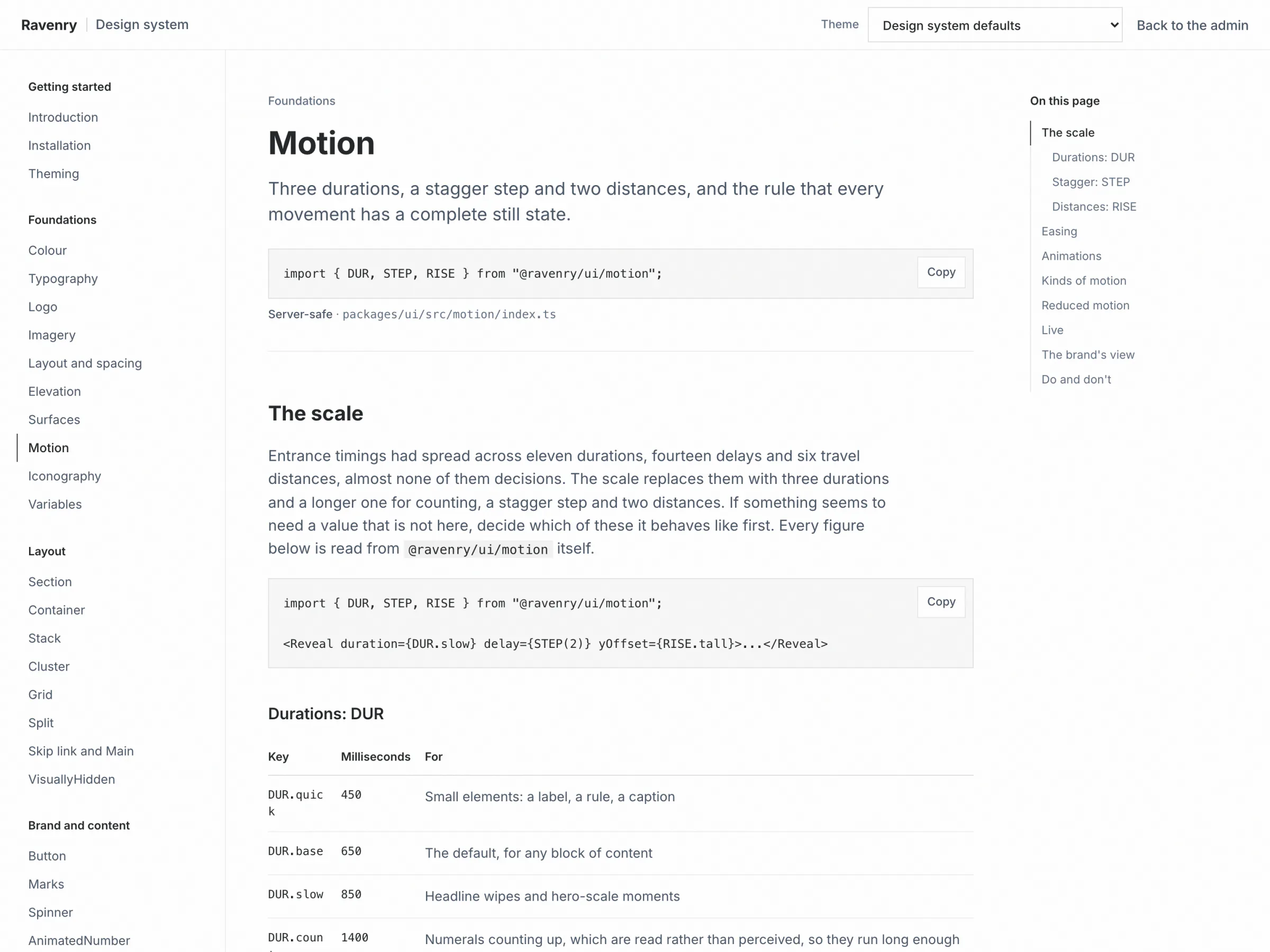
var()reference; after the fix, 183. - Timings that had drifted into eleven durations, fourteen delays and six distances, almost none of them decisions.
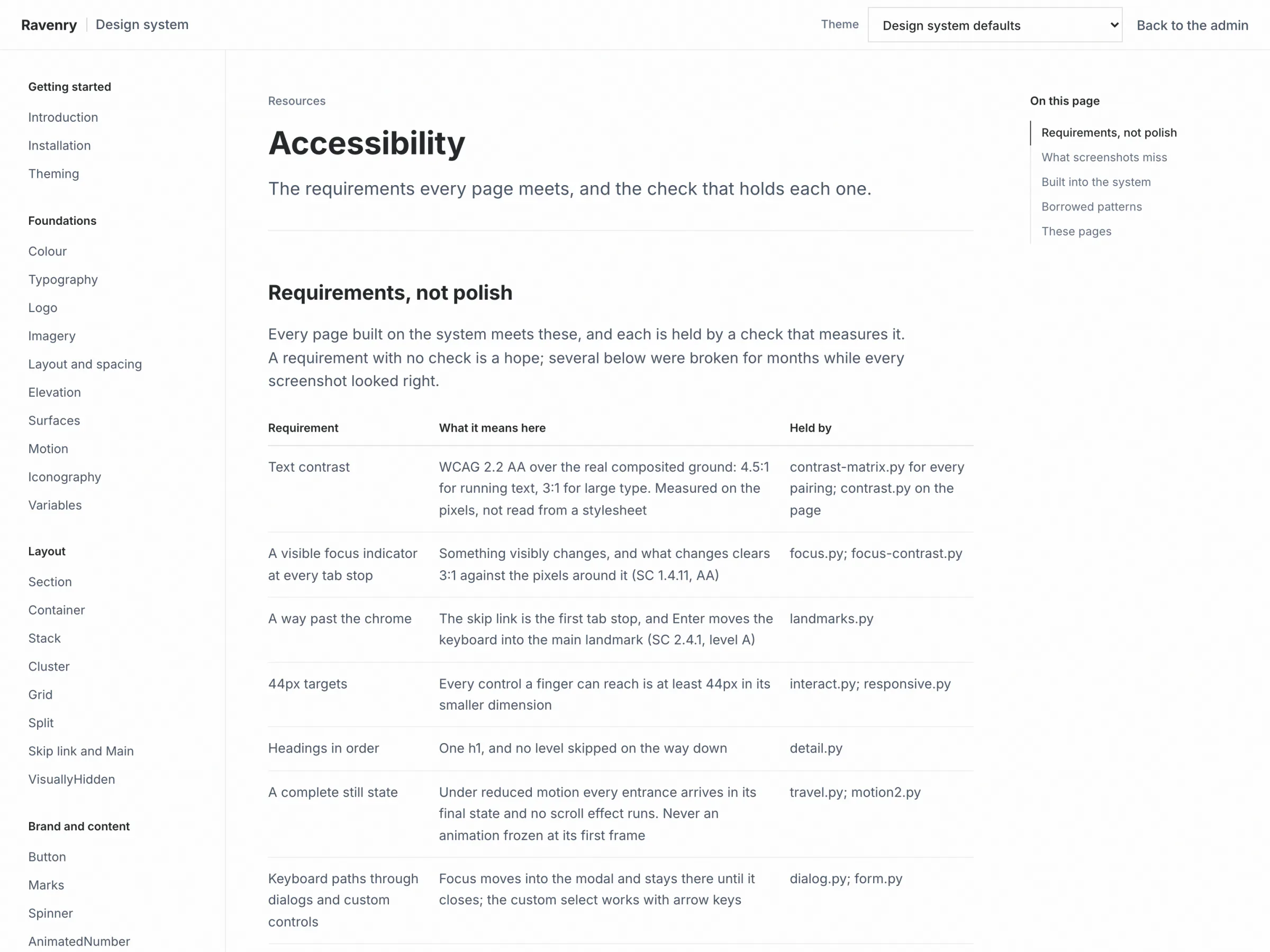
- Two live accessibility defects: a focus ring as faint as 1.25:1 on the blue plate, failing 8 of 26 tab stops, and a skip link that led nowhere on four routes.
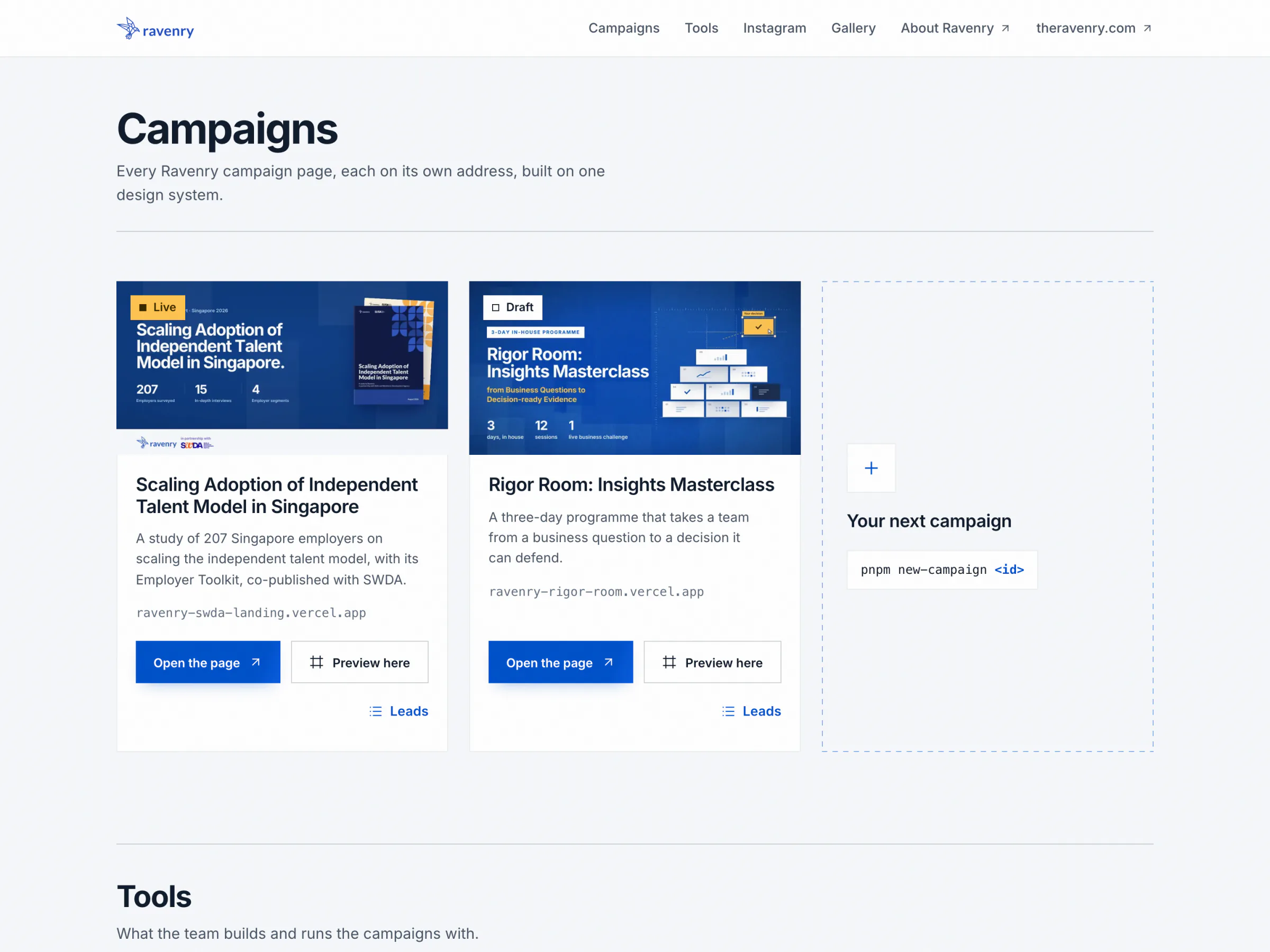
A Campaign Is a Folder
- Start a campaign with one command.
pnpm new-campaign <id>writes the folder, registers it everywhere it needs to be, and prepares its database row. - Describe it in plain data. Each campaign's
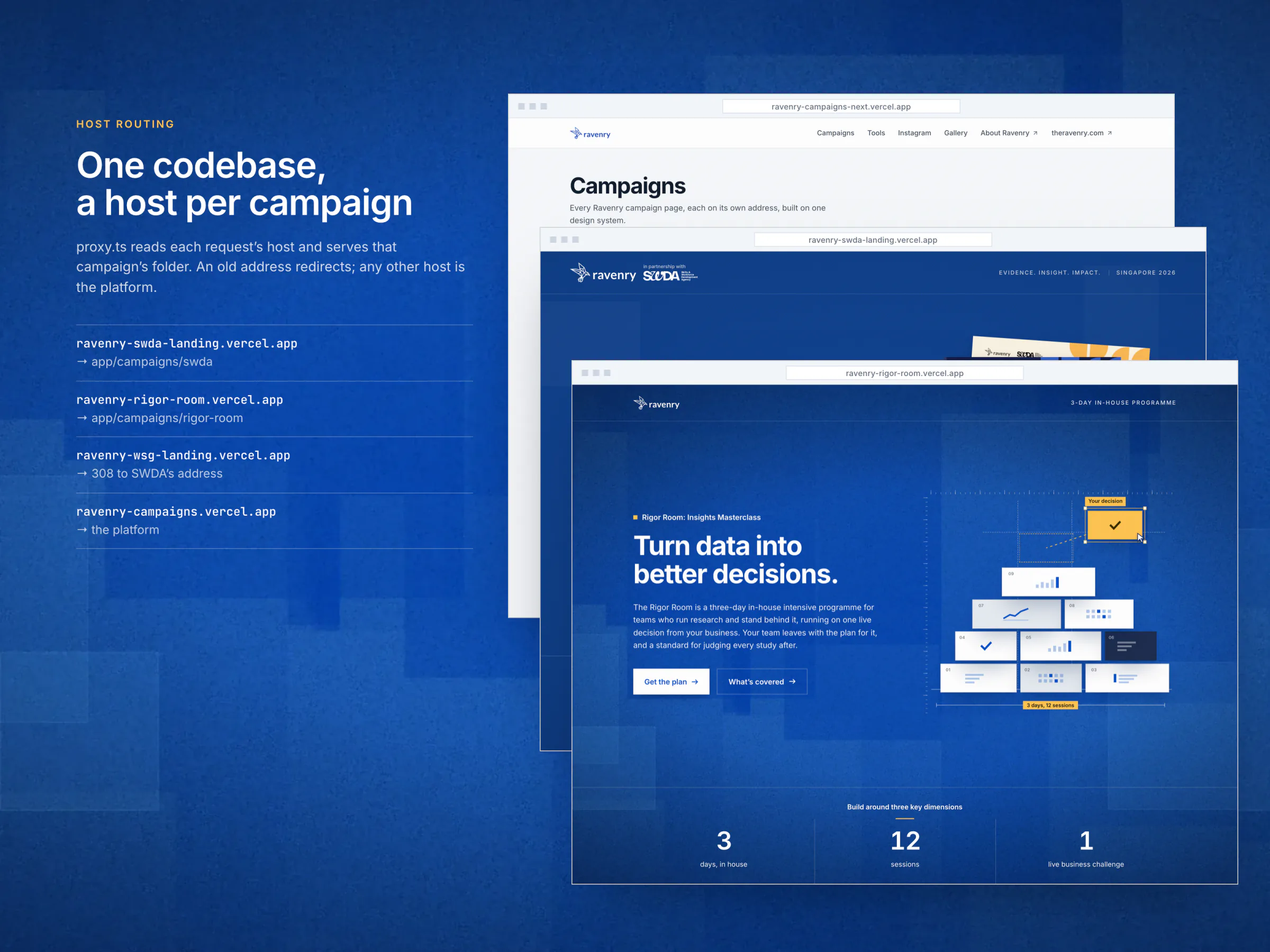
campaign.tsholds its identity, its hosts, its search settings, its colours and its form: the fields and the consents, each with its exact wording. - Give it an address. A proxy reads every request's host. A campaign's own host serves its folder; an old address redirects, keeping its path and query; anything else is the platform.
- Build it from the design system. The campaign names its colours by role, and every component, the form and the email follow them.
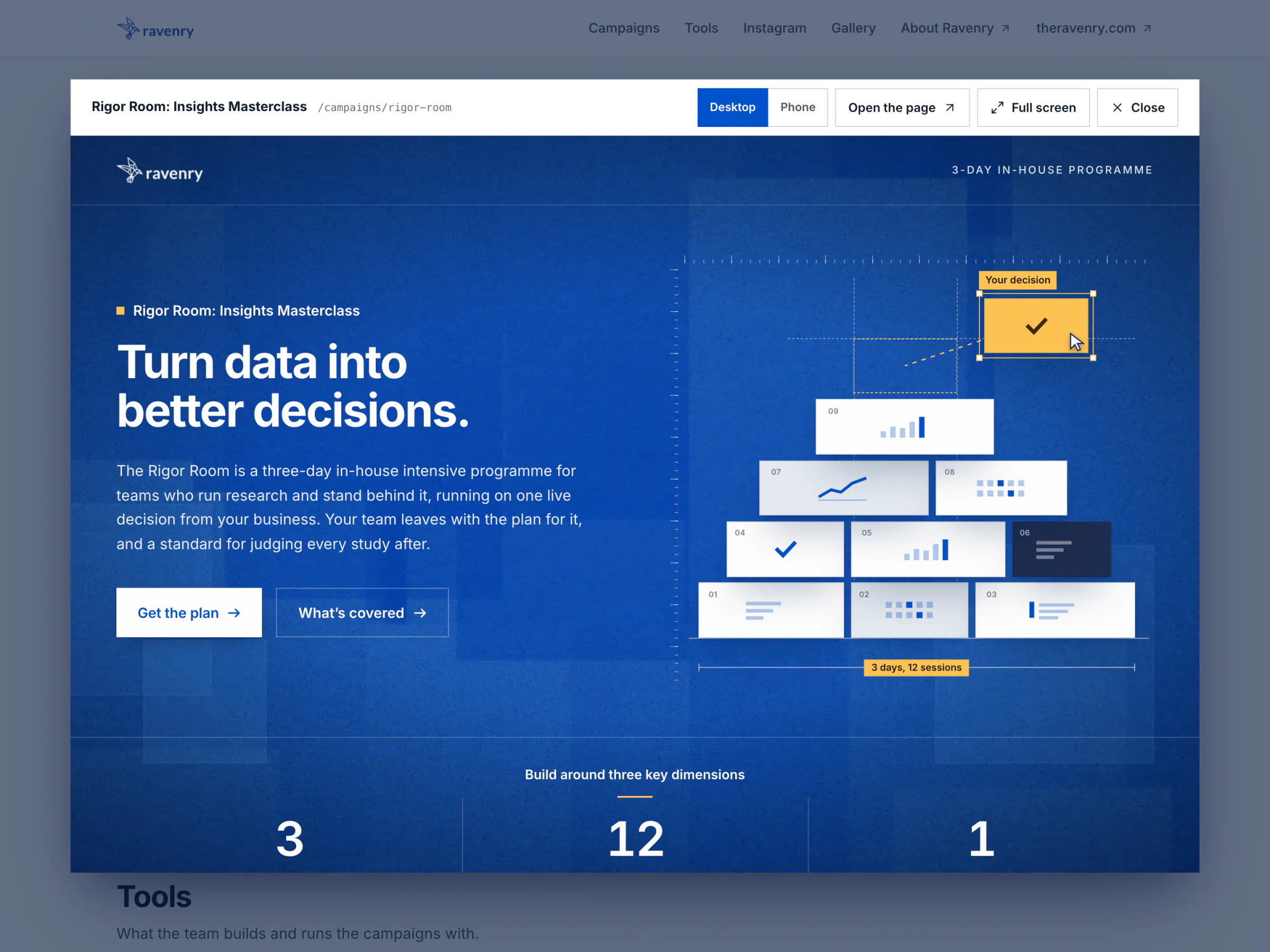
- Run it from one place. The index previews every campaign live, the documentation shows every component in any campaign's theme, and one admin keeps every campaign's leads apart. When a campaign has to leave, the exporter turns it into a private repository of its own, for a partner's developers.
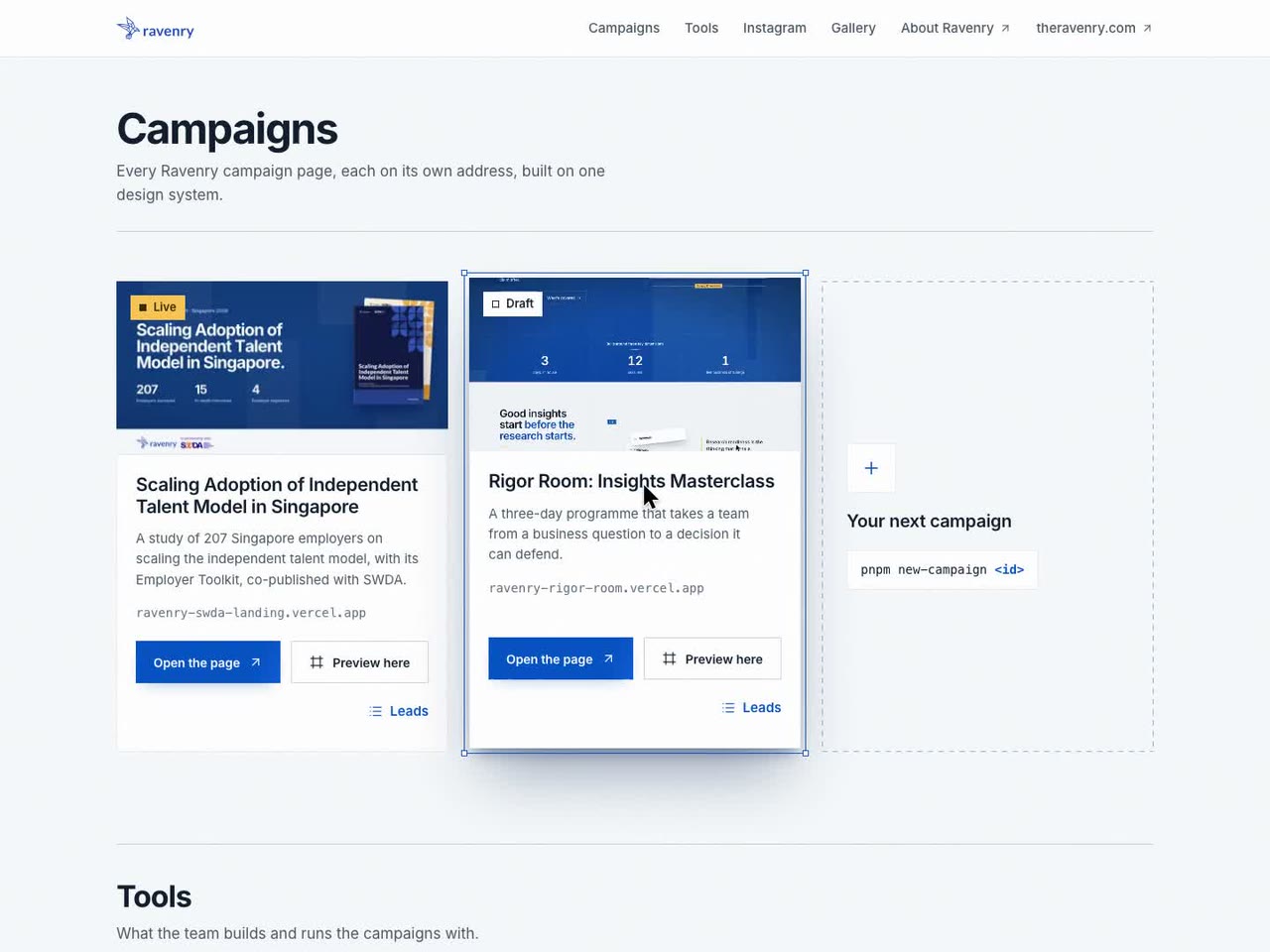
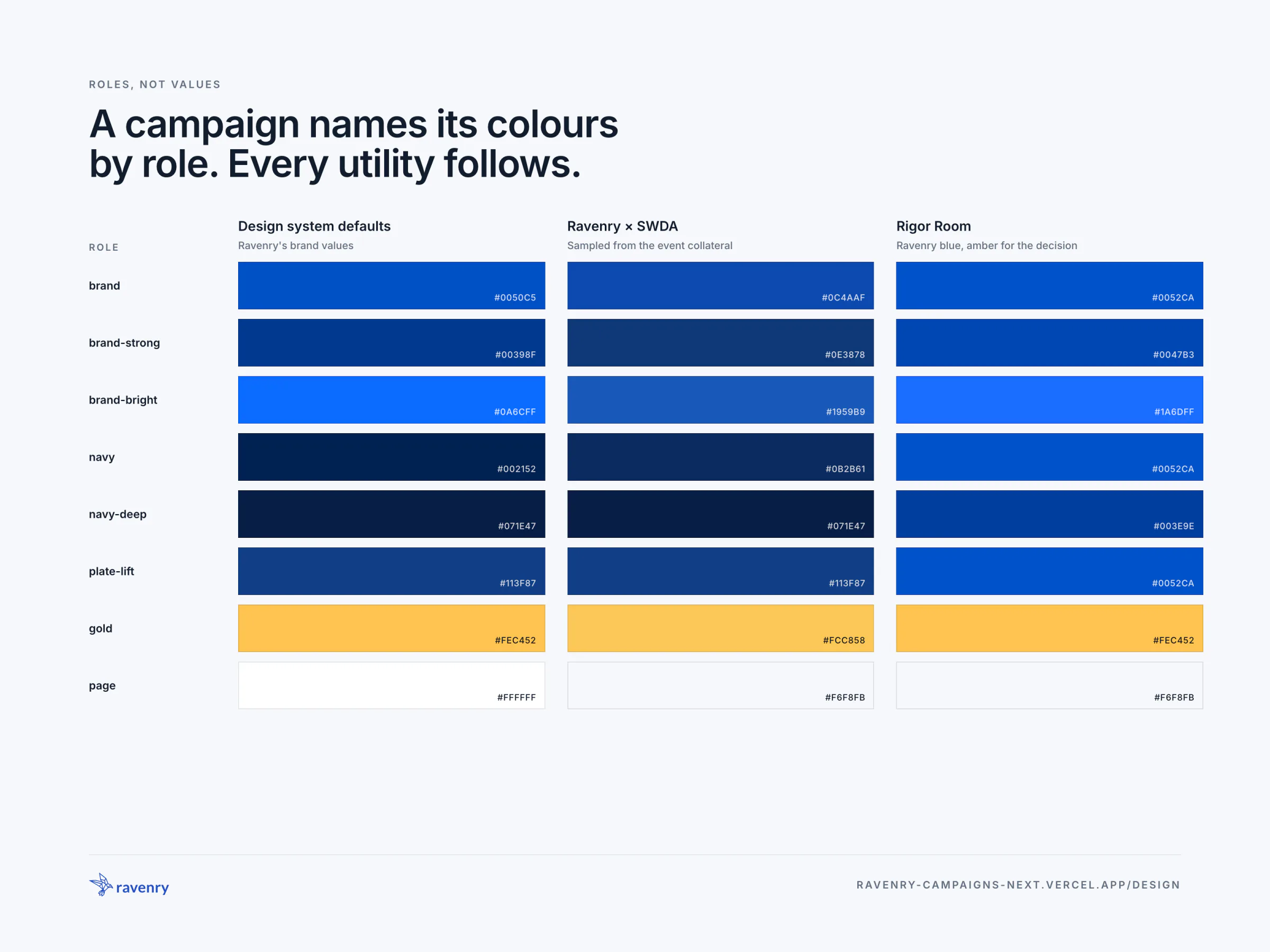
A Campaign Names Its Colours, Everything Follows
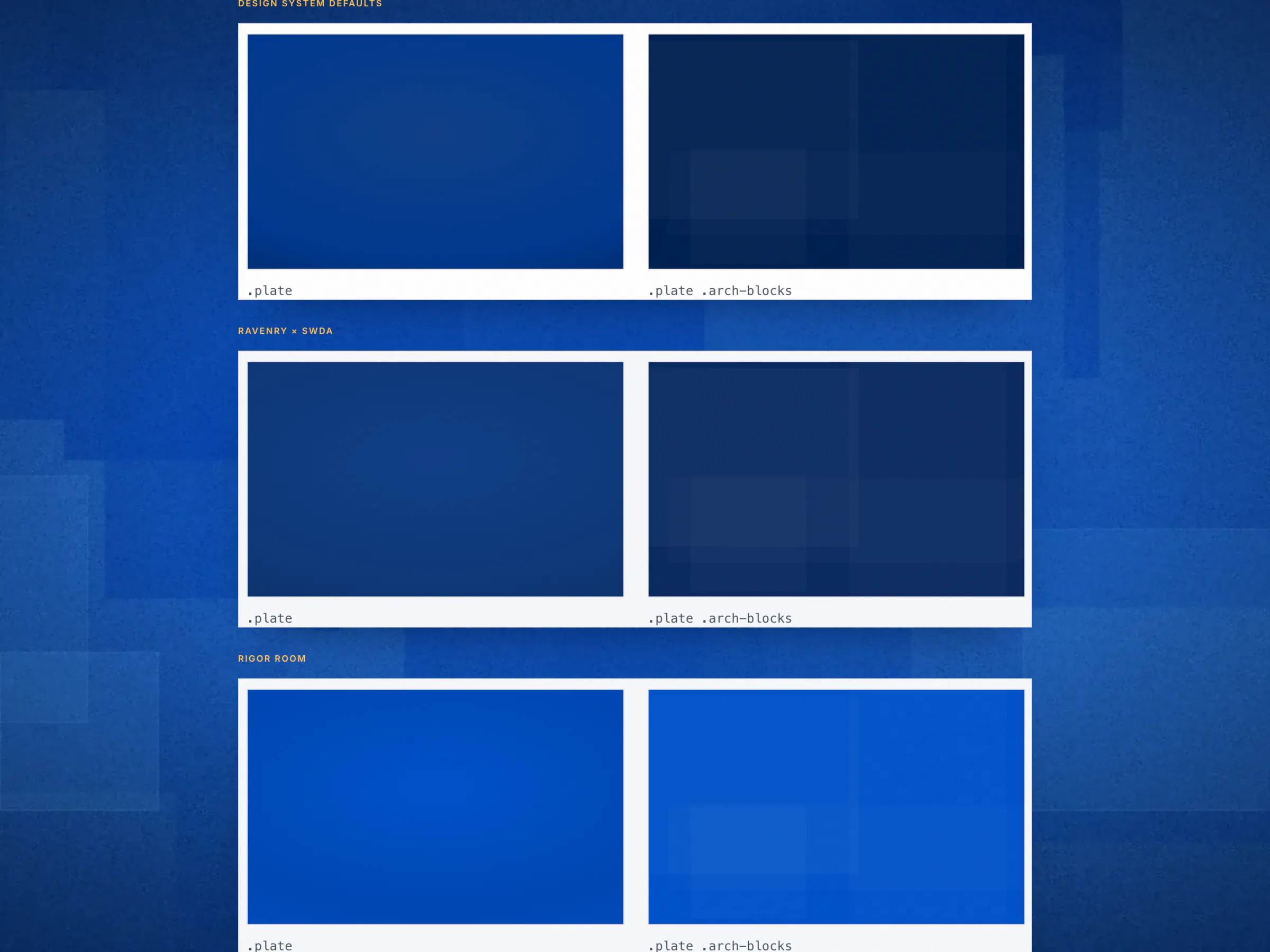
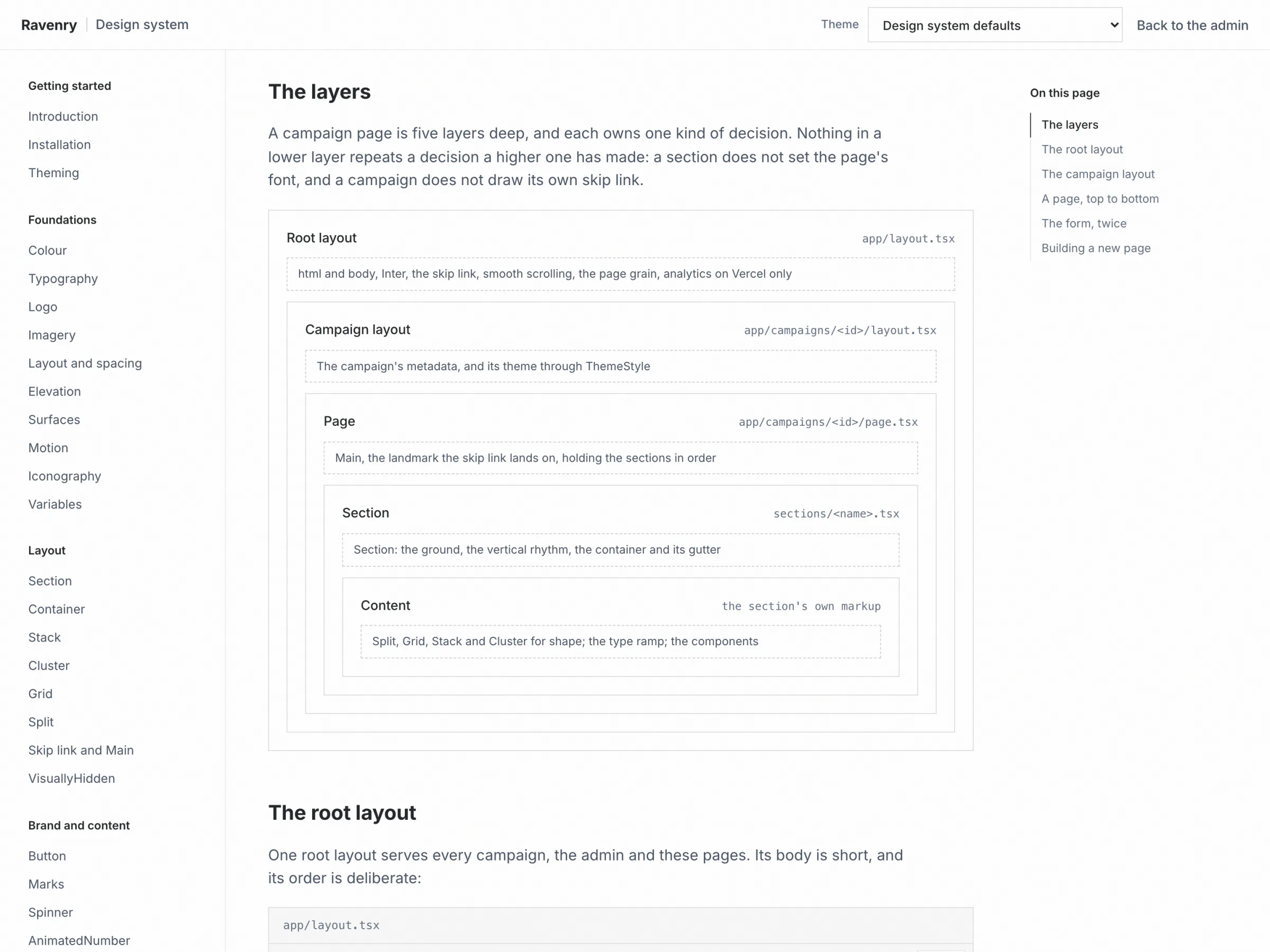
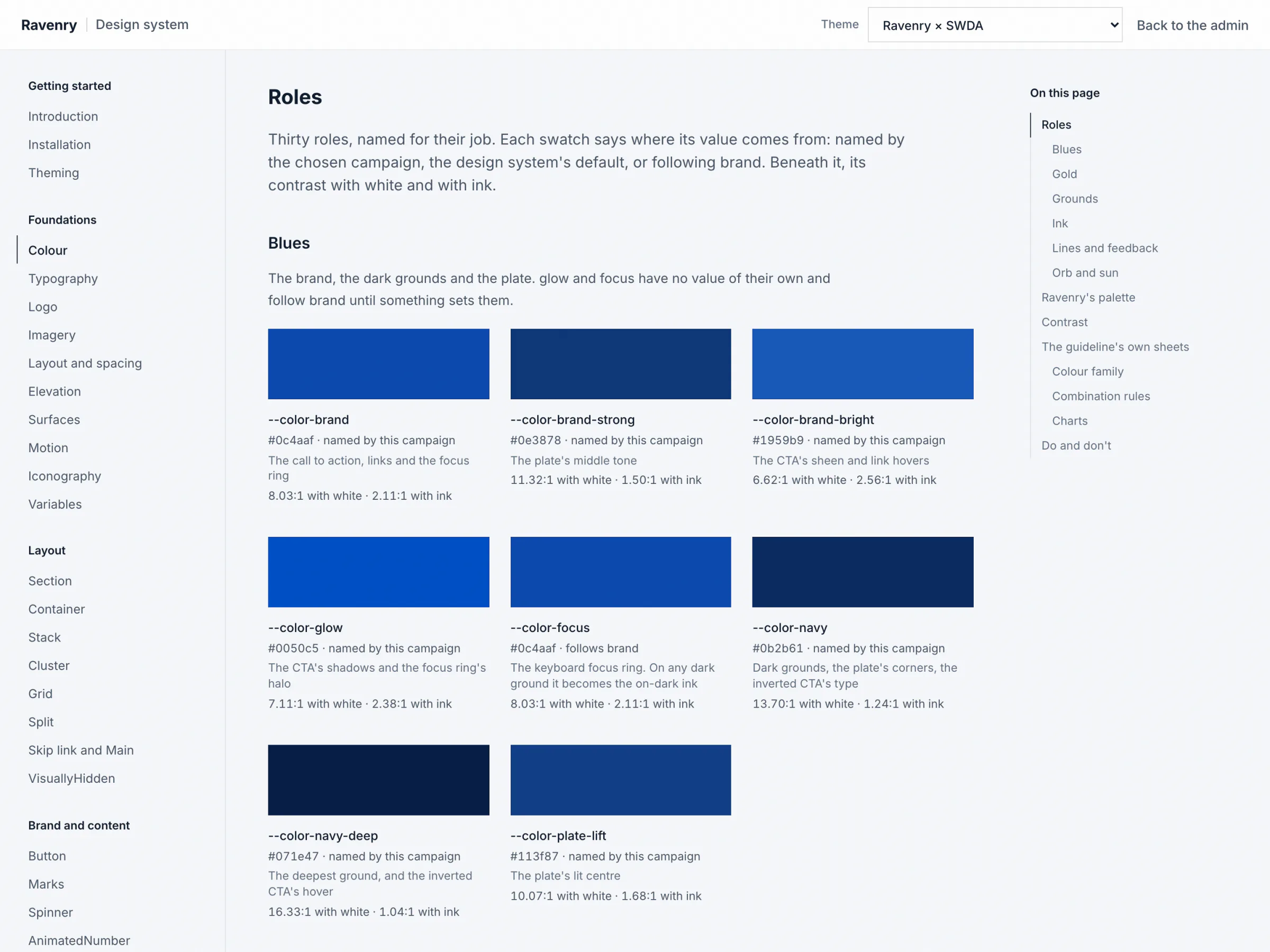
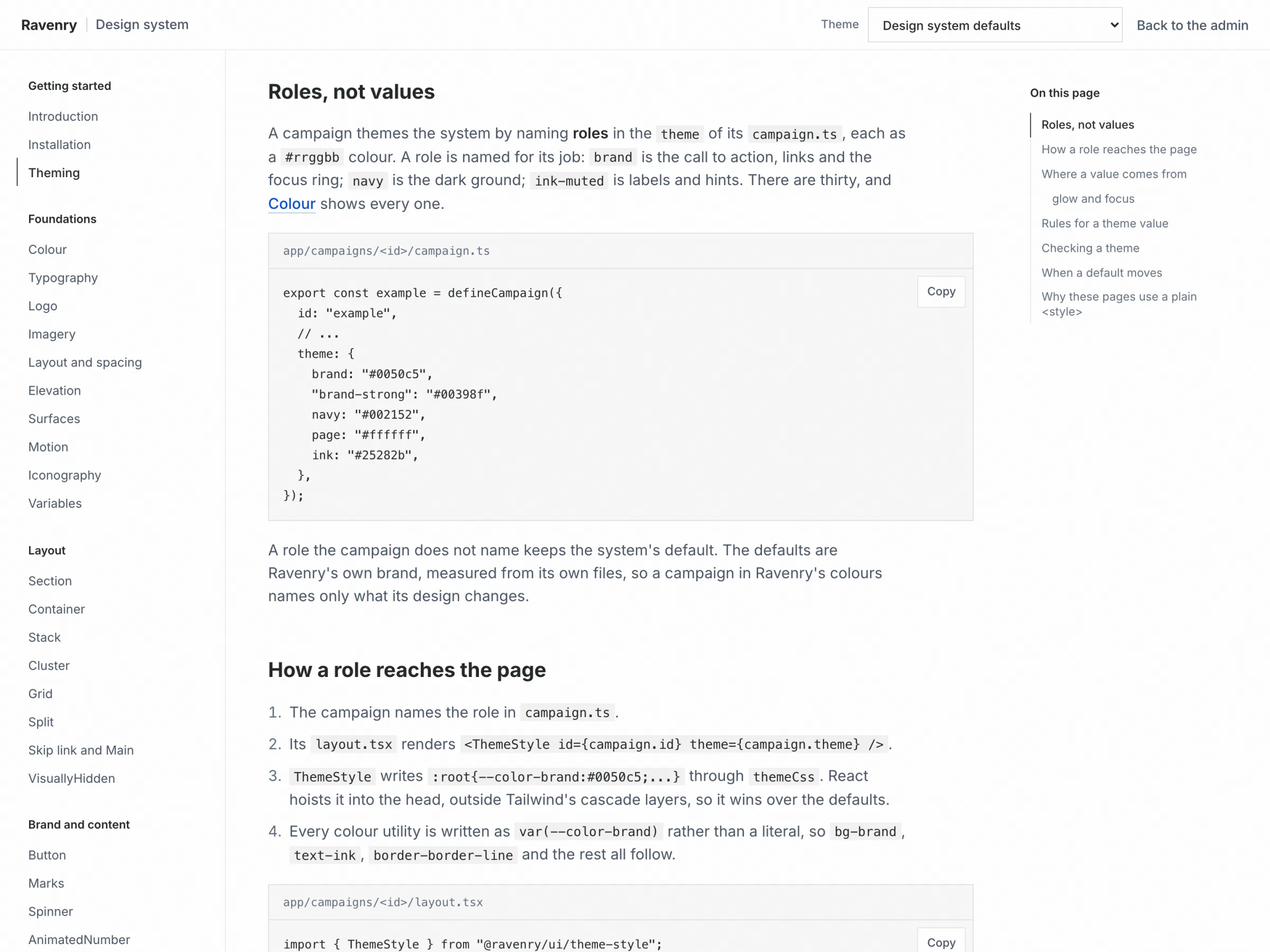
A campaign's config names its colours by job: brand, navy, plate-lift, gold, thirty roles in all, as plain hex values. Anything else is refused, and a role left unnamed keeps Ravenry's default. One ThemeStyle tag in the campaign's layout writes the roles as CSS custom properties, and every utility on the page follows them. Section owns each page's grounds and rhythm, Reveal and Parallax move on one motion scale, and one form kit renders the campaign's declared form inline and in a popup.
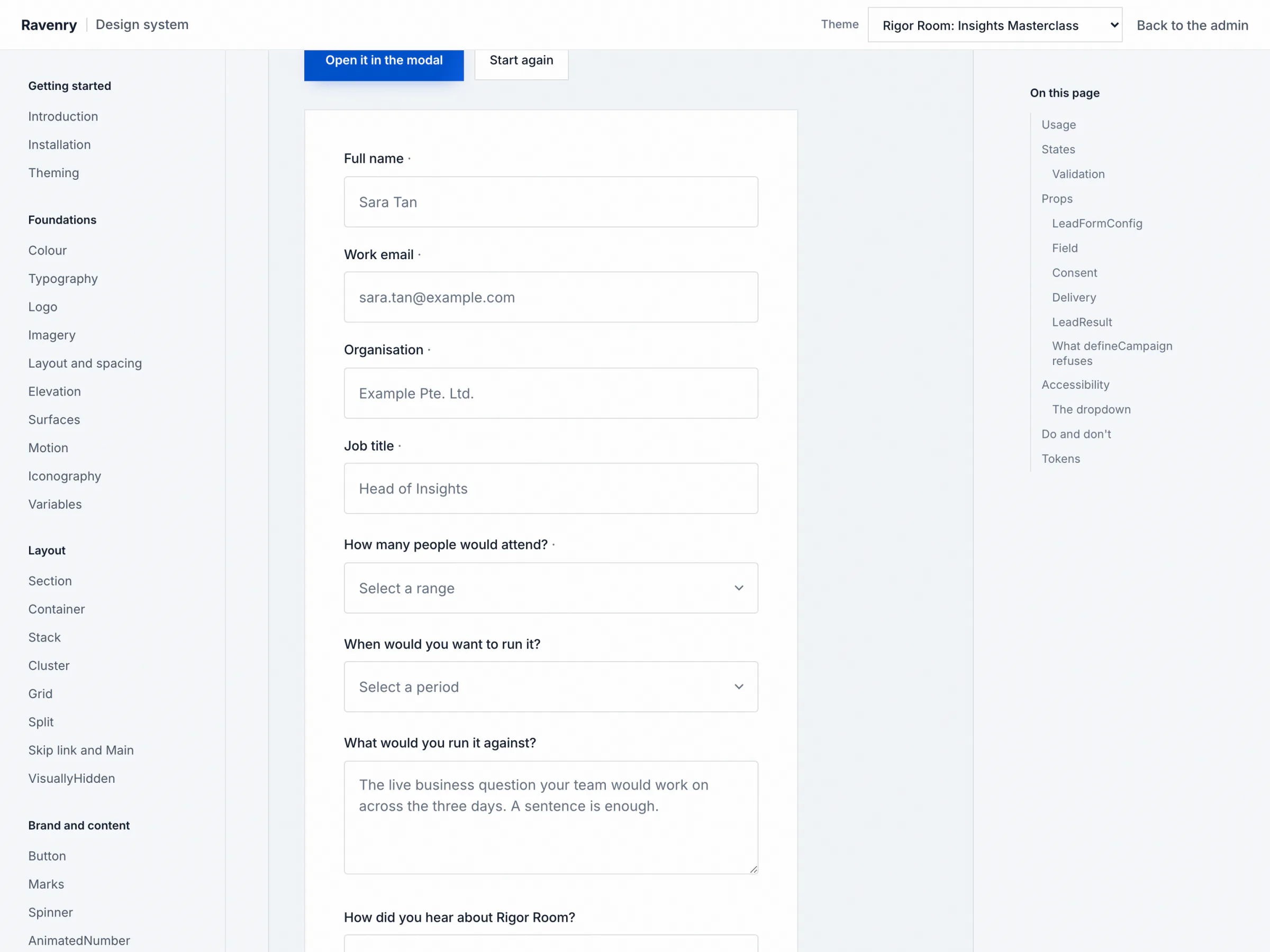
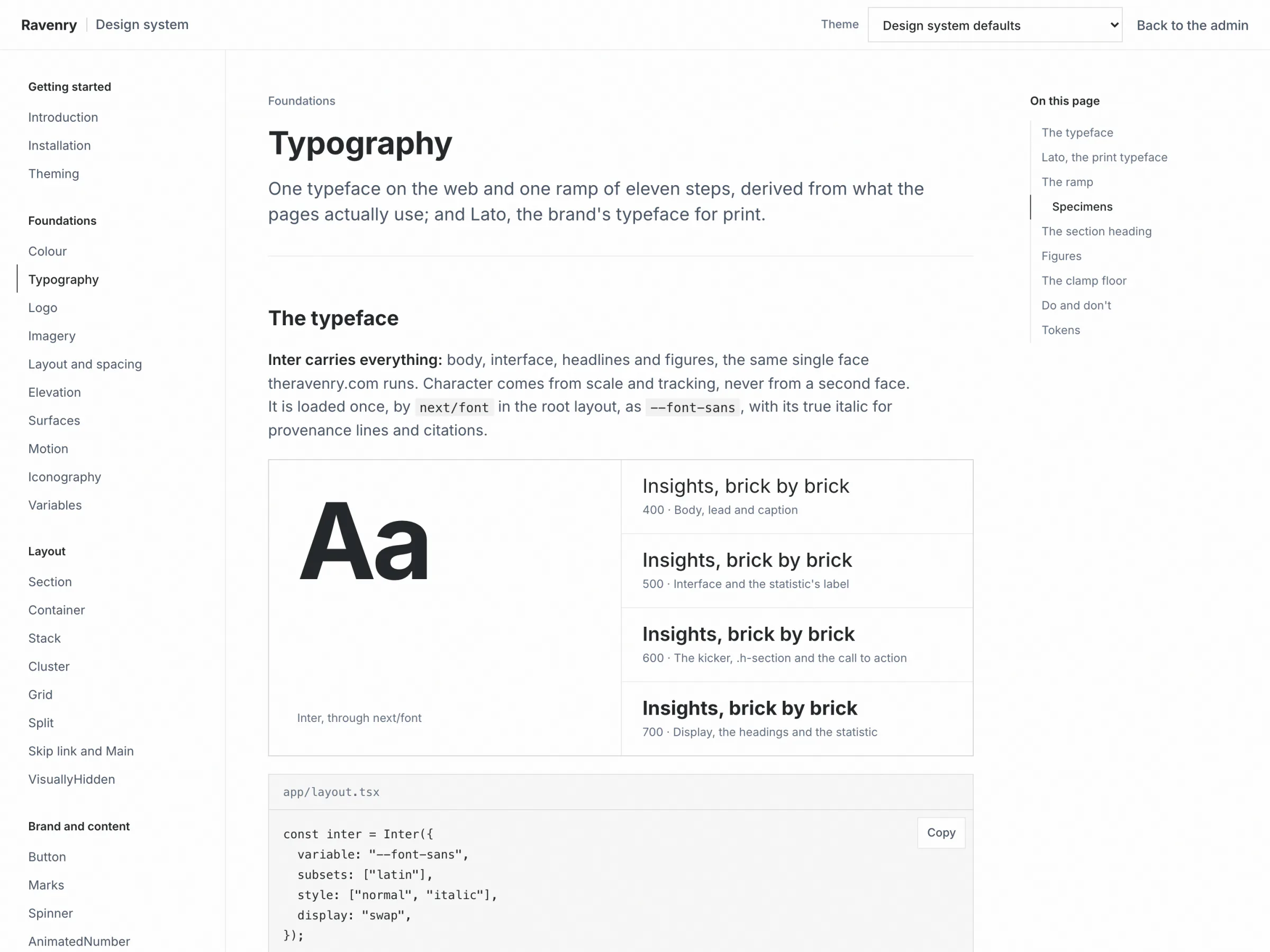
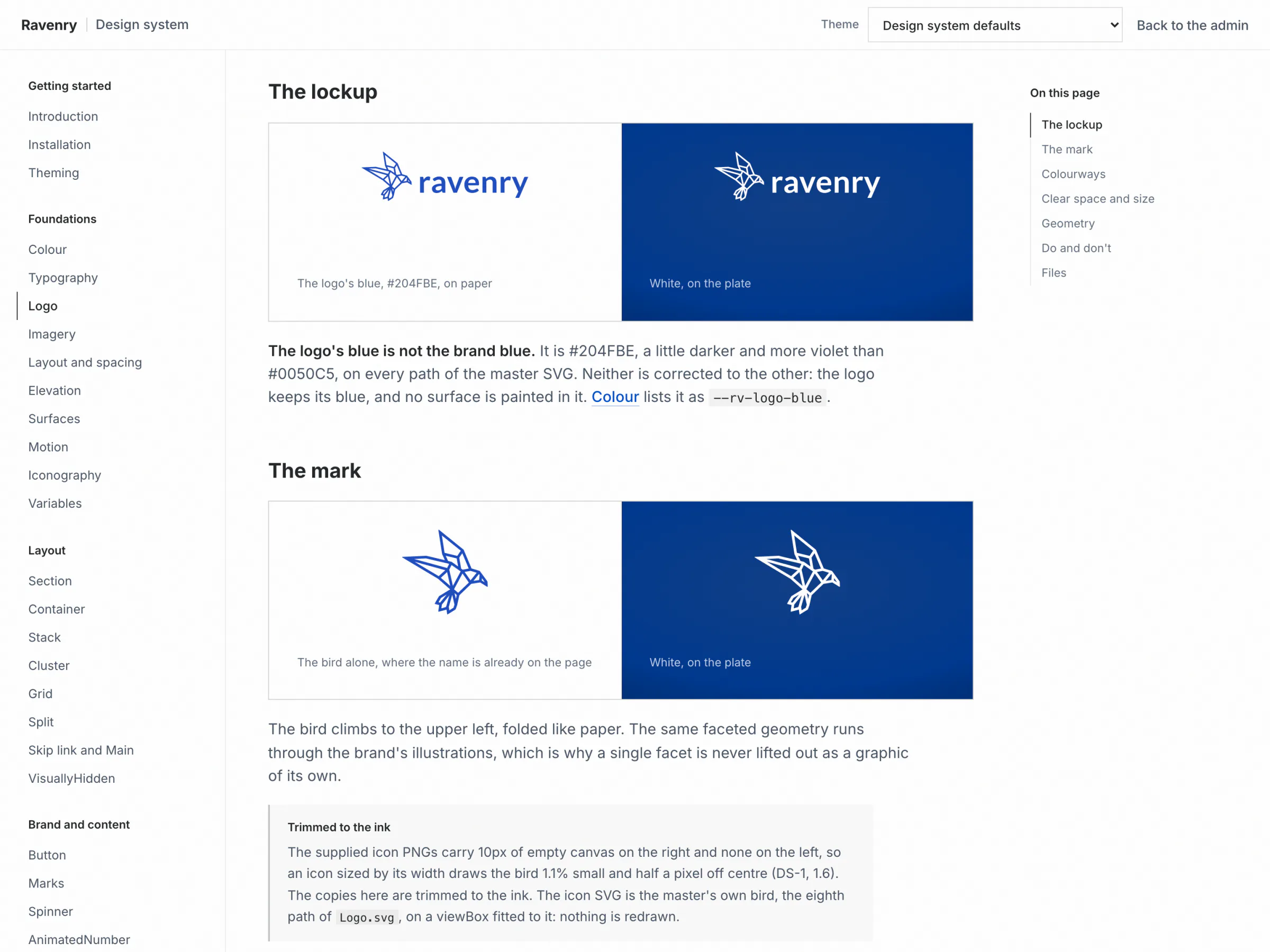
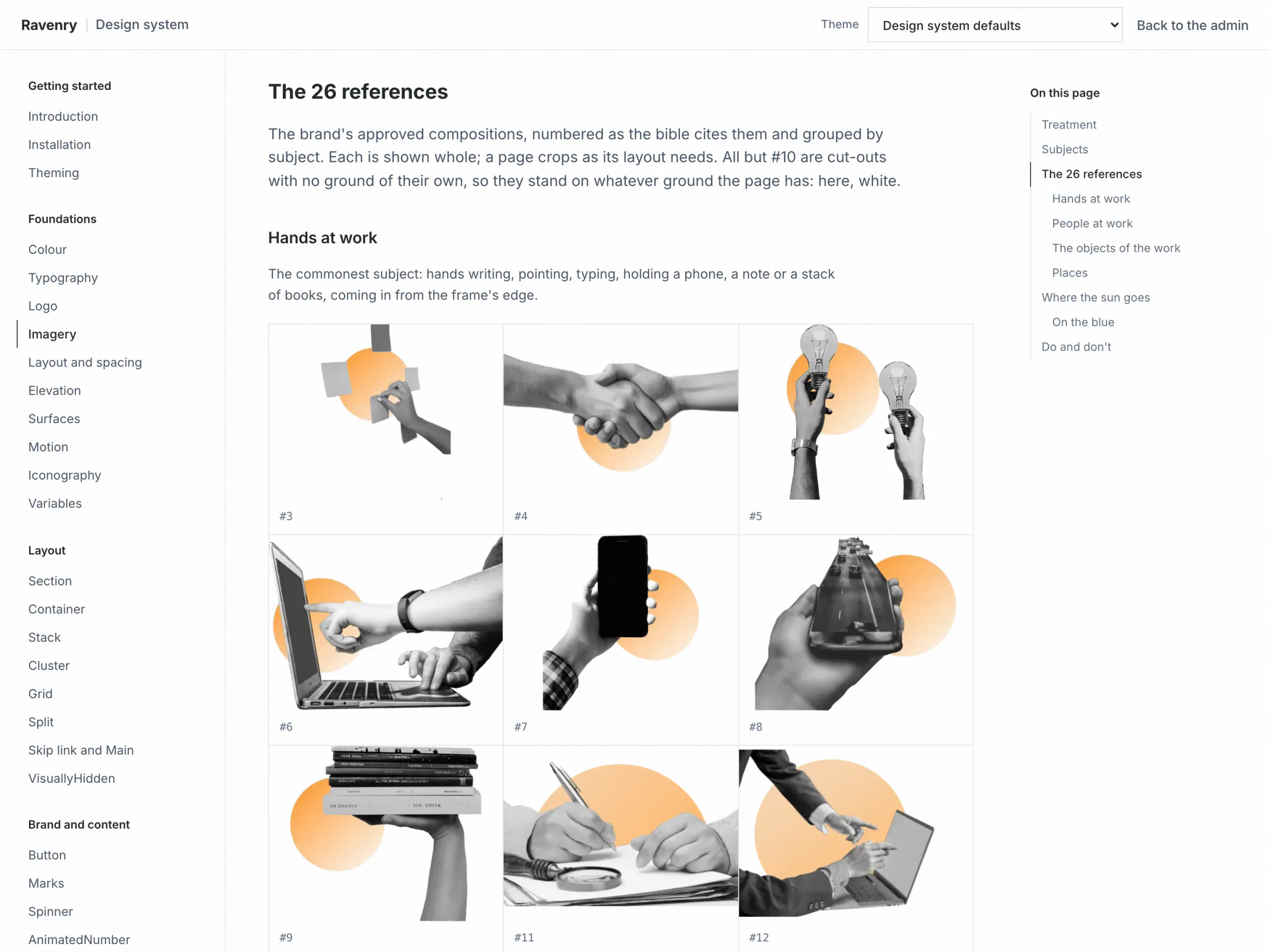
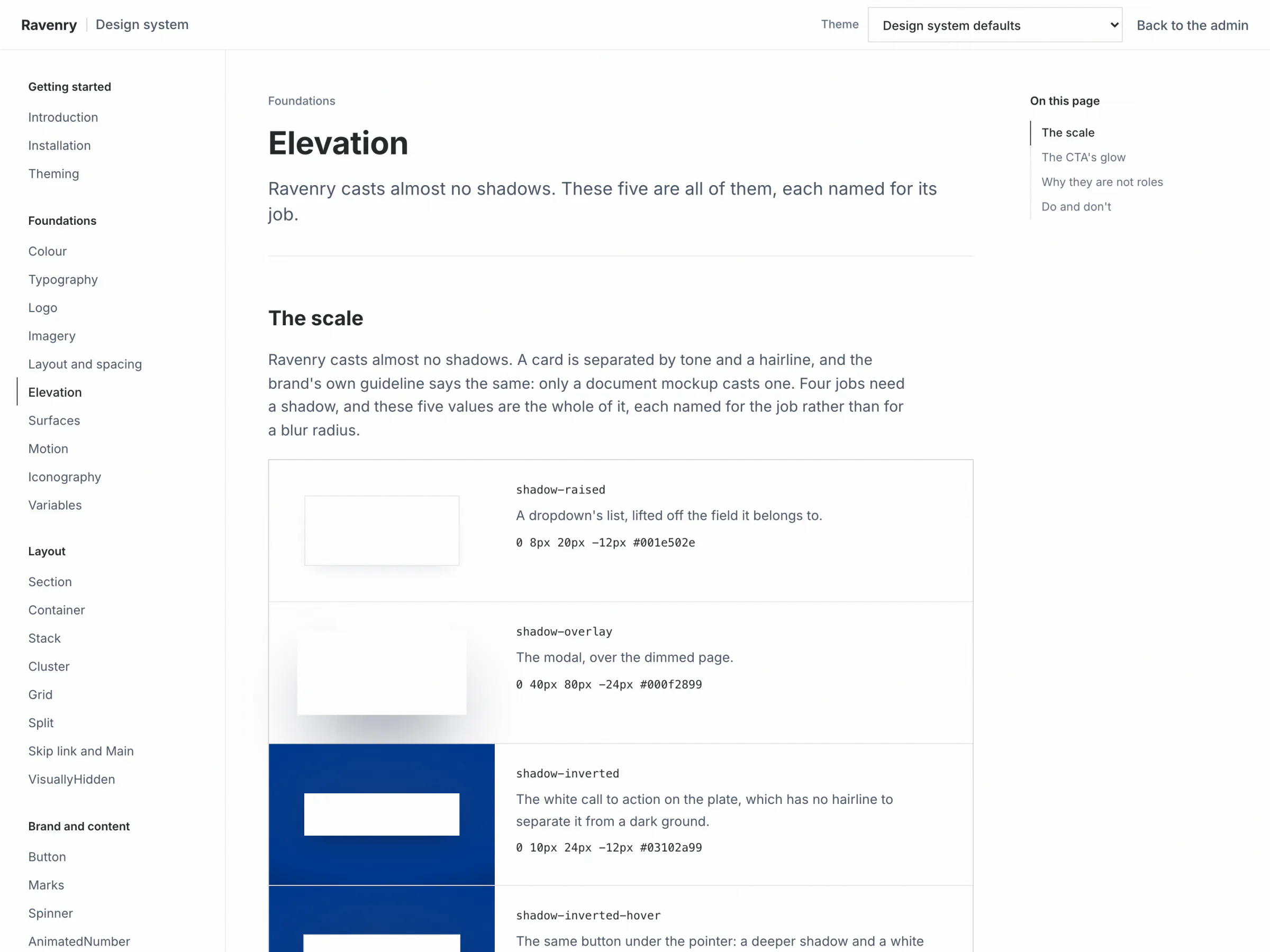
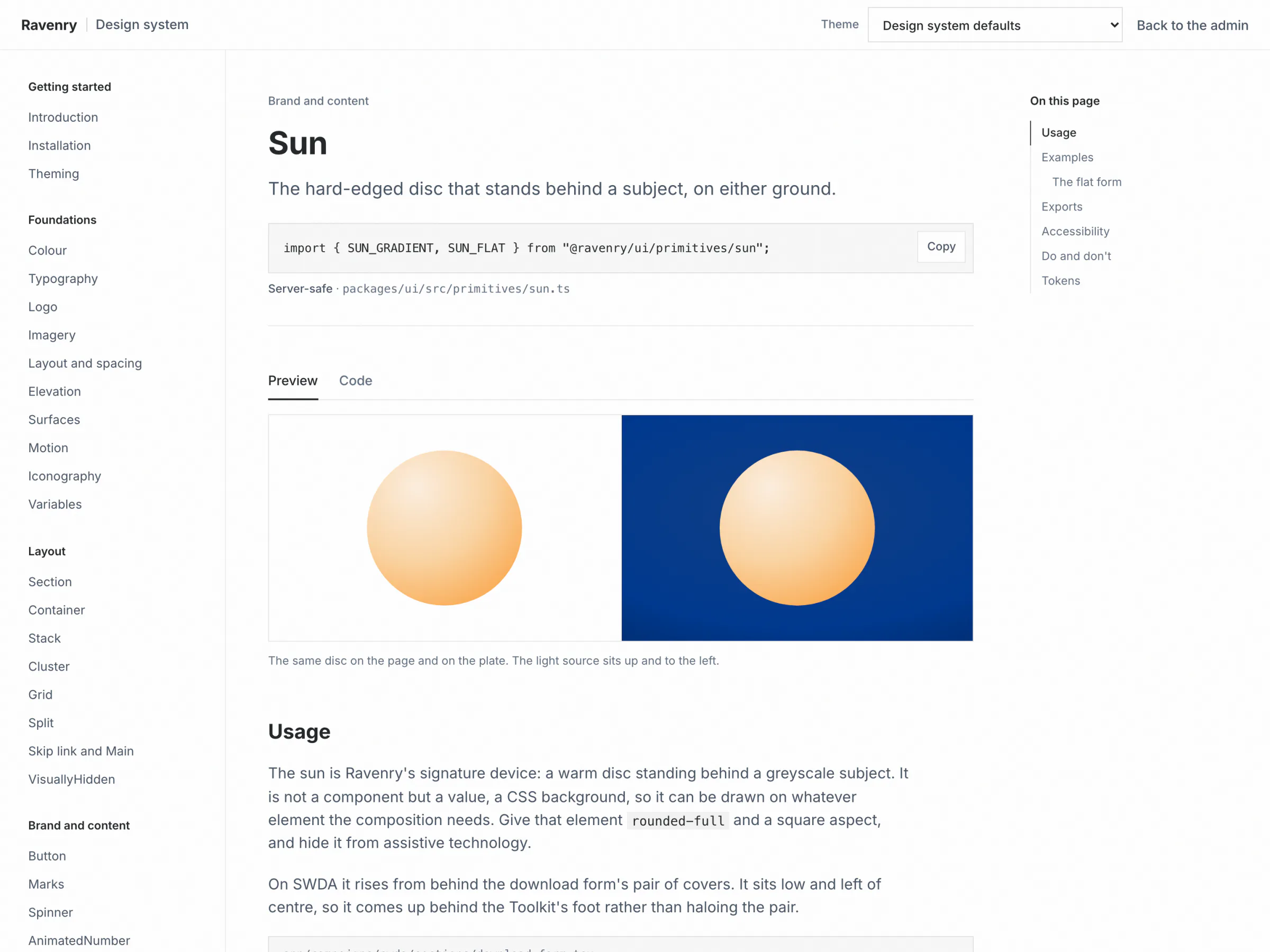
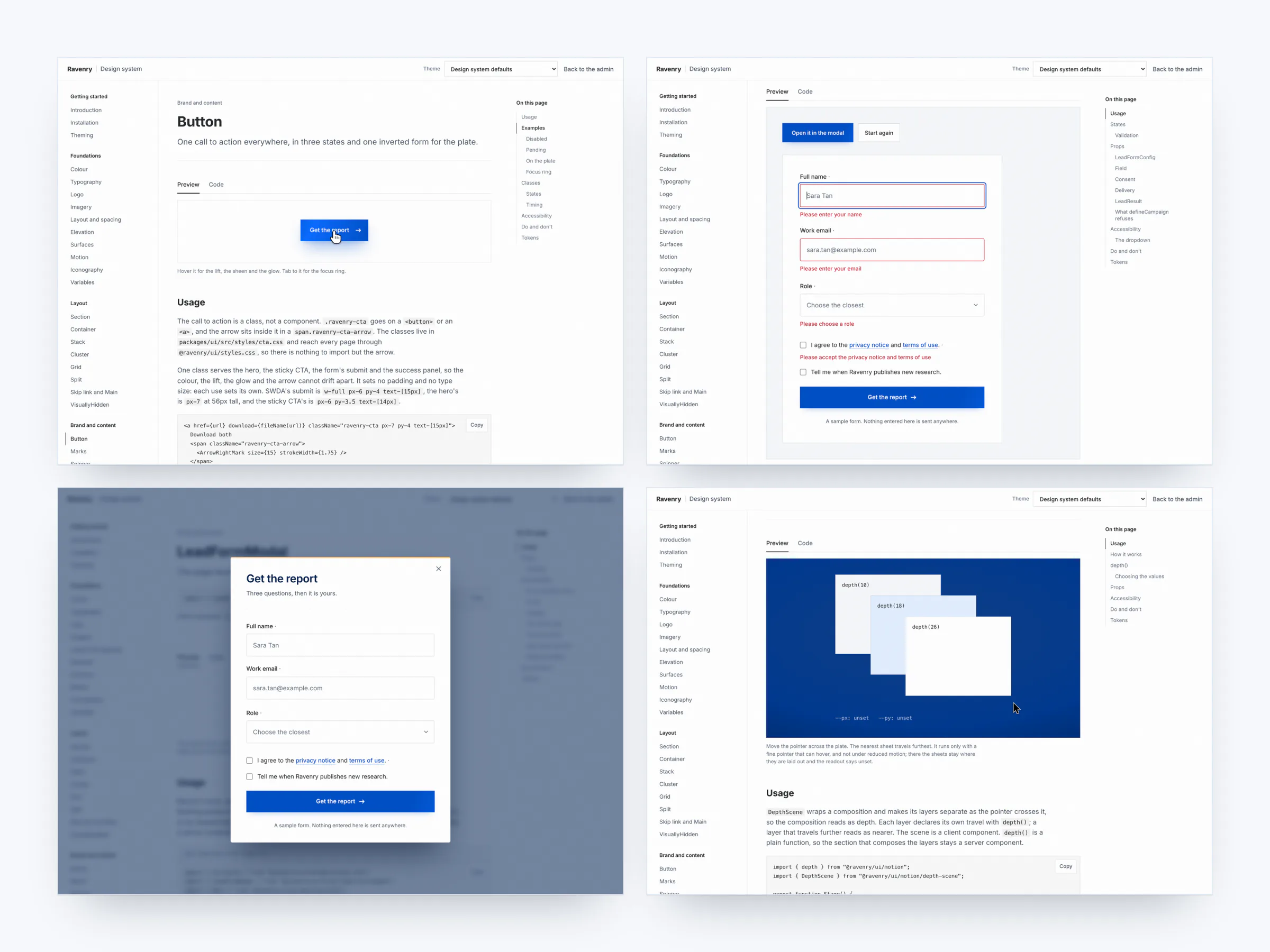
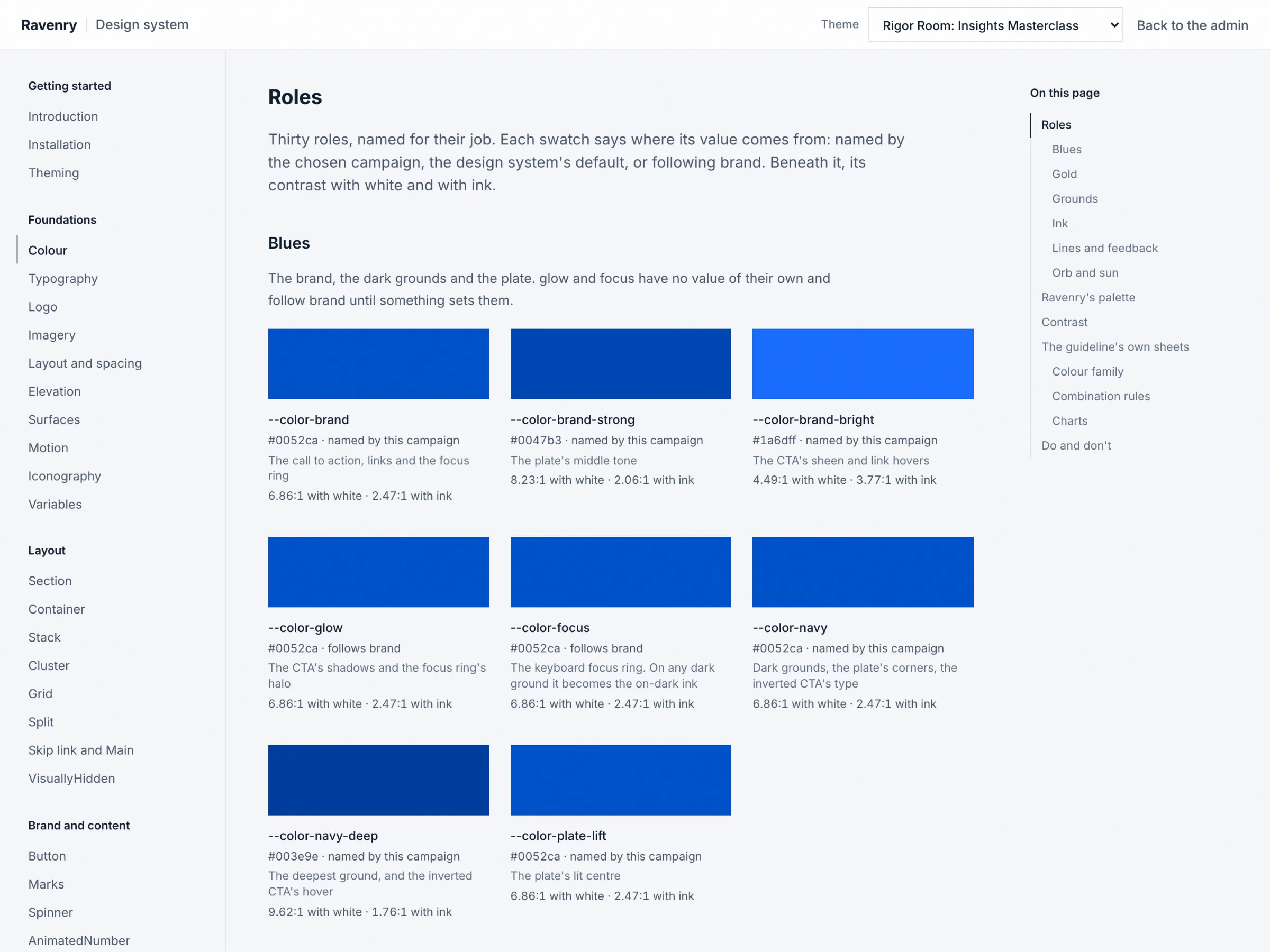
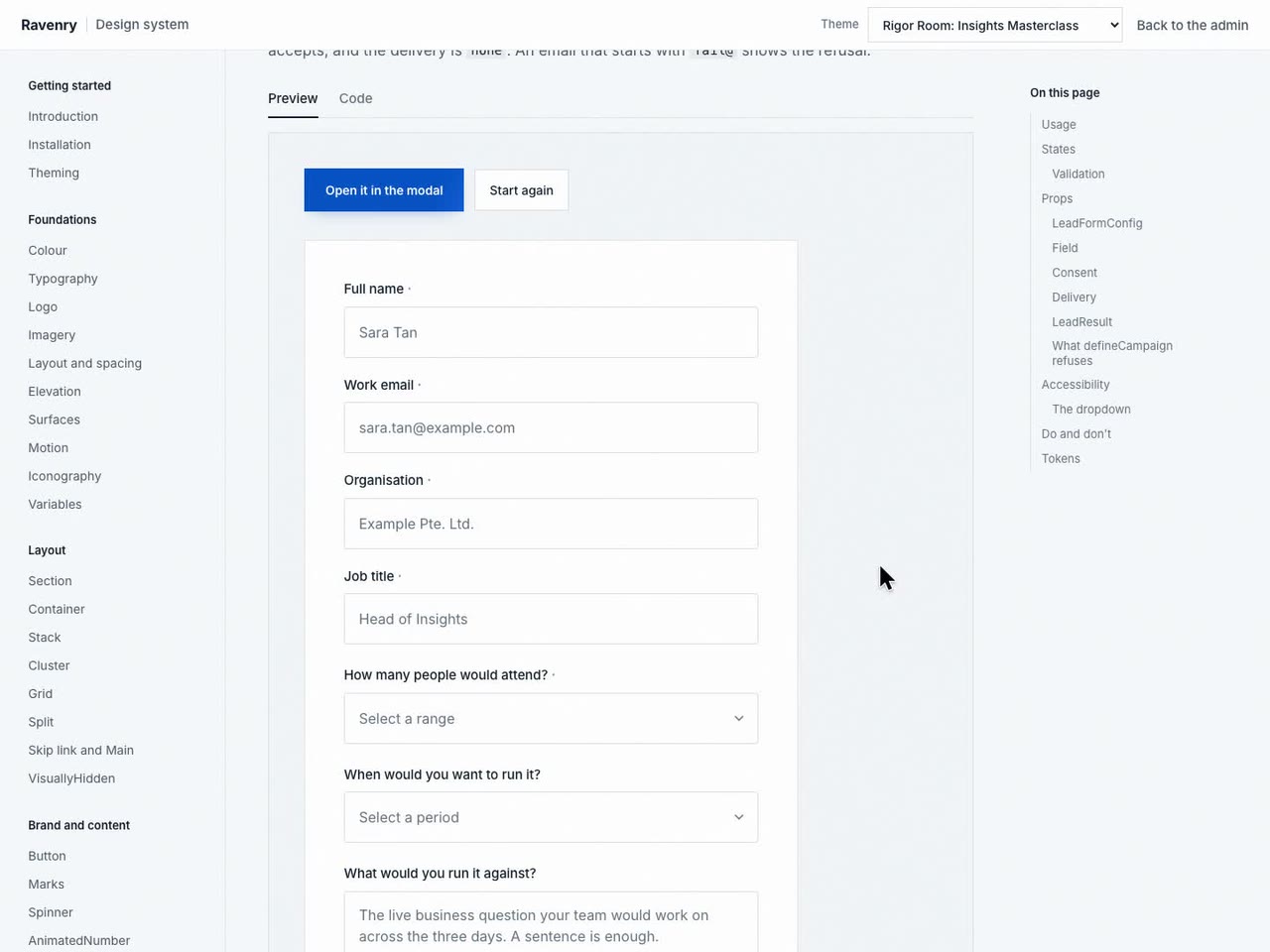
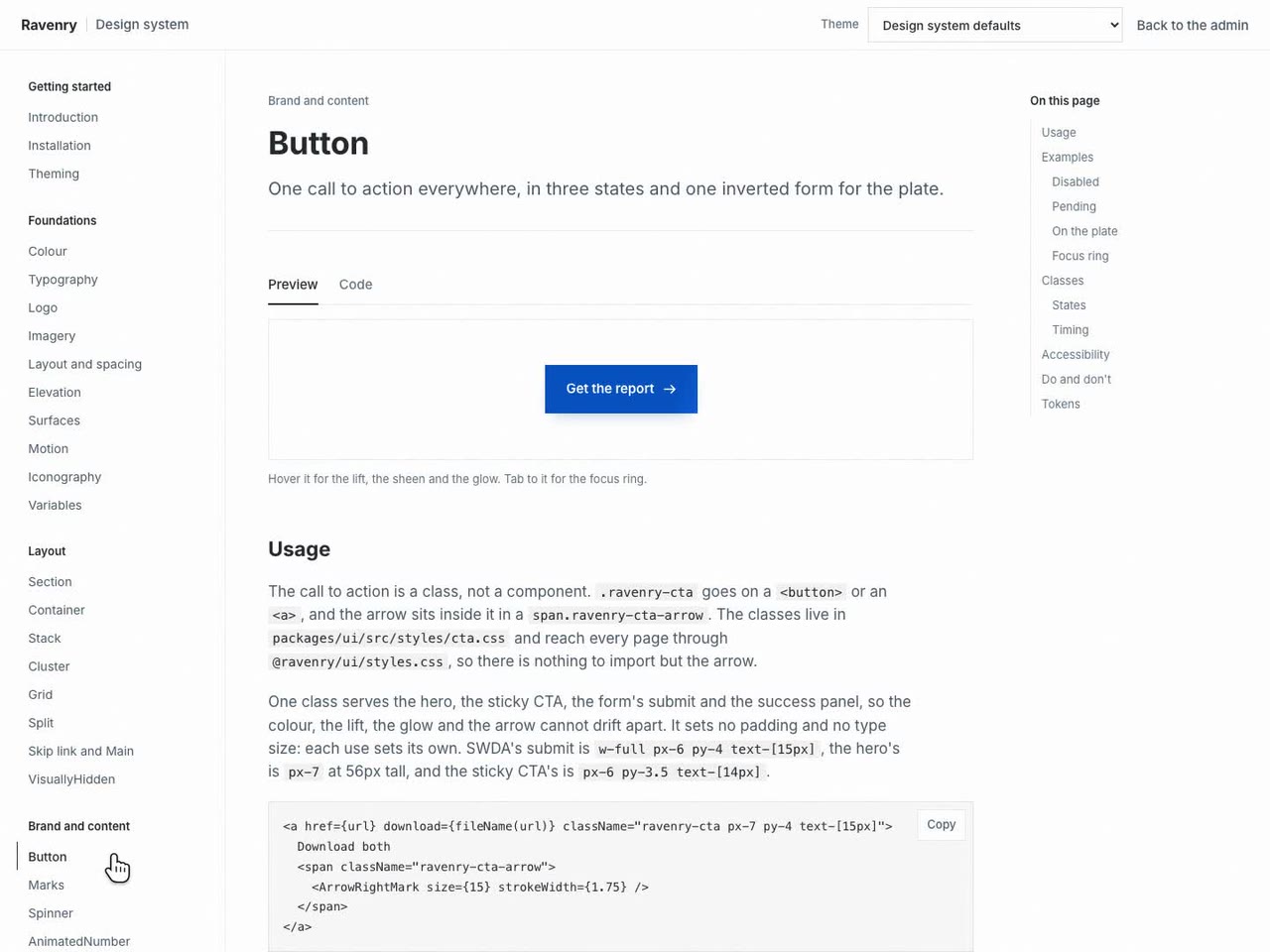
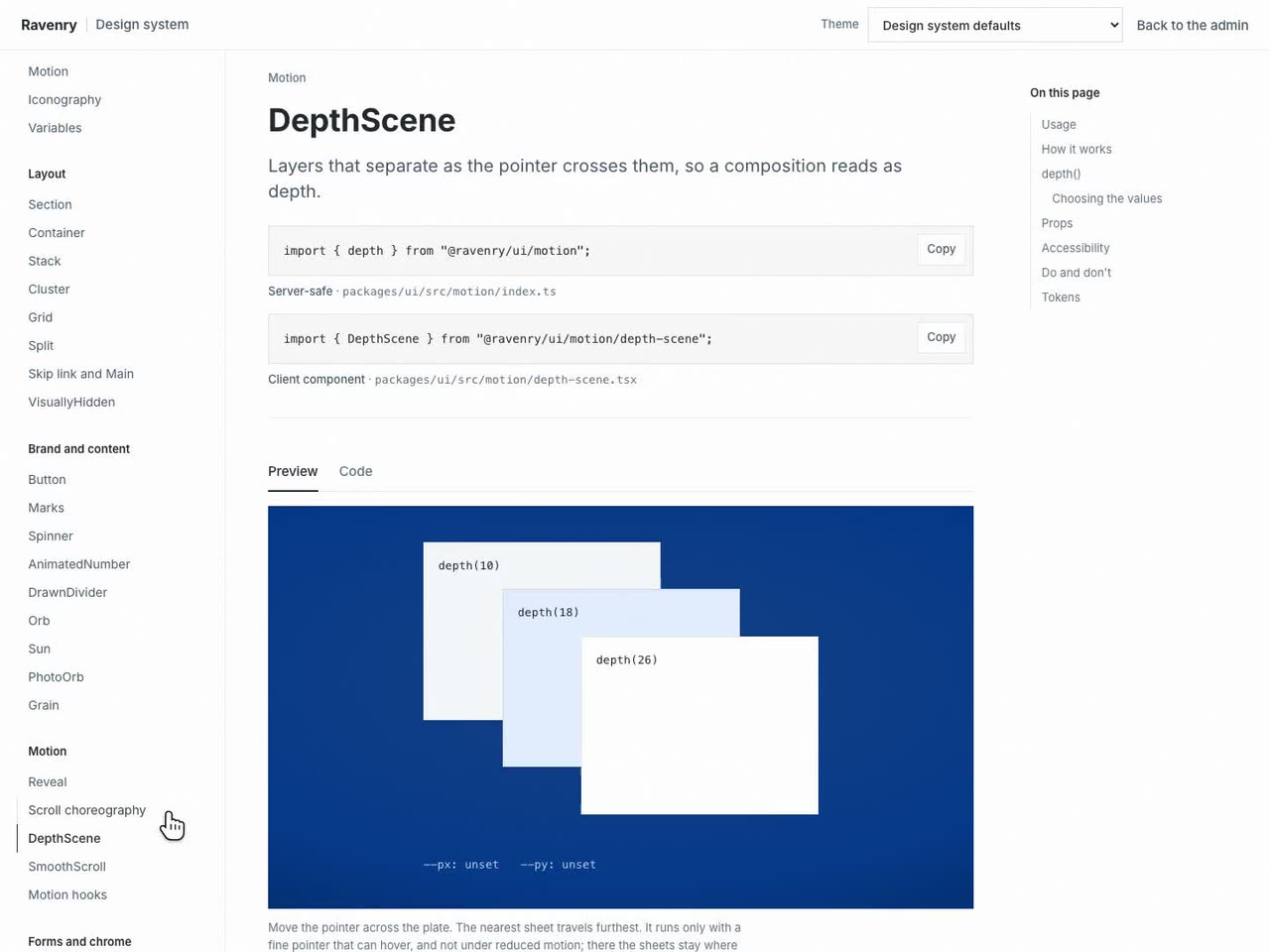
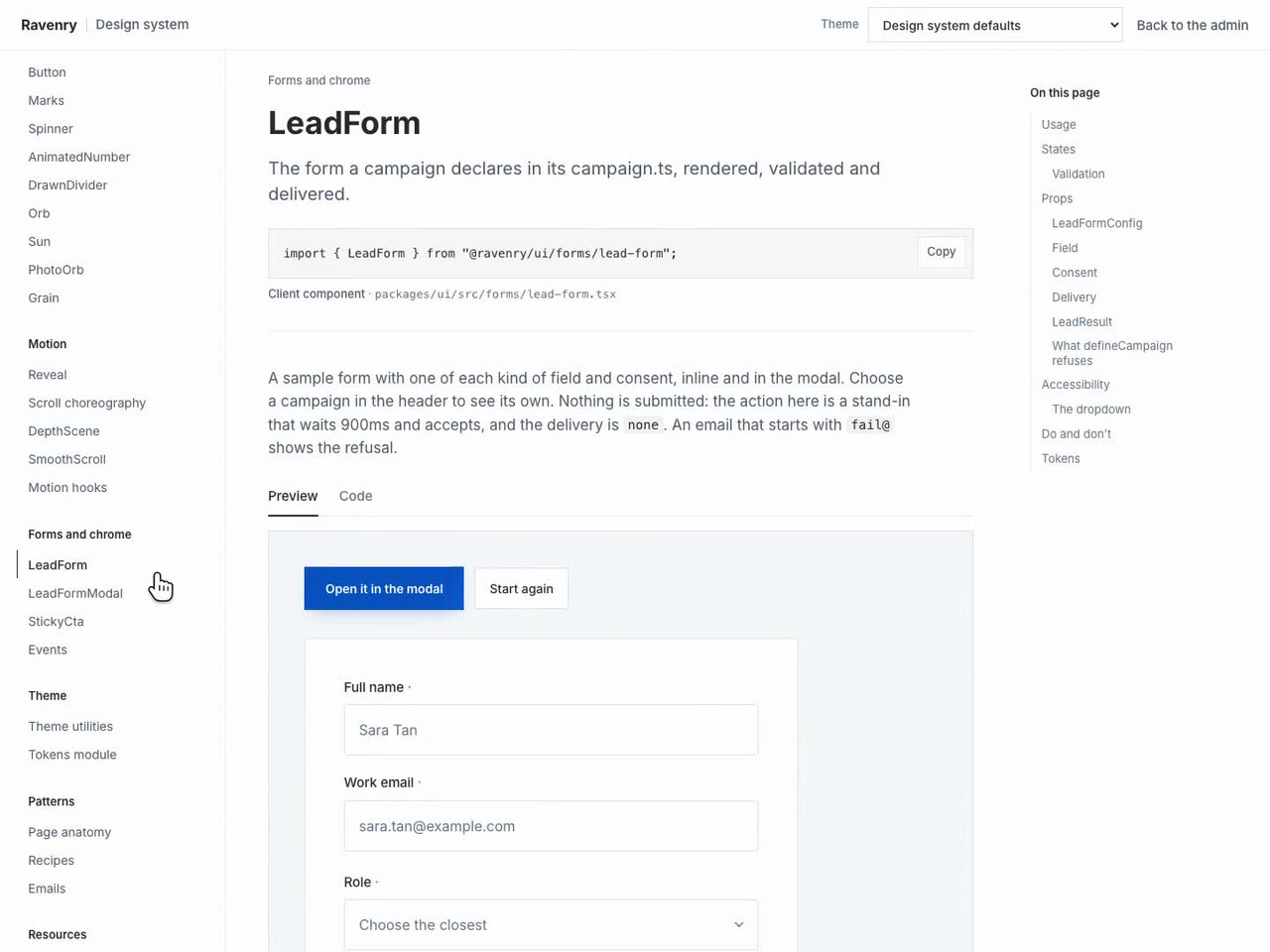
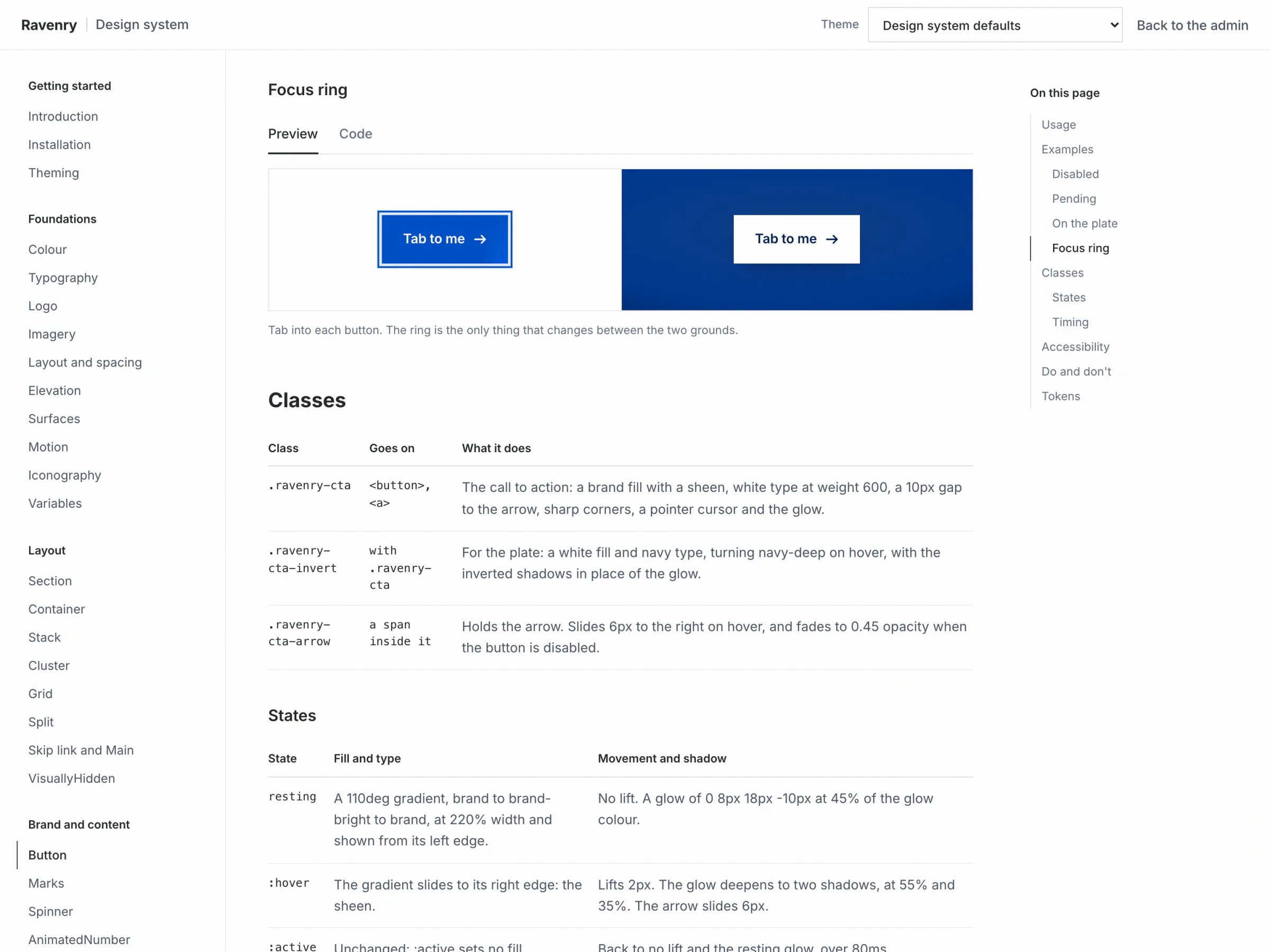
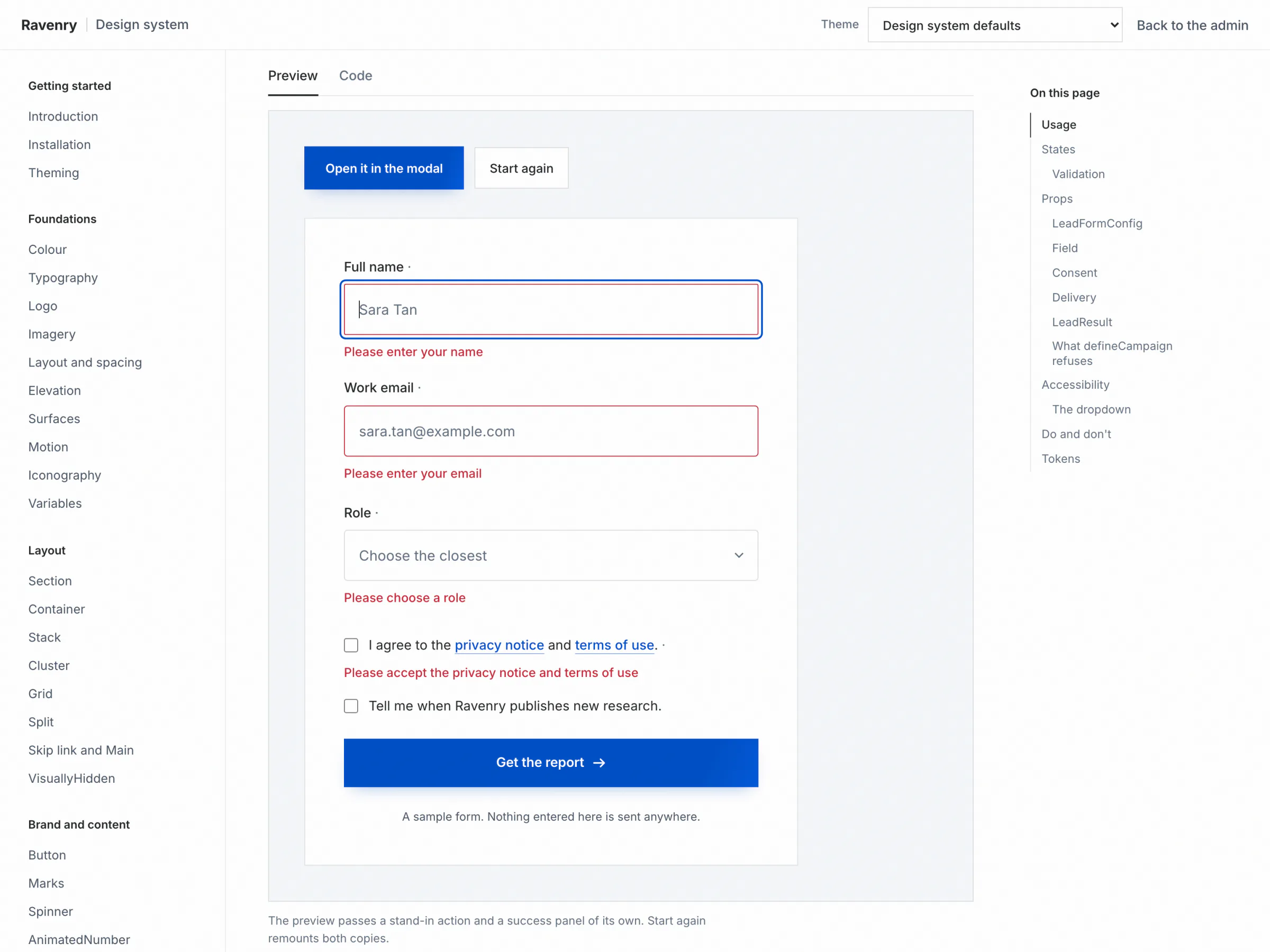
The documentation lives at /design on the platform: 49 pages in nine groups, modelled on the documentation of shadcn/ui and Preline. Each component page has a live preview, its code, its props, accessibility notes and a do and don't list. A theme picker re-themes every page into any campaign's colours, and the choice lives in the address, so a page can be shared in SWDA's or Rigor Room's colours.
Every Campaign's Leads, Kept Apart
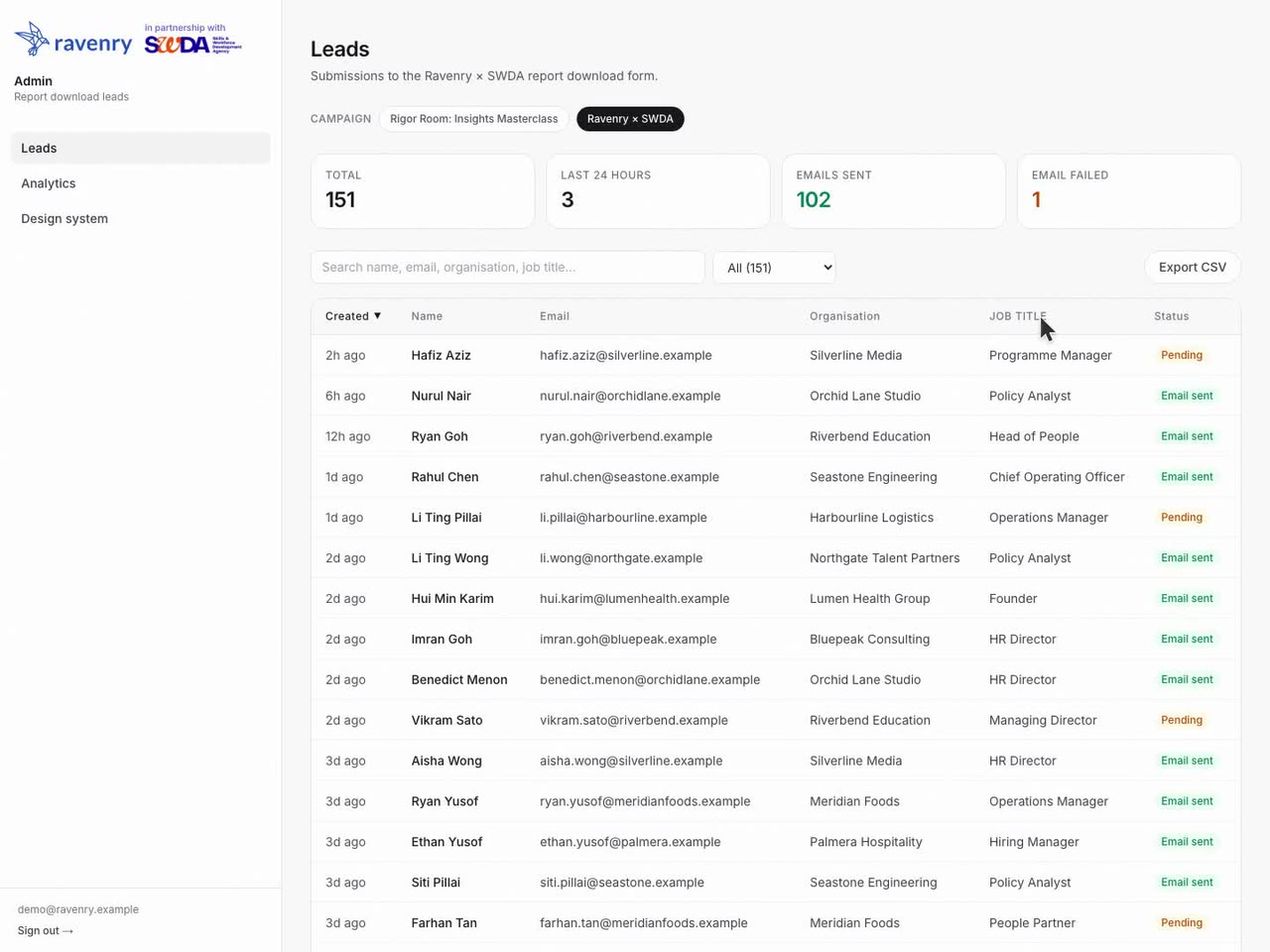
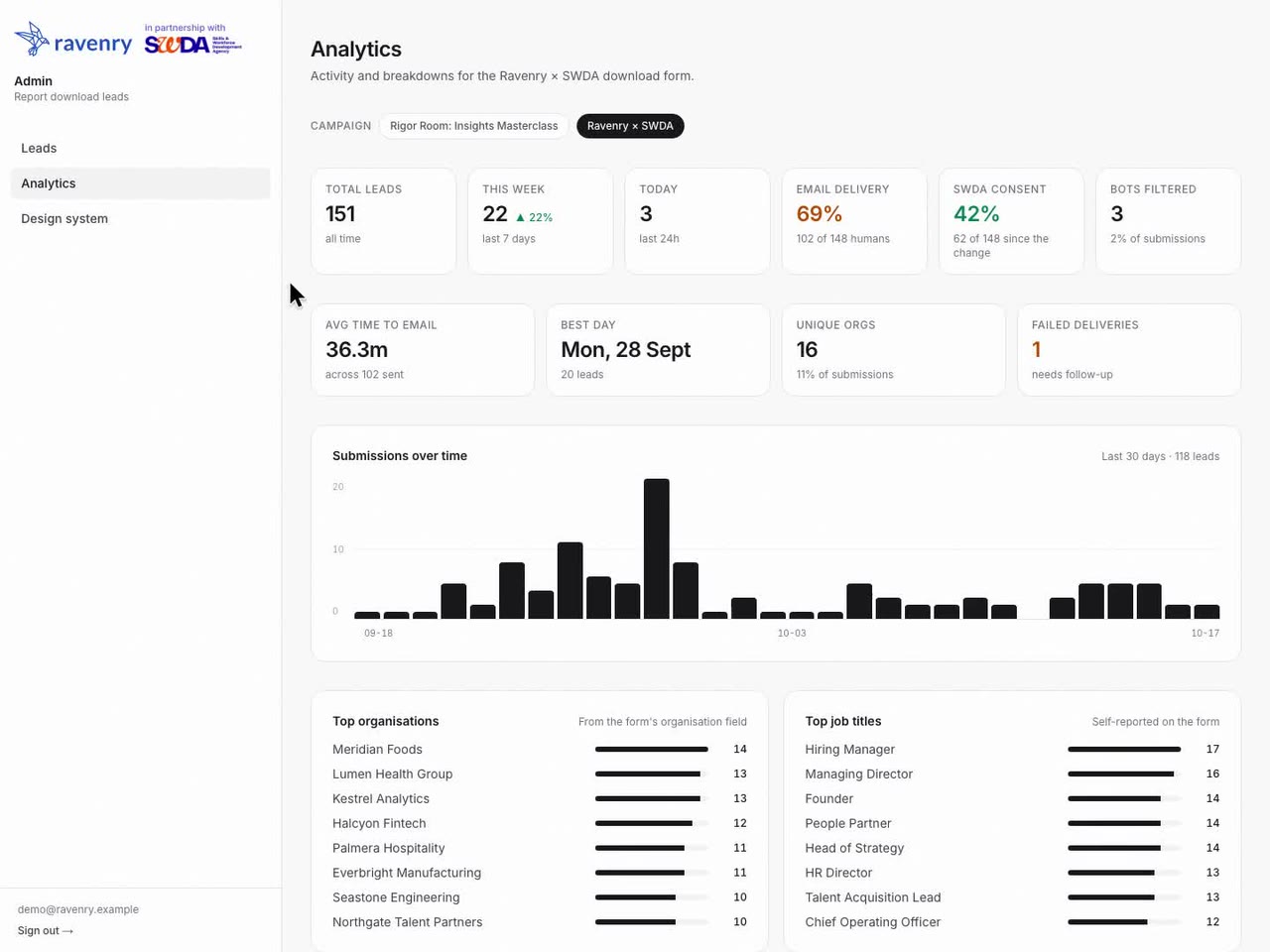
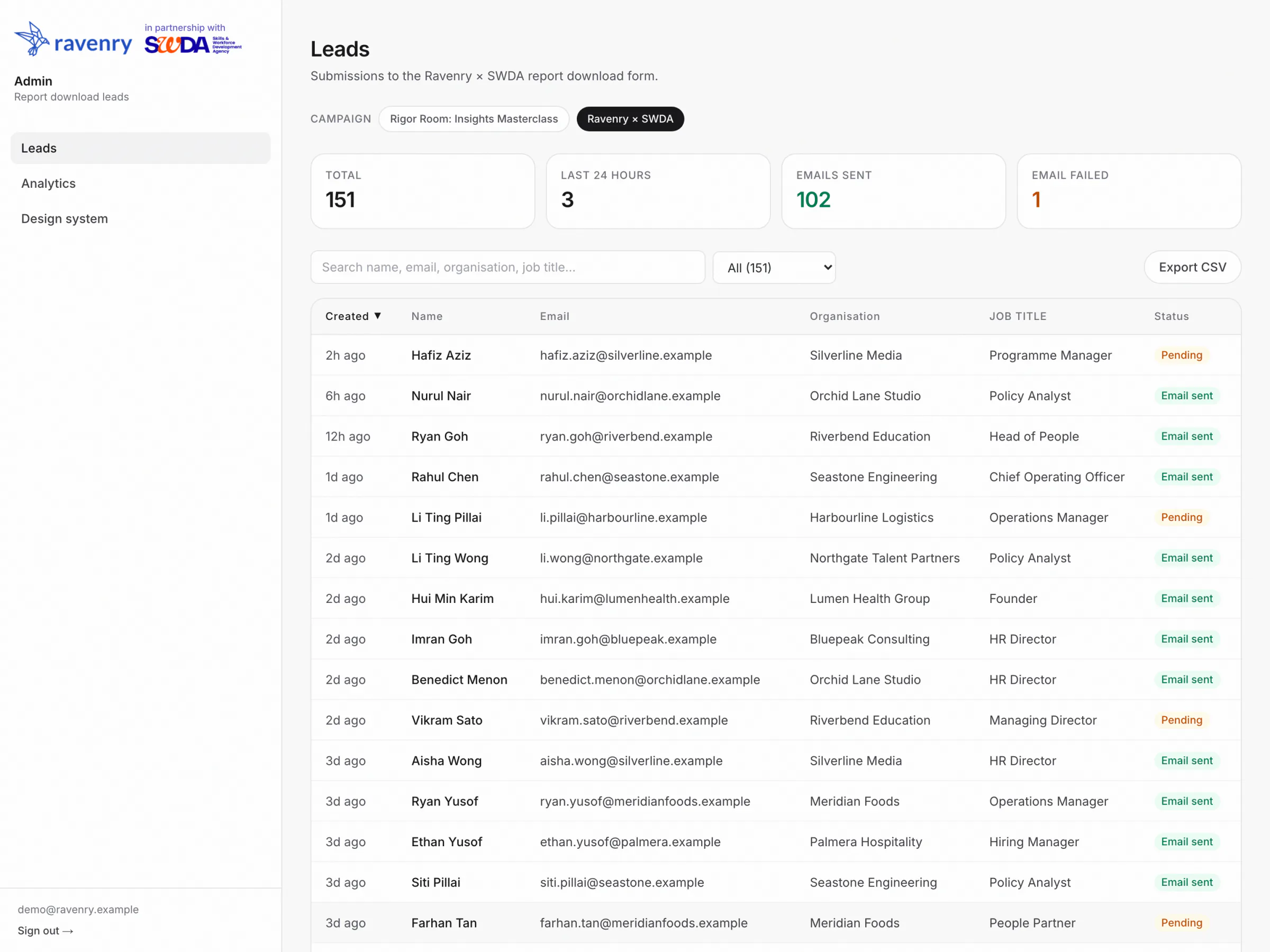
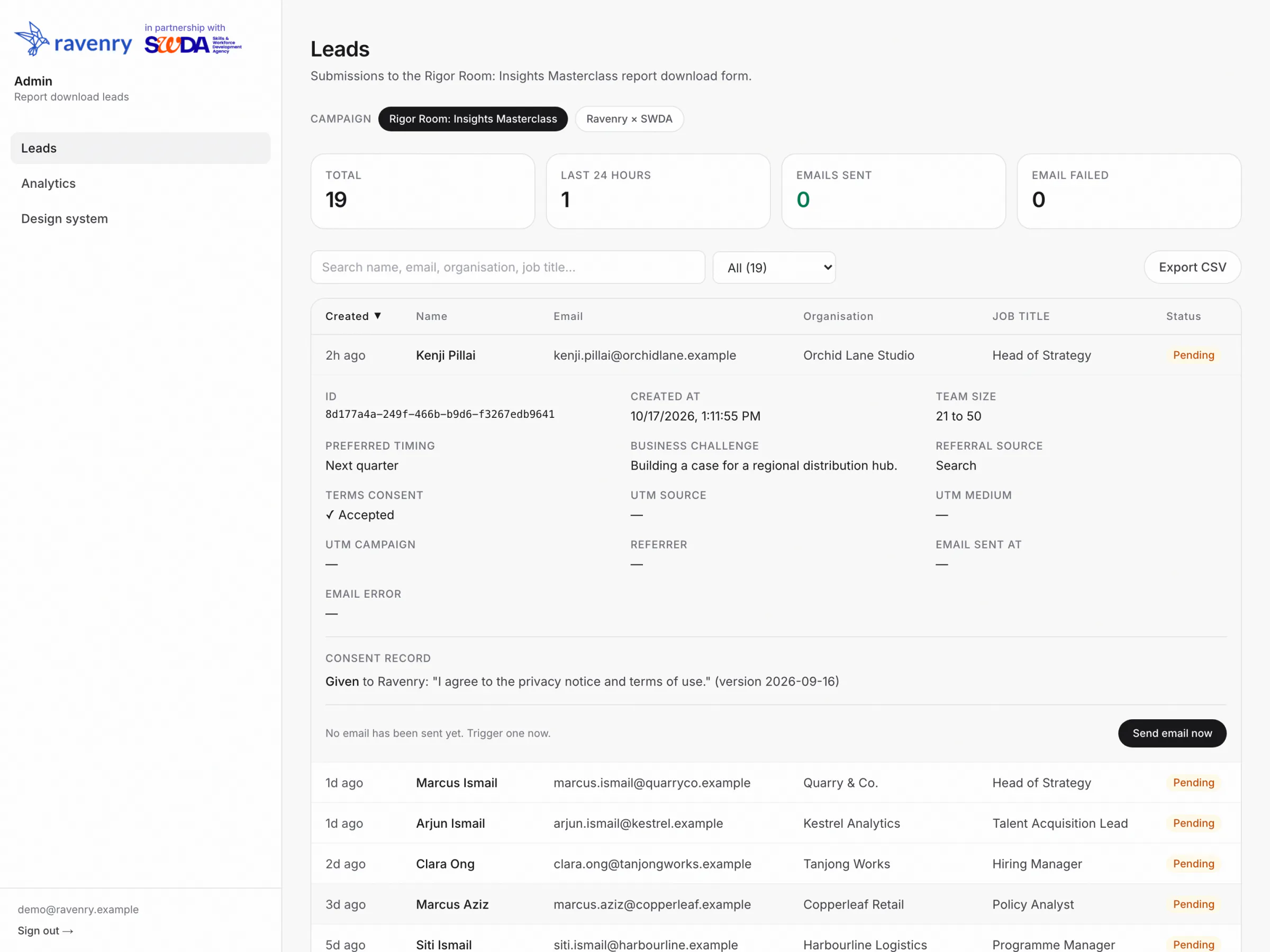
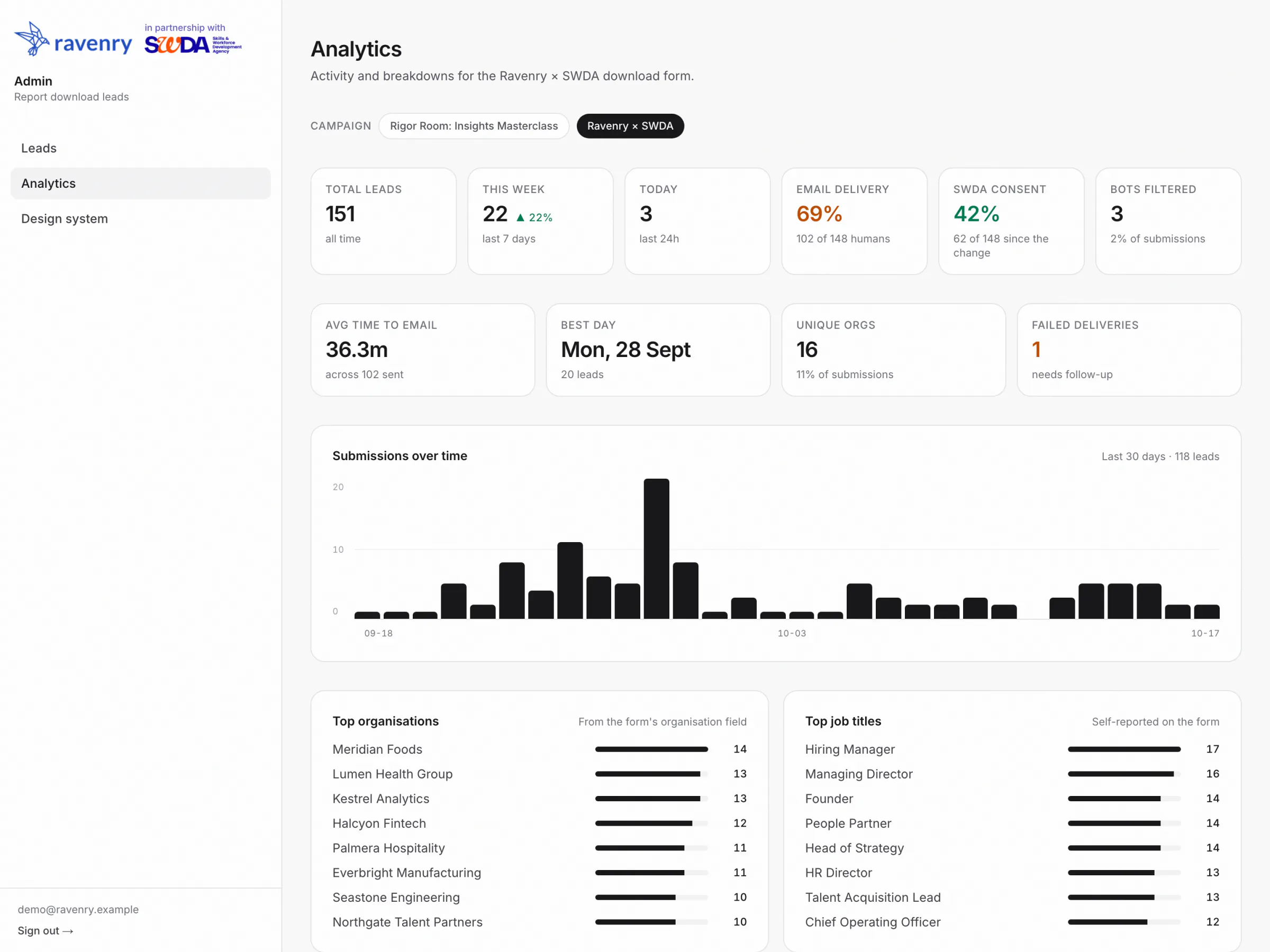
Every name, organisation and email in the admin shots is invented, on the reserved .example domain.
One Deployment, a Folder per Campaign

One Codebase, Three Ways to Run It
The same code runs in three shapes. The production deployment, built from main, serves SWDA's page, redirects its old event address and serves the platform host with the index and the admin. Preview builds of the working branch serve the company profile, the redesigned index with the documentation, and Rigor Room's draft, each on an address of its own. An exported copy serves one campaign on a domain the platform does not own, with its own database. In all three, a proxy decides what each request is for, three packages carry everything shared, Supabase holds the leads and Resend sends the email.
- Production serves three hosts from
main, and every push to it deploys. - Work waiting for the release publishes from the branch, on its own addresses.
- An export is the same code, switched to one campaign and one host.
Five Questions, Then the Platform
The proxy runs before anything renders and asks five questions, in order. Is this an exported copy? Then every host is its one campaign. Is the host an old alias? Then a 308 to the real address, path and query kept, so every link ever shared still lands. Is it a campaign's own host? Then the request is rewritten into that campaign's folder, and admin paths go to the platform host, where the session lives. Is it the profile's host? Then it serves the profile alone. Off production, was a campaign chosen by hand? Then that one. Anything else is the platform, marked noindex on every response. A path that names a file is never touched, so downloads and robots.txt arrive as they are.
robots.txtand the sitemap answer per host, from each campaign's own config.- A local build picks a campaign by query, header or subdomain; production honours hosts only.

Lint Keeps the Folders Apart
A campaign cannot import another campaign; the shared packages cannot import the app; the proxy cannot import anything that renders. The registry fails the build if two campaigns claim the same id, slug or host. Three packages carry everything shared, as TypeScript source with no dependencies of their own, so there is only ever one copy of React: @ravenry/ui for the design system and the form kit, @ravenry/leads for the campaign and form declarations and the server side of lead capture, and @ravenry/email for the email layout.
One Accessor for Every Read
One database serves every campaign, and every lead carries its campaign's id, which cannot be empty. Every list of leads, the analytics and the CSV export go through one accessor that cannot be called without a campaign, so no admin view can mix two campaigns' leads.
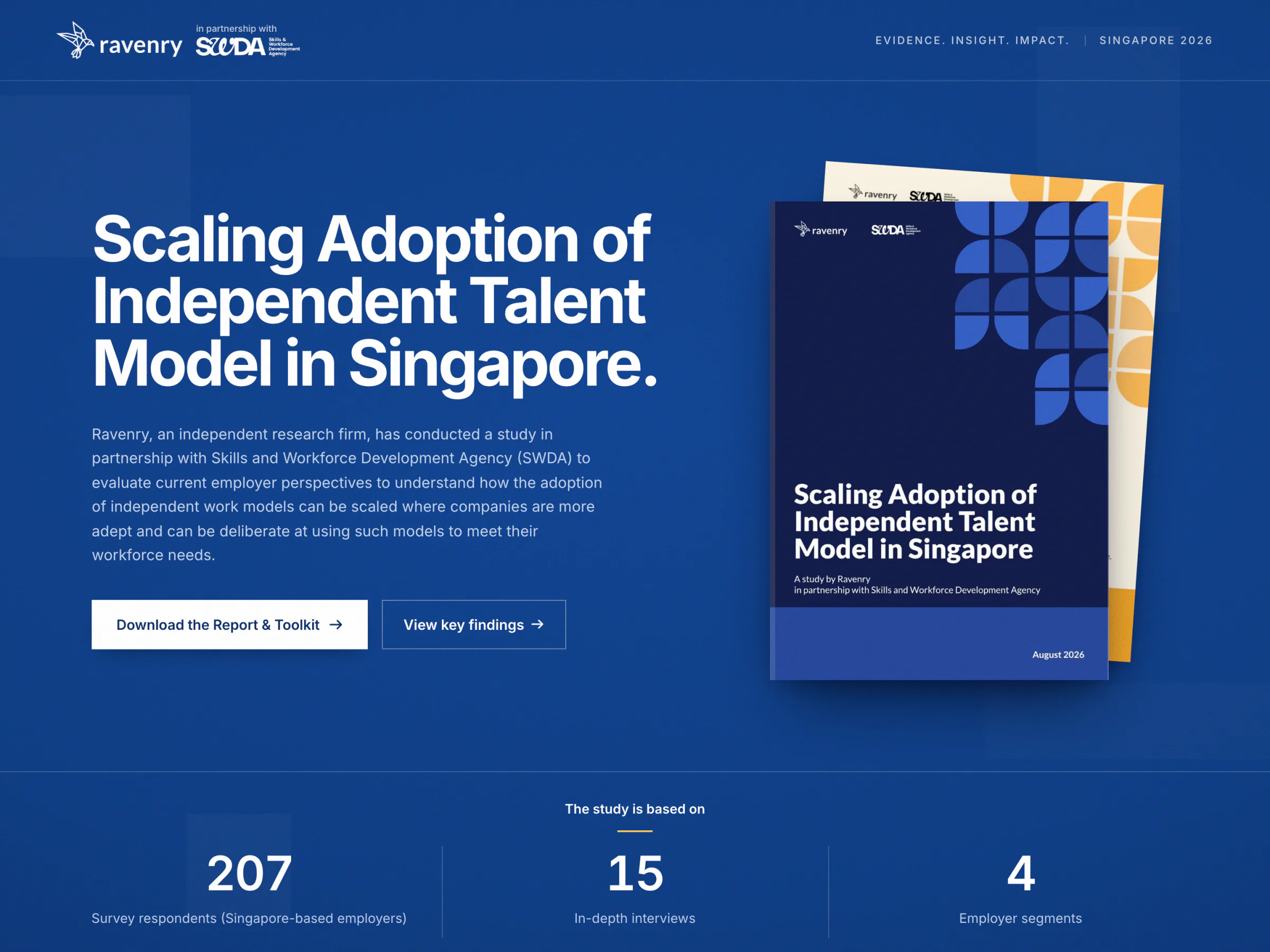
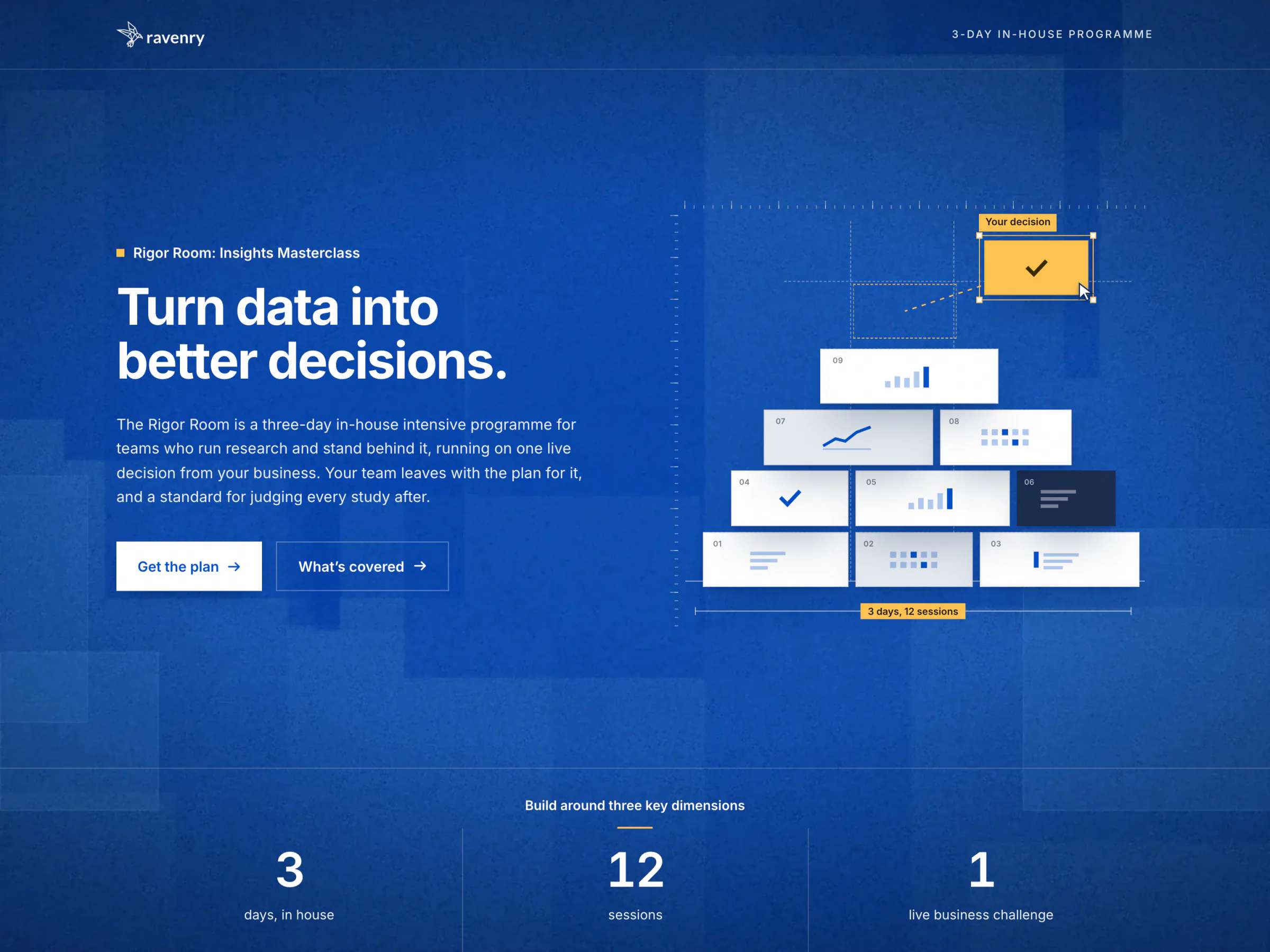
From One Hex Value to a Pixel
- SWDA's config names a role, for example
brand: "#0c4aaf", and the campaign definition refuses anything that is not a hex colour. - The theme function writes
:root{--color-brand:#0c4aaf;...}, so nothing but a colour can reach the stylesheet. ThemeStylerenders it as a plain style tag that React 19 hoists into the head. Unlayered, it beats Tailwind's layered defaults in any load order.- Utilities read the role, so
bg-cloudpaintsvar(--color-cloud). Each default points into a reference tier of 18 raw brand values that no utility can use directly. - Component tokens resolve where they are drawn: the call to action's shadows mix from
glow, which followsbrandunless a campaign names it. - Email clients cannot read custom properties, so the email resolves the theme to literals, and a check holds those literals to the tokens.
One Database, Kept Apart by Code
One Supabase Postgres database holds every campaign. projects has a row per campaign, with its status and its rate limit. leads has a row per submission, and its project_id cannot be empty and has no default, so a submission without a campaign is refused rather than filed in the wrong place. A campaign's own questions land in a fields object and every consent in a consents array, so a new question needs no migration. Row-level security is on with no policies: nothing reaches the tables from a browser, and the server's key is the only way in. So tenancy is code: every list of leads, the analytics and the CSV export read through one accessor that takes the campaign's id first.

Five Files, Applied by Hand
Each change is a file with its reasoning, applied in the SQL editor before the code that needs it deploys. 0002 and 0003 are one change around a deploy: add project_id with a temporary default, ship code that sets it, then drop the default, so production never broke. 0004 added SWDA's consent as a new column instead of renaming the old one, because a rename would restate what earlier readers agreed to. 0005 adds fields and consents; its backfill marks every record it writes and leaves the wording empty, because the old columns never recorded one. 0005 waits to be applied, and the platform's release waits for it.
- On delete restrict: a campaign that holds leads cannot be deleted.
- Consent columns are only ever added; a retired one stays readable.
- Until 0005 lands, the admin still shows every lead and says what is missing.
One Template per Campaign, One Layout
Two things can send a campaign's email: a successful submission, only when the campaign switches autoSend on, and Send email now in the admin, for one lead at a time. Either way the lead gets its own campaign's template, found through a server-only registry. Templates are React components on one shared Ravenry layout: nested tables and inline styles, no rounded corners, and a plain-text part written by hand. The renderer restores the HTML5 doctype and Outlook's fixed-width wrapper, and Resend sends from the campaign's own sender. The result lands on the lead's row as a sent time or an error, and a failed send never fails the form.

Derived, Never Copied
Inboxes cannot read CSS custom properties, so an email's colours are literals. They are derived rather than typed: the campaign's theme is resolved against the design system's defaults, and ten roles become the email's palette. The one value that is not a role is the plate, a flat colour measured from the rendered page, because an inbox cannot draw its vignette. A check fails when any copied token drifts from its source. It caught Rigor Room's email still carrying SWDA's blue.
autoSendis off for both campaigns today.- SWDA's email moved onto the shared layout at 0 px, proven without sending.
pnpm email:renderprints any campaign's email through its real template.
One Admin, Three Layers
There is one admin account, its email and a bcrypt hash of its password held in the environment, and no roles. Signing in counts failed attempts per hashed network address, compares the password, then sets an http-only cookie carrying a payload signed with HMAC-SHA256 and an expiry. Every admin request meets three layers. The proxy checks only that the cookie is present, because a known framework flaw once let requests skip middleware. The admin layout verifies the signature on the server. And every page, action and route checks again; the CSV export answers 401 without a session.

One Campaign at a Time
The admin opens on one campaign: the one named in the address, or SWDA, chosen by name rather than by table order. The leads table, the analytics and the CSV export all read through the same scoped accessor, and their columns come from that campaign's own form declaration, so Rigor Room's team size and business challenge appear as columns of their own. The CSV carries the campaign's slug in its file name, so two clients' exports are never confused, and each lead opens with its consent record.
- On a campaign's host, admin paths go to the platform host, where the session belongs.
- Logins per partner are designed and deliberately not built.
- Send email now sends a lead its own campaign's email, and never a second time.
Checked on Every Change, and Every Day
There is no unit-test suite. The checks are Playwright and Pillow scripts that drive a running server: 57 on the working branch, ten for every campaign, 36 for SWDA, nine for Rigor Room and two at the top. Every pull request runs lint, which keeps campaigns apart, the build, which is the typecheck, then health, routing and theme against a production server, with no secrets. Once merged, a nightly run asks production the same questions, the database included. Every export passes sixteen gates. Locally, a suite is green only when every script exits 0 and its output matches a saved run.

One Read a Day
Supabase pauses a free project after about a week without traffic and withdraws its DNS record, so the form fails for every visitor. It happened on 15 September 2026. Since then a GitHub Actions job asks the health route once a day, and the route runs one indexed read that returns no rows. A healthy answer is cached at the edge for ten minutes, a failure is never cached, and GitHub reports a failed run. A Vercel cron makes the same call as a second line.
- Four scripts never run in a suite: one logs in, one prints leads, one rewrites source, one sends email.
- Test rows are tagged, and deleted by prefix afterwards.
- Pixel captures stay local: Linux draws type differently from the Mac they came from.
Seven Phases, the Live Page Untouched
The plan was approved on 15 September 2026 and went in phases, each ending with the live page's pixel captures unchanged:
- Phase 0, the safety net: a tag, a backup branch and the renames.
- Phases 1 to 3, on the same day: the workspace, campaigns as folders with host routing, and the design system's foundations, extracted from the live page in six steps within 42 minutes. In production since 15 September.
- Phases 4 to 7, built by 16 September: one form declaration per campaign with consent records, an email per campaign, the scaffolder and the documentation gallery, and checks on every pull request. They wait for one database migration before they reach production.
- 16 to 23 September, the design system grows: three token tiers with 30 roles, a type ramp and layout primitives, then the documentation, published at 49 pages with the brand's logo, imagery and print face.
- Phase 8, the second campaign: Rigor Room, built on the platform from 16 September and later exported, the exporter's first real test beyond the live page.
Claude Code wrote the code and the checks, phase by phase, from rules split by what they govern: one file for the platform, one for the design system, one for each campaign.
One App, Campaigns as Folders
One app keeps one copy of everything shared, so a fix lands once for every campaign. The cost is a shared blast radius, contained by atomic deploys, lint boundaries and each campaign's own checks, and a proxy that now runs on every request.
Extract, Never Redesign, and Prove It in Pixels
The live page could not change while it moved onto the platform and gave up its parts to the design system. Every step was an extraction, and full-page captures from production became the proof, compared pixel by pixel after each one. The cost: the defaults stayed SWDA's until the token tiers arrived, and pixels cannot see a page's title.
Roles, Not Values
One stylesheet serves every campaign, so campaigns set named roles only, and the raw ramps stay outside Tailwind's theme. The cost: shadows are not roles, because a shadow is not a colour, so a campaign's own elevation lives in its own CSS.
Measurement Instead of Prohibition
Ink and the neutrals were first withheld from campaigns, so that none could make a page illegible, and that froze the defaults. Now all thirty roles are themeable, and a contrast matrix checks every pairing before a build. The cost is a strict order for any change: pin the old value, prove 0 px, then move.
One Form Declaration per Campaign
A campaign declares its fields and consents once. The form, its validation, the database insert, the admin table and the CSV export all read that declaration, so a new question needs no database change, and each consent is kept with its exact wording and version. The cost: the release waits for one migration that adds the columns, applied by hand in production.
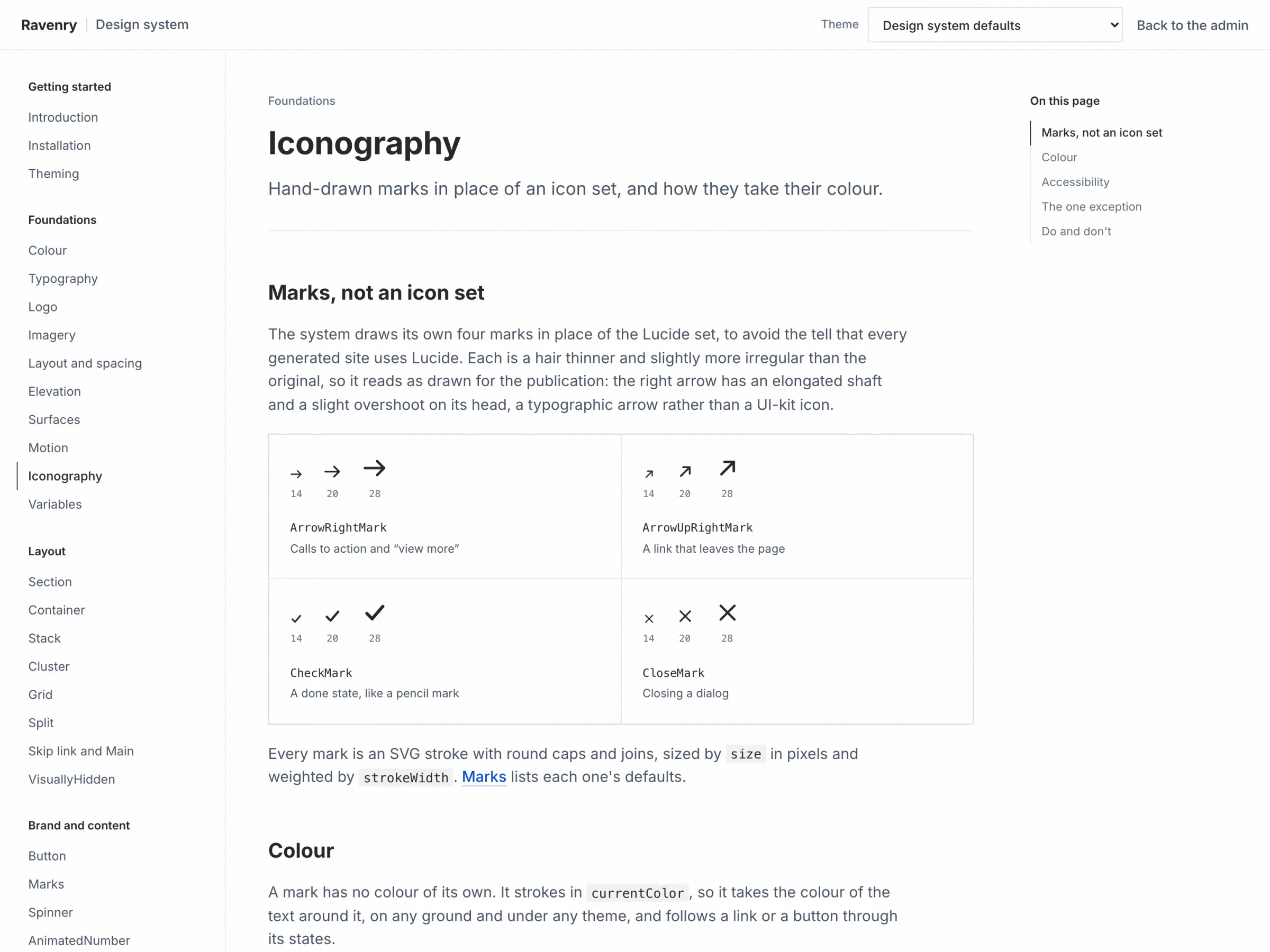
Hand-Drawn Marks Instead of an Icon Set
AI-generated sites tend to share one icon set, and it shows. The system draws four marks of its own: two arrows, a check and a close, each a hair thinner and slightly more irregular than the original, so they read as drawn for the publication. The cost: one spinner still uses the icon set, the only import left.
A Tool for the Team, a System for Every Campaign
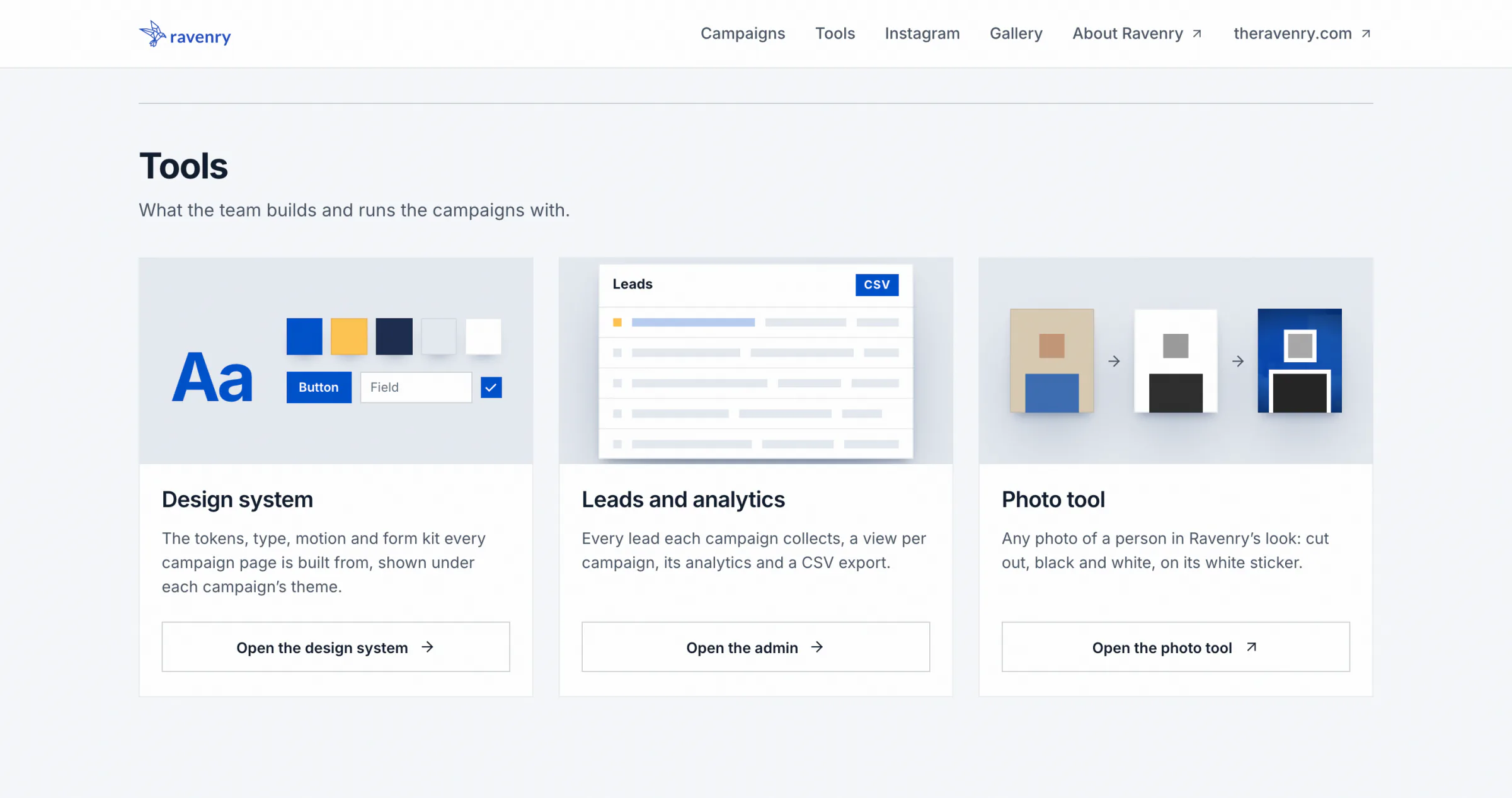
- A tool, not a brochure. The index is a white bar and one card per campaign, with status and address in plain sight and actions that each do one thing. A card for the next campaign shows the command that starts it.
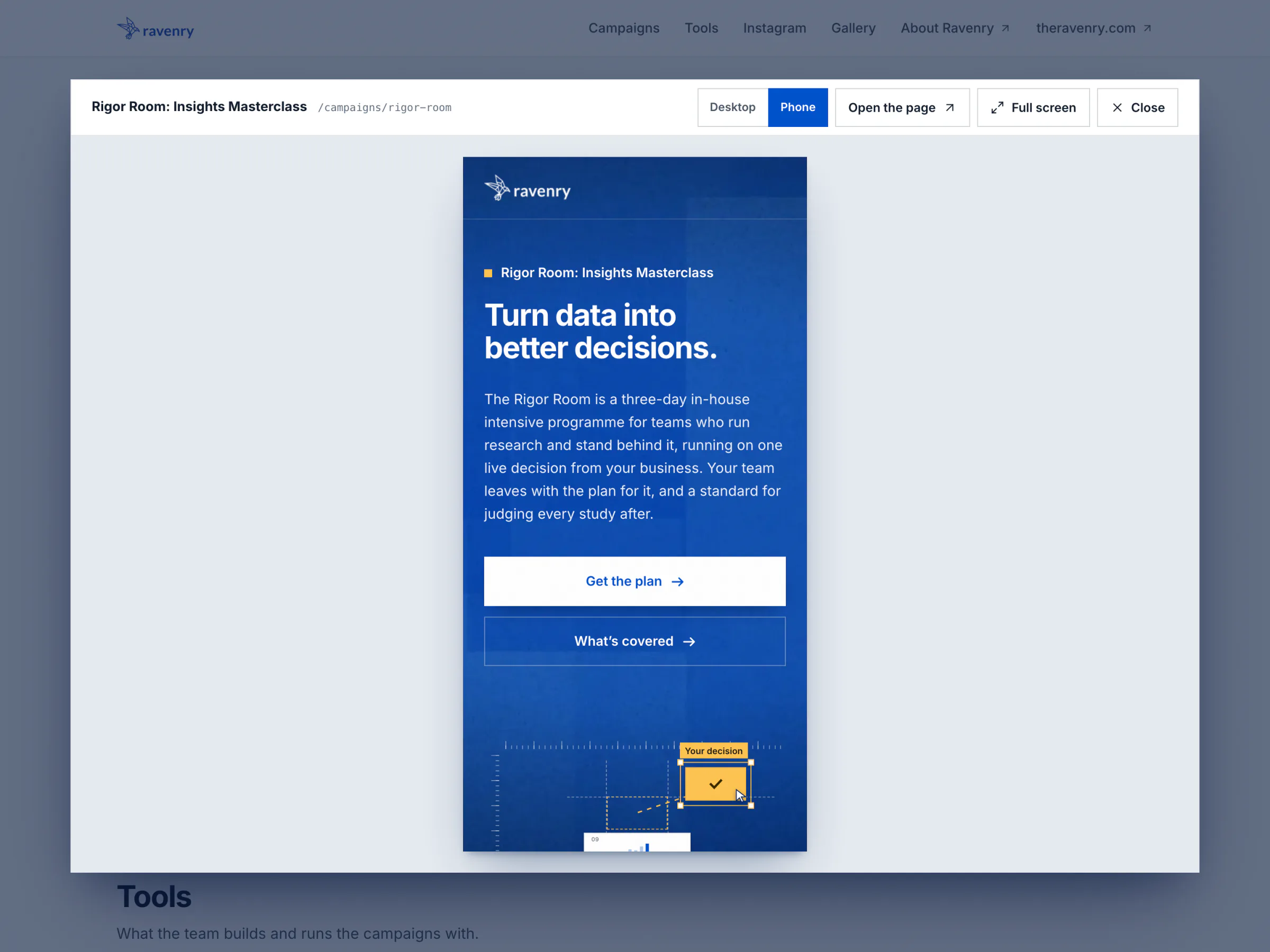
- Live previews. A popup shows any campaign at desktop or phone width, with full screen as an extra.
- The brand's rules in shared pages: flat objects with square corners, opaque chrome, and the brand's plate image for blue grounds. The admin stays plain: quiet, dense and legible.
- Documentation that cannot drift: values are read from the themed page, never typed, and a coverage map ties all 49 of the package's exports to a page, so a new export without a page fails the build.
- Focus rings follow their ground: on the plate the failing stops now measure 10.47 to 13.68:1, and all 26 pass.
- 44 px targets, stricter than WCAG 2.2's 24 px, and a skip link that a check presses with the keyboard on every route.
- Reduced motion is a full still state: numbers show their final value, and the travel check reads 0.0 px.
In Production, and Proven Twice
Since 15 September 2026 one production deployment serves three hosts: SWDA's page on its own address, its old event address redirecting to it, and the platform host with the admin. The live page moved onto the platform and onto the design system unchanged to the pixel, and a daily health check has kept the free database tier awake since it paused once, that same day. The second campaign, Rigor Room, was built on the platform, naming 22 of the 30 roles where SWDA names 29, then left through the exporter to go live on a domain of its own.
The lesson is that a platform is mostly rules, and that measurement is what makes a shared system safe to open up. Withholding colours from campaigns protected legibility but froze the defaults; measuring every pairing let all thirty open, with the checks as the guard.
Known limits: the redesigned index, the documentation, the consent records and the scaffolder wait for the release, which waits for one database migration applied by hand; production's index is still the earlier plain list. No design-system recipe is published yet, because one waits for a second campaign to need it.
Gallery