Turns a builder's voice note into a signed job change, before the work starts.
A working prototype, live since October 2026, with 272 unit tests behind it.
Project facts
- Role
- Solo: research, product design, and a front end built with AI coding agents
- Timeline
- 72 hours, October 2026
- Built with
- Claude Code
- Figma
- Playwright
- ffmpeg
- Stack
- React 19
- TypeScript
- Vite
- React Router
- TanStack Query
- Base UI
- IndexedDB
- zod
- Vitest
- Playwright
- Vercel
- AI inside
- Claude Sonnet 5.5
Why
A variation is a change to a signed building contract: different tiles, an extra power point, a stone benchtop instead of laminate. On a renovation they happen all the time, usually in a 30-second chat on site. The paperwork comes later, or never.
That gap costs both sides. The builder does the work and then argues about the money. The homeowner gets a final bill that is higher than expected. New South Wales, Queensland and Victoria all require the owner's written agreement to a variation, and Queensland's building regulator names undocumented variations as one of the most common causes of building disputes.
Tools for writing variations already exist, and Houzz Pro already creates them by voice with client e-signing. Changes still go undocumented, because at the moment a change is agreed the builder is on site with dirty hands and no office. Nod treats it as a timing problem, not a document problem: capture the change in the moment it is agreed, and get the owner's yes before the work starts.
The demo follows two people. Dan is an owner-operator in Brisbane with three staff, running $30k to $150k kitchens and bathrooms from his ute and his phone. Sarah is his client: she works full time, is rarely on site, and watches the budget closely.

How It Works
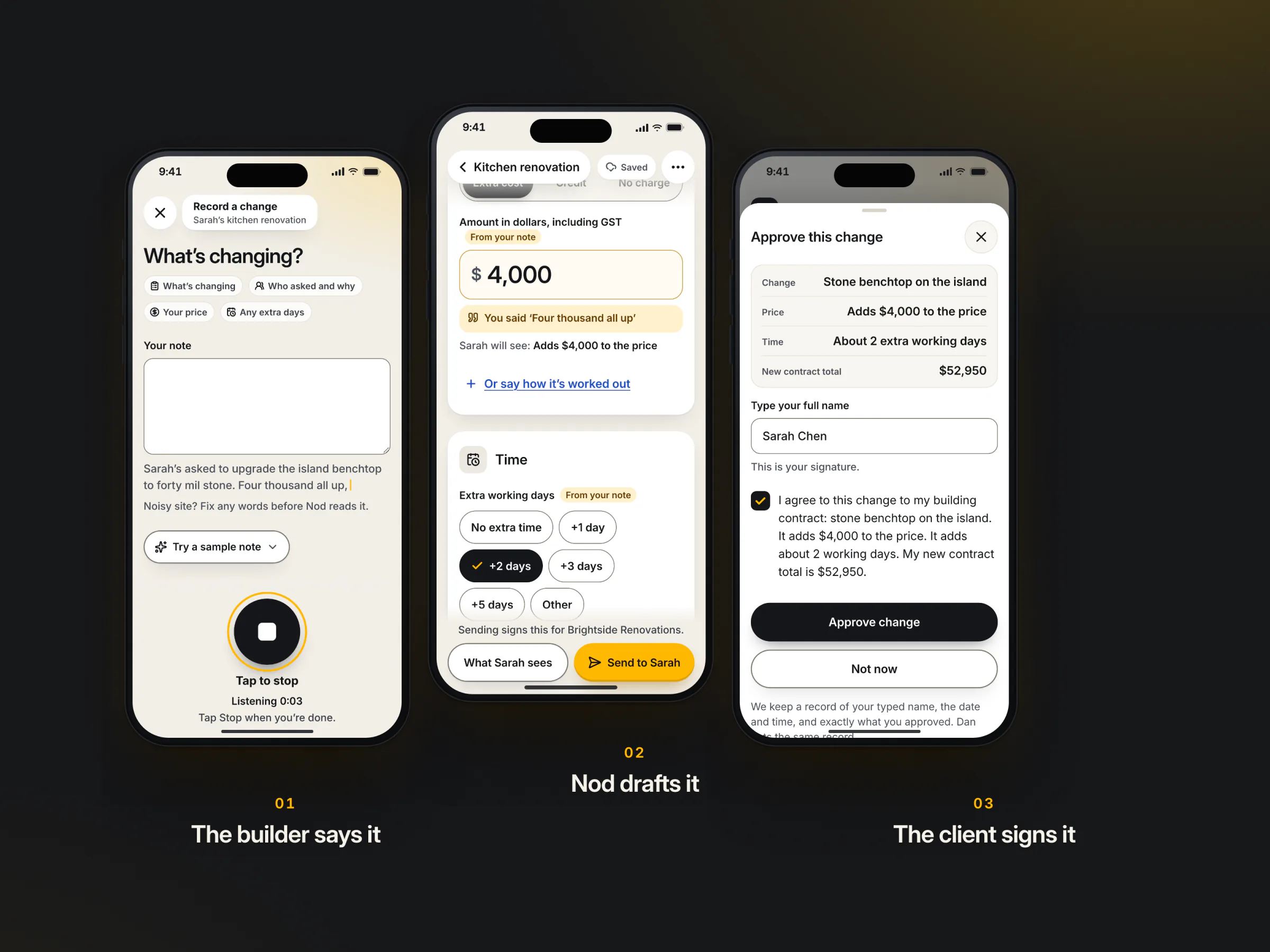
One change travels from a site conversation to a signed record in five moves.
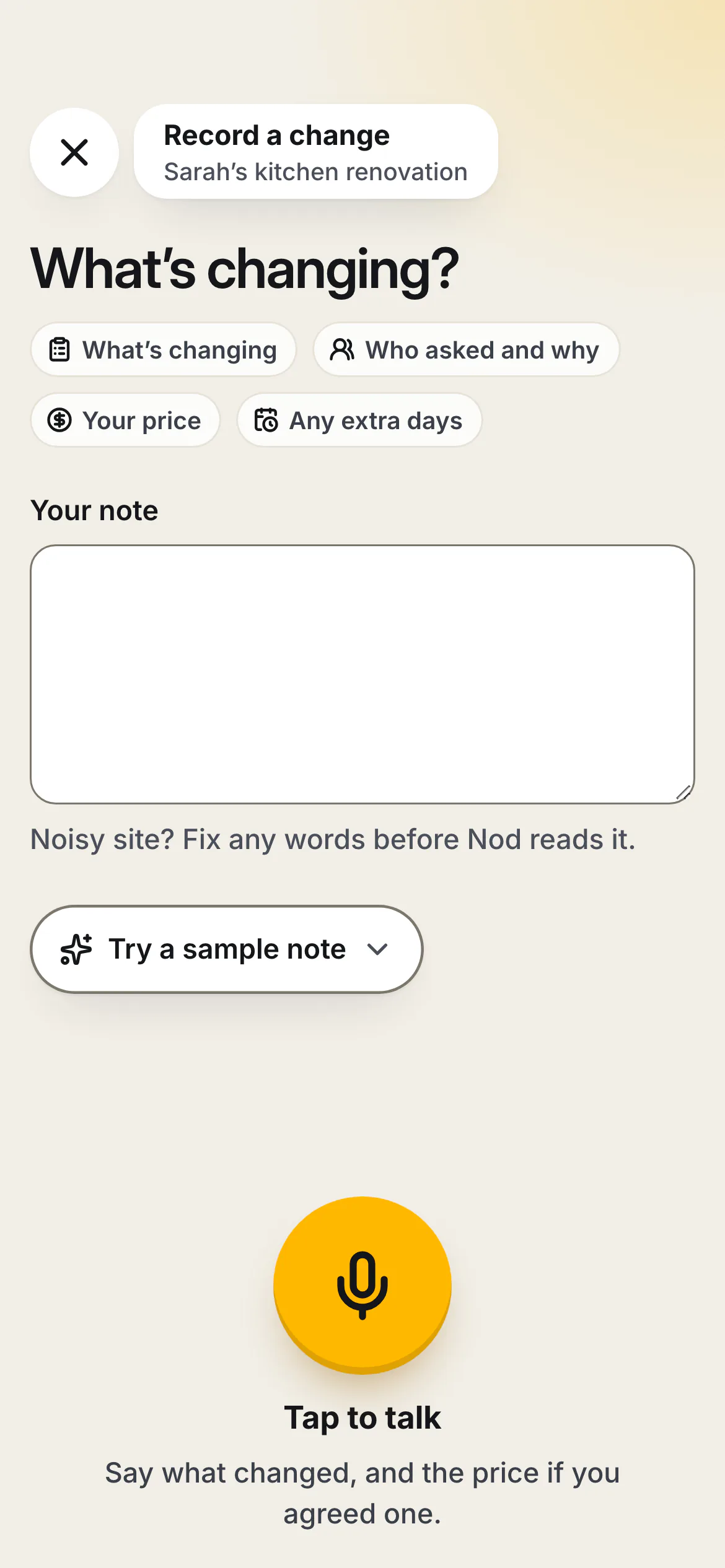
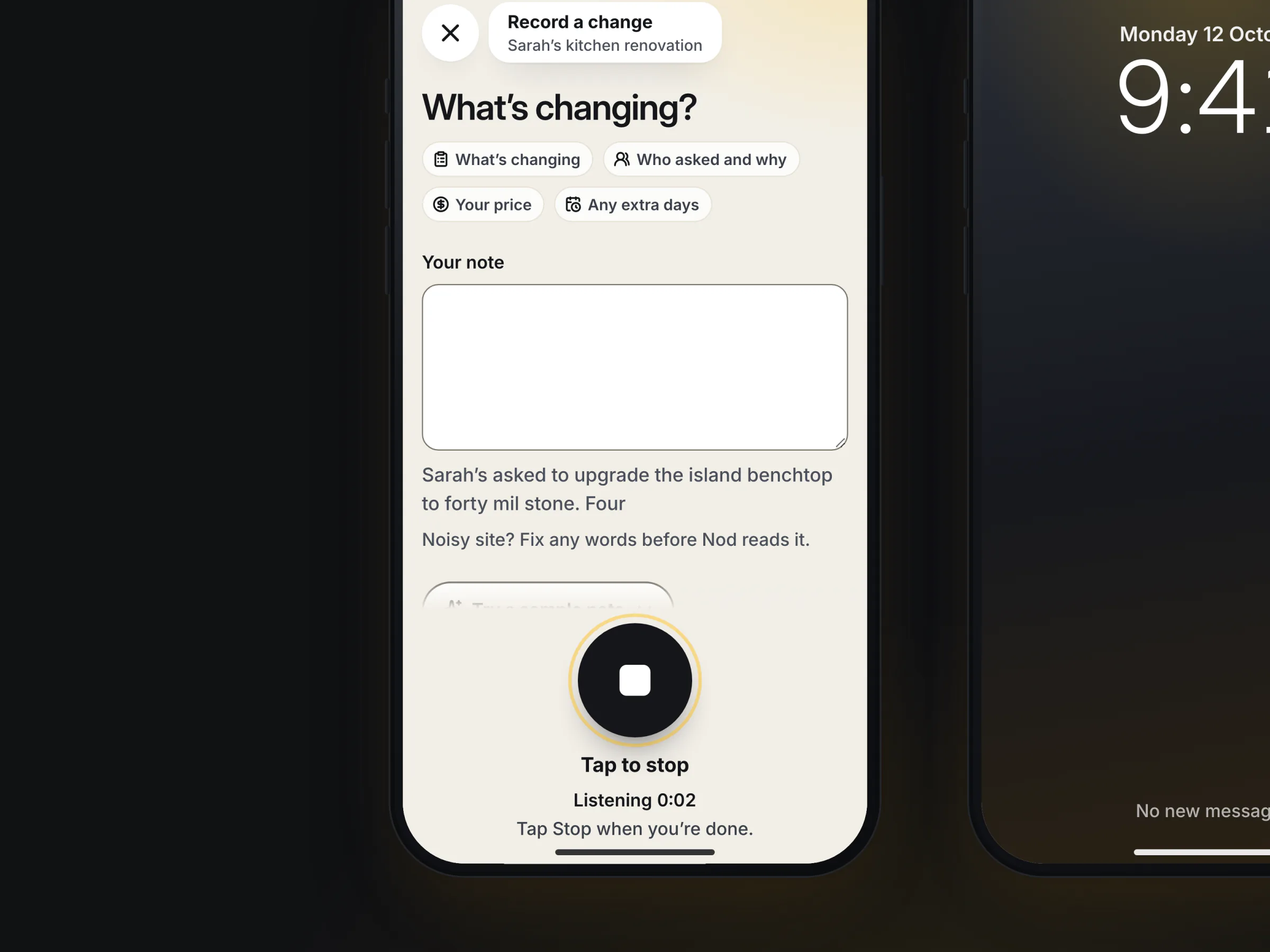
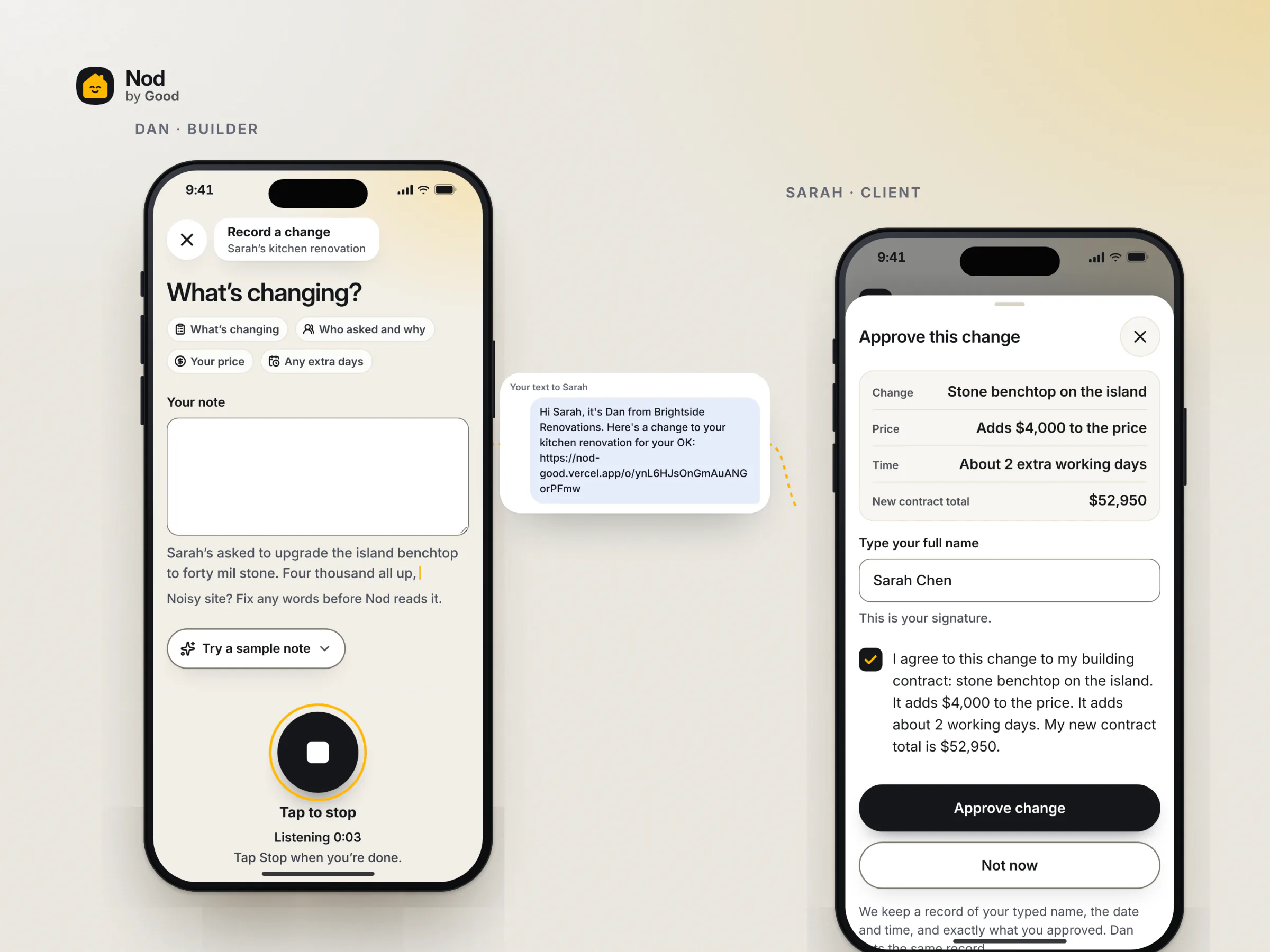
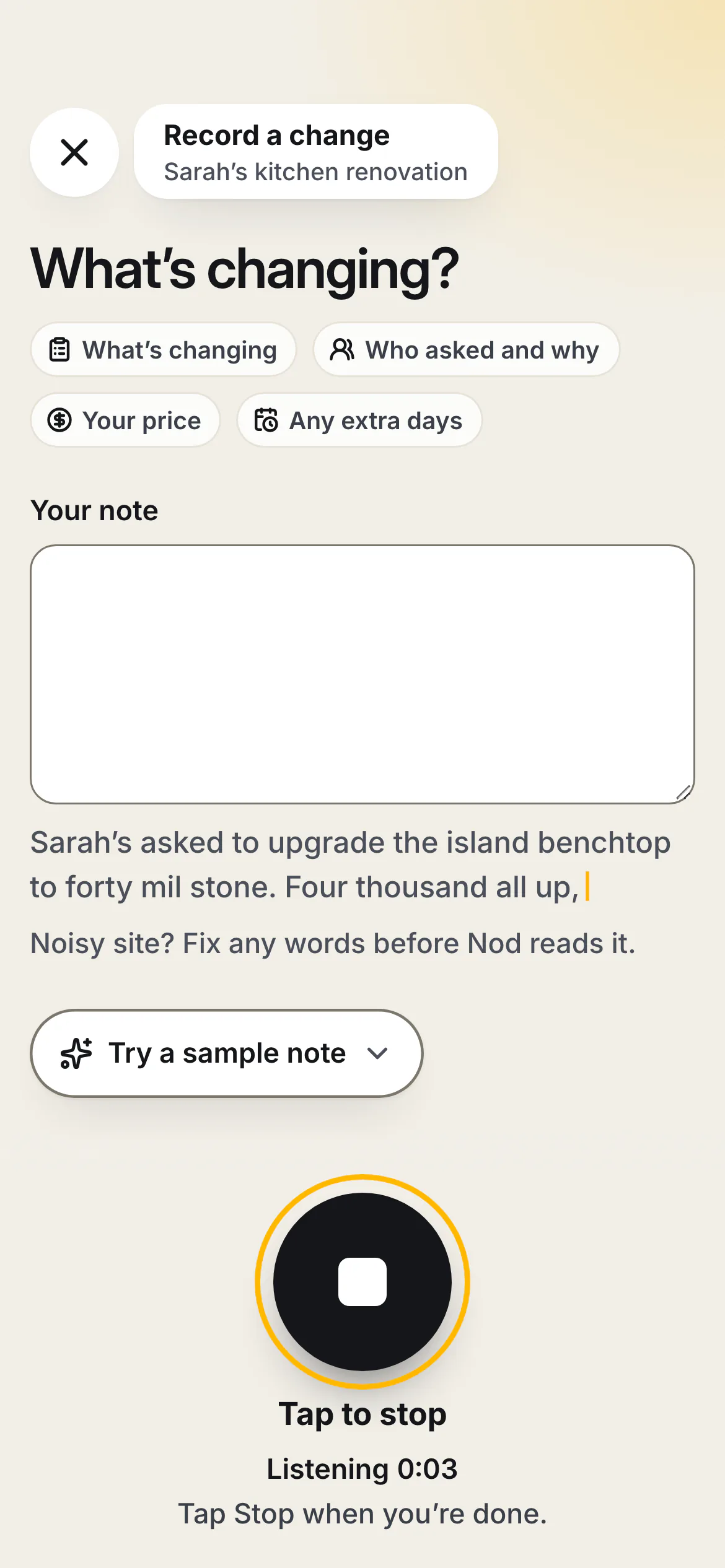
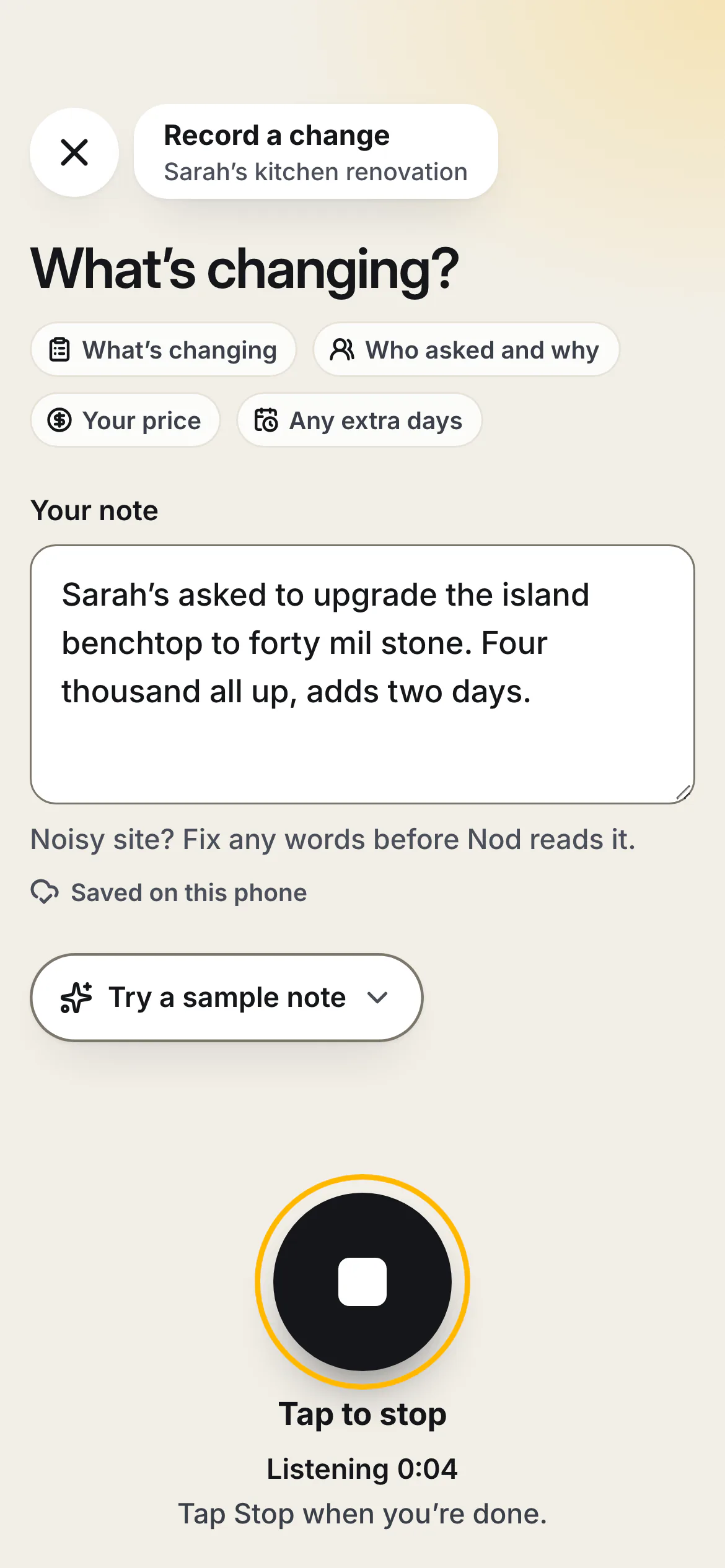
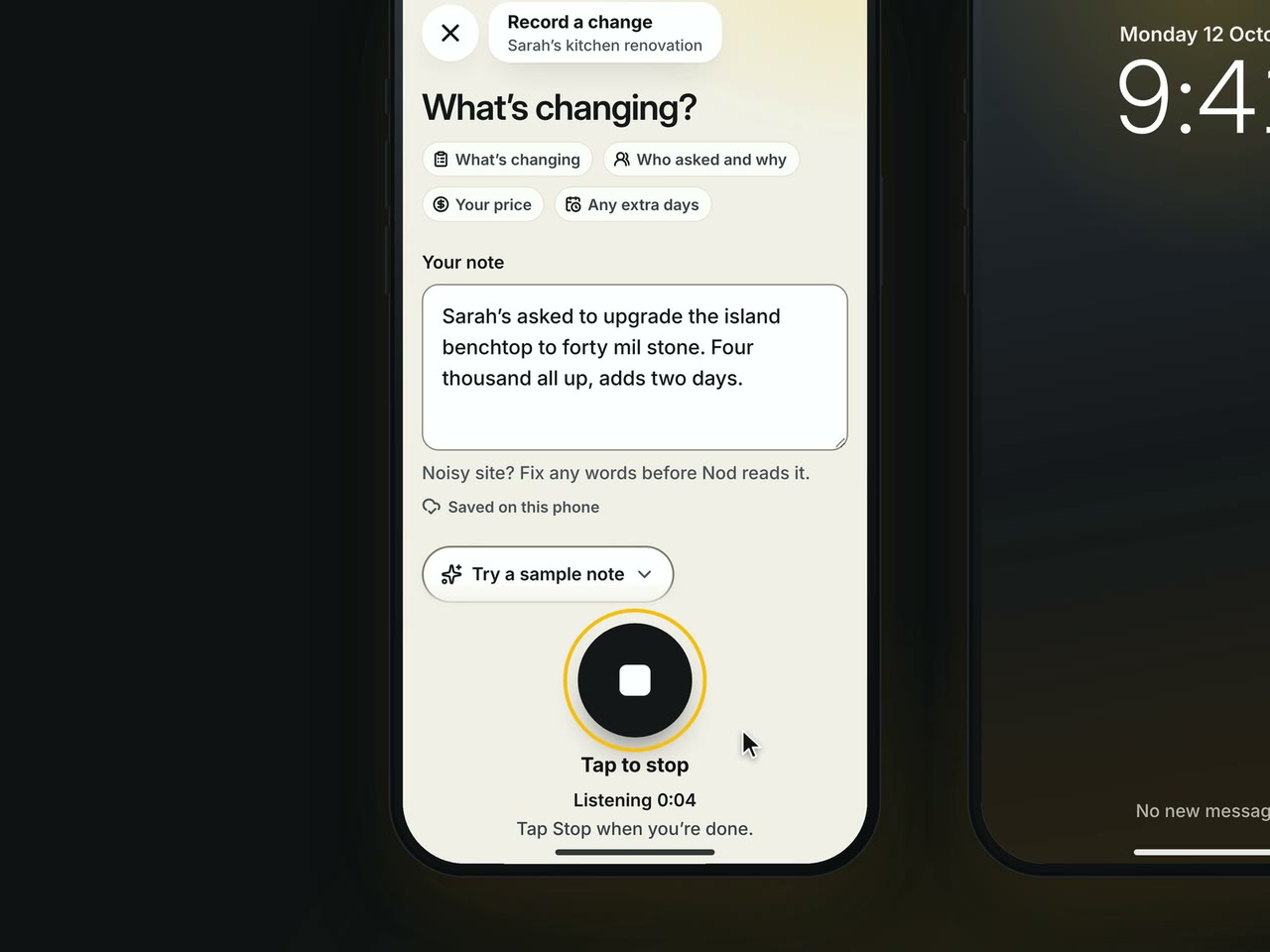
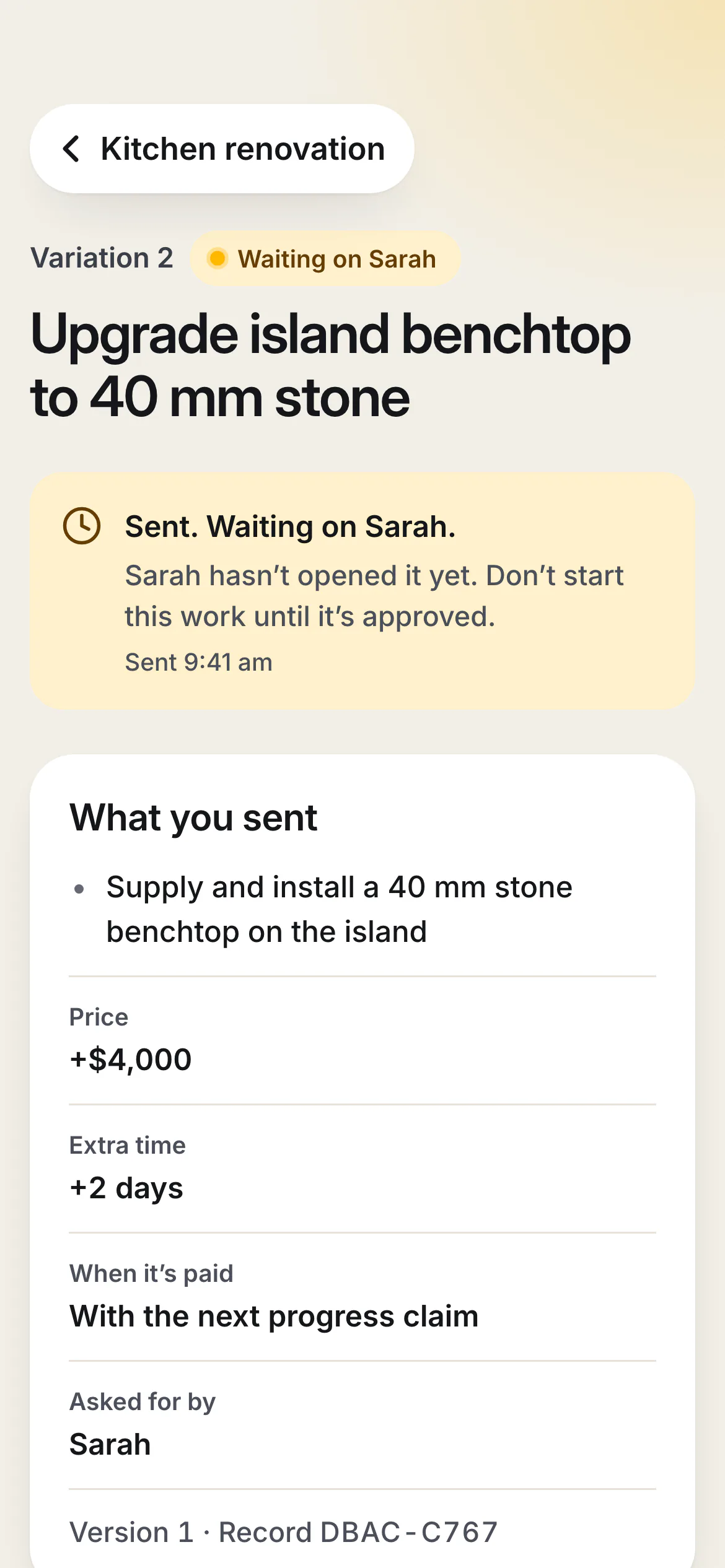
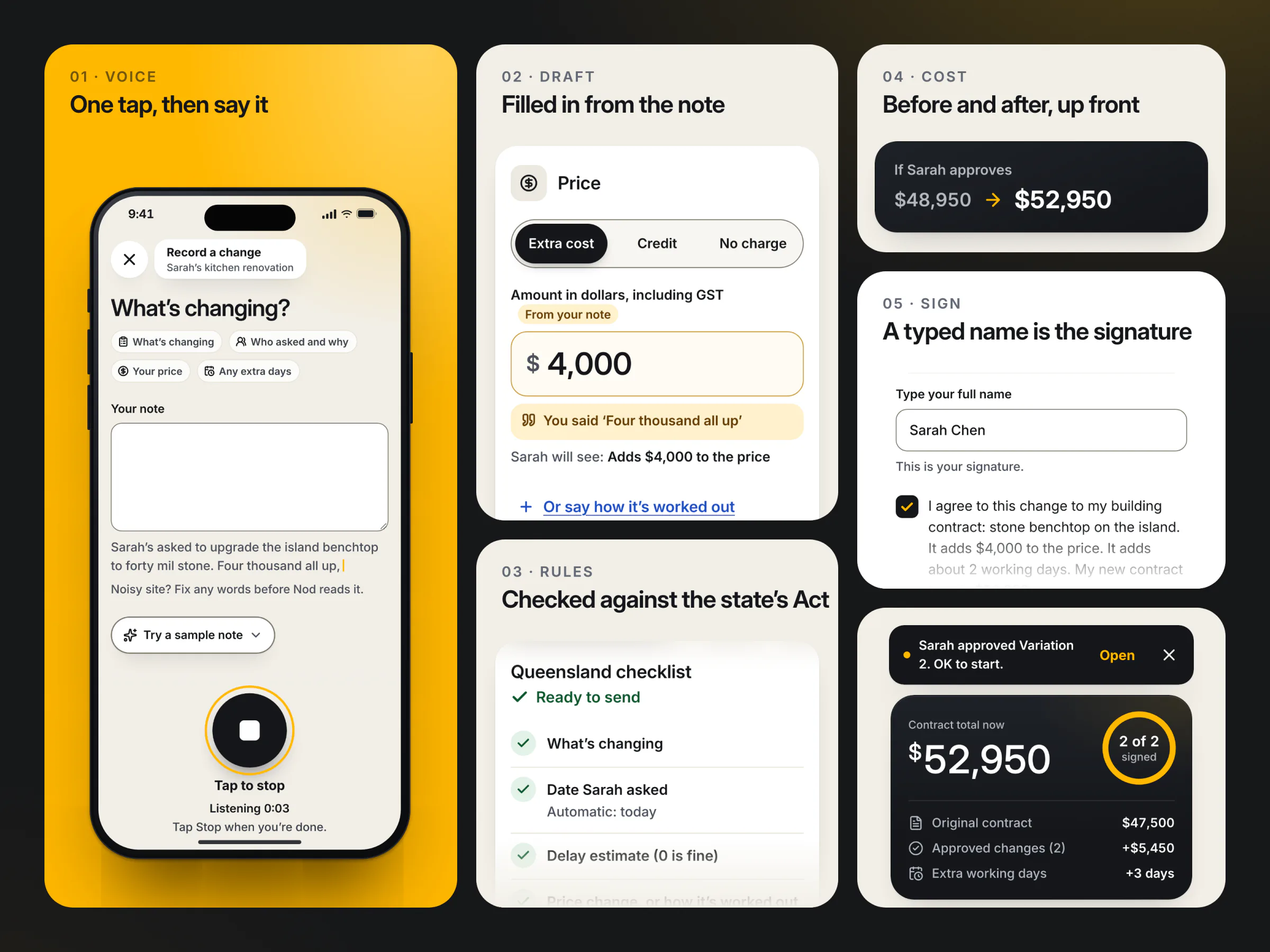
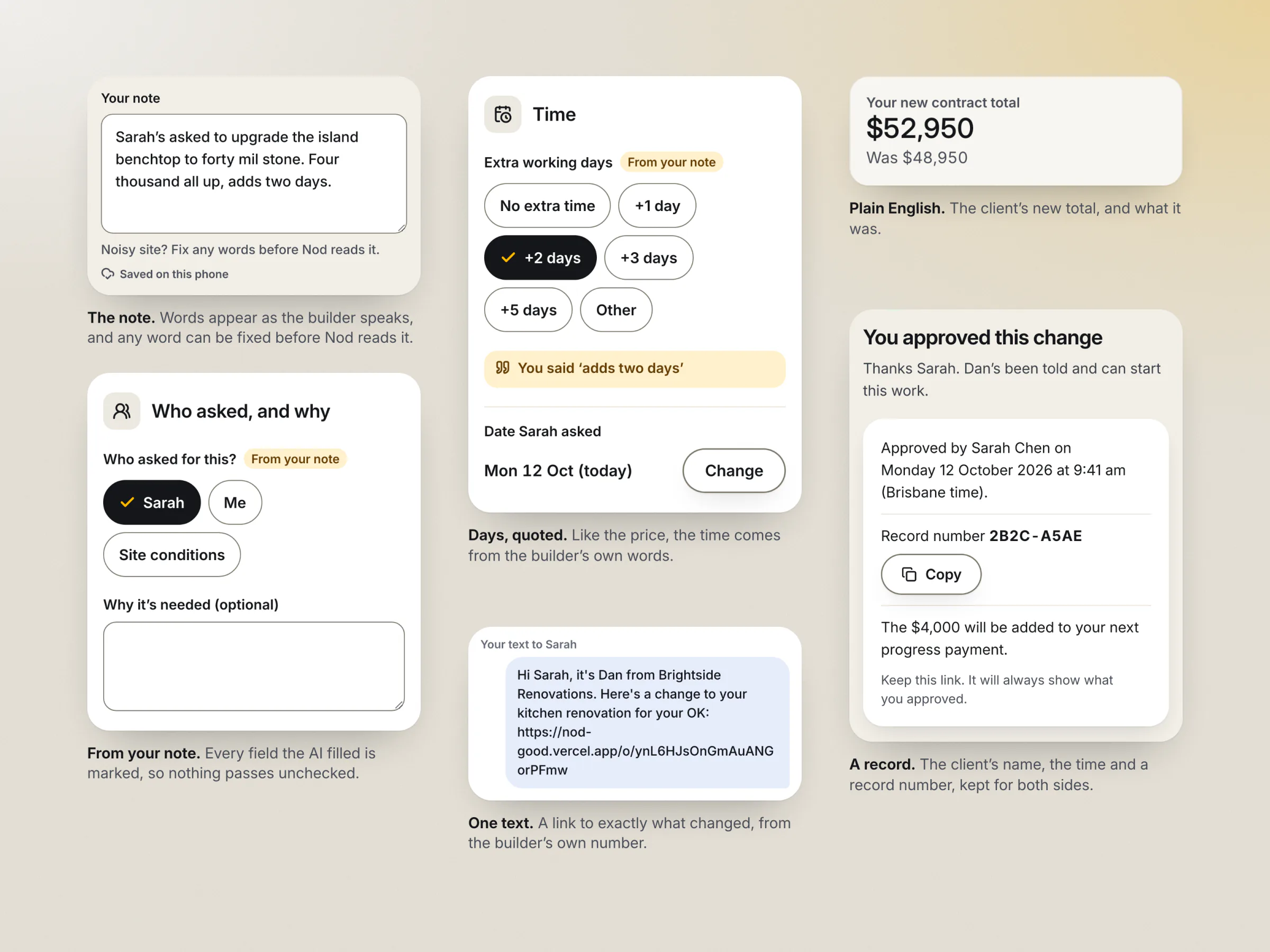
- Say it. On the job, Dan taps Record a change and speaks: "Sarah's asked to upgrade the island benchtop to forty mil stone. Four thousand all up, adds two days." His words appear as he talks, and he can fix any of them before Nod reads the note.
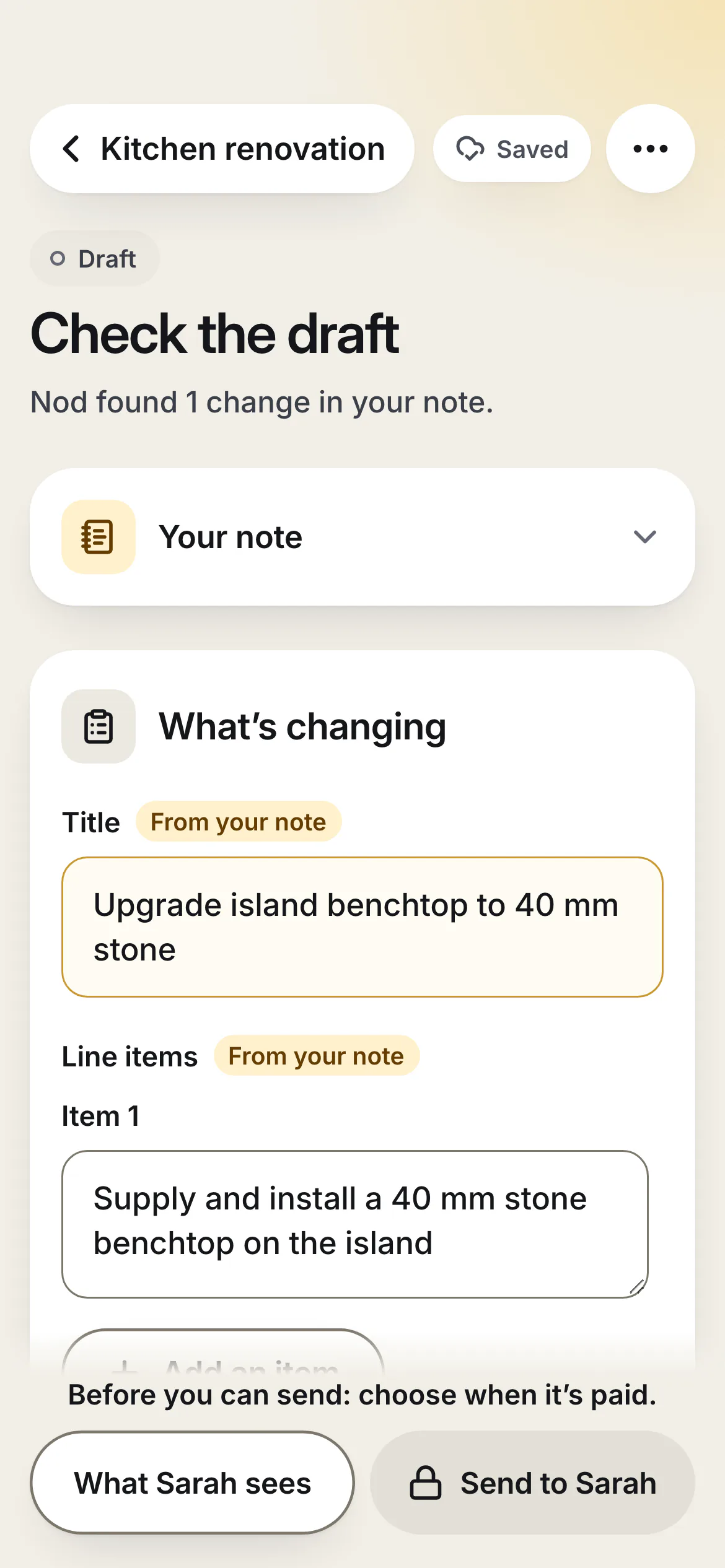
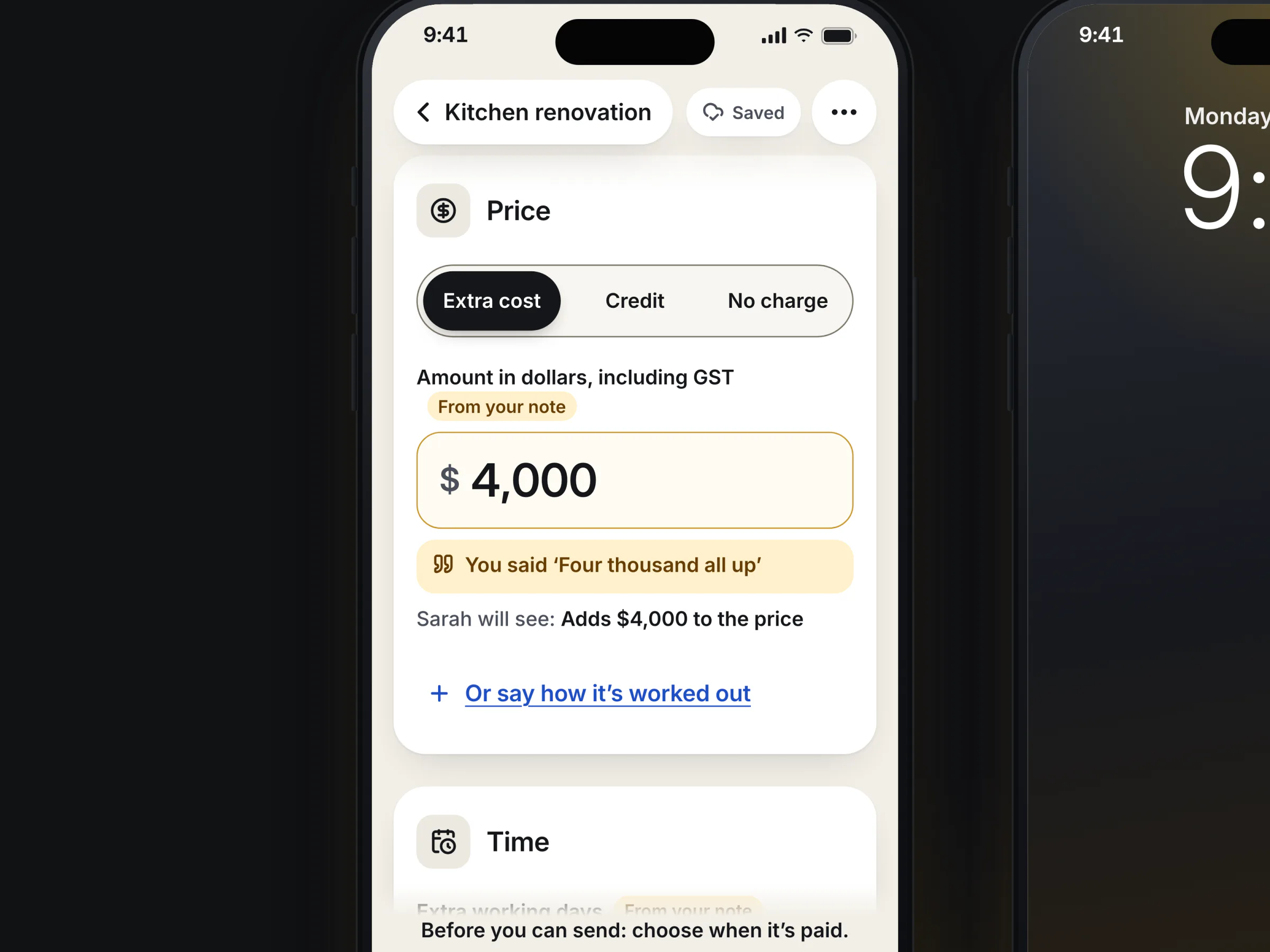
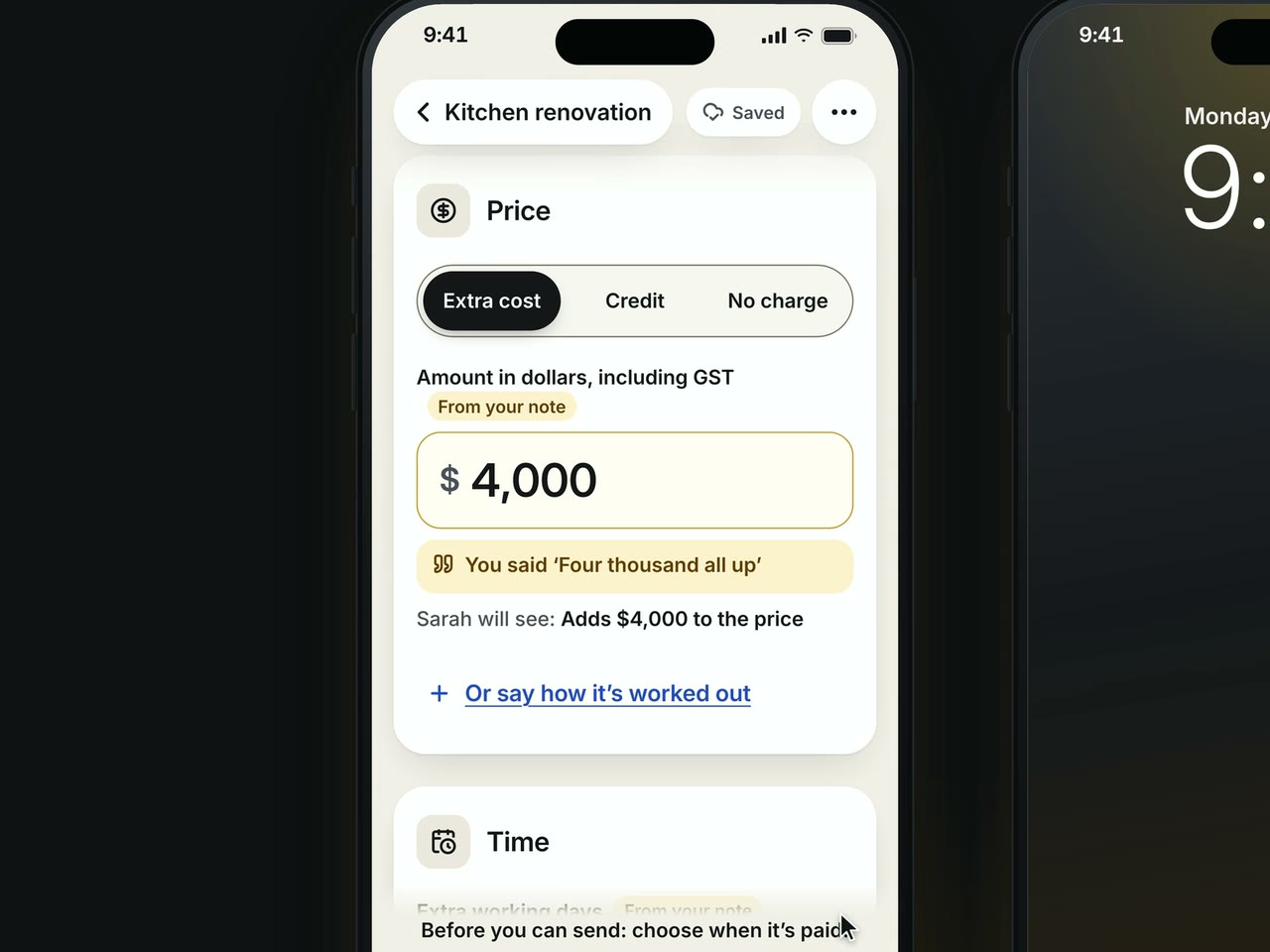
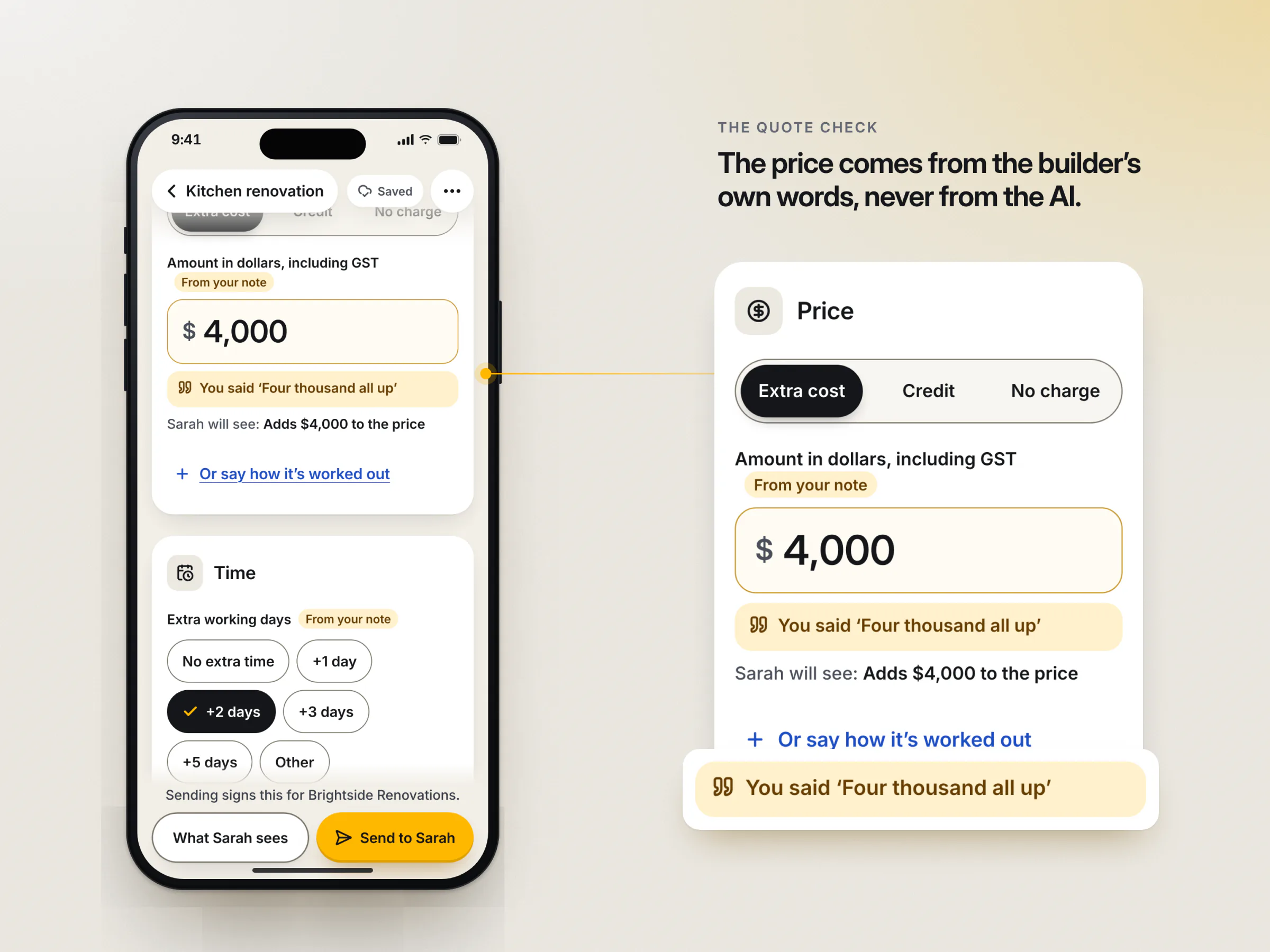
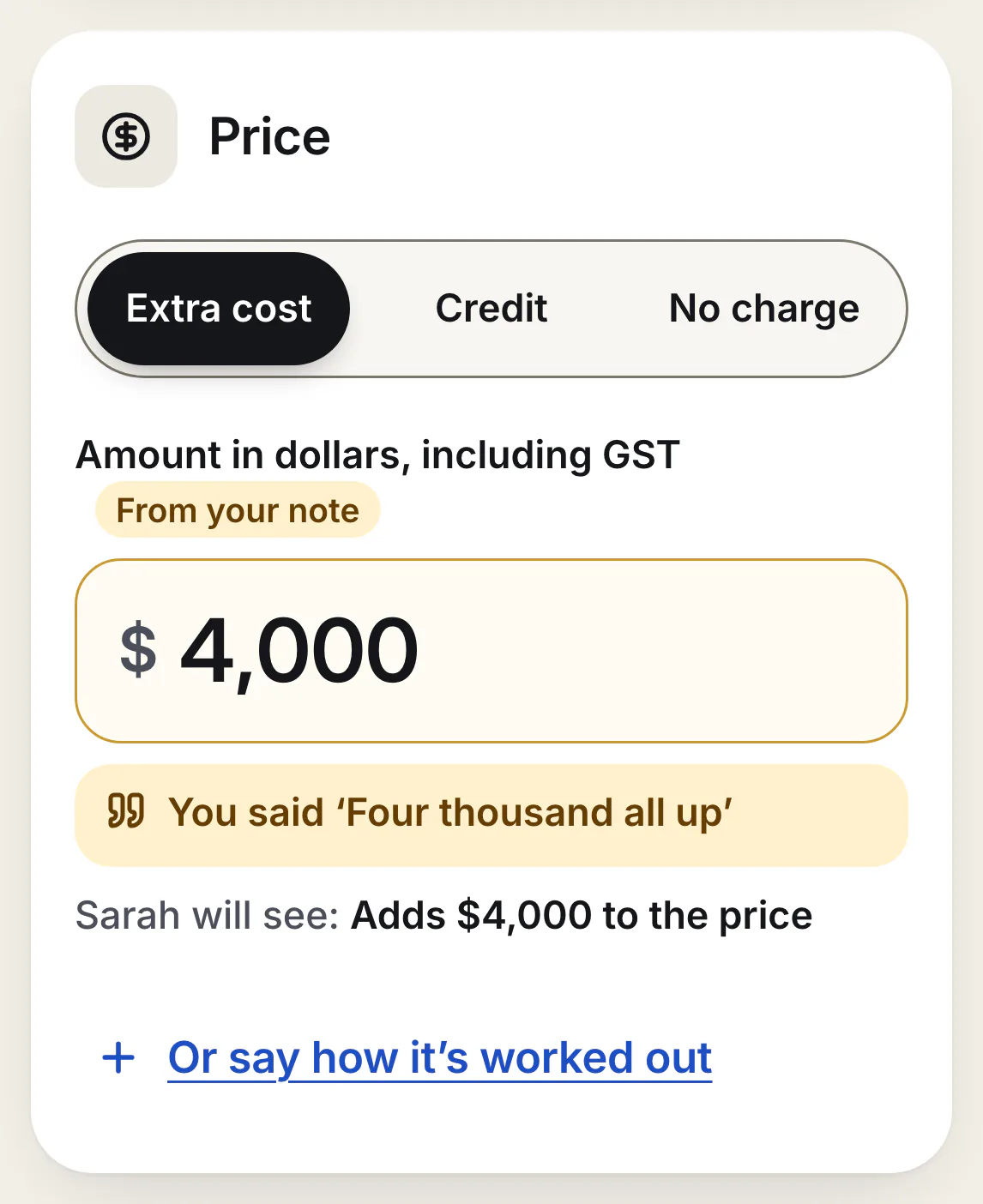
- Nod drafts it. The note becomes a structured variation: what is changing, who asked, the price, the extra days. Every field the AI filled is marked "From your note", and the price shows the words it came from: You said 'Four thousand all up'.
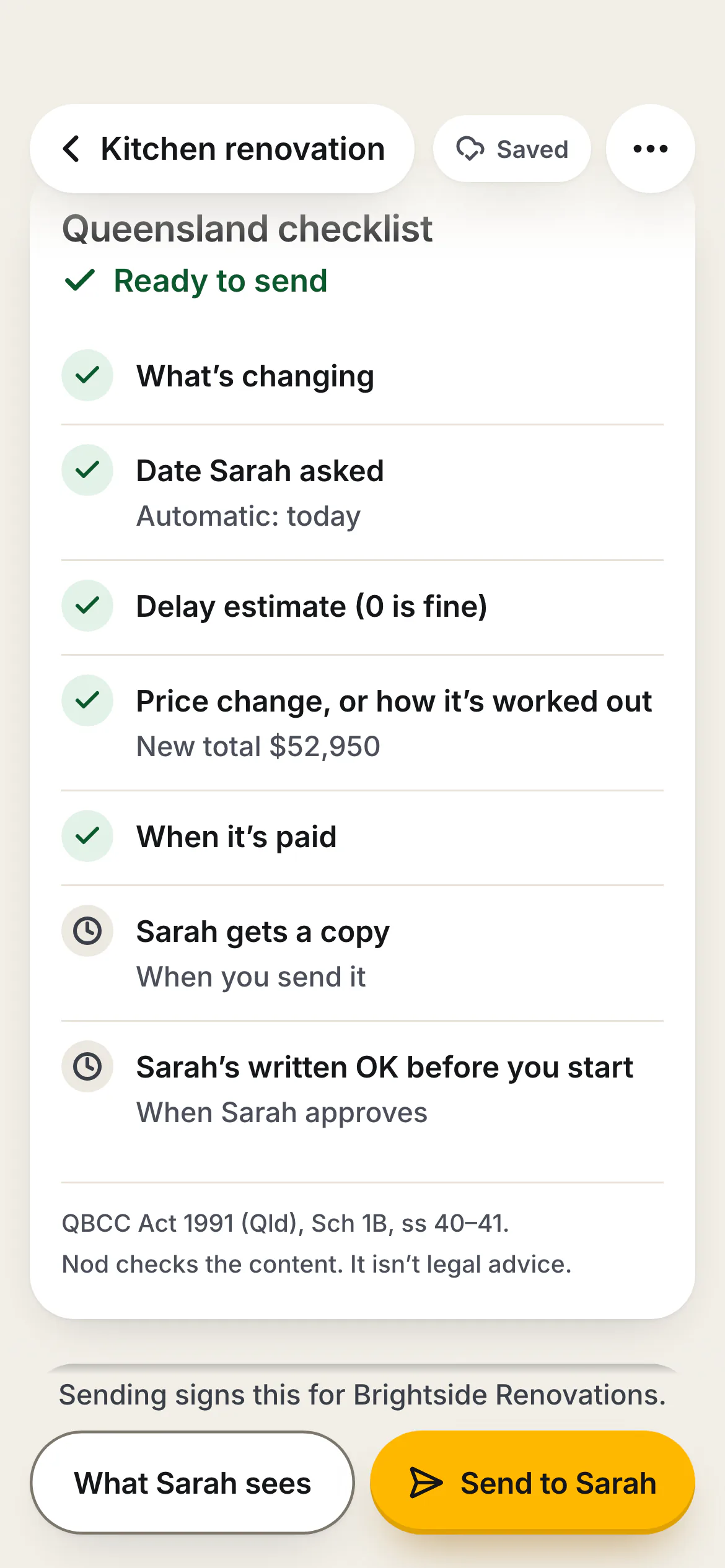
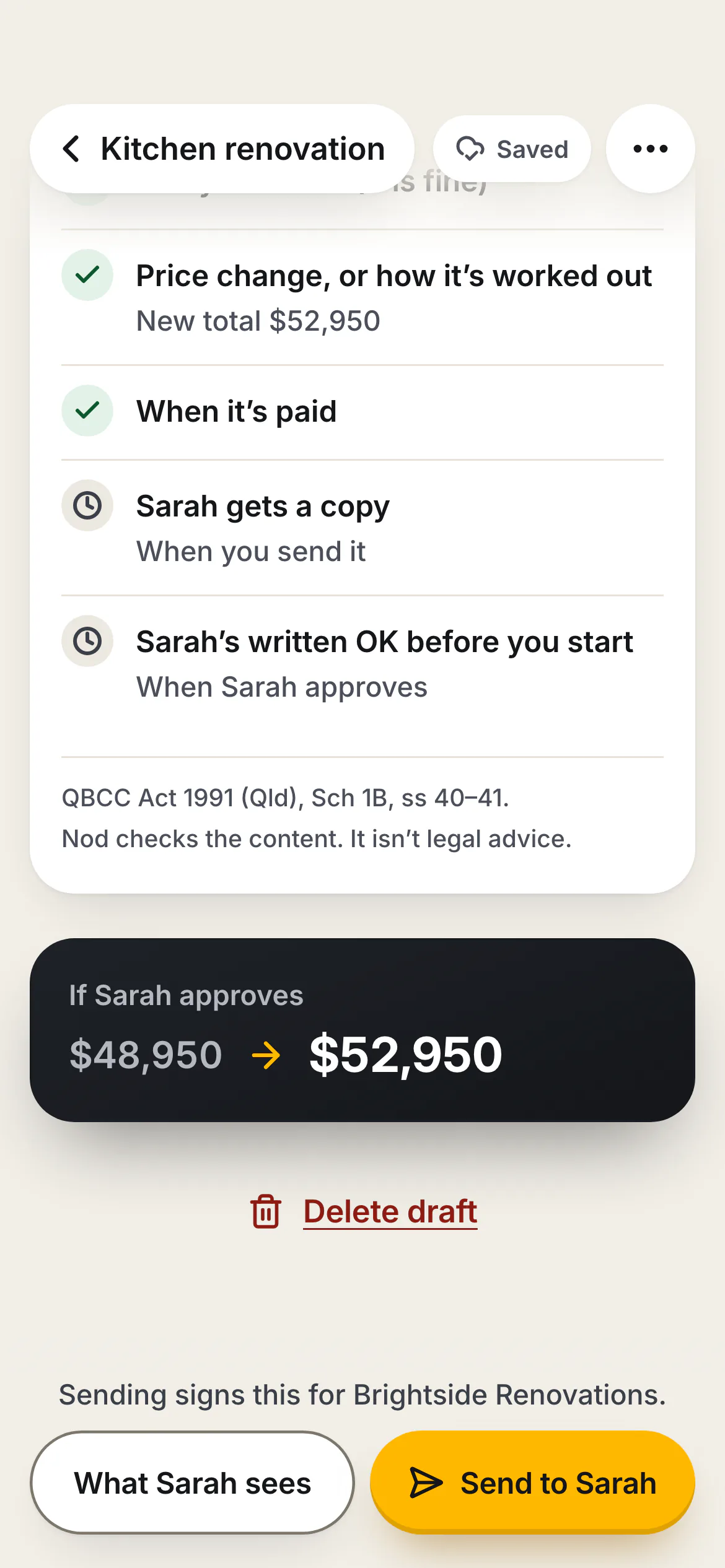
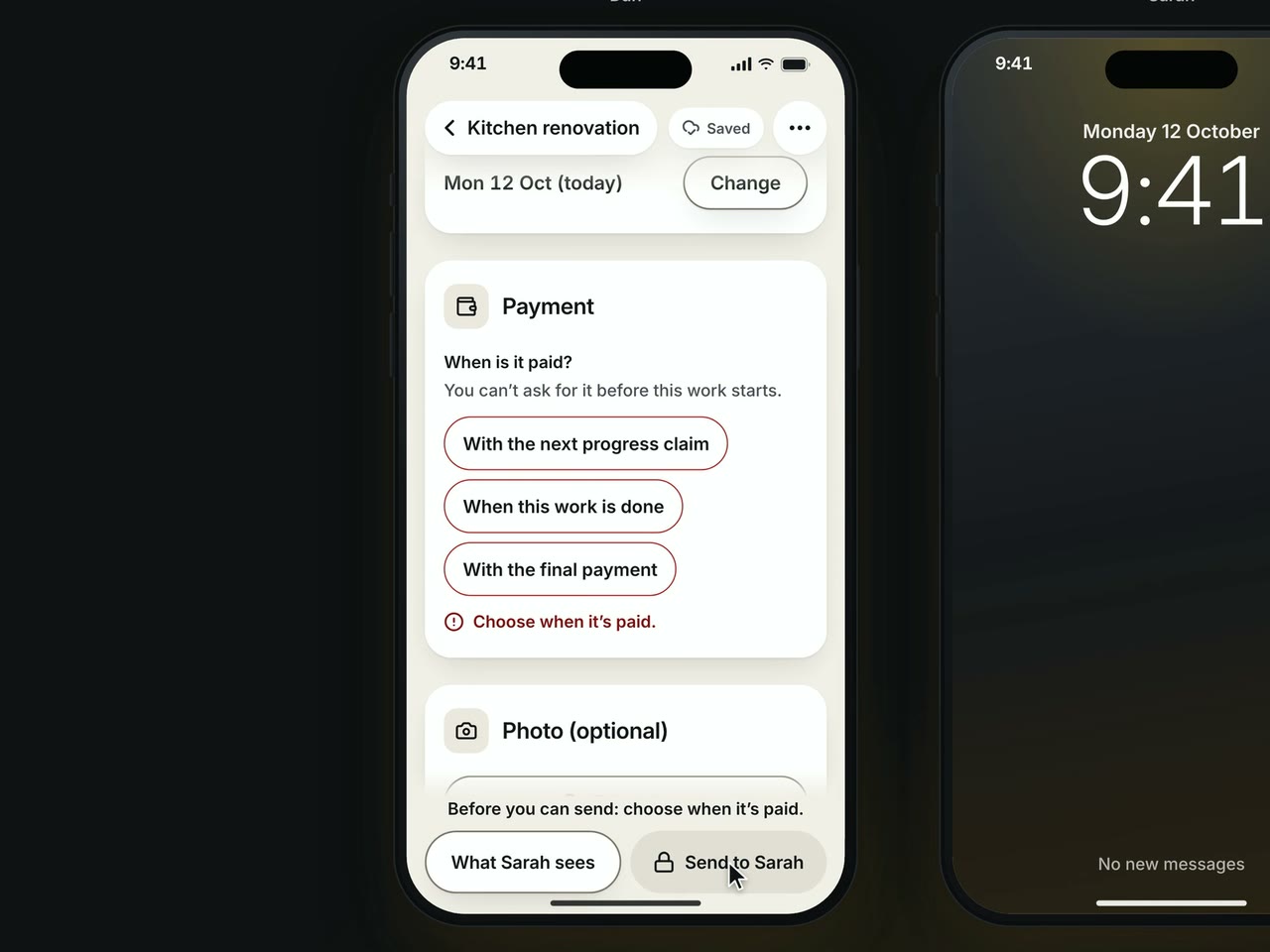
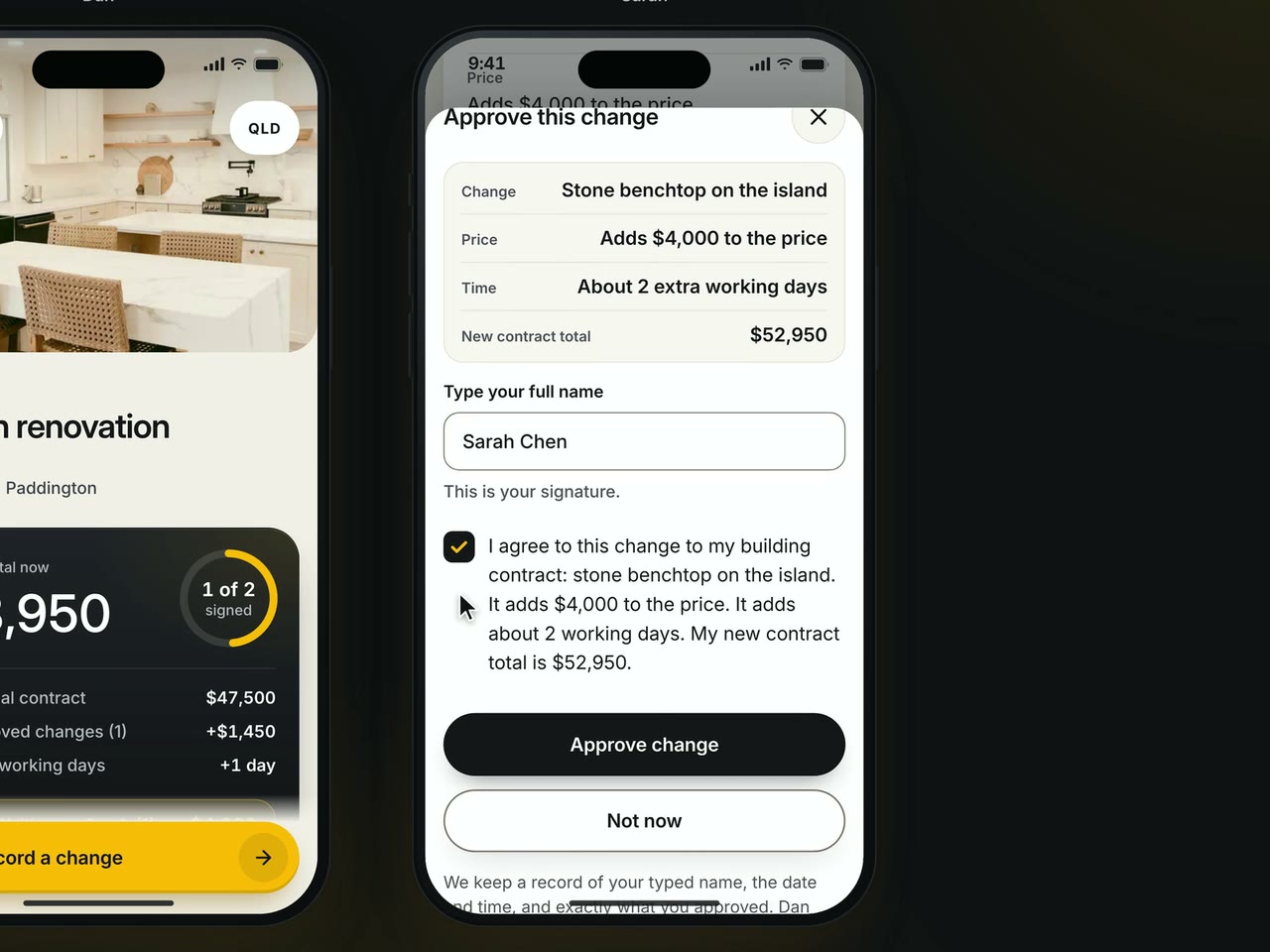
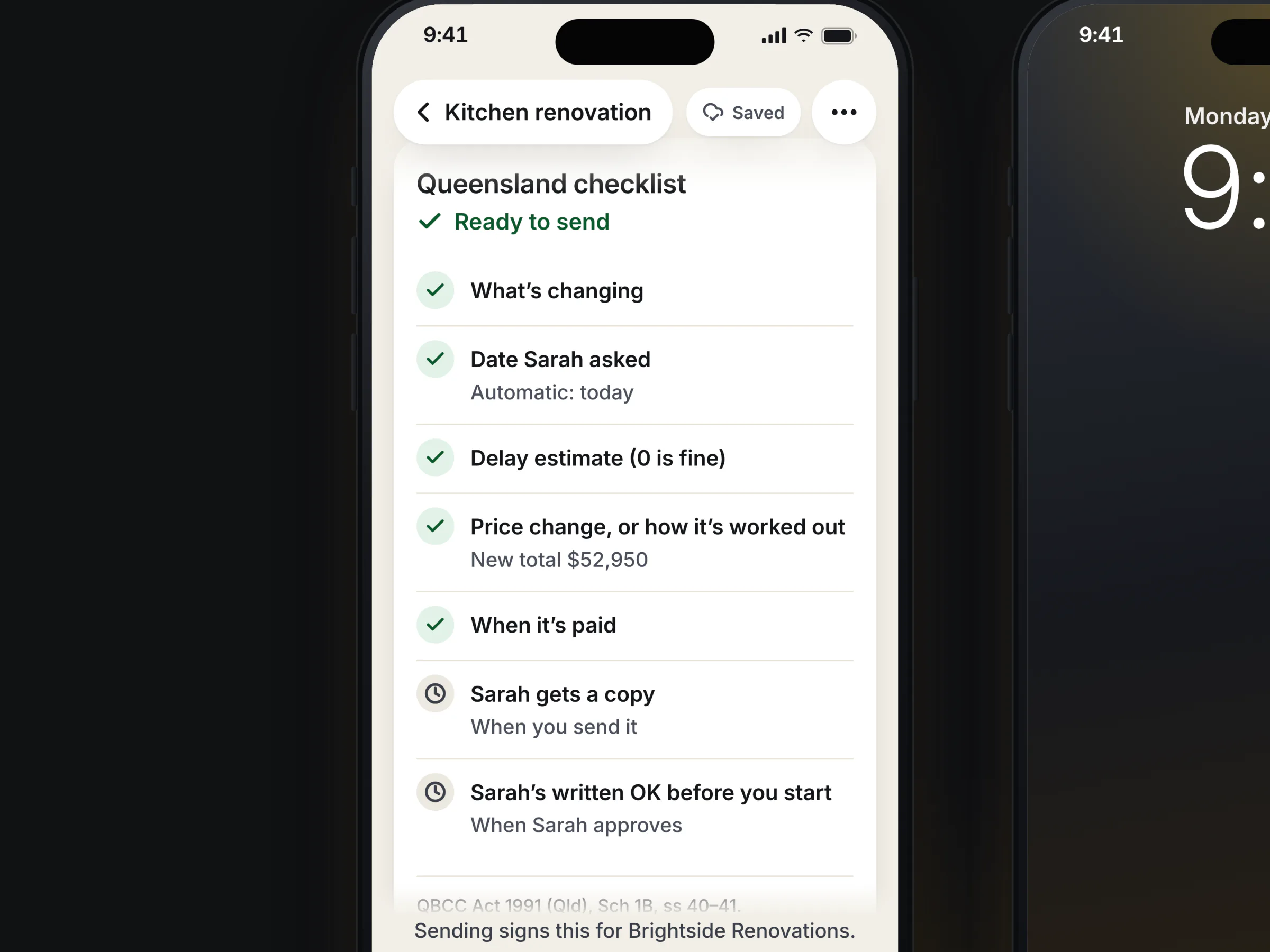
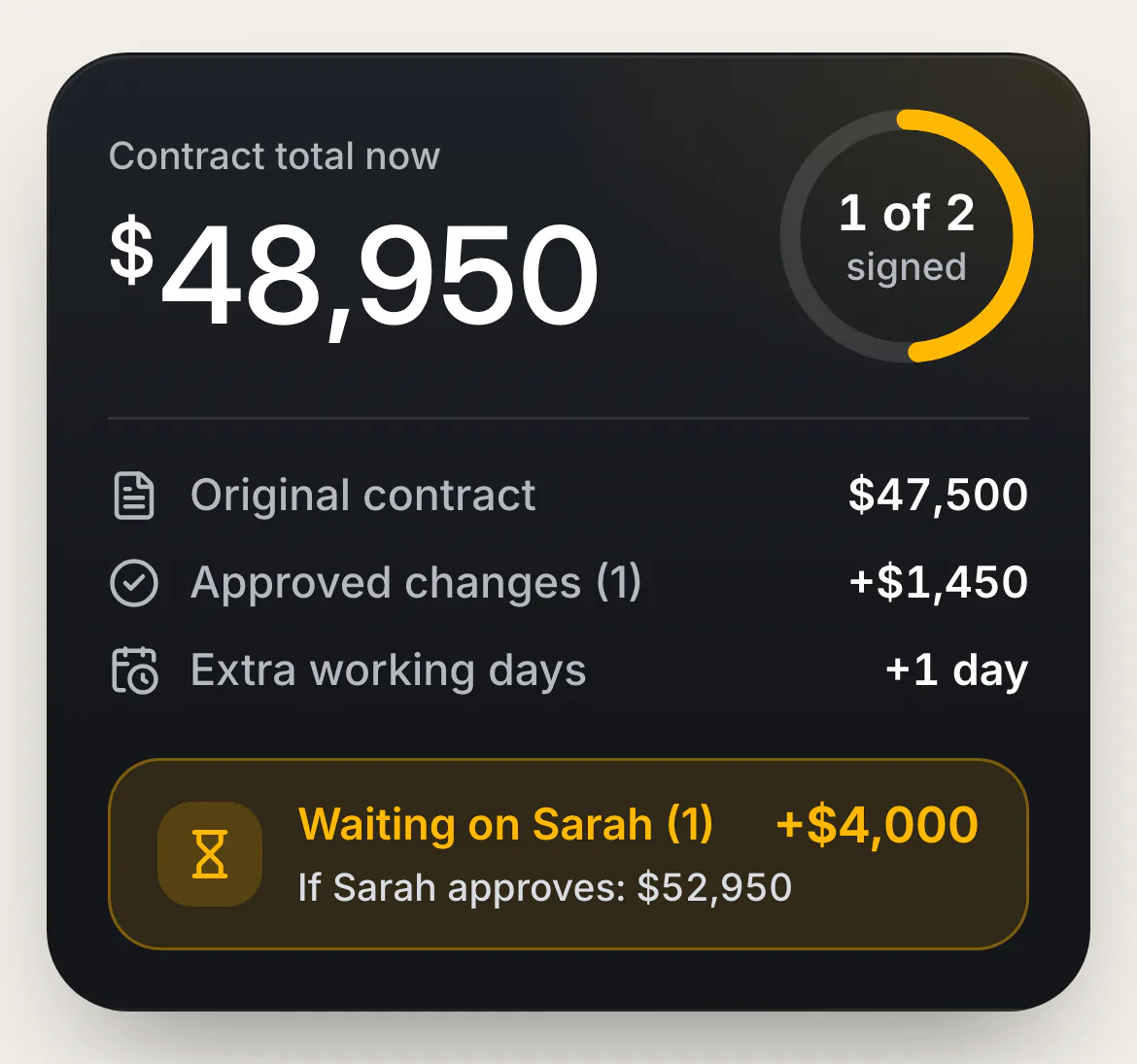
- The rules check it. A Queensland checklist runs as Dan edits. A locked Send names the one thing missing and takes him to it. Before he sends, he sees Sarah's total before and after: $48,950 to $52,950.
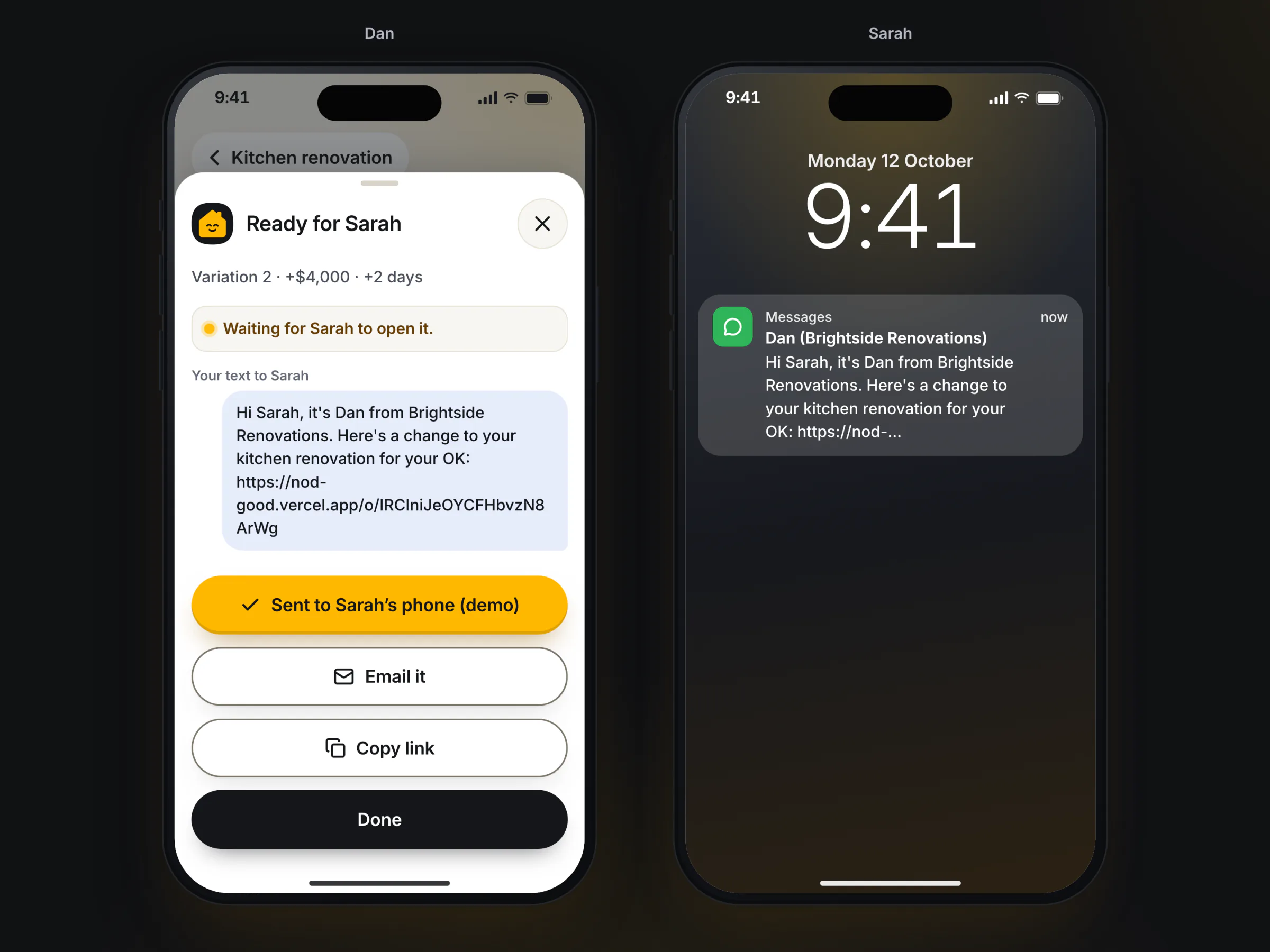
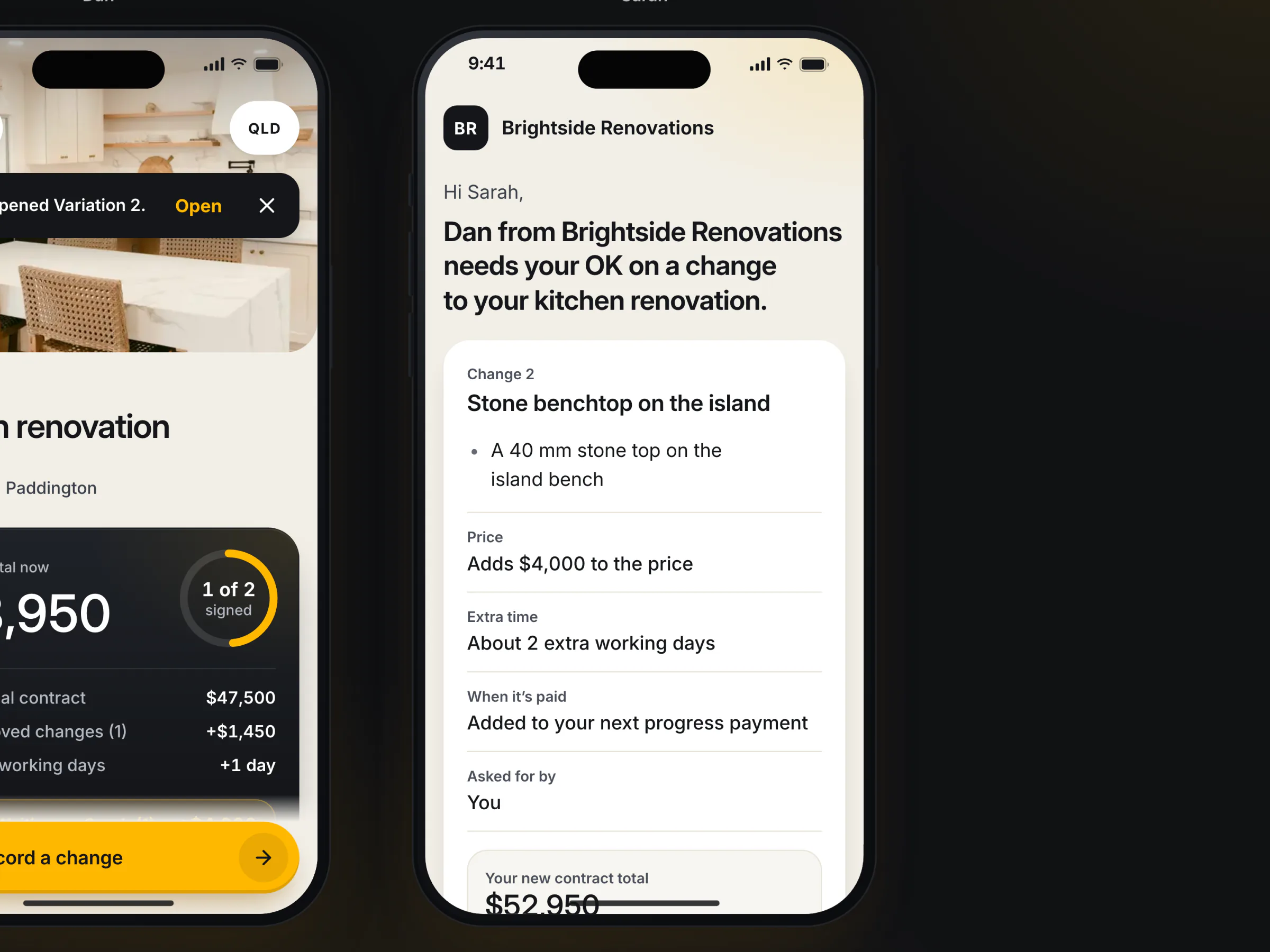
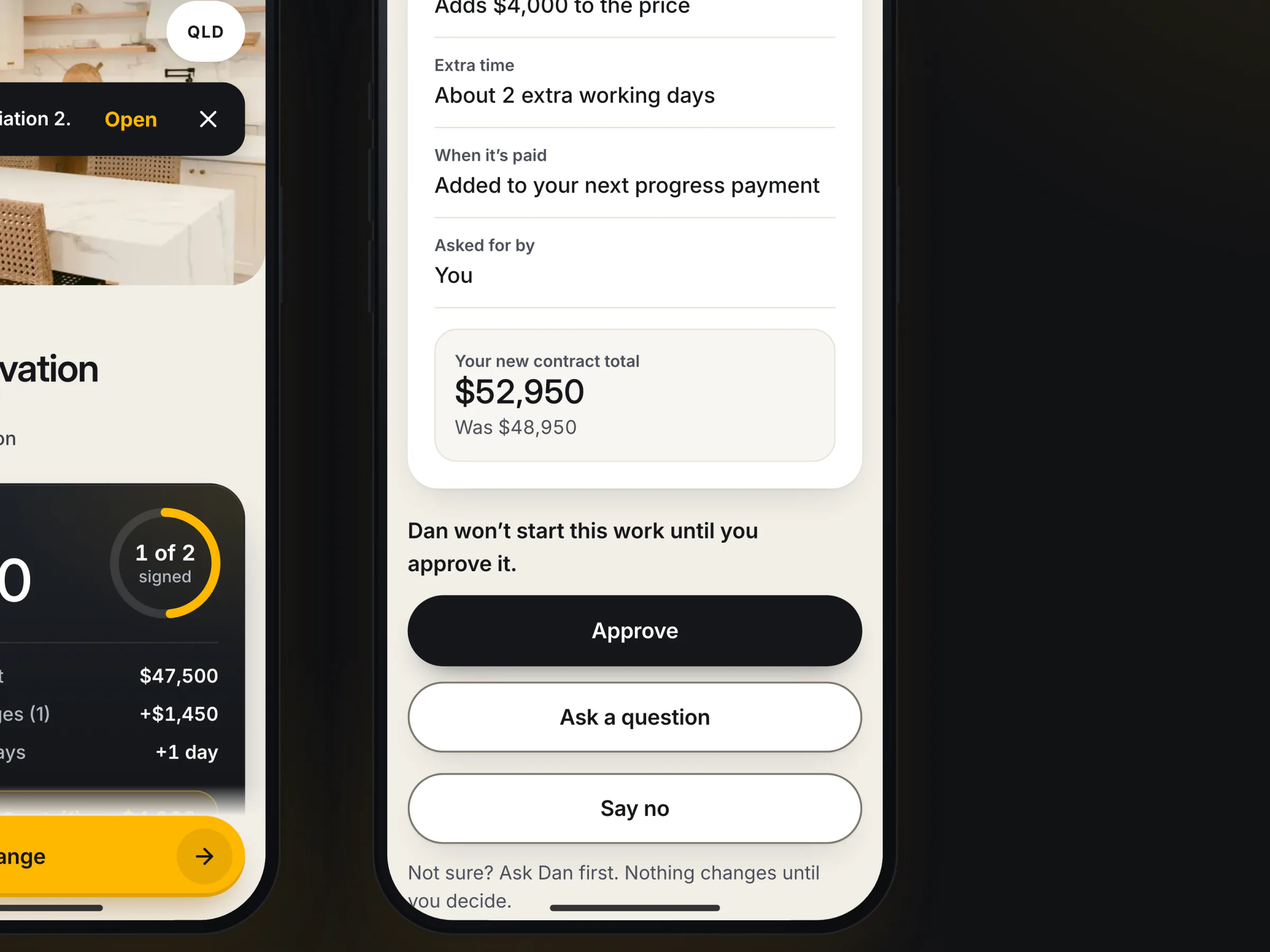
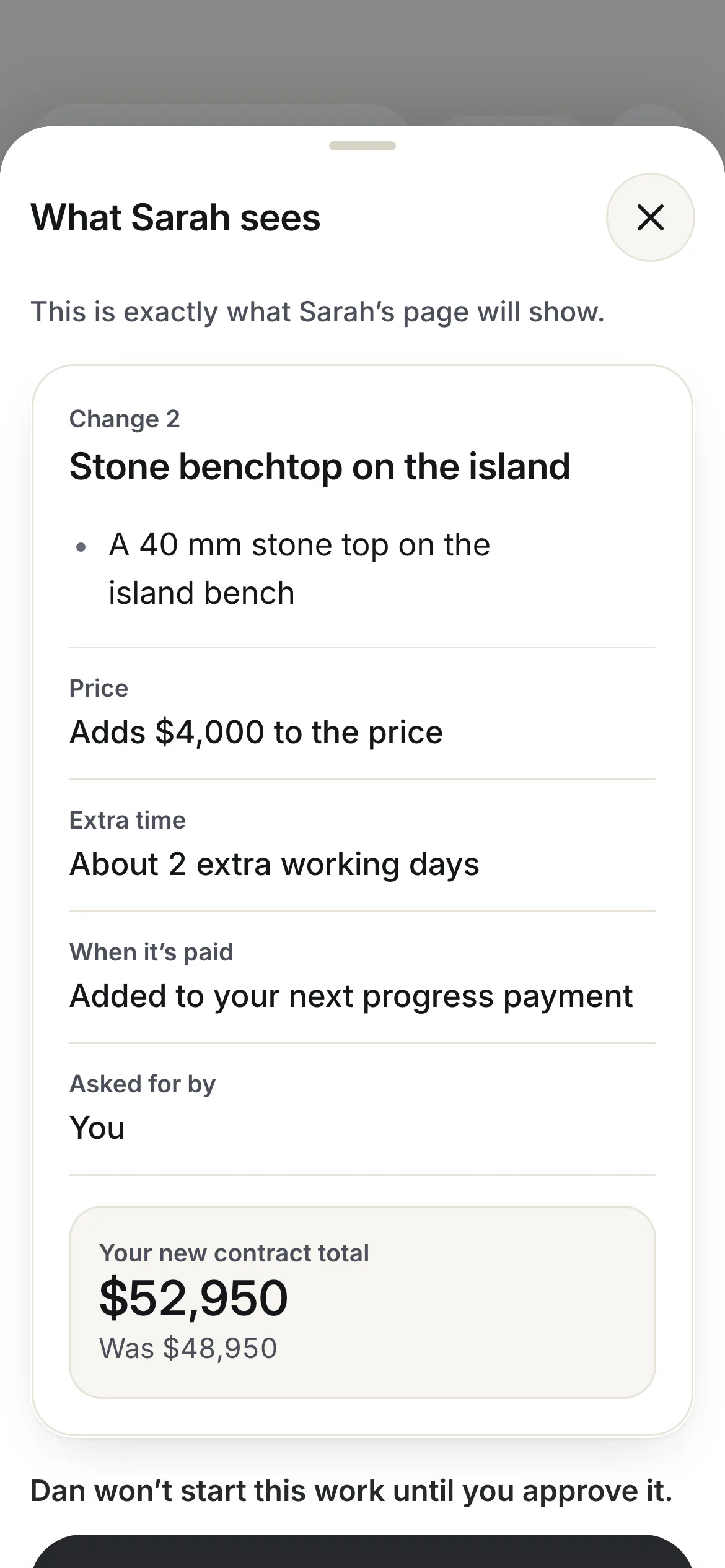
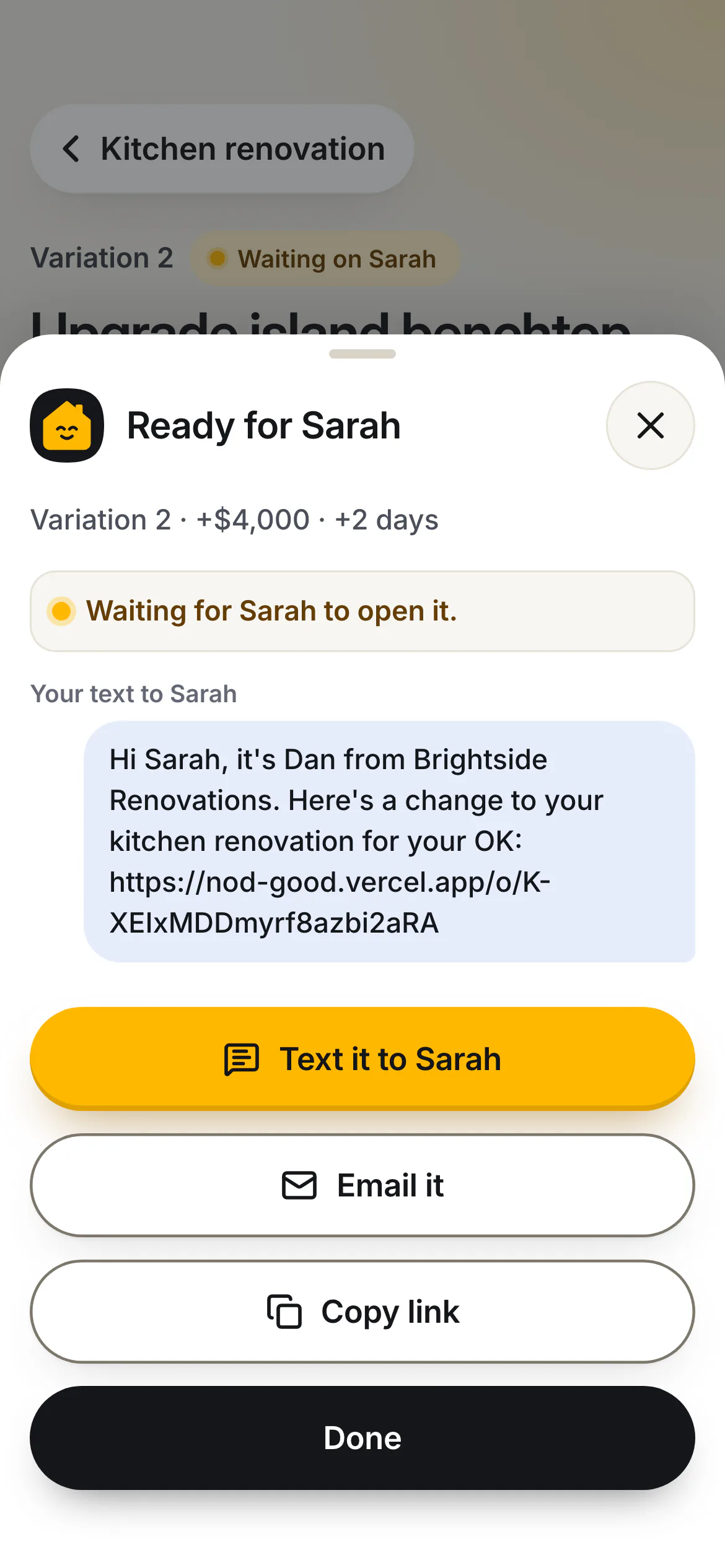
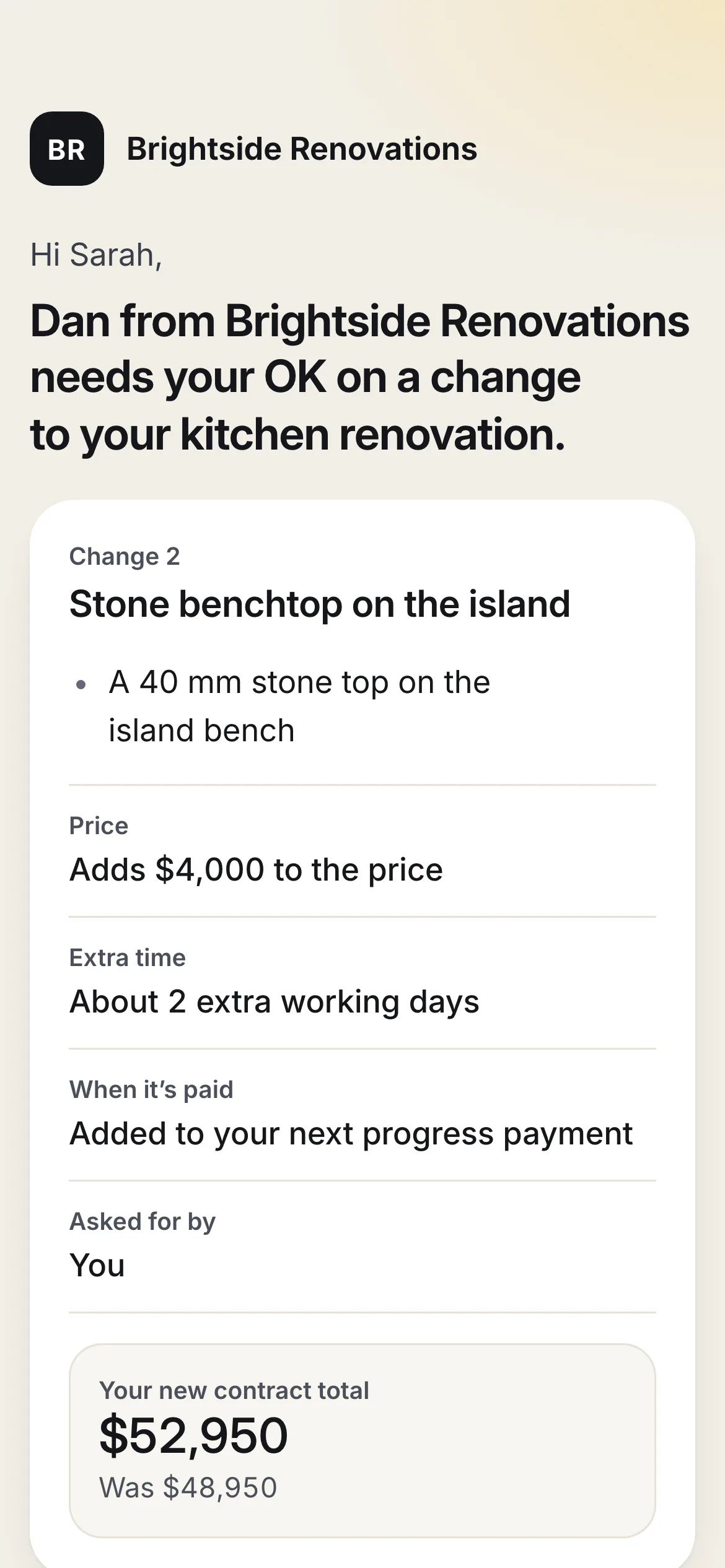
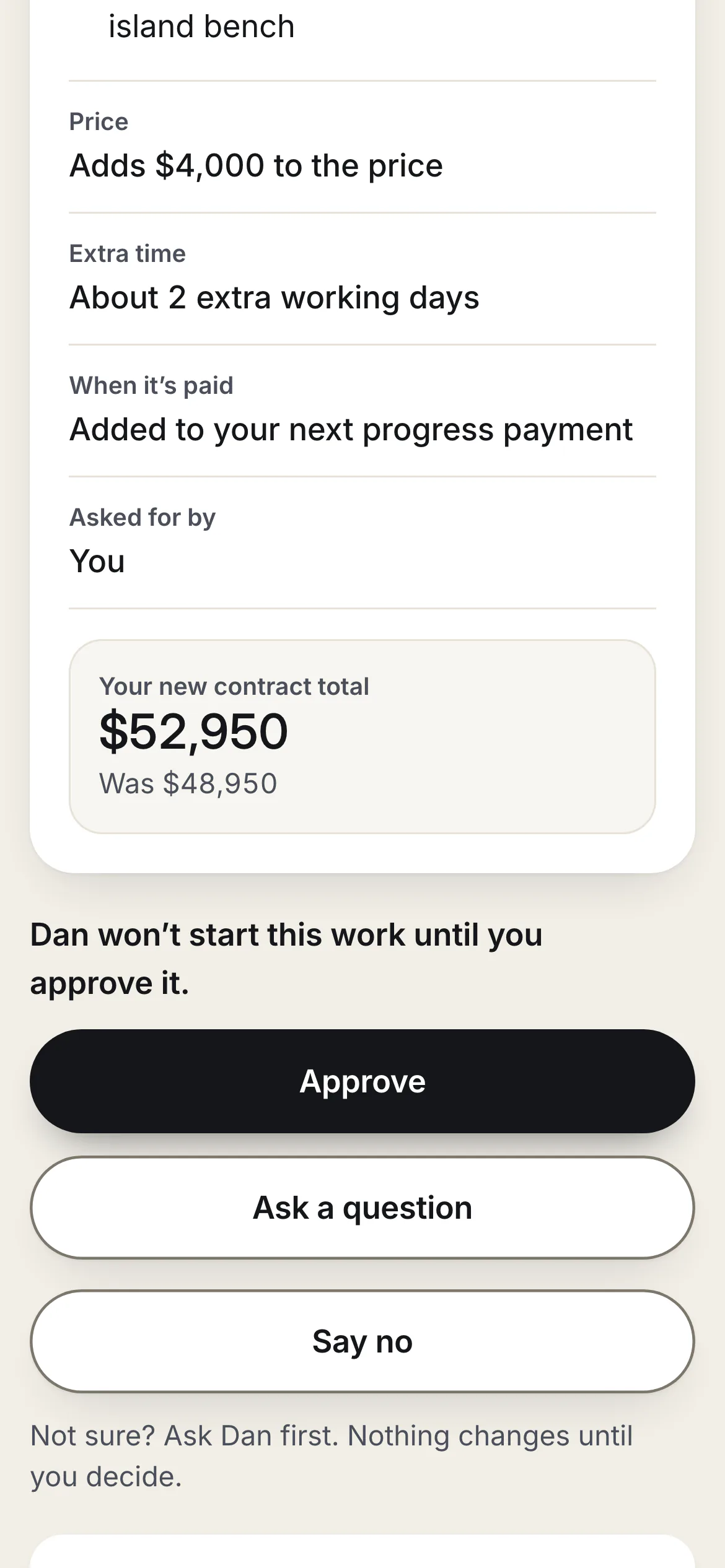
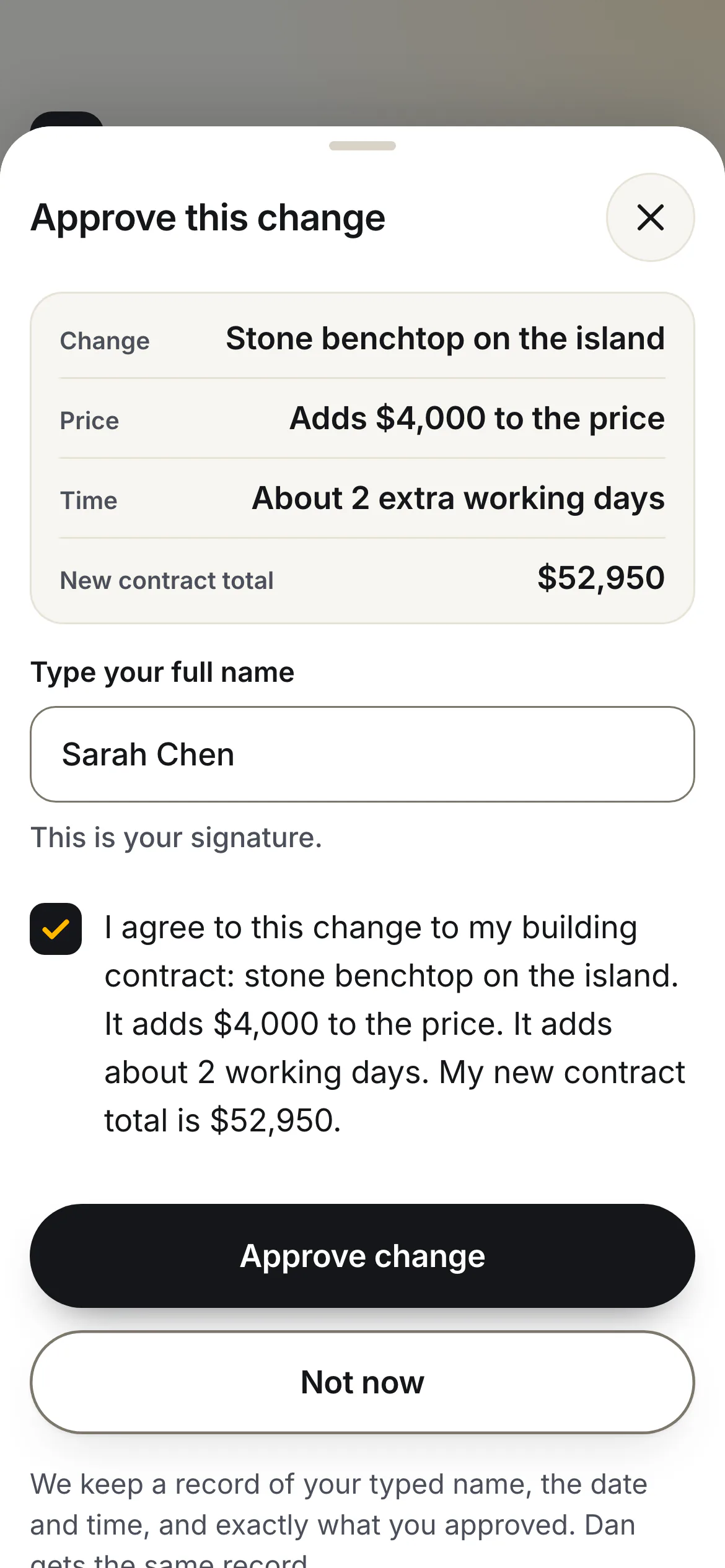
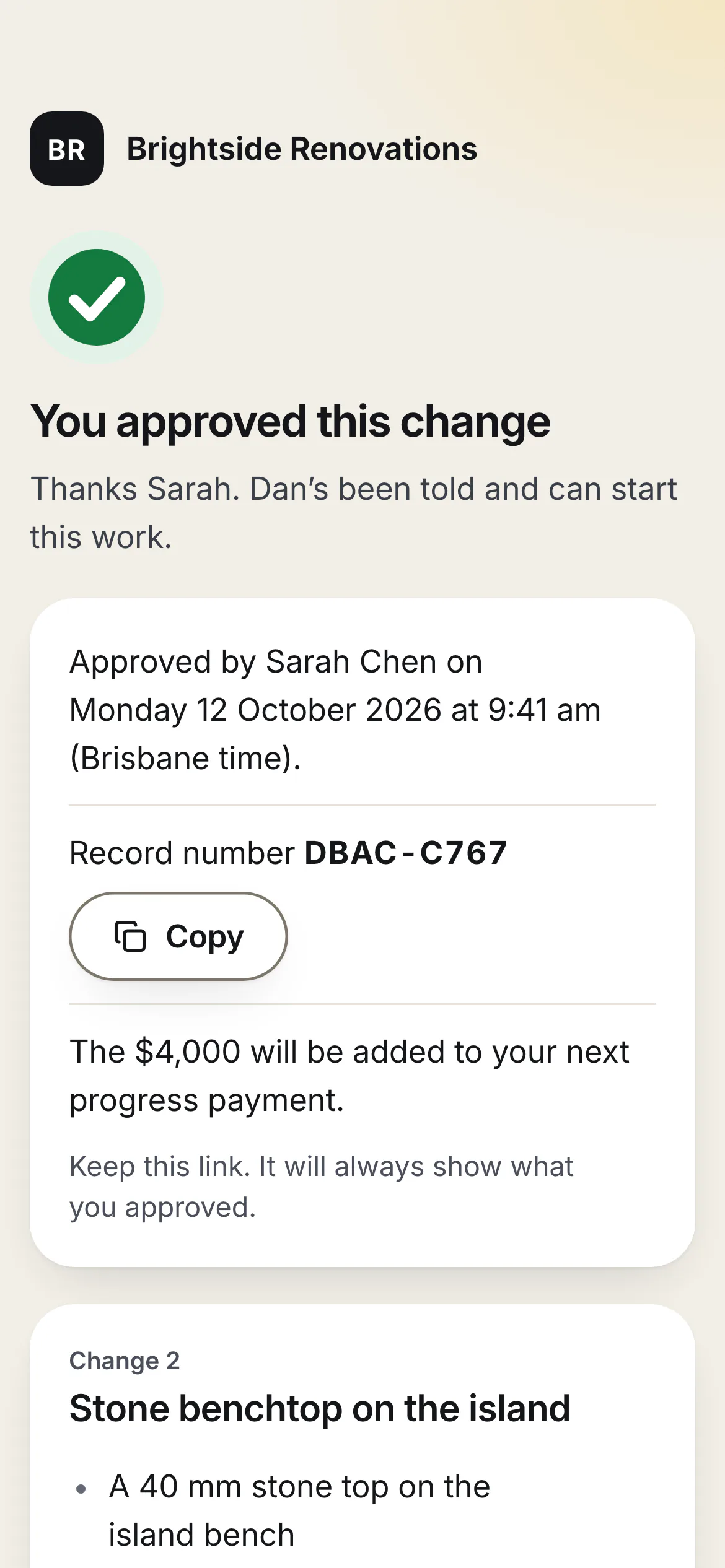
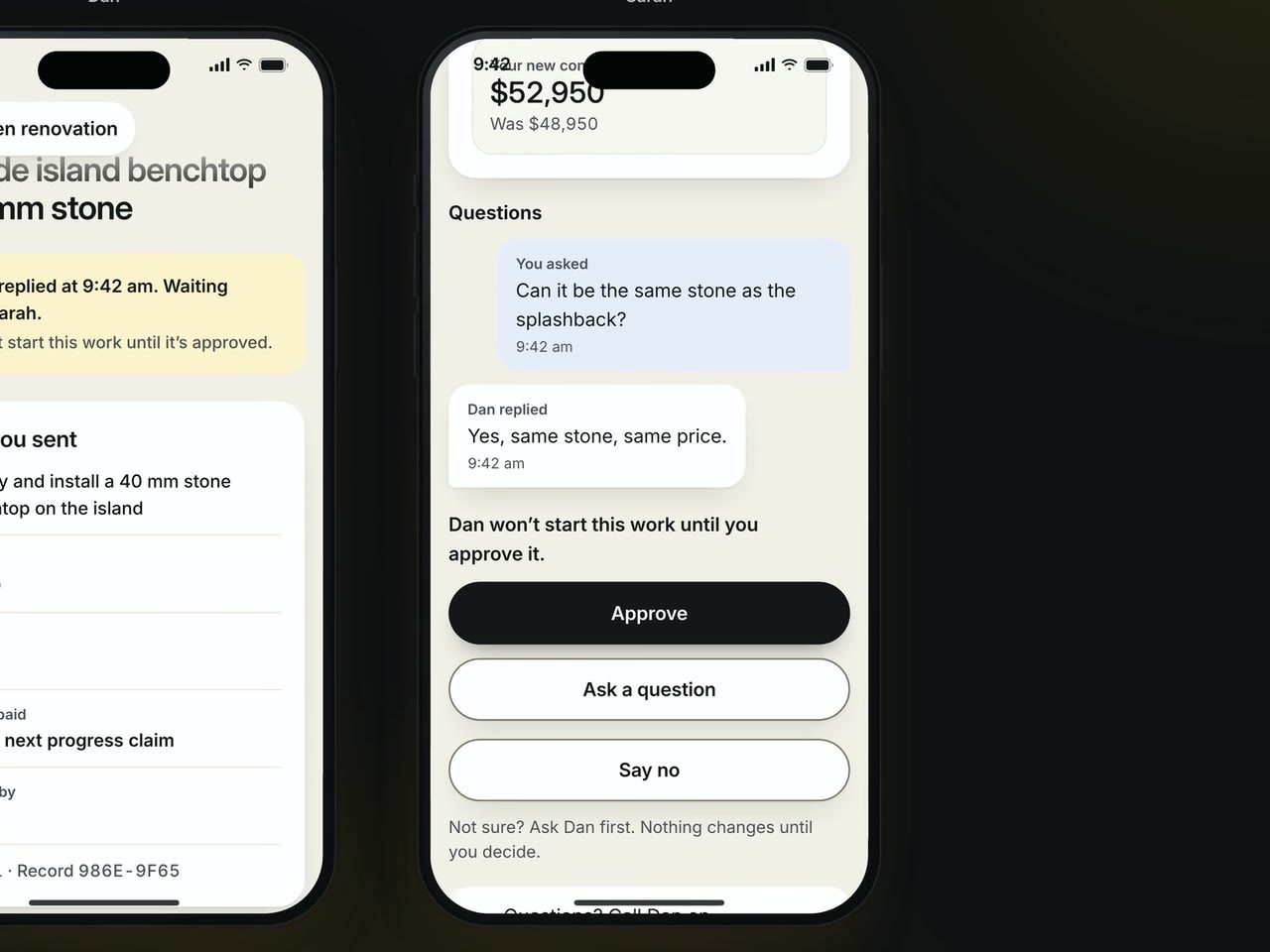
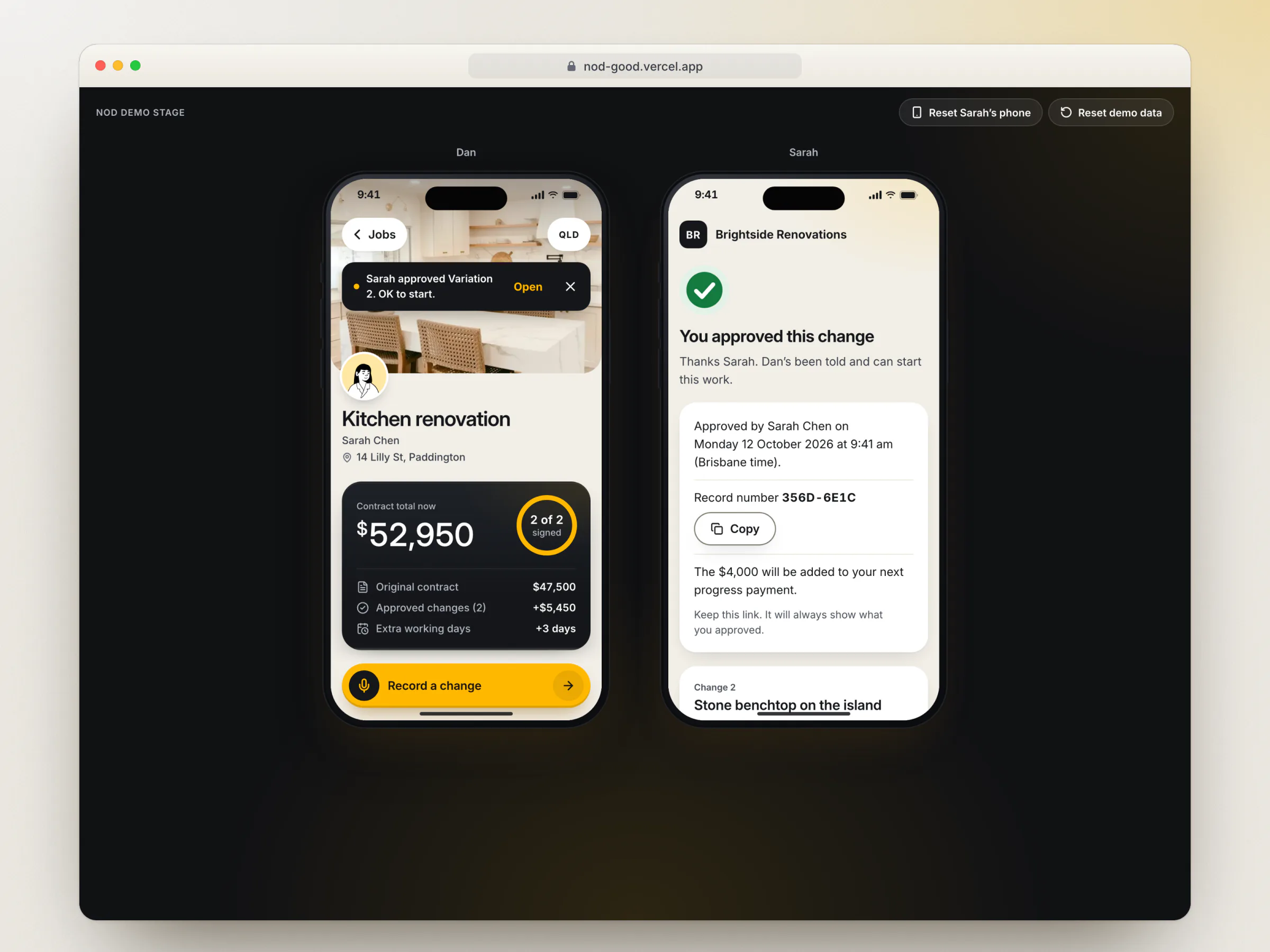
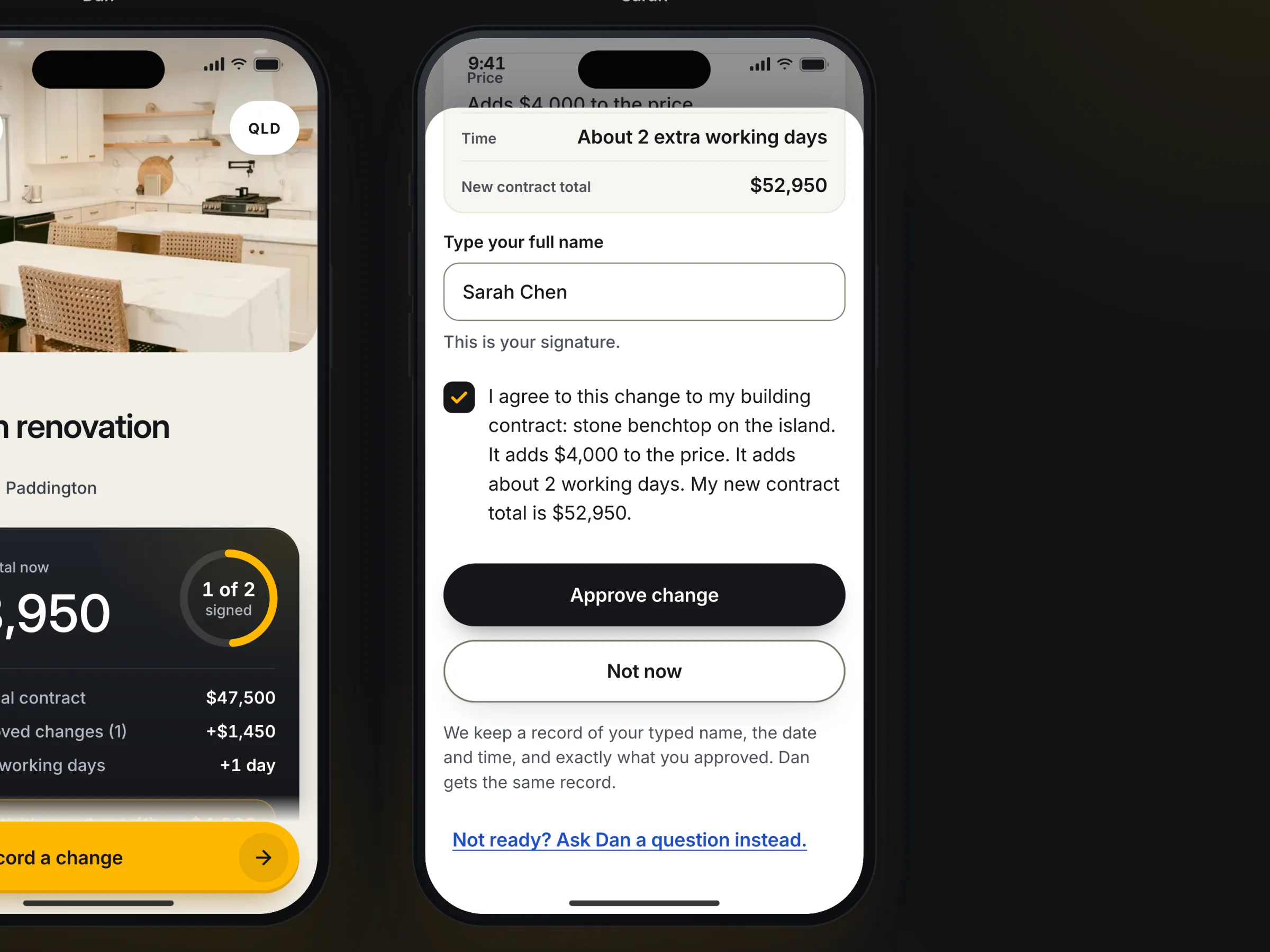
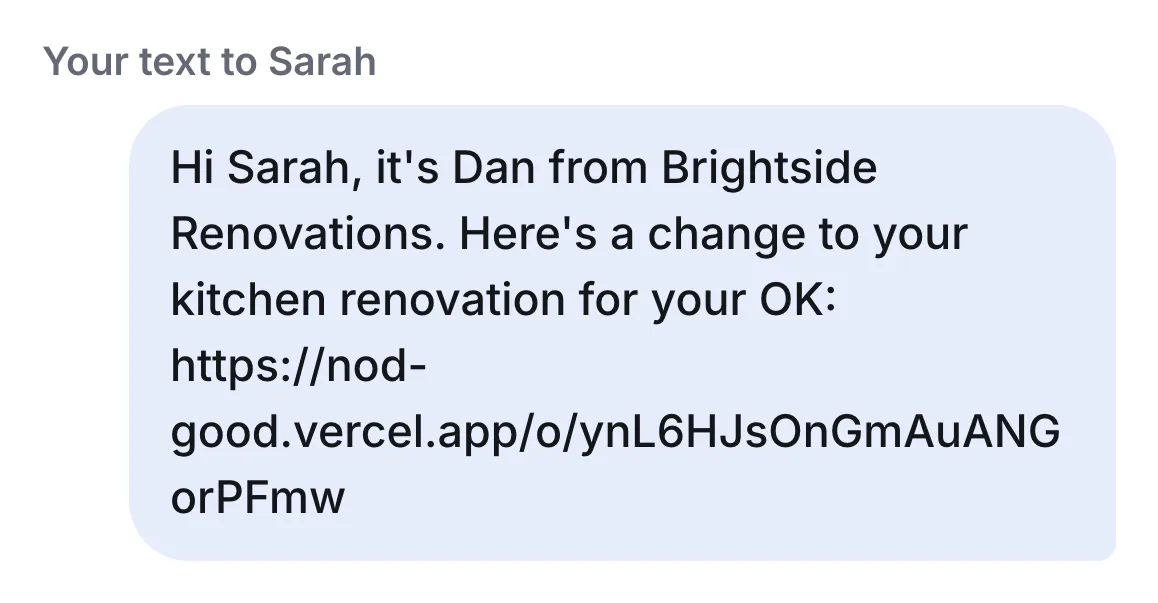
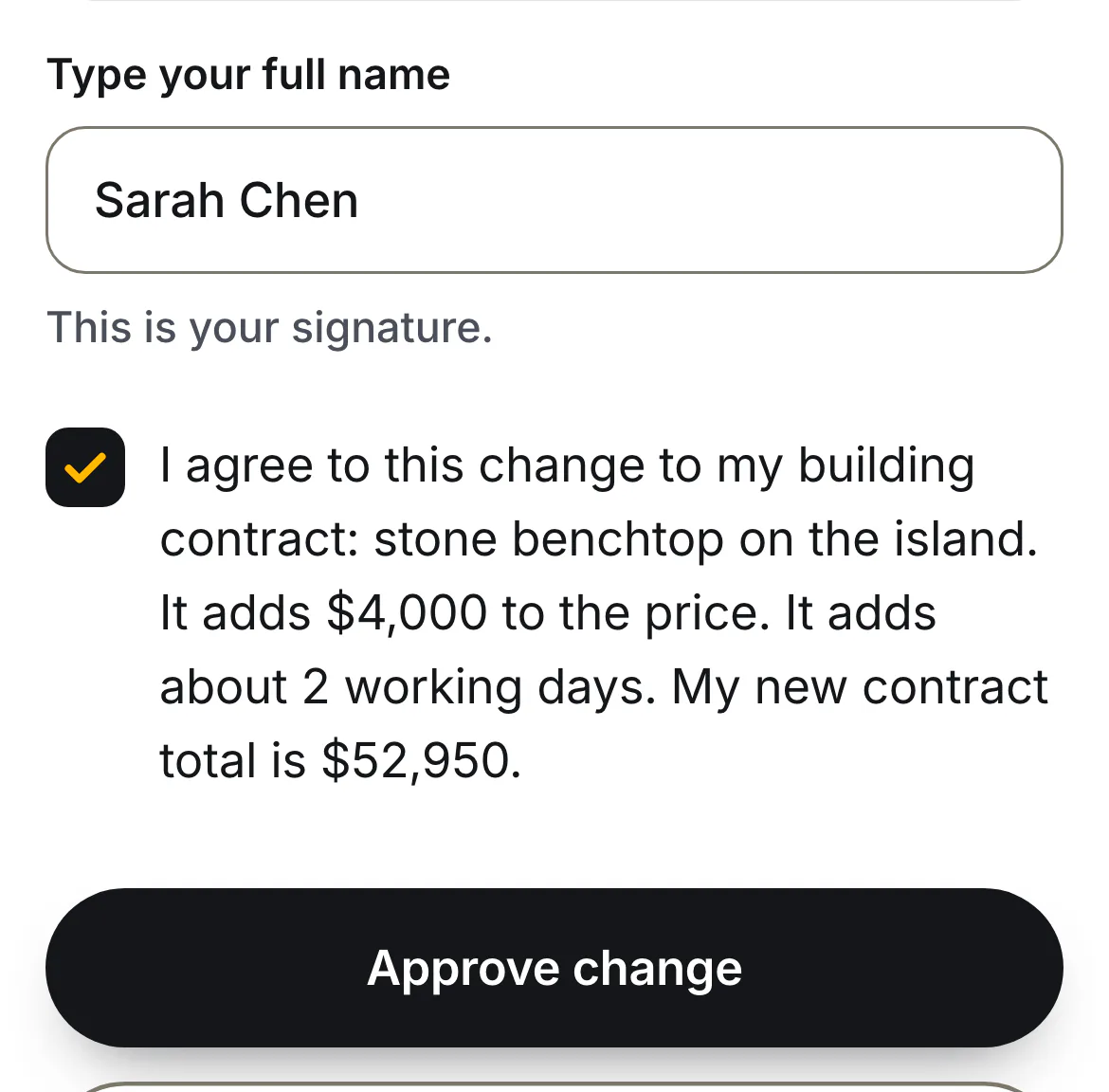
- Sarah reads and signs. One tap opens a text from Dan's own number with the link. No app, no login: what changes, what it costs, the new total, and the line "Dan won't start this work until you approve it." She types her full name, ticks a sentence that restates the change, and gets a record number.
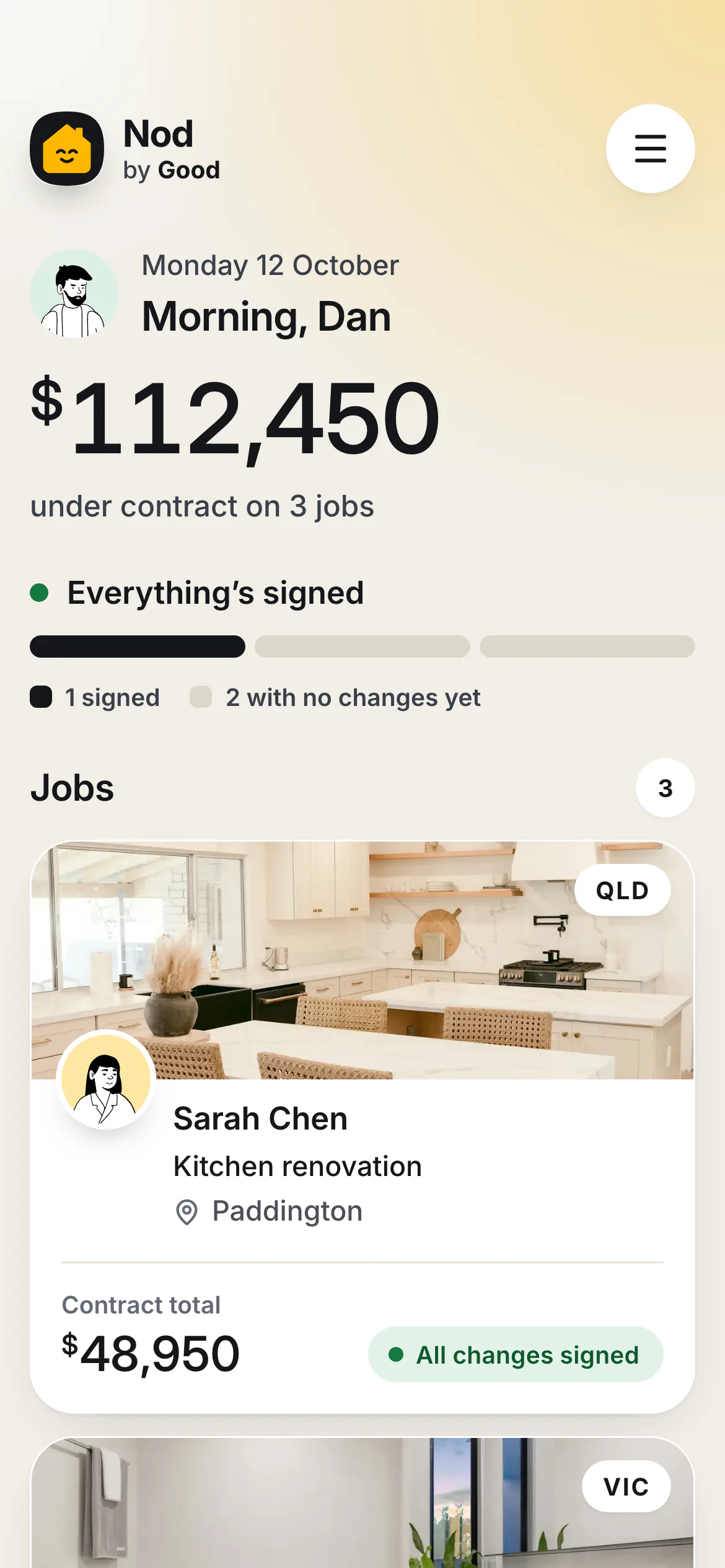
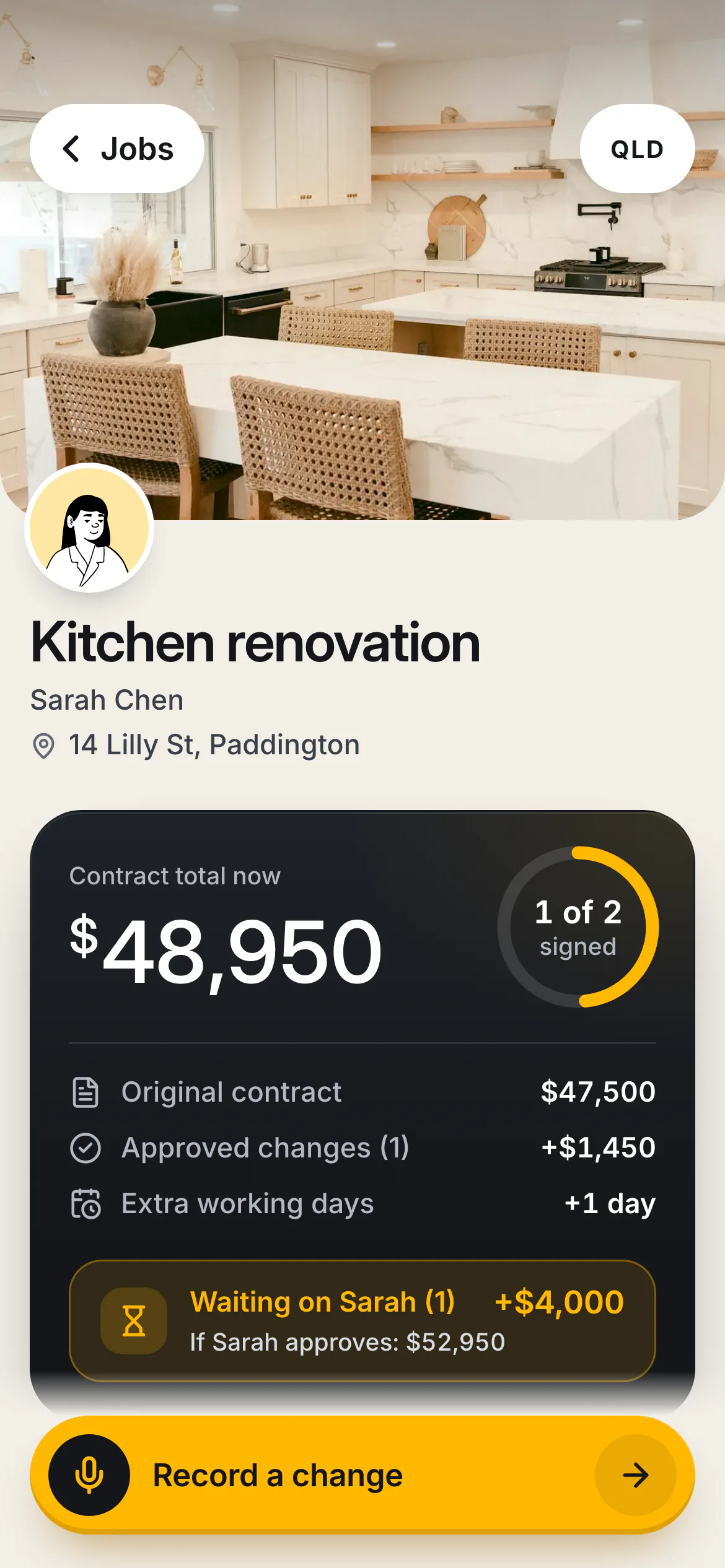
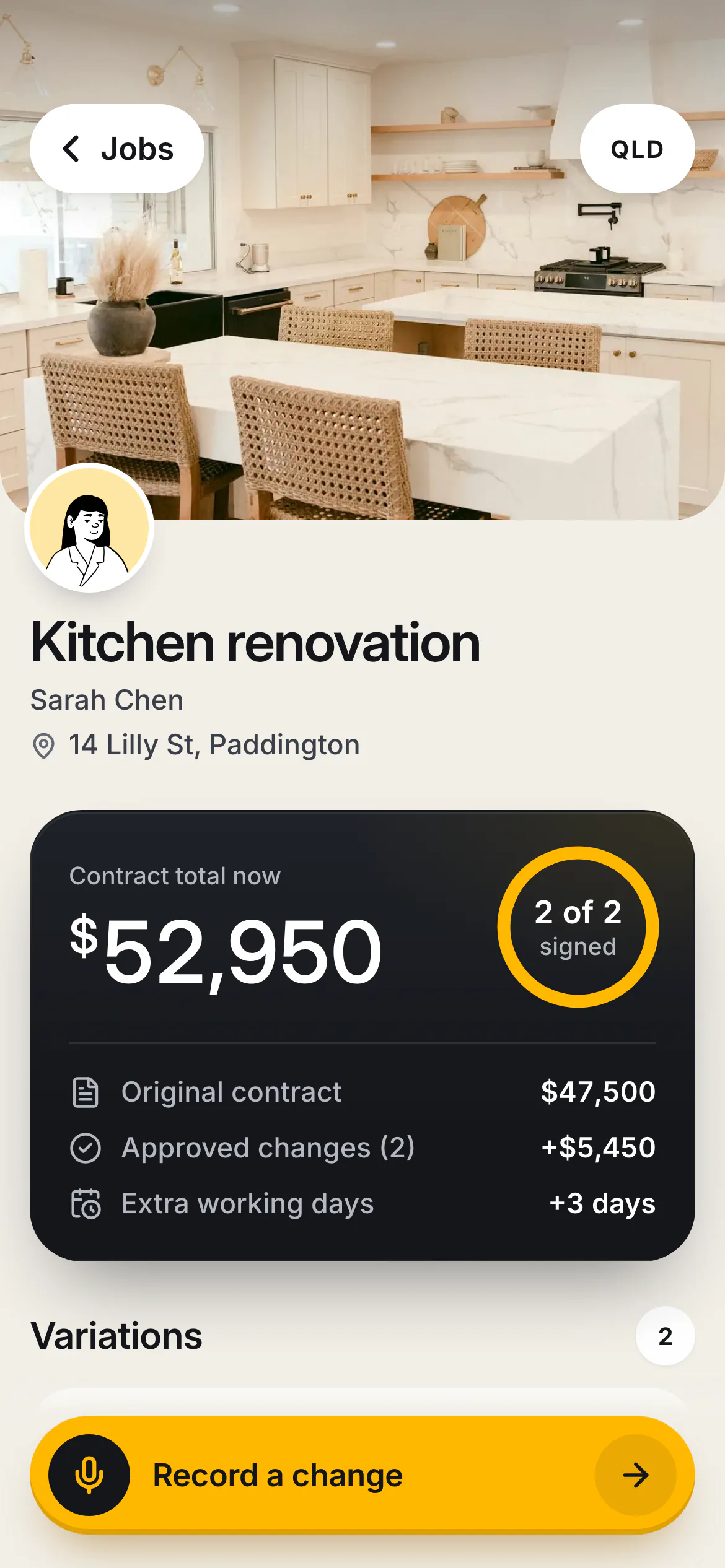
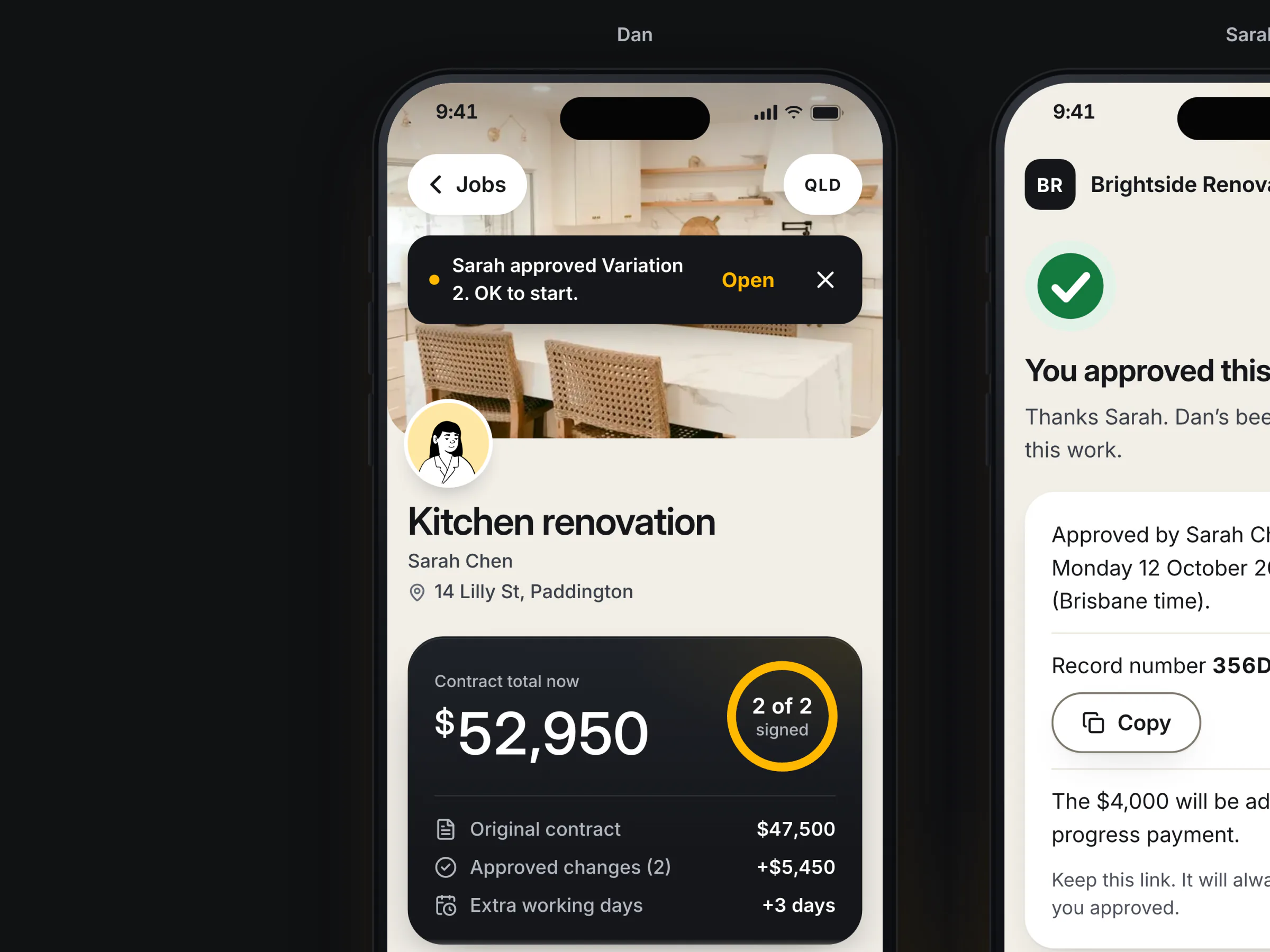
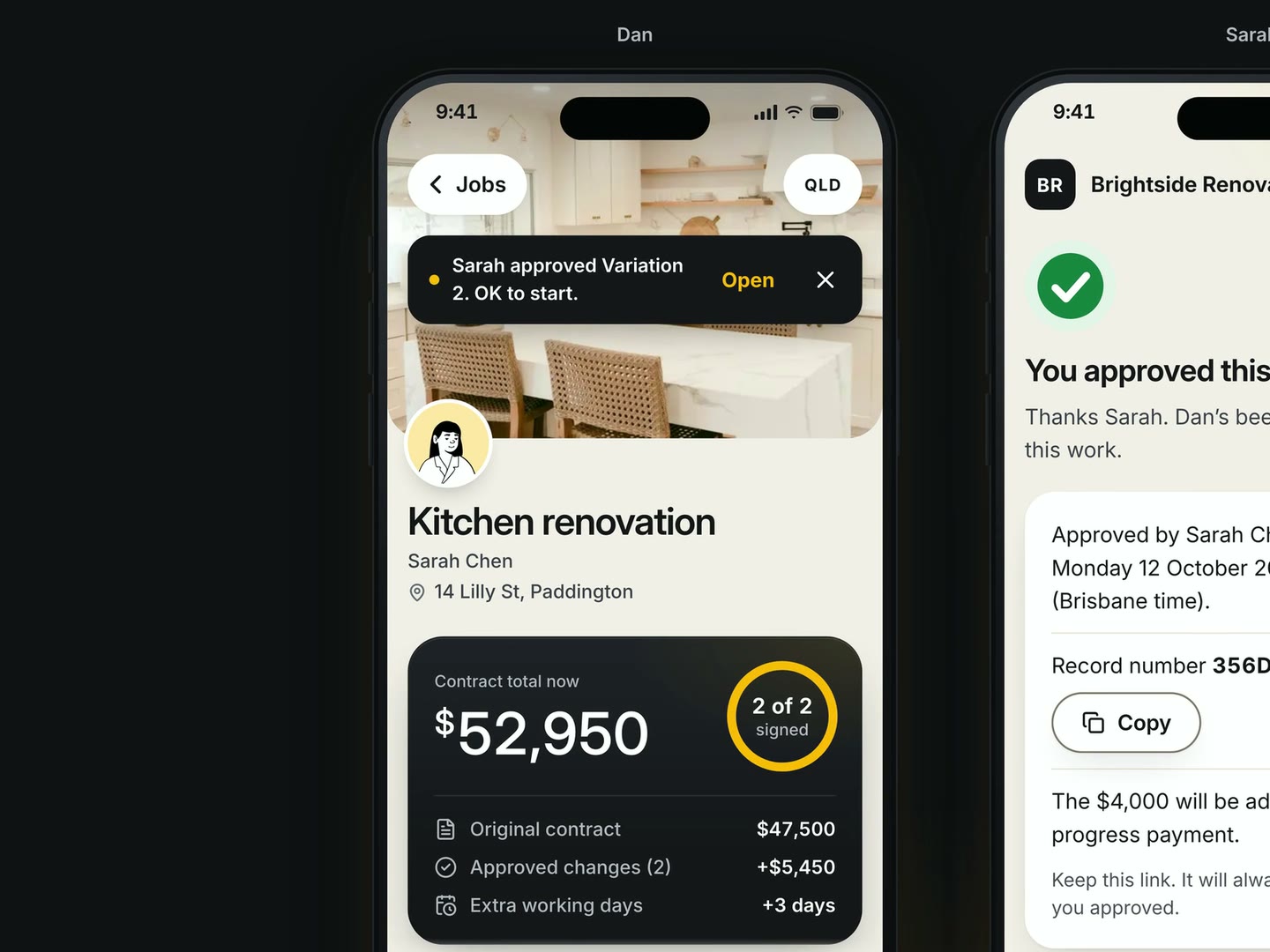
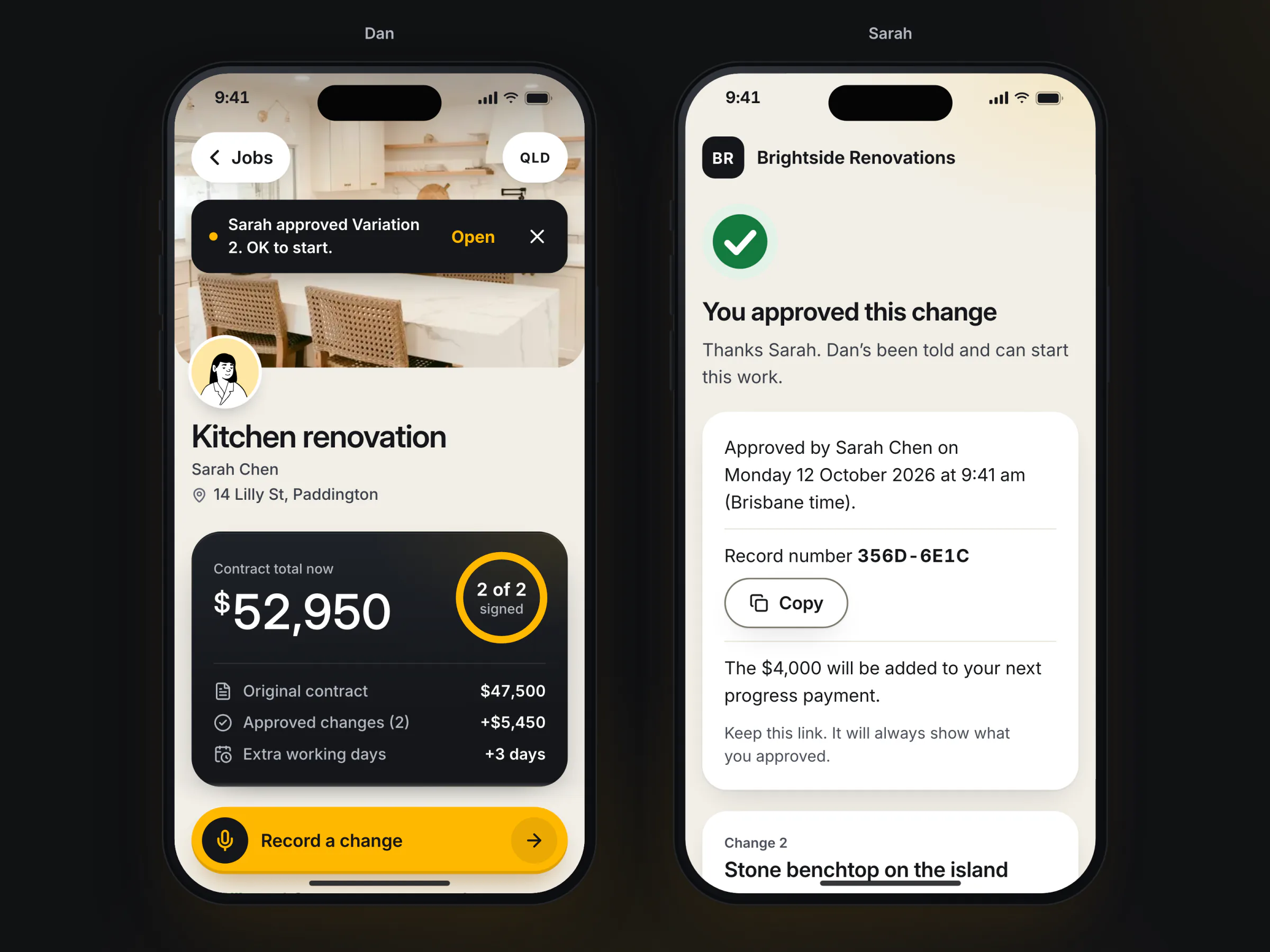
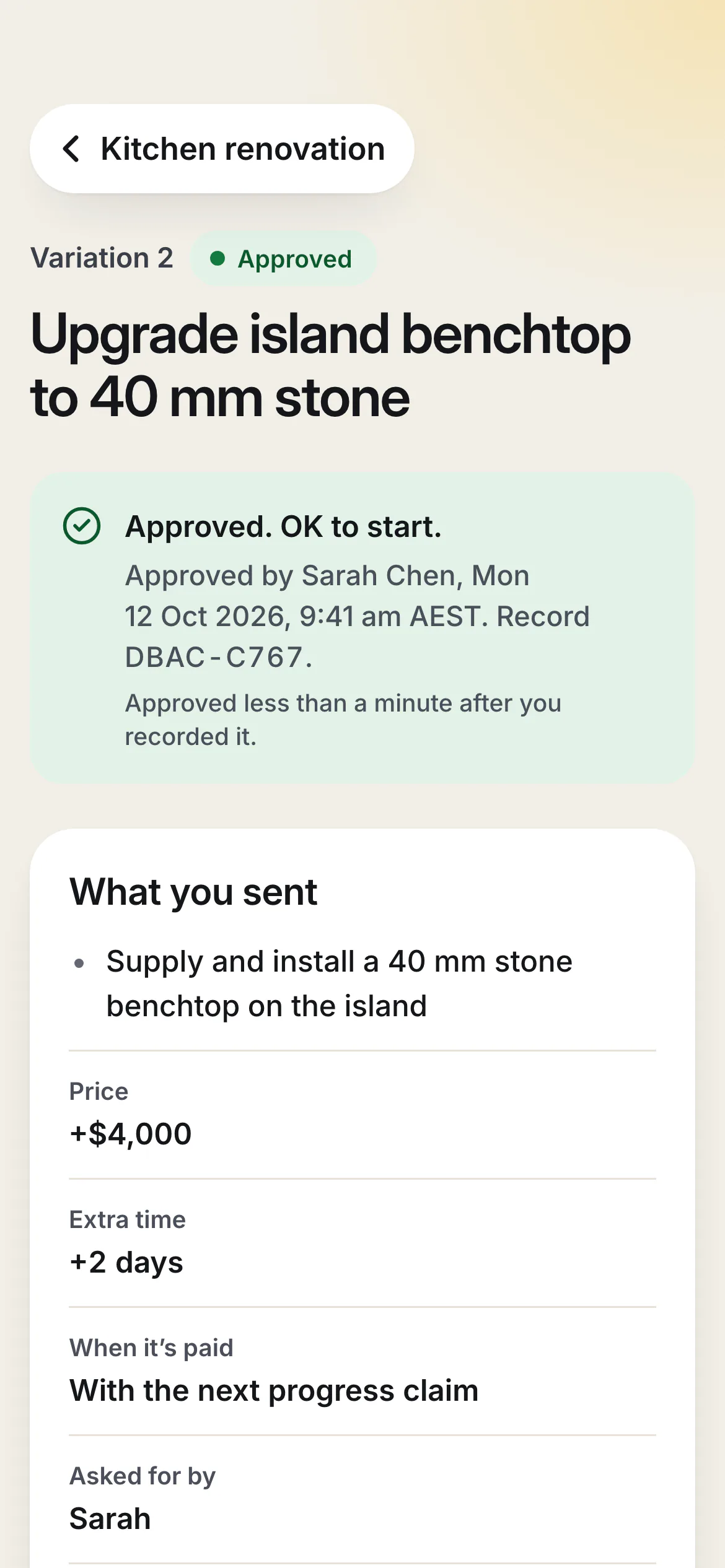
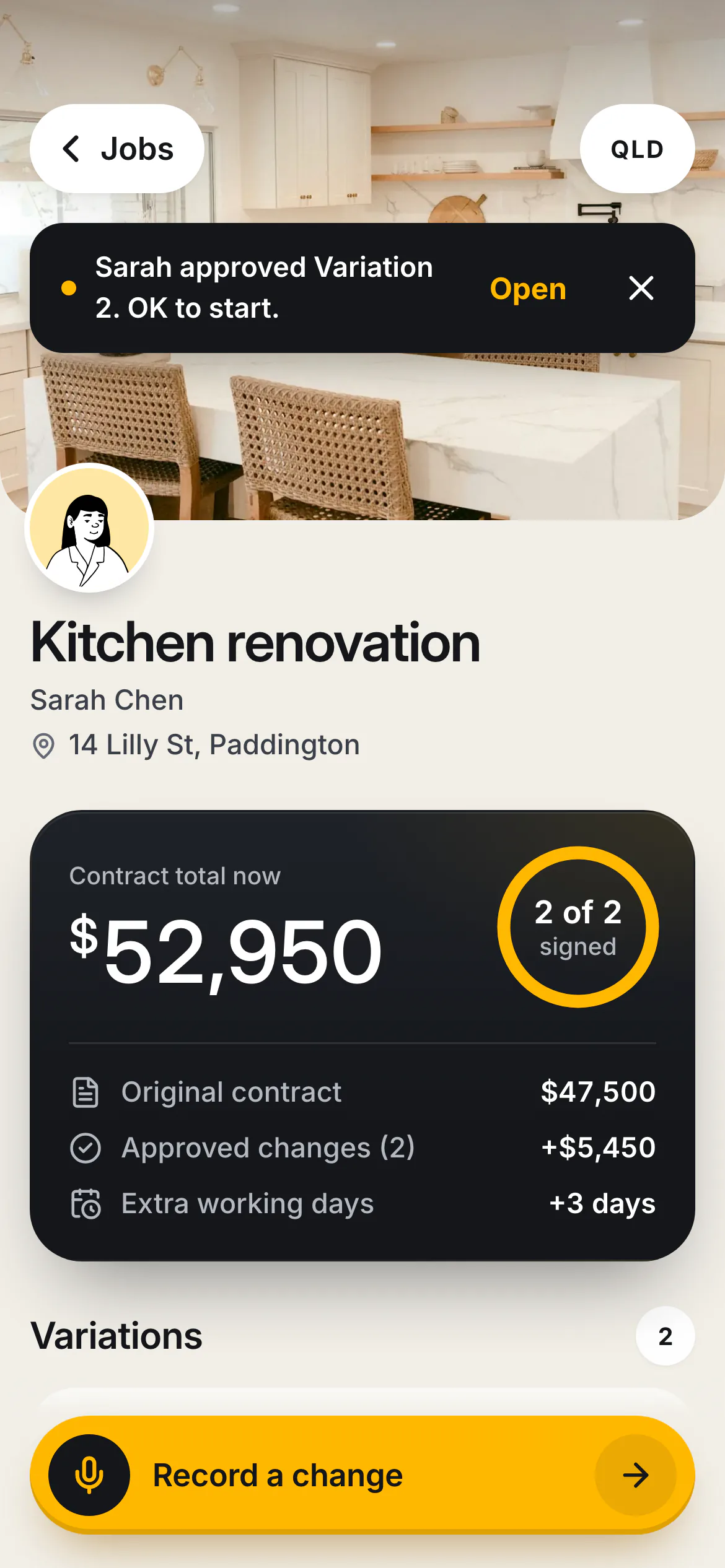
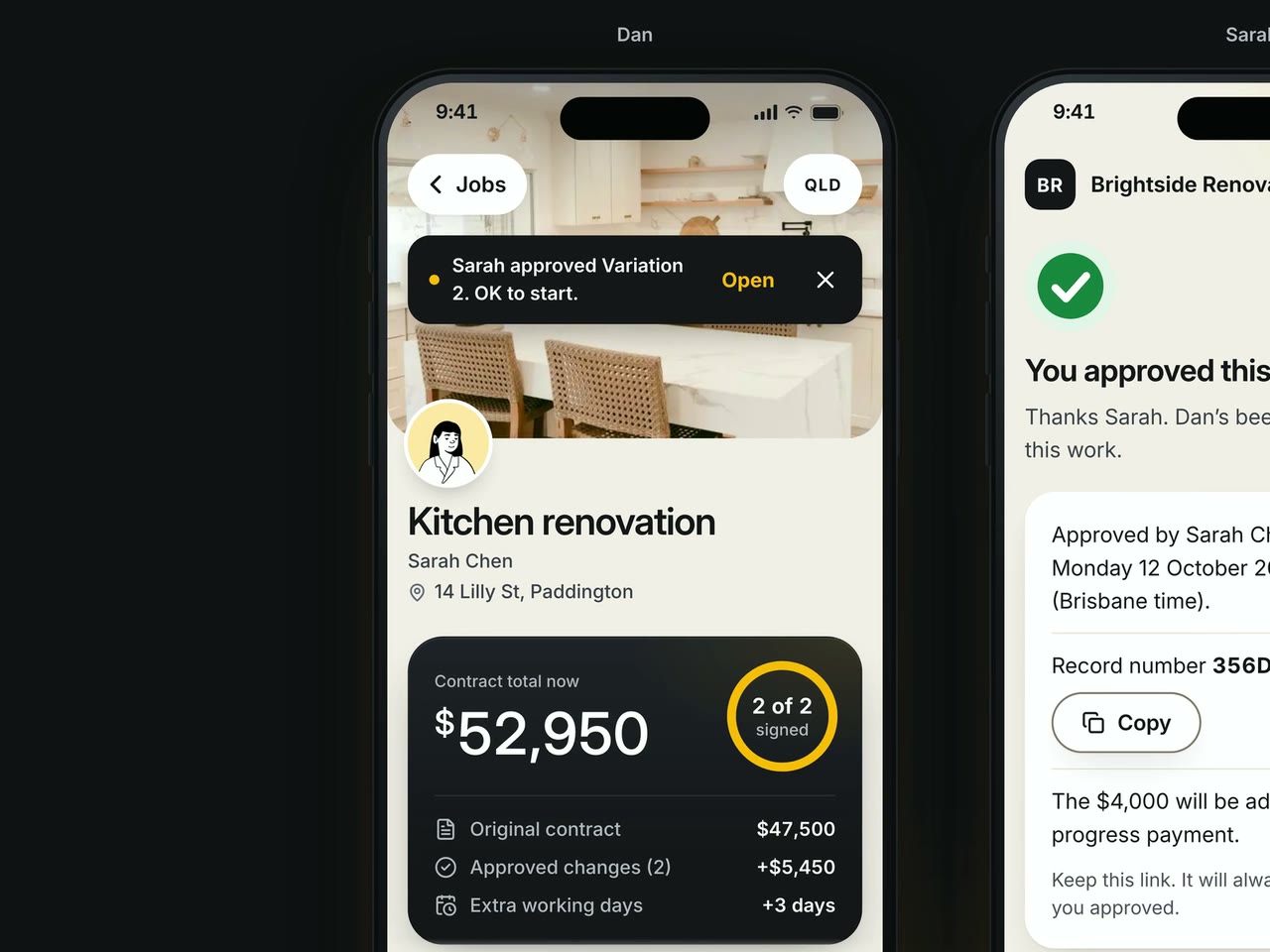
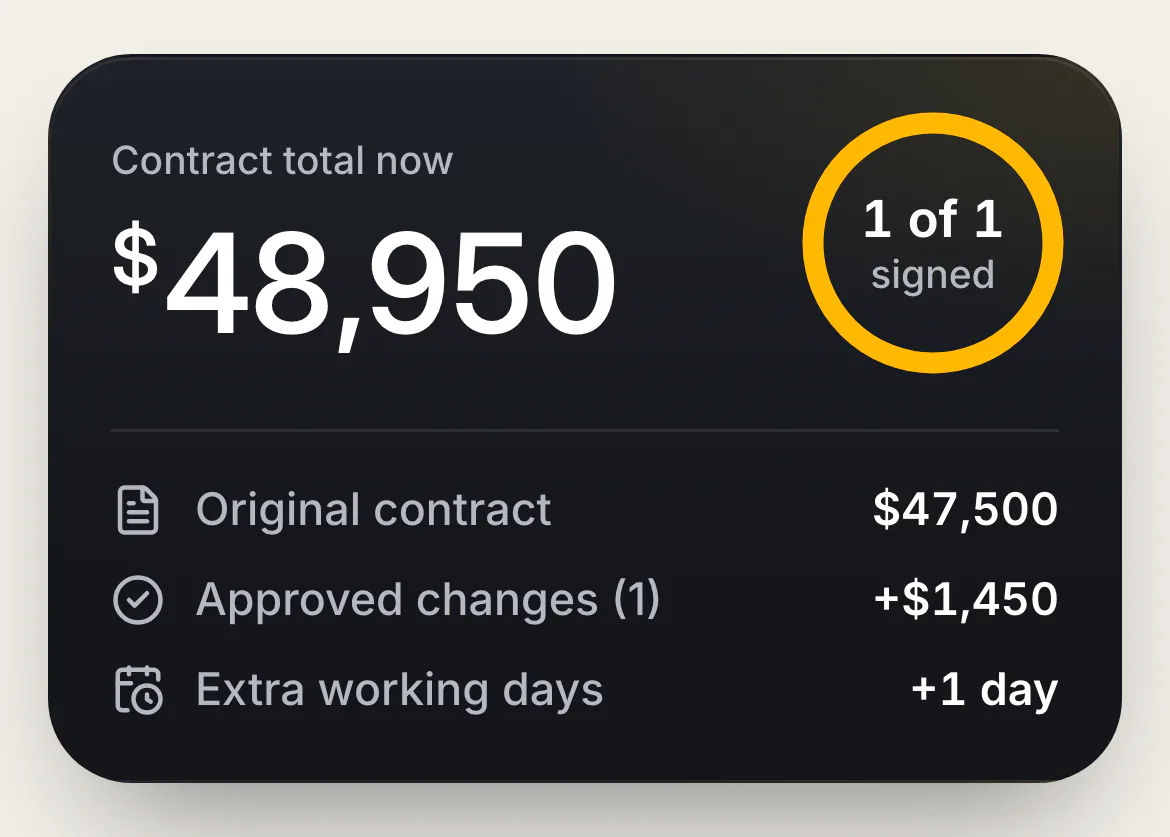
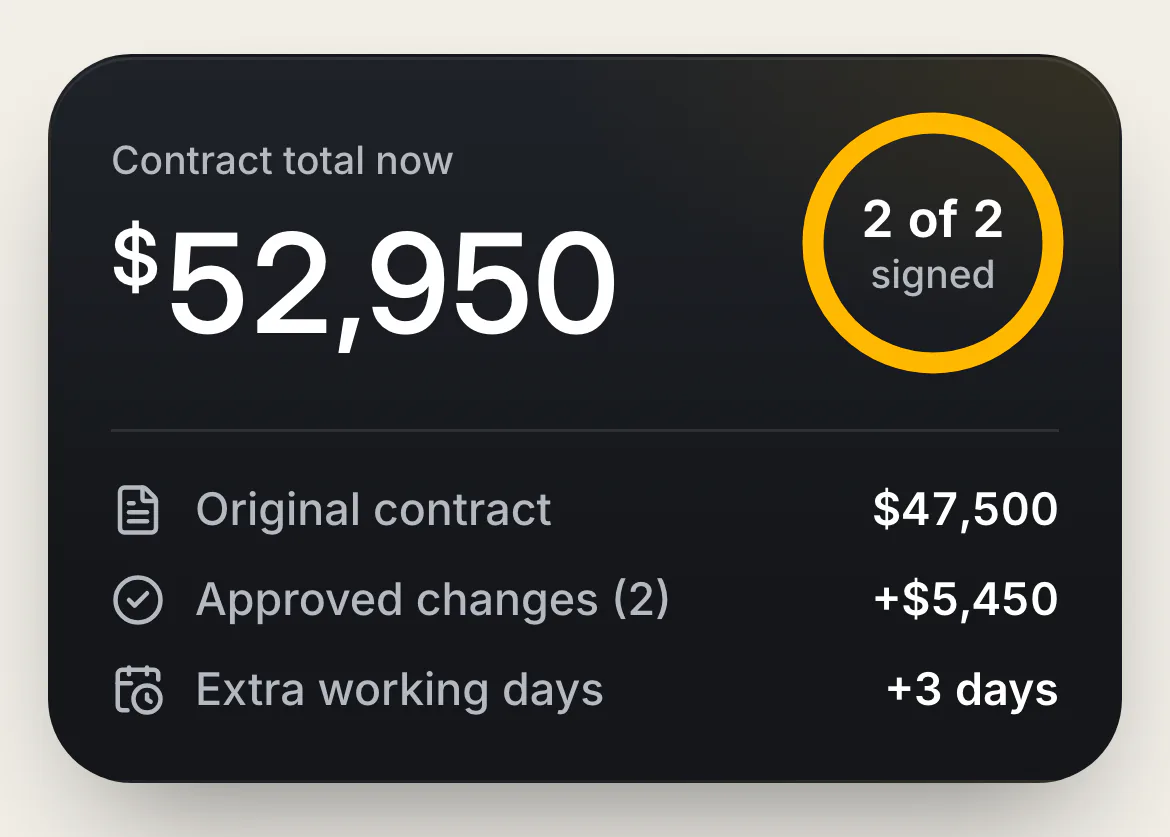
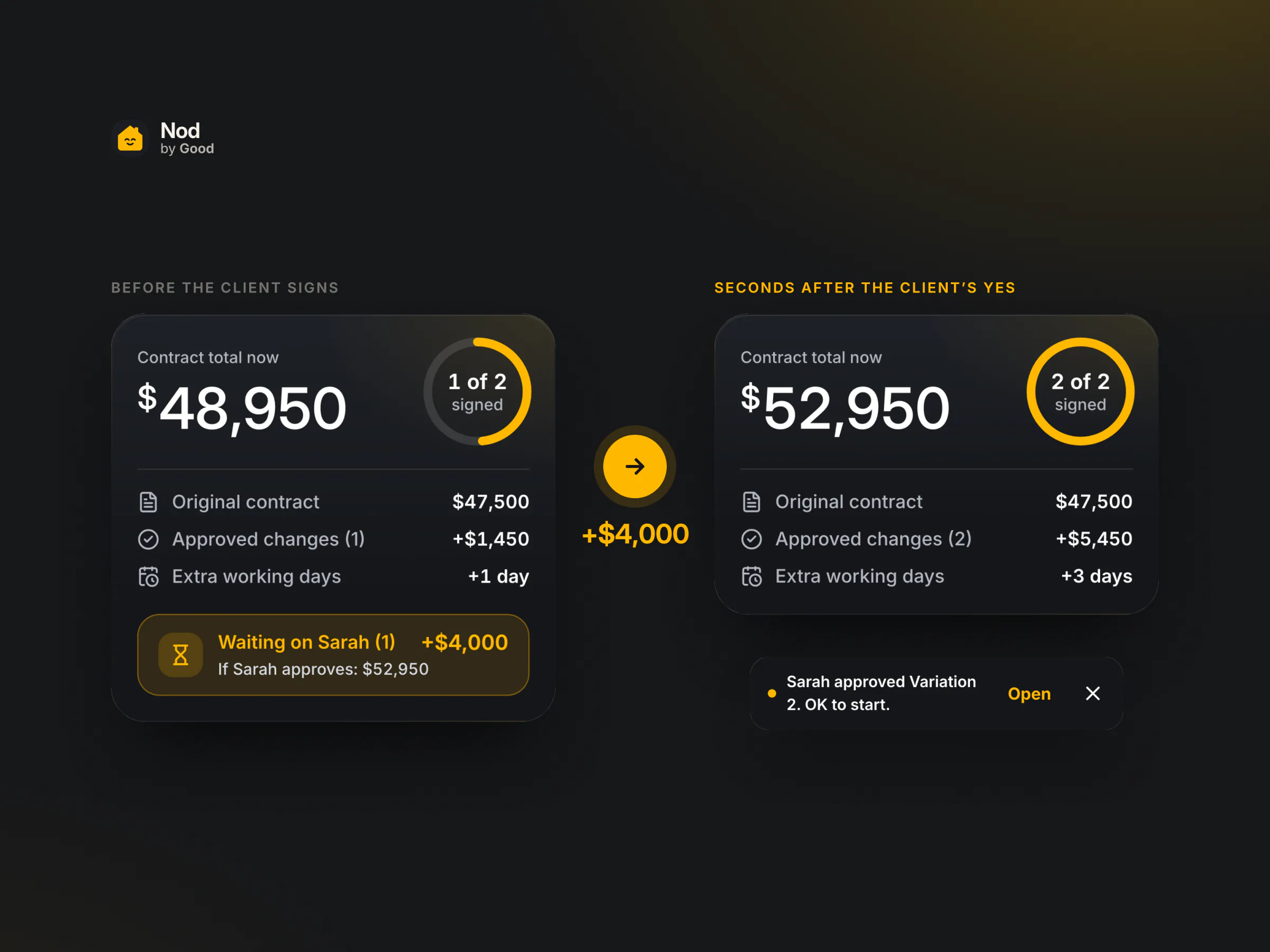
- It adds up, live. On Dan's phone the total counts up to $52,950, the ring reads "2 of 2 signed", and a note says "Sarah approved Variation 2. OK to start."
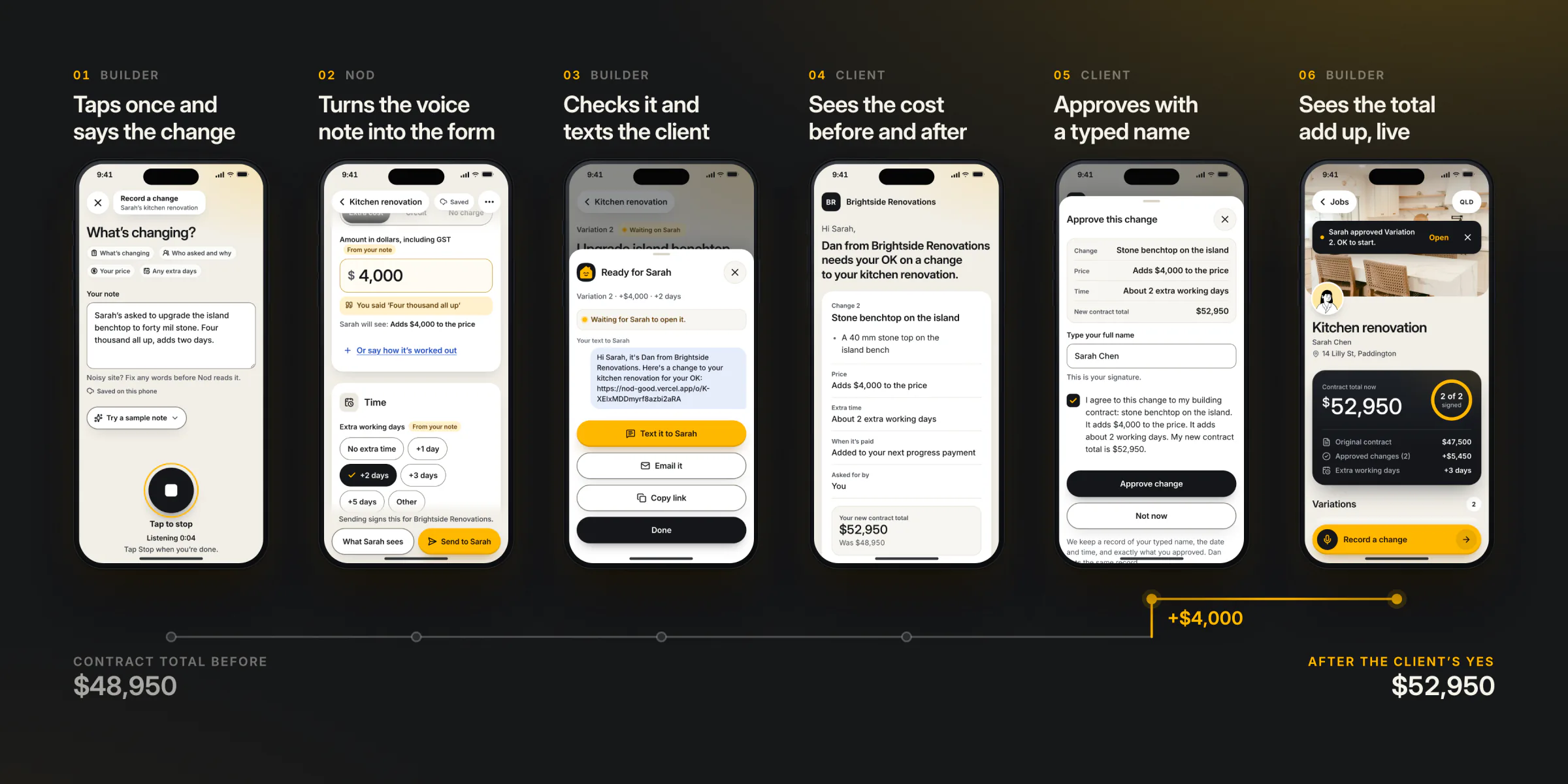
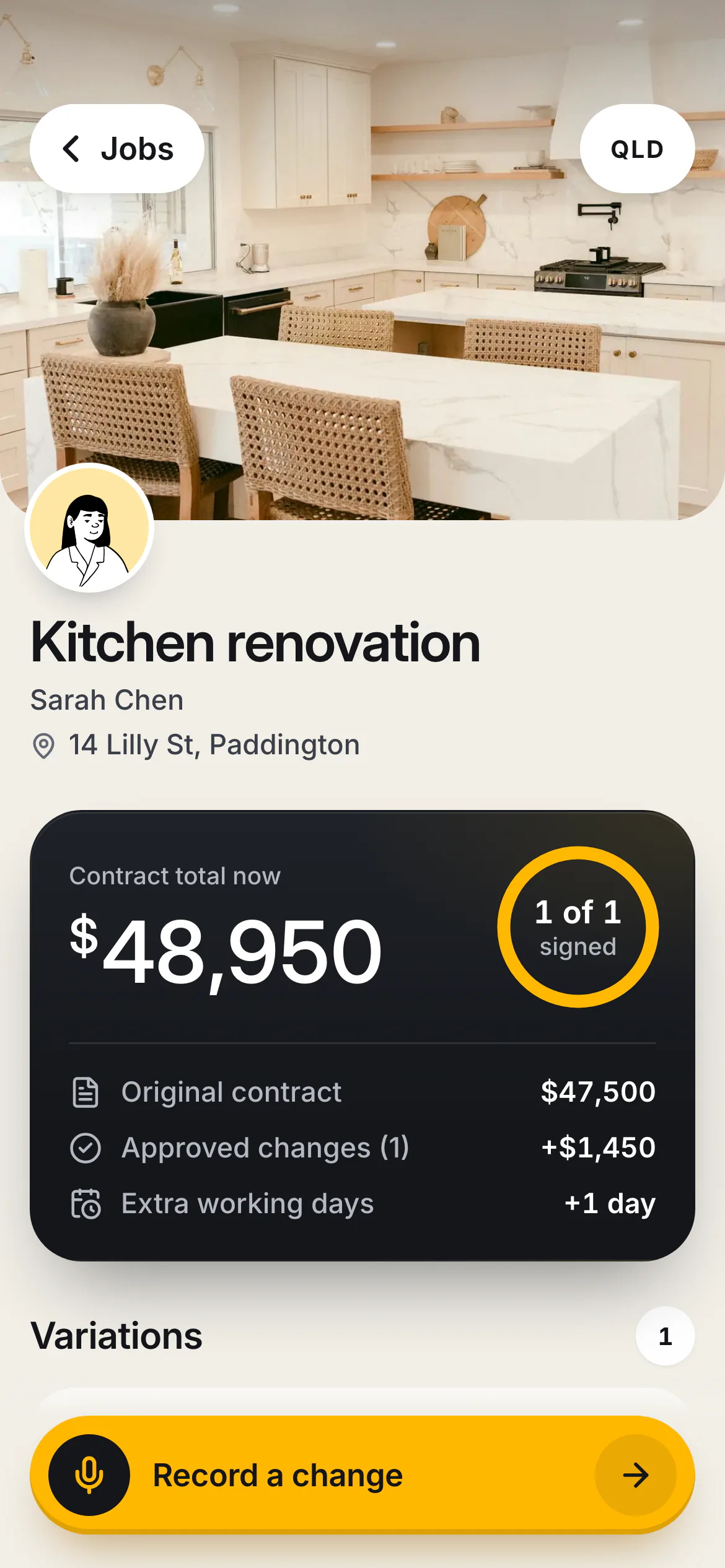
One Thumb, Under a Minute
Dan's side is built for a site: one thumb, big targets, strong contrast for sunlight, and the money always in view. Voice is a bonus over typing, never a requirement. Every voice path has a typing path, the transcript stays editable for a noisy site, and the note saves on the phone as it is written.
Filled in, and Marked as Such
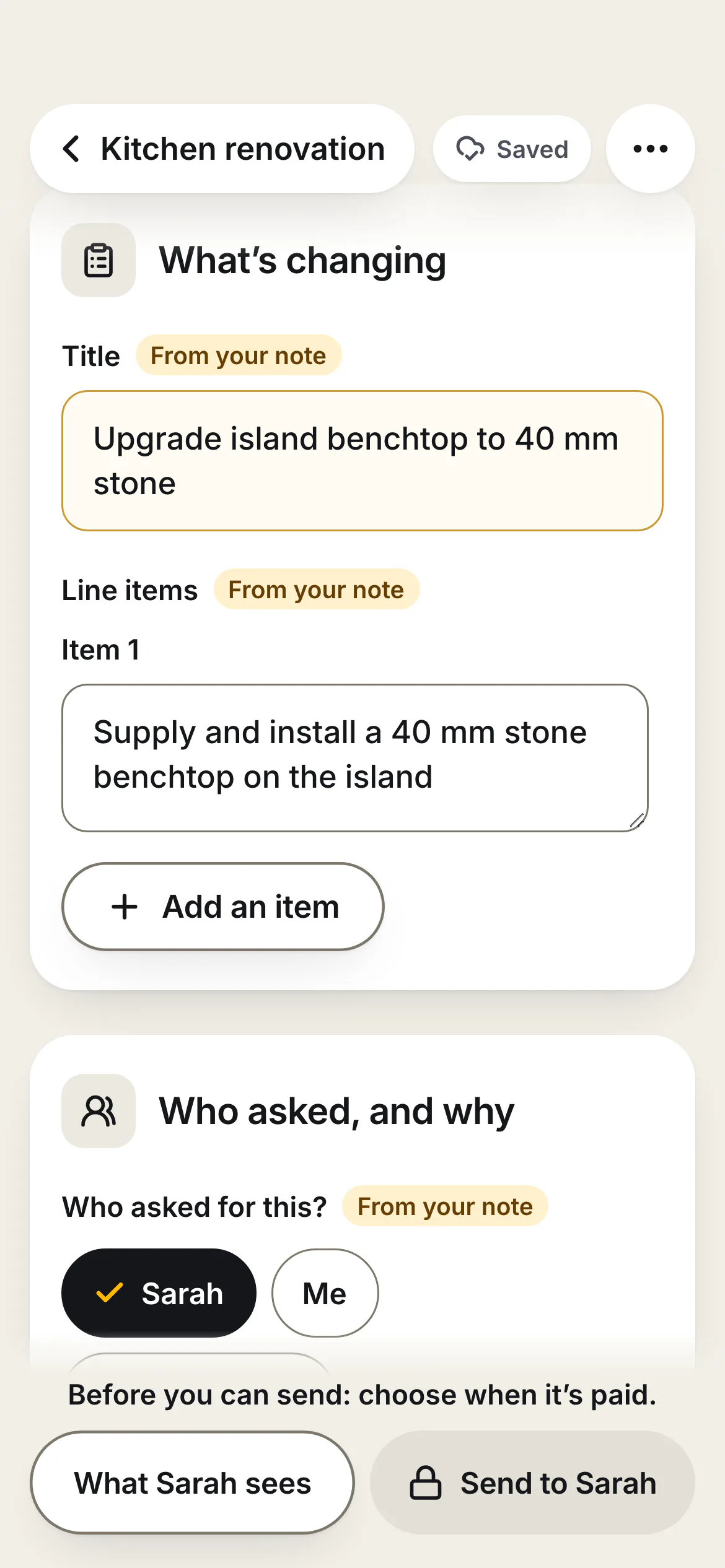
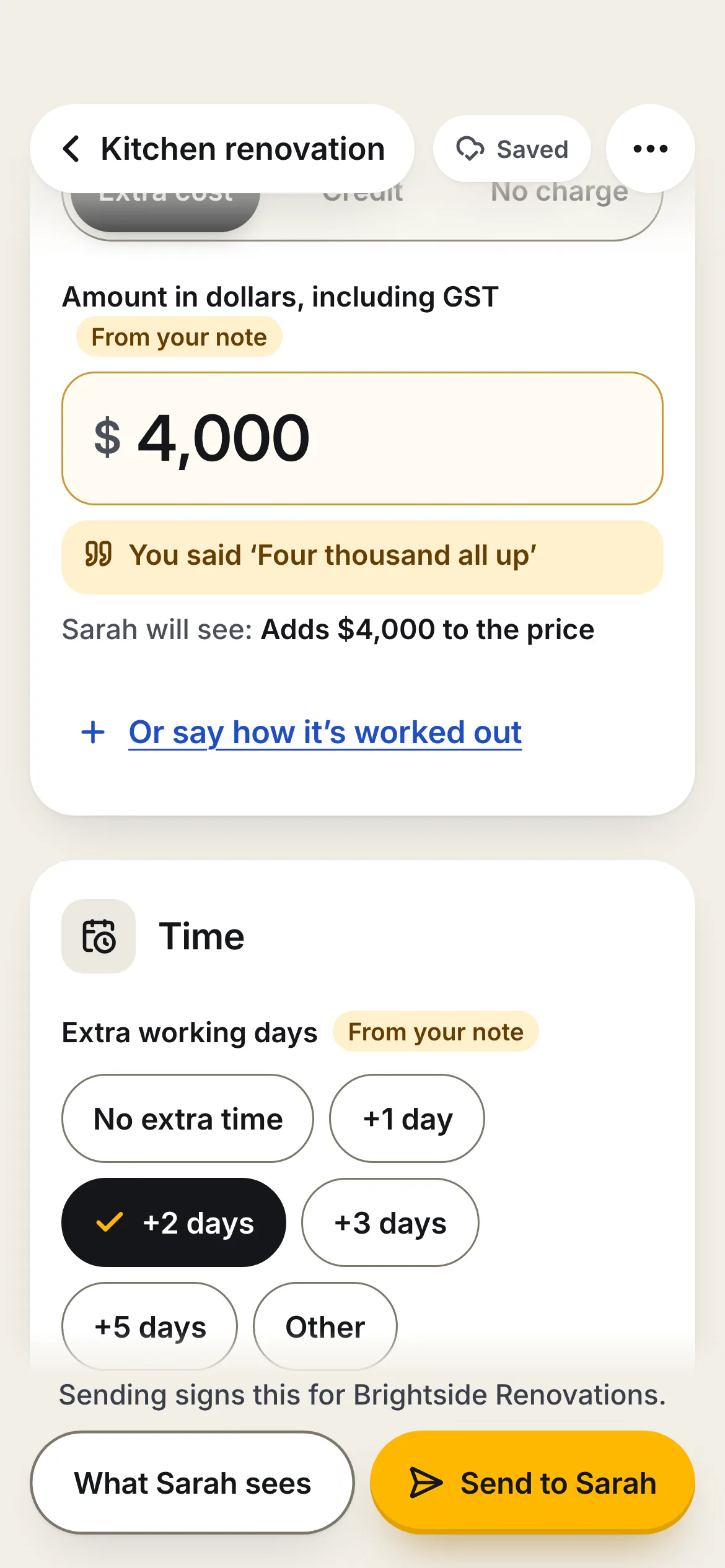
The draft is a form Dan can read at a glance and correct with one tap. Fields that came from his note carry a "From your note" tag, the price sits beside the exact words it was taken from, and the extra days are quoted the same way. If a note holds two changes, Nod splits them into two cards, so Sarah can approve one and decline the other. A change mentioned in passing is flagged instead of buried, and a note with nothing to sign ("Plasterers start Thursday") is kept as a site note.
Nothing Leaves With a Gap
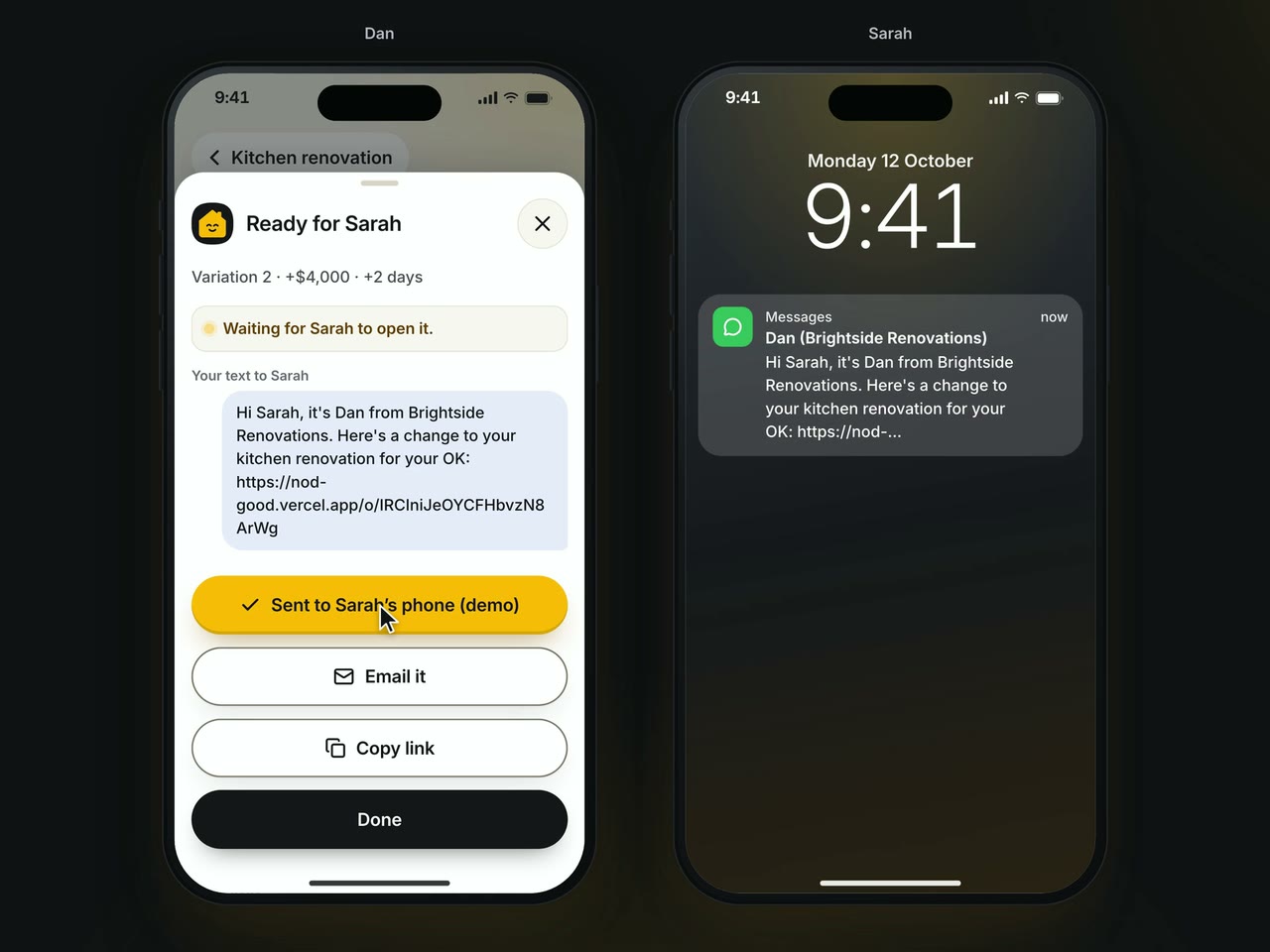
Send stays locked until the state's checklist is complete, and a tap on the locked button jumps to the missing item and names it. Before anything goes out, Dan sees the cost before and after and can preview the page exactly as Sarah will read it. The text itself stays under 160 characters, comes from his own number, and never carries the price.
A Page, Not an App
Sarah's page opens from a link, with no app and no account. It leads with the builder's name, not Nod's, so she knows who it is from. Money is written in words before symbols: "Adds $4,000 to the price", then her new total and what it was. Approve, Ask a question and Say no sit together as equal choices, and a question never counts as a no: Dan replies on the same page and she still decides.
The Answer Lands Live
There is no refresh button anywhere. When Sarah approves, Dan's screen changes on its own within a second or two: a note at the top, the ring filling in, the total counting up.
Under the Hood
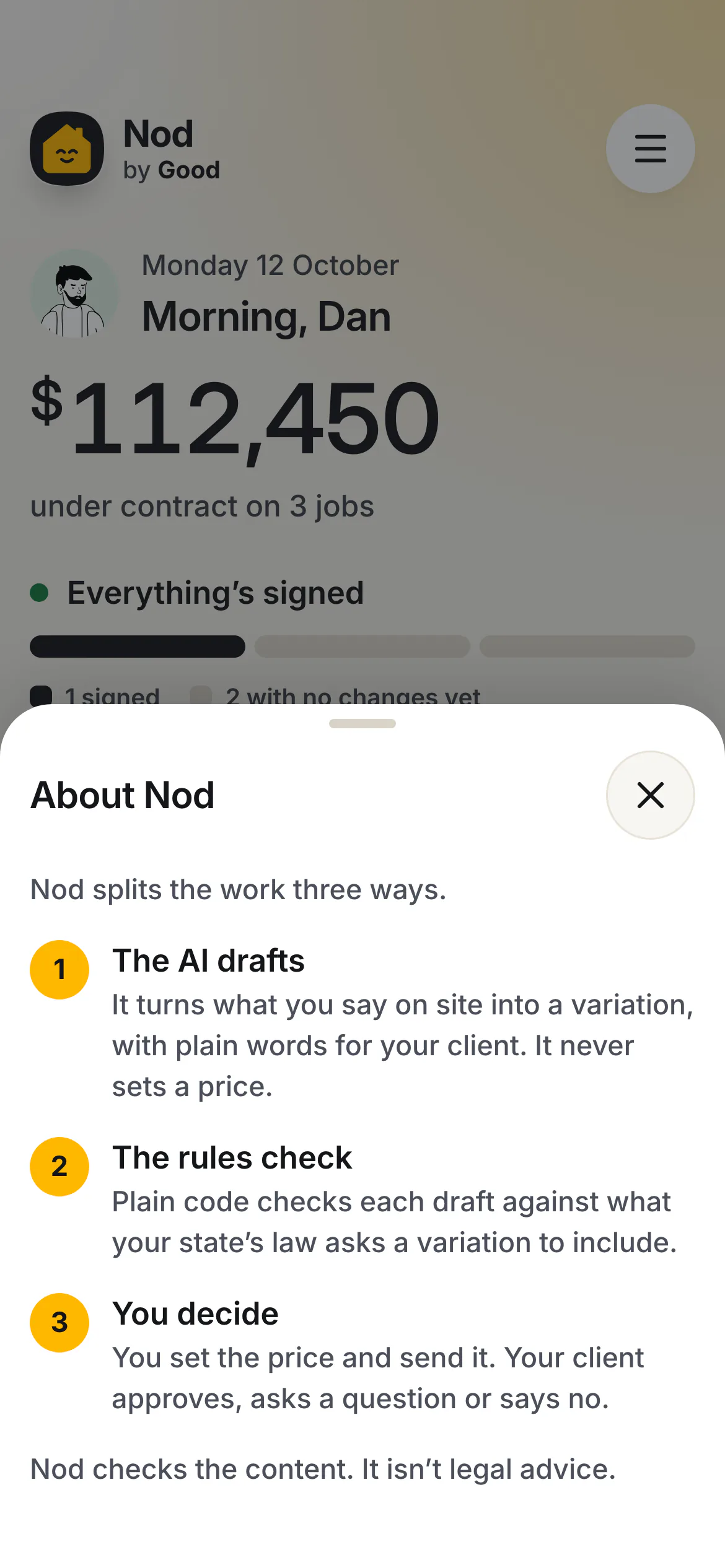
The work is split three ways, and the split is the product. The AI drafts: it splits the note into changes, writes the builder's trade wording and the client's plain English, quotes the builder's exact words for the price and the days, and flags doubts. Code checks: state checklists, the quote check, totals, versions and locks are plain TypeScript. People decide: Dan sets or confirms every price and sends; Sarah approves, asks or says no. The AI never sets a price, never decides compliance, and never sends or signs anything.

From Voice to Signed Record
- Dan stops recording. The note is already saved on the phone.
- The app posts the note, the job's price and its earlier changes to one function.
- The function makes one call to Claude Sonnet 5.5 with a structured output schema, so the reply is always strict JSON in one fixed shape: one card per change.
- Code checks the reply before Dan sees it. The quote check looks for the quoted words in his note; a price whose quote is not there is dropped, and the field stays empty.
- The data layer saves the draft in IndexedDB and pokes the other screens, which reload what changed.
- At Send, the state's rules run again inside the data layer, the version gets a fingerprint, and a link is made.
- Sarah's approval is stored against that fingerprint. Another poke, and Dan's total updates.
One Call, Kept on a Short Lead
- Model. Claude Sonnet 5.5, one stateless call per note at about 1 to 1.5 cents, with low effort for speed. One step, not an agent, which keeps it predictable, cheap and testable.
- Context. The transcript, the job's contract price and the variations already on the job.
- Guardrails. The quote check fails closed. Vague prices ("about", "plus GST") need one confirming tap. Payment can never be asked for before the work starts. If the AI fails, a form opens with the note already in it.
- Speech. Chrome writes spoken prices as digits or clock times ("220", "2:20"), and in testing it dropped an opening "Two-twenty all up" in 7 of 7 runs. Nod's speech code recovers the dropped words: it caught every drop across 35 recorded runs, and 19 recorded sessions replay in the test suite.
- Checks. An eval script runs notes through the live model, and the five sample notes run end to end through the data layer in the unit tests.
No Server to Run
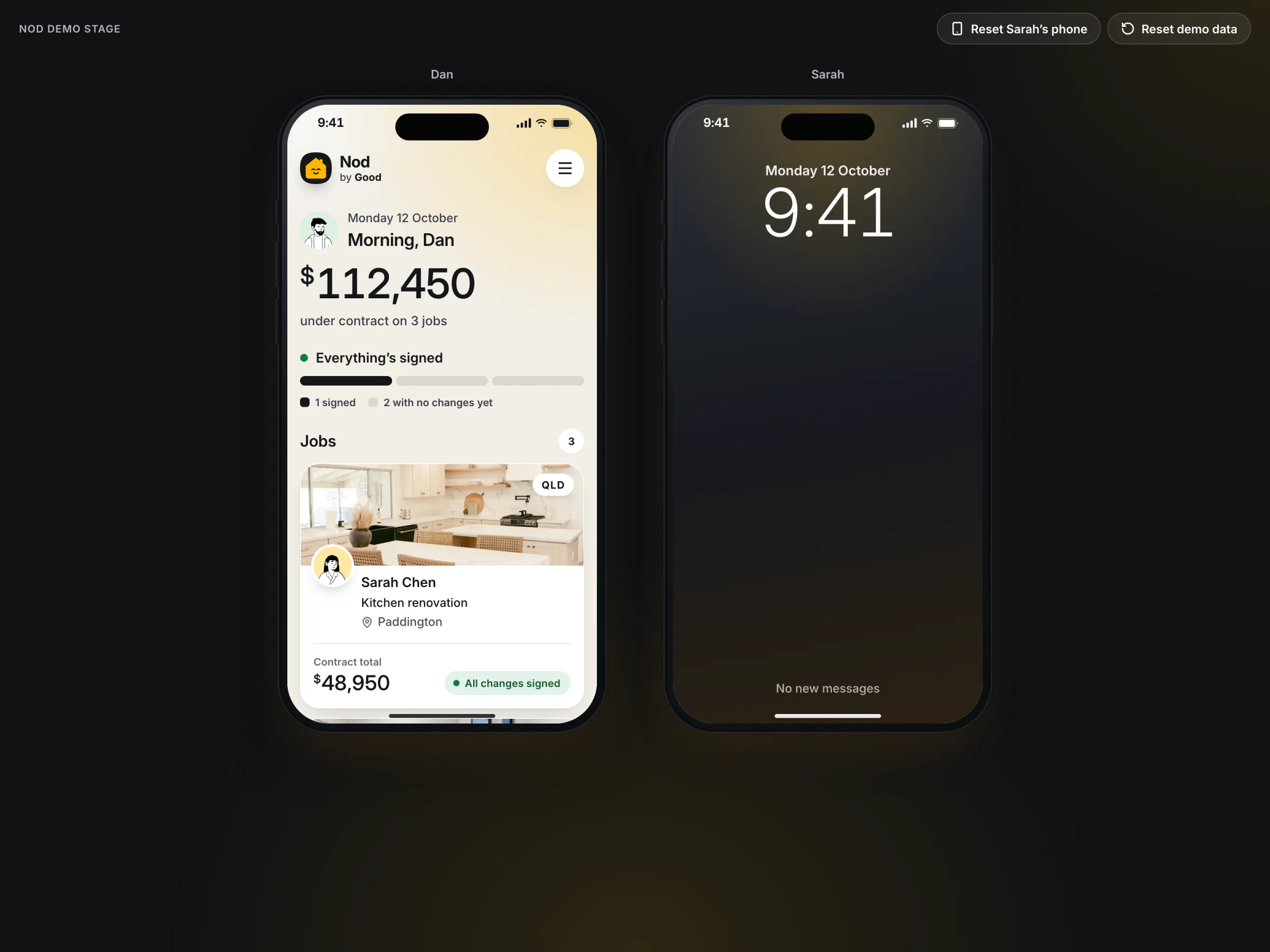
Everything except the AI call lives in the browser: one state document in IndexedDB, writes that take turns under a Web Lock, and a BroadcastChannel that tells the other screens something changed. That is why the public demo shows both phones side by side in one browser. Screens reach data through one file, so a pilot can put a hosted database behind it without changing a screen.
The public link runs without an AI key. Its five sample notes draft from prepared replies, labelled on screen as demo drafts, and everything after the draft is the same real code: the quote check, the state rules, the totals and the fingerprint Sarah approves. With a key set, the same function asks Claude to draft any note.
How It Was Built
Research came first and ran as seven parallel streams, several tested hands-on: a scratch build of the stack, 35 recorded speech-recognition runs with an Australian voice, and date and photo tests in Chrome and Safari. Every load-bearing fact was then checked against primary sources: the Acts themselves, the regulators, and competitors' own pages. The prototype was live at a public address within the first day, then built out in milestones, each checked at three phone widths with screenshots before the next began.
Claude Code did the research, the plan and the build, with every decision made by a person. Two Claude Code sessions built at once, one on the data, the rules and the AI function, one on the screens, under written ownership rules so neither overwrote the other.
The AI Never Sets a Price
Left alone, a model will happily estimate a price, and once a client approves it, an invented number is a contract term. So the schema only accepts a price together with a quote of the builder's own words, and code checks that the quote is really in the note. If it is not, the field stays empty, the screen says so, and Send is locked until Dan fills it in. The cost is a little more typing when a note has no price; a rate card is the planned answer.
The Rules Are Code, Not the Model
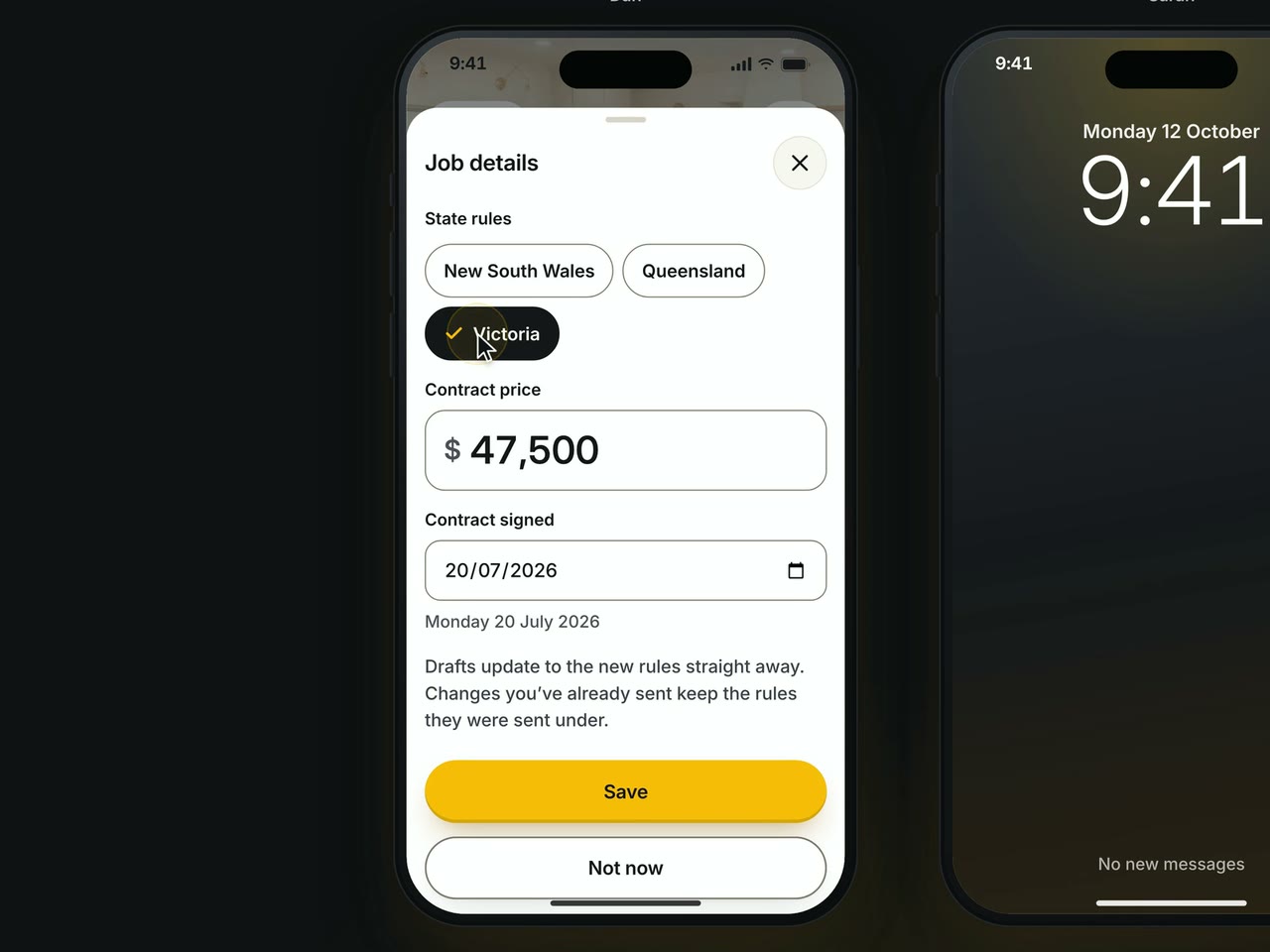
Compliance has to be predictable and auditable, and the law differs by state. New South Wales wants variations in writing and signed by both parties. Queensland allows no work before the owner agrees in writing. Victoria has the owner sign, with a narrow exception for small changes that ends for new contracts from 31 March 2027 at the latest. Each state's checklist is plain TypeScript, versioned by effective date and picked by the contract's date. A complete checklist says "Ready to send", never "compliant": Nod checks the content and is not legal advice. The cost is that every state is a rule file a lawyer must review.
A Link and a Typed Name for the Client
Every extra step costs a reply, so Sarah gets a link with no app and no account. She approves with a typed full name and a ticked sentence that restates the change, and the approval is tied to a fingerprint of that exact version: if Dan edits it afterwards, her page says the change was updated and the old approval no longer applies. The cost is that the link relies on a token nobody can guess, and a typed name is not a drawn signature, so a lawyer should confirm the form for each state before a pilot.
The Whole Prototype Runs in the Browser
A hosted database is one more thing to run, pay for and keep alive, and none of it is needed to prove the idea. Dan's app and Sarah's page share the browser's own storage, and the only server code is the AI step, which keeps nothing. The cost is that Sarah's page opens beside Dan's in the same browser, which is why the demo shows two phones on one screen. In a pilot, a hosted database goes behind one file and she approves on her own phone.
Demo Drafts on the Public Link
A public demo with a live AI key is an open bill. The public site drafts its five sample notes from prepared replies and labels them as demo drafts; any other note gets a clear message and the fill-it-in-by-hand path. The cost is that a visitor cannot try an arbitrary note there, although everything after the draft is real.
Three AI suggestions were overridden outright: AI-suggested prices, skipping approval for small changes, and the first visual design.
Design Details
The first pass looked like every AI-generated app: a flat cream page, rounded white cards with hairlines, tinted pills, an icon on every line. It was rebuilt around a warmer and more confident idea.
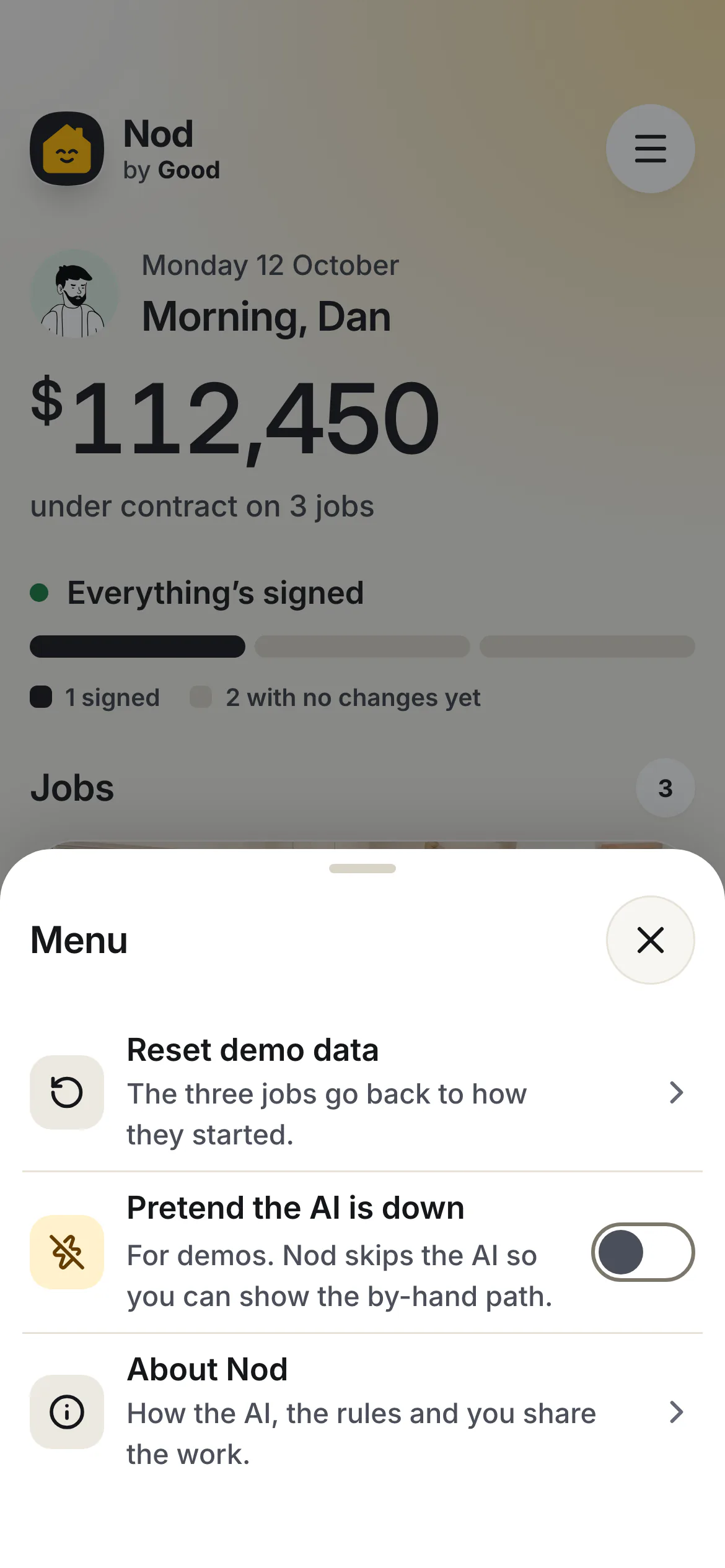
- One number for Dan. A dark instrument card holds the contract total, with a ring for how much of it is signed.
- A calm receipt for Sarah. Plain words, generous spacing, nothing to decode.
- A real place. Real photos of the jobs and illustrated portraits of the people, so it reads as someone's kitchen and not as a dashboard.
- Palette and type. Warm paper, ink and amber, with late light falling from the top right. Inter, with the slashed zero for record numbers and tabular figures for money.
- A smiling house for the mark, chosen from four directions mocked at real sizes. On "Ready for Sarah" it nods once.
Small Things That Carry It
The text message is short enough to be one SMS and never shows the price. Legal times use the job site's time zone, not the phone's. A locked button explains itself. The consent sentence restates the change in full, so the signature is tied to words Sarah can read.
Checked, Then Checked That the Check Works
Every screen and state passes an automated WCAG 2.2 A and AA scan with zero findings, and a deliberately failing contrast sample proves the scan measures what it claims. Text targets 7:1 contrast, controls are 48 px, focus is never hidden, and motion respects the reduce-motion setting. Nothing scrolls sideways at 390, 360 or 320 px wide, and the layout holds at 200% text.
Outcome and Next
The prototype is live and its code is public. The 272 unit tests cover every state's rules, the quote check, money and time formatting across the daylight-saving change, the fingerprint and the whole journey through the data layer. An end-to-end suite walks both sides at three phone widths, with an accessibility scan on every screen.
It is a prototype, and its limits are plain. The data lives in one browser, the public link drafts only its five sample notes, the wording has not had a lawyer's review, and browser speech recognition struggles on a noisy site.
A pilot with five to ten builders would turn on live AI with a spend limit, put a hosted database behind the data door so the client approves on her own phone, add logins and real SMS, have a lawyer review each state's wording, and add a rate card so prices come faster. The number to watch is the share of variations signed before the work starts, then the time from the site conversation to a decision, dollars billed against dollars agreed, and disputes at the final invoice. The biggest risks are builder habits on site, whether each state accepts this form of approval in practice, and speech on a noisy site.
Gallery