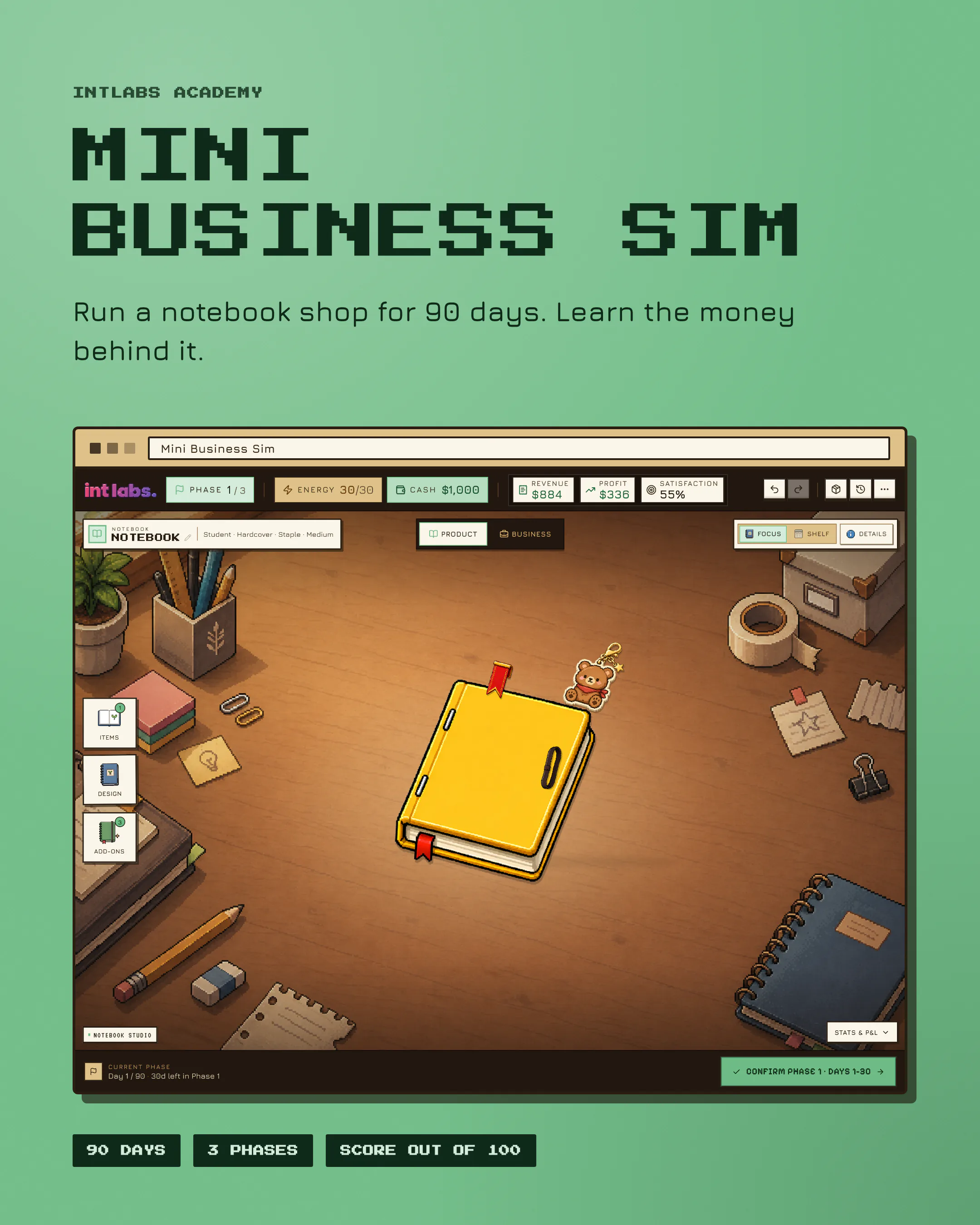
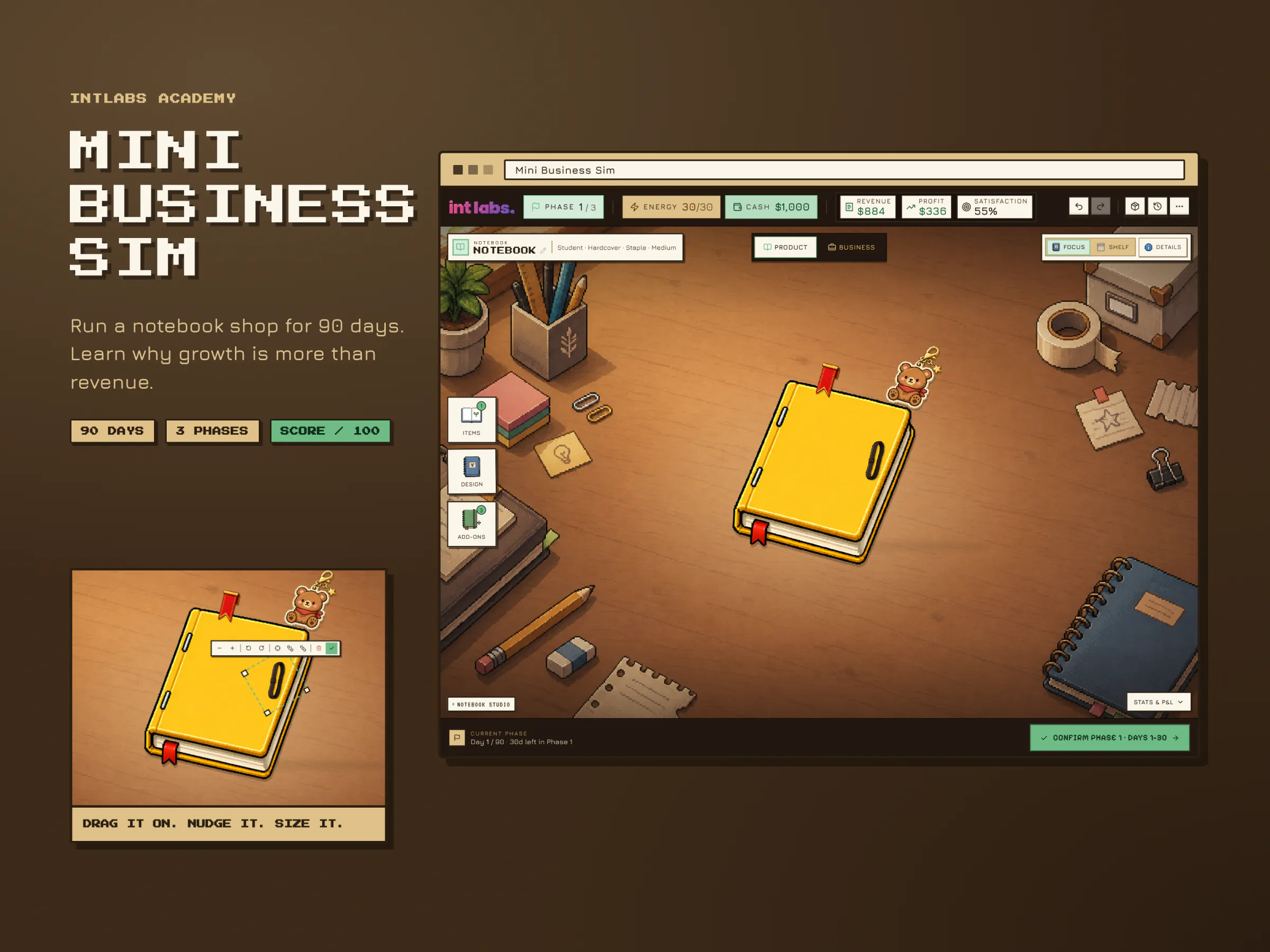
A pixel-art business game: run a notebook shop for 90 days and find out why growth is more than revenue.
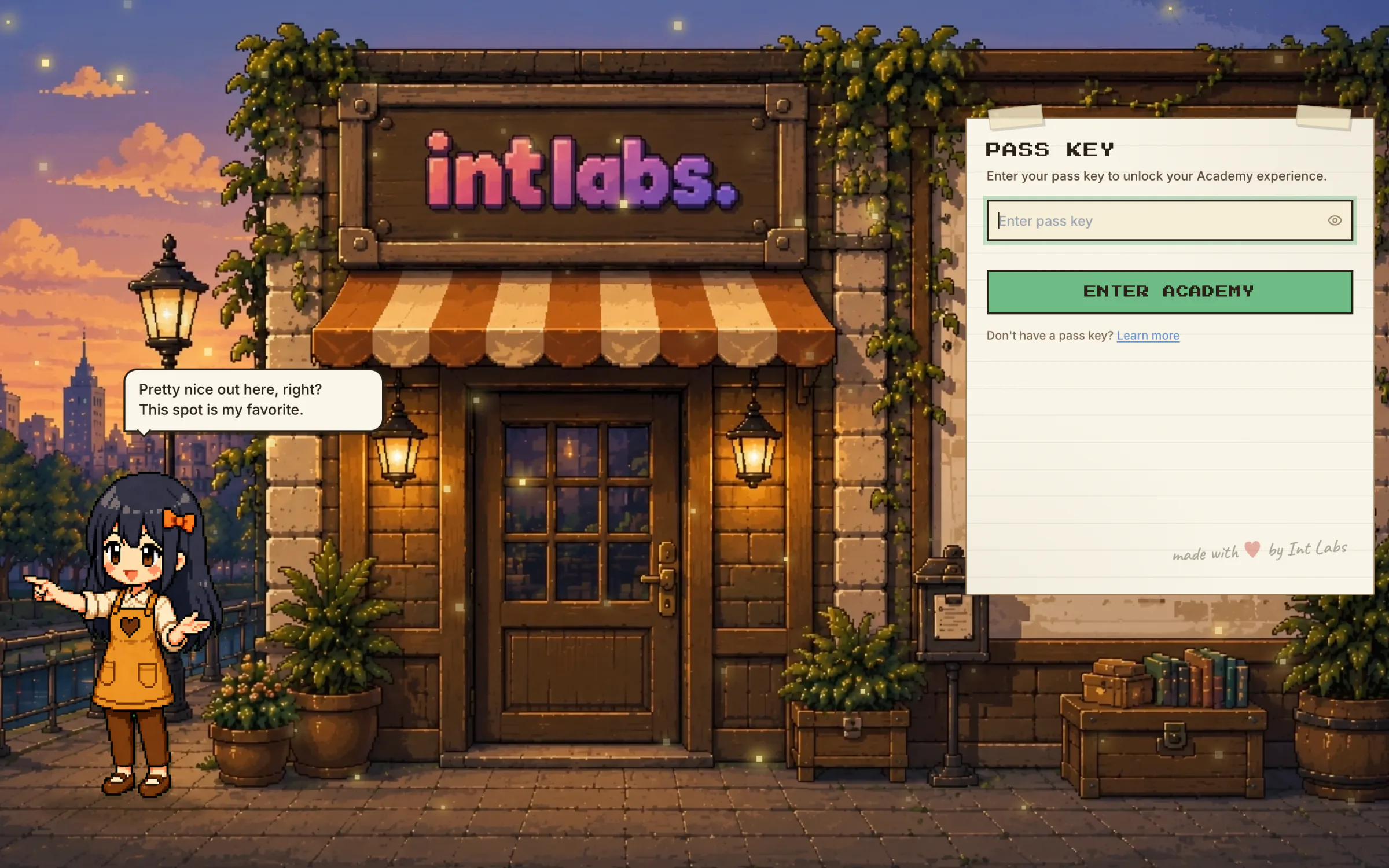
Live for IntLabs Academy programs. Play it with the pass key ACADEMY2026.
Project facts
- Role
- Solo, built from zero with AI coding agents: game design, UX and UI, art direction, the React app and its simulation engine
- Timeline
- April to August 2026
- Built with
- Claude Code
- Playwright
- Stack
- React 18
- TypeScript
- Vite
- Tailwind CSS
- Zustand
- Immer
- Framer Motion
- dnd-kit
- SVG charts
- Web Audio
- Vercel
Why
Mini Business Sim is a browser game made for IntLabs Academy. Its players are university students, early-career professionals and business-school participants, and it teaches five ideas that business courses usually teach with slides.
- Market positioning. There is no neutral product; every choice is a bet on an audience.
- Inventory flow. Stock is cash in physical form. Too much traps cash, too little loses sales.
- Revenue is not cash. A run that is making a profit can still run dry.
- The P&L as a diagnostic. It is a map back to the decisions that caused each line.
- Focused scaling. "Do more of everything" breaks businesses.
Money lessons are easy to recite and hard to feel. A learner can define cash flow and still be surprised when a profitable business cannot pay for its next batch of materials. The lesson only lands when the consequence follows from a choice the learner made. Most business simulations answer this with dense dashboards that look like homework, and the people who most need the lesson are the first to tune out.
So the brief asked for the opposite: a learning tool dressed as a cosy game, with no cooldown timers and no arcade noise. The design spec puts the visual brief in one line: not a corporate dashboard, not a noisy arcade.
The project holds no outside statistics on the size of this problem and no learner research, so none are quoted here. What follows is design reasoning and how the product behaves.
Simple on Purpose
- Why notebooks. A notebook is something every student has bought. It has clear variants (cover, paper, binding), a real cost of goods, several plausible audiences and real stock to manage. It is simple on purpose, so the business decisions are the subject, not the product.
- Why phases, not days. The engine simulates one day at a time, but the player only ever confirms a 30-day phase. Decisions cost energy or cash, never time. That keeps the player thinking about strategy instead of clicking "next day".
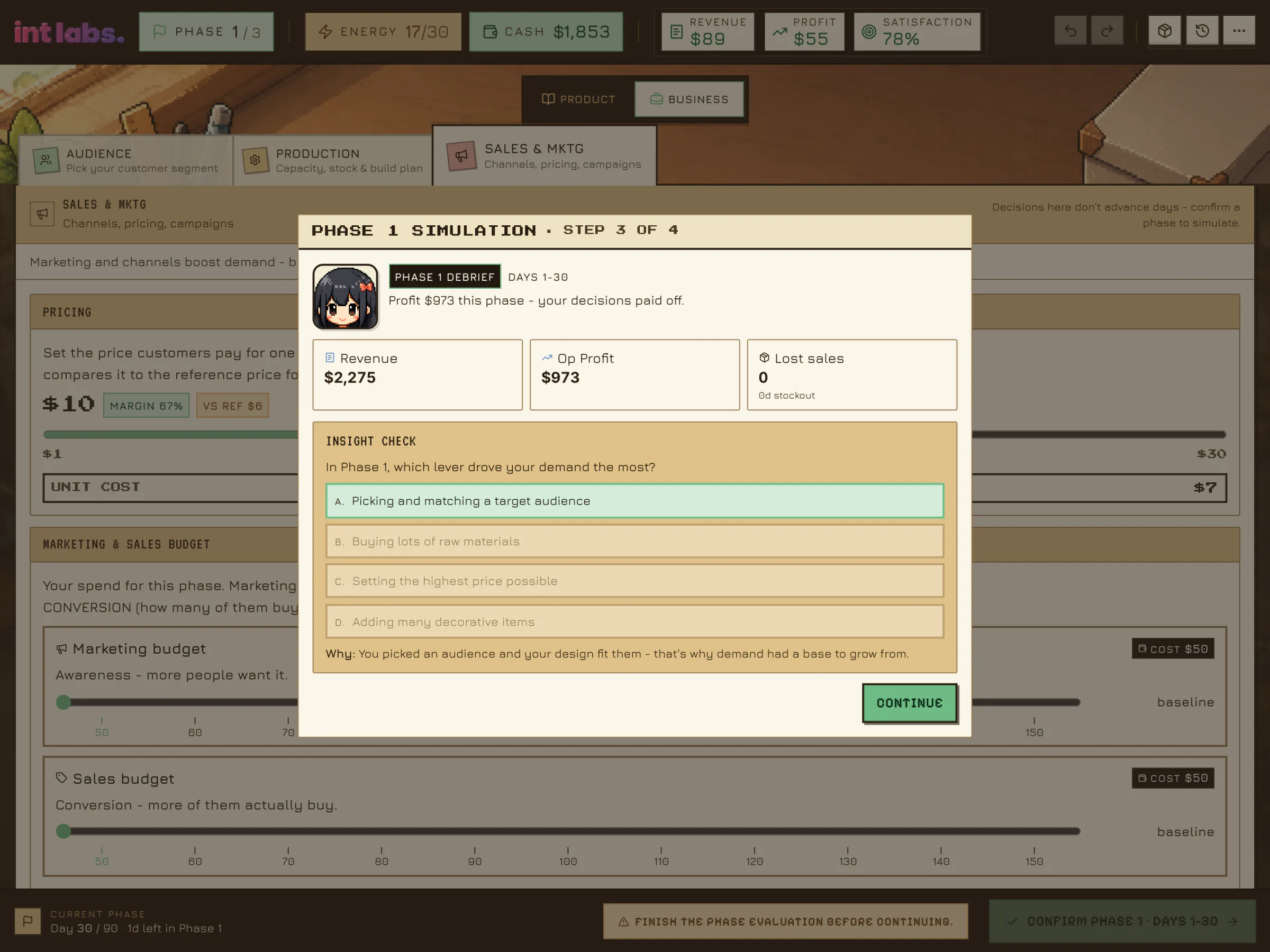
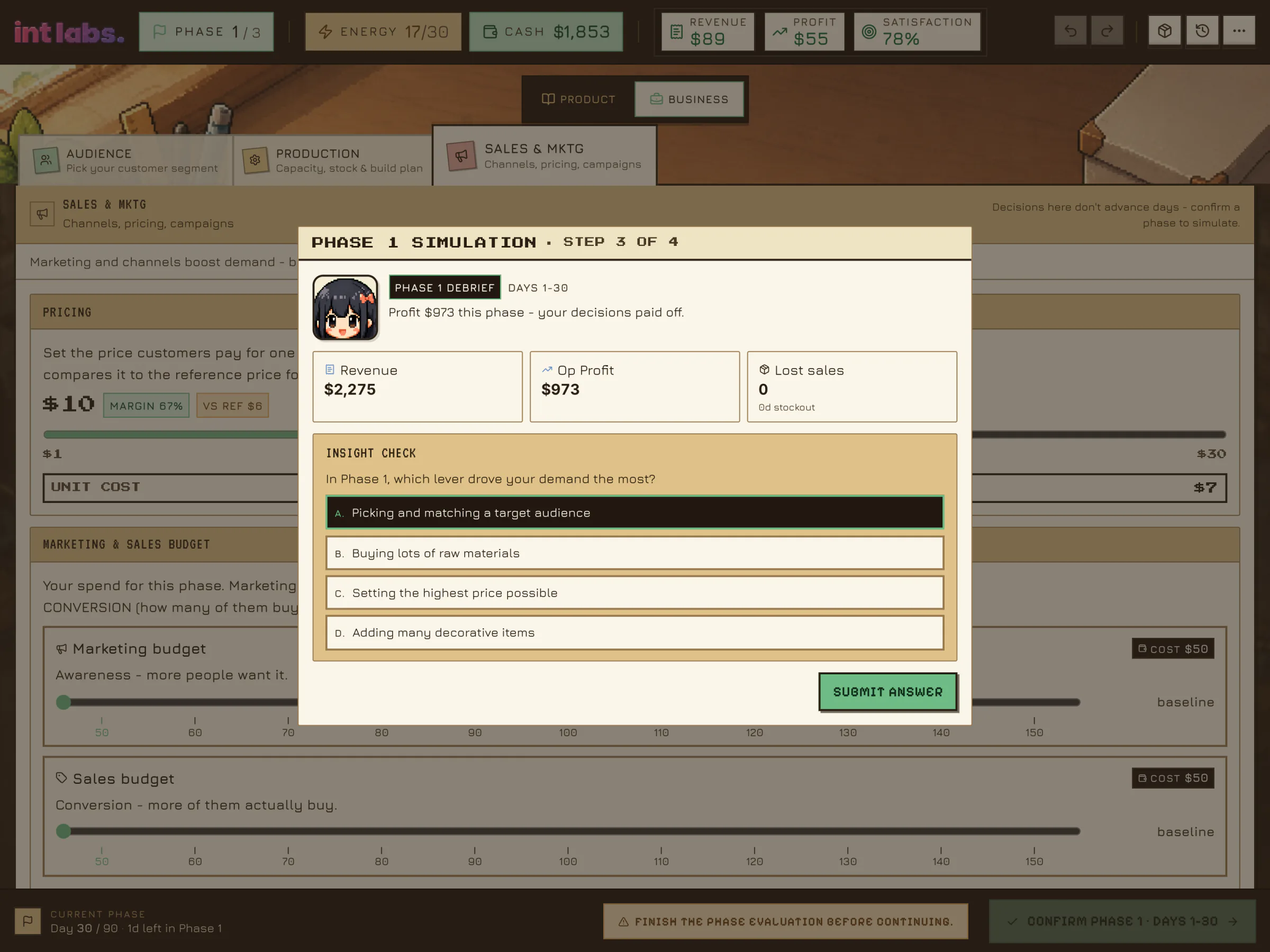
- Why a question at the end of each phase. The debrief slows the player down. Its question is built from their own ledger ("which lever drove your demand?"), so a generic answer cannot be memorised.
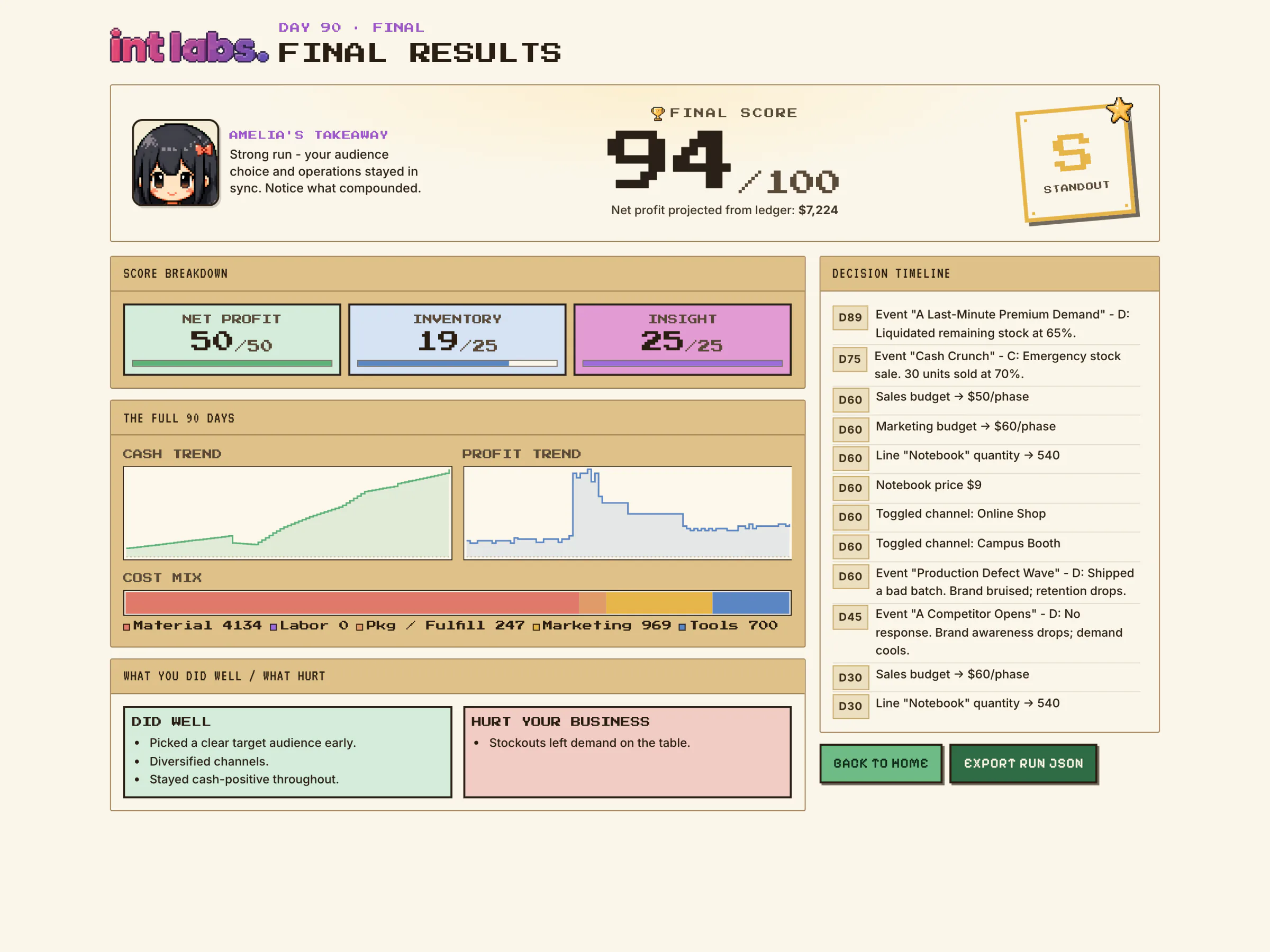
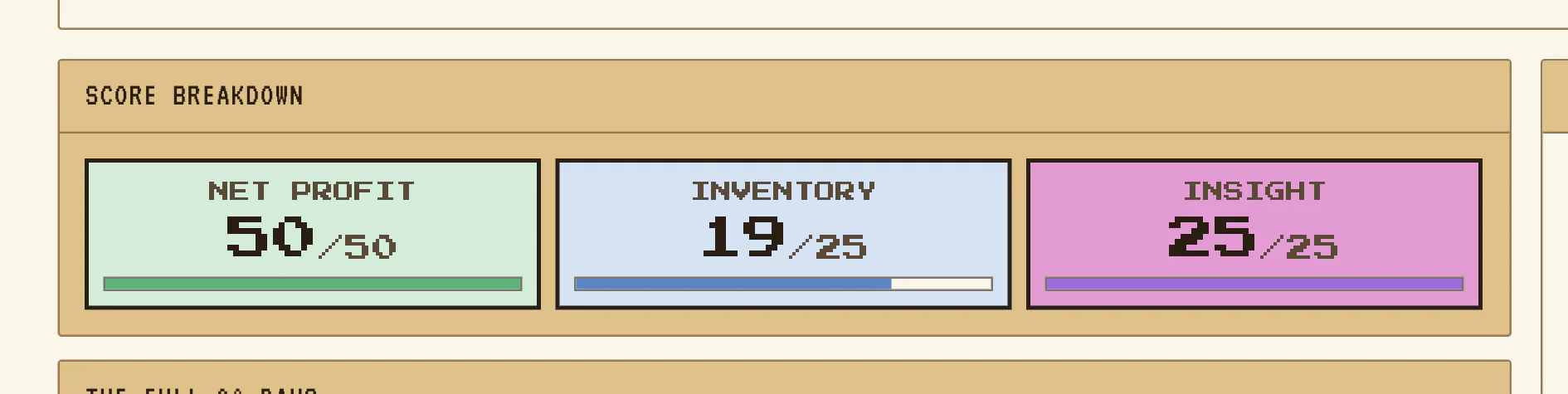
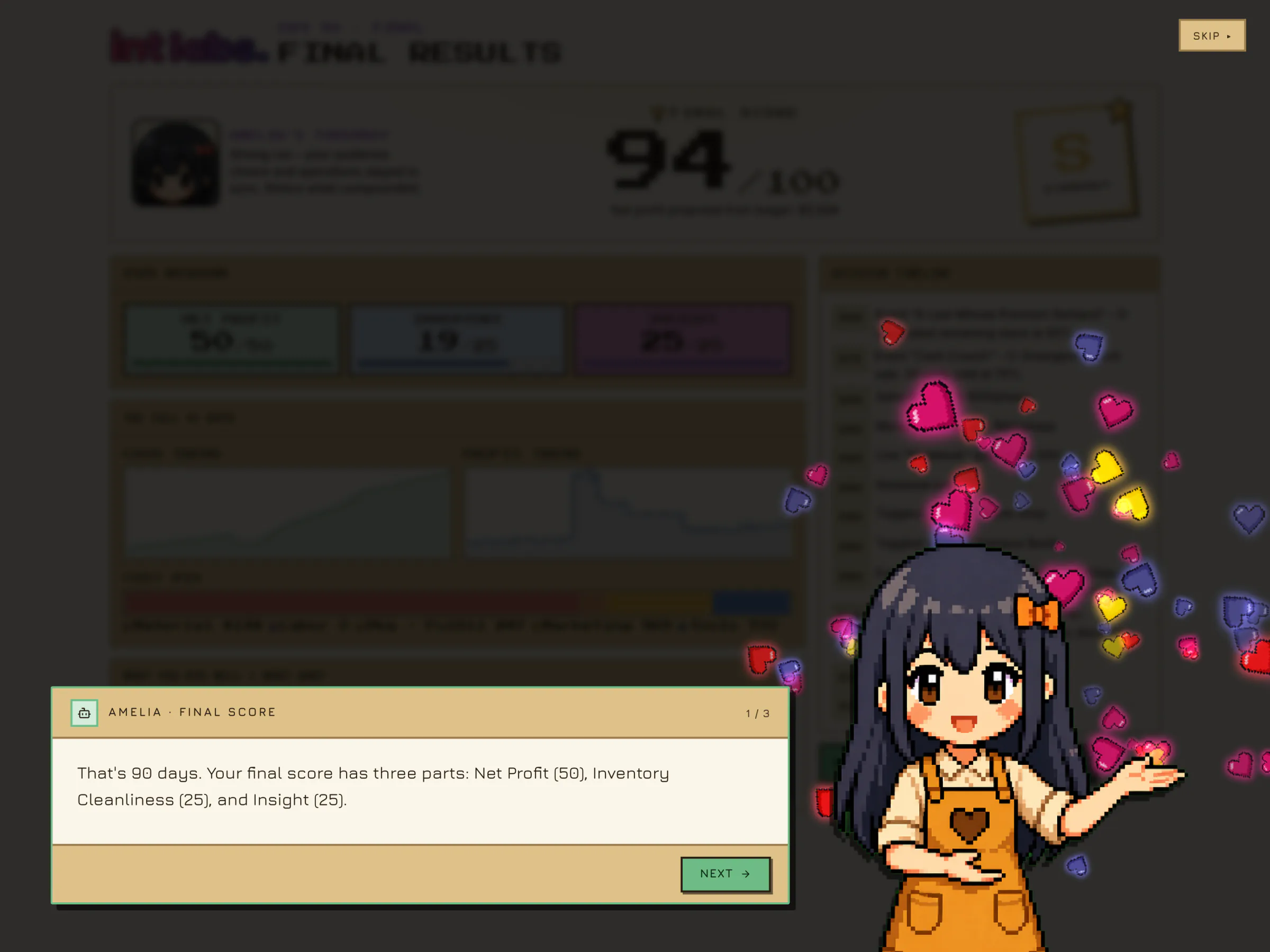
- Why profit drives the score. Revenue rewards selling at any cost. The score gives 50 points to net profit, 25 to clean inventory and 25 to the insight questions.
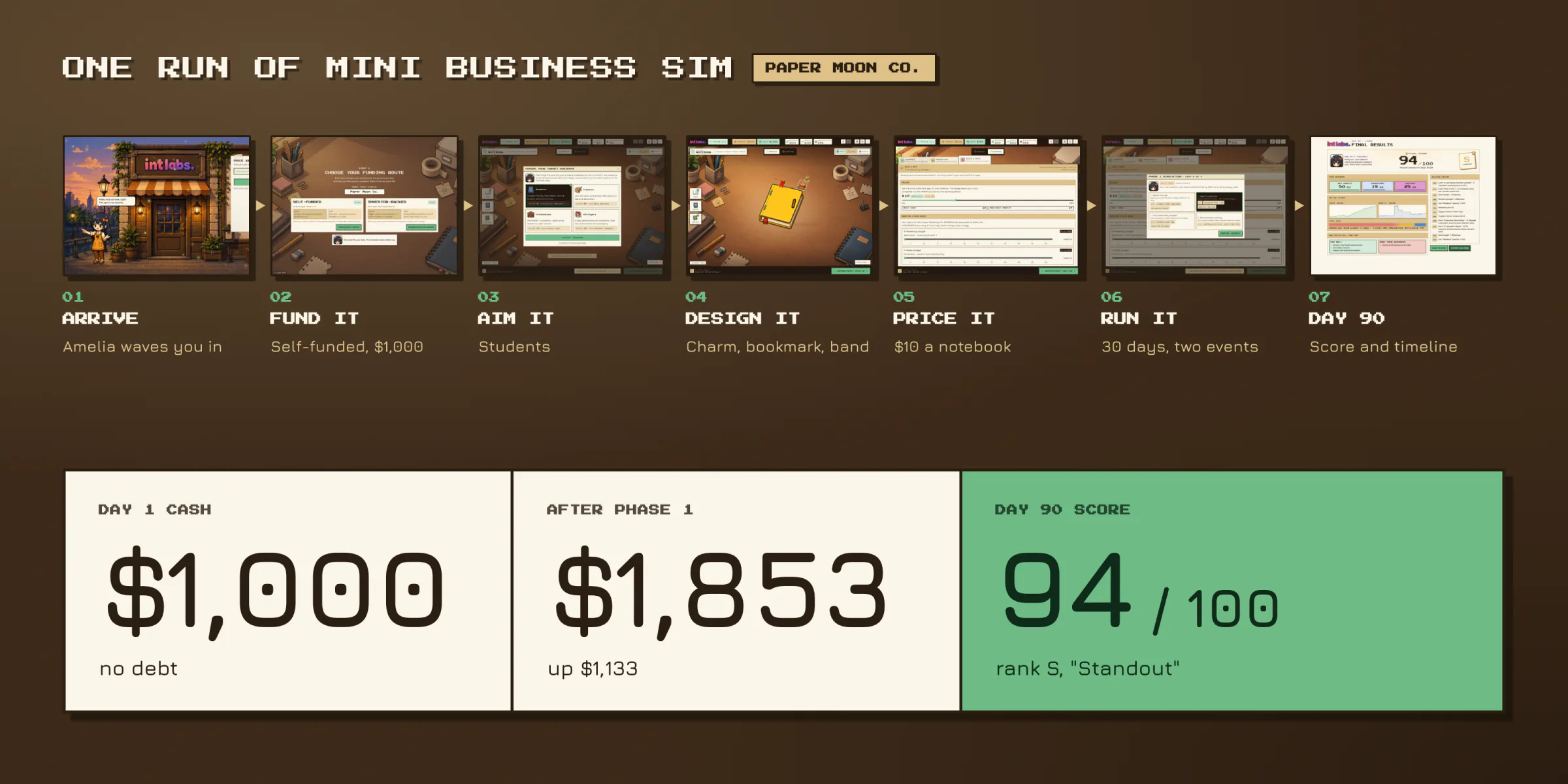
How It Works
One example runs through every film and screen here: a self-funded studio called Paper Moon Co. selling to Students. A full run takes 25 to 40 minutes.
- Arrive and start. A storefront at dusk, then a card that names the lessons and one button: Start Business.
- Choose how you start and who it is for. A funding route, then one of four audiences.
- Design the notebook. Type, cover, binding, size and paper in a drawer; add-ons dragged onto the notebook itself.
- Run the desk. Buy a tool, plan production, set the price, open a sales channel.
- Simulate the phase. Thirty days race by, market events ask for a choice, and a question checks whether the player can explain their own result.
- Read the paperwork. The P&L fills in by phase, and day 90 ends on a score out of 100.
A Storefront at Dusk
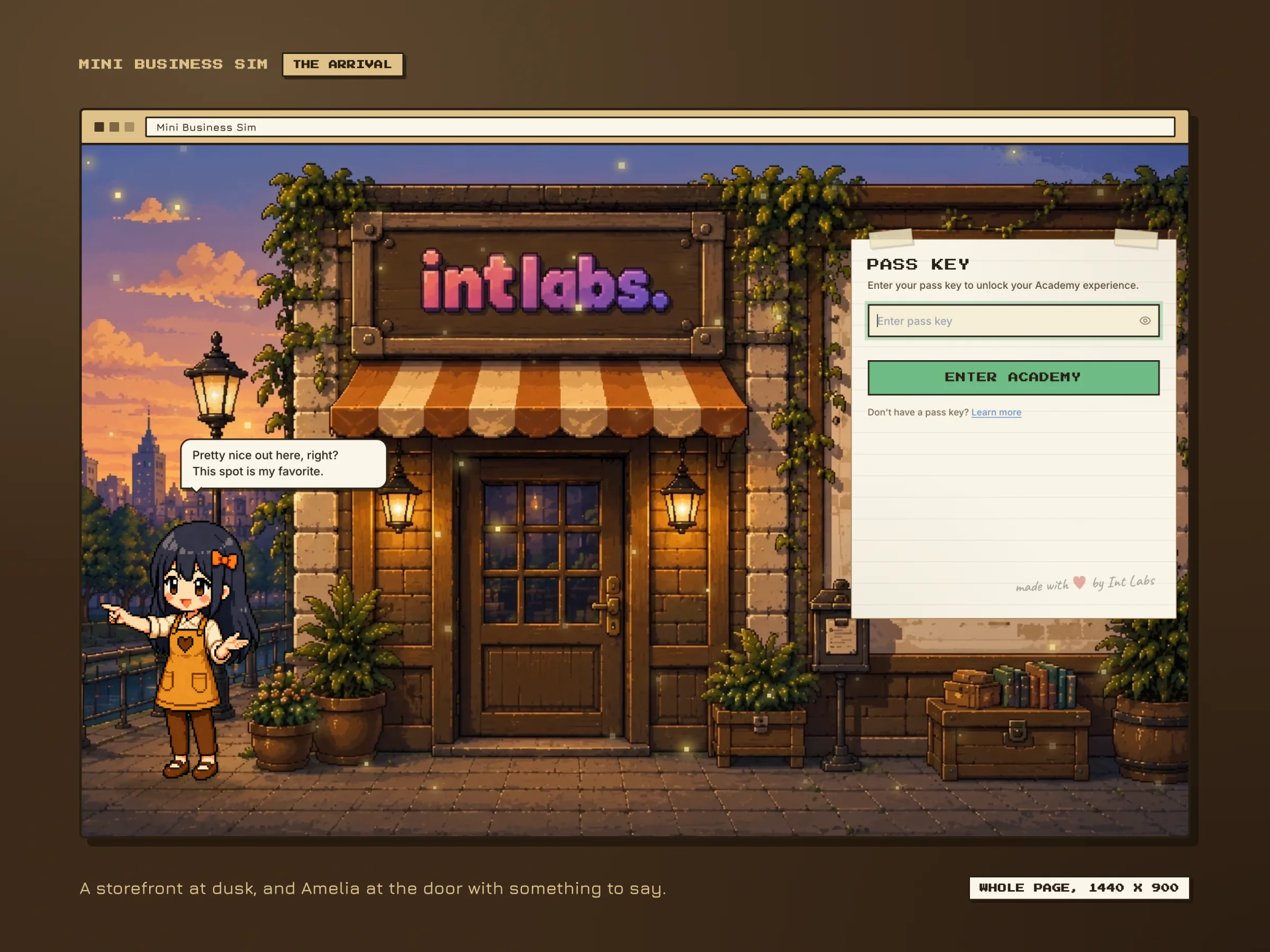
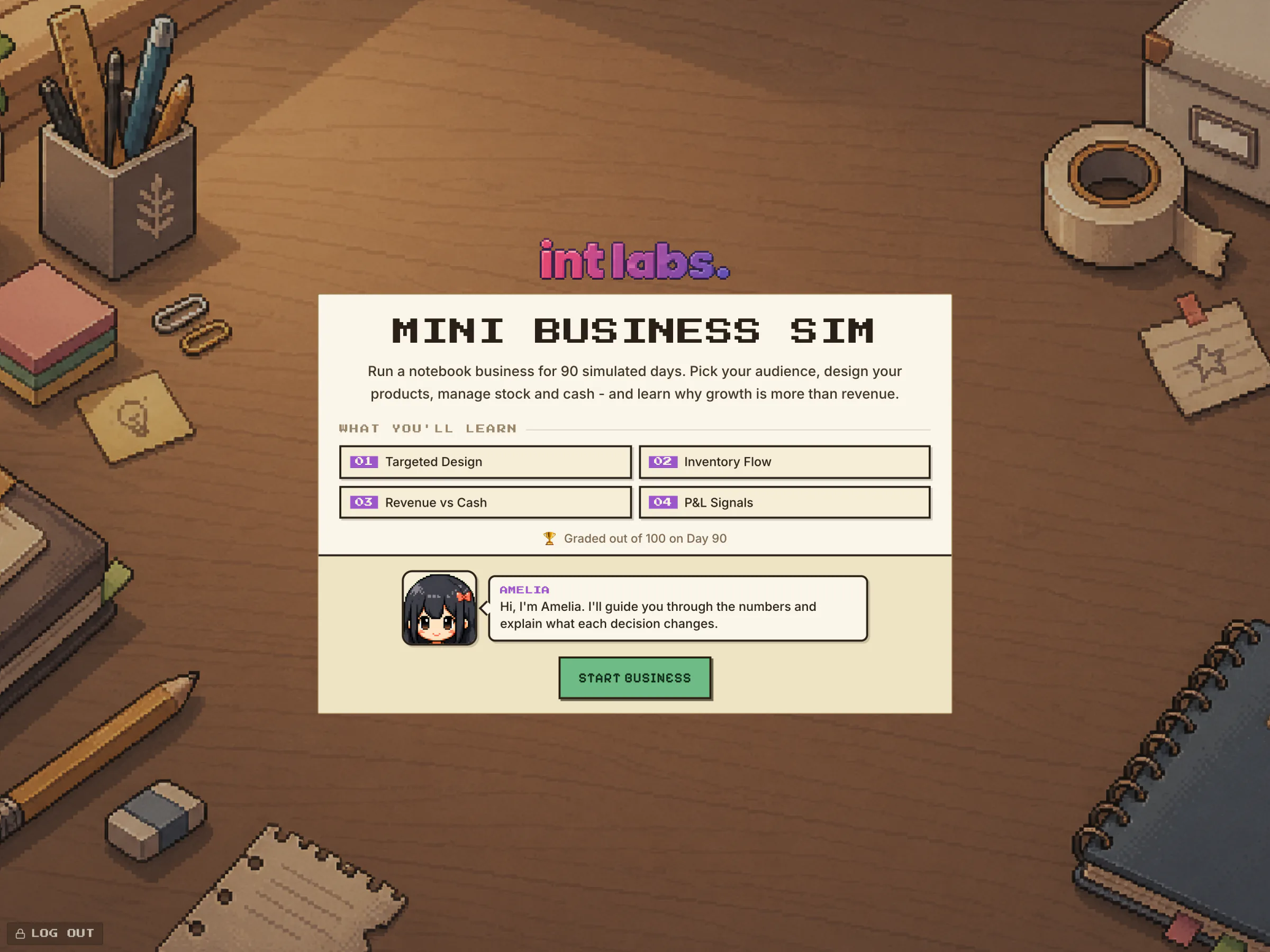
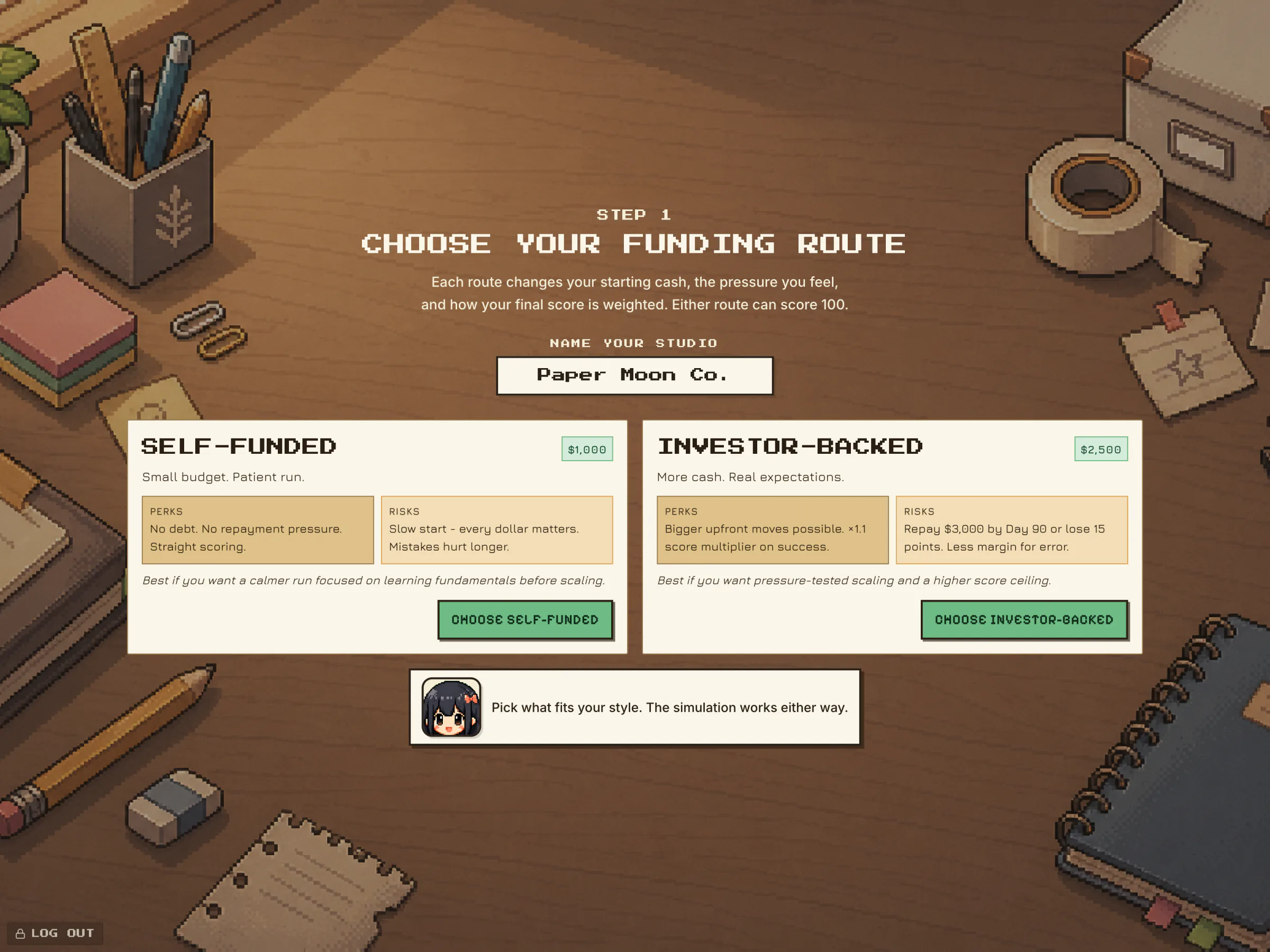
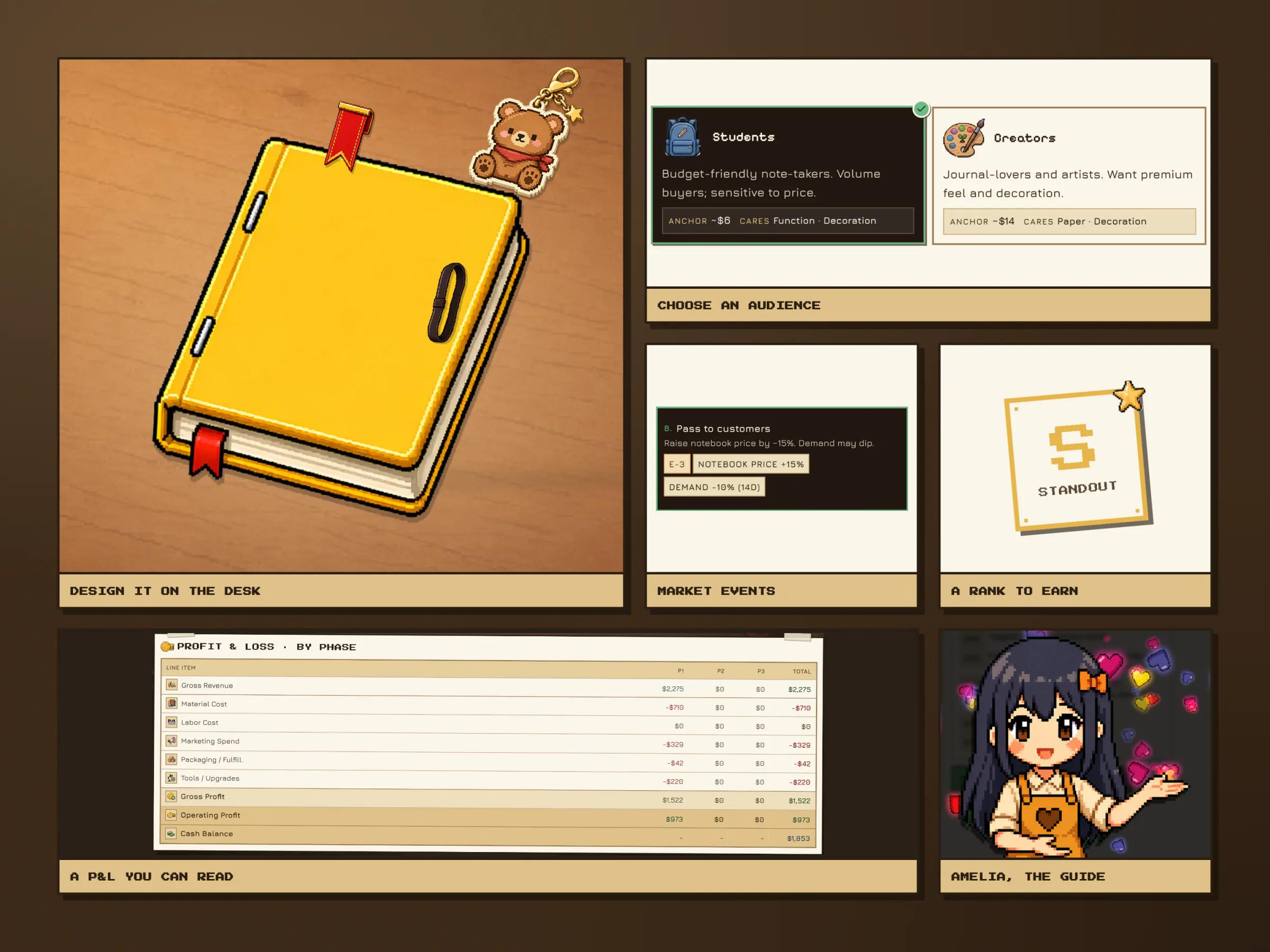
The first screen is a pixel storefront with fireflies and Amelia, the guide, waving at the door. The pass-key card is pinned to the shop's notice board. Inside, a card on a wooden desk names the lessons, and the player picks a funding route: self-funded with $1,000 and no debt, or investor-backed with $2,500 and $3,000 to repay by day 90. Paper Moon Co. takes the patient route.
Who It Is For
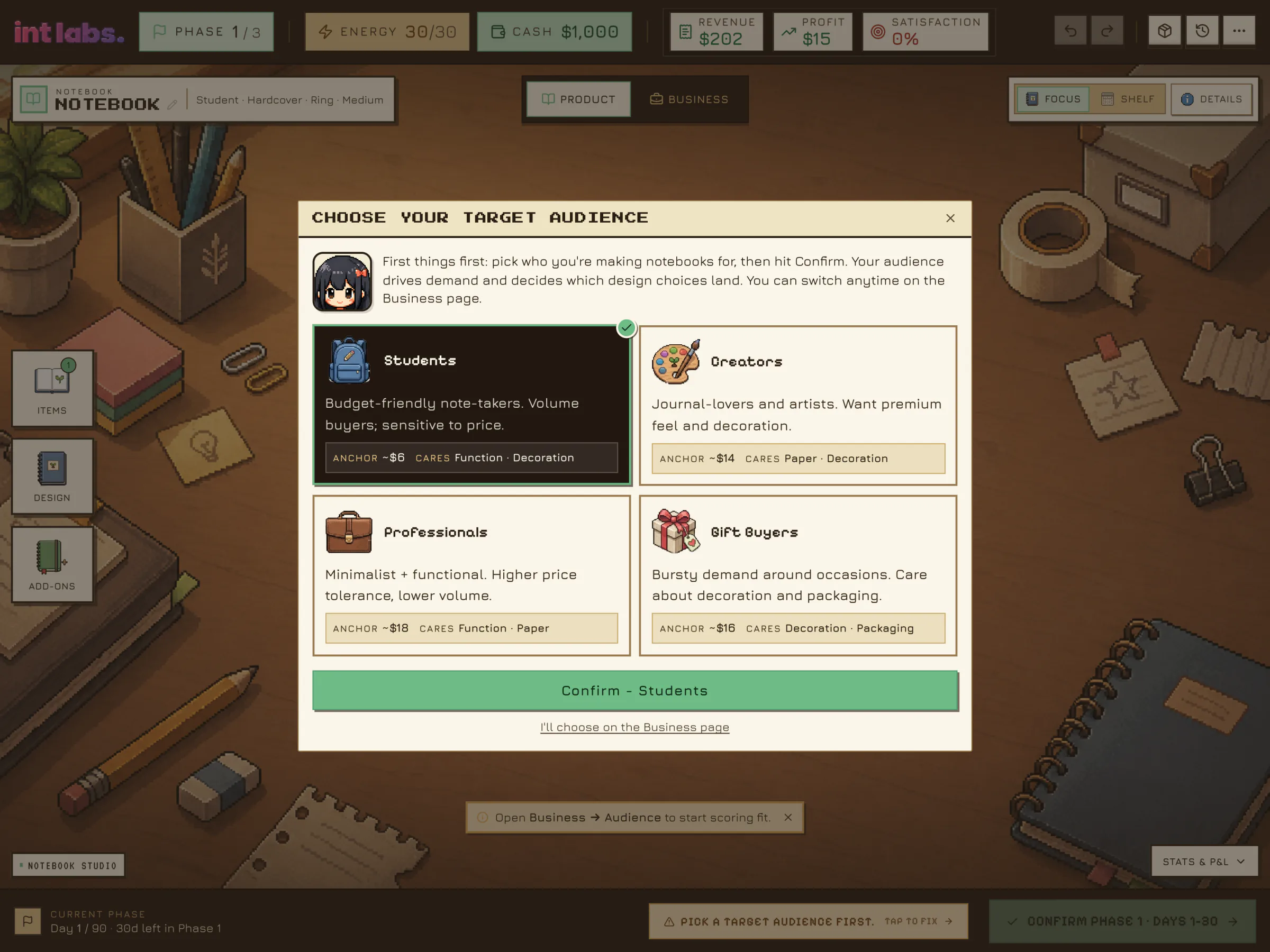
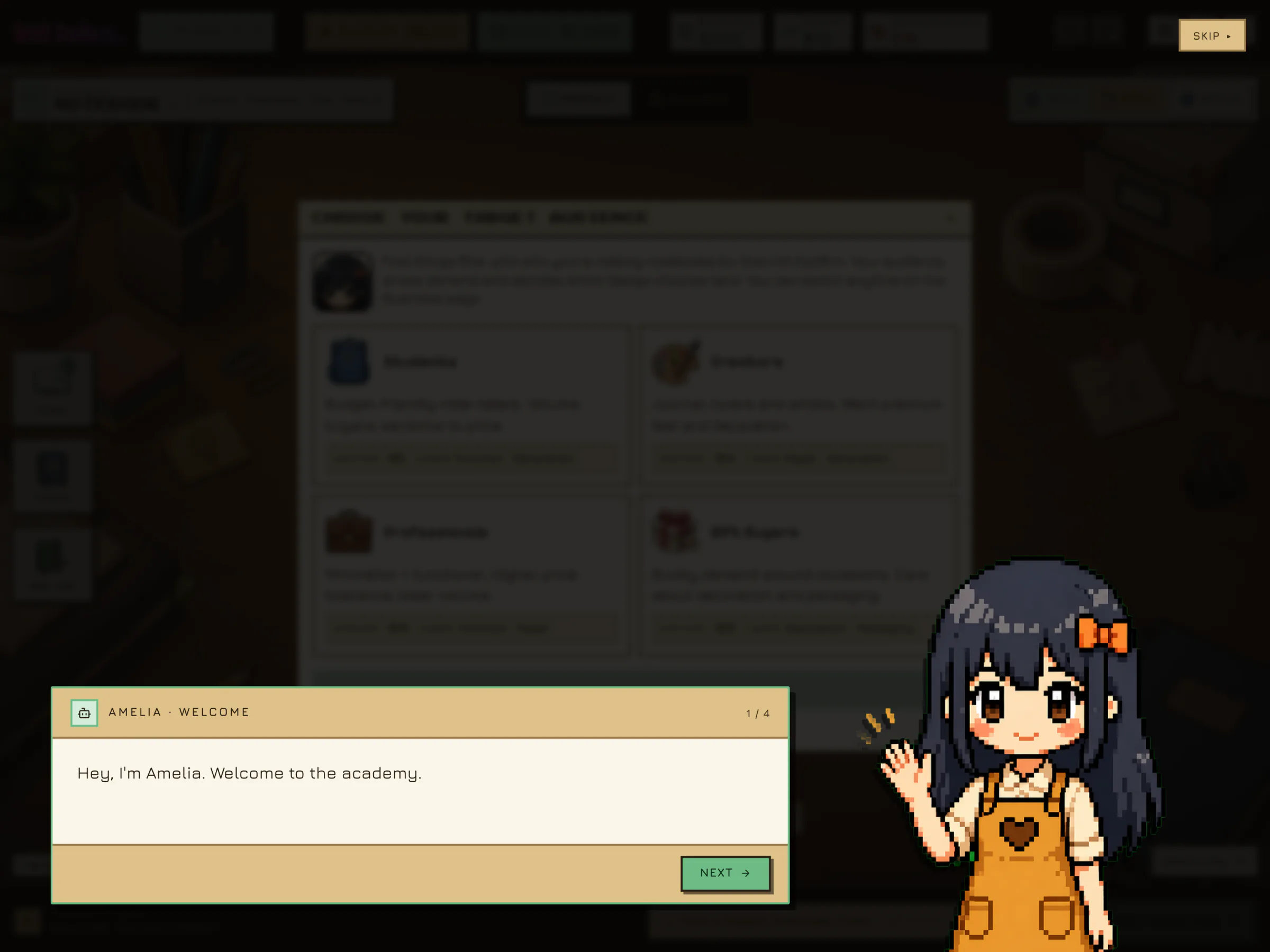
Phase 1 opens on Market Positioning, days 1 to 30, and Amelia says hello. Then four audience cards: Students, Creators, Professionals and Gift Buyers. Each cares about different things and pays a different price. Paper Moon Co. chooses Students, who care about function and decoration.
The Notebook Is the Hero
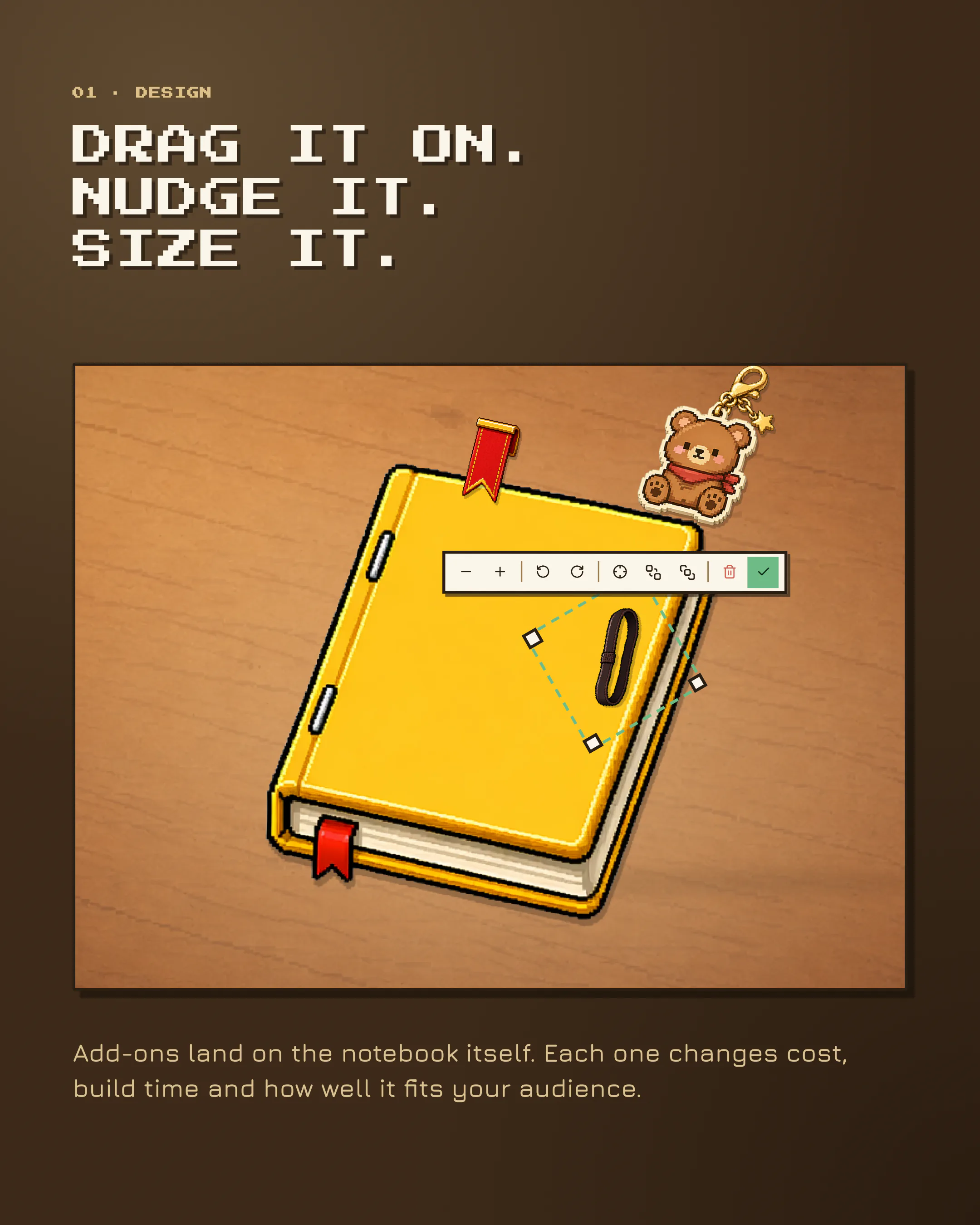
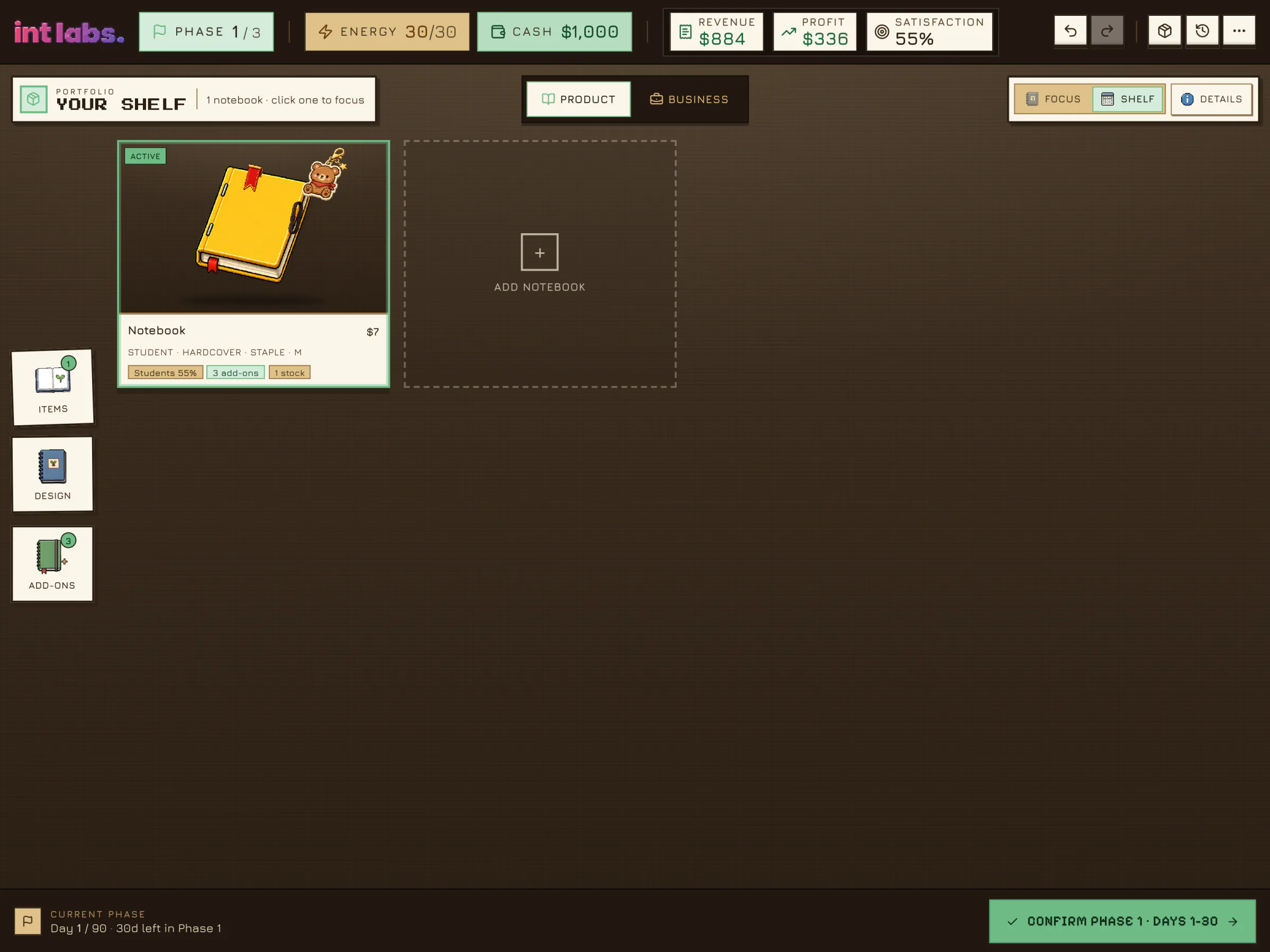
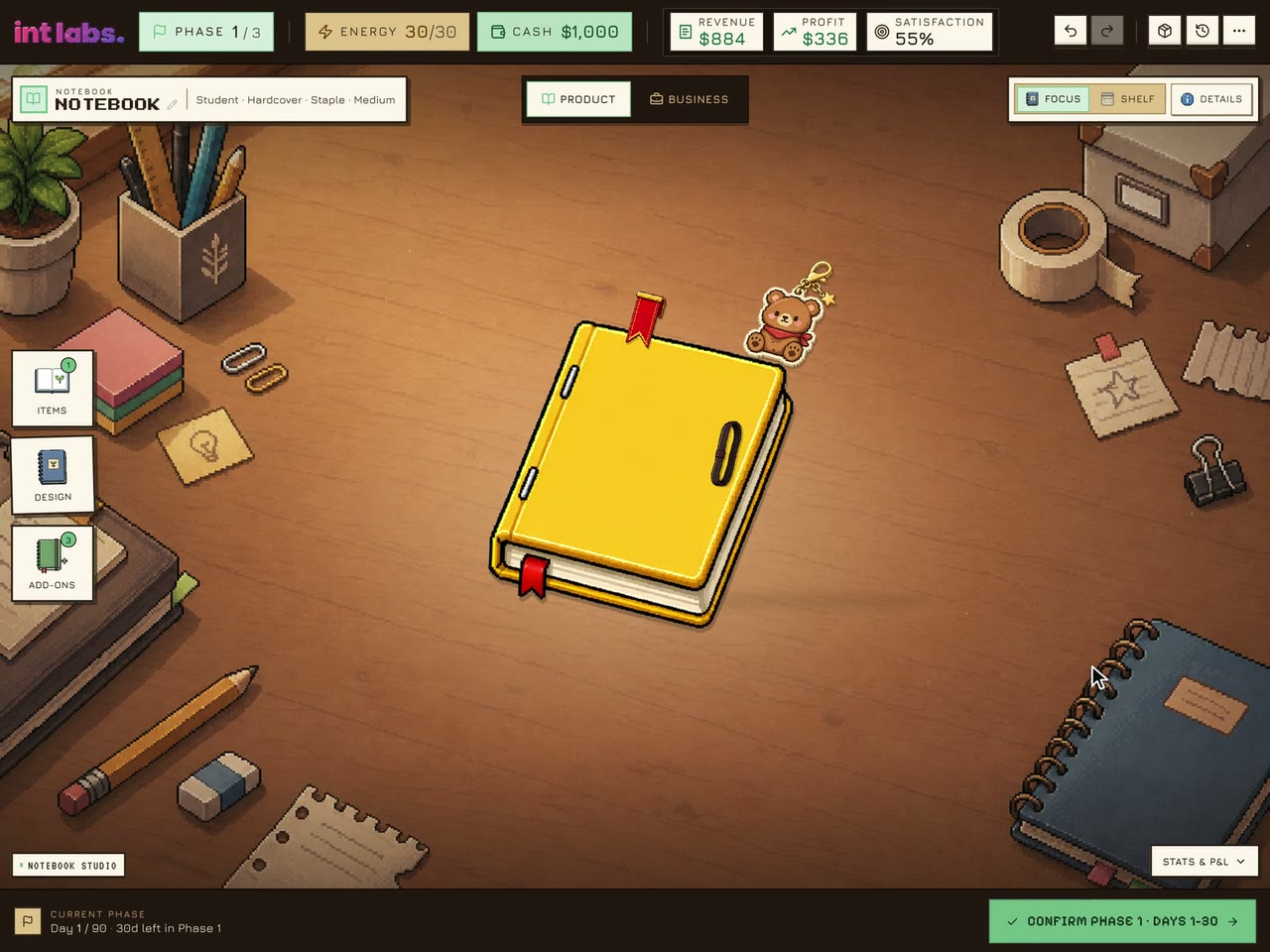
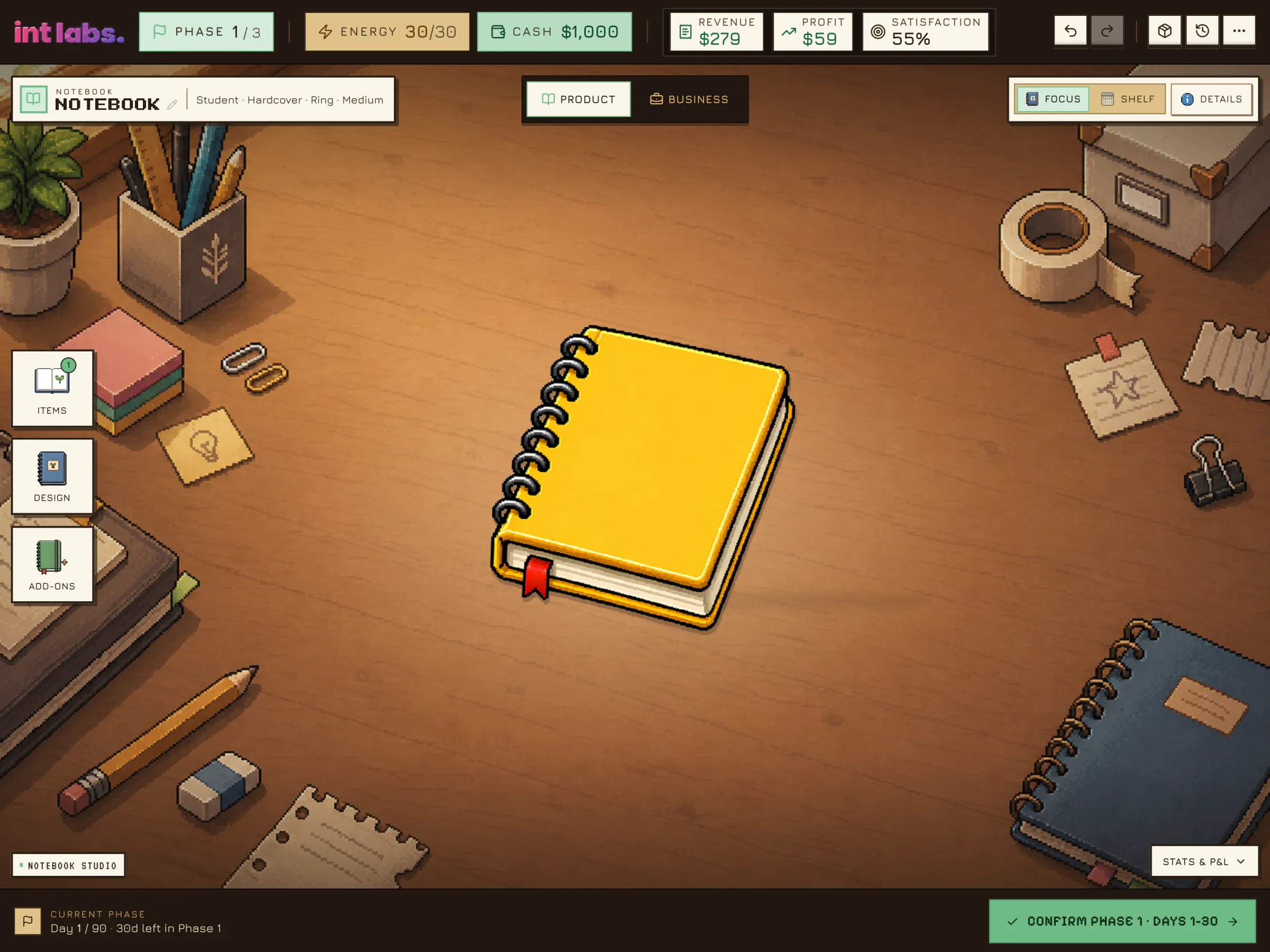
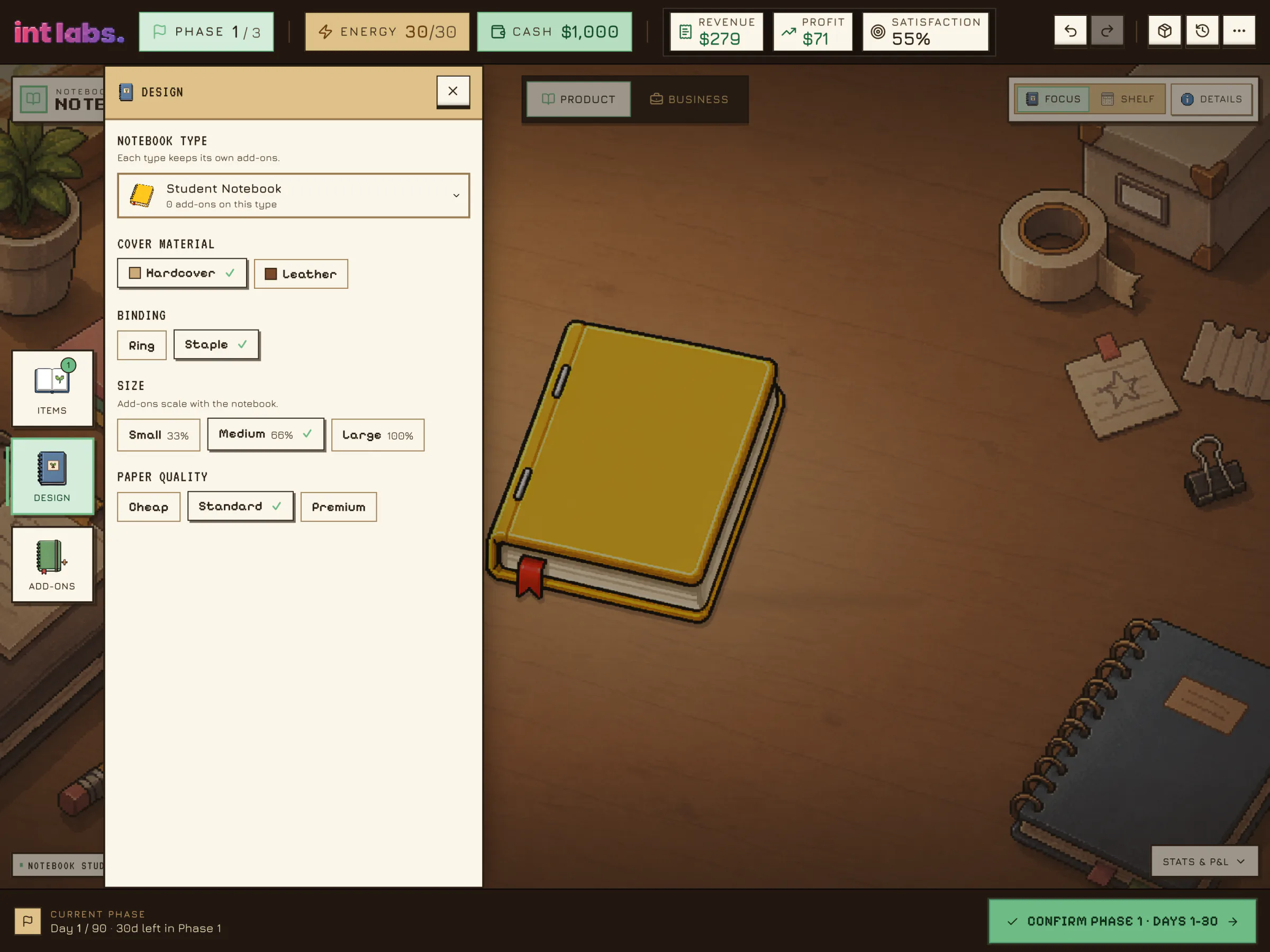
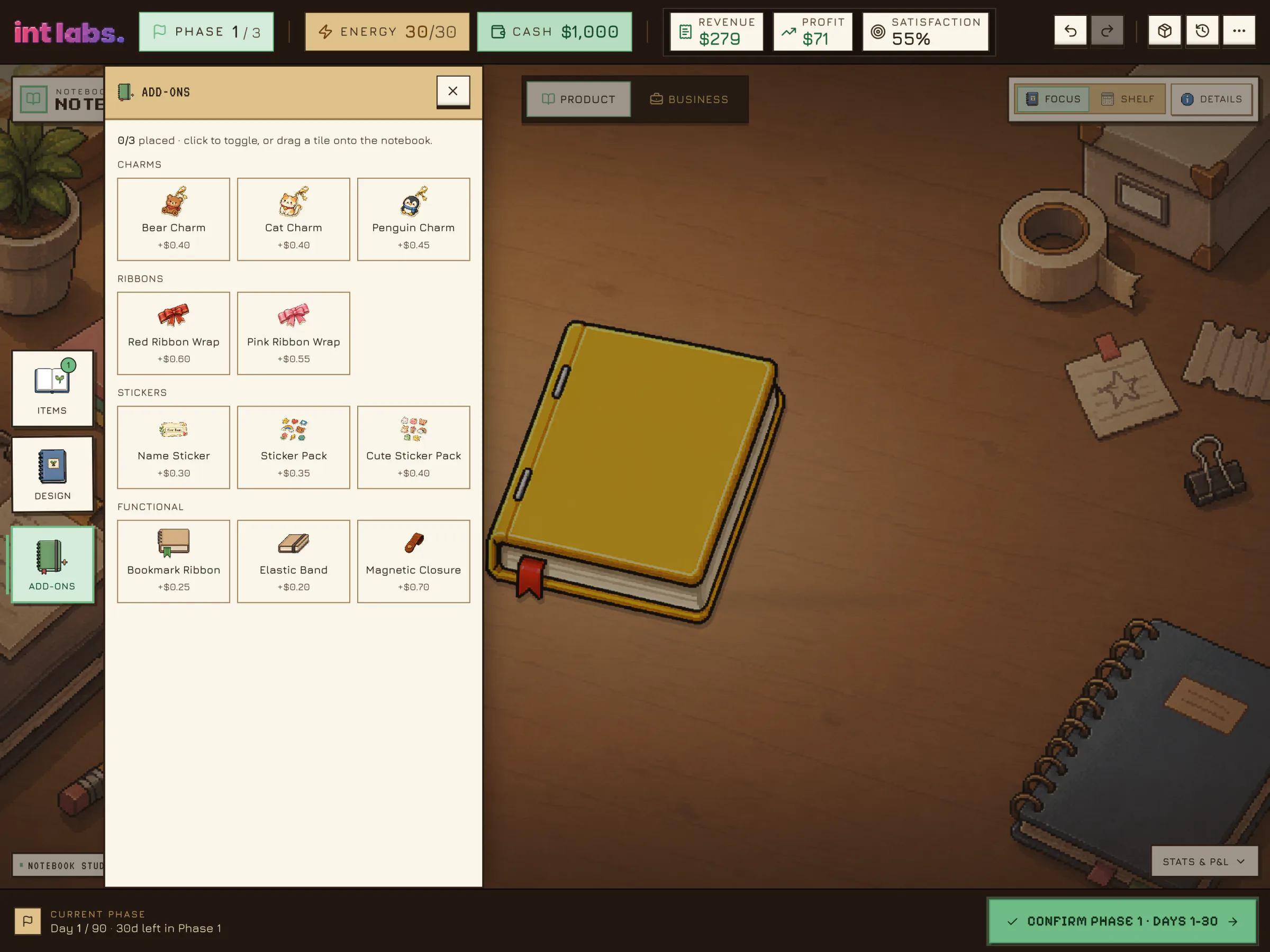
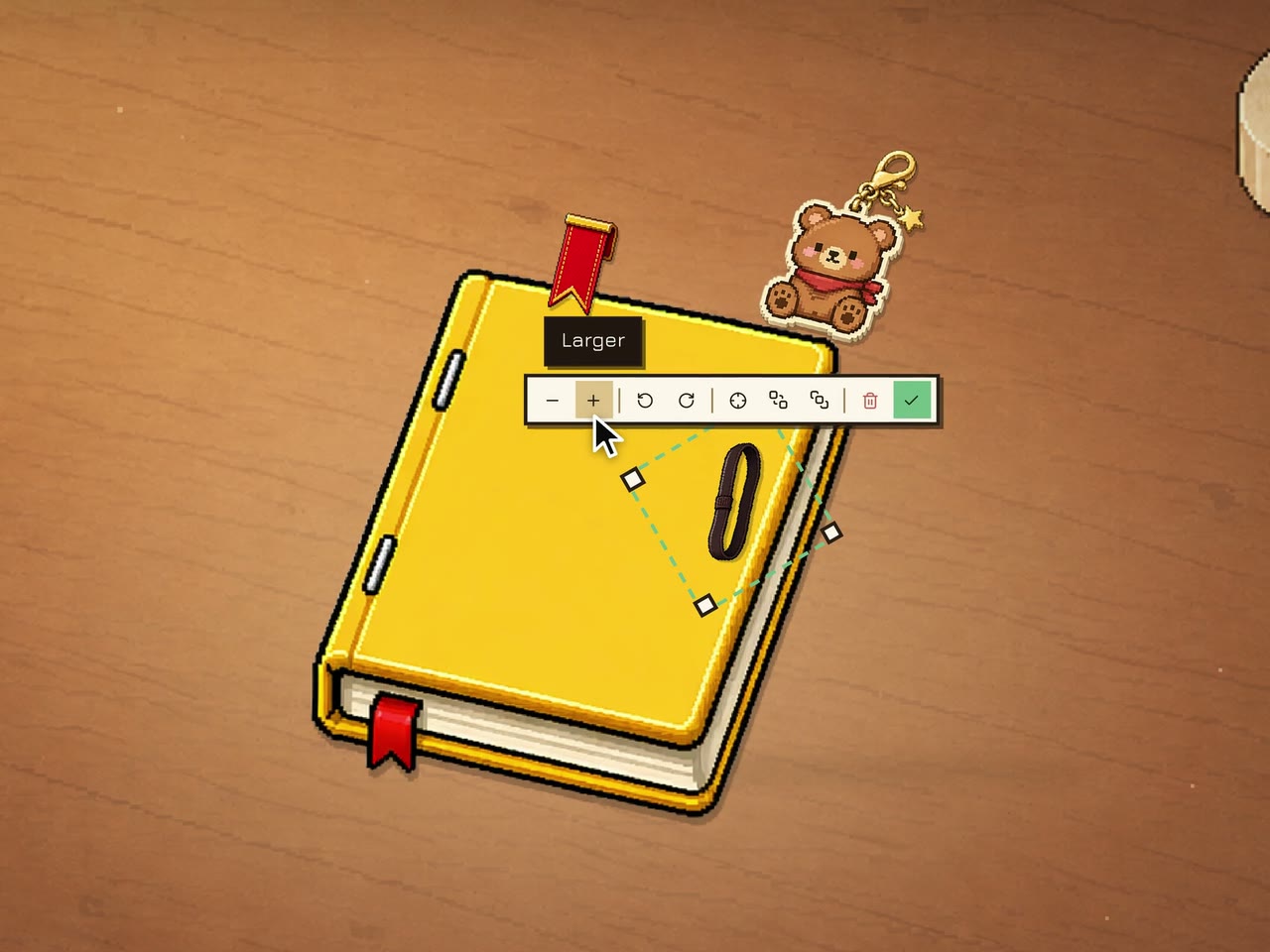
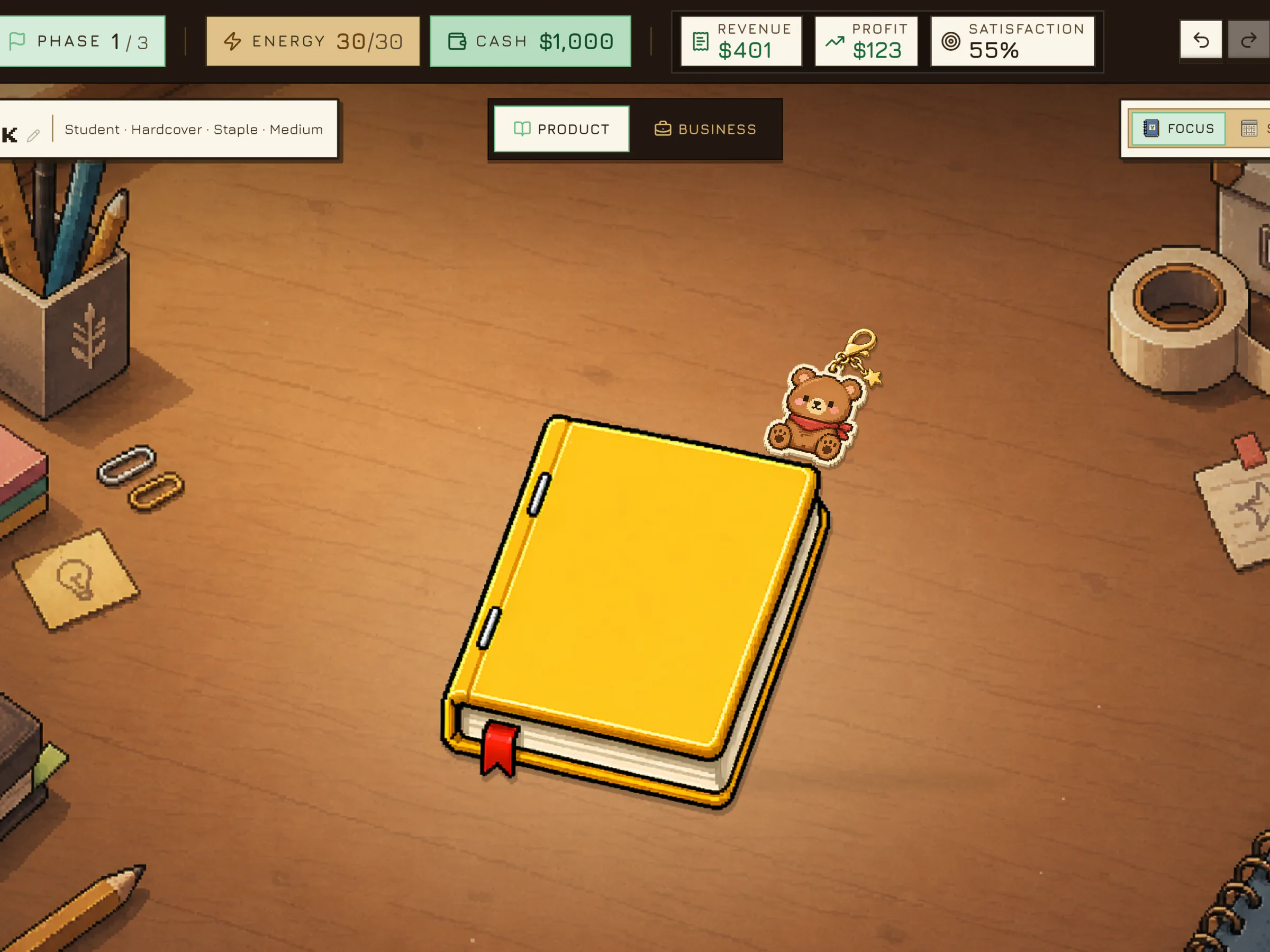
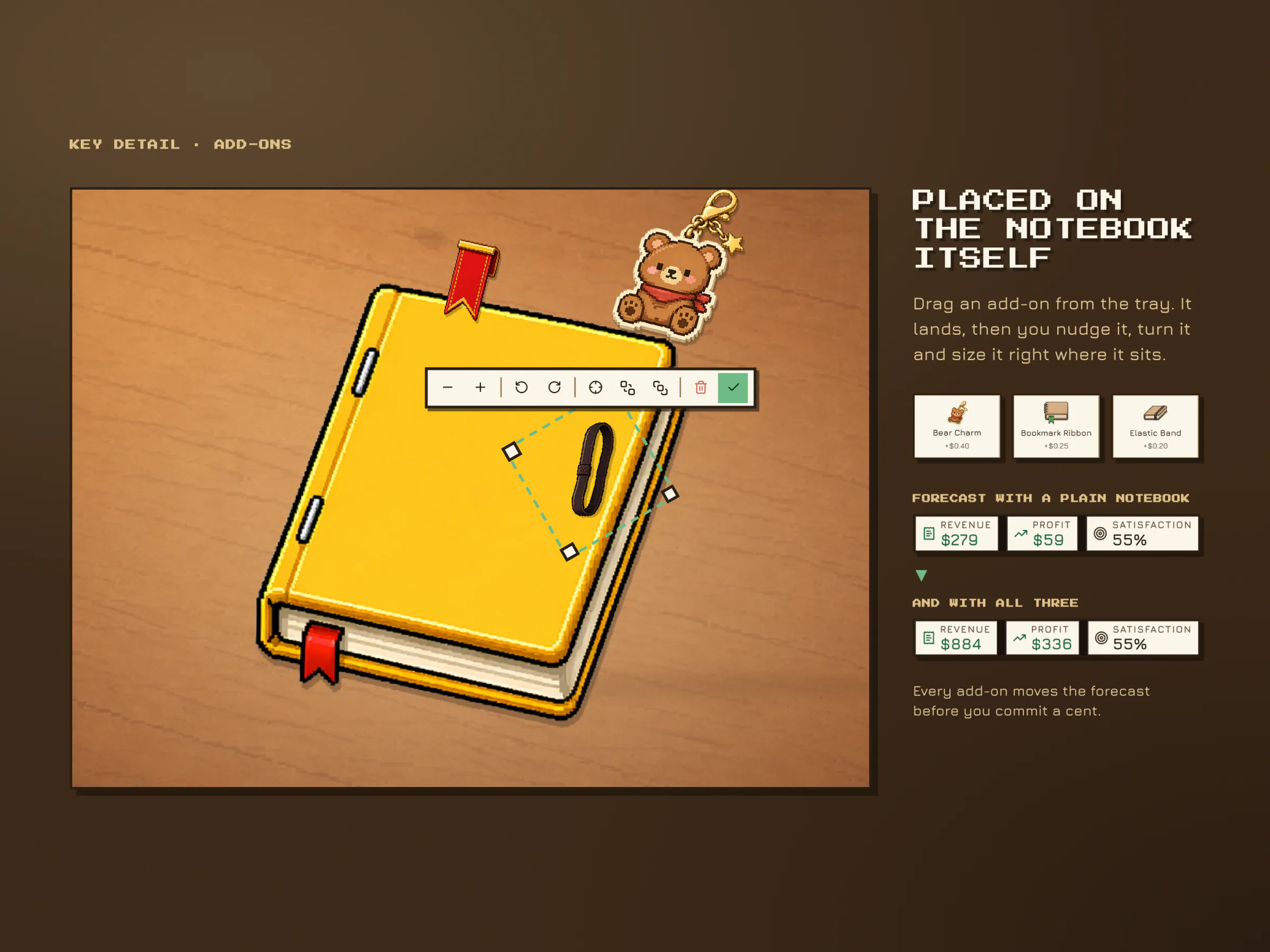
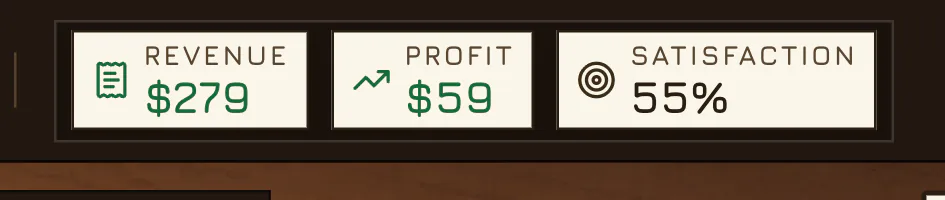
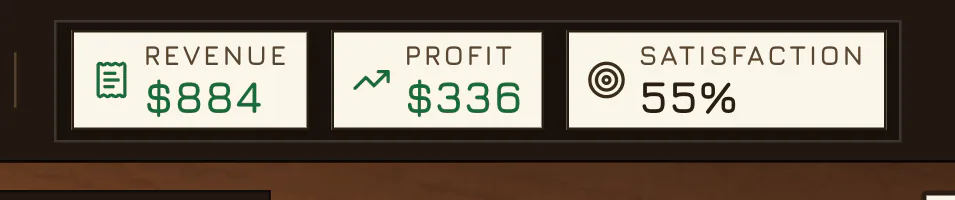
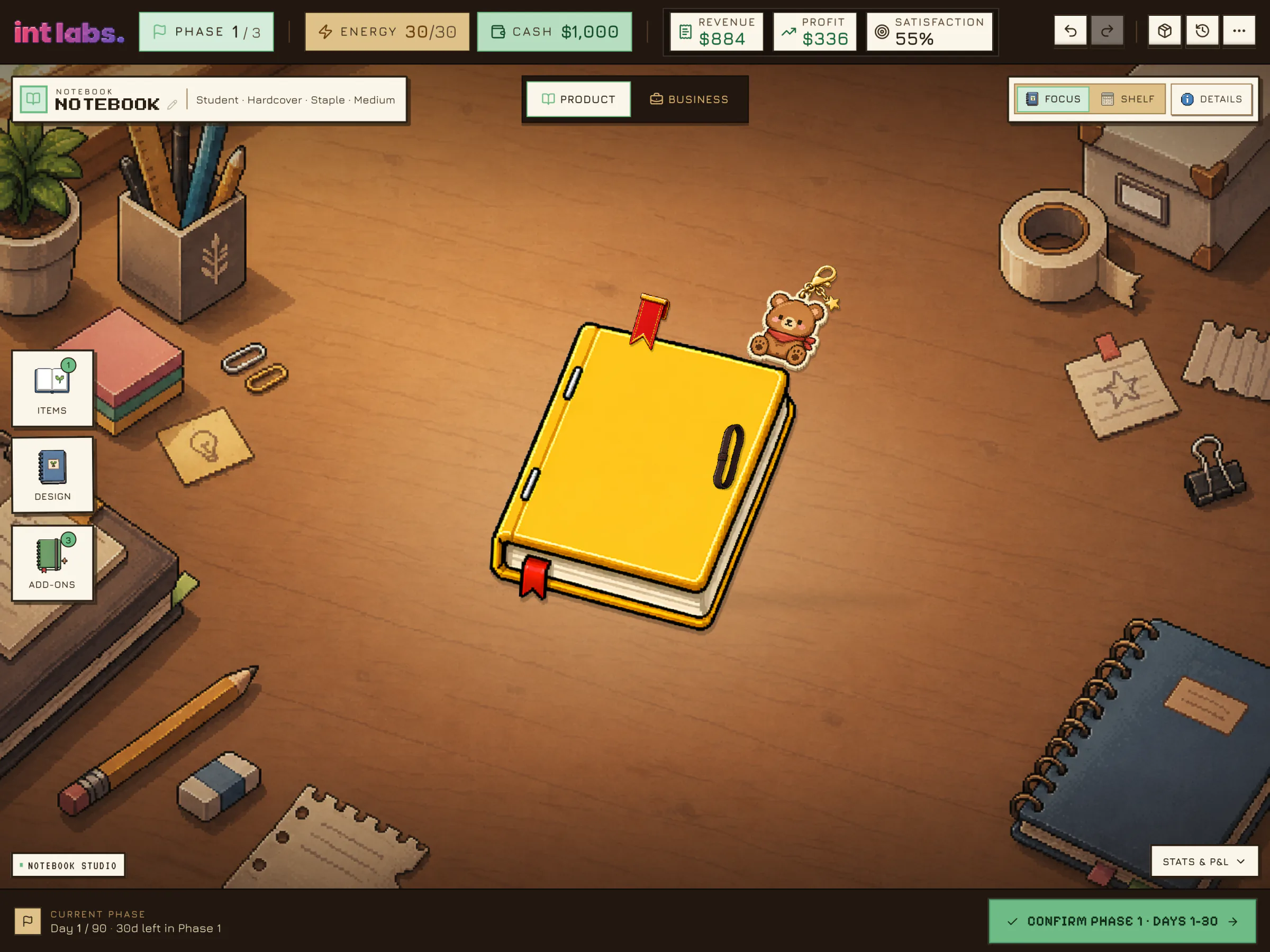
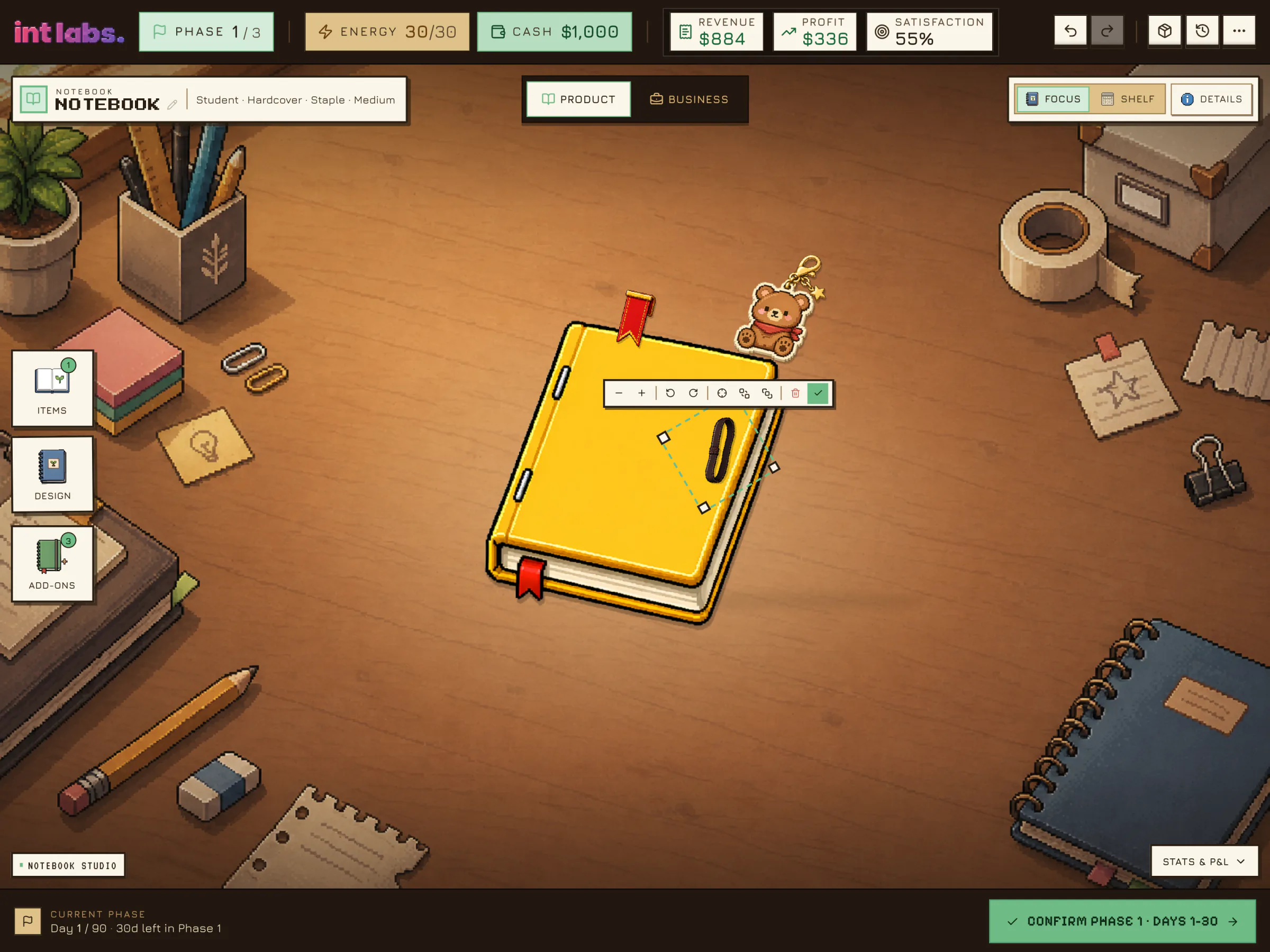
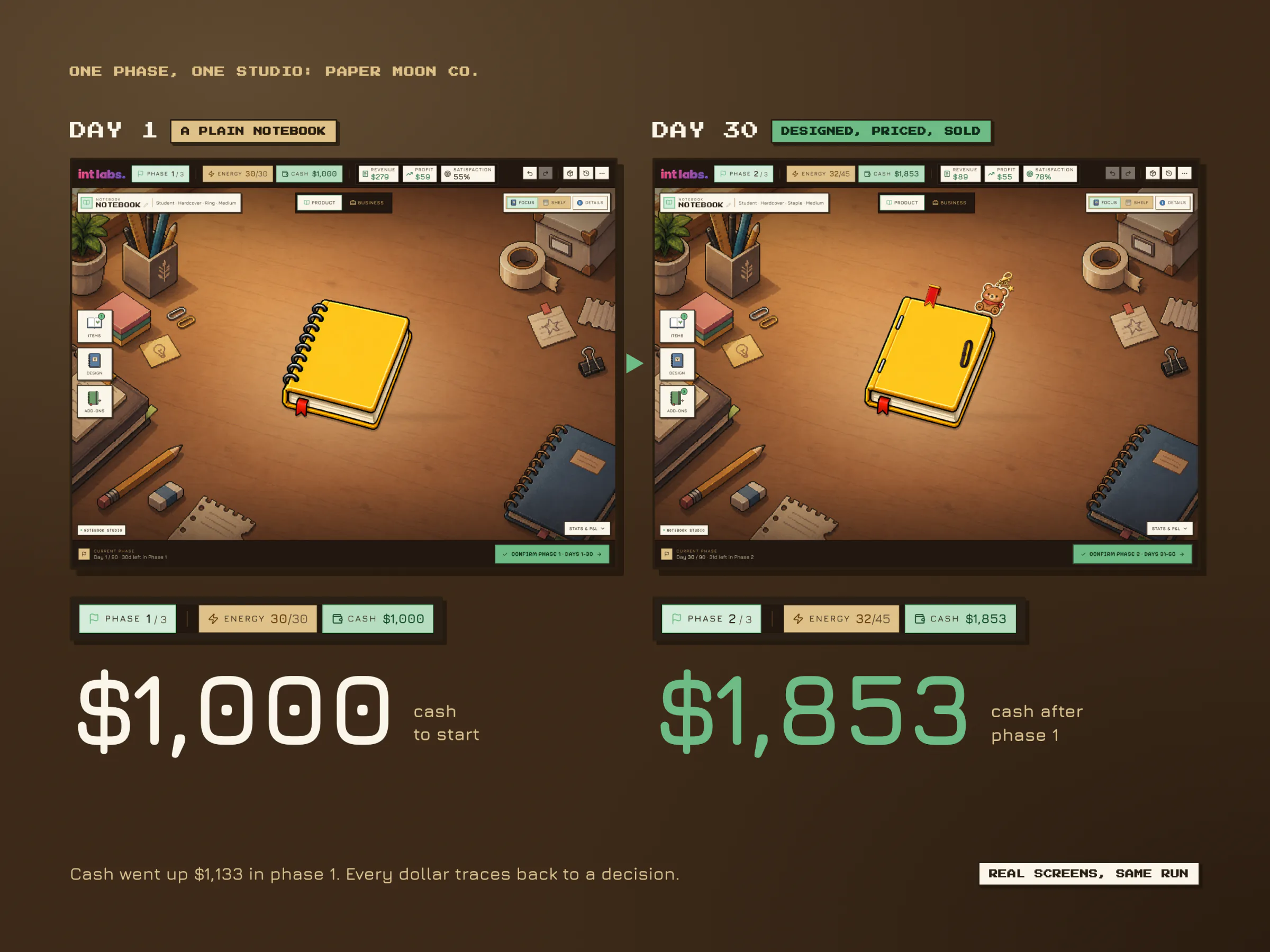
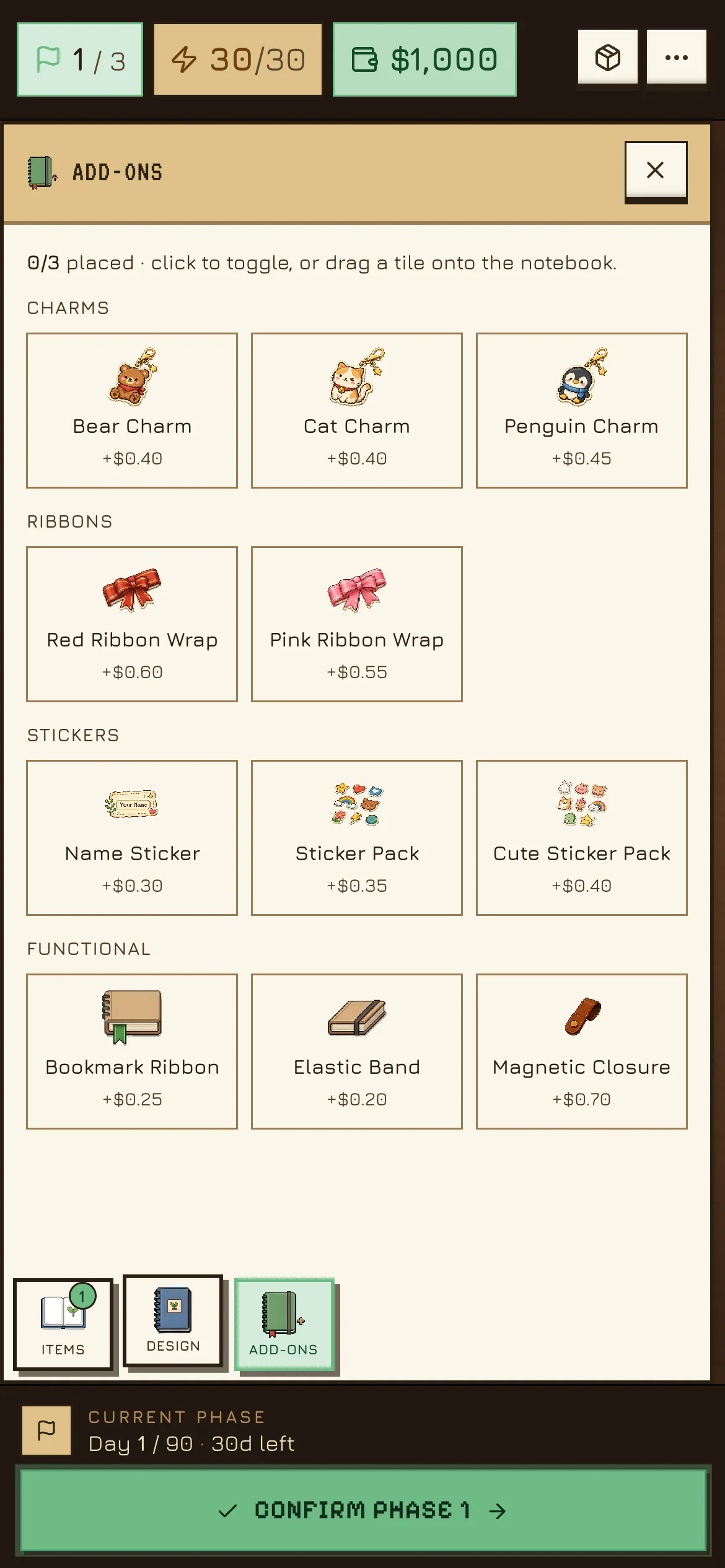
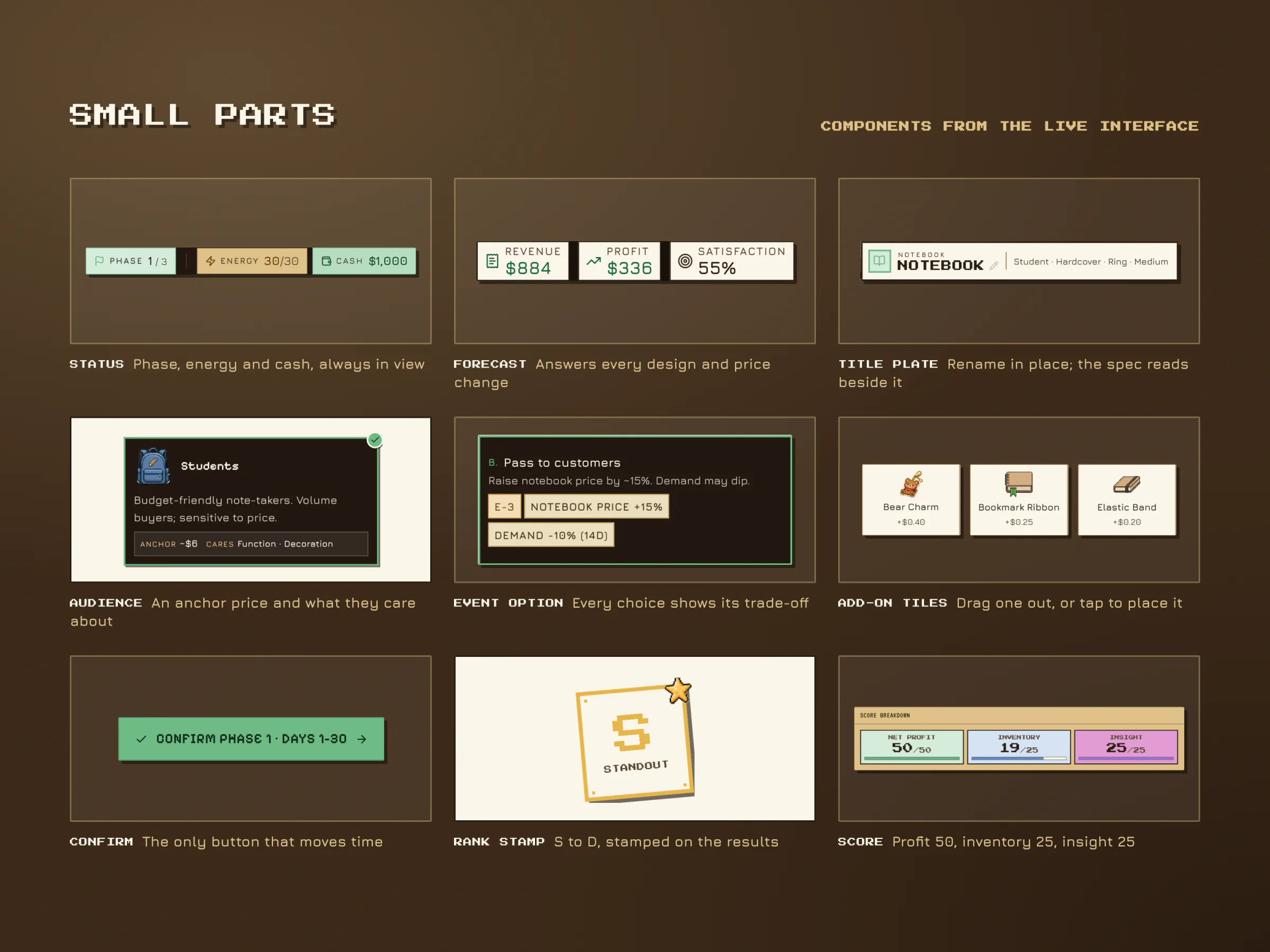
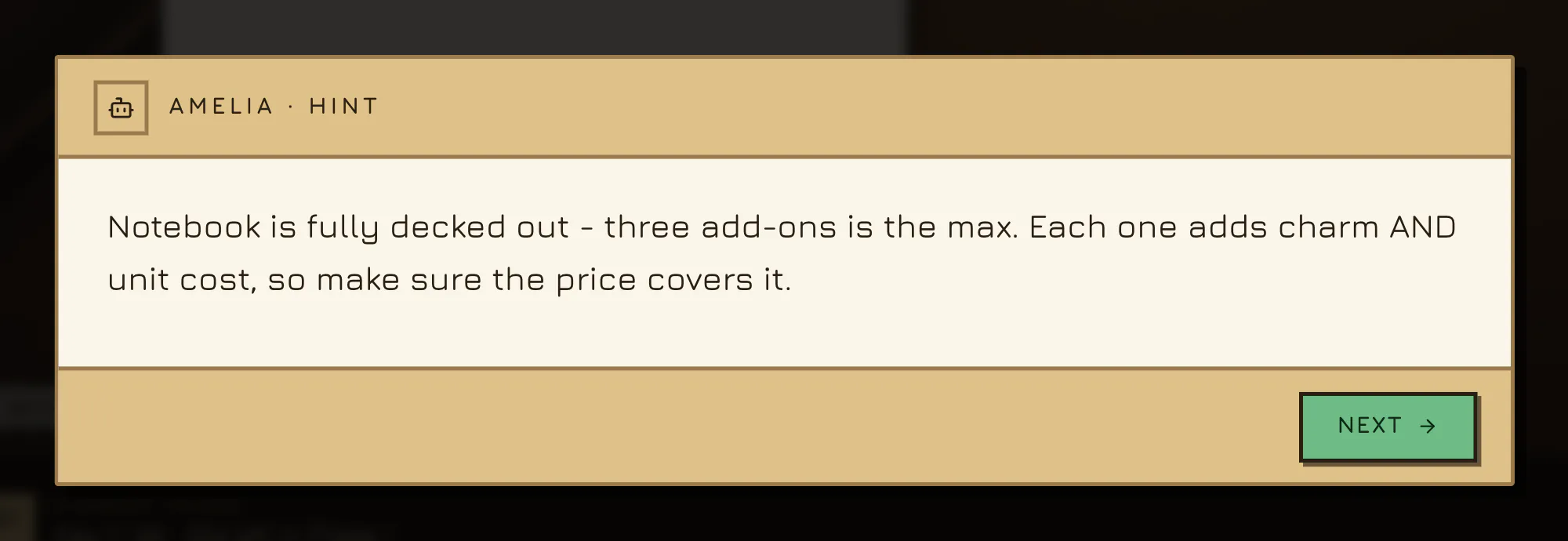
The notebook sits on a wide desk and every control slides in over it. A drawer sets type, cover, binding, size and paper; Paper Moon Co. switches to staple binding, the cheapest. Then the add-ons: a bear charm and a bookmark ribbon are dragged from the tray onto the notebook, and an elastic band is tapped on. With each one the forecast in the top bar climbs, from revenue of $279 with the plain notebook to $401, $631 and $884 with all three. Amelia notices the third. Then each piece is nudged into place: the bookmark to the top edge, the band stood upright and sized with its small toolbar.
Energy or Cash, Never Time
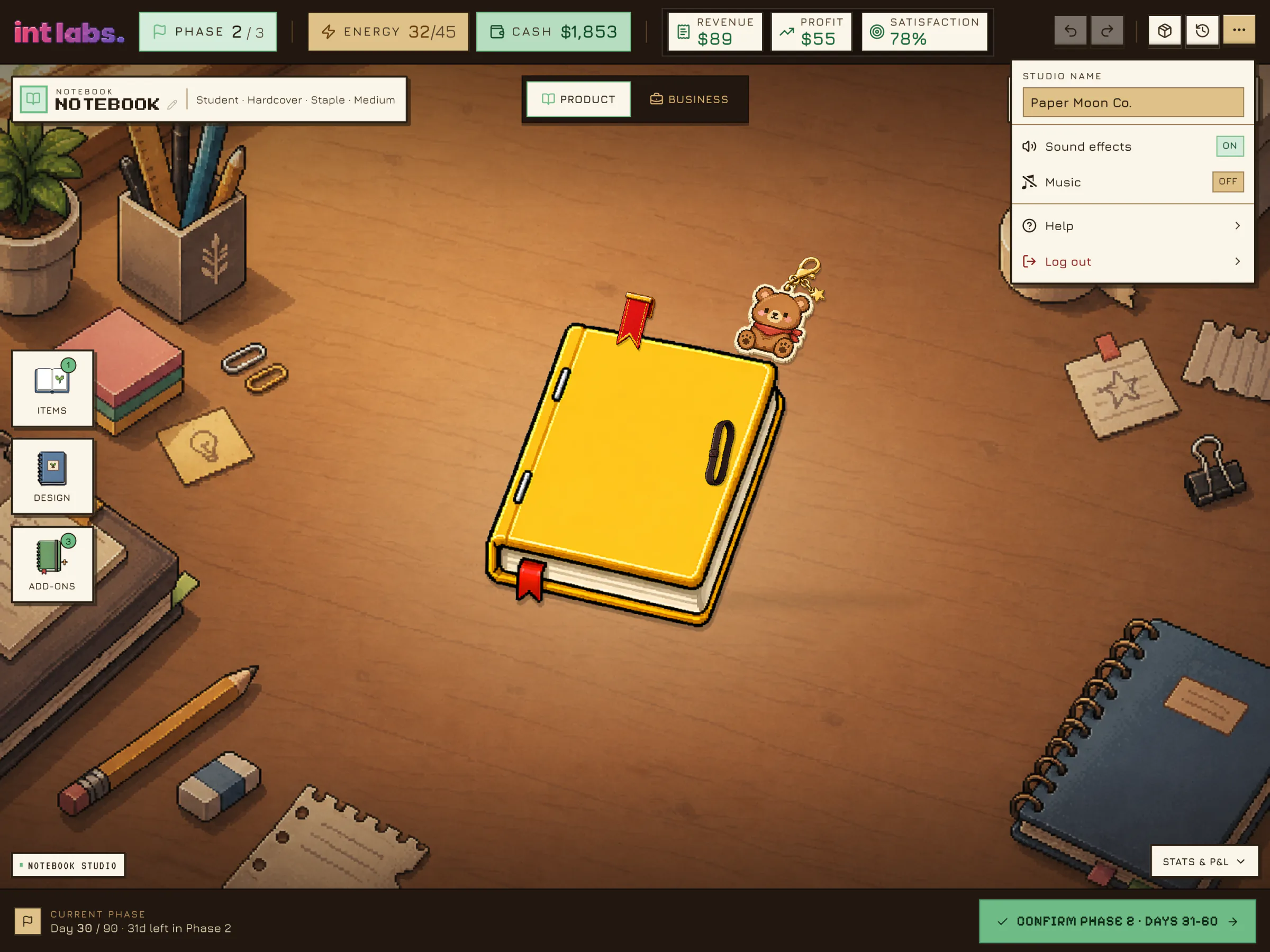
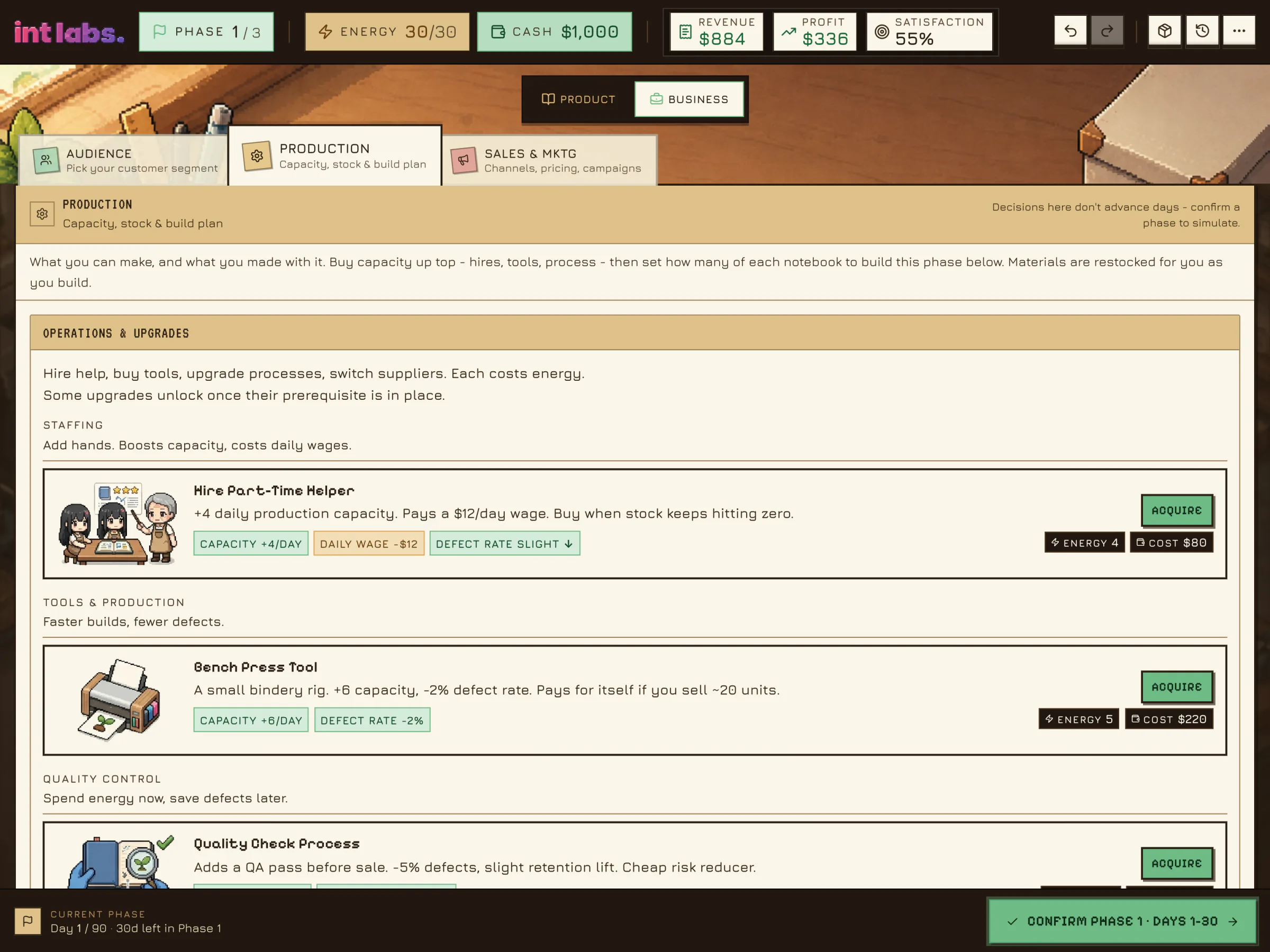
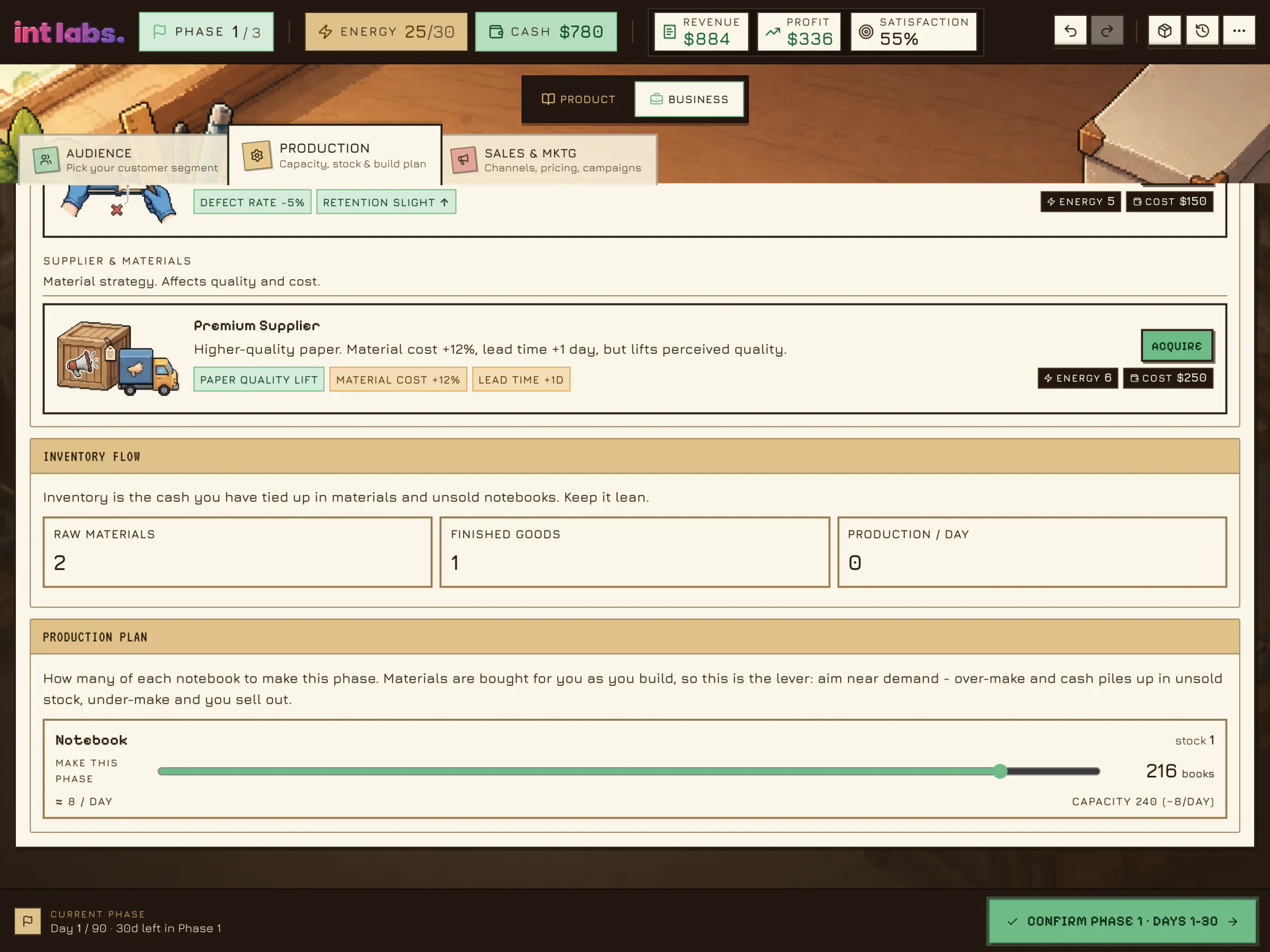
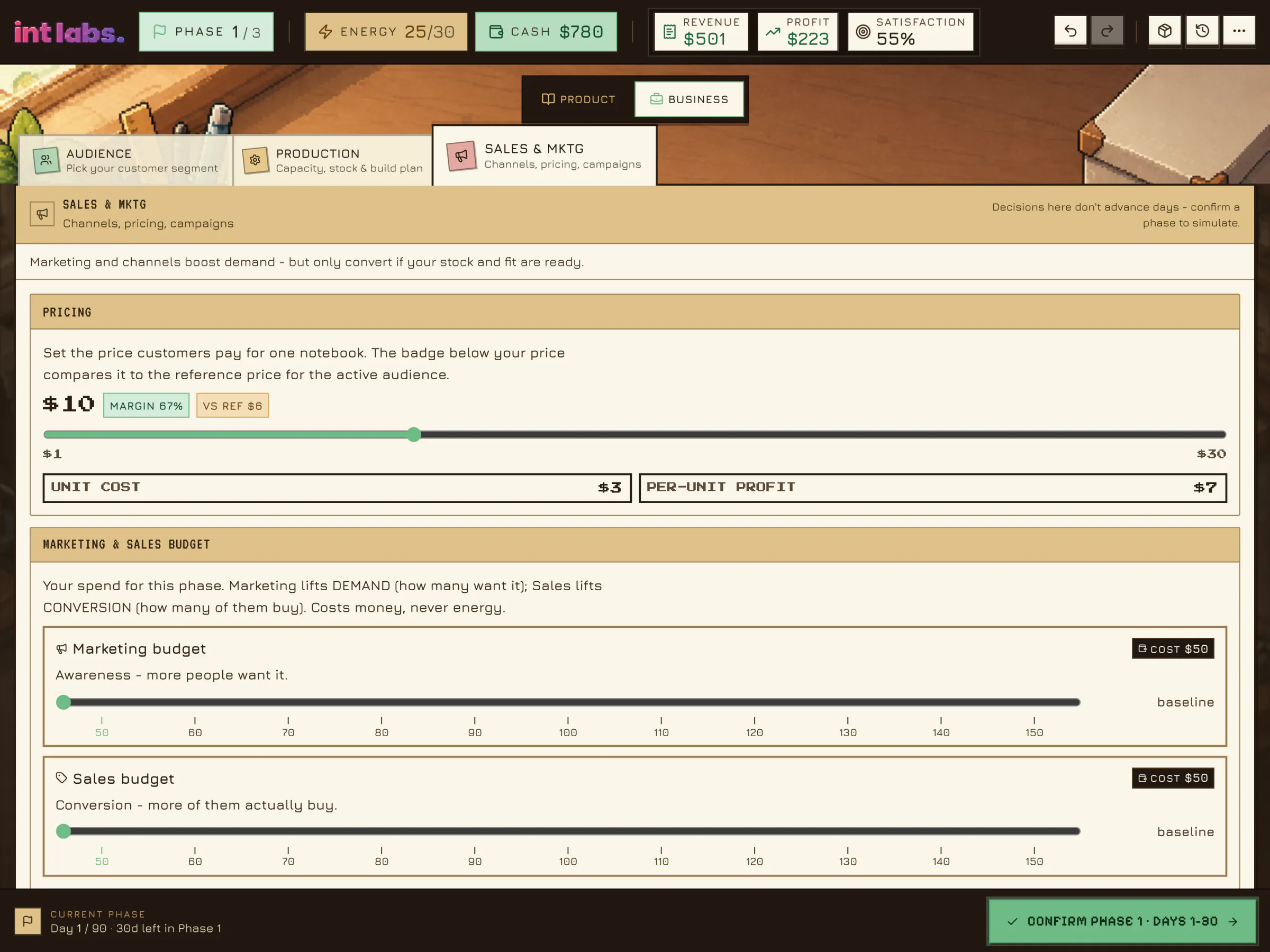
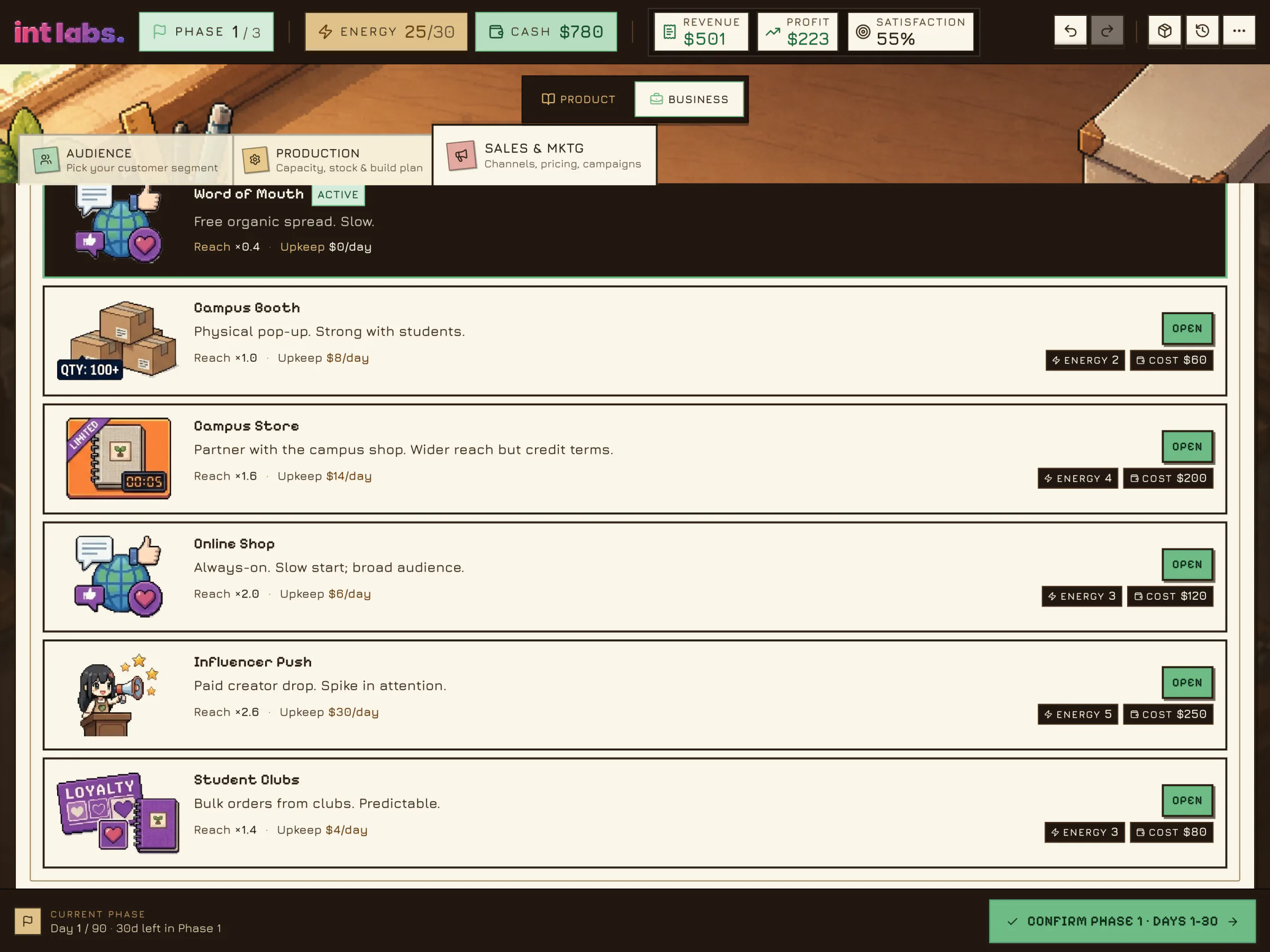
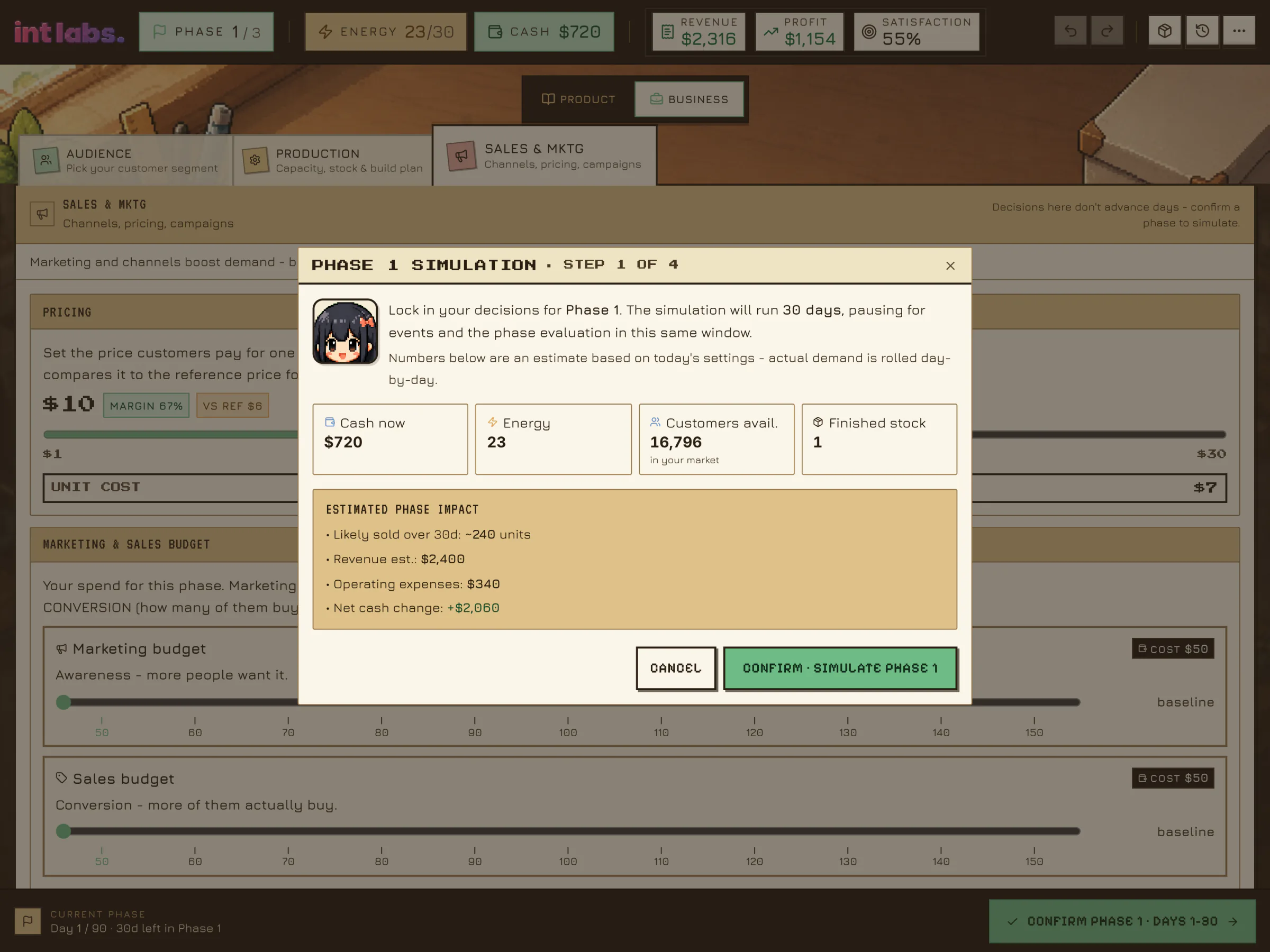
The business side is one document with folder tabs. A Bench Press Tool for $220 lifts capacity. The production plan goes to 216 notebooks. The price goes to $10, and the badges beside it show the margin and the distance from the audience's reference price. A Campus Booth opens for $60. Cash is now $720, and energy is down from 30 to 23. None of it has moved the calendar.
One Button Moves Time
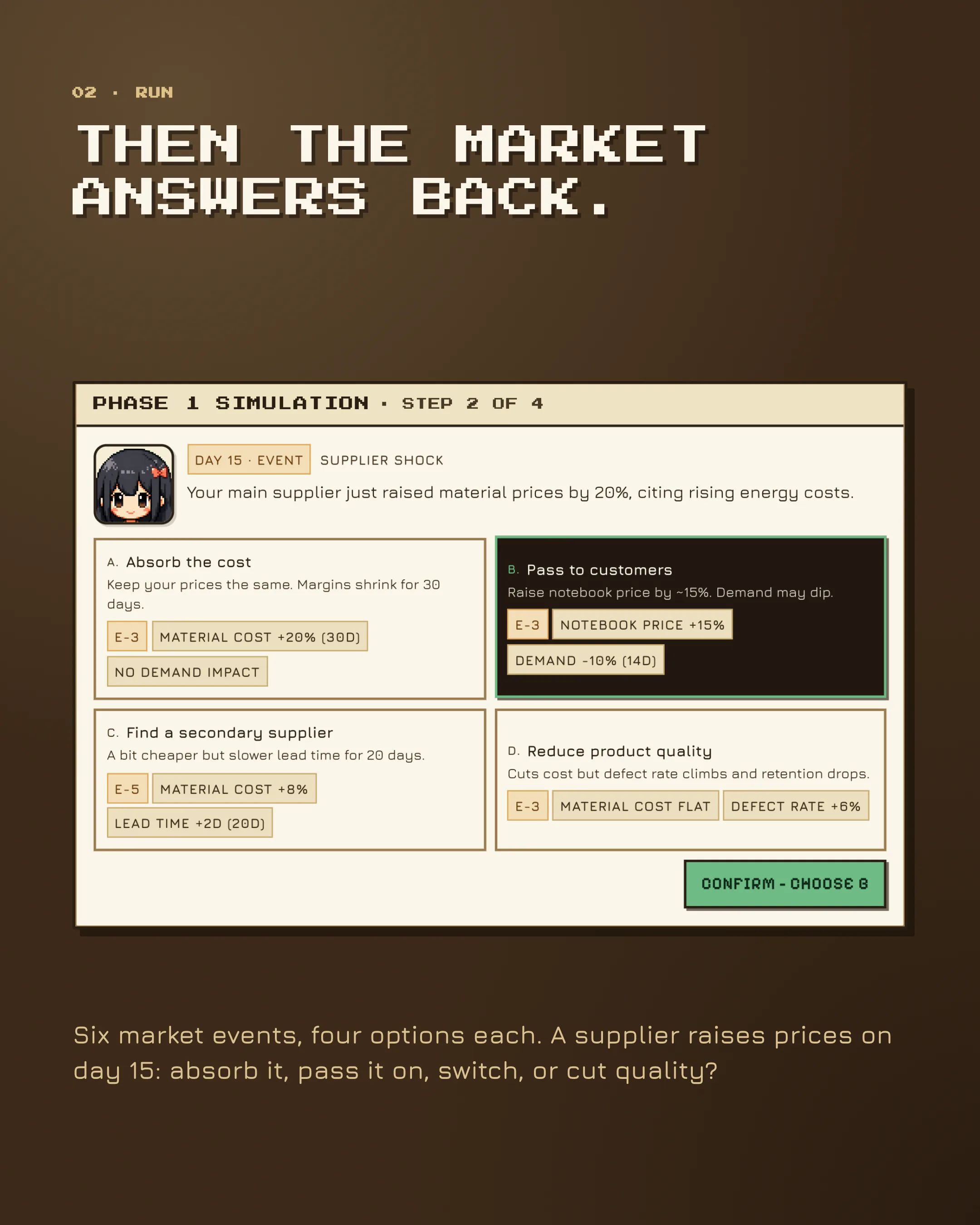
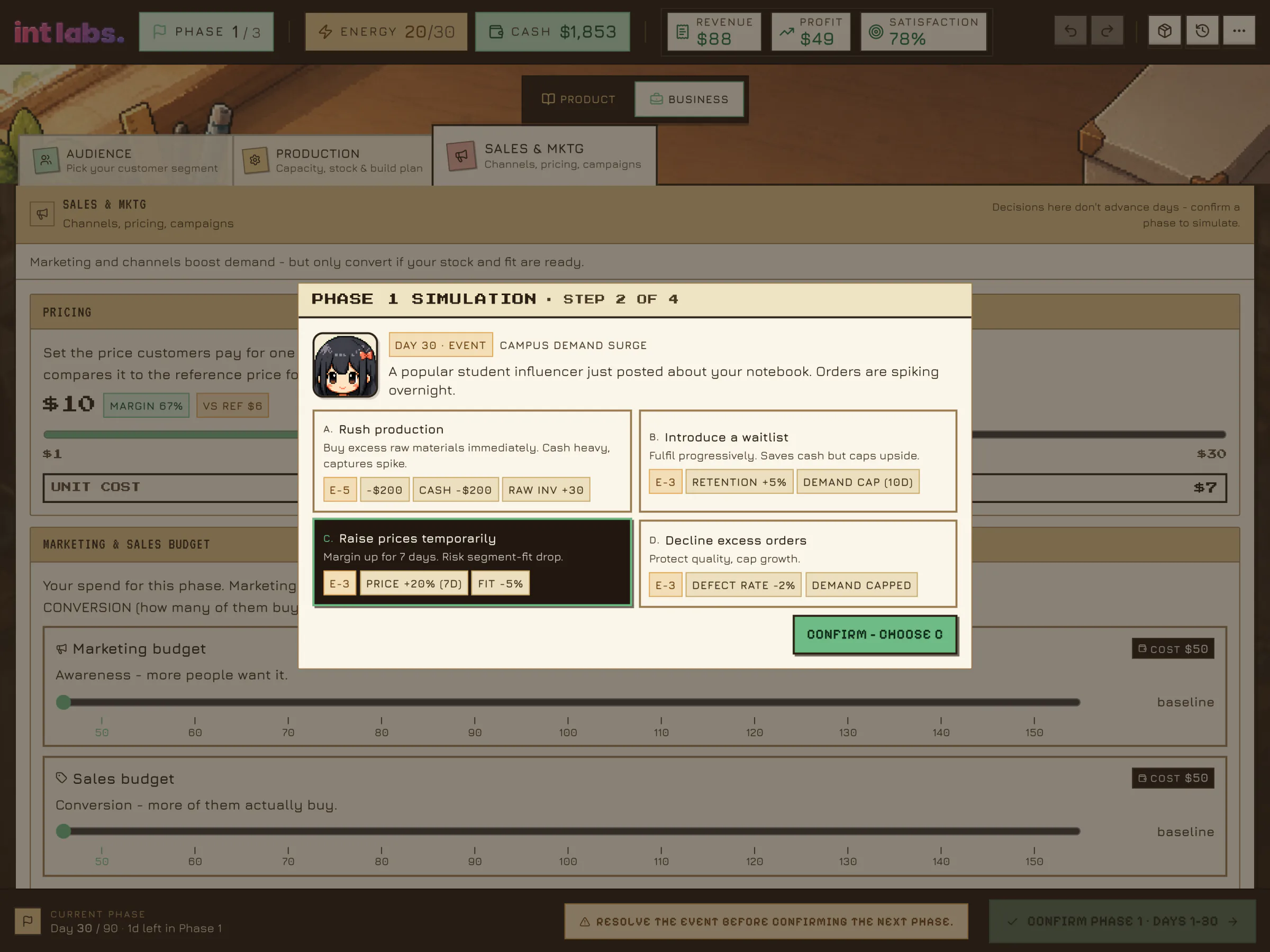
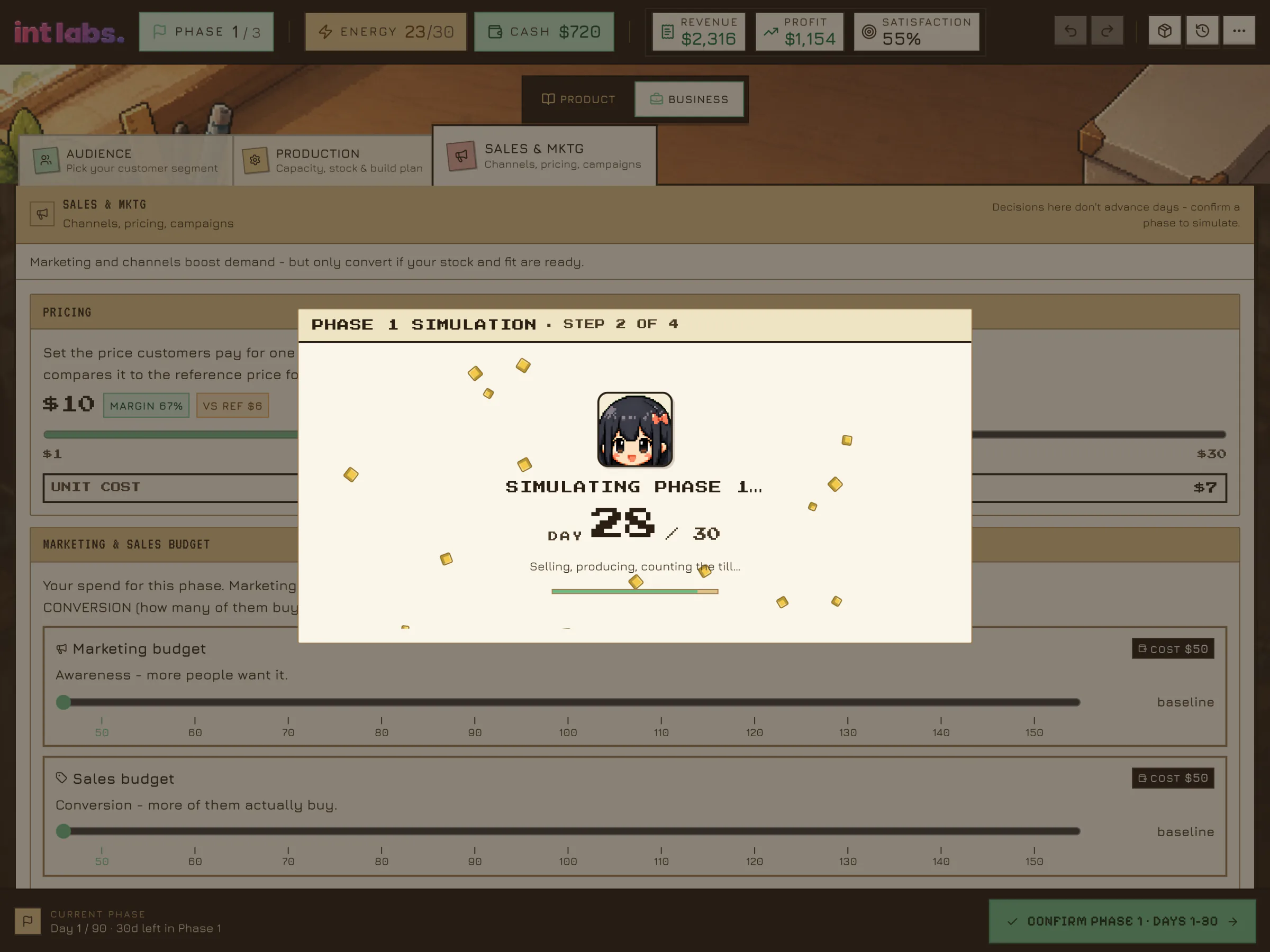
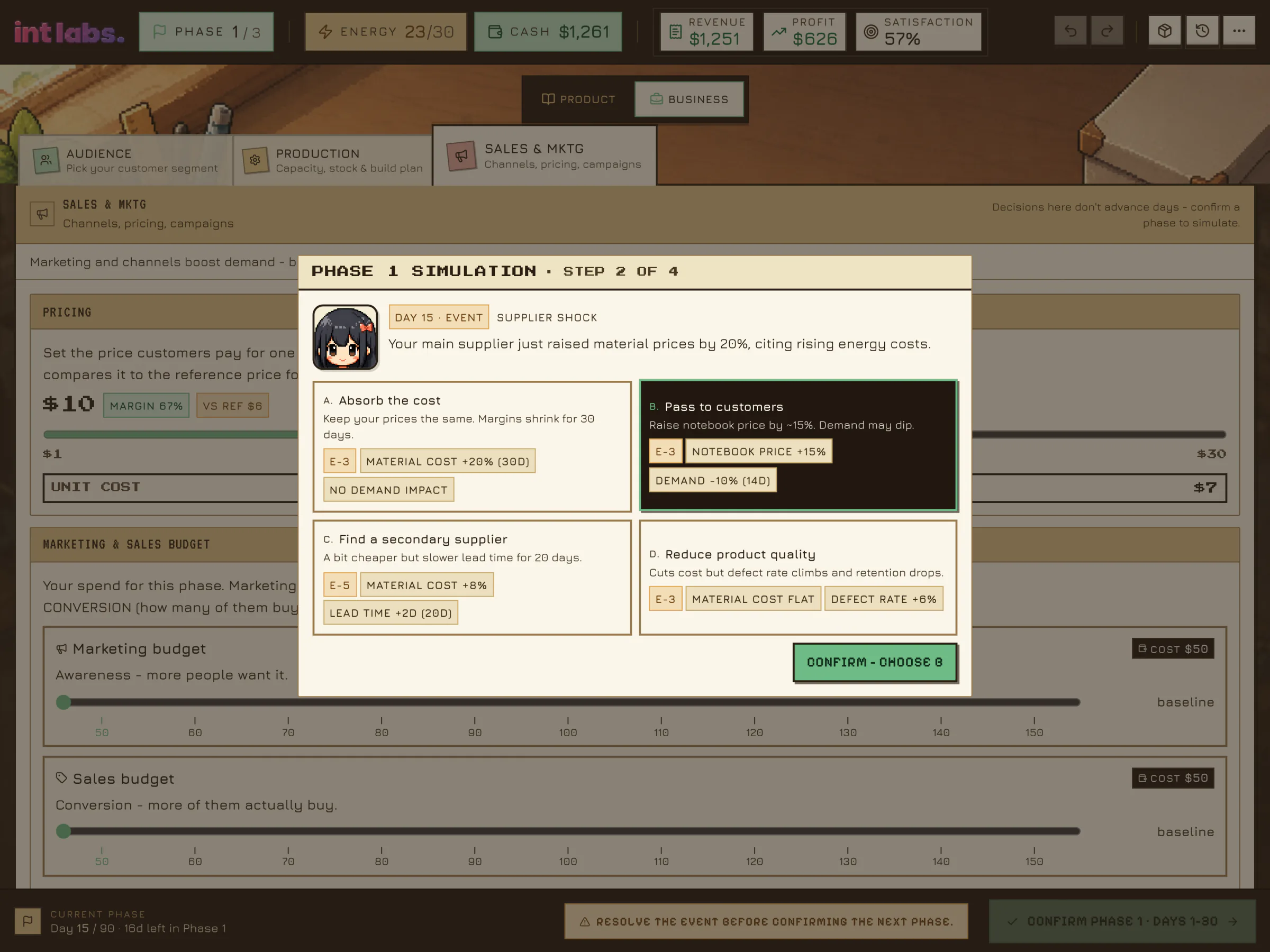
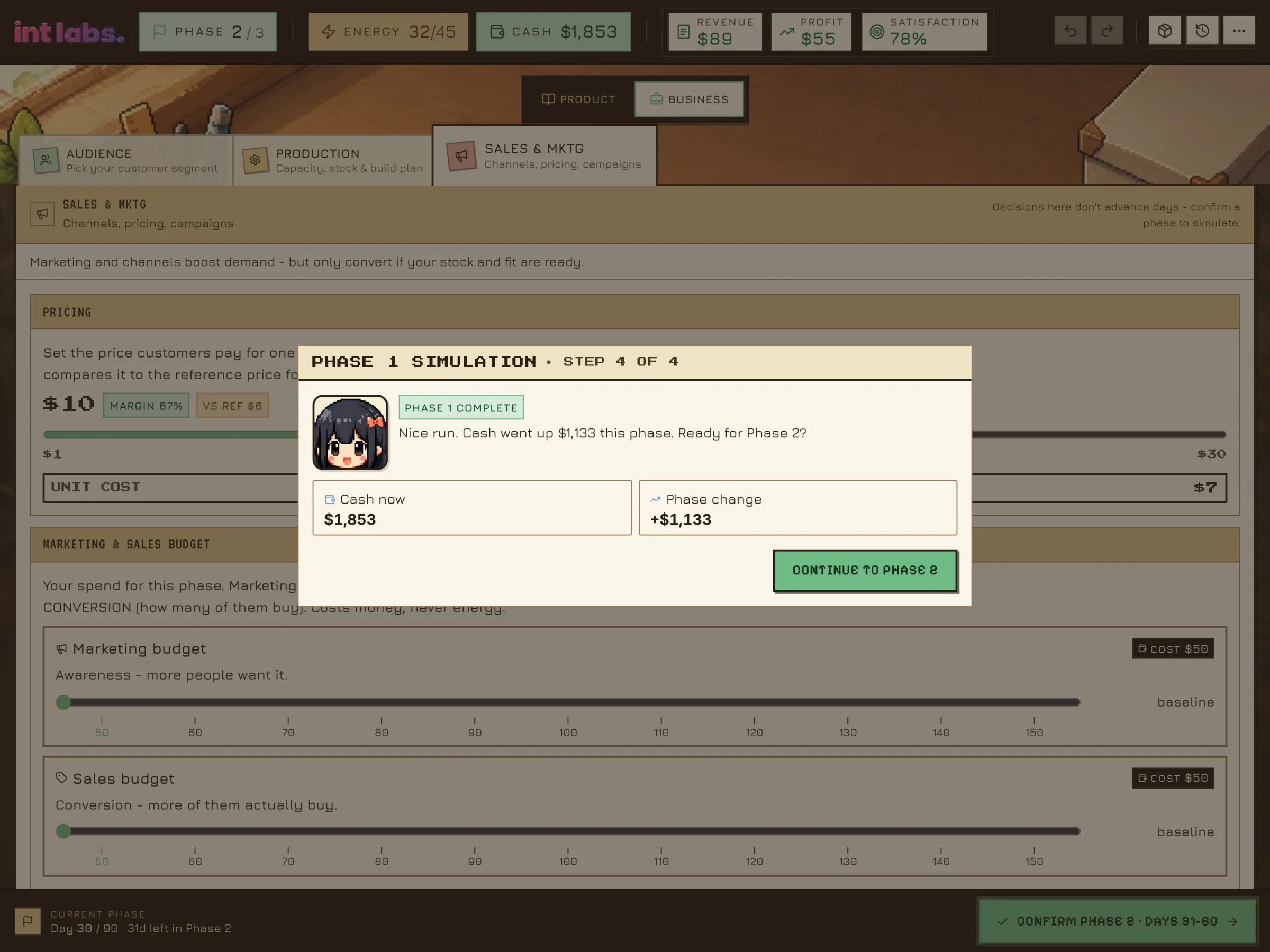
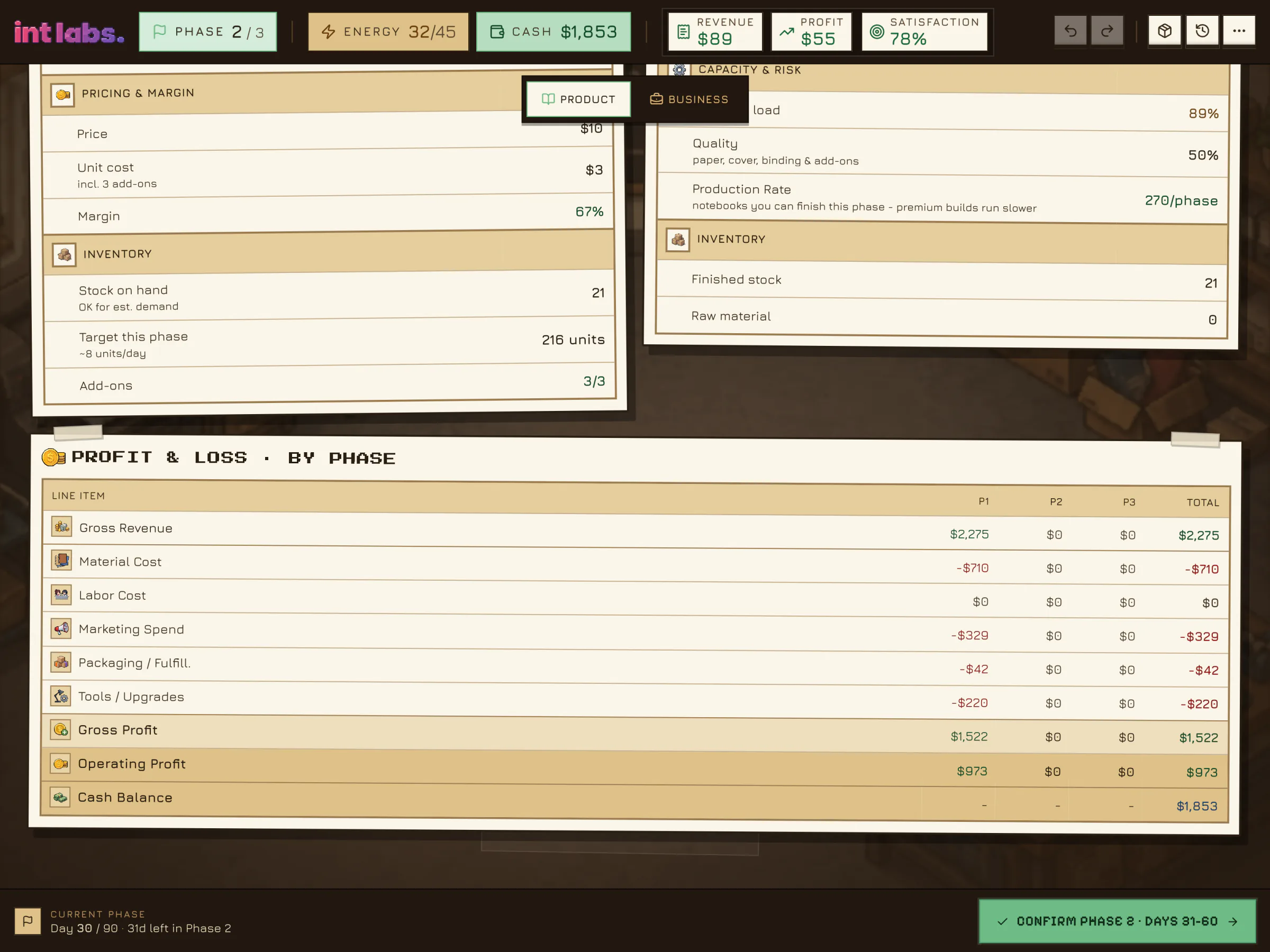
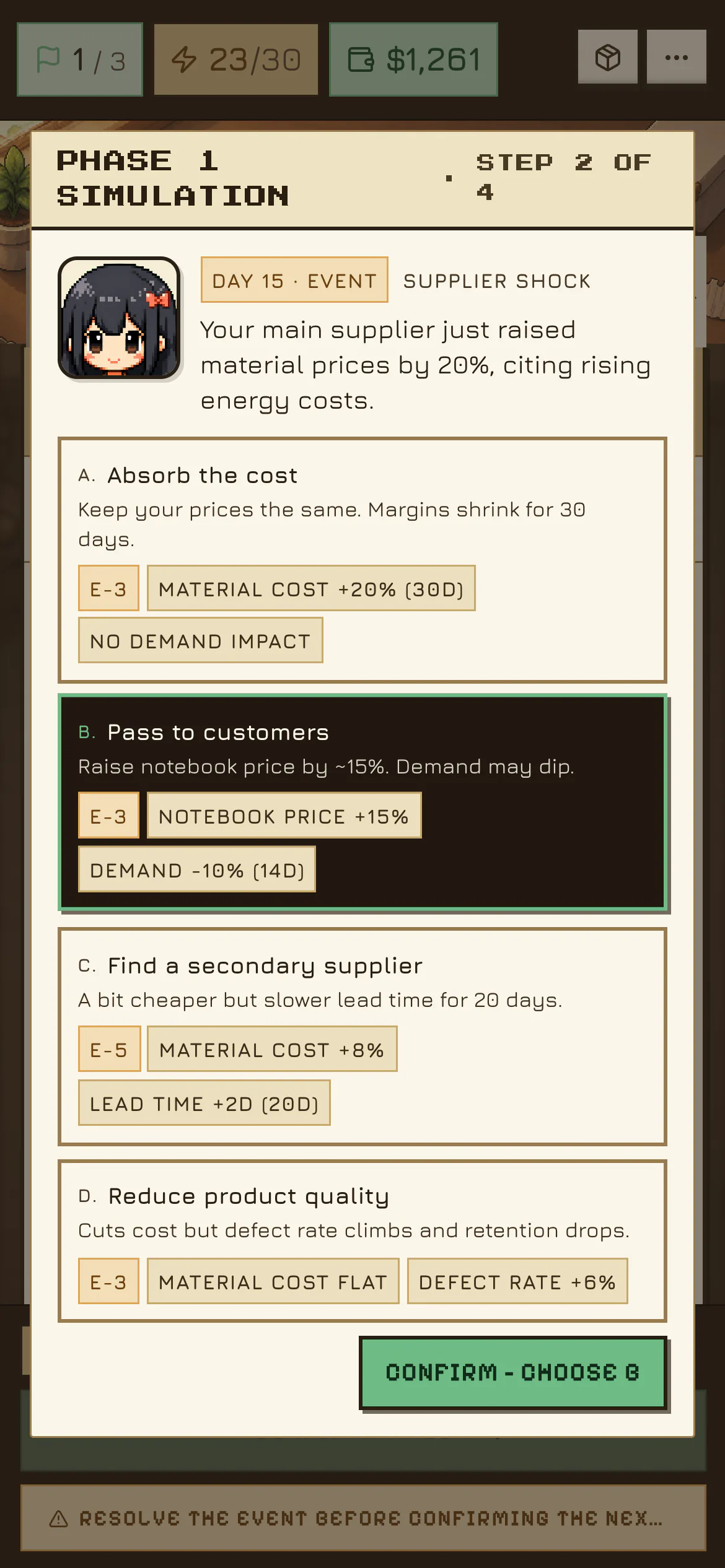
Only confirming the phase advances the calendar. Thirty days race past on a counter while coins rain, and the run stops twice for a market event, each with four options: a supplier raises prices (Paper Moon Co. passes it on to customers), then a demand surge (it raises prices for a week). The debrief shows revenue of $2,275, operating profit of $973 and no lost sales, then asks which lever drove demand. The explanation comes from the run itself. Then the payoff: cash went up $1,133 this phase, to $1,853.
The Paperwork
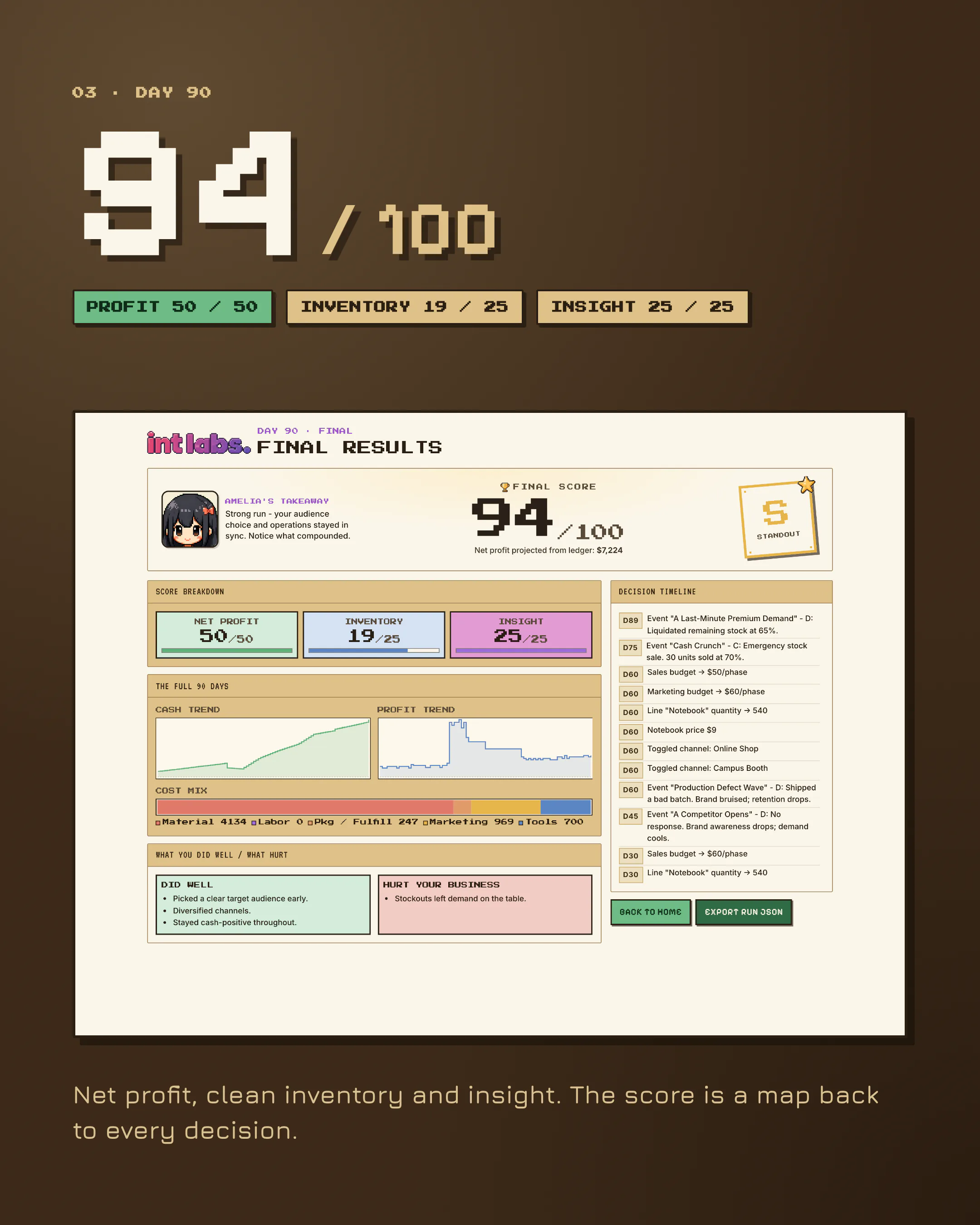
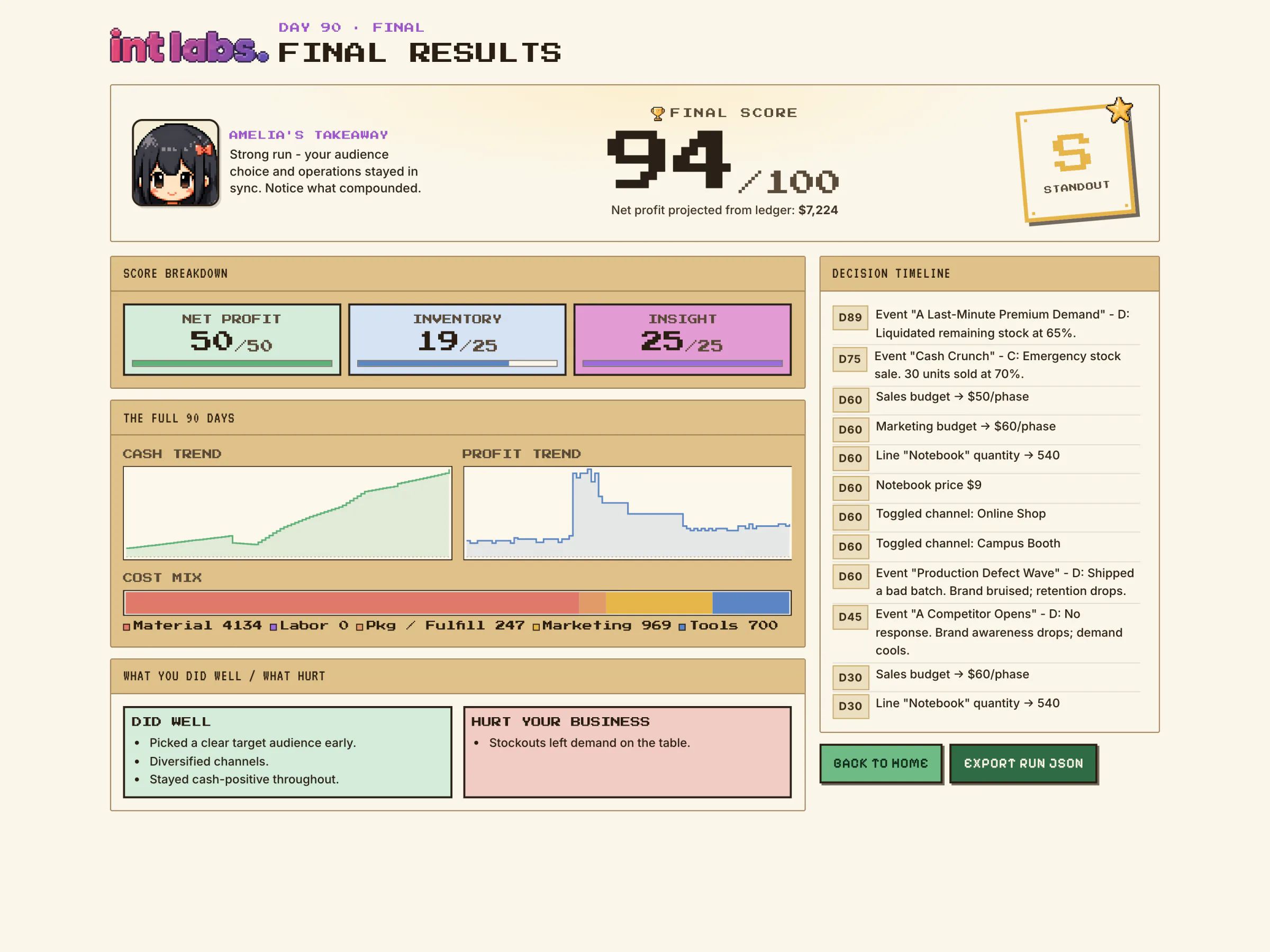
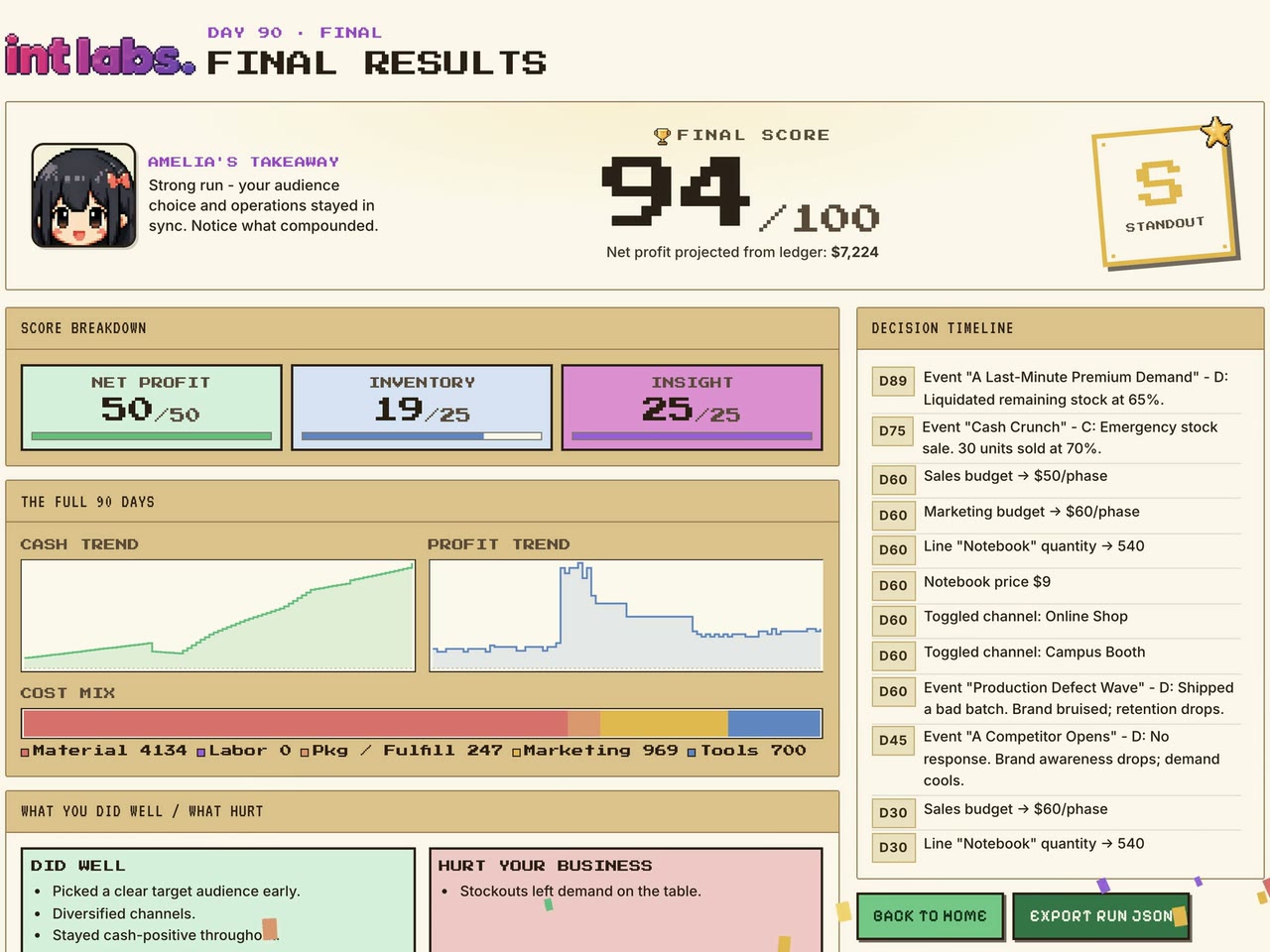
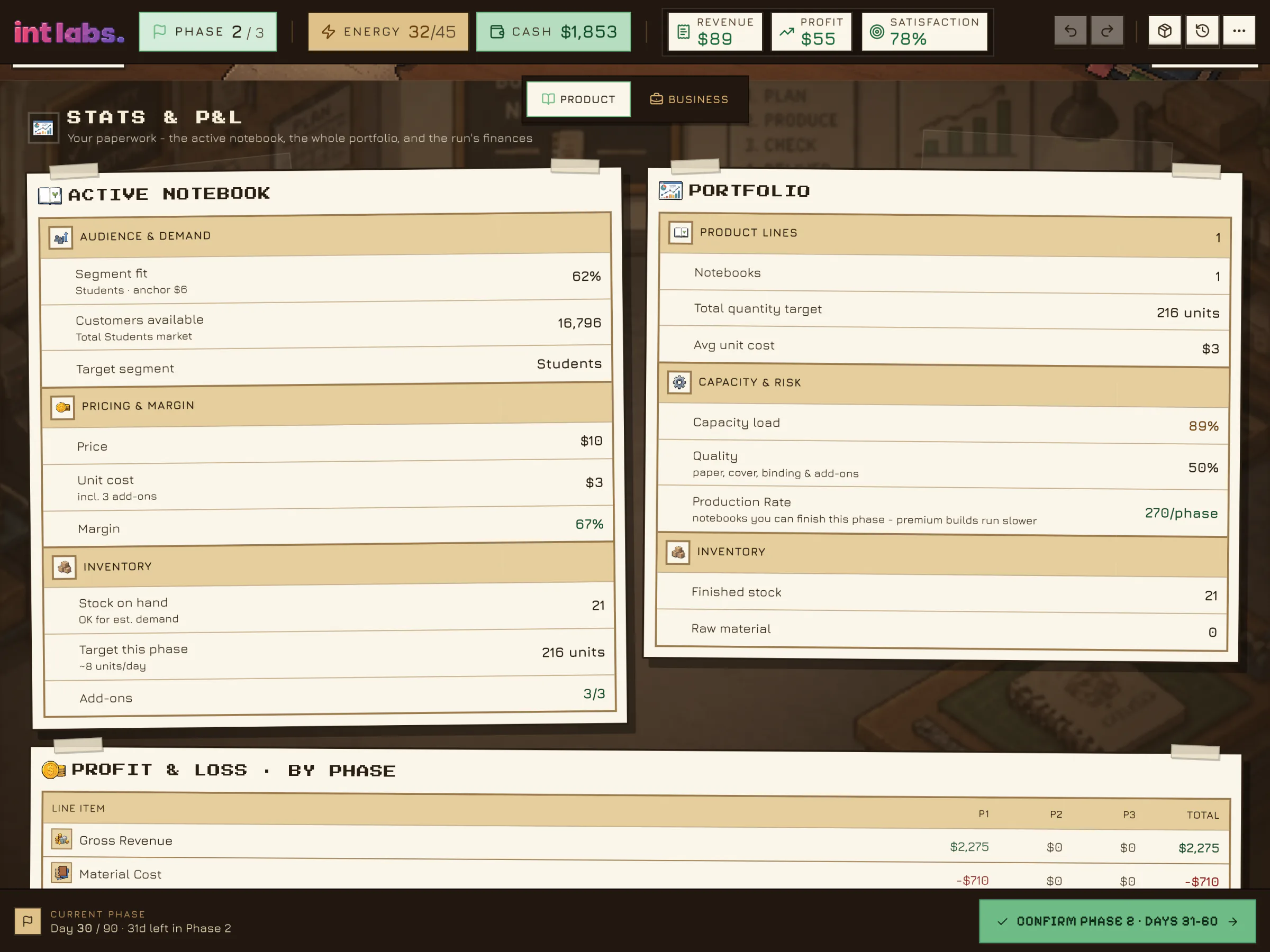
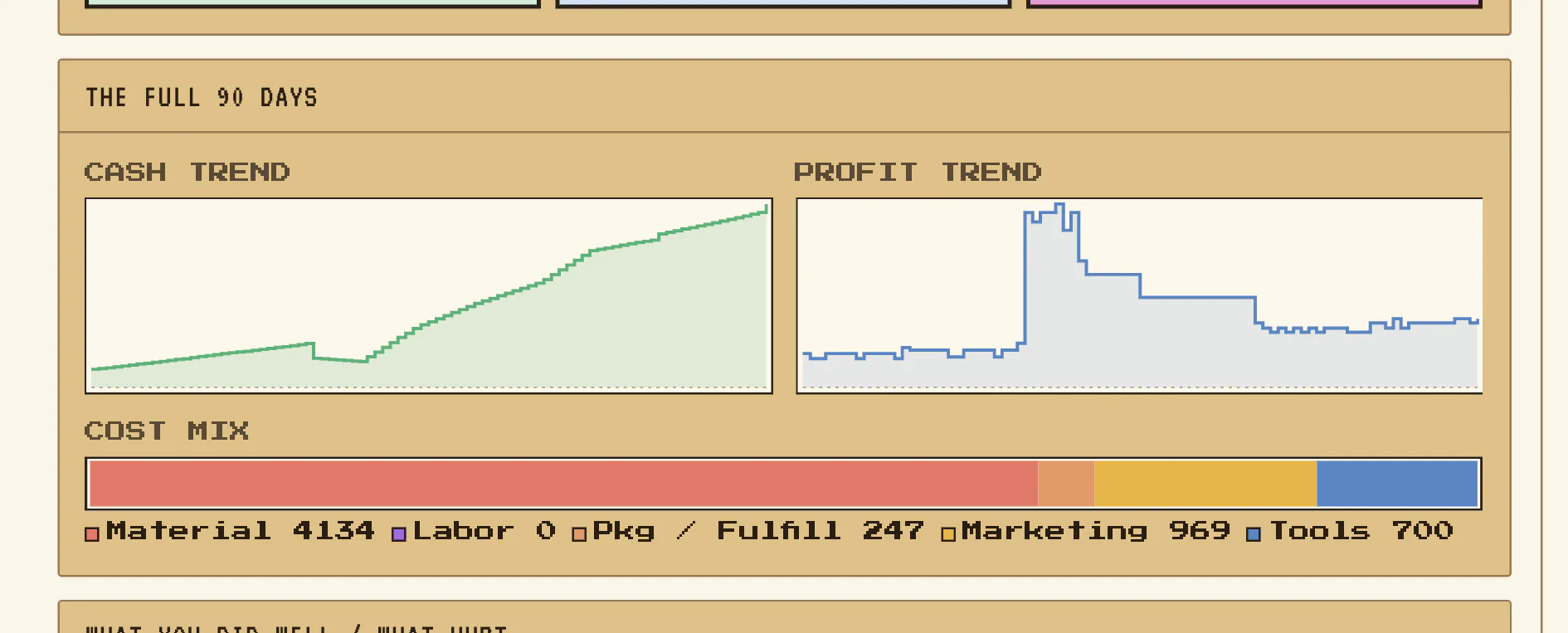
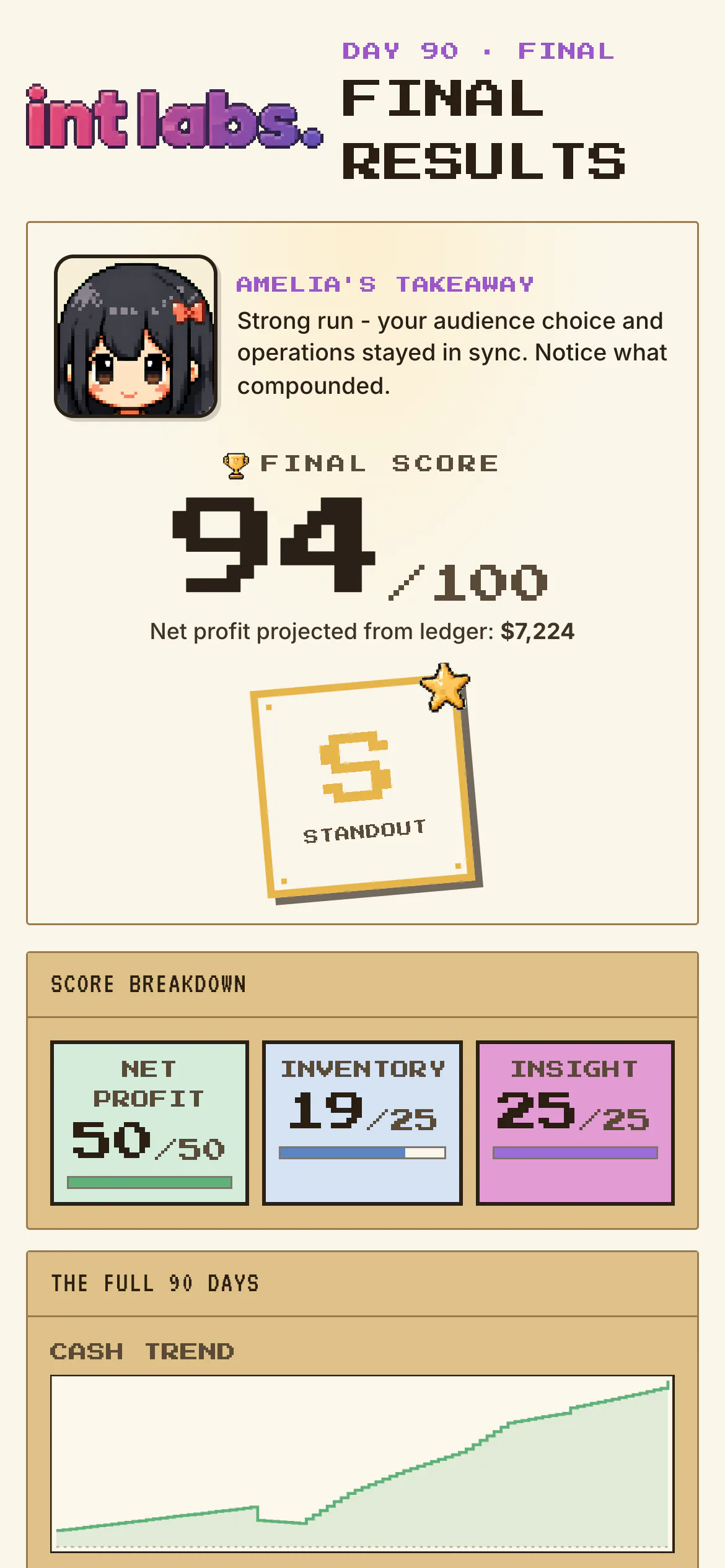
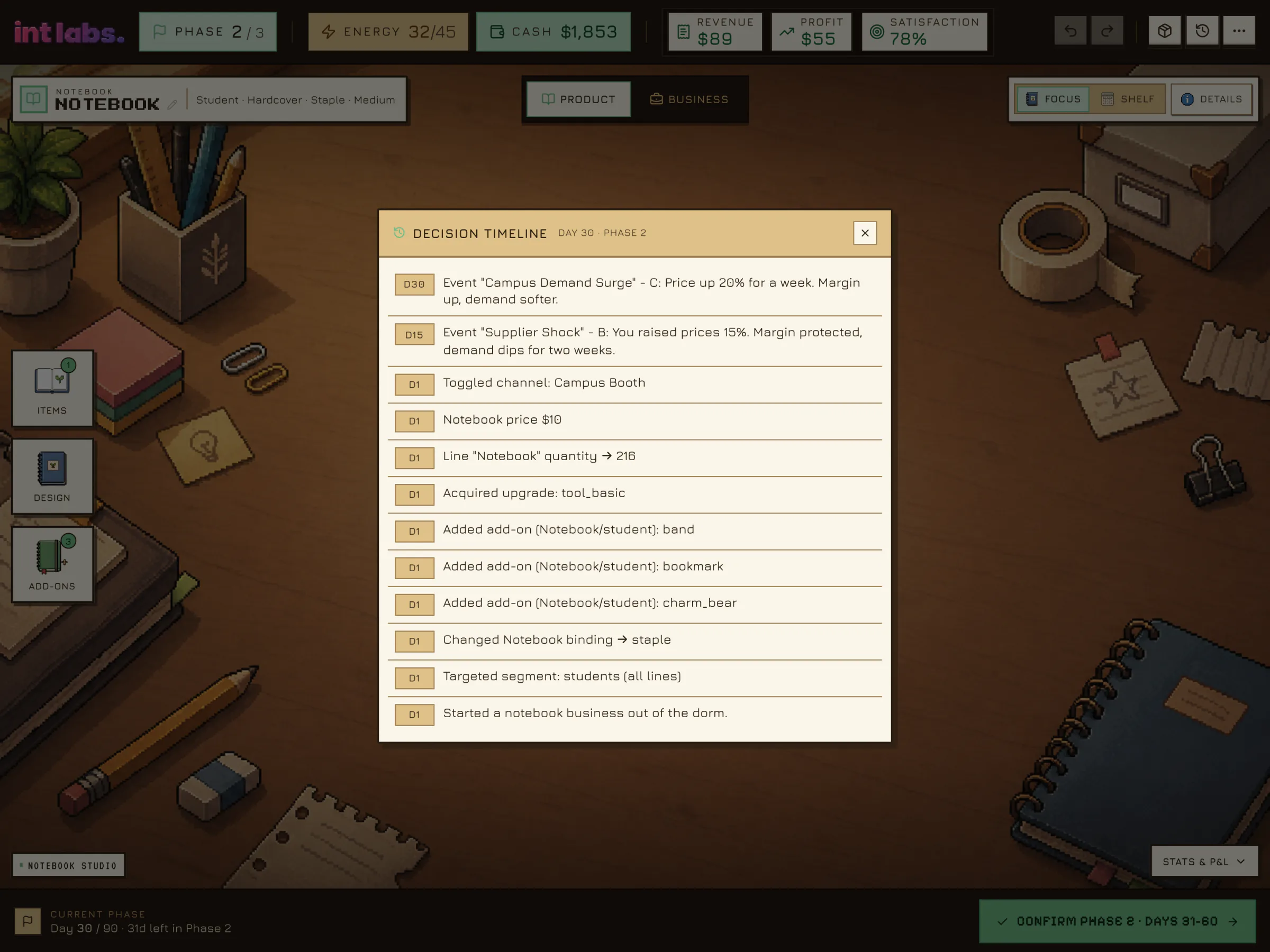
Phase 2 opens and the P&L sheet now holds phase 1's column, line by line, every dollar tied to the decision that caused it. On day 90 the score counts up to 94 out of 100, an S "Standout" stamp lands, and the decision timeline lists every choice that got there. Net profit for the run: $7,224.
The Same Game, Smaller
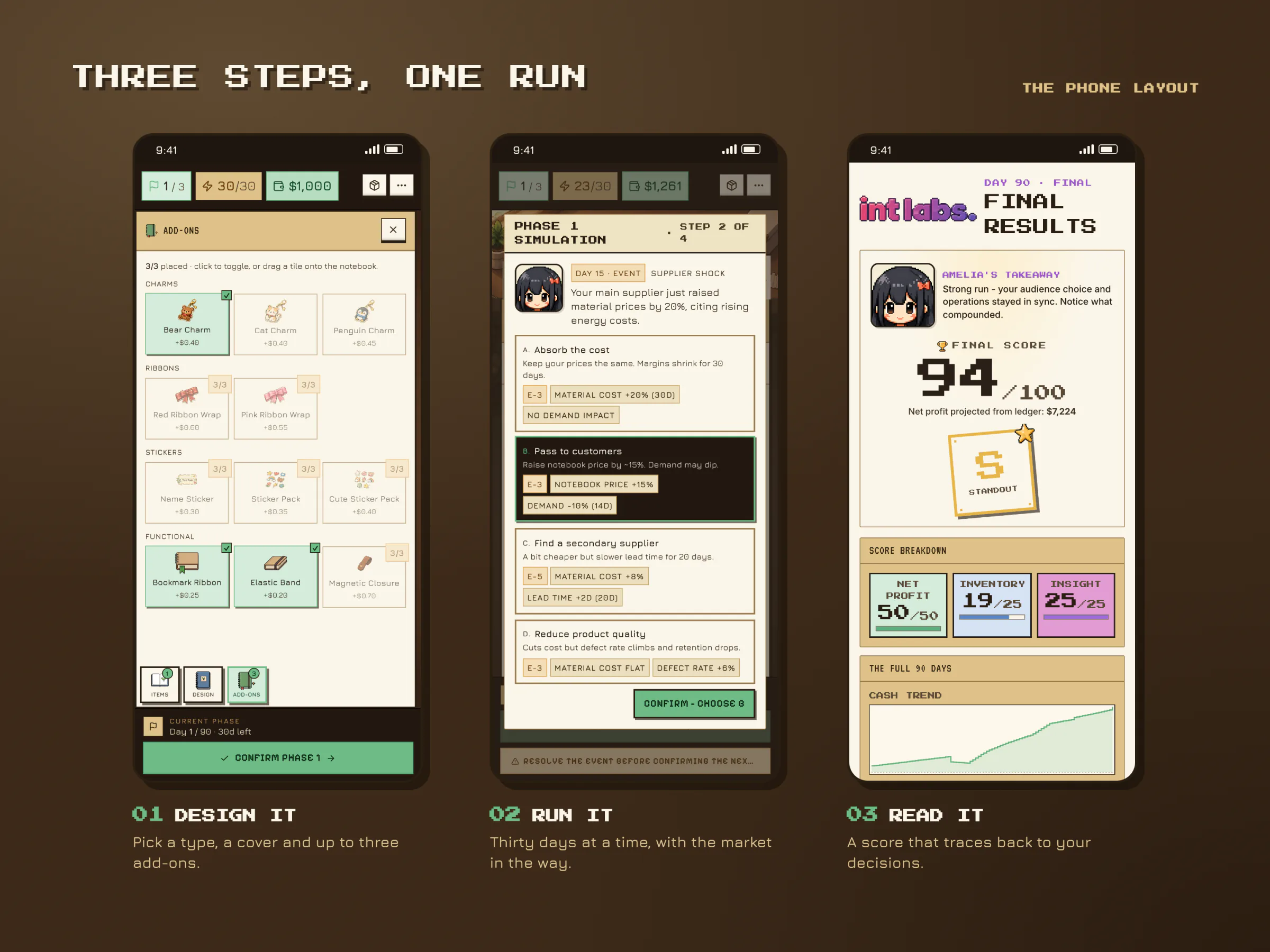
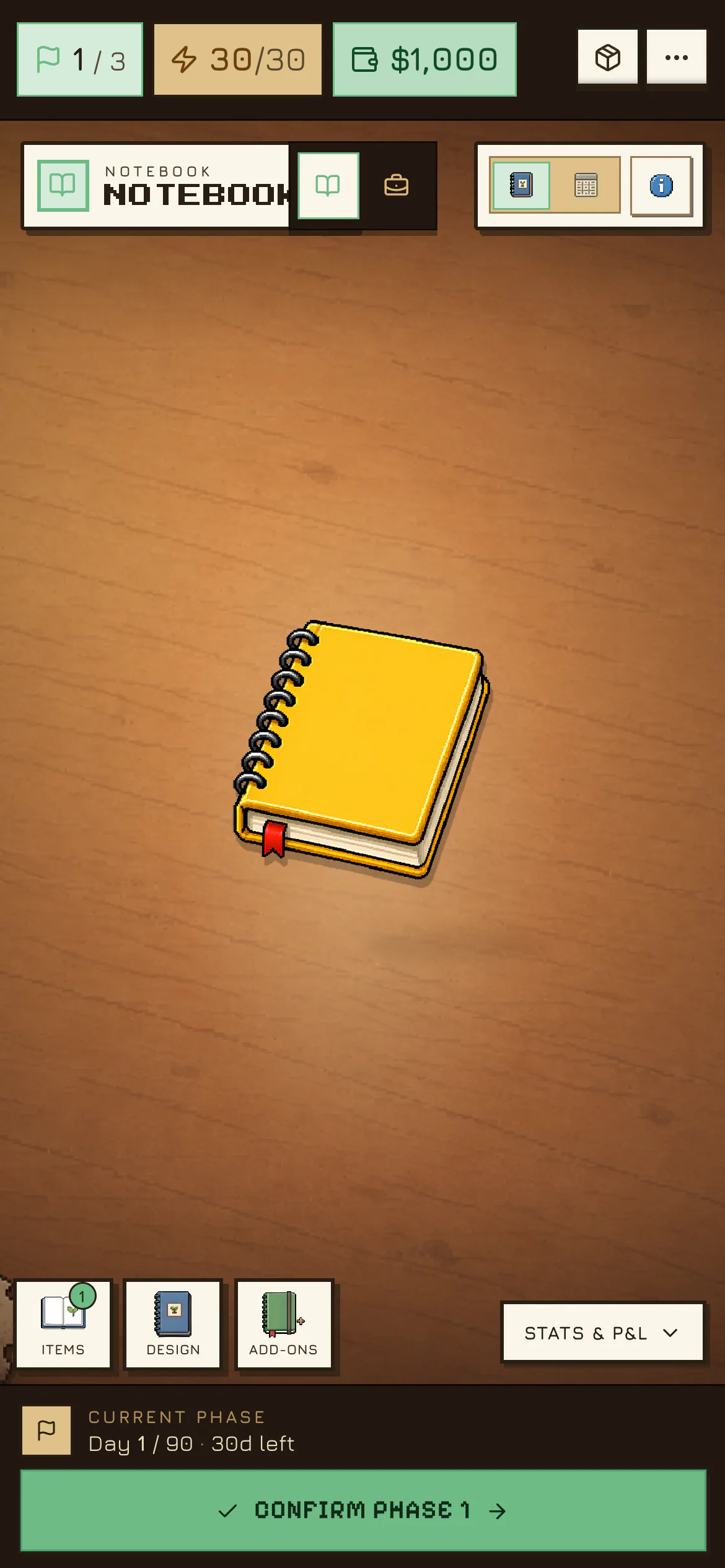
The game is laid out for a wide screen and stays usable on a phone. Drawers become sheets and the docks move to the bottom.
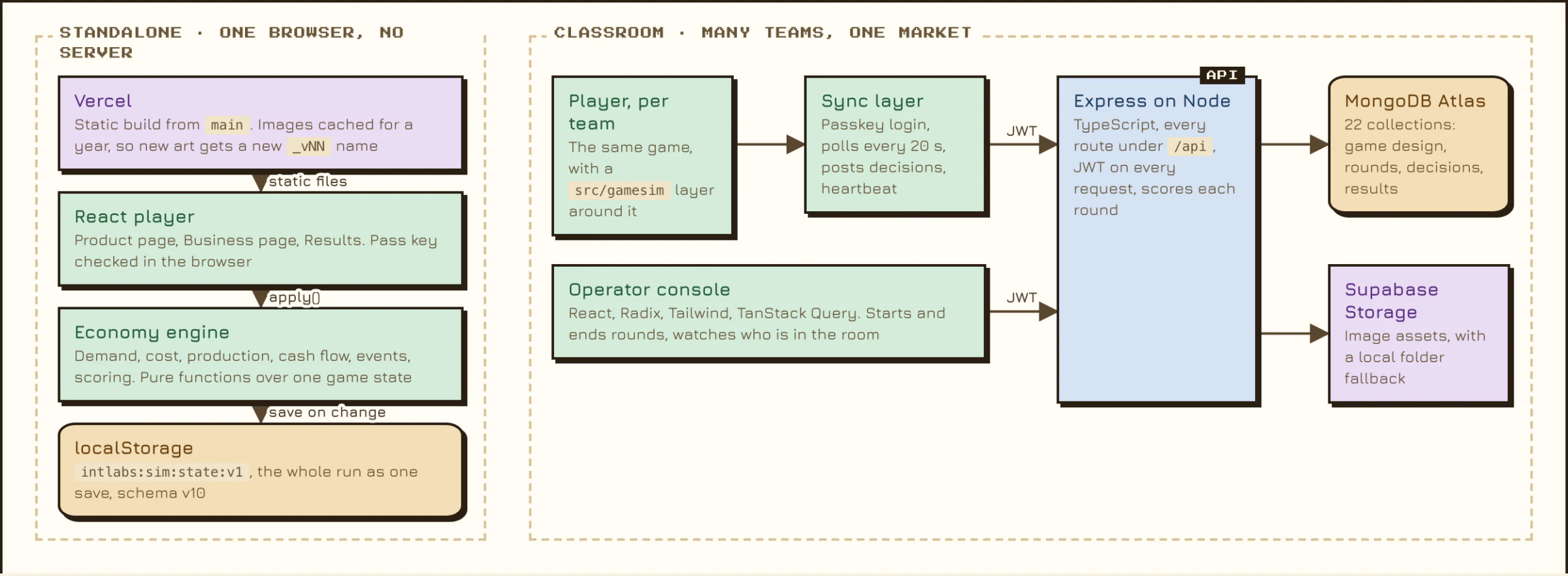
An Economy That Runs in the Browser, and a Server That Keeps the Official Score
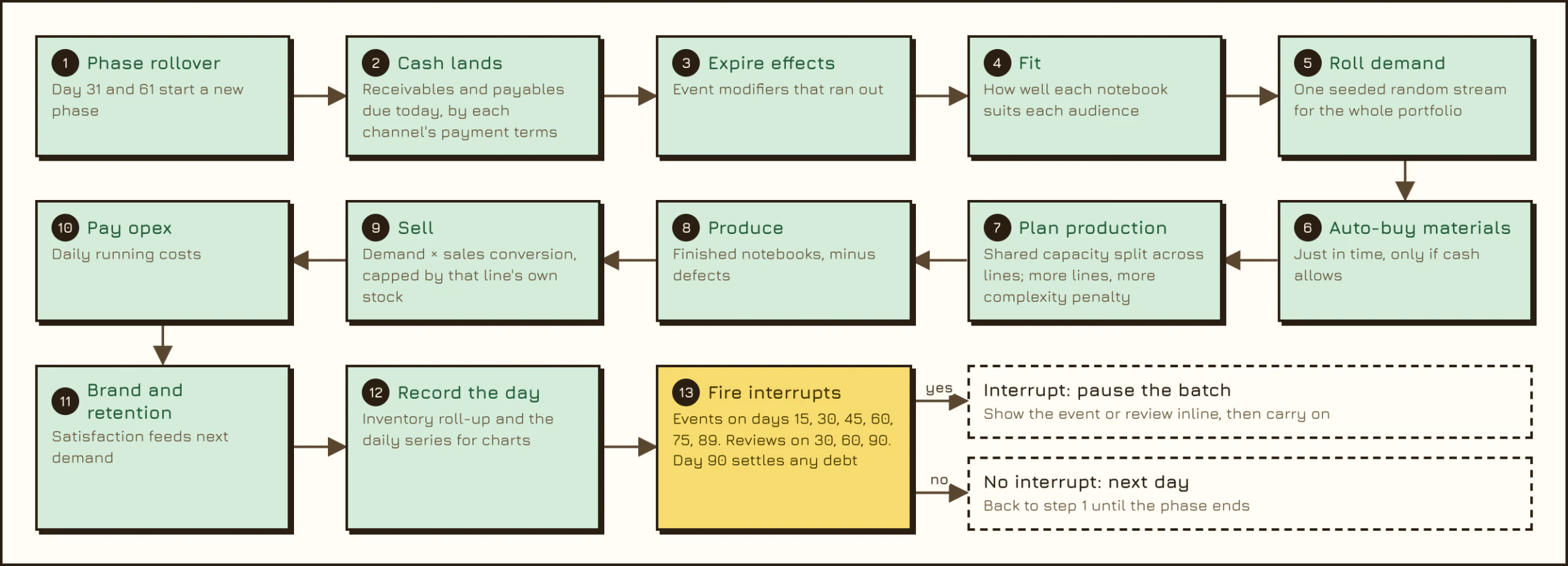
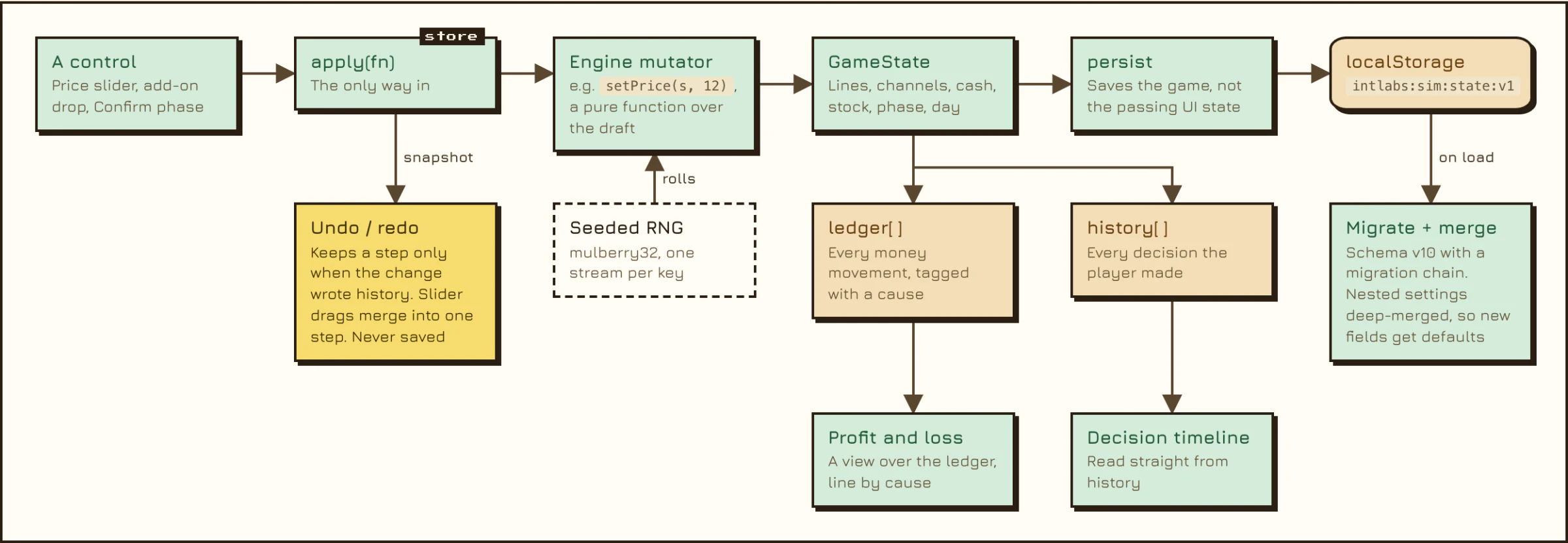
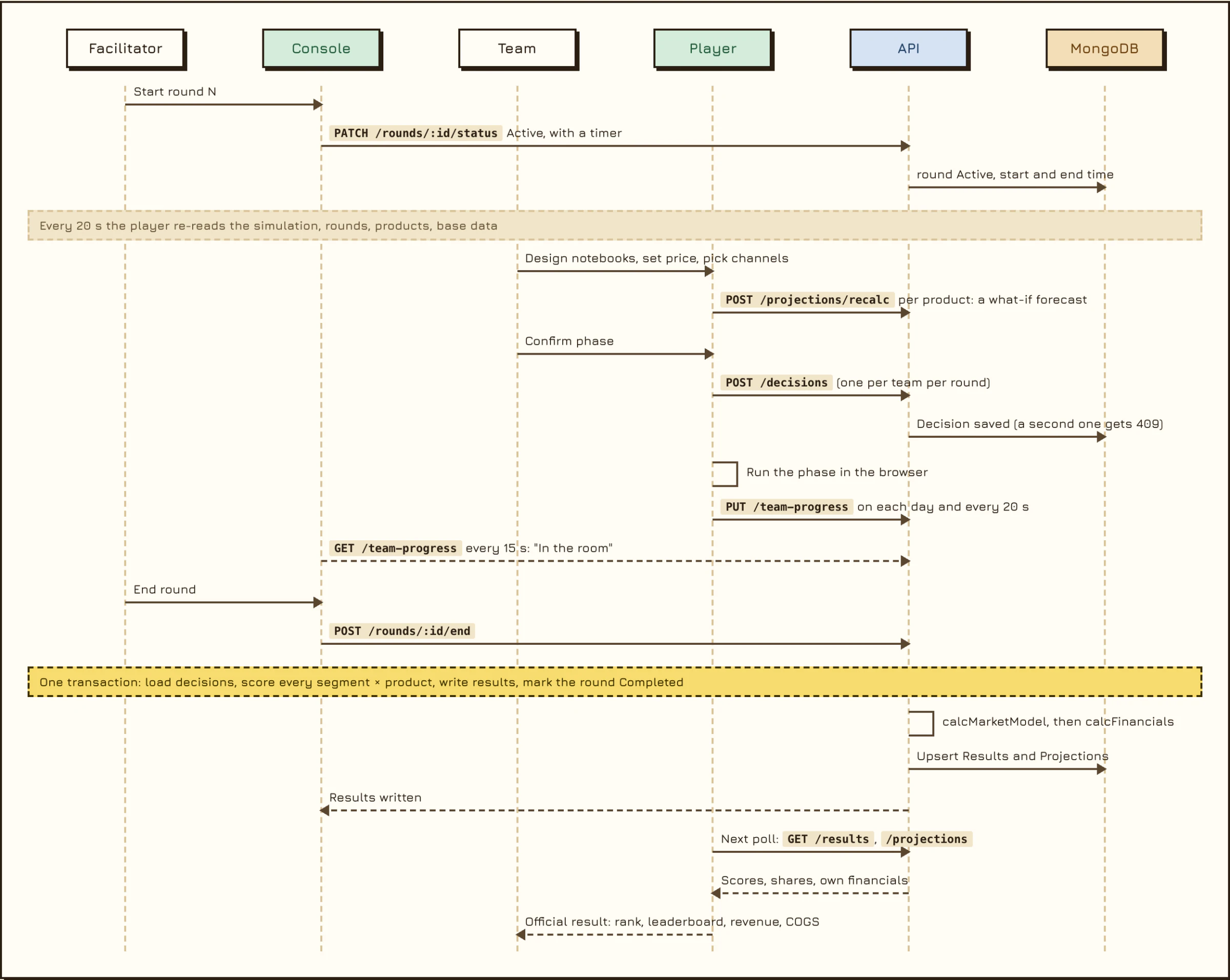
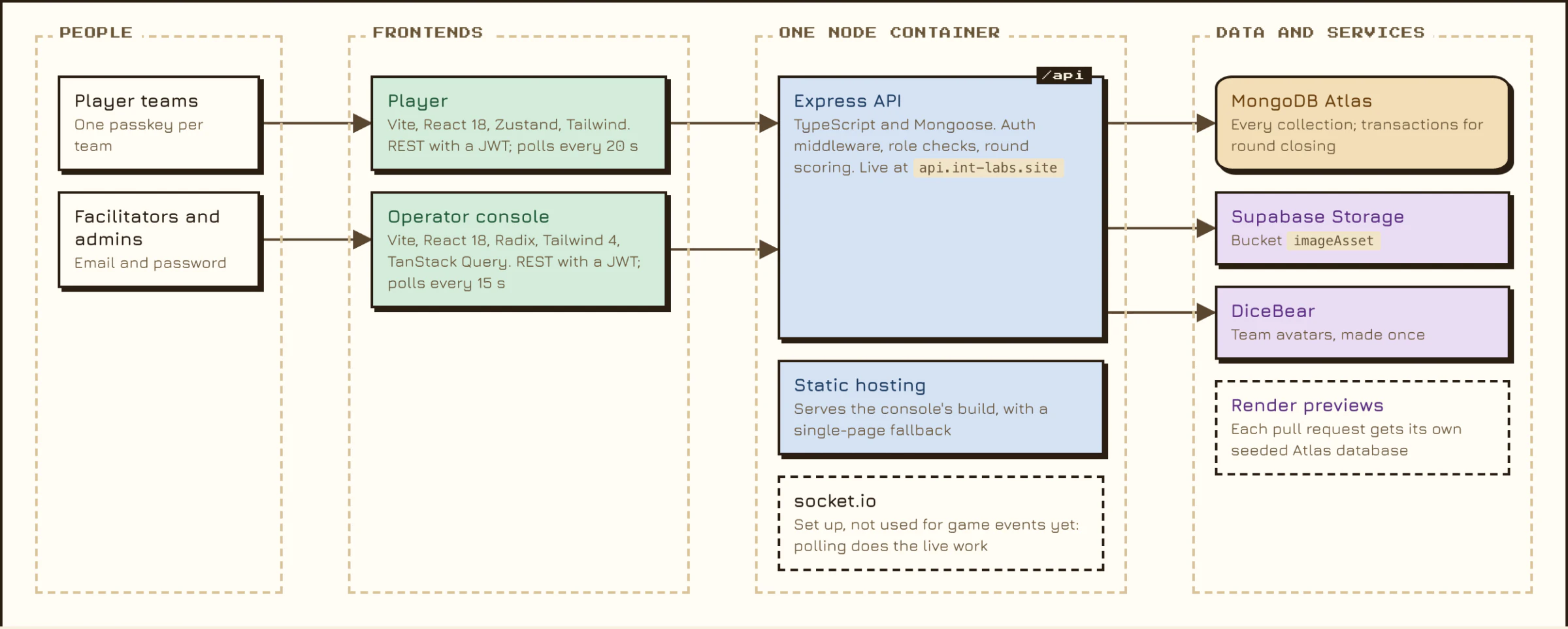
The game has two lives. On its own it needs no server: the whole economy runs in the browser, saves to local storage and loads from a static host. Decisions never move time. Confirming a phase runs up to 30 days in one batch, 13 steps a day, pausing at market events. Every change goes through one function, so the profit and loss statement, the decision timeline and undo are all views of the same records. In a classroom, the same player signs in with a team passkey and sends each round's decisions to an Express and MongoDB server. When the facilitator ends the round, the server scores every team against the others in one transaction, and each player reads back the official result.
- Same seed, same run: every random roll has its own keyed stream, so forecasts never disturb the real result.
- One store, one way in: the ledger and history are the source; the P&L, timeline and undo are views of them.
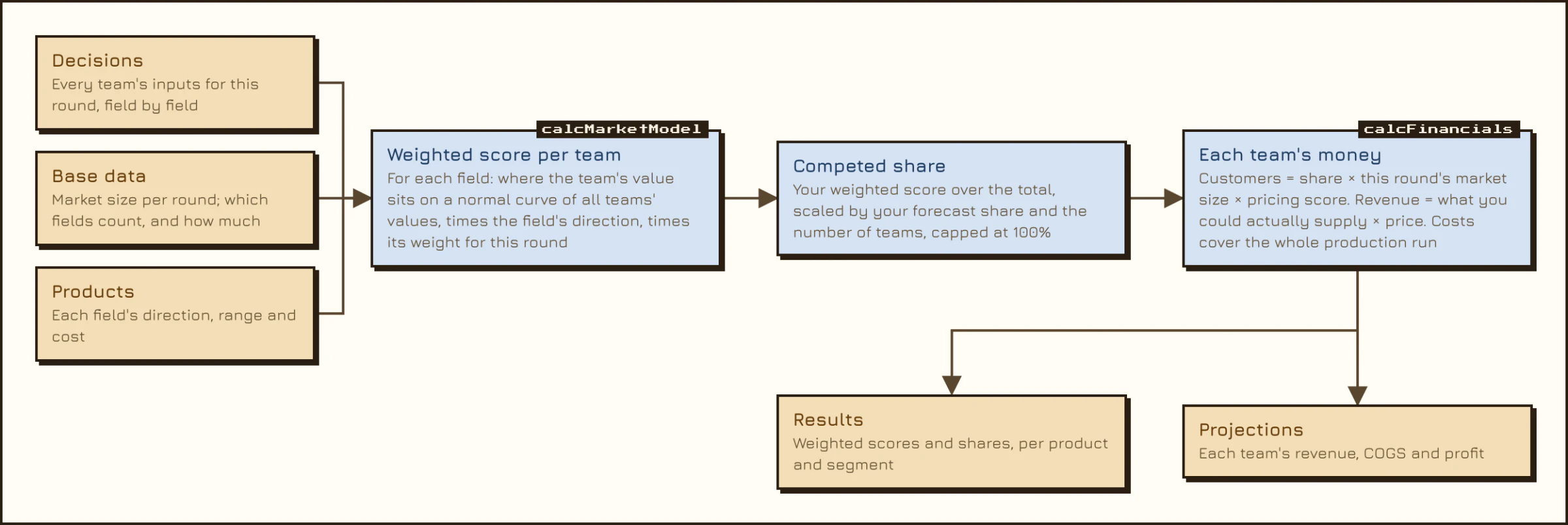
- The server scores a round in one MongoDB transaction: market share first, then each team's money.
More Diagrams
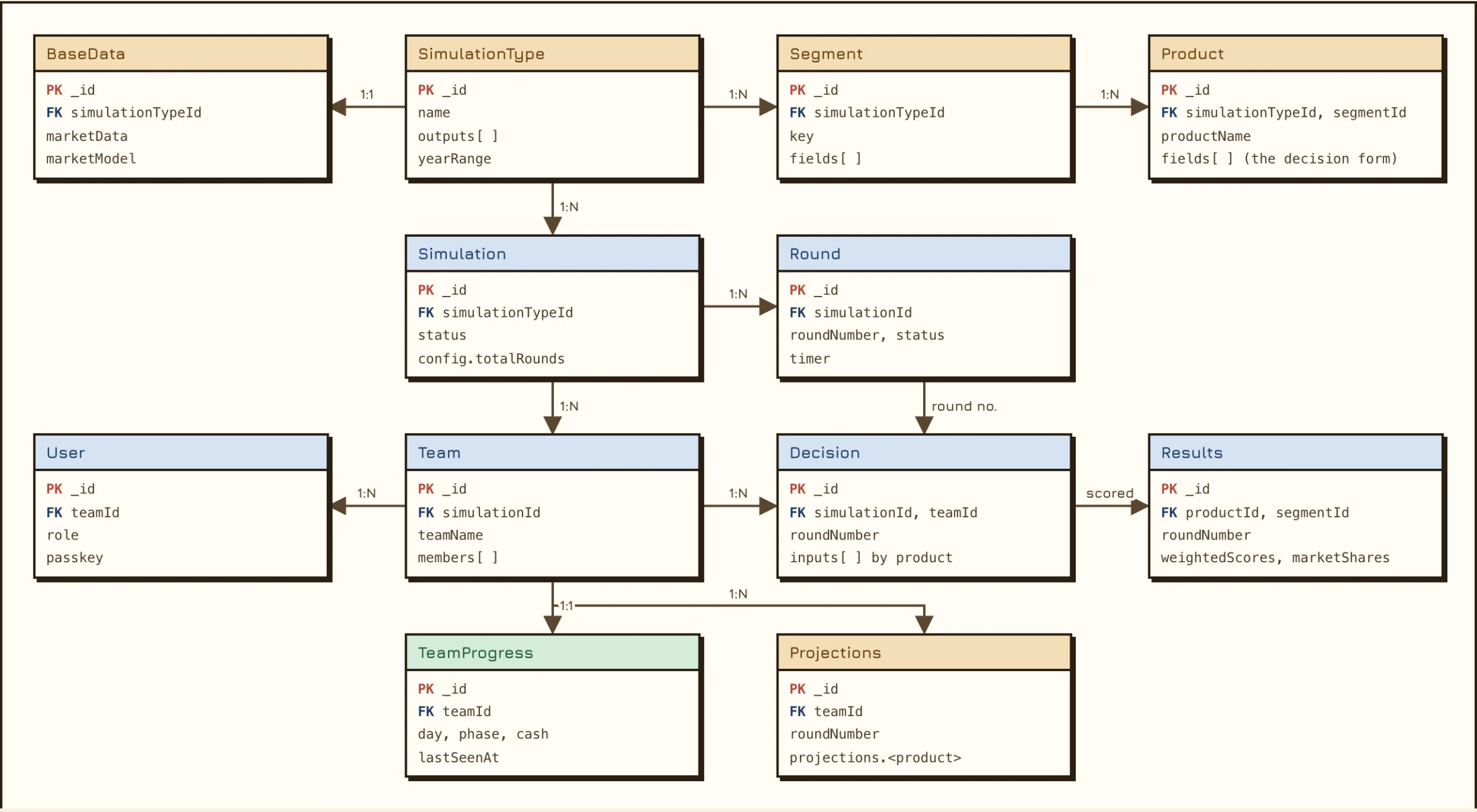
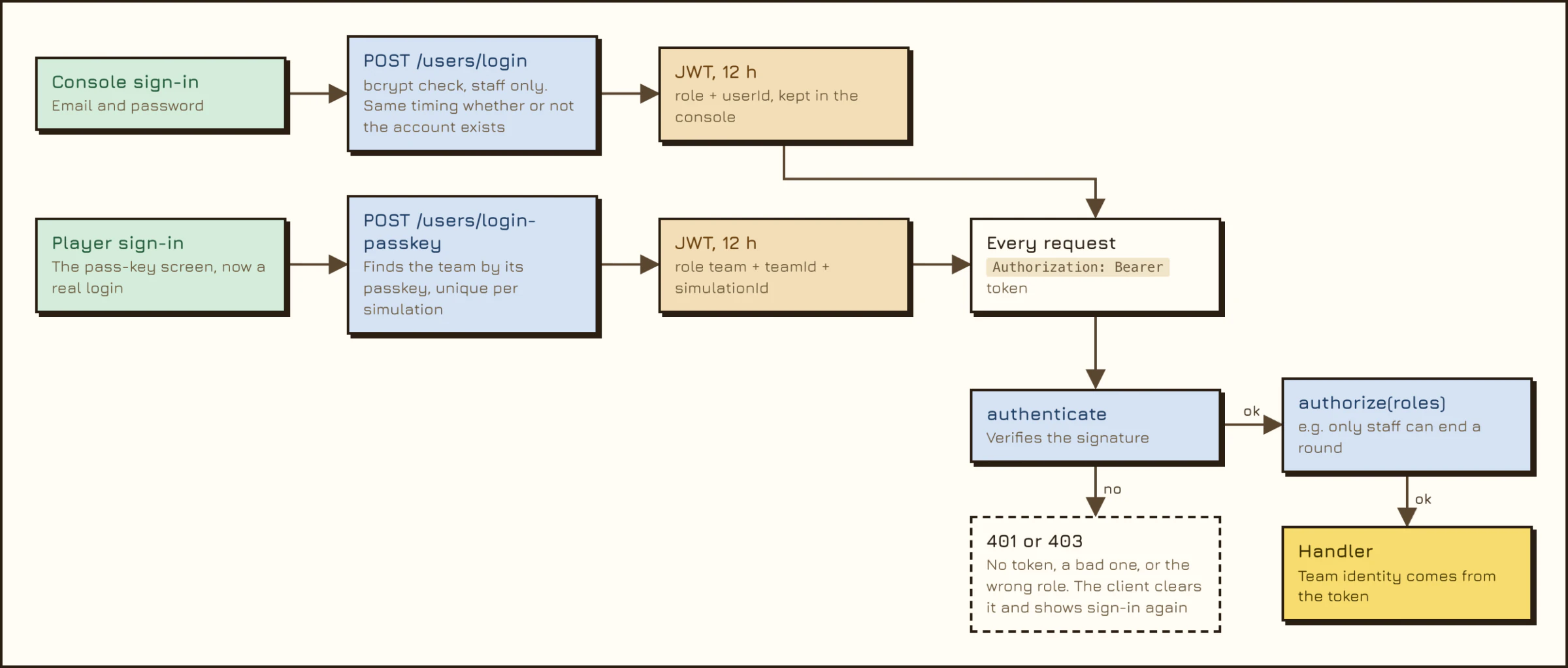
What the Engine Models
- The loop. Three phases of 30 days. Energy (30, then 45, then 60) is the budget for strategic moves, and demand runs at 0.7, 1.0 and 1.2 times normal across the phases.
- Positioning. The chosen audience multiplies demand by 1.4; every other audience counts at 0.55. Fit is a weighted match between the notebook and what the audience cares about.
- Cash versus revenue. Channels pay late: the campus store takes 30 days, student clubs 14, the online shop and influencers 7. Materials, wages and marketing are paid now.
- Events. Six scripted events on fixed days, each a four-way trade-off whose effects last for a window of days.
- Score. Net profit against a $4,500 baseline for 50 points, inventory cleanliness for 25, insight for 25. Ranks run from S ("Standout", 85 and up) to D.
From Plan to Result
- The player plans. Each decision costs energy or cash, never time, and the forecast in the top bar answers it.
- Confirm Phase is the only button that moves time. It hands the rest of the phase to the engine.
- The engine runs one day at a time: demand is rolled from the seed, materials are bought just in time, stock is made and sold, and late payments arrive.
- On an event day the run stops for a market event with four options, then carries on with that choice in effect.
- At the end of the phase a debrief asks one question written from the player's own ledger.
- The result card shows what happened to cash, the P&L gains a column, and after day 90 the score is counted.
How It Was Built
The project ran from 28 April to 4 August 2026: 88 commits on the current branch, all by one author. The first build landed in late April, with Amelia, audio and a guided tutorial days later. A pass-key gate marked the first checkpoint on 30 June. The "wide canvas" overhaul followed on 2 July, the V2.1 polish line on 16 and 17 July, and hand-over documents for the server-backed version in early August.
It was built with AI pair-programming (Claude Code) in short rounds: a screenshot with notes, a change, a check in a real browser, the next round. There is no unit test runner; the type-checker is the only automated gate, so quality came from driving the real app after each round.
The Notebook Is the Hero
The first playable version was a dashboard: a sidebar on the left that swapped a panel on the right, with the notebook squeezed between them and a P&L strip along the bottom. It worked, and it looked like the homework the brief was trying to avoid. The wide-canvas overhaul kept every feature and moved all of it. The desk fills the screen, inputs sit behind three tiles on the left edge and slide in as drawers over a canvas that never reflows, and outputs live in the top bar and in paper sheets below. The rule that drove it, from the project's own planning notes: the canvas is the star; chrome shrinks and art grows.
Decisions Never Advance Time
Only confirming a phase moves the calendar. Planning is free to explore and undo, so the player thinks in strategy instead of clicks. The forecast in the top bar reacts to every change, which means each add-on, price or channel visibly moves revenue and profit before any commitment.
Place First, Adjust Second
Dropping an add-on onto a small, gently moving target felt fiddly. Add-ons now land on a sensible default and are then nudged, turned and sized in place. Placing first and adjusting second is forgiving, and the adjusting is the fun part.
Sprawl Is Taxed, Not Capped
There is no hard limit on notebook lines. A complexity score quietly costs capacity and raises defects, so the player feels the cost of doing too much instead of hitting a wall.
Materials Buy Themselves
A manual "buy raw materials" step was hidden to simplify the desk. That starved production, so the engine now tops up materials each day, limited by cash. A scripted 90-day run checked the fix: 268 units sold where the same blind play had sold single digits, and a score of 48 instead of 12.
Every Ledger Entry Carries a Cause
The P&L, the decision timeline and undo are all read from the same history, and the insight questions are written from the player's own ledger. The lesson is always about their run, so it cannot be memorised.
The wide-canvas overhaul was swept by an AI review workflow, five reviewers by dimension and three refuters per finding: 17 findings, 16 confirmed and fixed. An instrumented end-to-end run then passed 10 of 10 steps with zero page errors, and the production build is green.
Four rules went against the AI's first instinct and stayed: use the supplied art, never substitutes; explosive over gentle for celebrations; contrast that is measured, not eyeballed; and copy that only points at controls that exist. One false start is worth naming too: a neural text-to-speech voice for Amelia was added and removed on the same day, and narration is switched off.
Design Details
- Art direction. Clean pixel-game minimalism: a warm dorm-room desk in walnut and cream, chunky cel-shaded notebooks, a chibi guide. Every visual stands for a decision or an outcome.
- Colour. Walnut, cream and caramel, with a mint accent that always carries dark ink, and coral for warnings. Finance has its own semantics: revenue green, cost coral, cash blue. Tone colours were unreadable on tinted fills, so contrast is measured.
- Type. Pixelify Sans for display, Press Start 2P for small labels and chips, Jura and Inter for reading text.
- Physical metaphors. Business sections are folder tabs on one document. Stats are paper sheets taped to the desk that lift as they scroll into view. The rank is a rubber stamp.
- Motion with a job. Numbers count up, cash and energy changes float off as small ghosts, the notebook leans toward the pointer and squashes when patted. Motion respects the reduced-motion setting.
- Amelia. 28 sprites and 11 scripted conversations, plus live reactions to what the player is doing and a hidden easter egg.
Three Booth Concepts for Comic Frontier 23, Modelled to Scale Before a Single Print Was Ordered
Mini Business Sim was planned for a 4 × 2 m booth at Comic Frontier 23, a creator convention in Indonesia. The hall is full of creators selling merch they made, so the pitch writes itself: run a notebook shop for 30 days and try to beat Amelia's profit. A full run takes 25 to 40 minutes, too long for a booth, so the plan was a 7-minute challenge that ends on the day-30 report. Research into booth layout, printing, power and merch led to three concepts on a Rp 5 jt budget: the game's storefront as the back wall, Amelia's desk made giant, and a workshop where visitors decorate a real notebook. Each one is a 3D model you can walk around.
- Three concepts, one booth, one budget: the storefront, the giant desk, the workshop.
- A 3D model at real size, textured with the game's own art, before anything was printed.
- A "Booth Mode" build of the game: a fixed market for a fair leaderboard, a big profit card at day 30, and a reset between players.
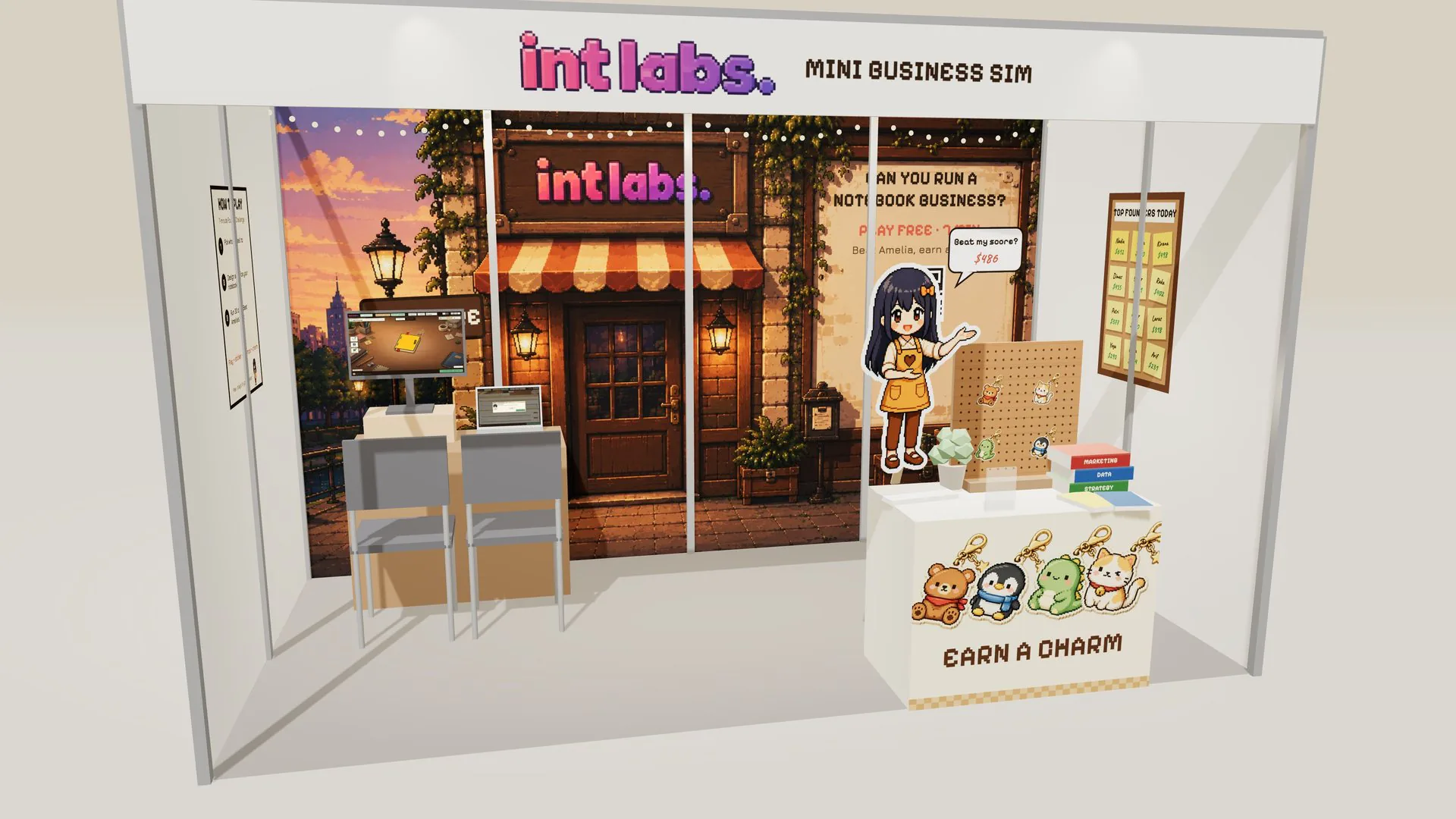
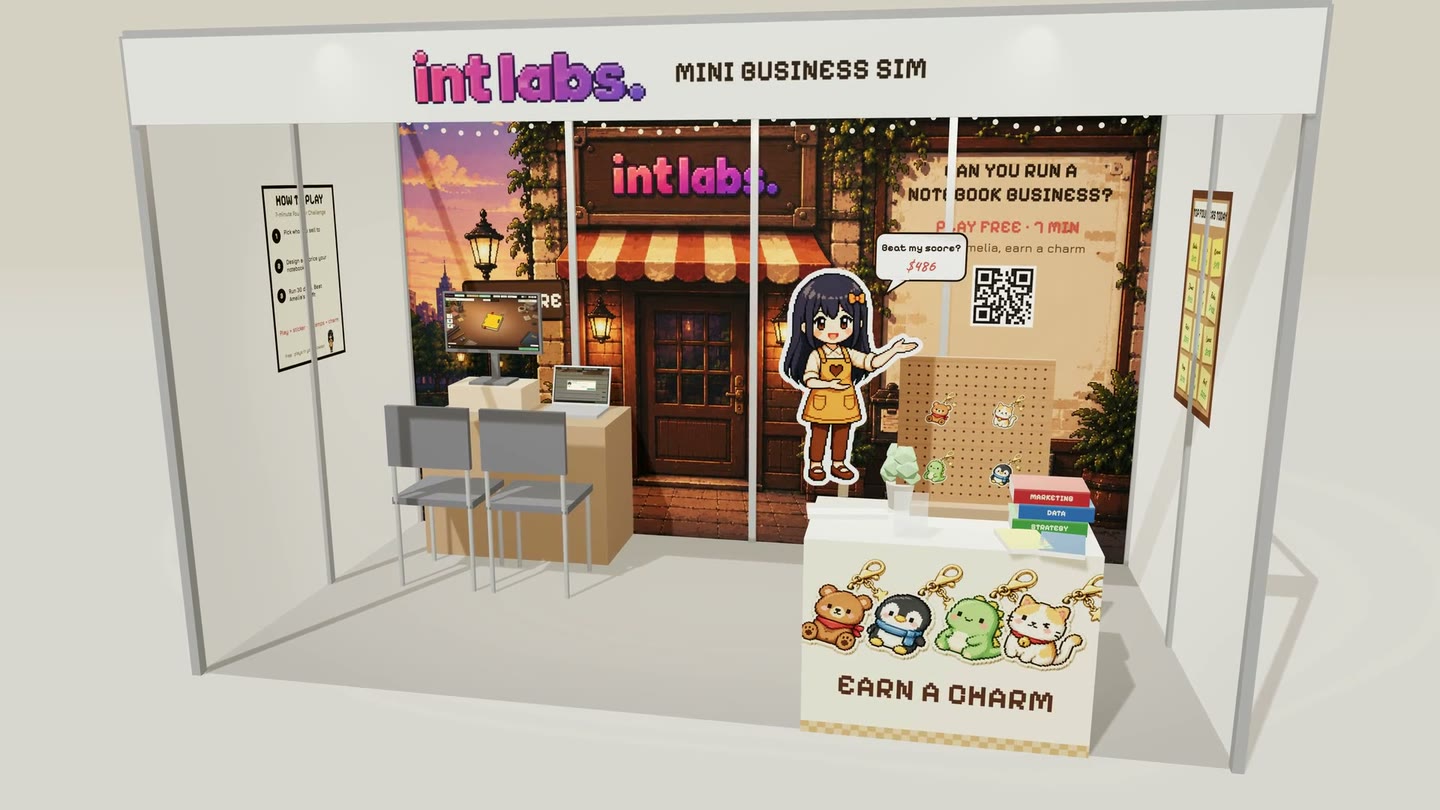
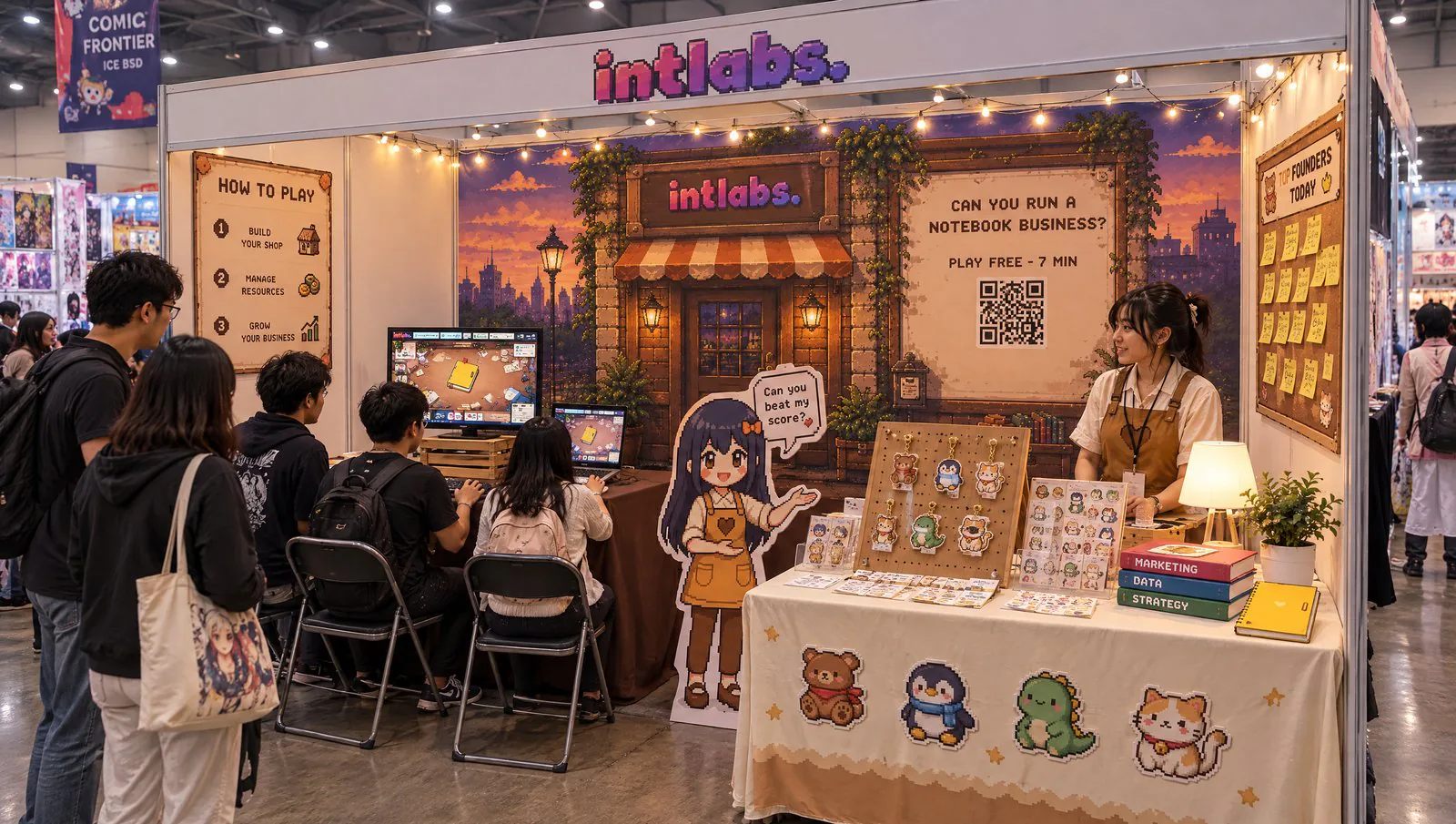

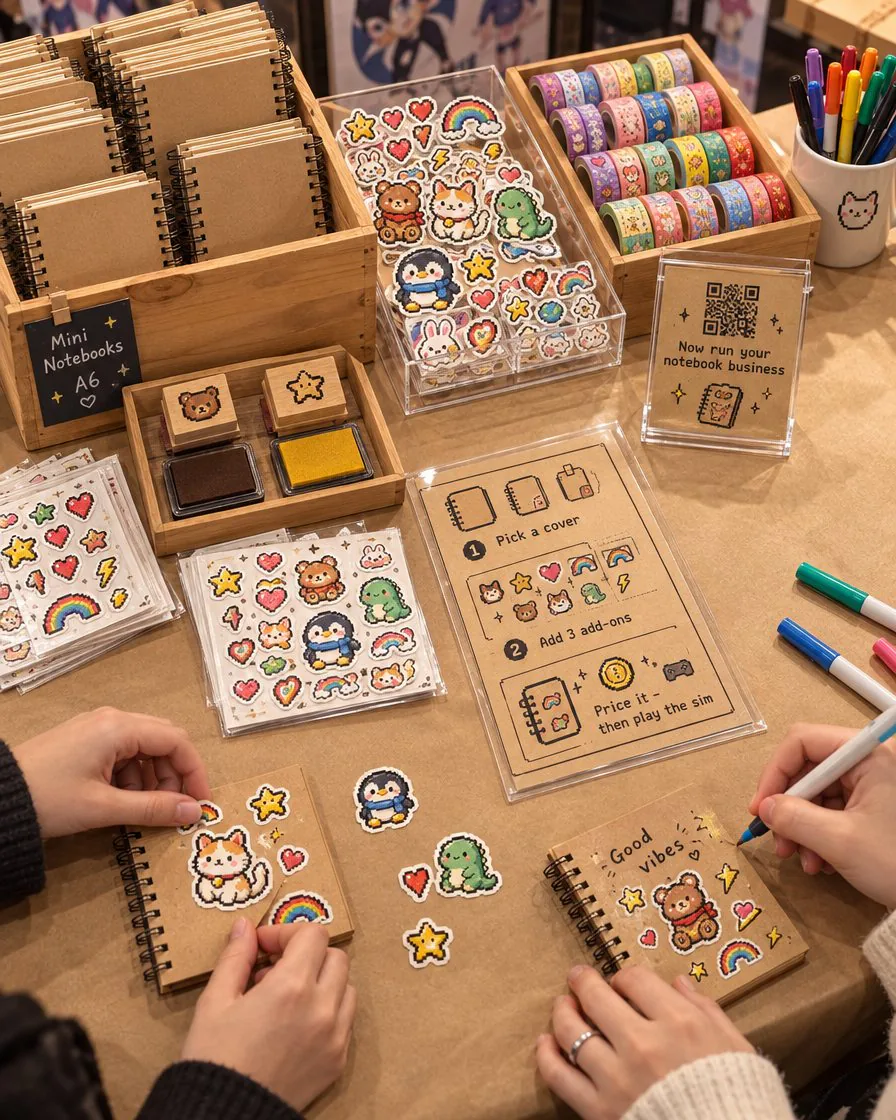
The renders are AI mood renders, made with Higgsfield from the game's own art. They show the feel; the 3D model has the exact layout. The concepts, the research and the 3D model were made with Claude Code.
For the booth, five research agents ran in parallel on game-demo booths, booth printing in Indonesia, engagement for learning games, merch, and mall-bought props. Their findings fed three concepts, a 3D model built in three.js, and seven AI renders. The organiser's rulebook could not be found online, so its rules are listed as questions to confirm, not facts.
Outcome and Next
V2.1 is the current interface line, and the product deploys from the main branch behind a pass key. The interface is documented, file by file, for porting into the server-backed version another team is building.
No learner outcomes are recorded in the project (no cohort numbers, no completion rates, no quotes), so none are claimed. The numbers on this page come from one demo run: Paper Moon Co. starts with $1,000, ends phase 1 with $1,853 and finishes day 90 on 94 out of 100, rank S.
Next, an economy remodel to the client's financial-literacy spec exists on its own branch and is not yet promoted. The spec's open questions include a facilitator replay mode and weighting stockouts differently from overstock.
What Is Real and What Was Set Up
Real. Every frame is the running app. Nothing is mocked up, drawn over or sped up. The pointer's clicks, drags and typing are real input events, and every number on screen came out of the app's own engine from the decisions shown.
Set up.
- A demo pass key. The capture browser accepts a demo key, so no real access key was read, typed or shown in the films.
- One chosen example. The run uses a fixed seed and a plan found by searching the real engine for believable choices that the interface can make.
- Phases 2 and 3 are off camera. They are played with the same engine calls the interface makes, and the film cuts to day 90.
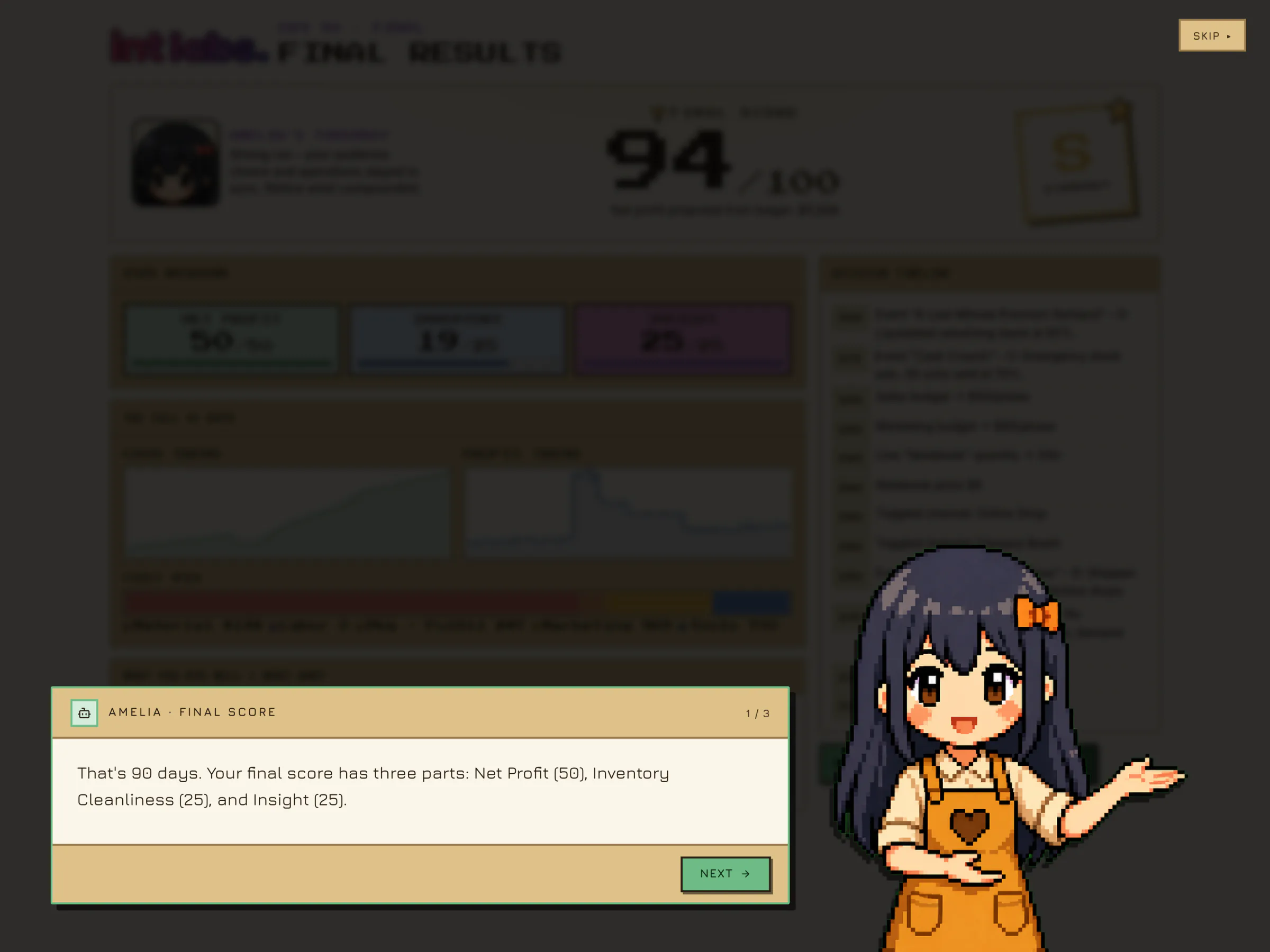
- Quiet coaching. First-visit tutorial lines were marked as seen and Amelia's reactive tips were silenced, so the films are not a tour of every hint. Her welcome, her reaction to the third add-on and her final summary are the app's own.
- Two capture-only patches. Tooltips open on keyboard focus only, and clicks on a placed add-on do not also pat the notebook. Both work around known small bugs; neither changes what a feature does.
- The arrival at 4:3. The app is laid out for widescreen and crops its own pass-key card at 4:3, so that one scene is filmed on the real widescreen stage with a 4:3 camera panning across it.
- Frame-perfect time. Films are rendered one frame at a time on a virtual clock, not screen-recorded. The pointer is drawn, and the camera zooms are a crop of the real page.
Gallery