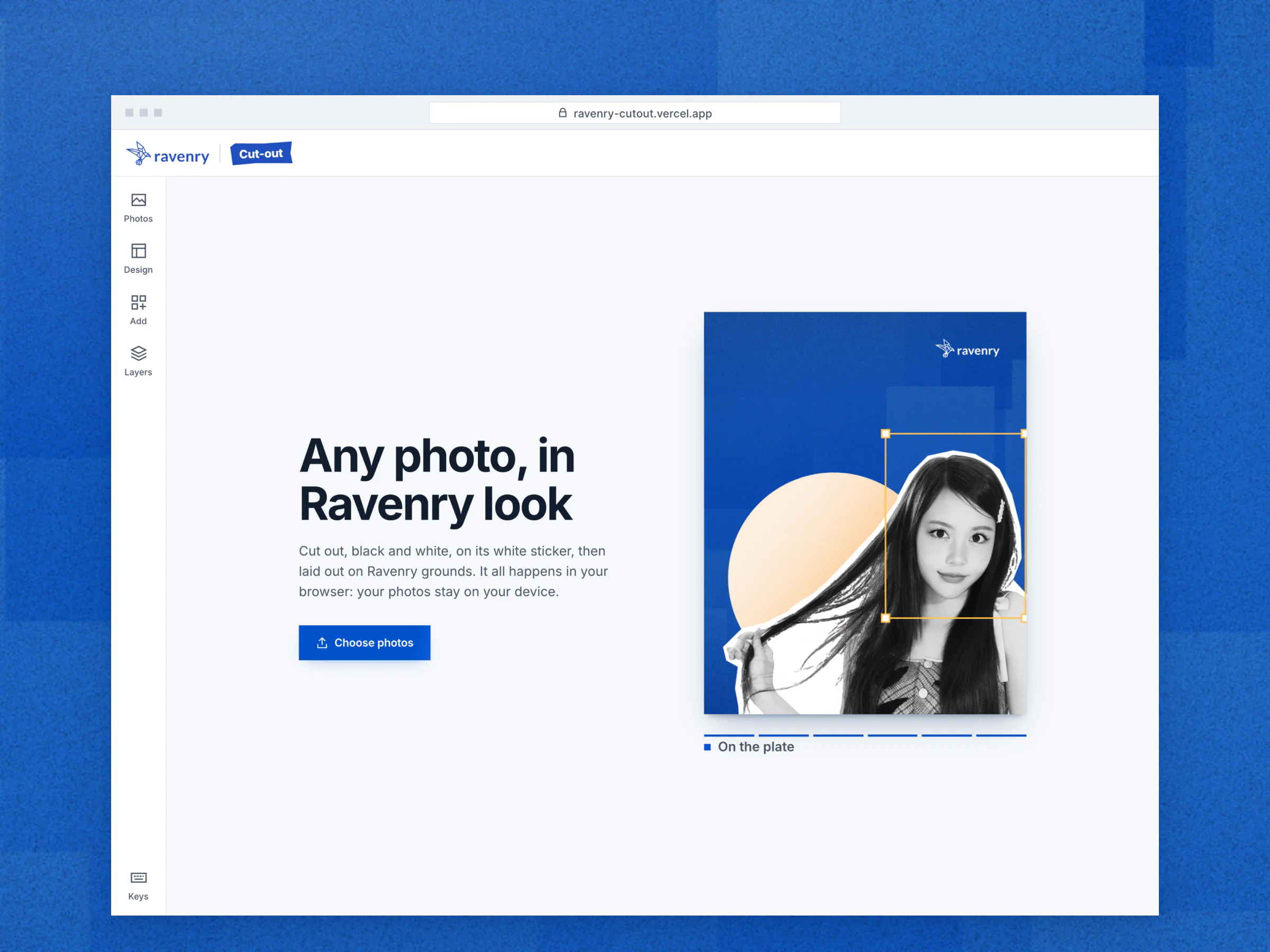
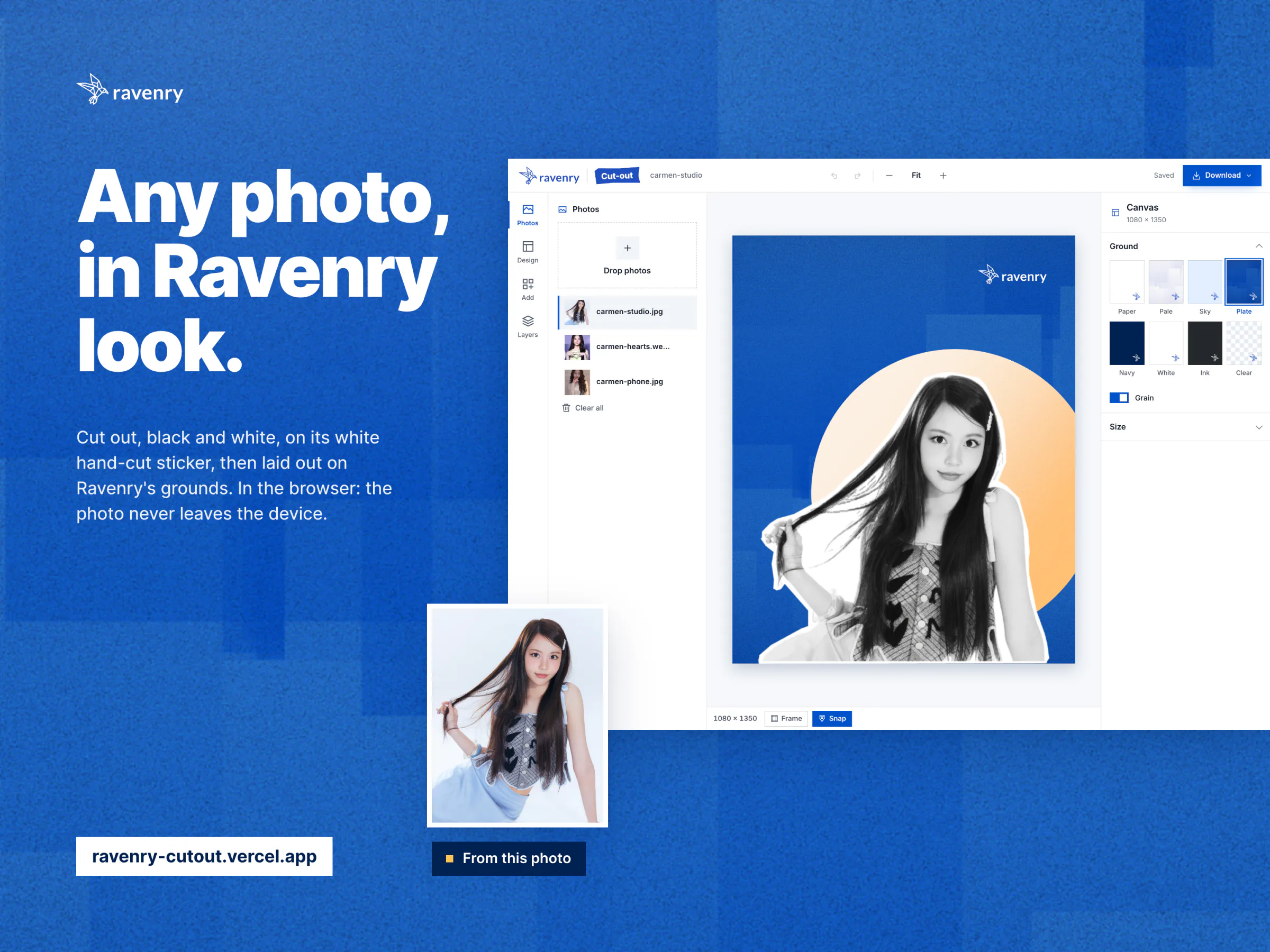
A browser tool that does a designer's five steps in seconds, so anyone at Ravenry can make a Ravenry asset of a person.
Live, with nothing to install: 5 to 22 seconds a photo on an M1 Mac.
Project facts
- Role
- Design Lead, Ravenry: product design, built with AI coding agents
- Timeline
- 16 days, 2 to 17 October 2026
- Stack
- BiRefNet
- MediaPipe
- ONNX Runtime Web
- WebGPU
- Konva
- Python
- PyTorch
- Vercel
The Brief
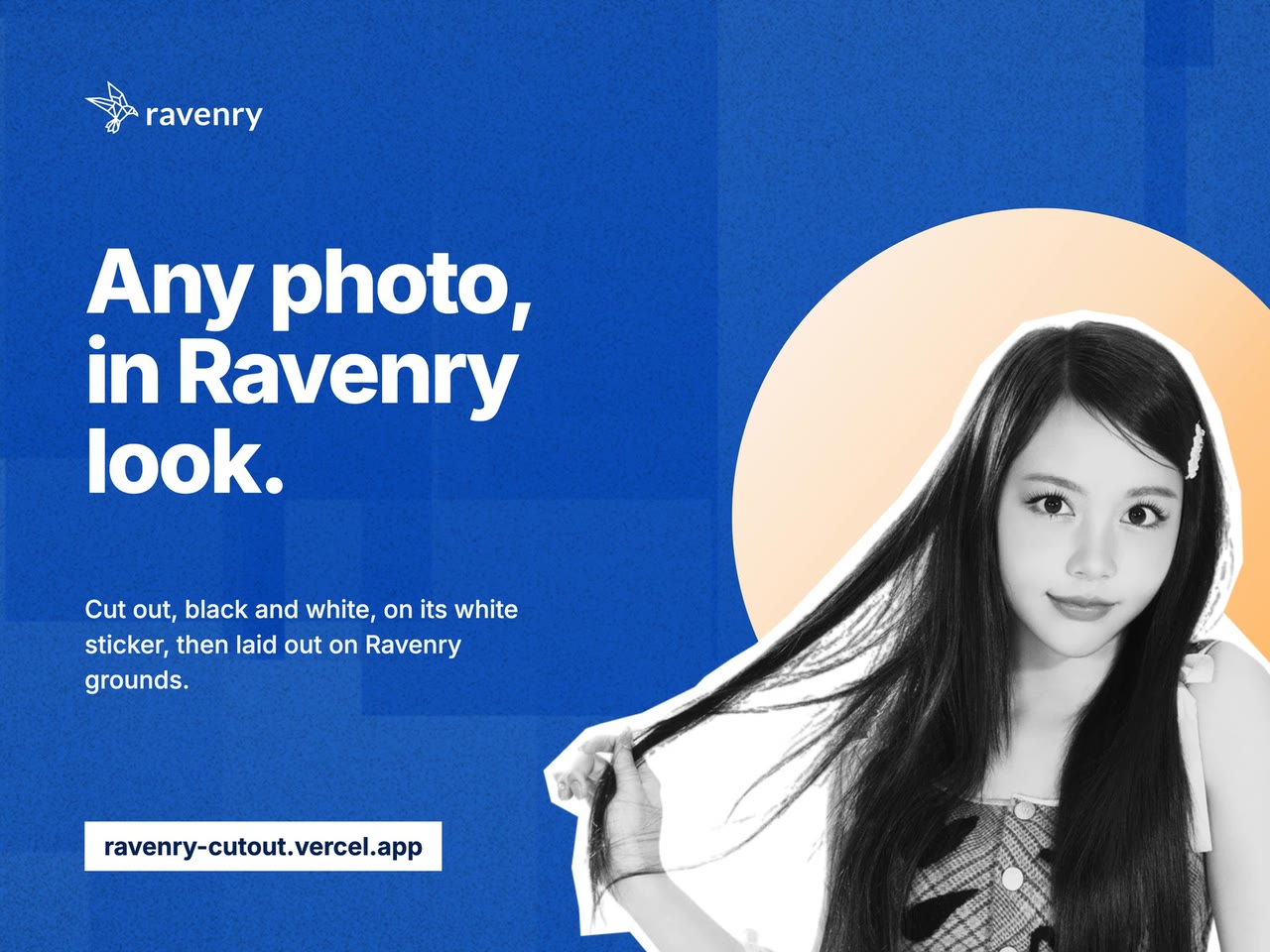
Ravenry is a market research company. When it shows people (the speakers at its events, for example) it shows them one way: black and white, on a white hand-cut sticker, over the brand's blue "plate", often with a sun rising behind them. That look is on the SWDA event backdrops (3405 x 1916 px), banners (3200 x 800) and posters (2055 x 2681), the Rigor Room posters, the company profile's one-pagers and roll-ups. People are the most frequent subject in all of it.
Every one of those pictures was made by hand. My brief was to make the look available to the whole company: one page, useful to everyone, and good enough that people would trust it. In the brief I called it "the most advanced feature": if it was not perfect, nobody would use it.
The Problem
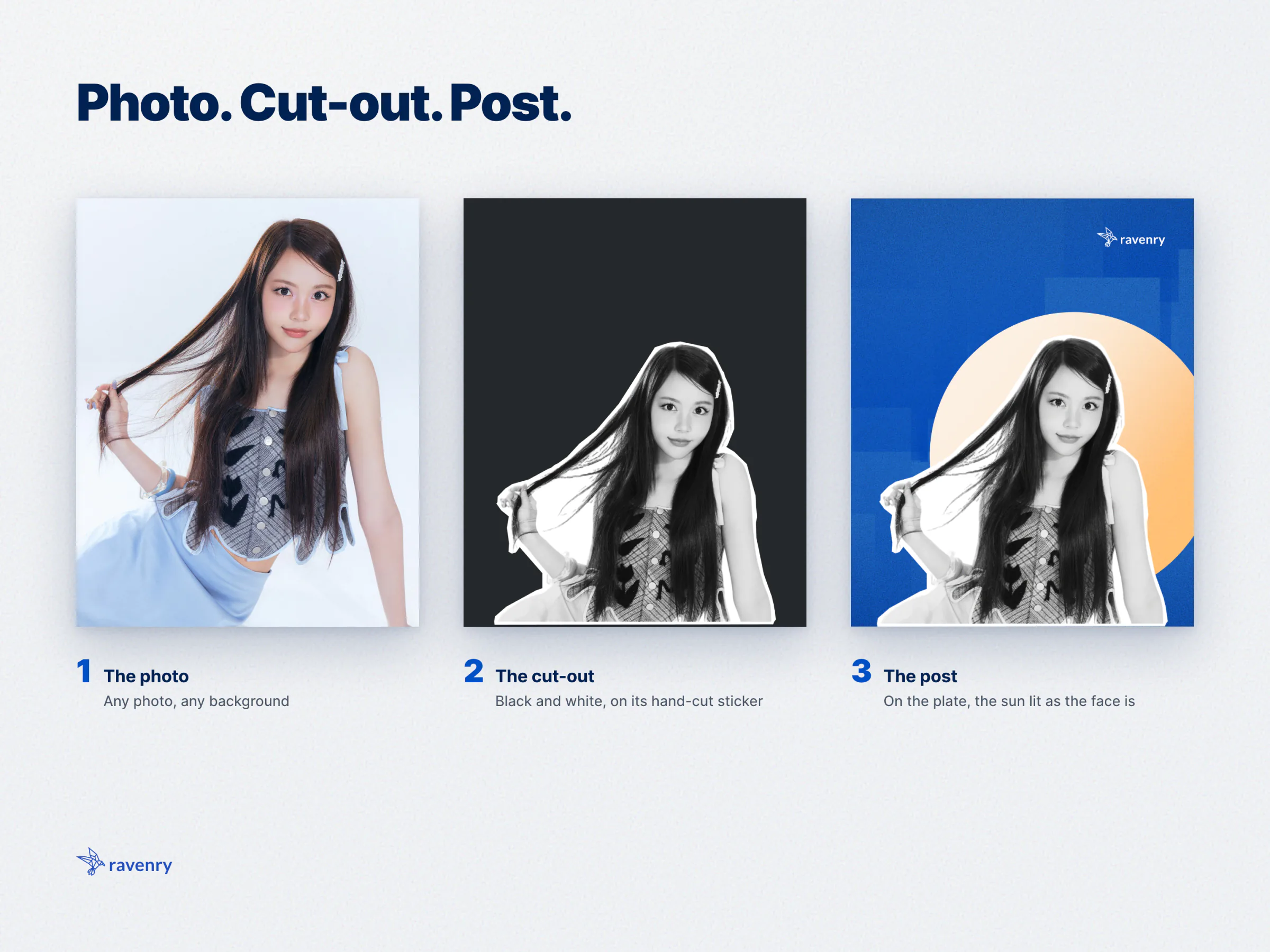
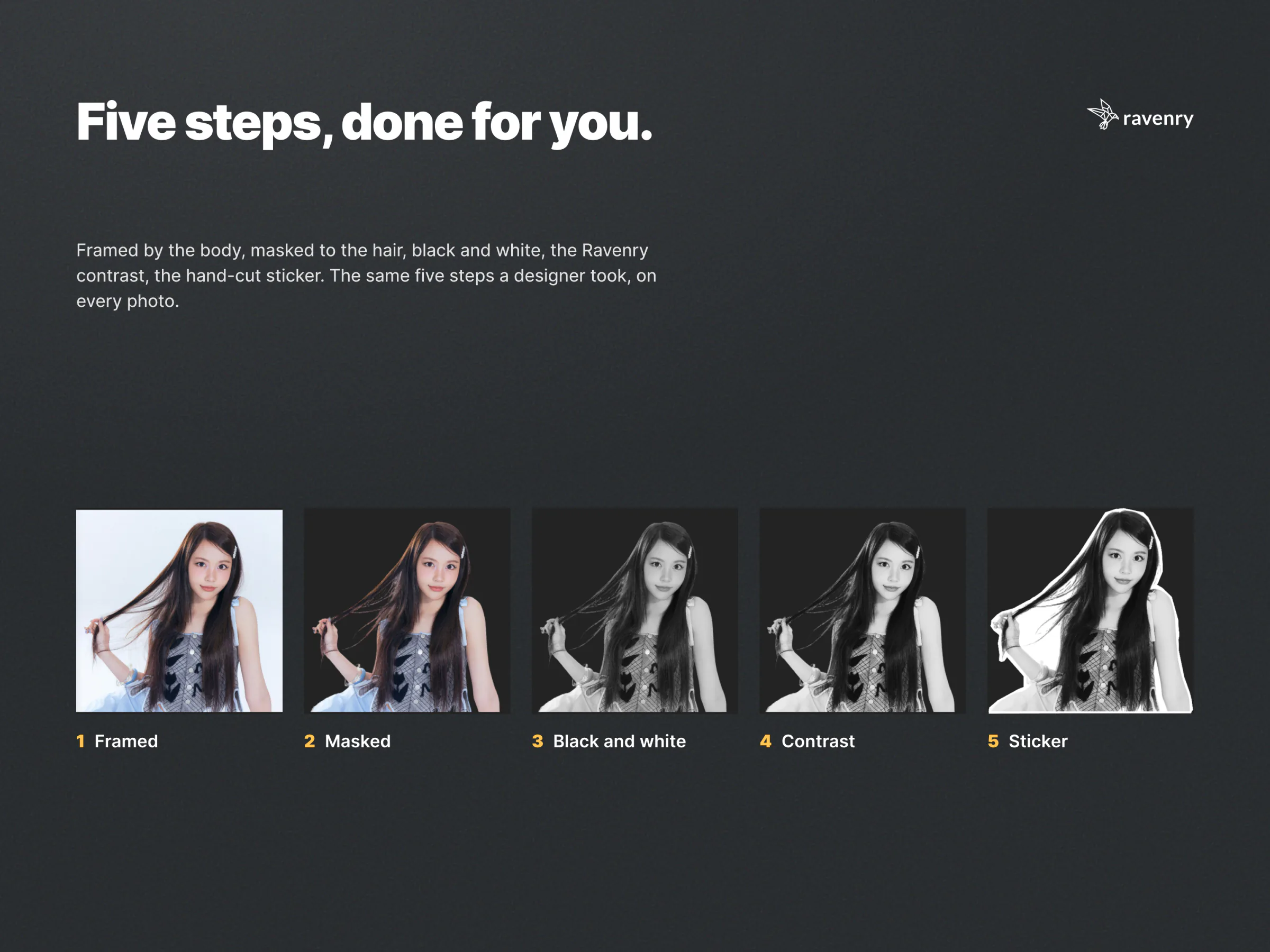
Five steps, every time. A designer had to:
- crop the photo to the best perspective for the layout;
- mask the subject, sharp and clean, hair included;
- make it black and white;
- push the contrast;
- add the crisp white sticker around it.
The photos are small and messy. Speakers send web headshots and avatars: two of SWDA's were 223 x 223 and 400 x 400 px, and Ravenry's own website headshots are 96 to 240 px. On the SWDA backdrop those were enlarged about 2x. And the hard part is the hair: it is where the masking models differed most.
Only a designer could do it. Anyone in sales, marketing or a project team who needed a speaker card, a one-pager or a post needed a designer for it. How long each cut-out took, and how many were made a month, was never measured, so I do not claim a time saving.
Measure the Look Before Automating It
Before anything was built, my own finished cut-outs were measured, so the tool would copy the look exactly instead of approximating it.
- The tone is an S-curve around a fixed midpoint, with a slope of 1.4 to 1.75 there. Whites stop at about 230 (the 99th percentile is 229) while the sticker is pure white, so a face never melts into its border. At least 5% of pixels were crushed to pure black.
- The sticker's border is 3% of a head wide at the median; its straight cuts 14% of a head; its corners 149 degrees.
- Masking models, compared on a test set: Apple Vision's masks came back as a smooth "helmet" with a halo; BiRefNet's high-resolution model needed more than 10 GB of graphics memory and failed on half the set on a 16 GB Mac; BiRefNet's dynamic matting model at the crop's own size was the cleanest on the crown and the side hair, in 1 to 5 s.
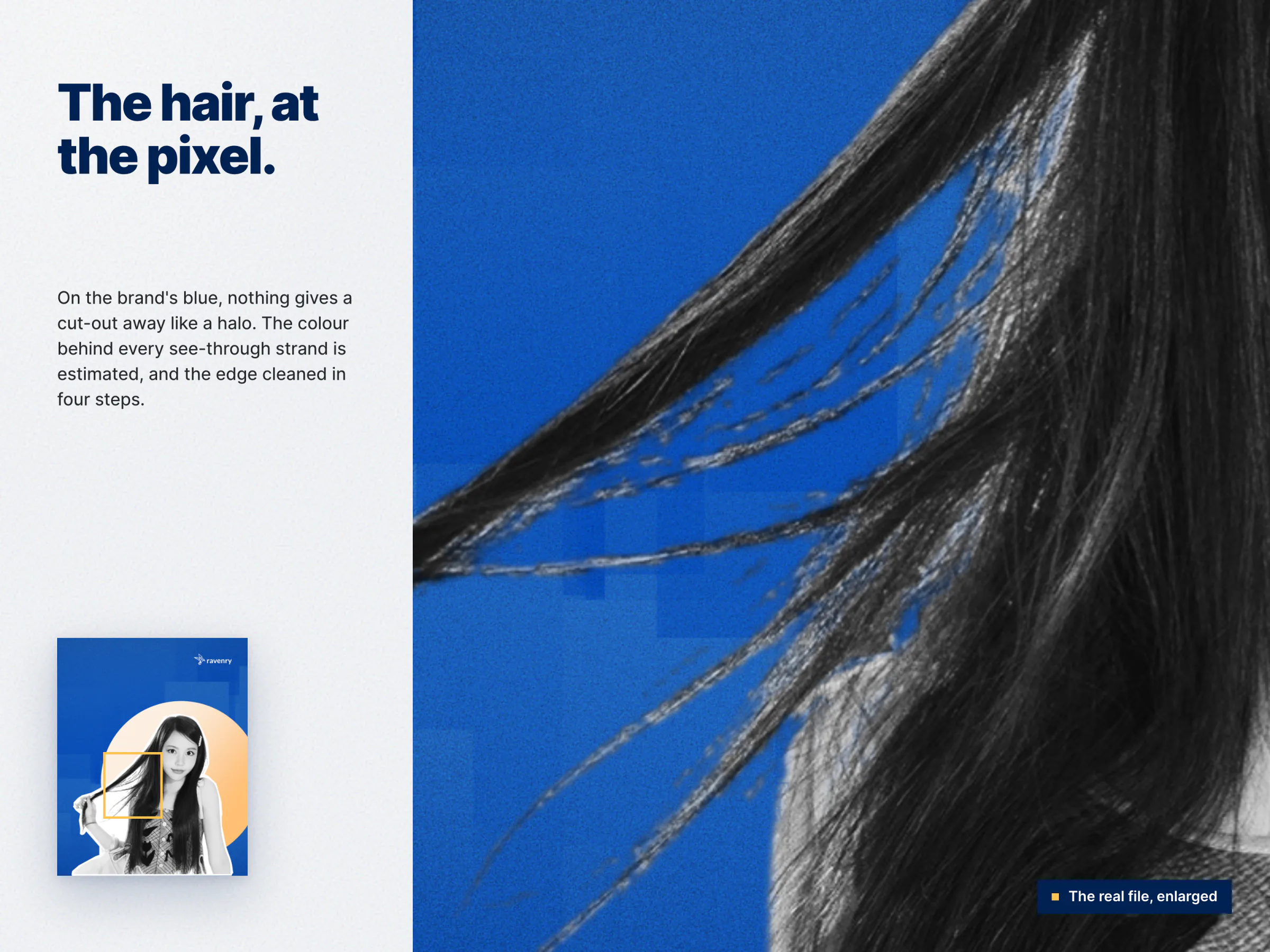
- Two findings that changed the pipeline: without estimating the colour behind see-through strands, the window's light sits in the hair and shows as a halo on blue; and masking after enlarging a small photo gives crisper curls than enlarging the mask.
- A fair tone: matching every face to one grey would lighten darker skin and darken lighter skin, and my own finals never did it, so the tool does not either.
The result: a tone within a median 6.2 and 4.5 grey levels of my two reference finals, and a sticker whose rhythm matches mine when both are measured the same way (cut lengths at the 10th, 50th and 90th percentiles: 0.045, 0.134 and 0.258 of a head for mine; 0.048, 0.130 and 0.291 for the tool's).
Who It Is For
Everyone at Ravenry who makes a visual with a person in it: events (speaker backdrops, posters, banners), marketing and social (Instagram posts), sales and project teams (decks, reports, one-pagers). The first user was me: I used the page while it was built and gave 49 notes on it, each turned into a rule or a check. How many colleagues use it, and how often, is not measured; the site keeps no analytics.
Before and After
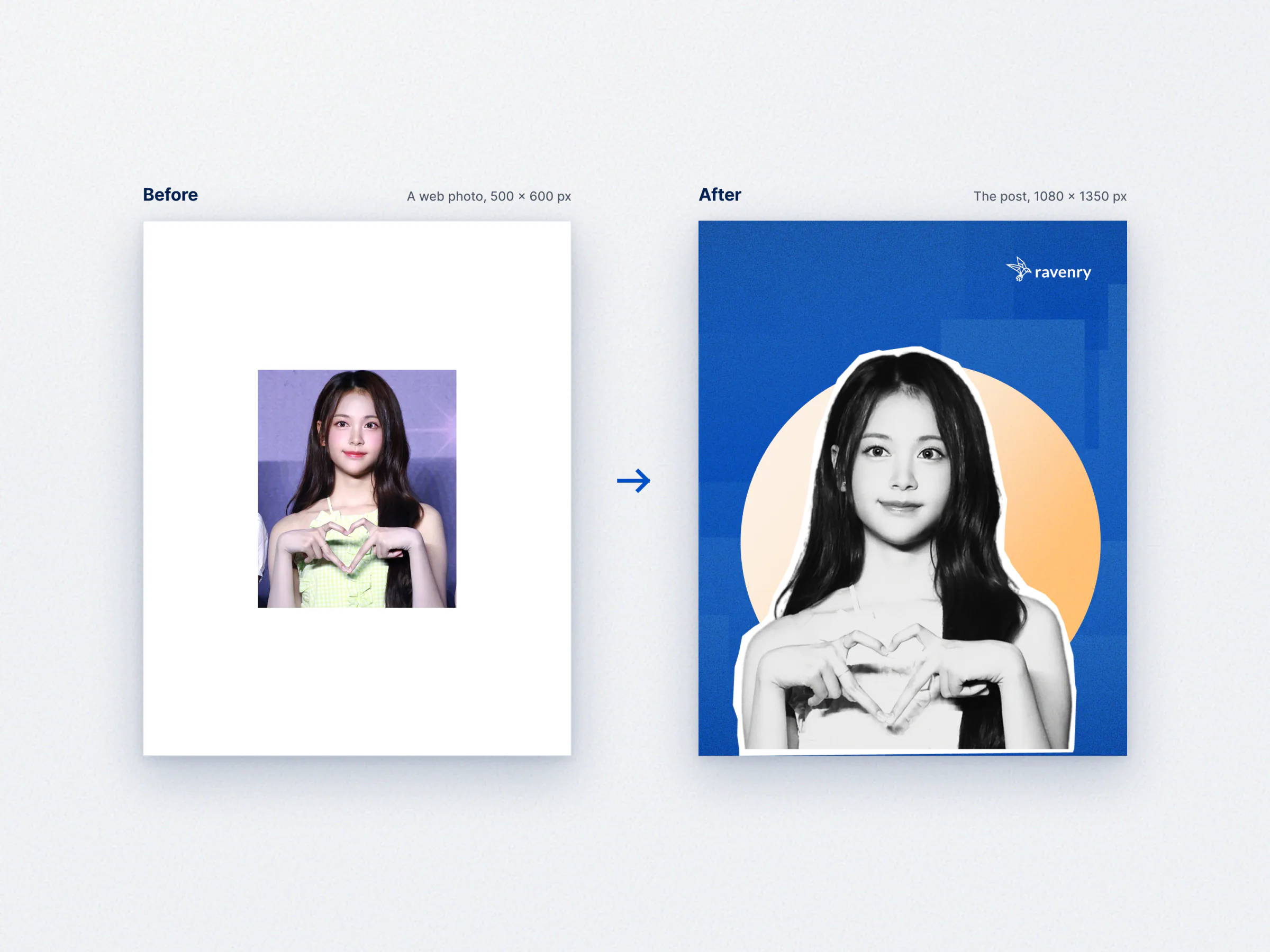
| Before | After | |
|---|---|---|
| Who | A designer | Anyone, in a browser |
| How | Five manual steps per photo in design software | Drop the photo; the five steps run on the device |
| Time | Never measured | 5 to 22 seconds a photo on an M1 Mac |
| Small photos | Enlarged by hand | Enlarged before masking, automatically |
| A set of speakers | Each placed by eye | One design on every photo, placed by the face |
| Privacy | Files passed around | The photo never leaves the device |
The Experience, Step by Step
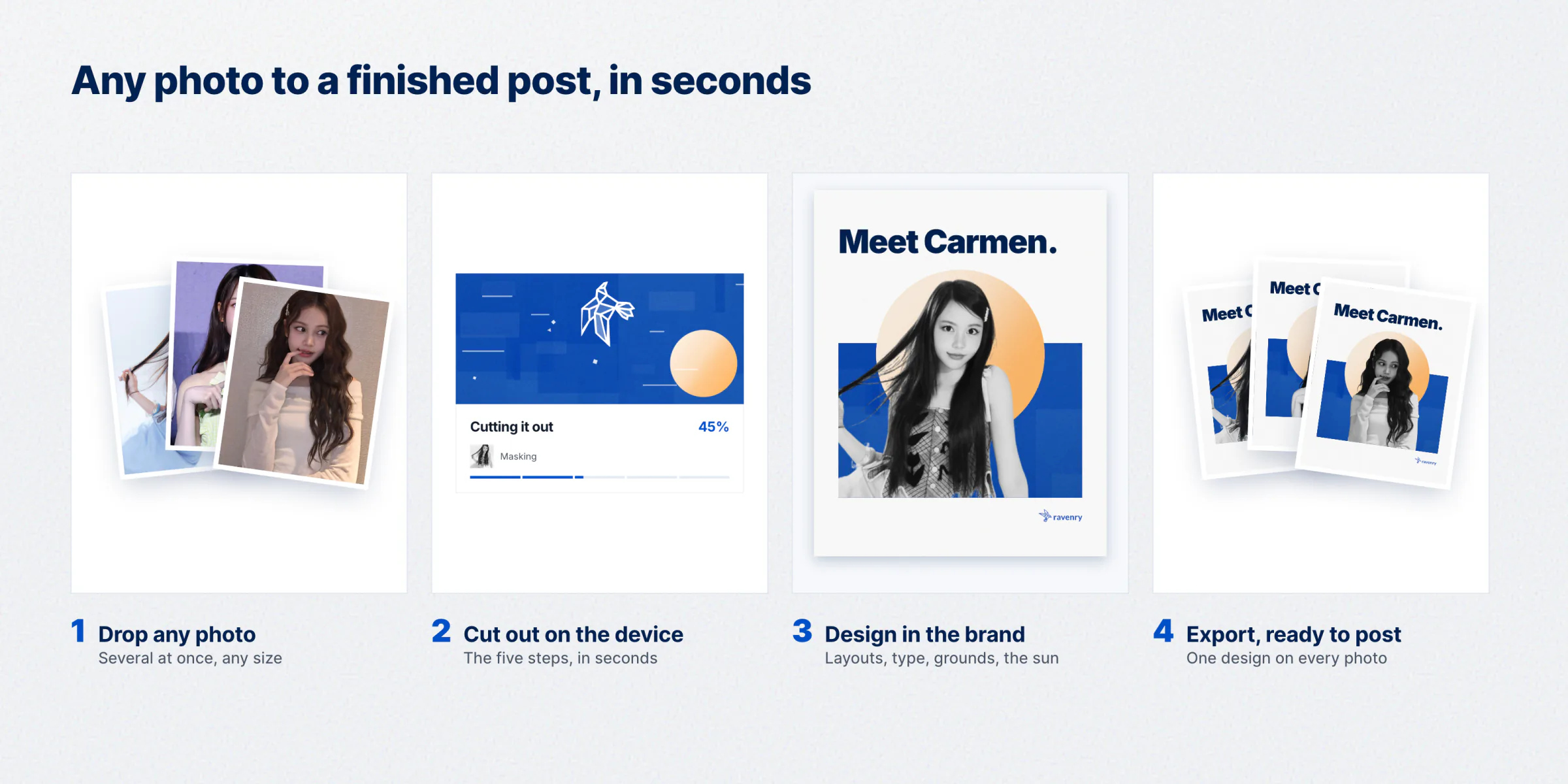
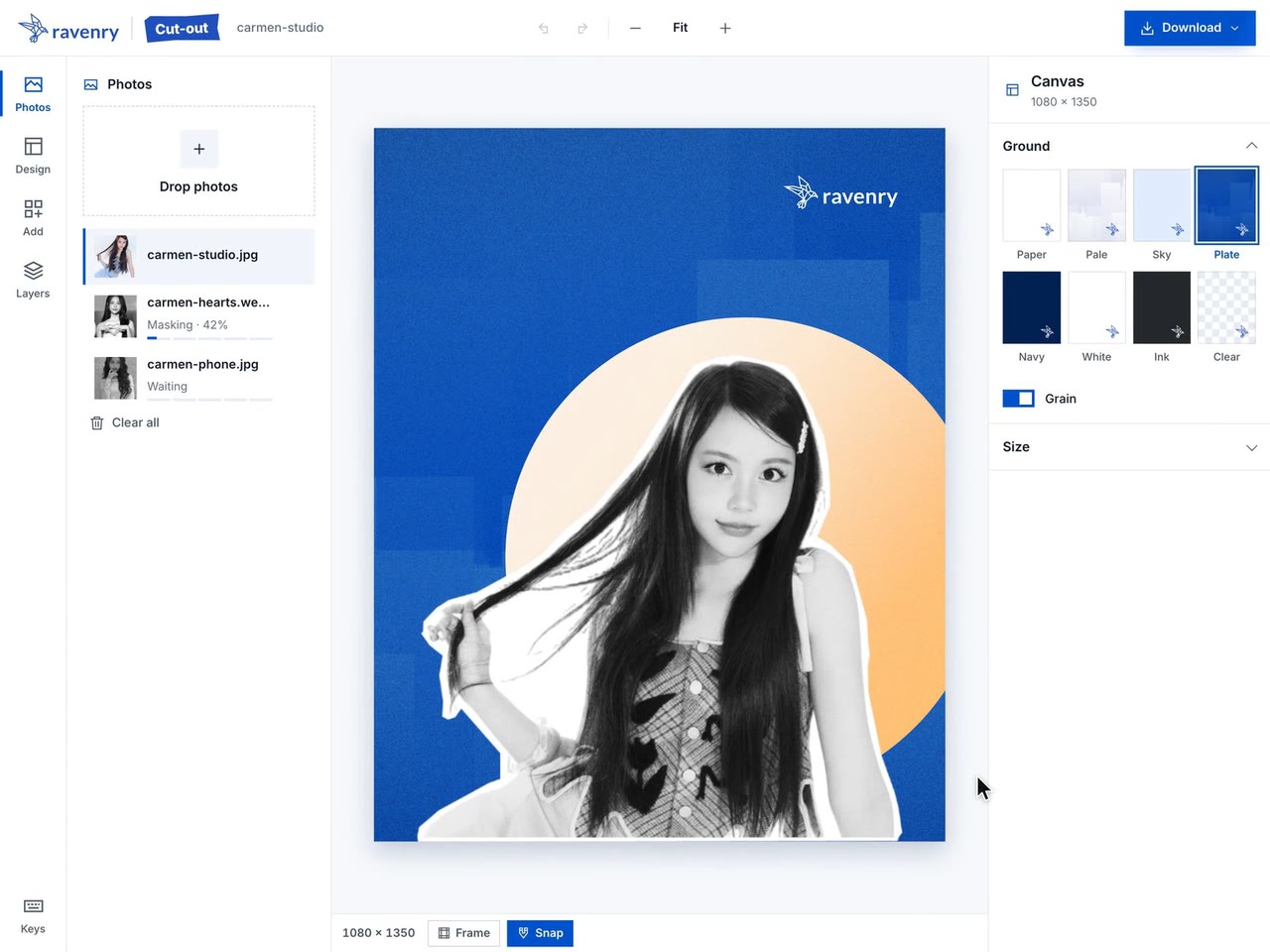
- Open the page. The empty canvas plays the five steps on a real photo, then shows what you can do with it. One button: Choose photos. Or drop them anywhere.
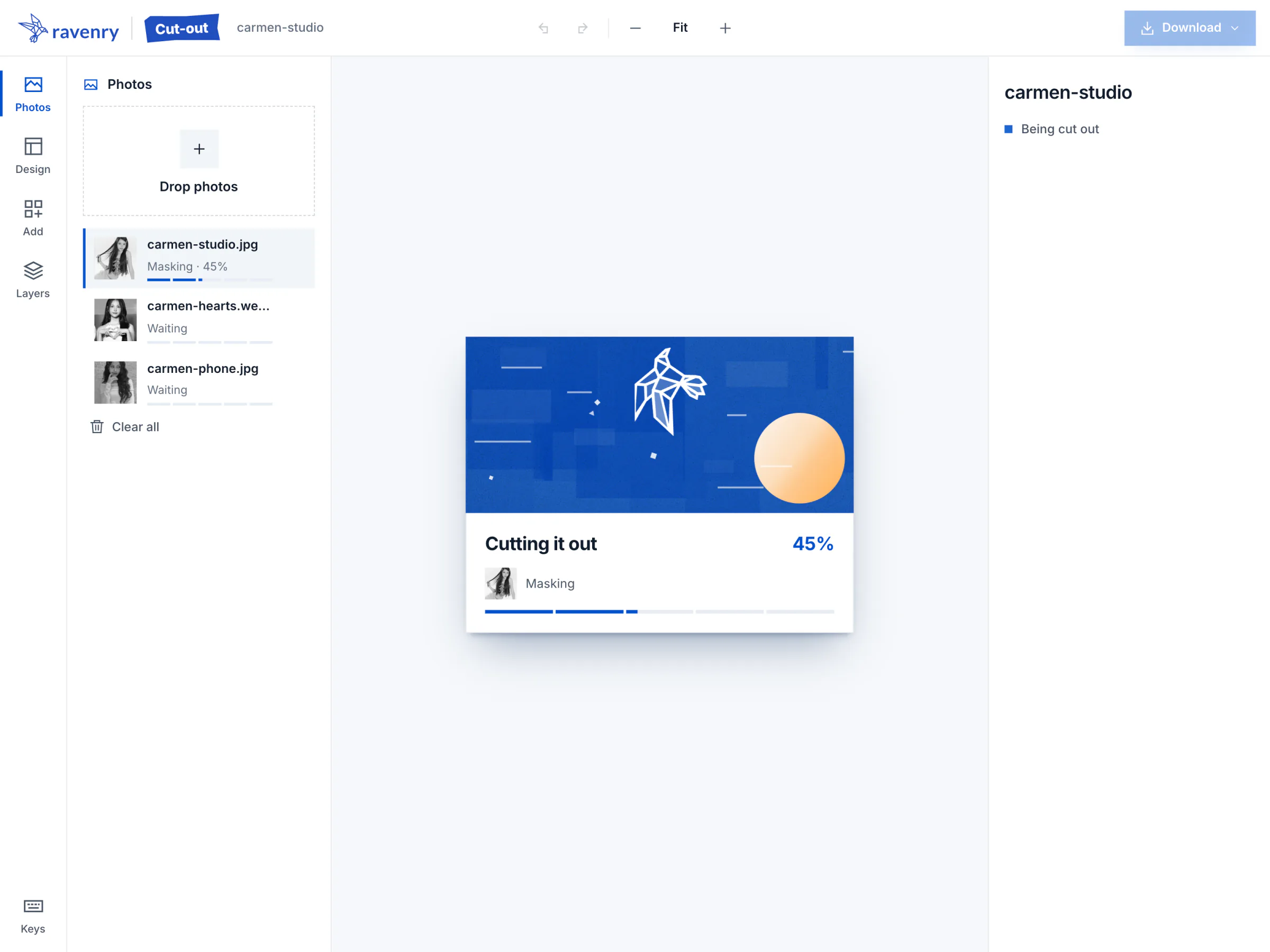
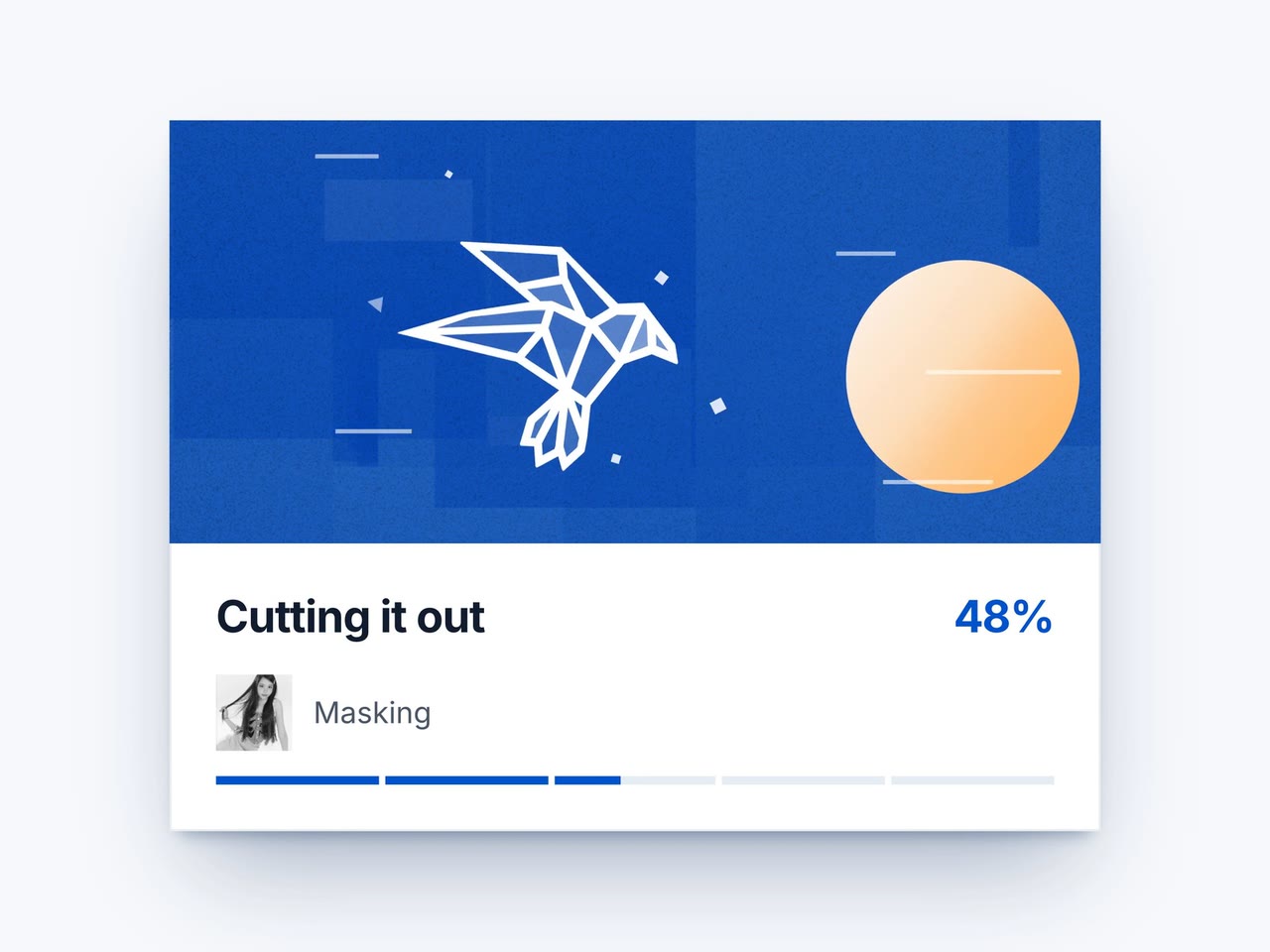
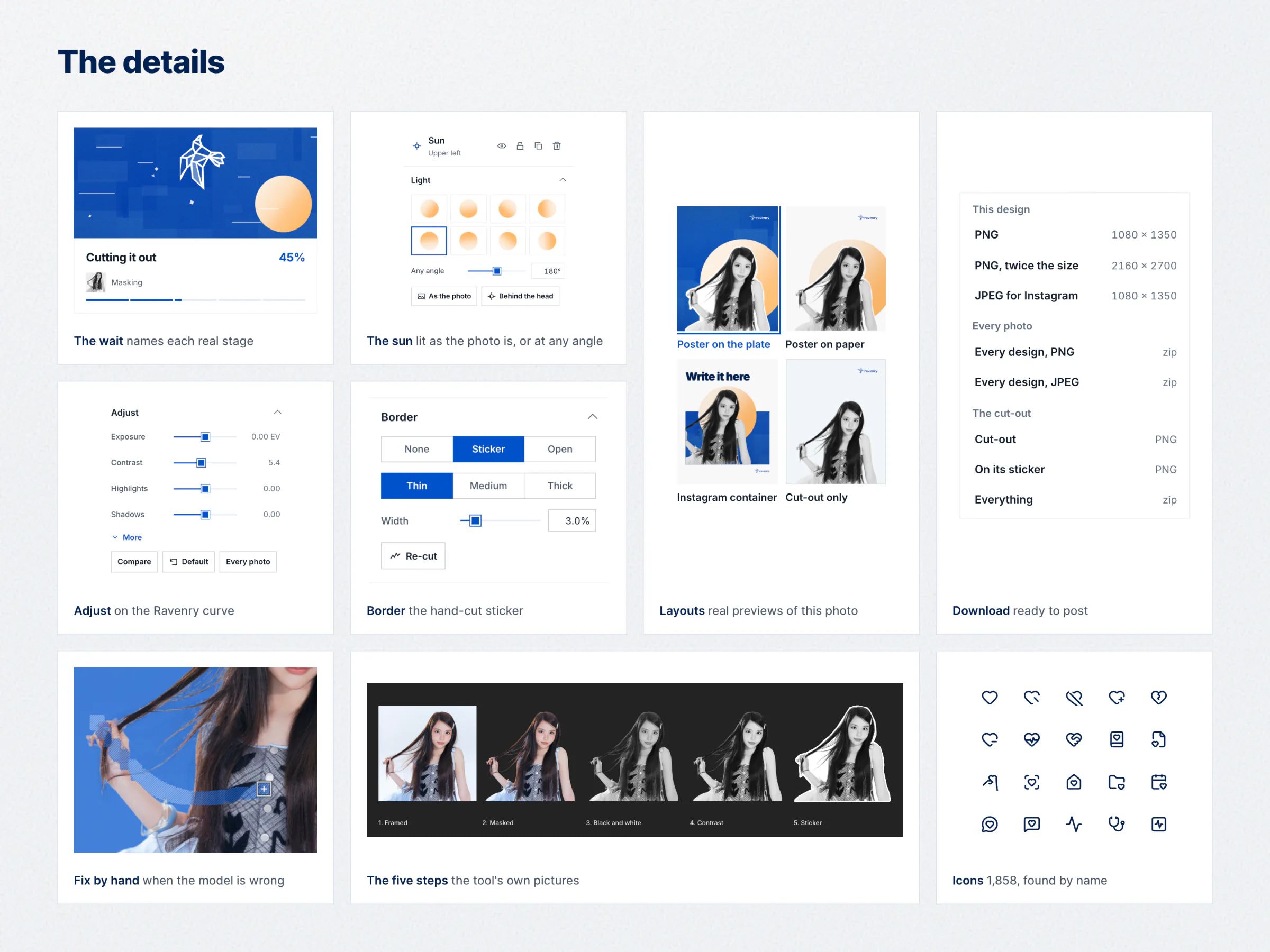
- Wait a few seconds. The waiting card names each stage as it happens (reading, finding, framing, masking, the hair's edges, black and white, the sticker), and a sun rises with the work while Ravenry's bird flies.
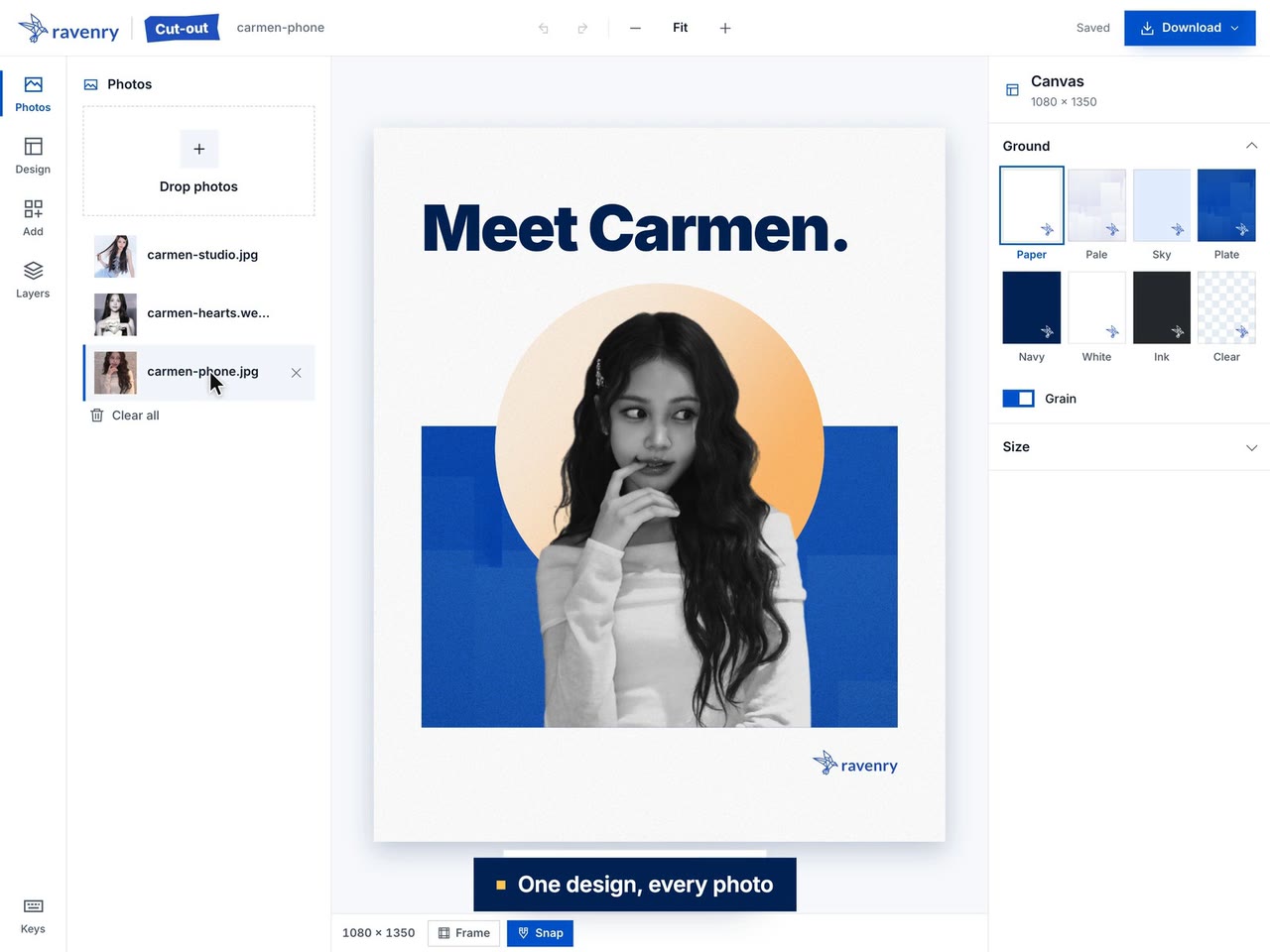
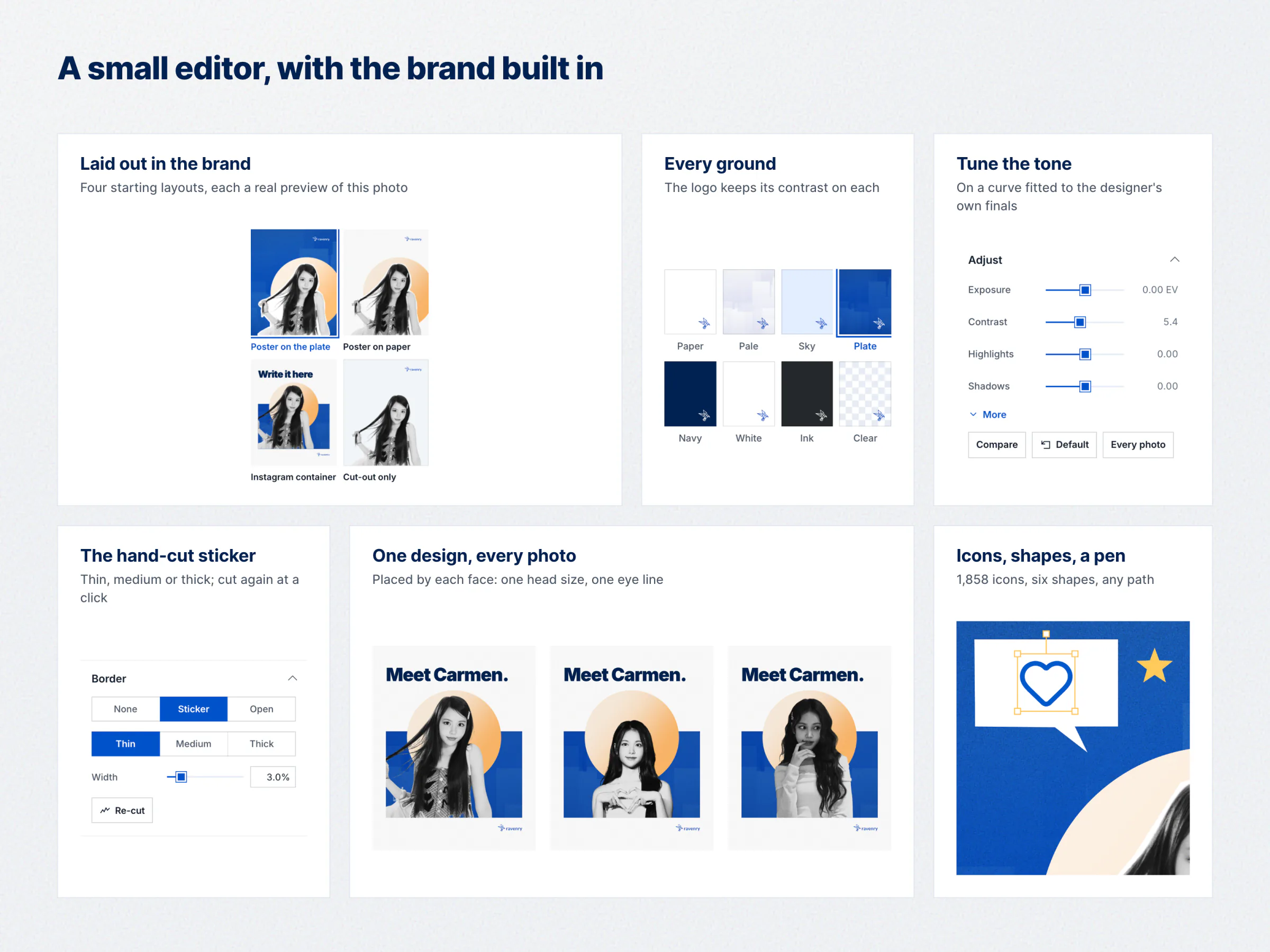
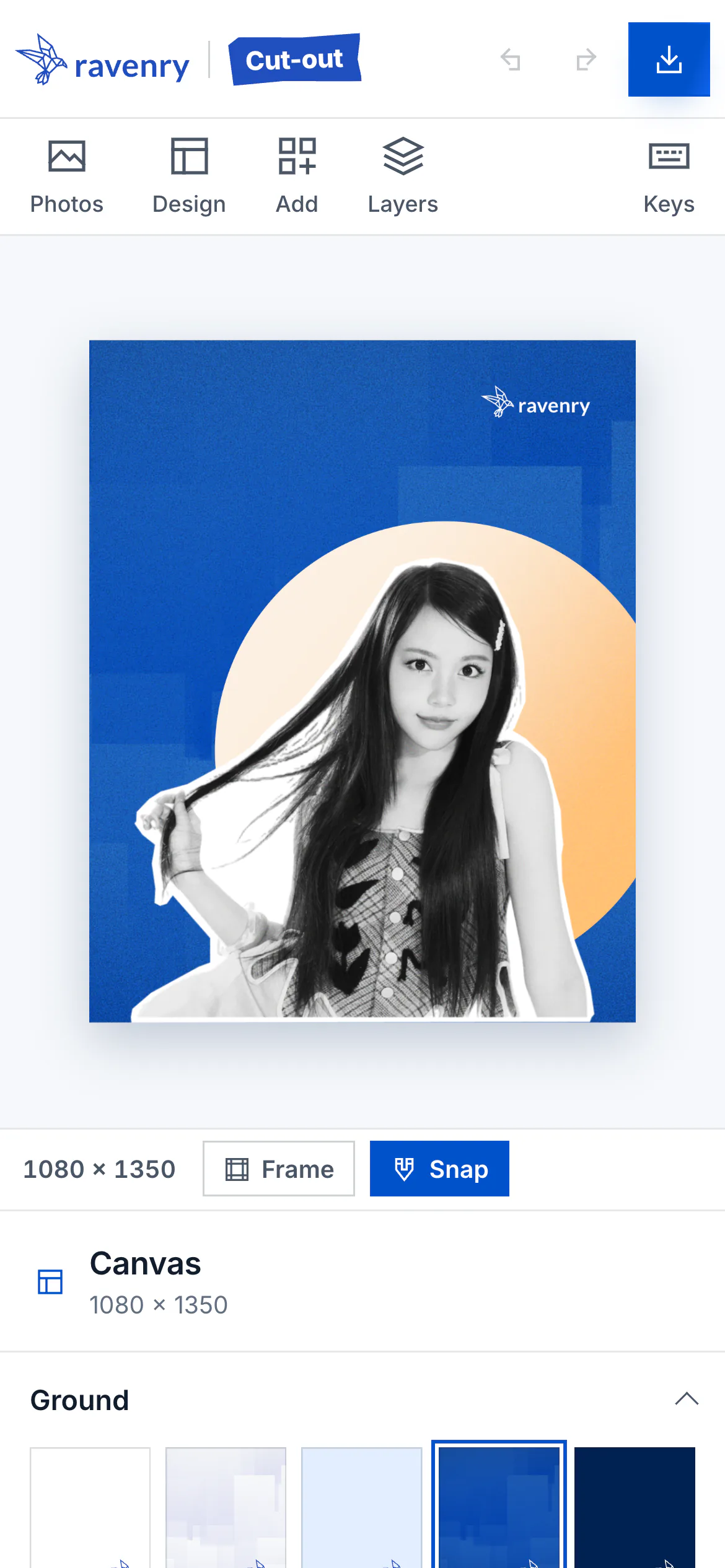
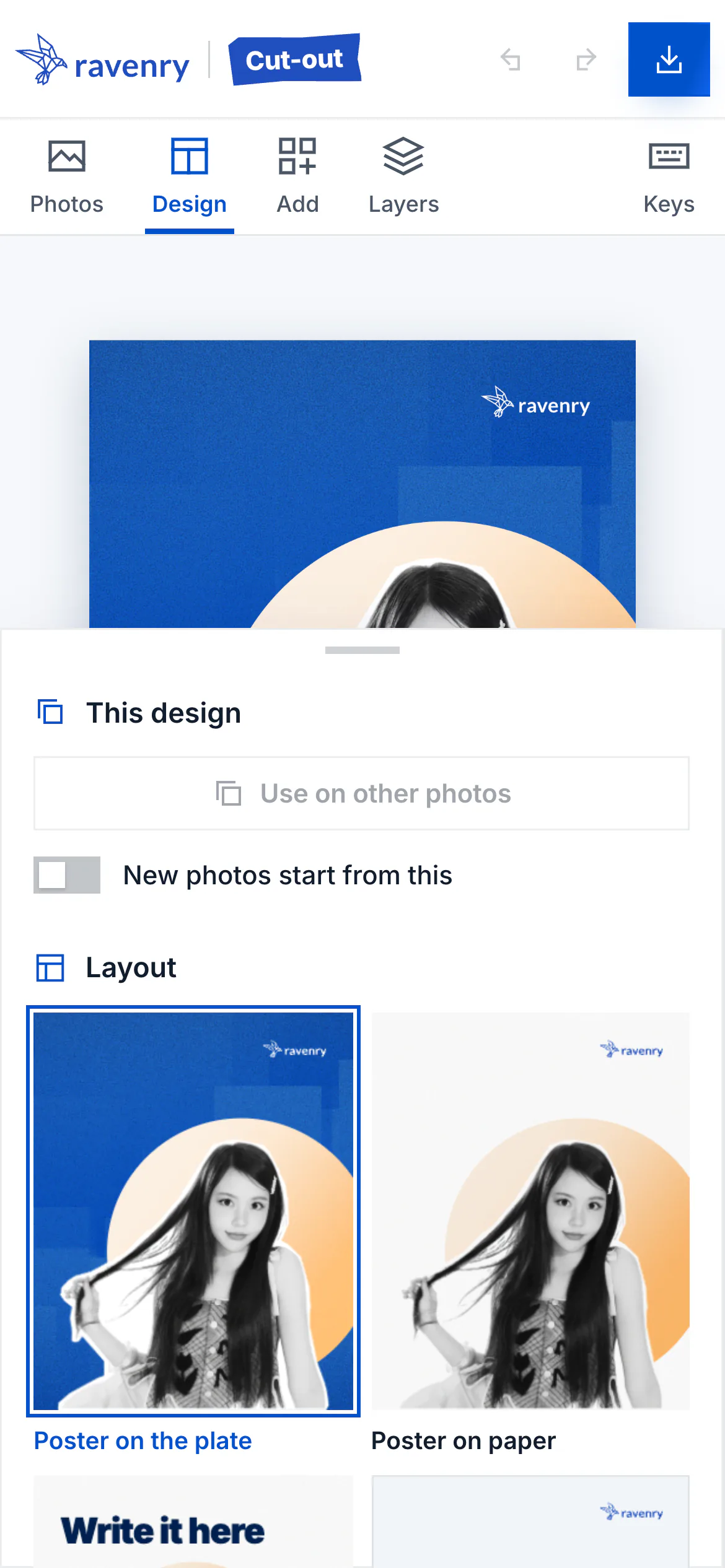
- The result is already a design: the cut-out on its sticker, on the plate, the sun behind the head and lit from the side the face is lit from, the logo in contrast.
- Choose a layout: poster on the plate, poster on paper, Instagram container, or the cut-out alone.
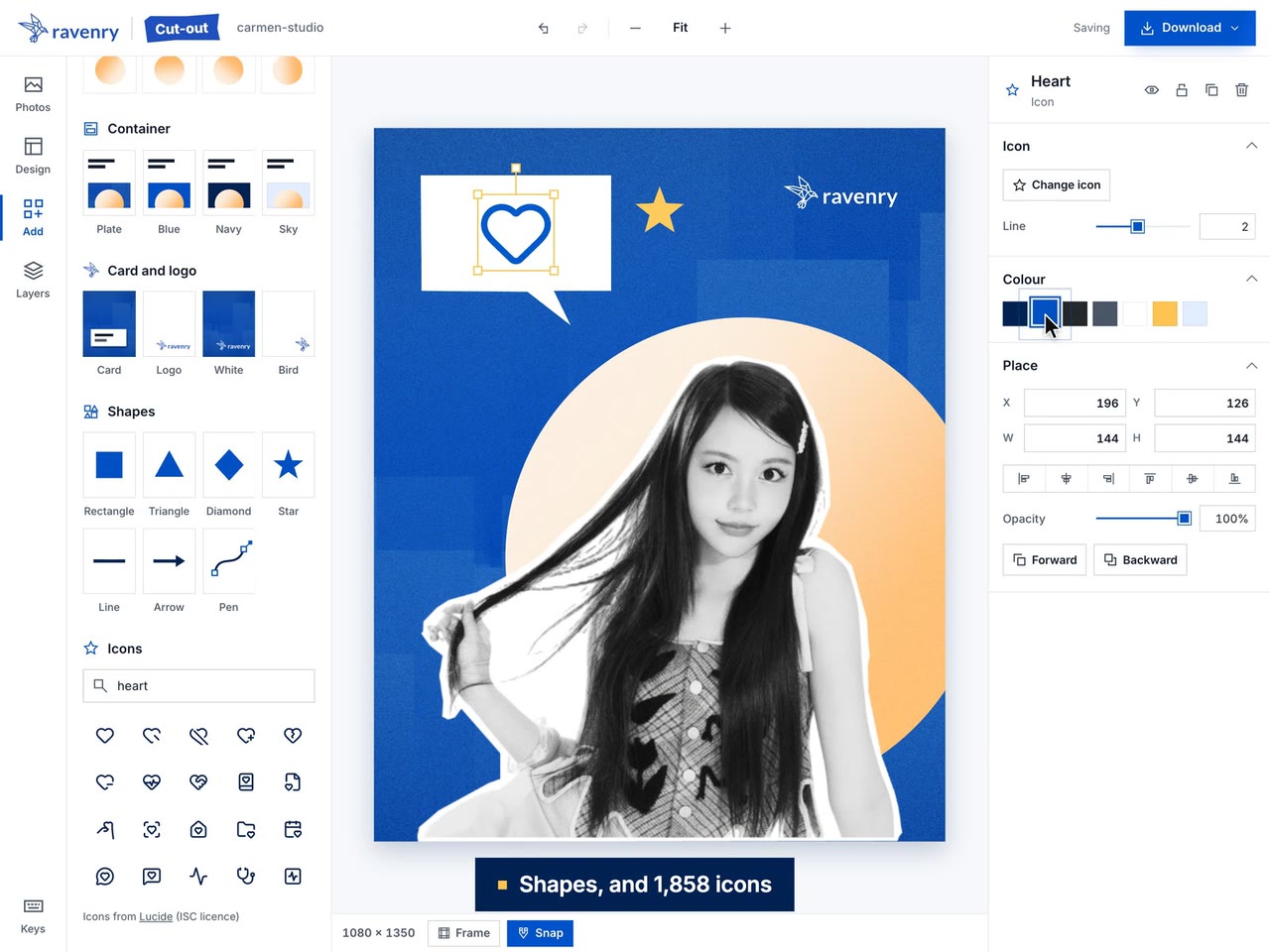
- Make it yours: a headline typed on the canvas, any of the brand's grounds, the tone and the border, the sun's light, icons, shapes and a pen, all as layers.
- Use it on every photo. One click places the design on the other photos, each by its own face, so a row of speakers shares one head size and one eye line.
- Export: PNG at 1080 x 1350 or twice that, a JPEG for Instagram, the cut-out or the sticker alone, or everything in a zip.
Key Decisions, and Why
| Decision | Why |
|---|---|
| Automate my own five steps, each calibrated on my finished work | The look is Ravenry's; a generic filter would not be |
| BiRefNet matting, with foreground estimation | The cleanest hair of every model tested, and no halo |
| Enlarge small photos before masking, at most 2x | Speakers send small avatars; the curls come out crisper |
| A tone curve fitted to my finals; whites stop at 233; no face equalisation | Faces stay apart from the white sticker, and the tone is fair to every skin |
| The sticker drawn by construction, straight cuts walked in a band around the silhouette | It always contains the subject and reads as hand-cut |
| A small editor with only the brand's colours, Inter's styles, Ravenry's grounds and frame | Anyone can make an on-brand visual without a designer's eye |
| One design on every photo, placed by the face | A row of speakers shares one head size and eye line |
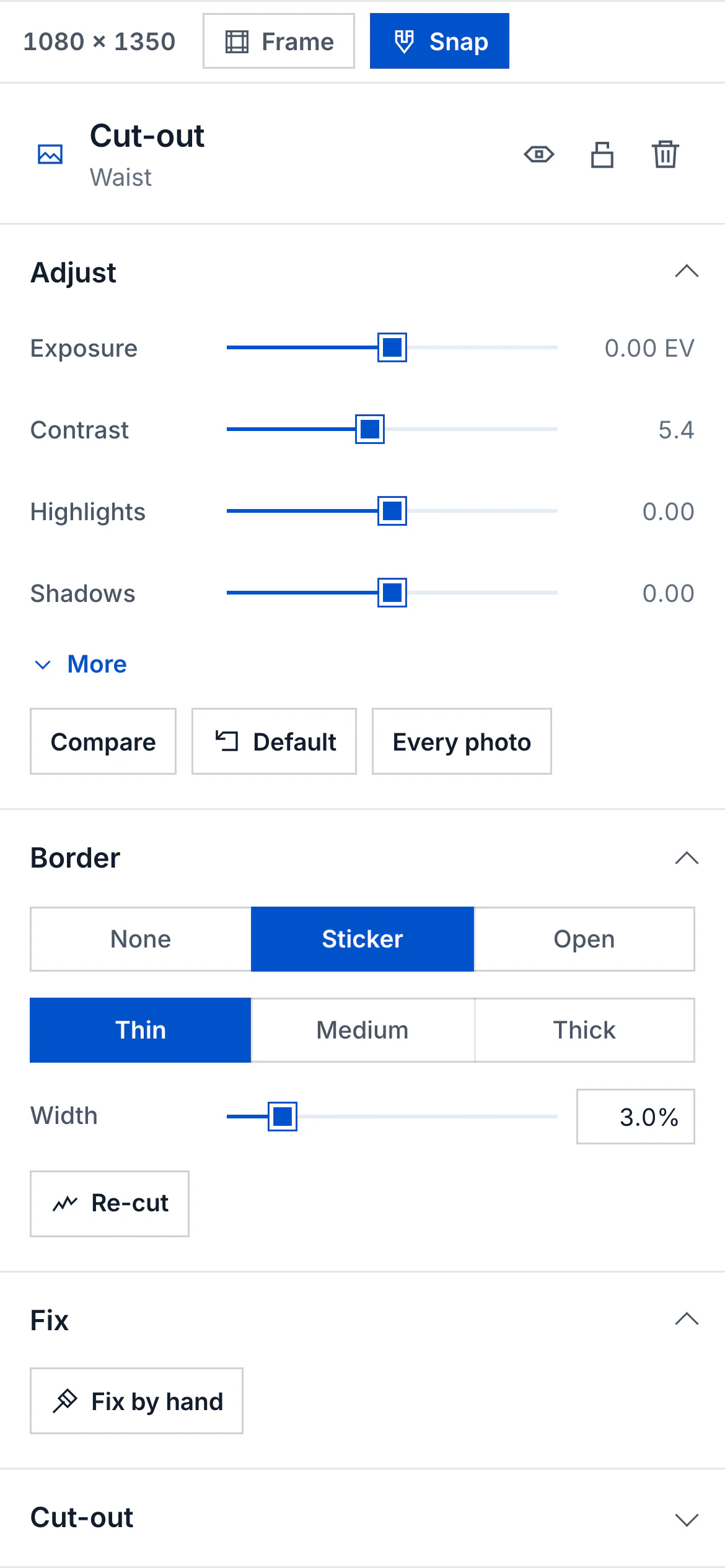
| Fix by hand: keep, remove, move the cut, move the sticker's corners | When the model is wrong, a person can put it right |
| The whole pipeline in the visitor's browser | Any device, any time, and photos never leave it |
| The lite model in the browser, over the cleanest-licence portrait model | Phones must be able to run it |
| Reliability before speed tricks | A photo must never wait for ever |
| In a layout, nothing touches anything; the container's headline in Black | My own notes in review: a sliver of blue beside the sun, then the sun touching the headline |
How It Works
- Read and find. The browser reads the photo at up to 2,048 px; MediaPipe finds the face and the body's joints.
- Frame. Head, chest, waist (the default), three-quarter or full length, with the cut placed between joints.
- Enlarge a small source.
- Mask. BiRefNet's lite matting model (MIT weights) runs at 1,024 px on the device's graphics chip through WebGPU, or its processor through WebAssembly. It was converted to ONNX (its deformable convolutions rewritten as bilinear sampling), with 8-bit weights of 51 MB, within 0.0001 of the original on average and 0.02 at most at the hair.
- Clean the hair's edges in four steps, and estimate the colours behind see-through strands.
- Black and white in true luminance, then the Ravenry curve.
- The sticker: straight cuts in a hand-cut rhythm, pure white, crisp, no shadow.
- Design: the cut-out lands in a layout, and everything can be changed: 8 grounds, 5 canvas sizes, 9 text styles in Inter, 7 brand colours, the sun's 8 lights, containers, a card, the logo, 1,858 Lucide icons, 6 shapes and a pen, layers, undo and snapping to Ravenry's frame.
- Out: PNG or JPEG, the cut-out and sticker as PNG, or a zip; one design on every photo.
Stack. On the Mac: Python, PyTorch, BiRefNet, Apple Vision, Swin2SR, PyMatting, OpenCV and FastAPI. The page: JavaScript modules, Konva for the canvas editor, SVG and Web Animations, Inter. The browser edition: ONNX Runtime Web 1.30 (WebGPU and WebAssembly), MediaPipe Tasks Vision, a Web Worker, IndexedDB, and Vercel for hosting. Icons: Lucide 1.50.0. About 2,400 lines of Python pipeline and 10,700 of page JavaScript.
Design
The tool follows Ravenry's own rules, so what it makes is on brand by default:
- Hard edges everywhere, no rounded corners, and no circles but the sun.
- The sun is the one circle, lit from the side the subject's face is lit from, bigger than head and shoulders so the crown rises into it.
- The brand's grounds are the real ones: the plate image, Paper with the website's grain, Navy, Sky.
- The logo is always in contrast: white on the plate, blue on a light ground, wherever the layout puts it.
- Nothing touches. In a layout, the sun keeps a clear step from the container's edges, the headline and the crown, on every photo a design is used on. That rule came from my own review of the portfolio's films: a sliver of blue beside the sun, then the sun touching the headline's letters.
- Motion that explains: the waiting card names each real stage, the sun rises with the work, and the rail's icons move when you point at them.
Craft and Quality
- The test set: 26 photos of people and objects. On every one the sticker clears the subject by 0.51 to 0.64 of its border, no outline crosses itself, the brightest grey is 229 to 233, and no pixel is pure black.
- The browser edition proved against the original, module by module: the image operations bit for bit, the colours bit for bit, the hair edges within 0.0002.
- End to end, on the live site: a photo cut out on a computer and at a phone's size; twenty checks of the icons, shapes and pen; nine photos at once with the worker stopped mid-photo and the page reloaded, all nine finished.
- Layouts proved on the test set: one design placed on every other photo (220 placements), and the Instagram container on every photo and canvas size (605 designs), with nothing touching.
- Even the waiting animation: the logo's bird bends without folding or breaking its lines, and at rest it matches the logo's own file to 5 pixels in two million.
How AI Is Used, Where It Goes Wrong, and What I Overrode
The tool is built around two kinds of AI model: a matting model that separates the person from the background, and a landmark model that finds the face and the body's joints. Neither is trusted as it comes.
- Apple Vision's masks were rejected outright: a smooth helmet with a halo, or a bright fringe at the crown.
- The chosen matting model still leaves faults that the white sticker hides but a cut-out on blue shows: a haze beyond the hair, background between locks, see-through strands. Four clean-edge steps fix the mask's shape before it is used.
- It keeps what is see-through or out of focus as a haze: bottles in water, a trolley's rail, a child out of focus behind the person in front. The tool records where, so a designer knows.
- The landmark model can anchor the wrong person: in a photo of a parent and child, with the parent in profile, it found only the child's face. The tool now says who a photo is about, and never cuts one person out of another.
- Some models change the person, so they were ruled out: an enlarging model for compressed photos smoothed skin like a beauty filter (a speaker's stubble disappeared), and face restoration is never used.
- Some choices would be unfair, so the tool does not make them: matching every face to one grey would lighten darker skin.
- My own review overrode the output too: my 49 notes from using the page each changed something the tool did, from the sun's place in a layout to the headline's weight, and each became a rule or a check.
- When the model is wrong, a person decides: every setting is on the page, and Fix by hand lets anyone keep or remove parts, move the cut, or move the sticker's corners. This case study's own demo needed it once: one photo brought a neighbour's sleeve in at its edge, which the tool kept rather than cut one person out of another, and a single Remove stroke took it out before the before-and-after was exported.
- Still open: the matting model's weights are MIT-licensed, but some of its training data is non-commercial.
Outcome and Next Steps
Outcome. A public site that does the five steps a designer did by hand, in the company's own look, in 5 to 22 seconds a photo on an M1 Mac, and lays the result out ready to post. Nothing to install, and no photo uploaded. It was built in 17 checked releases over 16 days, shaped by 49 notes from using it.
Not measured yet: adoption, time saved, and the number of assets made.
Next: measure use; test Safari and Firefox end to end (so far only Chrome's engine); move to a model trained on cleared data when one exists; bring the sticker's rhythm closer to mine on the three photos where it is slightly gentler.
Try it live: ravenry-cutout.vercel.app.